
Dell Tower Desktop
4.4Editor score
Core Ultra 7 processor
32GB RAM included
Enhanced multitasking power
This guide compares the best desktop computers for home use in October 2026, evaluating performance, storage, and design for various household needs.
Finding the right desktop computer for home use involves balancing performance, storage, and design to meet your specific household needs effectively.
We compared ten top models based on processor speed, memory capacity, storage options, and connectivity to help you make an informed decision easily.
Each pick highlights key features and trade-offs so you can choose the best fit while keeping in mind that prices may change over time.
4.4Editor score

4.5Editor score

4.0Editor score
This side-by-side comparison outlines the key specifications and strengths of each model to help you identify the right fit for your home setup.




The Dell Slim Desktop stands out as an excellent choice for modern home computing with its AI-enabled Intel Core Ultra processor and sleek design.
We may earn a commission when you buy through this link, at no additional cost to you.
Its ability to connect up to four FHD monitors makes it ideal for multitasking users who need extended workspace on a single desk.
While it may cost more than average, the tool-less design and security features like TPM chips justify the investment for long-term use.
Home office workers or students needing reliable performance with minimal footprint will find this model offers a balanced mix of power and elegance.
The built-in AI processor helps optimize workflows and boosts productivity for creative and administrative tasks alike.
Crafted from recycled materials, this desktop supports eco-friendly practices while maintaining high-end aesthetic appeal.
We may earn a commission when you buy through this link, at no additional cost to you.
This tower model delivers premium performance with an Intel Core Ultra 7 processor and 32GB RAM, making it suitable for demanding home tasks.
We may earn a commission when you buy through this link, at no additional cost to you.
It supports up to four FHD monitors and includes onsite service, ensuring minimal downtime and maximum productivity for professional users.
The higher price is offset by robust specs and reliable support, appealing to those who need consistent performance without technical hassles.
If you require heavy multitasking or professional-grade reliability, this desktop provides the power and support you need for any project.
With 32GB RAM and top-tier processing, this system handles complex applications and multitasking with ease.
Dell offers onsite service to resolve hardware issues quickly, reducing disruption to your daily workflow or creative work.
We may earn a commission when you buy through this link, at no additional cost to you.
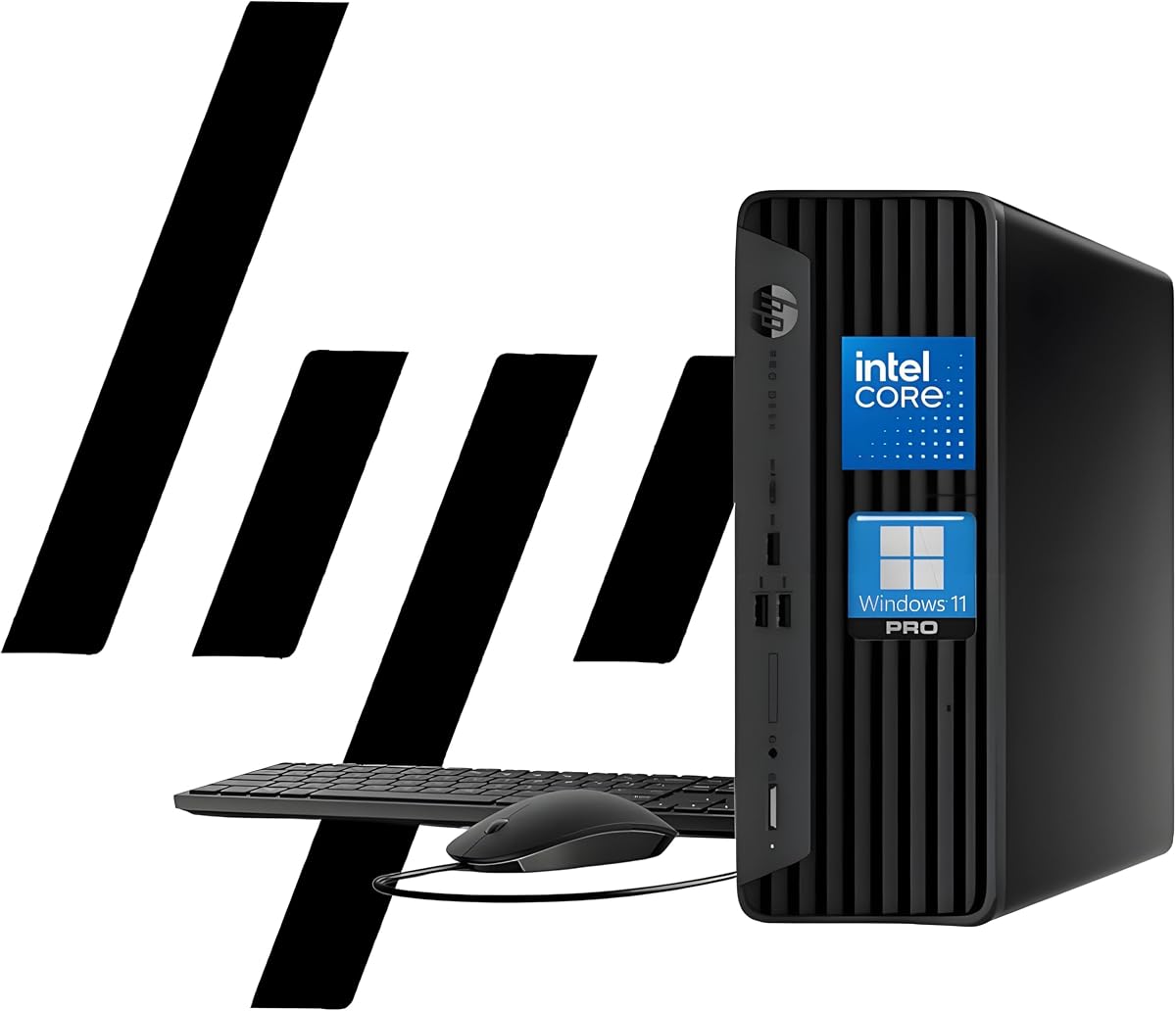
HP offers a budget-friendly solution with an Intel i7 processor and ample storage, ideal for students or families needing reliable computing.
We may earn a commission when you buy through this link, at no additional cost to you.
The included keyboard and mouse mean you can start using the system immediately without buying extra accessories right away.
While the CPU is not the latest generation, it provides enough power for daily tasks, streaming, and moderate productivity without lag.
Families or students on a budget will appreciate the value and ready-to-use setup that gets you working right out of the box.
Everything needed to begin learning or working is included, saving time and extra costs on peripherals.
A large PCIe SSD ensures quick boot times and fast access to files, documents, and media libraries.
We may earn a commission when you buy through this link, at no additional cost to you.
This model is built for families, balancing performance for homework and entertainment with a compact design that fits any room.
We may earn a commission when you buy through this link, at no additional cost to you.
Its 16GB RAM ensures smooth multitasking, while the fast SSD reduces wait times when opening apps or loading files.
Though storage is limited, the system is expandable and suitable for those who store data on external drives or cloud services.
Parents looking for a reliable, secure machine for kids and shared household use will find this desktop meets most daily needs.
Its small footprint makes it easy to place on desks or shelves without taking up too much space.
Windows 11 Pro includes parental controls and security features to protect users and manage content access.
We may earn a commission when you buy through this link, at no additional cost to you.
This renewed Dell model offers incredible value with 32GB RAM and large SSD storage, perfect for budget-conscious buyers needing power.
We may earn a commission when you buy through this link, at no additional cost to you.
Its older Intel i5 processor is still capable of handling most home tasks including browsing, streaming, and light productivity work.
The price is significantly lower than new models, though it comes with a limited warranty typical for refurbished electronics on the market.
Anyone seeking maximum RAM and storage for the lowest price should consider this option for basic to intermediate home computing needs.
You get high specifications for a fraction of the cost, making it ideal for tight budgets without major compromises.
With 32GB of memory, this system handles multitasking smoothly even with many browser tabs or apps open.
We may earn a commission when you buy through this link, at no additional cost to you.
This small form factor desktop saves space while supporting dual 4K monitors, making it great for limited desk setups needing big screens.
We may earn a commission when you buy through this link, at no additional cost to you.
Despite the budget processor, its 32GB RAM allows for smooth multitasking, though intensive applications may be less responsive.
Its secure features and compact size suit home offices that need reliability and protection without bulky hardware components or cables.
If you want a minimalist setup with multi-monitor support, this model delivers enterprise features in a small package.
At under 9 pounds, it is light and easy to move, fitting neatly on any desk or shelf surface.
Dual 4K display support provides crisp visuals for productivity or multimedia tasks with clarity.
We may earn a commission when you buy through this link, at no additional cost to you.
This model brings next-gen DDR5 RAM and a 14th Gen processor for fast performance, ideal for users needing future-proof hardware at home.
We may earn a commission when you buy through this link, at no additional cost to you.
Its DDR5 memory ensures quick access and improved multitasking compared to older DDR4 systems found in many current desktops.
The thermal design and enterprise readiness make it suitable for long daily sessions, though heavy workloads may need more power.
Buyers looking for modern memory tech and reliable business-grade security will find this tower a strong option for home offices.
DDR5 RAM speeds up data transfer, enhancing responsiveness when working with large files or multiple programs.
Modern hardware ensures compatibility with future software and updates, extending the system's usable lifespan.
We may earn a commission when you buy through this link, at no additional cost to you.
Targeted at small business owners, this desktop offers a 12th Gen i5 processor and Office 365 access for productivity and collaboration.
We may earn a commission when you buy through this link, at no additional cost to you.
Its design is durable and includes essential ports for peripherals, making it easy to connect printers, scanners, or external drives.
While storage is moderate, it boots quickly and handles daily business apps well, providing consistent performance without delays or slowdowns.
Entrepreneurs or remote workers needing reliable tools and productivity software support will find this machine efficient and ready to use.
Includes Office 365 on the web for document creation without extra subscriptions, saving costs for small teams.
Multiple ports ensure you can connect all devices easily, supporting complex setups for professional work environments.
We may earn a commission when you buy through this link, at no additional cost to you.
Lenovo provides a powerful 10-core processor and Wi-Fi 6E, ensuring fast internet and smooth performance for all household activities.
We may earn a commission when you buy through this link, at no additional cost to you.
Its seven USB ports allow for multiple peripheral connections without needing hubs, which simplifies setups for multiple devices.
Office 365 on the web helps with documents and tasks without costs, making it accessible for general productivity tasks.
Families or students needing strong internet performance and device connectivity will appreciate the balanced features of this tower.
Wi-Fi 6E and multiple USB ports ensure stable wireless connections and plenty of wired options for devices.
Web-based Office access helps with school or work projects without requiring a subscription, saving money.
We may earn a commission when you buy through this link, at no additional cost to you.
This business-oriented model offers Windows 11 Pro and a Kensington lock slot, enhancing both data and physical security at home.
We may earn a commission when you buy through this link, at no additional cost to you.
Its DDR5 RAM and i3 processor handle daily multitasking well, while Windows 11 Pro adds enterprise-grade security features for peace of mind.
The high rating suggests reliability and build quality, making it suitable for those prioritizing safety and consistent daily performance.
Home professionals or families needing secure, reliable computing with physical protection features will find this system a solid choice.
Built-in lock slot allows you to secure the desktop physically, preventing theft in shared or public spaces.
Windows 11 Pro adds tools for better data protection and management compared to the Home version.
We may earn a commission when you buy through this link, at no additional cost to you.
Selecting the right desktop involves evaluating performance needs, storage, and form factor to ensure it fits your lifestyle and budget.
The CPU determines speed and multitasking capability. For daily home use, modern Core i5 or Ultra 5 processors handle streaming and browsing well, while higher cores benefit intensive tasks.
Choose a processor that matches your workload to avoid overpaying or underperforming on essential tasks.
RAM affects how many apps run simultaneously without slowdowns. Most homes need at least 16GB for smooth multitasking; 32GB is better for power users or those with many tabs open.
Higher RAM improves responsiveness and longevity, reducing the need for early upgrades.
SSDs offer fast boot times and reliability. Aim for at least 512GB, though 1TB provides more space for media and documents without external drives.
Consider storage growth needs and whether external backups are practical for your data.
Check USB ports, HDMI, and Ethernet for peripherals. Multiple USB-C and HDMI ports simplify connecting monitors, cameras, and drives.
Ensure the desktop supports your display and accessories to avoid needing extra adapters.
Windows 11 Home suits general users; Pro adds security and remote tools for businesses. Choose based on your need for advanced features.
The OS affects compatibility with software and future security updates for your system.
Tower models offer better upgradability; slim or small form factors save space. Decide based on your desk space and upgrade intentions.
Compact designs save desk space while towers allow easier future component upgrades.
Budget options may use older parts but meet basic needs. Premium models offer newer tech and support for long-term use.
Balance initial cost with longevity and the specific needs of your household to get the best value.
Onsite service and good warranties reduce repair hassle. Look for reputable brands with responsive support channels.
Reliable support ensures quick fixes and minimal downtime when technical issues occur.
Set up the desktop on a stable, ventilated surface to prevent overheating and ensure long-term performance stability.
Keep the system updated with latest security patches and drivers to maintain safety and performance efficiency.
Regularly clean dust from vents and use surge protectors to protect sensitive components from power fluctuations.
For general home use, a desktop with at least an Intel Core i5 or Ultra 5 processor, 16GB RAM, and a 512GB SSD offers balanced performance for browsing, streaming, and basic productivity.
You only need 32GB RAM if you run heavy multitasking, large design files, or professional software. For most home users, 16GB is sufficient and more cost-effective for daily tasks.
Refurbished or budget models like the Dell Optiplex 3060 offer excellent value with high RAM and storage at lower prices, ideal for cost-conscious buyers needing reliable computing.
Many of these models have tool-less designs or accessible panels for RAM and SSD upgrades. Check product specifics for details on internal expansion options.
Look for fast SSD storage, enough RAM for your apps, strong connectivity ports, and a form factor that fits your space. A reliable warranty also matters for peace of mind.
Windows 11 Pro adds security and management features useful for business. For general home tasks, Windows 11 Home is adequate and often more affordable.
Our top picks include the Dell Slim Desktop, Dell Tower, and HP 2026 models, each offering different strengths from AI power to student value.
Prioritize performance and storage that match your daily tasks and consider form factor and warranty for long-term satisfaction.
Prices and specs can change so verify the latest details on each product page before making your final decision today.