
A-Tech 8GB DDR4
4.7Editor score
Lifetime warranty included
Easy home installation
Boosts loading speeds
This comprehensive guide compares the top ten DDR4 Sodimm Laptop RAM modules for performance, compatibility, and value to help you upgrade your system
Upgrading your laptop memory is one of the most effective ways to boost performance and extend device life. Choosing the right DDR4 Sodimm Laptop RAM ensures your system runs smoothly during multitasking and demanding applications.
We analyzed ten top-rated modules based on speed, capacity, compatibility, and user feedback. Each product was selected for its reliability and ability to enhance system responsiveness across various laptop configurations.
Every pick highlights key features and technical specs to guide your decision. Remember that pricing fluctuates frequently so verify current offers before finalizing your purchase for the best value.
4.7Editor score
4.8Editor score
4.7Editor score
The following table provides a side-by-side comparison of all ten selected modules highlighting their core specifications and compatibility details for quick reference.


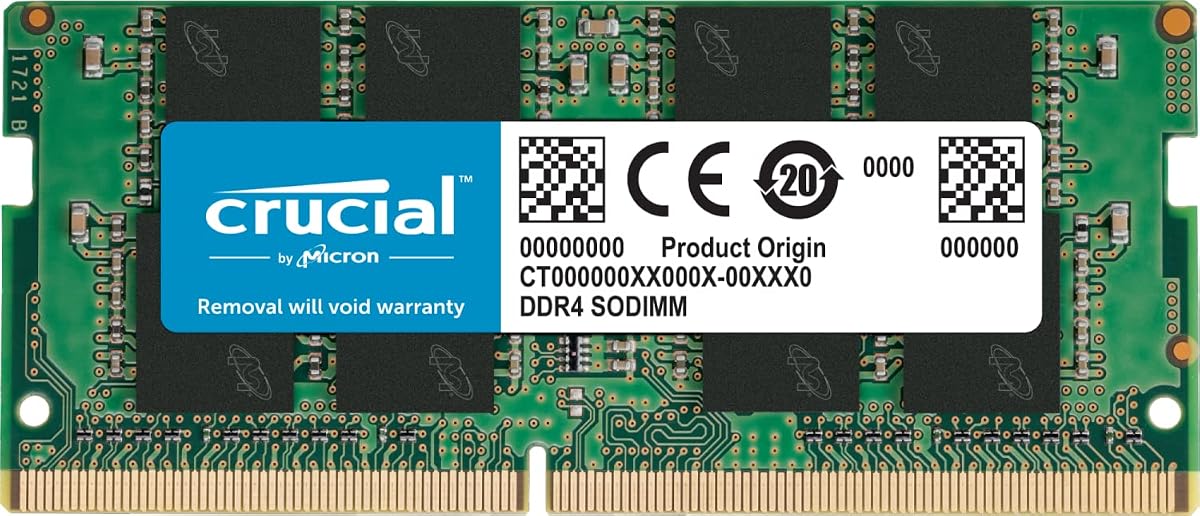
This Crucial 16GB DDR4 RAM module stands out for its reliability and performance boost. With a high rating of 4.8 stars it offers smooth multitasking capabilities for modern laptops.
We may earn a commission when you buy through this link, at no additional cost to you.
Operating at 3200MHz it ensures fast system responsiveness. The module includes easy installation guides and guaranteed compatibility via Crucial System Scanner tools.
While the price is higher than budget options the quality and ease of use justify the cost. It is rigorously tested at component levels for stability.
Ideal for users seeking a seamless upgrade experience without technical hurdles. We recommend it for anyone prioritizing stability and performance.
The 16GB capacity allows smooth handling of multiple applications simultaneously without lag.
Backed by decades of memory expertise this module ensures long term system reliability.
We may earn a commission when you buy through this link, at no additional cost to you.
Samsung delivers a robust 16GB DDR4 module designed for select laptops. Its 3200MHz speed significantly reduces loading times and improves responsiveness.
We may earn a commission when you buy through this link, at no additional cost to you.
The Dual Rank x8 configuration enhances data throughput for demanding tasks. It operates at standard 1.2V voltage ensuring energy efficiency.
Users note reliable performance after installation though compatibility varies. It suits those needing substantial capacity within standard laptop constraints.
We suggest checking system specs before purchase. This module is a solid choice for power users needing reliable throughput.
Designed to boost system ability to handle greater workloads efficiently.
Standard 1.2V voltage maintains energy efficiency while delivering performance.
We may earn a commission when you buy through this link, at no additional cost to you.
This 8GB Crucial module offers excellent value with flexible speed options. It operates at 3200MHz but downclocks for older systems ensuring broad compatibility.
We may earn a commission when you buy through this link, at no additional cost to you.
With a 4.8 rating it matches top performers in reliability. The installation process is straightforward with detailed guides provided.
While capacity is limited compared to 16GB options it suits basic to mid-range needs. It avoids bottlenecks during standard daily use.
Ideal for users balancing budget and performance. We recommend it for those needing a reliable mid-tier upgrade.
Downclocking support ensures compatibility with systems requiring lower speeds.
Built on Micron's expertise it guarantees top performance and system stability.
We may earn a commission when you buy through this link, at no additional cost to you.
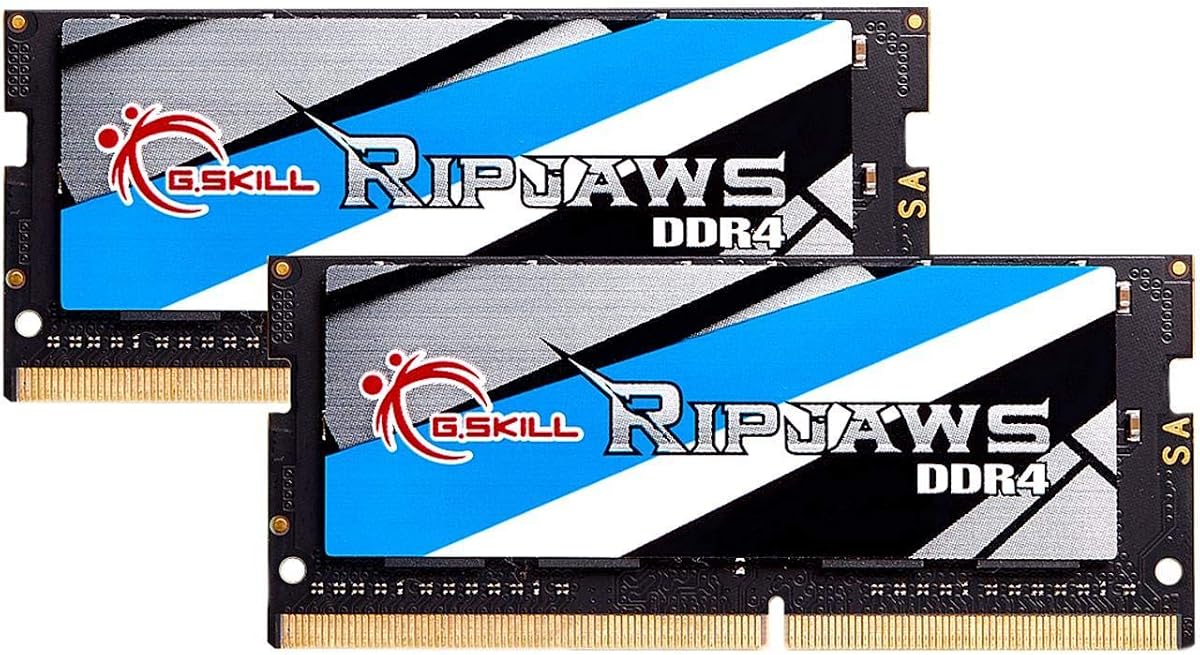
The G.SKILL Ripjaws 32GB kit targets advanced users needing massive capacity. It supports overclocking up to 3200MT/s for peak performance.
We may earn a commission when you buy through this link, at no additional cost to you.
Sold as a matched kit it ensures stability between modules. It includes JEDEC profiles for default operation without BIOS tweaking.
Mixing kits is discouraged to avoid instability. The premium price reflects its high-end specs and potential for customization.
Best for power users demanding top-tier speed. We recommend it for those willing to optimize settings for maximum throughput.
Offers adjustable speeds up to 3200MT/s for maximum performance gains.
Modules sold as matched kits ensure seamless operation together without conflicts.
We may earn a commission when you buy through this link, at no additional cost to you.
TEAMGROUP delivers a high-capacity 32GB kit with excellent support. Its 4.8 rating reflects strong performance and reliability across systems.
We may earn a commission when you buy through this link, at no additional cost to you.
The kit adheres to JEDEC standards ensuring broad compatibility. Lifetime warranty and free technical support provide long-term peace of mind.
Speeds may vary depending on host system BIOS settings. It is ideal for users wanting large memory without compromising on service.
We recommend it for those needing robust support. This kit balances capacity and value effectively for most laptop configurations.
Includes lifetime warranty and free technical support for long term peace of mind.
Adherence to JEDEC standards ensures compatibility with many laptop systems.
We may earn a commission when you buy through this link, at no additional cost to you.
A-Tech offers a reliable 8GB DDR4 module at a competitive price. It operates at 2400MHz suitable for older or budget laptops.
We may earn a commission when you buy through this link, at no additional cost to you.
With a 4.7 rating and lifetime warranty it proves trustworthy. Installation is simple without needing special expertise.
Though slower than 3200MHz options it improves daily performance. It is perfect for basic upgrades where cost is a priority.
We recommend it for budget-conscious users seeking reliability. This module provides significant performance gains for minimal investment.
Delivers essential performance improvements at an affordable price point for any user.
Easy to install at home without requiring any professional computer expertise.
We may earn a commission when you buy through this link, at no additional cost to you.
GIGASTONE provides a high-capacity 32GB kit for versatile systems. It runs at 3200MHz for smooth multitasking and faster loading.
We may earn a commission when you buy through this link, at no additional cost to you.
Rated 4.7 it ensures stability across laptops and notebooks. The 260-pin SODIMM design guarantees compatibility with many models.
Users appreciate the ample memory for heavy workloads. It suits those needing more capacity without switching to expensive premium brands.
We recommend it for budget-heavy workflows. This kit offers a solid balance of speed and capacity for most laptops.
Offers a massive 32GB kit for demanding workloads and multitasking.
Compatible with a wide range of laptops and notebooks for versatile use.
We may earn a commission when you buy through this link, at no additional cost to you.
This genuine Samsung module offers reliable 3200MHz performance in 8GB. Its 4.8 rating highlights consistent quality and seamless operation.
We may earn a commission when you buy through this link, at no additional cost to you.
Designed as a single slot upgrade it fits systems with available slots. It expands memory resources effectively to reduce bottlenecks.
Users value its high-speed capabilities for standard tasks. It suits laptops needing a quick refresh without replacing dual modules.
We recommend it for single-slot upgrades. This module ensures smooth performance and increased workload capacity efficiently.
Expands available memory resource improving performance and reducing bottlenecks.
Genuine Samsung Memory ensures dependable performance for laptop and notebook systems.
We may earn a commission when you buy through this link, at no additional cost to you.
A high-density 32GB module ideal for single slot upgrades. It operates at 3200Mbps for fast data access and smooth performance.
We may earn a commission when you buy through this link, at no additional cost to you.
With 2Rx8 configuration it balances speed and capacity effectively. Rated 4.7 it ensures reliable throughput for demanding applications.
Users needing maximum single-slot capacity appreciate this module. It suits laptops that cannot handle dual-channel configurations.
We recommend it for dense storage needs. This module delivers high capacity with consistent speed for optimized systems.
Provides 32GB density for maximum capacity in a single module.
Operates at 3200Mbps to ensure fast data access and smooth performance.
We may earn a commission when you buy through this link, at no additional cost to you.
CORSAIR Vengeance SODIMM combines performance with sleek design. Its slim profile ensures physical compatibility with modern thin laptops.
We may earn a commission when you buy through this link, at no additional cost to you.
Rated 4.7 it offers auto-overclocking for compatible systems without BIOS config. Built from selected DRAM for stability and performance.
Ideal for users wanting reliable memory and visual appeal. It suits notebooks requiring specific physical dimensions for upgrades.
We recommend it for style-conscious performance seekers. This module delivers stable speeds with aesthetic integration.
Slim attractive design ensures physical compatibility with modern laptops.
Auto-overclocking compatible laptops allows improved speeds without BIOS configuration.
We may earn a commission when you buy through this link, at no additional cost to you.
Selecting the right RAM requires careful attention to compatibility, speed, and capacity to ensure seamless upgrades.
Choose capacity based on workload. 8GB suits browsing while 16GB or 32GB is ideal for creative tasks or multitasking.
Prioritize higher capacity for future-proofing system performance and reducing bottlenecks.
Look for DDR4 Sodimm Laptop RAM speed matching your system support. 3200MHz offers better performance than lower speeds.
Ensure your laptop BIOS supports the selected speed for optimal performance gains.
Check pin count and type (SODIMM 260-pin). Use manufacturer tools to verify device compatibility before purchasing.
Confirm your laptop supports the module's size and speed to avoid installation issues.
Most DDR4 modules run at 1.2V. Verify your system accepts standard voltage for stable operation.
Standard voltage ensures energy efficiency and compatibility across various systems.
Consumer laptops typically need Non-ECC unbuffered RAM. Avoid ECC modules unless specified by your hardware.
Non-ECC modules are standard and cost-effective for general use.
Choose reputable brands like Crucial, Samsung, or G.SKILL for reliability. Established brands often offer better warranties.
Reputable brands ensure quality testing and reliable after-sales support.
Check warranty terms before buying. Lifetime warranties indicate confidence in product durability.
Lifetime warranties protect your investment against defects over time.
Consider ease of installation. Some brands offer guides and tools for hassle-free upgrades.
Easy installation guides reduce risk of errors during the upgrade process.
Before installation, power off the laptop and disconnect power sources. Ground yourself to prevent static electricity damage to the module.
Insert the module firmly into the SODIMM slot ensuring the notch aligns. Push down until the clips lock securely into place.
After installation, update BIOS settings if required and run memory diagnostics to confirm stability before daily use.
It is generally recommended to use matched kits for stability. Mixing brands or speeds may cause instability or reduced performance.
No DDR4 Sodimm Laptop RAM is not compatible with DDR5 slots. Ensure your laptop supports DDR4 before purchasing.
Use Task Manager on Windows or Activity Monitor on Mac to view installed memory. This confirms current specs before upgrades.
SODIMM modules are smaller for laptops while DIMM are for desktops. Laptops require SODIMM modules for physical fit.
Yes faster speeds reduce load times and improve frame rates in some games. Ensure compatibility with your CPU and motherboard.
No installation is straightforward with proper guidance. Follow manufacturer instructions and handle modules carefully.
We highlighted top picks including Crucial for reliability and A-Tech for value. Each option meets diverse needs across capacity and speed.
Prioritize compatibility and warranty when selecting RAM. High-quality memory ensures long-term system performance and stability.
Check current prices before purchasing as offers fluctuate. This guide provides a strong foundation for your next upgrade.