
Amzboy 15.6 Laptop
4.8Editor score
Silent Fanless Design
Windows 11 Pre-installed
Expandable Storage Up to 1TB
Finding a cheap laptop for recording music requires balancing performance with affordability. You need enough power to handle audio interfaces and digital audio workstations without breaking the bank. This guide explores ten budget-friendly options that deliver reliable results for home studios and mobile creators.
We evaluated these models based on processor speed, RAM capacity, storage type, and port availability. Connectivity is crucial for linking audio interfaces and MIDI controllers. Our analysis highlights machines that support smooth playback and low-latency monitoring essential for professional-quality recordings on a budget.
Each pick showcases specific strengths like SSD speed or USB-C support. Remember that pricing fluctuates frequently so check current deals before buying. These selections help you start your music journey with tools that grow alongside your skills and studio needs over time.
4.8Editor score
4.3Editor score

4.3Editor score
As an Amazon Associate we earn from qualifying purchases.
The following comparison outlines key specifications for each model to help you decide which fits your recording needs. Focus on processor cores and RAM when running multiple tracks. Port variety ensures you can connect audio interfaces without constant adapter switching.




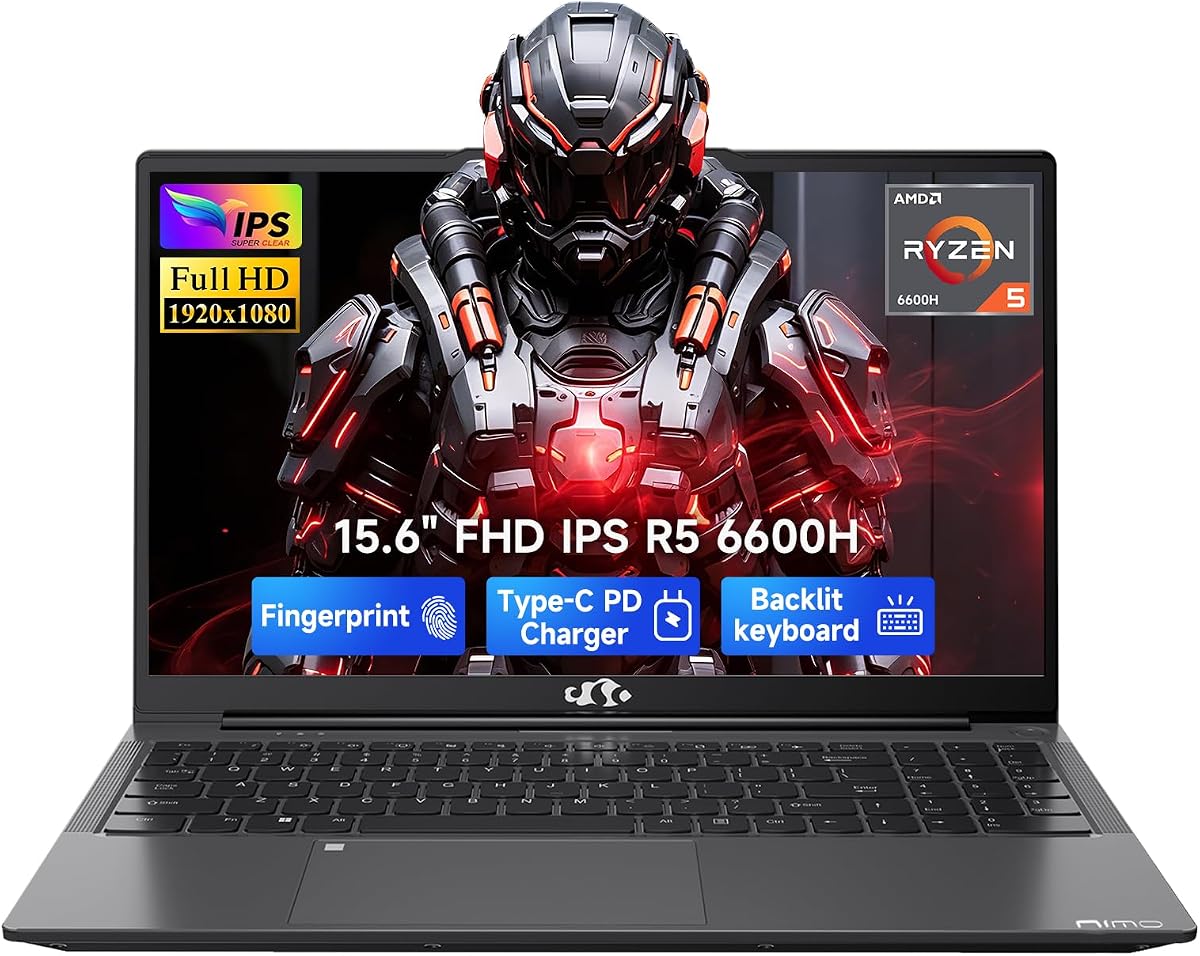
This NIMO laptop stands out as a top choice for budget recording due to its powerful AMD Ryzen processor. With a rating of 4.3 it offers solid performance for digital audio workstations. The standout quality lies in its ability to handle multiple tracks without significant lag.
We may earn a commission when you buy through this link, at no additional cost to you.
The 16GB of DDR5 memory ensures smooth multitasking when running plugins and virtual instruments simultaneously. The 512GB SSD provides fast load times for samples and project files. These specs make it capable of handling mid-level production tasks efficiently within a home studio environment.
While it handles recording well the integrated graphics may struggle with heavy visual effects in some software. The cooling system can generate noise during intensive rendering which might interfere with quiet microphone inputs. These trade-offs are acceptable given the price point and overall performance capabilities.
It is ideal for producers needing more power than entry-level chips offer without spending a fortune. We recommend this model for those serious about growing their music production skills affordably. Its balanced configuration supports a wide range of audio tasks effectively.
The six-core processor provides the headroom needed for complex mixing tasks and real-time monitoring.
The PCIe SSD ensures that loading large audio libraries happens quickly without slowing down the system.
We may earn a commission when you buy through this link, at no additional cost to you.
The Amzboy laptop is an excellent entry point for beginners recording basic tracks. Its rating of 4.8 reflects high user satisfaction with its reliability and ease of use. The primary benefit is its silent operation which prevents fan noise from entering audio recordings.
We may earn a commission when you buy through this link, at no additional cost to you.
Despite lower specs it handles simple recording tasks like voiceovers or single instrument tracking well. The Windows 11 pre-installation means you can start working immediately without extra setup. Its lightweight build makes it easy to transport to different recording locations.
However the 4GB of RAM limits your ability to run many virtual instruments at once. The eMMC storage fills up quickly with large audio files and sample libraries. These constraints are manageable if you keep projects simple or use cloud storage solutions.
We suggest this device for podcasters or musicians recording minimal tracks on a tight budget. It offers a quiet and portable solution that meets basic recording needs effectively. Upgrading storage via SD card helps mitigate the internal space limitation.
The fanless design eliminates background noise ensuring clean audio capture during vocal or instrument sessions.
Weighing just 3.3 pounds this laptop slips easily into bags for recording on the go.
We may earn a commission when you buy through this link, at no additional cost to you.
This BLUEING model offers premium features usually found on more expensive machines making it great for creators. With a 4.3 rating it balances build quality and performance well. The standout feature is its high-quality display which helps when editing video for music videos.
We may earn a commission when you buy through this link, at no additional cost to you.
The inclusion of a privacy slider adds security during online studio sessions or client calls. USB-C charging provides flexibility with power sources reducing the need for bulky adapters. The FHD IPS screen ensures colors look accurate which is useful for visual work.
Storage is a limitation as the 128GB SSD fills up fast with audio files. Battery life is decent but might require an outlet for long recording sessions. These drawbacks are acceptable given the extra features and connectivity options provided at this price.
It is a strong choice for users who value screen quality and security alongside recording needs. We recommend it for those needing a versatile machine for both audio and visual content creation. Its build quality supports daily use in various environments.
The IPS display delivers wide viewing angles and vibrant colors for accurate visual editing.
The manual slider physically covers the camera ensuring privacy during sensitive online meetings.
We may earn a commission when you buy through this link, at no additional cost to you.
The HP Chromebook is designed for efficiency and simplicity in a recording context. Its 4.4 rating indicates reliable performance for basic tasks. The dual array microphones are useful for capturing clear voice inputs directly without an external interface.
We may earn a commission when you buy through this link, at no additional cost to you.
Battery life is impressive allowing long sessions away from power sources. The lightweight design makes it easy to carry between locations. This model excels at lightweight tasks but struggles with complex audio processing.
Storage and operating system are major constraints for serious music production. Many professional DAWs are not available on ChromeOS. This makes it better for listening to recordings or simple edits rather than full production.
We suggest this for users needing a secondary device for reviewing tracks on the go. It is not suitable for primary recording work but serves well for media consumption. Its portability and battery life are key advantages here.
Dual microphones provide decent voice capture for quick demos without extra hardware.
Extended battery life supports all-day use without needing constant access to outlets.
We may earn a commission when you buy through this link, at no additional cost to you.
This 15.6 Inch Laptop offers a balanced configuration suitable for casual recording. The 4.2 rating suggests stable performance for everyday tasks. The 12GB RAM allows running multiple applications simultaneously without immediate slowdowns.
We may earn a commission when you buy through this link, at no additional cost to you.
The display quality is sharp which helps when viewing waveforms or video. Its quiet operation aids in capturing clean audio tracks during recording sessions. The privacy cover adds a layer of security for online work.
Performance may lag with complex projects due to the processor limitations. It is best suited for simple mixing or demoing rather than heavy production. These trade-offs are acceptable for the price point and included features.
We recommend it for students needing a versatile machine for school and music. It handles basic recording needs well without excessive cost. The build quality ensures durability for daily use in various settings.
12GB of RAM ensures stable performance when switching between DAW and browser.
The IPS display provides accurate visuals for detailed editing work.
We may earn a commission when you buy through this link, at no additional cost to you.
This model focuses on connectivity making it easy to hook up external gear. The 4.2 rating reflects consistent performance for recording and editing. Multiple USB ports allow simultaneous connection of audio interfaces and MIDI controllers.
We may earn a commission when you buy through this link, at no additional cost to you.
Bluetooth 5.0 ensures stable wireless connections for peripherals like headphones or keyboards. The 256GB SSD provides more room for projects than smaller budget models. These features streamline the setup process significantly in a home studio.
Brightness is average which might limit outdoor use or high contrast environments. Battery life is decent but not exceptional for long mobile sessions. These issues are minor compared to the robust connectivity options available.
We suggest it for users needing flexibility in hardware connections. It works well for recording setups requiring multiple peripherals. The balance of features makes it a strong contender in the budget category.
Multiple ports support diverse external gear without needing a hub.
Bluetooth 5.0 ensures stable links with wireless headphones or controllers.
We may earn a commission when you buy through this link, at no additional cost to you.
This 15.6 Laptop Computer earns a top rating for reliability and usability. Its 5.0 rating shows high user satisfaction with basic tasks. The 12GB RAM allows for smoother multitasking than typical budget laptops.
We may earn a commission when you buy through this link, at no additional cost to you.
Upgradability is a key feature letting you expand storage as your library grows. The HDMI port supports external monitors for better workflow in a studio. These aspects make it a flexible choice for growing producers.
The SSD is small limiting the number of large files you can keep locally. Processing power is adequate for simple tasks but may struggle with heavy effects. These constraints are manageable with external storage and optimized settings.
We recommend it for users needing reliable performance without high cost. It supports basic recording and editing workflows effectively. Its upgrade options ensure it remains useful as needs change over time.
Support for upgrades lets you expand space for larger audio libraries easily.
HDMI output allows connecting a second screen for wider workspace.
We may earn a commission when you buy through this link, at no additional cost to you.
This model prioritizes display quality and comfort for daily recording tasks. A 4.0 rating indicates solid reliability for general use. The FHD IPS screen provides vibrant visuals that aid in visual editing work.
We may earn a commission when you buy through this link, at no additional cost to you.
The ergonomic keyboard supports long typing sessions during composition or coding. Privacy features protect data during online studio meetings. These quality of life features make it a pleasant device to use daily.
8GB RAM is sufficient for light tasks but may slow down with many tracks. Performance is steady but not powerful enough for heavy production. These limitations are acceptable given the screen and build quality.
We suggest it for creators who need a clear visual workspace. It works well for light recording and editing projects. The balance of comfort and features supports productive daily workflows.
FHD IPS delivers accurate colors essential for precise visual editing.
Ergonomic keyboard reduces strain during long writing or coding sessions.
We may earn a commission when you buy through this link, at no additional cost to you.
This laptop is built for mobility making it great for recording away from home. The 4.2 rating reflects reliable performance for students and home users. Its light weight allows easy transport to various recording locations.
We may earn a commission when you buy through this link, at no additional cost to you.
12GB RAM helps manage multiple applications efficiently without frequent crashes. The anti-glare screen reduces eye strain during long editing sessions. These features make it a practical choice for daily creative work.
Limited SSD space may require external drives for large project libraries. Processor speed is modest but sufficient for simple tasks. These constraints are manageable with good file management practices.
We recommend it for mobile users needing a reliable machine. It supports basic recording and editing needs well. Its portability ensures you can work from anywhere comfortably.
Lightweight design lets you carry the laptop to different recording spots easily.
Anti-glare coating reduces eye strain during long editing sessions.
We may earn a commission when you buy through this link, at no additional cost to you.
This final pick offers a lightweight design for easy mobility in recording. A 5.0 rating indicates strong user satisfaction with its reliability. The light chassis makes it simple to carry between studio sessions.
We may earn a commission when you buy through this link, at no additional cost to you.
Battery endurance supports long work periods without constant recharging. Multiple USB 3.0 ports ensure quick data transfer for samples. These features support efficient workflows for mobile producers.
6GB RAM limits ability to run heavy virtual instrument libraries. Processor is basic but sufficient for simple audio processing. These constraints are acceptable for users focusing on core recording tasks.
We suggest it for those needing a portable and reliable companion. It works well for basic recording and editing needs. Its design prioritizes mobility and endurance effectively.
Lightweight build makes it easy to carry without adding bulk to your bag.
Multiple USB 3.0 ports ensure quick connection to external drives.
We may earn a commission when you buy through this link, at no additional cost to you.
Selecting a laptop for recording involves understanding your specific needs. This guide outlines key factors to consider for budget-friendly devices.
The CPU handles audio processing tasks like mixing and effects. For recording you want at least a dual-core chip to avoid dropouts. Pentium Gold or entry-level Ryzen models work for basic tracks.
Look for multi-core options if you plan to use many virtual instruments.
RAM determines how many tracks you can run simultaneously. 8GB is the minimum for decent performance. 12GB or 16GB allows for larger projects.
More memory ensures smooth playback when using complex plugins.
SSDs load projects faster than hard drives. eMMC storage is common in budget models but fills quickly. Look for expandable options if space is limited.
Fast storage reduces latency during recording sessions.
You need ports for interfaces and MIDI controllers. USB-C and USB-A are standard. Ensure there are enough to connect your gear.
Multiple ports avoid constant adapter switching.
IPS panels provide better viewing angles and color accuracy. This helps when editing waveforms or video. Resolution should be at least 1080p.
A clear screen reduces eye strain during long sessions.
Windows 11 supports most DAWs and drivers. ChromeOS is limited for professional audio. Ensure software compatibility before buying.
Compatibility saves time avoiding driver issues later.
Recording often happens unplanned away from power. Long battery life ensures uninterrupted sessions. Look for devices with 6+ hours of runtime.
Portable power is essential for mobile producers.
A durable chassis withstands travel and daily use. Lightweight designs are easier to carry. Check keyboard and trackpad comfort.
Good ergonomics improve productivity over time.
Set up your recording software immediately after receiving your laptop. Install all drivers for audio interfaces before starting work. This ensures compatibility and reduces initial frustration.
Keep the device in a cool dry place to prevent overheating. Dust can accumulate in vents so clean them regularly. Avoid using it on soft surfaces like beds.
Back up your recordings to cloud storage or an external drive. This protects your work from potential data loss. Organize files by project date for easy retrieval.
Yes many budget laptops handle basic recording tasks well. Look for models with at least 8GB RAM and a fast processor. Avoid those with heavy graphics or video editing needs.
For simple setups built-in audio may suffice. Professional quality usually requires an external interface. This reduces latency and improves audio clarity.
Most major DAWs like Ableton and FL Studio run on Windows 11. Ensure the laptop meets their minimum requirements. Check compatibility before purchasing software.
8GB RAM is adequate for simple tracks. Complex projects with many plugins may struggle. Consider 12GB or more for future proofing.
128GB is a starting point. Audio files add up quickly so aim for 256GB or higher. Expandable storage helps with large libraries.
Some models allow upgrades others do not. Check specifications before buying to see if the RAM is soldered. Upgradable RAM extends the laptop's lifespan.
These ten models offer strong options for affordable recording setups. Each balances performance and price differently. Choose based on your specific workflow needs.
Prioritize RAM and CPU if you plan to expand projects. Port variety and storage are also critical for long-term use. Balance features with your budget constraints.
Always check current prices before buying as they change frequently. Prices can shift based on deals or inventory. Verify specs match your recording requirements.