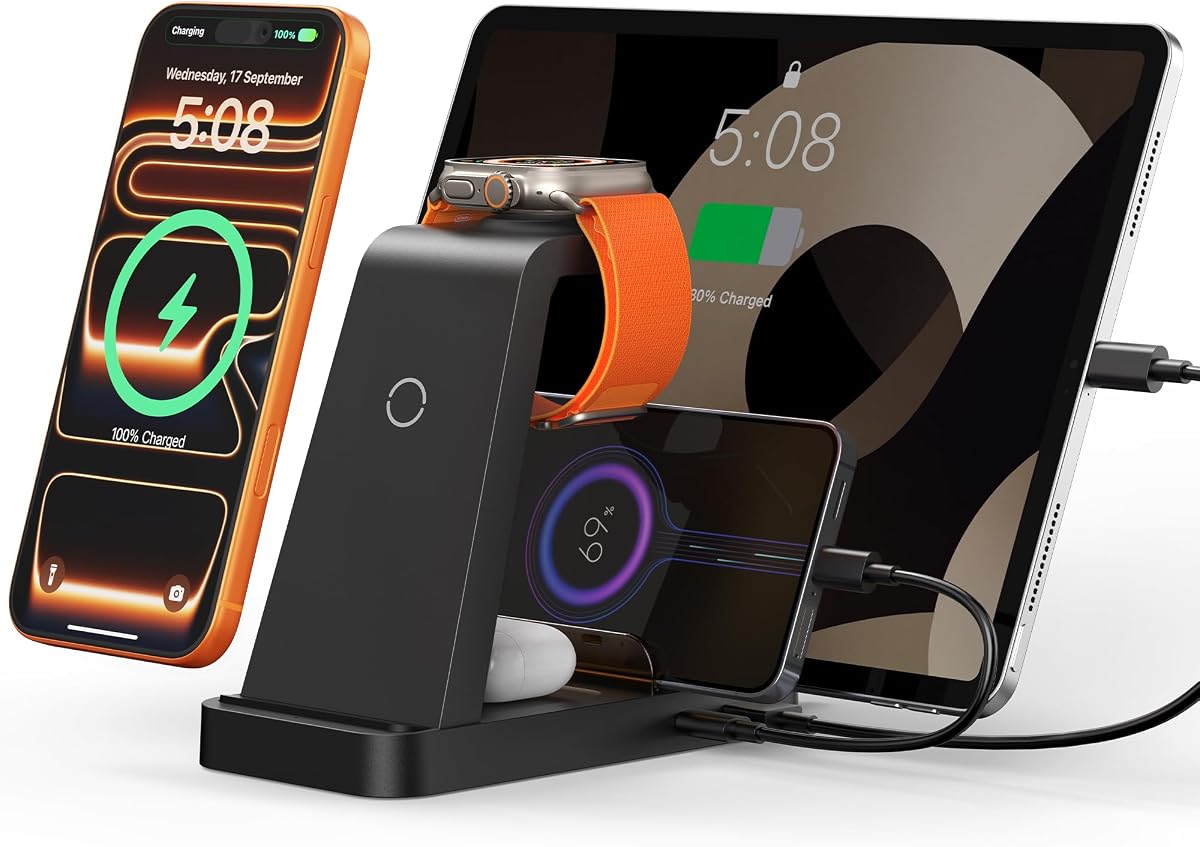
Wireless Charger for iPhone – 5 in 1 Charging Station
4.3Editor score
36W fast charging adapter
Five device capacity
FCC certification safety
Discover the top charging dock for multiple Apple devices. This guide compares features, speed, and design to help you organize your home office setup
Managing multiple gadgets requires a reliable charging solution that keeps your space organized. A quality dock ensures your phones, watches, and earbuds stay powered without clutter.
We compared ten top models based on port count, charging speed, safety features, and design. Each option offers unique benefits for different user needs and home environments.
Every pick highlights key specs and real-world performance. Prices fluctuate frequently, so check current deals before buying to get the best value for your setup.
4.3Editor score

4.2Editor score
4.2Editor score
This side-by-side comparison reviews all ten models to help you find the ideal match for your home, office, or travel needs.


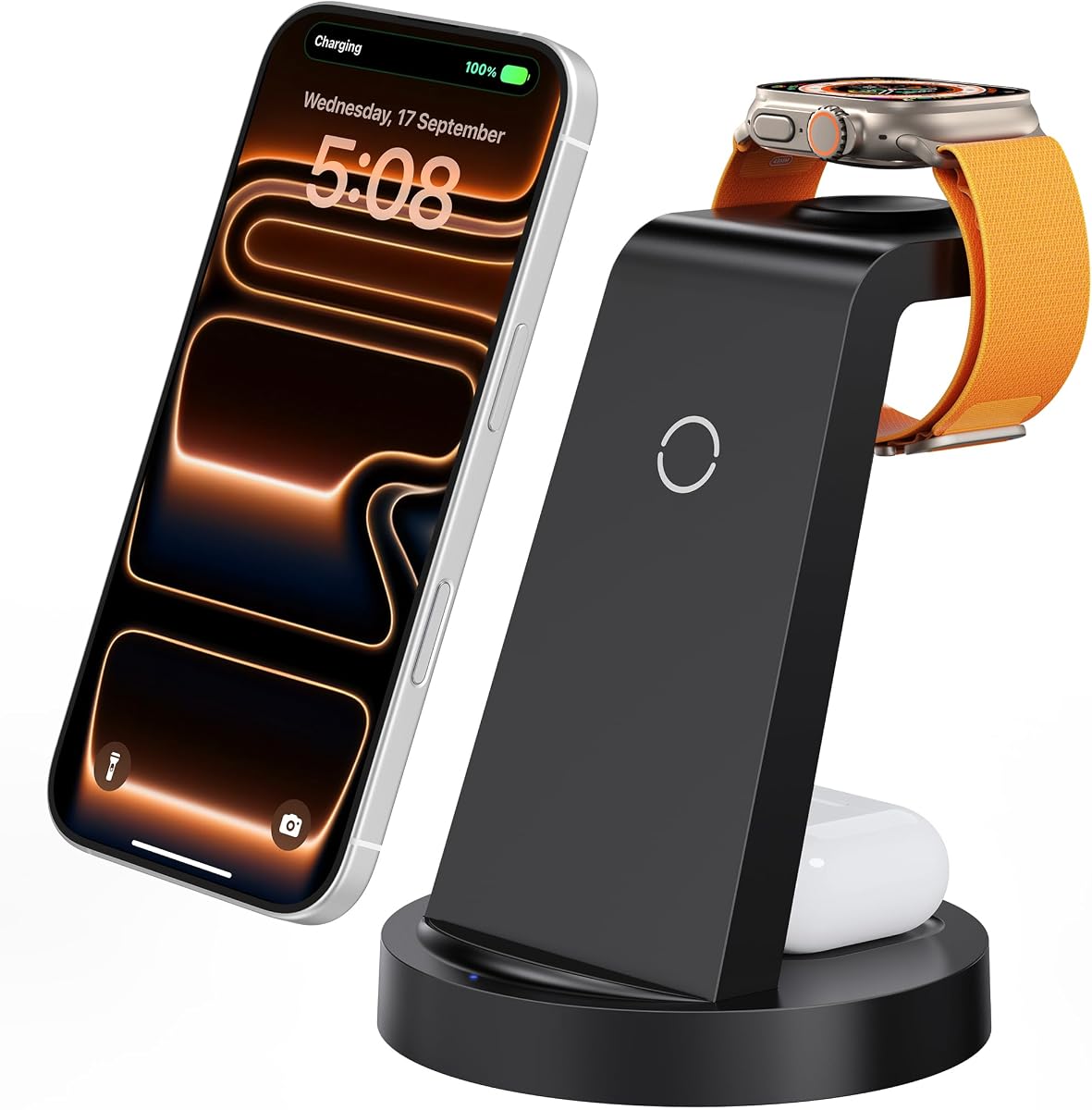
The GETPALS Wireless Charger stands out as a reliable 3-in-1 station for keeping your Apple ecosystem organized. It holds iPhones, watches, and earbuds securely while offering fast charging speeds for each device.
We may earn a commission when you buy through this link, at no additional cost to you.
Its foldable design makes it ideal for travel or small desks. The safety features like overcurrent protection ensure your gadgets remain secure during overnight charging sessions.
While it supports cases up to 4mm, metal rings can block charging. Additionally, AirPods with standard cases need MagSafe cases for optimal wireless performance.
This is the top pick for users who value portability and safety. It simplifies your nightstand while ensuring all essentials are ready to use the next morning.
The lightweight build fits easily into bags for travel convenience.
Built-in protection prevents overheating and voltage spikes.
We may earn a commission when you buy through this link, at no additional cost to you.
This 5-in-1 station offers robust charging with a 36W adapter that handles multiple devices simultaneously. It includes necessary cables for various connection types.
We may earn a commission when you buy through this link, at no additional cost to you.
FCC certification and thermal vents ensure safe operation. The layout helps keep cords tidy while charging your iPad, phone, and watch together.
Cases thicker than 5mm must be removed. This requirement ensures optimal charging speed but might be inconvenient for users with rugged phone cases.
Ideal for power users needing versatility. It bridges wireless and wired needs efficiently, making it a comprehensive solution for busy households.
Delivers efficient power to charge devices quickly and safely.
Supports USB and Type-C ports for diverse device needs.
We may earn a commission when you buy through this link, at no additional cost to you.
The Anlmz 3-in-1 station delivers essential charging at a budget-friendly price. It charges iPhone, Watch, and AirPods simultaneously with stable power delivery.
We may earn a commission when you buy through this link, at no additional cost to you.
Its soft blue LED is perfect for nighttime use. The non-MagSafe design simplifies setup for basic users who prioritize cost over advanced features.
Cases over 2.5mm might hinder performance. While not magnetic, it still aligns well enough for most wireless charging scenarios.
This model is great for simple setups. It balances performance and affordability, making it an excellent entry point for multi-device charging.
Easy to place on any desk or nightstand without clutter.
Protects against overcharging and maintains battery health.
We may earn a commission when you buy through this link, at no additional cost to you.
Designed for heavy usage, this station supports ten devices at once with powerful PD ports. It eliminates the need for multiple adapters on your wall.
We may earn a commission when you buy through this link, at no additional cost to you.
Included cables mean you can plug in devices immediately. The smart chip adjusts power to prevent damage to smaller electronics.
Its size requires dedicated desk space. However, the durability and high wattage justify the footprint for power users or families.
Ideal for shared spaces where everyone needs a charger. It centralizes power efficiently, reducing cable clutter significantly.
High-wattage ports fast charge laptops and phones efficiently.
Comes with necessary cables for immediate setup.
We may earn a commission when you buy through this link, at no additional cost to you.
This station adds utility with a Bluetooth-synced clock and ambient light. It combines style with function for a modern desk aesthetic.
We may earn a commission when you buy through this link, at no additional cost to you.
Supports up to six devices via wireless and wired ports. The 30W adapter ensures efficient power delivery across the board.
Thickness limits apply to wireless charging. Users should verify case compatibility to avoid connection issues during charging cycles.
Best for those valuing extra features. The clock and light make it a functional centerpiece beyond just a charger.
Syncs time via Bluetooth for accurate display always.
Warm or cool lighting adjusts to your room style.
We may earn a commission when you buy through this link, at no additional cost to you.
Designed for mobility, this dock folds flat and aligns MagSafe devices magnetically. It simplifies packing for trips or remote work.
We may earn a commission when you buy through this link, at no additional cost to you.
Safety features ensure quick and secure charging. The magnetic hold keeps your phone steady while you watch videos.
AirPods require MagSafe cases. Standard models need alternative solutions, limiting compatibility slightly compared to broader options.
Perfect for frequent travelers. Its compact nature makes it easy to carry without sacrificing essential charging features.
Ensures perfect alignment for fast and consistent charging.
Folds flat to fit easily into any travel bag.
We may earn a commission when you buy through this link, at no additional cost to you.
Built with flame-retardant materials, this station offers durable performance. Its slots are designed to hold thick devices securely without slipping.
We may earn a commission when you buy through this link, at no additional cost to you.
Dual 65W ports handle laptops efficiently. The high output supports multiple simultaneous devices without power drops.
Fixed dividers prevent customization. While sturdy, this limits adaptability if you need specific spacing for unique devices.
Best for those prioritizing safety. The solid build ensures longevity and protection for your valuable electronics.
Safety material reduces fire risk during charging cycles.
Fast charging ports handle modern power demands.
We may earn a commission when you buy through this link, at no additional cost to you.
This model combines wireless charging with high-wattage USB ports. GaN technology ensures it stays cool despite the high power output.
We may earn a commission when you buy through this link, at no additional cost to you.
LED indicators confirm charging status without light pollution. The dual 100W ports are perfect for laptops needing significant power.
It requires careful cable management. The sheer number of ports can look cluttered if cables are not organized properly.
Ideal for power users needing total control. It consolidates dozens of chargers into one massive, efficient station.
Advanced tech keeps the unit cool during heavy loads.
Handles laptops and phones simultaneously with high output.
We may earn a commission when you buy through this link, at no additional cost to you.
Certified by Apple, this station offers safe and fast charging for MagSafe devices. Qi2 technology ensures consistent performance.
We may earn a commission when you buy through this link, at no additional cost to you.
The adjustable angle supports different viewing needs. It includes a dedicated 40W adapter to meet power requirements.
Cost is higher than generic options. However, the official certification provides peace of mind for expensive electronics.
Perfect for Apple enthusiasts. The safety features and build quality justify the investment for premium users.
Guarantees compatibility and safety for Apple devices.
Delivers fast 15W wireless charging efficiently.
We may earn a commission when you buy through this link, at no additional cost to you.
Supporting up to 15 devices, this station is a total power hub. GaN III ensures efficiency while the wide slot holds laptops securely.
We may earn a commission when you buy through this link, at no additional cost to you.
Auto-off LEDs reduce light pollution at night. It balances high power with smart features for modern needs.
Large footprint requires space. It works best in larger offices where desk space is plentiful for multiple items.
Ideal for tech offices. The combination of ports and wireless charging makes it a comprehensive charging solution.
Fits laptops with cases securely during charging.
Lights turn off automatically to prevent sleep disturbance.
We may earn a commission when you buy through this link, at no additional cost to you.
Choosing the right dock involves evaluating power, size, and features. Here are key factors to consider before buying.
Ensure the dock has enough ports for all your devices. Check if it includes USB-C, USB-A, and wireless spots.
Match the port count to your device list for a complete solution.
Look for PD (Power Delivery) support for faster charging. Higher wattage ensures your laptop and phones charge quickly.
Prioritize stations with dedicated high-wattage ports for heavy devices.
Safety certifications like FCC and built-in protections are crucial. Overheat and overcharge protection preserve battery health.
Always choose models with proven safety standards for peace of mind.
Consider the physical size and how it fits on your desk. Foldable or compact models save space for smaller setups.
Balance aesthetics and space efficiency to suit your room.
Check if the dock includes necessary cables for setup. Some models require specific adapters for optimal performance.
Ensure you have the right cables to avoid extra costs.
If you use MagSafe, ensure the dock supports magnetic alignment. Non-MagSafe docks may require precise placement.
Match the feature set to your specific device models.
Compare prices relative to the included features. A longer warranty adds value and protects your investment.
Set a budget that aligns with the essential features you need.
Good ventilation prevents overheating during prolonged use. Silent operation ensures no noise disruption at night.
Select models with effective heat dissipation systems.
Place the dock on a flat, stable surface to prevent sliding. Ensure it is away from heat sources to avoid overheating.
Connect the adapter firmly to the dock before plugging in your devices. Use only the recommended cables for safety.
Clean the dock regularly with a dry cloth to remove dust. Avoid using water directly on the charging pads.
Yes, many docks offer multiple wireless or wired slots. Ensure the total output wattage matches your device needs.
Most support cases up to a certain thickness. Metal or very thick cases may block wireless charging signals.
Yes, if the dock has overcharge protection. Look for models with safety chips to prevent battery damage.
Ensure the watch is centered on the magnetic coil. Some models require specific positioning for alignment.
Many docks require specific adapters or cables for safety. Check if the manufacturer recommends specific accessories.
GaN technology models are generally more efficient. Auto-off features also help save energy when idle.
Some heat is normal during charging. Ensure proper ventilation is available around the unit to avoid overheating.
Yes, most models support USB-C and USB-A for Android devices. Wireless charging is typically limited to Qi-compatible phones.
We reviewed ten top docks offering various features. From compact models to high-power stations, each serves unique needs.
Prioritize safety and speed when choosing. Ensure the dock supports your current and future devices comfortably.
Prices change frequently so check current deals. Investing in a reliable station now saves time and clutter in the long run.