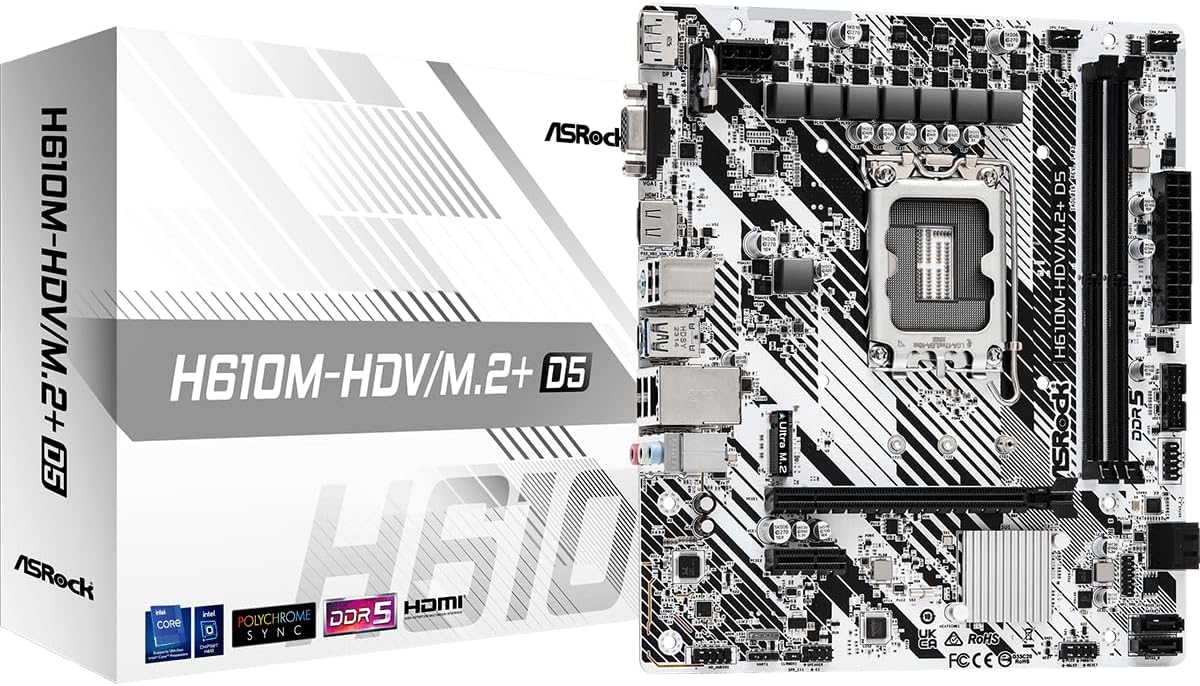
ASRock H610M-HDV/M.2+ D5
4.4Editor score
Supports DDR5 memory
LGA 1700 socket
HDMI DisplayPort output
Discover the best cheap motherboard options for budget builds. We compare top AMD and Intel boards featuring AM4 AM5 LGA1700 sockets DDR4 DDR5 support.
Finding a cheap motherboard does not mean sacrificing reliability or core features. Budget boards now offer essential connectivity stable power delivery and modern standards like PCIe 4.0.
Our experts compared ten top rated models based on chipset performance socket compatibility port availability thermal design and customer reviews. Each board delivers value without hidden compromises.
Every pick includes verified specifications real user ratings and direct product links. Prices fluctuate frequently so check current listings before purchasing to ensure you get the best deal today.
4.4Editor score
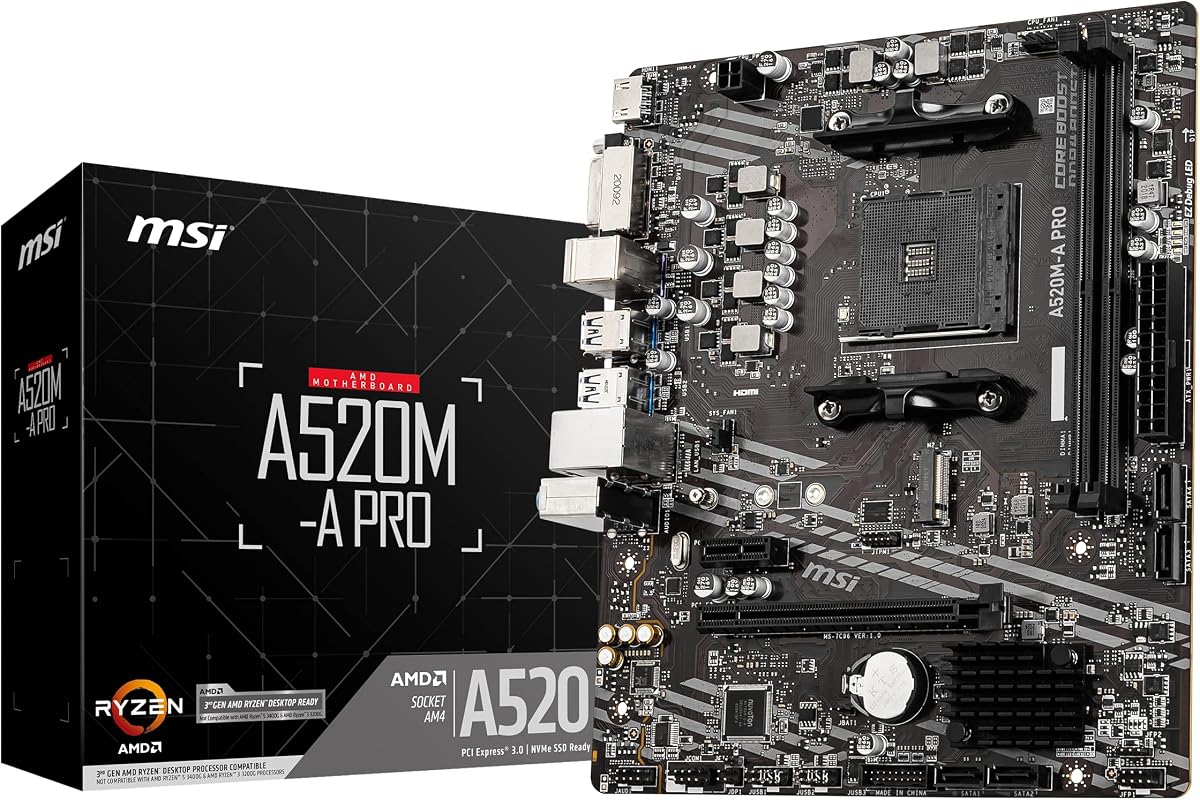
4.5Editor score

4.5Editor score
This side-by-side comparison highlights key specifications and features across all ten budget boards helping you quickly identify which model fits your specific build requirements best.





The GIGABYTE B550M K offers exceptional value for budget builders targeting AMD Ryzen 5000 processors. With a 4.4 user rating it delivers reliable performance and modern connectivity at a low cost.
We may earn a commission when you buy through this link, at no additional cost to you.
Its digital 3+3 VRM design ensures steady power delivery while the PCIe 4.0 slot enables fast GPU and NVMe SSD operation. Four USB ports and GbE LAN cover daily essentials without clutter.
Trade-offs include fewer rear USB ports and a basic audio solution compared to premium boards. These limitations are acceptable for entry level systems focused on core functionality over extra features.
This board is ideal for first-time builders or compact home PCs needing solid AMD AM4 support. It balances affordability with essential specs making it a top recommendation for cost conscious shoppers.
Digital VRM and premium chokes maintain stable voltages under load ensuring consistent Ryzen CPU performance during daily tasks and moderate gaming.
Q-Flash allows BIOS updates using only a USB drive without needing a CPU installed simplifying processor upgrades for future compatibility.
We may earn a commission when you buy through this link, at no additional cost to you.
This H61 board provides the most accessible path to Intel 2nd or 3rd gen Core processors with an unbeatable price. Its perfect score reflects high satisfaction among users seeking retro builds.
We may earn a commission when you buy through this link, at no additional cost to you.
Notably it includes an M.2 slot supporting NVMe SSDs for faster boot speeds despite older DDR3 memory. VGA and HDMI outputs enable flexible display setups without a dedicated graphics card.
Limitations like DDR3 RAM and missing documentation require manual driver checks. These are manageable for enthusiasts repurposing older components or assembling extremely budget constrained systems.
Perfect for office upgrades or retro gaming rigs using Xeon or older Core chips. It proves that ultra low cost options can still include modern storage interfaces like NVMe.
Supports a wide range of Intel Xeon E3 and Core i3 i5 i7 processors enabling cost effective upgrades for existing LGA1155 cases.
M.2 NVMe slot brings SSD performance to older platforms bridging the gap between legacy sockets and current storage speeds.
We may earn a commission when you buy through this link, at no additional cost to you.
MSI's A520M-A PRO stands out as the top pick for affordable AMD Ryzen builds. Its 4.5 rating highlights strong performance balance and excellent software support for everyday users.
We may earn a commission when you buy through this link, at no additional cost to you.
Key strengths include a Turbo M.2 slot for NVMe drives and Audio Boost for immersive sound. Dragon Center software simplifies system monitoring and fan control without third party tools.
Trade-offs involve PCIe 3.0 which may limit bandwidth for newest GPUs compared to B550 boards. This is acceptable for mid range cards where speed differences are negligible.
Ideal for home PCs gaming rigs under $500 needing modern Ryzen features. It delivers essential gaming and productivity capabilities at a price point few rivals can match.
Studio grade Audio Boost circuitry ensures clear sound output for gaming and media without needing an external DAC or sound card.
Dragon Center integrates system tools into one intuitive interface helping users adjust settings and monitor performance easily.
We may earn a commission when you buy through this link, at no additional cost to you.
The ASRock B550M-HDV offers strong value with PCIe 4.0 support and broad display options. Its 4.5 rating reflects reliability across office and home builds requiring versatile connectivity.
We may earn a commission when you buy through this link, at no additional cost to you.
Three video outputs ensure monitor compatibility while the 6 phase power design supports Ryzen CPUs efficiently. Six USB ports and Gigabit LAN keep daily workflows smooth.
Limitations include a basic audio codec and modest VRM cooling compared to higher tier boards. These are minor for typical office or gaming use where premium features are unnecessary.
Choose this board for flexible display setups or mixed use PCs. It balances modern AMD features with everyday practicality at a very competitive price point.
HDMI DVI D and VGA ports allow connecting multiple monitors or older displays without needing adapters or external graphics.
Full Spike Protection on USB and audio ports guards components against electrical surges improving system longevity.
We may earn a commission when you buy through this link, at no additional cost to you.
MSI's PRO B550M-P combines reliable performance with intelligent thermal management. Rated 4.3 it delivers stable power and efficient cooling for Ryzen 5000 and G series processors.
We may earn a commission when you buy through this link, at no additional cost to you.
Core Boost ensures precise power delivery while Frozr AI cooling adjusts fans based on real time temperatures. Dual M.2 slots offer ample storage options for users needing fast NVMe drives.
Missing onboard Wi-Fi and a simpler BIOS may deter advanced users. However these trade-offs are reasonable for a board priced competitively for basic gaming and workstation builds.
This board fits users needing solid performance without extras. Its cooling features ensure longevity making it a dependable choice for daily work and gaming.
Frozr AI cooling automatically optimizes fan speeds reducing noise while keeping critical components within safe temperature ranges.
Two M.2 slots including Gen4 support allow fast OS drive alongside secondary storage without slowing performance.
We may earn a commission when you buy through this link, at no additional cost to you.
This MSI model elevates budget builds with integrated Wi-Fi and superior audio. Its 4.5 rating reflects premium features rarely found at this price tier for AMD systems.
We may earn a commission when you buy through this link, at no additional cost to you.
Lightning Gen 4 M.2 ensures blazing storage speeds while Audio Boost delivers immersive sound quality. The Flash BIOS button simplifies updates without needing CPU or RAM installed.
Higher cost and fewer USB ports than some rivals may matter for some users. These are minor drawbacks given the wireless convenience and sound quality included.
Perfect for users needing seamless connectivity and sound. It justifies the extra cost with features that simplify setup and enhance multimedia experiences.
Integrated Wi-Fi and Bluetooth remove the need for extra cards enabling easy network and peripheral connections.
Studio grade audio boosts gaming and media quality without external hardware making it ideal for multimedia PCs.
We may earn a commission when you buy through this link, at no additional cost to you.
GIGABYTE's ATX option brings robust power and modern features to budget gamers. Rated 4.5 it supports Ryzen CPUs with a powerful VRM and extensive customization features.
We may earn a commission when you buy through this link, at no additional cost to you.
The 10+3 phase design ensures stable overclocking while Q-Flash Plus allows BIOS updates without CPU. Front USB-C and RGB Fusion add convenience and aesthetic flexibility.
Its larger footprint and higher cost limit small case compatibility. These are acceptable trade-offs for users prioritizing power and expandability over compact dimensions.
Best for mid tower builds needing reliable power and future proofing. It bridges budget and mid range pricing with strong performance and modern connectivity.
Digital 10+3 VRM delivers consistent current enabling higher CPU stability during demanding workloads and gaming.
Q-Flash Plus enables BIOS flashing using just a USB drive simplifying processor upgrades without hardware changes.
We may earn a commission when you buy through this link, at no additional cost to you.
The A520M K V2 offers a simple and affordable AM4 entry point. Its 4.4 rating indicates reliability for basic builds requiring minimal features and low cost.
We may earn a commission when you buy through this link, at no additional cost to you.
Supporting DDR4 and M.2 SSDs ensures decent performance for office or light gaming. HDMI output and compact size suit small cases and budget desktops effectively.
Fewer ports and basic power delivery limit upgrade potential. These are acceptable for entry level systems where future expansion is not a priority.
Ideal for basic home PCs or office machines. It provides essential AMD AM4 functionality without extra cost or complexity.
Micro-ATX format fits compact cabinets ideal for small home setups or limited desk space.
HDMI and D-Sub ports support common displays while M.2 enables fast storage for daily tasks.
We may earn a commission when you buy through this link, at no additional cost to you.
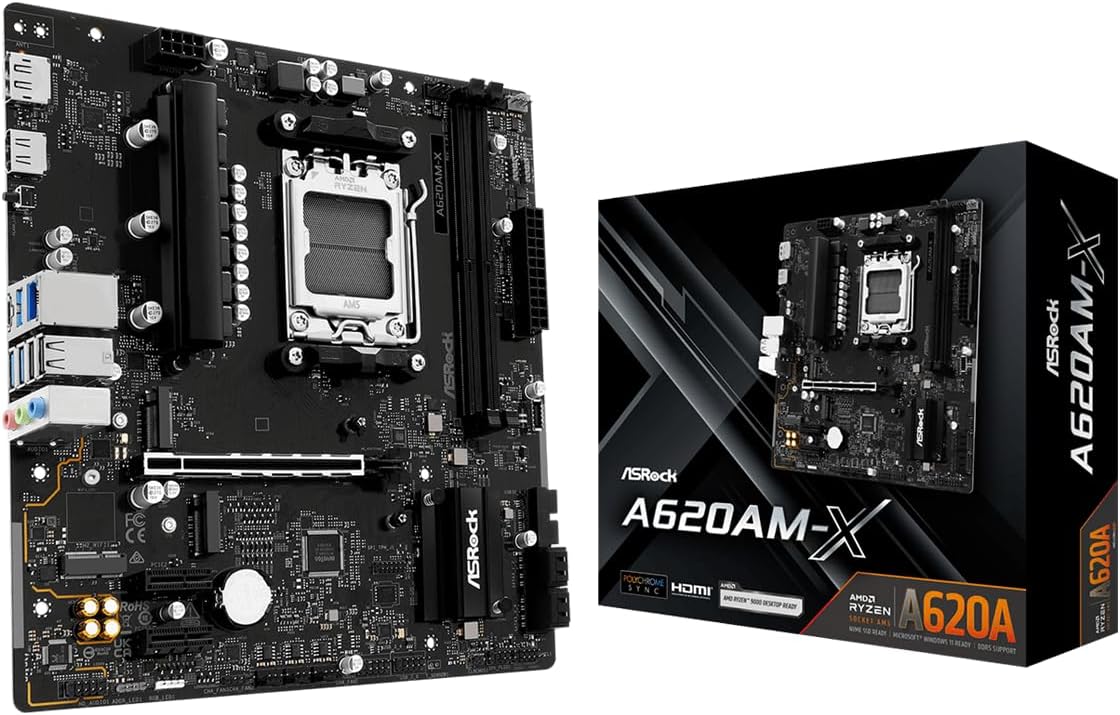
ASRock brings AM5 and DDR5 support at an affordable price. Rated 4.5 it offers future proofing with next-gen Ryzen CPUs and high-speed memory capabilities.
We may earn a commission when you buy through this link, at no additional cost to you.
The 2.5G LAN and dual M.2 slots provide modern connectivity while BIOS Flashback ensures easy updates. It enables entry into the AM5 ecosystem without premium costs.
Lack of overclocking and basic VRM limits performance tuning. These are acceptable for most users focused on stability and platform longevity over extreme overclocking.
Perfect for new builds targeting AMD future support. It delivers essential AM5 features and high bandwidth memory at a budget friendly price.
AM5 socket and DDR5 support ensures long term compatibility with upcoming Ryzen processors and memory technologies.
2.5G LAN provides high speed wired internet reducing latency for online gaming and large file transfers.
We may earn a commission when you buy through this link, at no additional cost to you.
This board delivers Intel 12th 13th and 14th gen support with DDR5 at a low cost. Rated 4.4 it brings next-gen memory to budget Intel builds effectively.
We may earn a commission when you buy through this link, at no additional cost to you.
HDMI and DisplayPort enable flexible displays while PCIe 4.0 supports modern GPUs. It offers a solid foundation for office PCs or entry level gaming rigs.
Limited VRM and lack of PCIe 5.0 restrict high-end expansion. These are minor for users prioritizing memory speed and affordability over cutting-edge specs.
Ideal for budget Intel builds needing DDR5. It combines modern features with accessible pricing for cost-conscious desktop builders.
Brings DDR5 memory support to budget Intel platforms increasing bandwidth and multitasking efficiency without premium costs.
HDMI and DisplayPort outputs support multiple monitor setups and high resolution displays easily.
We may earn a commission when you buy through this link, at no additional cost to you.
Selecting a budget board requires balancing features and future needs. This section outlines key factors to ensure compatibility and value.
Verify that the motherboard socket matches your CPU generation. AM4 suits older Ryzen while AM5 and LGA1700 support newer chips.
Always check manufacturer CPU support lists before purchasing to avoid incompatibility issues.
DDR5 offers higher speeds but DDR4 remains cost effective. Choose based on your budget and whether you need future proofing.
Ensure the board supports your preferred RAM speed and capacity for smooth performance.
Micro-ATX boards save space and money but ATX offers more slots. Match the board size to your existing or planned case.
Smaller cases may require mATX boards so verify dimensions before buying.
PCIe 4.0 enables faster GPU and storage performance compared to 3.0. Confirm the board supports the version your components need.
Newer GPUs benefit most from PCIe 4.0 but 3.0 works for most mid range cards.
Check rear USB count and types especially Type-C needs. Ensure enough ports for your peripherals and external drives.
Limited ports may require hubs or splitters so plan accordingly.
Strong VRMs ensure stable CPU power and thermal headroom. More phases generally mean better performance under load.
Budget boards may have fewer phases but adequate for non-overclocked CPUs.
Realtek audio and Gigabit LAN are standard but higher end boards offer better codecs. Decide if premium audio matters for your use case.
For most users basic audio and wired LAN are sufficient.
Flash BIOS buttons enable updates without CPU which helps when upgrading. Check if the board includes this feature for flexibility.
Basic BIOS interfaces may lack advanced tuning options but work well for general users.
Install the board carefully into a grounded case avoiding direct skin contact on gold contacts to prevent static damage.
Keep firmware updated through the manufacturer website to maintain compatibility and security for your CPU and peripherals.
Ensure proper airflow around the VRM area and clean dust regularly to maintain stable temperatures and longevity.
Yes but only if the board supports the new CPU socket and you update BIOS first. Check compatibility lists before buying to avoid issues.
Most current GPUs perform well on PCIe 3.0 with minimal loss. Upgrade to 4.0 only for flagship cards needing maximum bandwidth.
Quality budget boards can last many years with proper care. VRM quality and thermal design matter more than price alone for durability.
DDR5 is better for future proofing but DDR4 remains cheaper. Choose based on your budget and whether you plan to keep the system long term.
Most budget models lack integrated Wi-Fi but some include it. Add a PCIe card if wireless is needed and not included.
Check case specifications for supported motherboard sizes. Most mid and full towers fit mATX but small form factor cases vary.
Yes budget boards handle gaming loads well if paired with a compatible CPU. Ensure VRM and cooling are adequate for sustained performance.
It allows BIOS updates without installing CPU or RAM which simplifies processor upgrades. It is useful when new CPUs need older BIOS updates.
Our top picks highlight the best value across AMD and Intel platforms. Whether you need DDR4 or DDR5 there is a budget board for every build.
Prioritize socket compatibility VRM quality and essential ports over extra features to keep costs low without sacrificing reliability.
Prices change frequently so verify current listings before purchasing to ensure you secure the best deal available today.