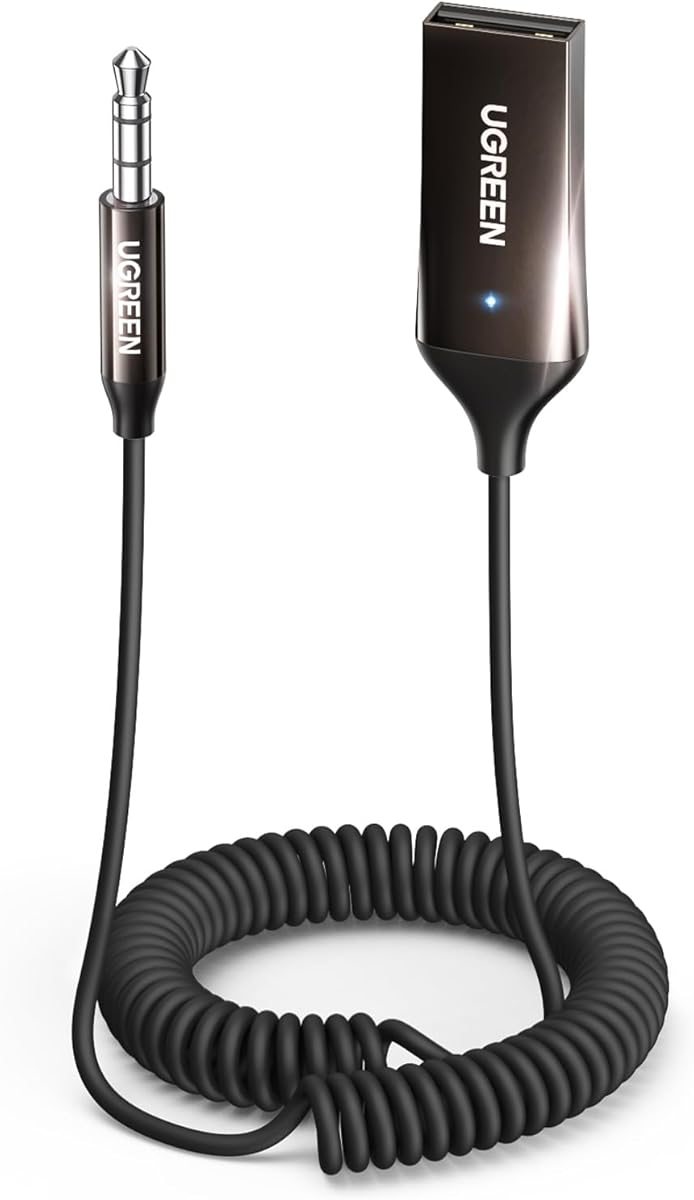
UGREEN Aux to Bluetooth 6.0 Adapter
4.6Editor score
Bluetooth 6.0 chipset
Built-in microphone included
10m stable connection range
This guide compares the top Bluetooth USB Audio Transmitter models for gaming, music, and calls, evaluating latency, codecs, and compatibility to help you
Finding the right Bluetooth USB Audio Transmitter can transform how you enjoy audio across your devices. Whether you are gaming on a console or streaming music on a PC, a quality adapter ensures low latency and clear sound without tangled wires.
We have analyzed the latest models based on codec support, connectivity range, and ease of use. Our comparison covers options from major brands like UGREEN, Creative, and Sennheiser to help you find the perfect fit for your specific needs.
Each pick below highlights key features, pros, and cons to guide your decision. Please note that prices and availability change frequently, so check the current listings before purchasing to ensure you get the best deal today.
4.6Editor score

4.4Editor score

4.1Editor score
Below is a side-by-side comparison of the top ten Bluetooth USB Audio Transmitter models available this month. We have extracted key specifications from each product to help you quickly identify the right features for your audio setup.


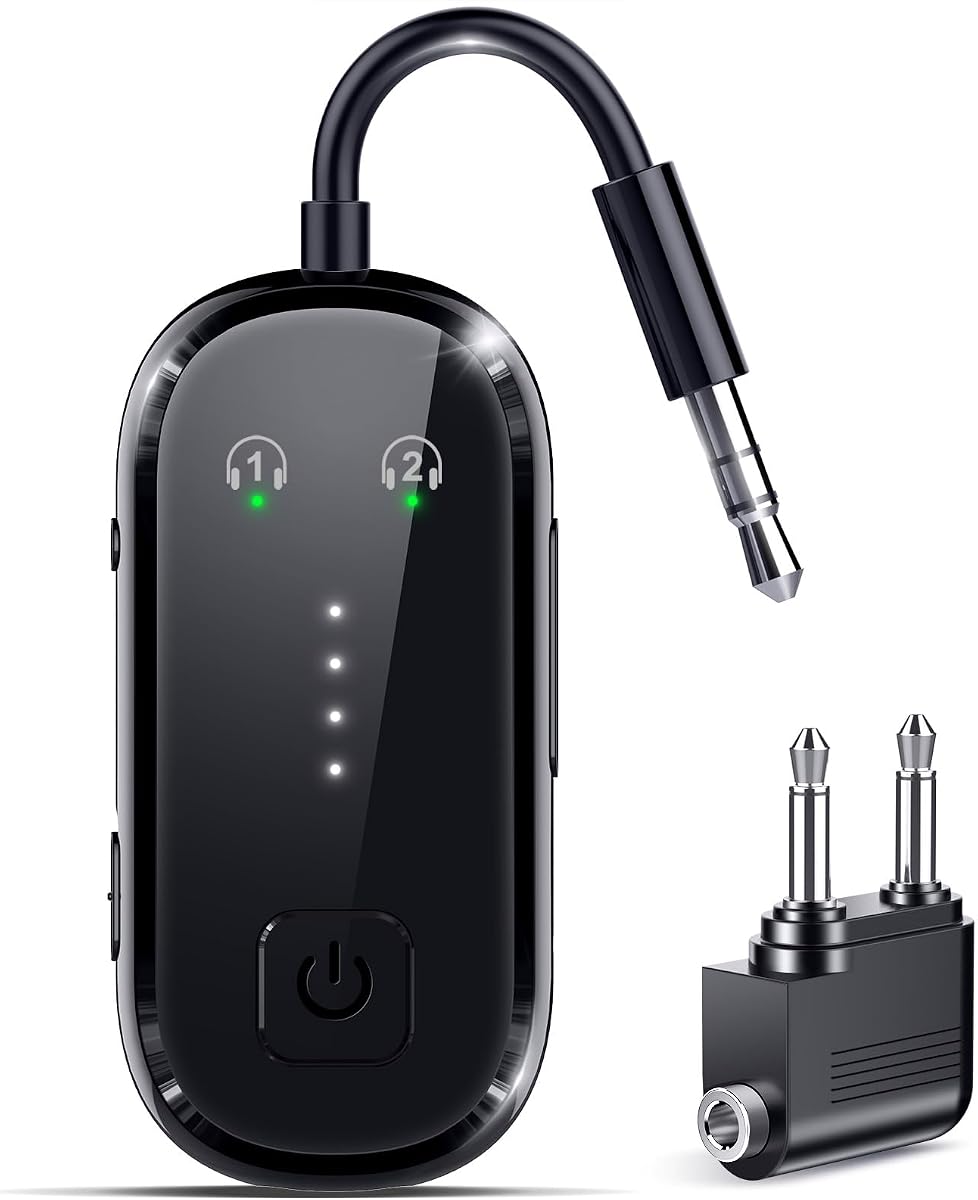


This UGREEN adapter stands out as a top choice for PS5 users seeking wireless audio freedom. It offers a seamless plug-and-play experience with robust support for aptX Low Latency and aptX Adaptive codecs.
We may earn a commission when you buy through this link, at no additional cost to you.
The Qualcomm chipset ensures stable connections while minimizing audio delay to under 100ms. This makes it ideal for competitive gaming where timing is crucial. The adapter also works well with desktop computers and iMacs.
However, users should note that it requires specific configuration on the PS5 to function correctly. Additionally, it does not support Linux systems or older PS4 consoles which limits its versatility across all platforms.
For console gamers and PC users who prioritize audio synchronization this adapter delivers reliable performance. It bridges the gap between modern wireless headphones and legacy audio ports effectively.
The aptX Adaptive codec dynamically adjusts to ensure video and audio remain perfectly synced during intense gameplay sessions.
No additional software is needed as the device is recognized immediately by supported operating systems upon connection.
We may earn a commission when you buy through this link, at no additional cost to you.
This adapter expands wireless audio capabilities to both PS4 and PS5 consoles effortlessly. It features the latest Bluetooth 5.3 technology which enhances connection stability and reduces power consumption significantly.
We may earn a commission when you buy through this link, at no additional cost to you.
With aptX AD support, users experience reduced audio lag making it suitable for action games. The included microphone allows for voice chat when connected to controllers or PC jacks enhancing communication during multiplayer sessions.
The range extends up to 33 feet allowing users to move freely without losing connection. However relying on the external microphone for calls adds a step to the setup process compared to integrated headset solutions.
It is an excellent choice for console gamers who need reliable wireless audio across different generations of hardware. The versatility between PS4 and PS5 makes it a practical investment for any gaming room.
The included mic plugs directly into controllers allowing clear communication during online gaming without needing a separate headset mic.
Bluetooth 5.3 ensures a strong signal even when users walk away from the console or TV setup.
We may earn a commission when you buy through this link, at no additional cost to you.
This adapter brings next-generation LE Audio support to PS5 and PC users. It offers a flexible switching mechanism between low latency and high-quality modes tailored to different usage scenarios.
We may earn a commission when you buy through this link, at no additional cost to you.
The Qualcomm QCC3086 chip ensures robust signal strength even in interference-prone environments. Auracast compatibility allows multiple listeners to connect simultaneously which is great for sharing media content.
While it supports high-fidelity aptX Adaptive it requires specific headphones to utilize the LE Audio features fully. Users without compatible hardware may not notice the full benefit of the advanced chip set.
It is a future-proof option for tech enthusiasts wanting to experience the latest Bluetooth audio standards. The ability to share audio with multiple devices adds significant value for social viewing experiences.
This feature enables one-to-many broadcasting so friends can listen to the same audio source on their own headphones.
Users can toggle between modes prioritizing latency for gaming or fidelity for music listening seamlessly.
We may earn a commission when you buy through this link, at no additional cost to you.
The Creative BT-W5 delivers exceptional sound quality with support for 24-bit 96kHz audio. It is designed for audiophiles and gamers who demand clarity and precision in their audio playback.
We may earn a commission when you buy through this link, at no additional cost to you.
Its smart codec technology automatically selects the best bitrate for the content being played. The device switching function allows quick changes between paired devices without disconnecting manually enhancing workflow efficiency.
While the performance is stellar the price reflects its premium features. Users without USB-C ports will need adapters to utilize this transmitter which might add to the overall setup cost.
For those seeking studio-quality wireless sound this adapter is a top contender. It bridges the gap between professional audio needs and consumer convenience effectively.
The device monitors signal levels and content type to adjust streaming quality dynamically for optimal performance.
Up to four devices can be stored in memory allowing instant switching via the multifunction button.
We may earn a commission when you buy through this link, at no additional cost to you.
This adapter offers incredible value by combining transmitter and receiver functions in one device. It is ideal for travel or home use where versatility is more important than high-end audiophile specs.
We may earn a commission when you buy through this link, at no additional cost to you.
Users can enjoy up to 20 hours of playback on a single charge. The dual listener mode allows sharing audio with two headphones which is perfect for couples watching movies on flights.
While it is not suitable for live music or hearing aids the standard audio use cases are well covered. The built-in microphone ensures clear hands-free calls for on-the-go communication needs.
It is the best choice for budget-conscious buyers needing a reliable travel companion. The long battery life and dual functionality make it a practical pick for everyday use.
The device serves as both a TV transmitter and airplane adapter making it a versatile travel essential.
Over 20 hours of continuous use means it can last through long flights or weekend trips without recharging.
We may earn a commission when you buy through this link, at no additional cost to you.
Sennheiser is known for audio quality and this dongle delivers with aptX Lossless support. The gaming mode reduces latency to just 30ms which is among the best available in consumer hardware.
We may earn a commission when you buy through this link, at no additional cost to you.
It supports Auracast multistreaming allowing multiple devices to connect simultaneously. This feature is valuable for family environments where different users want to listen to different audio sources.
The dual USB-A and USB-C ports ensure it works with a wide range of modern and older computers. However the price is higher than generic alternatives which might deter casual users.
For serious gamers and audio enthusiasts this dongle is worth the investment. The combination of low latency and high fidelity makes it a premium solution for critical listening.
aptX Lossless ensures that what you hear matches the original source without compression artifacts.
Users can connect via either USB-A or USB-C depending on the ports available on their device.
We may earn a commission when you buy through this link, at no additional cost to you.
The BTD 600 is a solid everyday adapter for PC and Mac users. It supports Bluetooth 5.2 and aptX codecs ensuring high-quality sound for both music and conference calls.
We may earn a commission when you buy through this link, at no additional cost to you.
Its connection stability is robust as it stays paired across devices without needing to re-pair constantly. The included USB-C adapter adds flexibility for newer laptops lacking USB-A ports.
While it lacks the advanced Auracast features of the 700 model it covers the basics effectively. It is a good balance of performance and ease of use for general office or home work.
This adapter is recommended for professionals needing reliable audio on their workstation. The simple setup and consistent performance make it a hassle-free addition to any desk.
The dongle ensures clear voice transmission during video meetings thanks to its optimized codec support.
Users can move between devices while maintaining a steady link to their headphones without dropouts.
We may earn a commission when you buy through this link, at no additional cost to you.
This adapter mirrors the high-quality audio capabilities of the BT-W5 for PC users. It provides a reliable solution for streaming high-fidelity audio wirelessly without lag or interference.
We may earn a commission when you buy through this link, at no additional cost to you.
The smart codec feature automatically adjusts the bitrate to maintain quality across different network conditions. The HFP mode allows for clear voice chats which is essential for gaming or professional calls.
While it is excellent for audio there are specific setup requirements via the Creative app for full functionality. Users should ensure their system supports USB-C ports for direct connection.
It is a great pick for desktop setups where audio quality is paramount. The seamless switching between devices ensures that multitasking remains efficient without audio interruptions.
Transforms basic PC audio ports into high-quality wireless transmitters for superior sound experiences.
The device intelligently switches codecs to optimize bandwidth and audio clarity dynamically.
We may earn a commission when you buy through this link, at no additional cost to you.
This package includes the BTD 700 dongle with a durable travel case making it perfect for frequent travelers. The technical specs match the standard BTD 700 with excellent latency and lossless support.
We may earn a commission when you buy through this link, at no additional cost to you.
The weather-resistant hard shell protects the dongle and cables from damage during transit. This extra protection adds value for those who travel often and need to keep their gear safe.
While the dongle itself is premium the case adds bulk which might not be necessary for stationary use. However for travelers the peace of mind regarding equipment safety is significant.
It is an ideal gift for professionals who value high-quality audio on the go. The combination of performance and protection ensures that audio remains consistent wherever they are.
The compact case fits easily into laptop bags or carry-ons without adding significant weight.
The hard shell prevents scratches and impacts that could otherwise damage sensitive electronic components.
We may earn a commission when you buy through this link, at no additional cost to you.
This adapter is specifically designed to add Bluetooth to cars or home audio systems via the 3.5mm jack. It supports the latest Bluetooth 6.0 ensuring a stable connection without delay while driving.
We may earn a commission when you buy through this link, at no additional cost to you.
The built-in microphone allows for hands-free calling directly through the car speakers which improves safety. It automatically connects when the car turns on making the experience seamless and intuitive.
Unlike USB transmitters this is a receiver setup which means it is limited to systems with an aux port. However it effectively modernizes older vehicles or stereos without requiring complex wiring.
It is the best option for drivers wanting to stream music or take calls safely. The ease of use and connectivity make it a practical upgrade for any older vehicle.
Plugs directly into the aux port and powers via USB making installation effortless.
Hands-free capabilities reduce distractions allowing drivers to keep their eyes on the road.
We may earn a commission when you buy through this link, at no additional cost to you.
Selecting the right Bluetooth USB Audio Transmitter requires understanding your specific use case and device compatibility. This section breaks down the key factors to consider before making your purchase.
Latency refers to the delay between audio output and sound. For gaming or video, low latency codecs like aptX Low Latency or aptX Adaptive are crucial to prevent lip-sync issues. Look for adapters that support these advanced codecs to ensure smooth synchronization.
Always verify the supported codecs match your headphones capabilities to avoid fallback to standard SBC which has higher latency.
Adapters come in USB-A or USB-C formats. Check your device ports to ensure compatibility. Some premium adapters include dual port support or dongles to fit both types providing more flexibility.
Ensure the port supports audio transmission if you are connecting to gaming consoles like PS5 which often require specific USB configurations.
While most adapters work on Windows and Mac, some have specific limitations. Linux support is rare so check product details if you use Linux. Gaming consoles like PS4 and PS5 have different requirements so choose accordingly.
Plug-and-play support without drivers is a major convenience factor for most users.
Bluetooth 5.3 or newer ensures better range and stability compared to older versions. Look for adapters claiming 30 feet or more range to move freely without dropouts.
Stable connections are vital in crowded wireless environments where signal interference might occur.
If you need voice chat or calls check if the adapter supports a microphone. Some include a 3.5mm mic input or built-in mic features while others rely on the headset's internal mic.
Hands-Free Profile (HFP) support is needed for clear voice calls on PC or mobile setups.
Portable transmitters often have batteries. Look for models with 15+ hours of playback for travel. USB-C charging is a modern standard that simplifies recharging and power usage.
For desktop dongles battery life is not a concern as they draw power from the USB port.
Dual pairing allows you to connect two headphones or devices simultaneously. This is useful for sharing audio with friends or switching between work and entertainment devices quickly.
Check if the adapter supports Auracast for one-to-many broadcasting if you need group listening capabilities.
A compact and durable design ensures the adapter does not interfere with other USB ports. Travelers should look for rugged cases or durable materials to withstand frequent handling.
LED indicators for connection status help in troubleshooting issues quickly without software interfaces.
To start using your transmitter, plug it into an available USB port on your device. Ensure the power supply is sufficient especially for gaming consoles where specific ports might be required.
Put your headphones into pairing mode and wait for the adapter to connect. Most devices will have LED lights indicating a successful connection. Refer to the manual for specific pairing sequences.
Keep the adapter away from other electronic interference sources like routers or microwaves for best performance. Avoid bending the cable excessively and store it in a protective case when not in use.
aptX Low Latency reduces audio delay to below 40ms making it ideal for gaming and video. Standard aptX offers better quality but higher latency. Choose the one that matches your usage needs and headphone support.
Some adapters support both PS4 and PS5 but you may need to adjust audio output settings on the console. Always check the product compatibility list to ensure your specific console generation is supported.
Most modern adapters are plug-and-play and do not require drivers. However some specific software might be recommended for advanced features like EQ adjustments or detailed monitoring.
Audio lag can occur if the adapter or headphones do not support low latency codecs. Ensure both devices support aptX Low Latency or similar standards to minimize delays during gaming or video playback.
Linux support varies significantly among adapters. Some brands may not officially support Linux so check the manufacturer specifications carefully if you are using a Linux-based computer.
To pair multiple headphones you need an adapter that supports dual pairing or Auracast. Connect the first device then use the adapter's button to add the second one allowing simultaneous audio sharing.
We have reviewed ten top Bluetooth USB Audio Transmitter models suitable for gaming, work, and home entertainment. Each adapter offers unique strengths from low latency to high fidelity sound quality.
Prioritize features that match your primary use case such as codec support for gaming or battery life for travel. Consider the compatibility with your existing devices to avoid setup hurdles.
Remember that prices and availability change frequently so check the latest listings before buying. Your perfect wireless audio experience is just one adapter away with the right choice.