
Dell Latitude 3450
4.5Editor score
Intel Core i3 Processor
14 inch FHD Display
16GB DDR5 Memory
Finding the right business laptop requires balancing power, portability, and reliability. The Dell Latitude series offers a wide range of options designed to meet diverse professional needs.
We evaluated these models based on processor performance, display quality, connectivity options, and build durability. Each entry provides detailed specifications and real-world usage insights.
Each review highlights specific strengths and trade-offs to guide your decision. Prices and availability change frequently so verify current offers before purchasing any model.
4.5Editor score

5.0Editor score
4.3Editor score
As an Amazon Associate we earn from qualifying purchases.
This comparison table lists all ten selected Dell Latitude models with their core specifications side by side. Use this quick reference to identify the best fit for your workflow needs.


This model stands out for its powerful Intel Core Ultra 7 processor and generous 32GB of DDR5 memory. It delivers exceptional speed for complex multitasking and AI enhanced workflows without slowdowns.
We may earn a commission when you buy through this link, at no additional cost to you.
The 13.3 inch touchscreen adds versatility for presentations and interactive work. Fast SSD storage ensures quick boot times and responsive file access across demanding business applications.
While the price reflects these premium specs the durability and speed justify the investment for power users. Battery life remains solid despite the high performance components.
Ideal for professionals needing robust computing power in a portable form factor. It remains the top recommendation for those prioritizing speed and modern AI features.
The built in AI Boost accelerates workloads like data processing and content creation efficiently.
Touch capability allows for intuitive navigation and precise input during collaborative meetings.
We may earn a commission when you buy through this link, at no additional cost to you.
This laptop offers an accessible entry point into the Latitude business line without sacrificing essential modern specs. The inclusion of DDR5 memory ensures better efficiency compared to older generations.
We may earn a commission when you buy through this link, at no additional cost to you.
Its 14 inch form factor makes it easy to carry daily while the backlit keyboard helps in dim office environments. Reliability is backed by Mil Std testing for durability.
Trade-offs include the entry level CPU which is not suited for heavy rendering. However for general office work it handles spreadsheets and web apps smoothly.
Best suited for students or small business owners needing a reliable daily driver. It provides the necessary tools for productivity without breaking the budget.
Built to meet Mil Std standards it withstands daily wear and tear during commute.
Wi Fi 6E support ensures fast and stable wireless connections for remote work.
We may earn a commission when you buy through this link, at no additional cost to you.
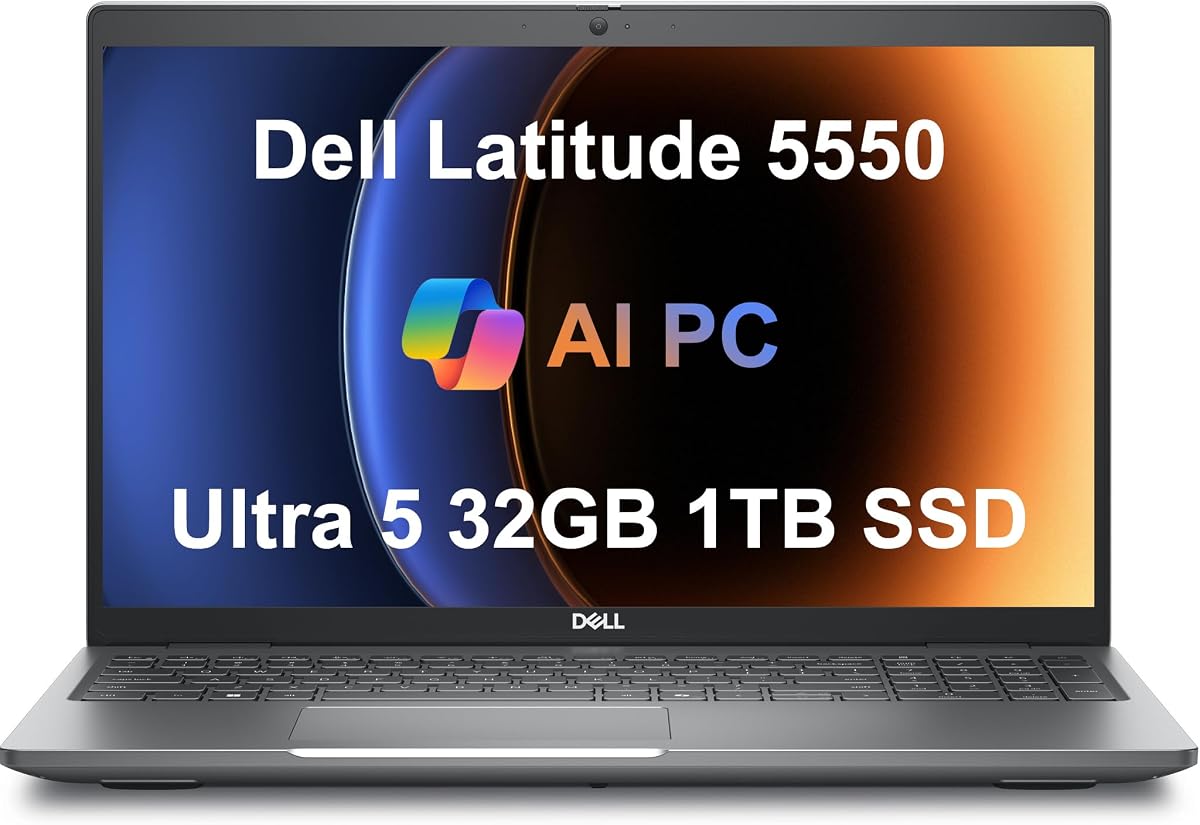
The 5550 balances performance and battery life effectively for long workdays. Its 32GB of DDR5 RAM supports heavy multitasking across multiple browser windows and virtual machines.
We may earn a commission when you buy through this link, at no additional cost to you.
A dual SSD configuration separates system and storage drives which improves stability and file management. Thunderbolt 4 ports allow for fast data transfer and external display connectivity.
While the display brightness is average for indoor use it serves general viewing needs well. The price reflects the high end components and professional features included.
Recommended for consultants and analysts needing robust computing in a slim profile. It stands as a reliable partner for intensive daily business operations.
Separating system and data drives reduces load times and enhances overall system stability.
Optimized power management delivers up to eleven hours of real world usage.
We may earn a commission when you buy through this link, at no additional cost to you.
This model brings the power of the Intel Ultra 7 processor to a compact 14 inch chassis. The IPS display ensures accurate colors and wide viewing angles for collaborative reviews.
We may earn a commission when you buy through this link, at no additional cost to you.
Security features include an IR webcam for facial recognition login which adds convenience without compromising safety. ExpressCharge reduces downtime by refueling battery capacity rapidly.
The trade-off is screen real estate compared to larger laptops which may affect multi window workflows. However the portability is unmatched for frequent travelers.
Perfect for executives who need a lightweight yet powerful device for travel. It delivers enterprise grade reliability in a format that fits easily in a bag.
Infrared facial recognition provides quick and secure sign-in without typing passwords.
High resolution IPS panel reduces eye strain during long coding or writing sessions.
We may earn a commission when you buy through this link, at no additional cost to you.
The 16 inch FHD plus display offers a larger workspace ideal for data entry or coding. The narrow borders maximize the screen area and enhance the immersive experience.
We may earn a commission when you buy through this link, at no additional cost to you.
Performance is solid for multitasking with DDR5 memory speeding up application loading times. The dedicated Ethernet port is crucial for stable connections in office environments.
Portability is reduced due to the larger frame and additional battery weight for size. However it serves well as a fixed desk setup or for stationary presentations.
Recommended for users needing a larger screen without switching to a desktop. It balances visual comfort with the mobility needed for occasional remote work.
Extra vertical pixels allow more code lines to be viewed simultaneously without scrolling.
Physical Ethernet connection ensures low latency and reliable internet access during calls.
We may earn a commission when you buy through this link, at no additional cost to you.
This unit prioritizes mobility with a weight under three pounds making it easy to carry all day. The battery life exceeds expectations for long flights or meetings.
We may earn a commission when you buy through this link, at no additional cost to you.
Studio Effects enhance video calls by automating framing and noise suppression for a professional look. Fast charging capabilities ensure quick top ups between sessions.
The compact size means less screen real estate and potentially smaller keys for fast typists. Still it delivers the performance needed for standard business tasks efficiently.
Ideal for field agents and consultants who move frequently between client sites. It provides the right balance of weight and power for dynamic professionals.
AI driven audio filters reduce background noise for clearer communication on calls.
Slim design fits in small bags while maintaining robust security and durability.
We may earn a commission when you buy through this link, at no additional cost to you.
This renewed option provides high end specs like 32GB RAM at a reduced price point. It supports heavy multitasking and large data storage without the cost of a new flagship.
We may earn a commission when you buy through this link, at no additional cost to you.
The 1TB NVMe SSD ensures fast access to large files and smooth system performance. Thunderbolt support allows for versatile docking and external display setups.
Buyers must accept a renewed condition which may show minor cosmetic wear. Ensure warranty terms are clear to protect the investment during use.
Great for startups needing powerful machines on a budget. It delivers proven performance for demanding workloads at a more accessible price range.
Large SSD capacity eliminates the need for external drives during daily operations.
Access to high memory and storage specs becomes affordable through certified refurbishment.
We may earn a commission when you buy through this link, at no additional cost to you.
The 155U processor excels in efficiency reducing power draw while maintaining high speeds. This design helps extend battery life during unplanned work sessions or travel.
We may earn a commission when you buy through this link, at no additional cost to you.
Business users get standard ports like Ethernet for stable connections which is often omitted in modern ultrabooks. The backlit keyboard facilitates typing in low light conditions.
While 16GB RAM is standard it may not suffice for heavy virtual machine users. Consider this model for general office productivity and light creative work.
Best for teams needing consistent performance across a fleet of laptops. It offers a stable platform with modern connectivity standards for reliable operations.
AI optimized chip manages thermal output and energy consumption effectively for longer runs.
Physical network ports allow direct wired connections without dongles or adapters.
We may earn a commission when you buy through this link, at no additional cost to you.
This model packs an Ultra 7 processor into a mid range chassis for strong overall performance. The fingerprint reader adds a quick layer of security for login access.
We may earn a commission when you buy through this link, at no additional cost to you.
Large storage capacity ensures users can keep local files without relying solely on cloud drives. HDMI output allows for easy projector connections during meetings.
The RAM is capped at 16GB which might limit heavy multitasking scenarios. For standard business use it remains fast and responsive.
Recommended for sales teams needing a capable machine for presentations. It combines performance and security features at a balanced price point.
Biometric fingerprint login offers quick and secure access without typing complex passwords.
One terabyte space stores extensive archives and project files locally.
We may earn a commission when you buy through this link, at no additional cost to you.
The 16 inch WUXGA display offers a 16:10 aspect ratio for more vertical space. This screen format is particularly useful for reading documents and web pages.
We may earn a commission when you buy through this link, at no additional cost to you.
Military grade testing ensures durability in harsh environments making it suitable for field work. The battery supports long hours of usage without needing a power outlet.
Storage is limited to 512GB which may fill up quickly with large media files. External storage or cloud options should be considered for heavy media users.
Best for users prioritizing screen quality and ruggedness over storage volume. It provides a stable and clear platform for daily professional tasks.
Extra vertical pixels allow more data rows to be viewed without scrolling.
Passed rigorous tests to withstand shocks and vibrations in demanding environments.
We may earn a commission when you buy through this link, at no additional cost to you.
Selecting the right Latitude model depends on your specific workflow requirements. We outline the key factors to consider before making a purchase.
The Intel Core 5 and Ultra processors offer distinct performance tiers. Ultra chips are optimized for AI and efficiency making them ideal for heavy multitasking and secure enterprise needs.
Choose a processor based on your workload intensity and balance speed with battery life.
DDR5 RAM improves system responsiveness and multitasking capabilities significantly. Aim for at least 16GB of memory for smooth daily operations.
Solid State Drives provide fast boot times. A 512GB drive is standard but 1TB options offer more space for files.
Screen size and resolution impact comfort during long work sessions. A 16 inch screen offers more vertical space while a 13 inch screen enhances portability.
Look for IPS panels and anti-glare coatings to reduce eye strain in bright offices.
Ensure the laptop has necessary ports like USB-C, HDMI, and Ethernet. Thunderbolt 4 ports enable fast data transfer and multiple monitor support.
Modern Wi-Fi 6E and Bluetooth standards ensure stable wireless connections for collaboration.
Business laptops should offer all-day battery life to support travel and remote work. ExpressCharge technology allows rapid refueling during short breaks.
Check battery capacity in Wh to compare endurance across different models.
Enterprise models include advanced security like TPM chips and facial recognition. These features protect sensitive data and simplify secure login processes.
Physical privacy shutters on webcams add an extra layer of privacy for users.
Mil-Std tested laptops withstand rough handling and environmental stress. This durability is crucial for field work or frequent travel.
A robust chassis ensures the device remains reliable over years of daily use.
Windows 11 Pro provides enterprise management tools like BitLocker and Remote Desktop. These tools help IT teams manage and secure devices remotely.
Ensure the model includes the appropriate OS license for your organization needs.
Always use the original power adapter to prevent damage to the battery and motherboard. Avoid leaving the device plugged in continuously once fully charged to maintain battery health.
Regularly update the BIOS and drivers to ensure system stability and security. Use built-in tools to manage software installations and keep the system free of bloatware.
Clean the screen with a microfiber cloth and avoid harsh chemicals that can damage the anti-glare coating. Keep the vents free of dust to ensure proper cooling during high performance tasks.
Dell Latitude laptops feature MIL-STD durability testing and enterprise-grade security like TPM chips. They often include Thunderbolt 4 ports and manageability tools for IT teams.
DDR5 memory offers higher bandwidth and faster data transfer rates. This results in smoother multitasking and quicker application loading times compared to DDR4.
Most Dell Latitude models have official support for Linux operating systems. Dell provides drivers and firmware updates to ensure smooth functionality on Linux platforms.
Thunderbolt 4 provides up to 40Gbps bandwidth and supports up to two 4K displays. It allows for versatile docking and high-speed data transfer capabilities.
Standard warranties vary by model but often include one year of hardware support. Extended warranty plans are available for longer coverage periods and onsite repairs.
Choose 14 inch for frequent travel and portability. Select 15 inch if you prioritize screen space and desktop replacement capabilities.
The Dell Latitude 5350 Touchscreen stands out as the top choice for its powerful AI processor and responsive display. It balances performance with modern productivity features effectively.
For budget-conscious buyers the Latitude 3450 offers reliable specs at an accessible price point. It remains a solid daily driver for essential business tasks.
Remember to verify current pricing and availability before finalizing your purchase. Technology moves quickly so checking for the latest deals is always wise.