
CORSAIR Vengeance SODIMM 16GB
4.8Editor score
16GB Single Module
Up to 5600MHz Speed
Easy Installation Process
This guide compares the top DDR5 Laptop RAM kits for performance laptops, covering speed, capacity, compatibility, and value to help you choose the best memory
Upgrading your laptop memory is one of the most effective ways to boost performance for multitasking, gaming, and creative workloads in 2026. DDR5 technology brings significant speed improvements over previous generations, making it essential for modern computing needs.
We evaluated ten leading DDR5 Laptop RAM kits based on speed, capacity, compatibility, reliability, and user feedback. Our analysis focuses on real-world performance gains and hardware support to ensure you get the most out of your investment.
Each pick highlights key specifications, pros, and cons to help you match the right memory to your system. Note that availability and pricing fluctuate frequently, so verify current details before purchasing to secure the best deal available.
4.8Editor score

4.8Editor score

4.6Editor score
The following comparison table presents a side-by-side overview of all ten DDR5 Laptop RAM kits, detailing their capacity, speed, latency, voltage, and compatibility to help you identify the best match for your system.




The Crucial 32GB DDR5 RAM Kit stands out as a top-tier memory solution for modern laptops requiring high capacity and speed. With a rating of 4.8, it delivers robust performance for demanding workloads like video editing and heavy multitasking.
We may earn a commission when you buy through this link, at no additional cost to you.
Operating at up to 5600MHz, this kit ensures faster data access and smoother system responsiveness. It is optimized for 12th Gen Intel Core and AMD Ryzen 7000 Series processors, making it a reliable choice for current hardware generations.
While it comes at a higher price point, the stability and performance gains justify the investment for professionals. The kit includes XMP 3.0 and EXPO support, allowing easy tuning without manual BIOS adjustments.
This RAM is ideal for power users who need consistent performance and reliability. It is the best overall pick for those seeking a balanced mix of capacity, speed, and brand trust.
The 32GB capacity allows multiple applications to run simultaneously without slowing down your system.
Downclocking support ensures compatibility with older or less flexible motherboard configurations.
We may earn a commission when you buy through this link, at no additional cost to you.
The CORSAIR Vengeance SODIMM 16GB kit offers an accessible entry into DDR5 technology without breaking the bank. Rated at 4.8, it is perfect for users looking to upgrade from DDR4 or add memory to new laptops cost-effectively.
We may earn a commission when you buy through this link, at no additional cost to you.
Its industry-standard SODIMM form-factor ensures compatibility with a wide range of Intel and AMD gaming and performance laptops. The memory sets to maximum speed automatically on compatible systems, simplifying the setup process.
While using a single module may limit dual-channel bandwidth compared to matched kits, the speed gains are still significant. Installation is straightforward, often requiring just a screwdriver for most laptop models.
This kit is recommended for budget-conscious users who want reliable performance from a reputable brand. It balances cost and capability well for everyday computing and light gaming.
Automatic maximum speed setting eliminates the need for manual BIOS configuration.
Works with most popular Intel and AMD gaming and performance laptop systems.
We may earn a commission when you buy through this link, at no additional cost to you.
The TEAMGROUP Elite SODIMM 32GB kit is engineered for users seeking premium performance and reliability. With a 4.6 rating, it delivers enhanced speeds and stability through on-die ECC support, which helps prevent data corruption.
We may earn a commission when you buy through this link, at no additional cost to you.
Operating at 5600MHz, this kit significantly boosts system responsiveness for complex tasks. The energy-efficient 1.1V working voltage ensures lower power consumption, which is beneficial for laptop battery life during intensive workloads.
The included lifetime warranty adds significant value and peace of mind for long-term users. Although it may come at a premium price, the combination of speed, stability, and warranty makes it a strong choice.
This RAM is recommended for professionals who demand top-tier performance and durability. It is an excellent investment for those upgrading high-end laptops for creative or professional use.
Built-in error correction supports more stable system operations under load.
Lifetime warranty coverage provides long-term protection and reliability assurance.
We may earn a commission when you buy through this link, at no additional cost to you.
The GIGASTONE 32GB Kit is designed specifically for DDR5 laptops, ensuring optimal compatibility and performance. With a 4.7 rating, it offers robust memory capacity for demanding tasks and is built with non-ECC unbuffered SODIMM modules.
We may earn a commission when you buy through this link, at no additional cost to you.
Its DDR5 5600MHz speed provides quick data transfer rates, essential for smooth gaming and application switching. The inclusion of a Power Management Integrated Circuit (PMIC) improves power efficiency compared to older memory technologies.
While the brand is less widely known than competitors like Crucial or Samsung, user reviews suggest reliability and performance. It is a solid choice for those upgrading compatible high-performance notebooks.
This kit is recommended for users seeking a reliable 32GB upgrade with modern power features. It fits well into the growing ecosystem of DDR5 notebooks requiring faster memory speeds.
PMIC integration provides better power efficiency for notebook performance.
Built specifically for DDR5 laptops and all-in-one computer systems.
We may earn a commission when you buy through this link, at no additional cost to you.
The G.SKILL Ripjaws DDR5 SO-DIMM Series offers 32GB of memory with notably low latency of CL40. Rated at 4.5, this kit is tailored for high-performance gaming laptops where quick response times are critical.
We may earn a commission when you buy through this link, at no additional cost to you.
Its dual-channel design allows simultaneous data processing, which significantly enhances throughput for gaming and creative applications. The kit includes an Intel XMP 3.0 memory overclock profile for easy performance tuning.
Users should verify motherboard compatibility through the G.SKILL QVL tool to ensure optimal performance. While mixing kits is not recommended, this matched kit provides stability and consistency for serious users.
This RAM is ideal for gamers and power users who prioritize speed and latency. It represents a high-performance option for those willing to invest in top-tier memory features.
Dual channel configuration improves data throughput significantly.
Includes Intel XMP 3.0 profile for easy performance tuning.
We may earn a commission when you buy through this link, at no additional cost to you.
The CORSAIR Vengeance DDR5 SODIMM 32GB kit delivers versatile performance suitable for a wide range of systems. With a 4.7 rating, it provides substantial capacity and speed for demanding gaming and professional workloads.
We may earn a commission when you buy through this link, at no additional cost to you.
Its industry-standard SODIMM form-factor ensures it works with nearly any Intel and AMD system. The memory sets to maximum speed automatically, ensuring faster load times and smoother multitasking experiences.
The included XMP 3.0 compatibility simplifies tuning, making it easier for users to optimize performance without complex configurations. Installation is straightforward, typically requiring only a screwdriver.
This kit is a solid choice for users seeking a reliable 32GB upgrade from a trusted brand. It balances performance and compatibility effectively for a broad user base.
Maximum speed boost provides significantly faster application load times.
Easy installation process requires just a screwdriver for most laptops.
We may earn a commission when you buy through this link, at no additional cost to you.
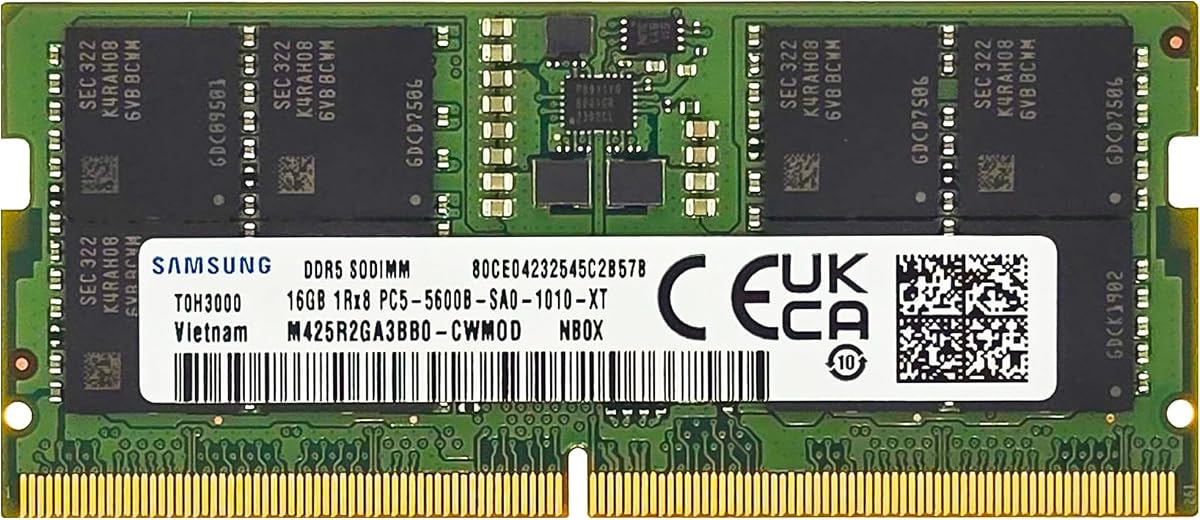
The Samsung 16GB DDR5 RAM module is an official Samsung memory product designed for select laptops and notebooks. With a 4.5 rating, it offers reliable performance for users needing to expand their available memory resources.
We may earn a commission when you buy through this link, at no additional cost to you.
Operating at speeds up to 5600MHz, this single rank module significantly increases workload capacity and reduces performance bottlenecks. It adheres to JEDEC DDR5 standards, ensuring compatibility and stability.
While it is a single module rather than a matched pair, it provides a straightforward upgrade path for systems with one open slot. Samsung's reputation for memory manufacturing adds a layer of trust and quality assurance.
This RAM is recommended for users upgrading existing laptops with limited slot availability. It is a dependable solution for extending system memory to handle more demanding applications.
Expands memory resources to improve performance and reduce bottlenecks.
Adheres to JEDEC DDR5 standards for reliable performance.
We may earn a commission when you buy through this link, at no additional cost to you.
The Samsung 32GB Kit provides two official Samsung DDR5 modules for a total of 32GB capacity. While no specific rating is listed, the components are built to JEDEC standards, ensuring reliability for laptops and notebooks.
We may earn a commission when you buy through this link, at no additional cost to you.
Operating at 5600MHz, this kit delivers fast data transfer rates ideal for modern computing tasks. The non-ECC unbuffered design suits standard consumer laptops where error correction is less critical than speed.
Samsung's manufacturing quality ensures consistent performance across the modules. This kit is particularly useful for users who prioritize brand consistency with their laptop's original hardware.
This upgrade is recommended for those seeking a branded 32GB expansion. It offers the stability and speed needed for professional and gaming workloads.
Expands available memory to increase capacity for demanding workloads.
Operates at 5600MHz for fast data transfer rates.
We may earn a commission when you buy through this link, at no additional cost to you.
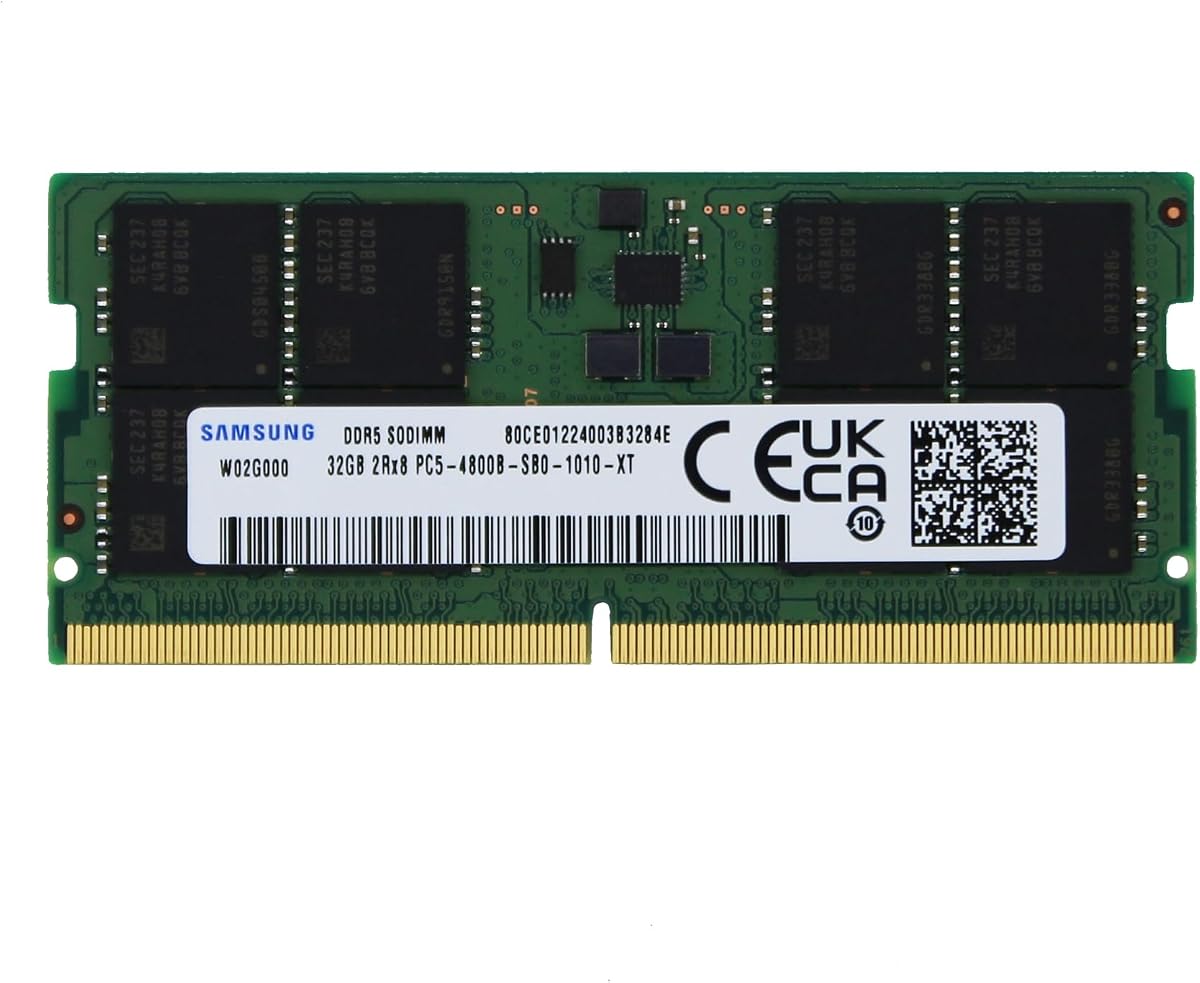
The Samsung 32GB DDR5 4800MHz module achieves a perfect 5.0 user rating. This single high-capacity module is ideal for users seeking a significant upgrade with minimal installation complexity.
We may earn a commission when you buy through this link, at no additional cost to you.
Its dual rank (2Rx8) configuration allows for high workload capacity and efficient memory access. Operating at 4800MHz with CL40 latency, it balances speed and capacity for most laptop systems.
Users looking to expand available memory resources without managing matched kits will find this module practical. It effectively reduces bottlenecks during heavy multitasking or large application use.
This RAM is recommended for users prioritizing capacity and simplicity. It is a standout option for those needing 32GB in a single module for specific laptop configurations.
2Rx8 dual rank configuration improves memory access efficiency.
Single 32GB module reduces installation complexity.
We may earn a commission when you buy through this link, at no additional cost to you.
The Samsung 16GB (2x8GB) DDR5 kit provides two matched modules for a total of 16GB capacity. This configuration supports dual-channel memory access, enhancing throughput for compatible laptops.
We may earn a commission when you buy through this link, at no additional cost to you.
Operating at 5600MHz, the kit delivers high-speed performance suitable for modern gaming and productivity tasks. Each module uses 1Rx16 single rank technology, ensuring compatibility with various laptop architectures.
For users with limited slot availability needing dual-channel performance, this kit is a practical solution. It leverages Samsung's manufacturing expertise for reliable operation.
This upgrade is recommended for users needing 16GB total capacity with dual-channel benefits. It serves well for laptops where memory expansion is constrained.
Dual-module kit enables dual-channel memory access for better throughput.
Operates at 5600MHz for high-speed performance.
We may earn a commission when you buy through this link, at no additional cost to you.
Selecting the right DDR5 RAM involves considering capacity, speed, compatibility, and form factors. This guide breaks down the key elements to help you make an informed decision.
Capacity determines how much data your system can access quickly. For heavy multitasking or content creation, 32GB is ideal. For general use, 16GB is sufficient.
Choose capacity based on your workflow; higher capacity prevents slowdowns during peak usage.
DDR5 speeds start at 4800MHz and go up to 5600MHz and beyond. Higher frequency improves data transfer rates, benefiting gaming and large file processing.
Ensure your motherboard supports the target speed to utilize the RAM effectively.
Laptops use SODIMM modules, which differ from desktop DIMMs. Confirm your laptop supports DDR5 and has open slots before purchasing.
Always check the official compatibility list to avoid hardware mismatches.
CAS Latency (CL) measures the delay before data access. Lower CL numbers indicate faster response times, which benefits real-time performance.
Balance CL with speed; a slightly higher CL at much higher speed often yields better real-world performance.
DDR5 modules typically run at 1.1V, which is efficient for laptops. PMIC integration further optimizes power usage compared to previous generations.
Lower voltage helps maintain battery life during intensive tasks.
Reputable brands like Crucial, Samsung, and CORSAIR offer tested modules and warranties. A longer warranty period provides better protection against defects.
Prioritize brands with strong reputations for memory quality and customer support.
Dual-channel kits (two modules) offer better throughput than single modules. If slots allow, opt for a matched kit to maximize bandwidth.
Dual-channel memory significantly boosts performance in gaming and rendering applications.
Intel XMP 3.0 profiles allow easy speed tuning without manual BIOS settings. Verify your laptop's BIOS supports these features for maximum performance.
XMP support simplifies setup for high-speed memory kits.
Before installing DDR5 RAM, ensure your laptop is powered off and disconnected from power sources to avoid electrical damage. Ground yourself using a wrist strap or by touching the chassis to prevent static discharge.
Insert the SODIMM module into the slot at a slight angle, then press down firmly until the clips lock into place. Ensure the notch aligns correctly with the slot for proper orientation.
After installation, boot the laptop and verify the memory is recognized in system settings. Keep your BIOS updated to ensure compatibility with newer memory modules and optimal performance.
It is not recommended to mix DDR5 RAM modules from different brands. Mismatched speeds or timings can lead to system instability. Ideally, use a matched kit to ensure compatibility.
16GB is generally sufficient for most modern games. However, if you stream or multitask heavily, 32GB offers better future-proofing and smoother performance.
Yes, updating your BIOS is often necessary to ensure full support for DDR5 speeds and features. Manufacturers frequently release updates to improve memory compatibility.
DDR5 offers higher speeds, better power efficiency, and larger capacities compared to DDR4. It also uses a different pin layout, making it incompatible with DDR4 slots.
No, some modern laptops have soldered RAM that cannot be upgraded. Check your laptop's specifications to confirm if the RAM is upgradeable before purchasing.
DDR5 RAM may run at default JEDEC speeds until XMP profiles are enabled. Check your BIOS settings to enable the correct speed profile for your modules.
On-die ECC is an internal error correction feature that improves data integrity. It helps prevent minor errors in memory without the complexity of full ECC systems.
Check your laptop's manual or manufacturer website for supported memory types. You can also use system information tools to view current RAM specifications and slot compatibility.
Choosing the best DDR5 Laptop RAM depends on your specific needs for capacity, speed, and budget. Our top picks cover various use cases, from general productivity to high-performance gaming.
Prioritize compatibility and capacity when selecting a kit. Ensure your laptop supports DDR5 and has the necessary slots to accommodate your chosen memory configuration.
Always check current prices and availability before purchasing, as memory markets fluctuate frequently. This guide provides a reliable starting point for your upgrade journey.