
CORSAIR RS120 ARGB 120mm PWM Fans Triple Pack Black
4.6Editor score
Daisy-chain connections simplify wiring
Up to 2100 RPM speeds
AirGuide technology for focused cooling
This guide compares the top Corsair case fans for cooling, noise, and RGB lighting to help you choose the best model for your PC build needs.
Finding the right cooling solution is essential for any PC build. Corsair case fans offer a blend of performance, quiet operation, and stunning RGB lighting that elevates both function and form.
We compared ten top models based on airflow, static pressure, noise levels, and ease of installation. Each selection balances cost and quality to suit different system requirements and aesthetic preferences.
Every pick highlights key specs and real-world benefits. Prices fluctuate often so check current listings before buying. This guide ensures you invest in fans that keep your system cool and quiet.
4.6Editor score

4.6Editor score

4.7Editor score
This table lists every model reviewed in this guide. Compare their specs, features, and ratings to find the exact fit for your build.


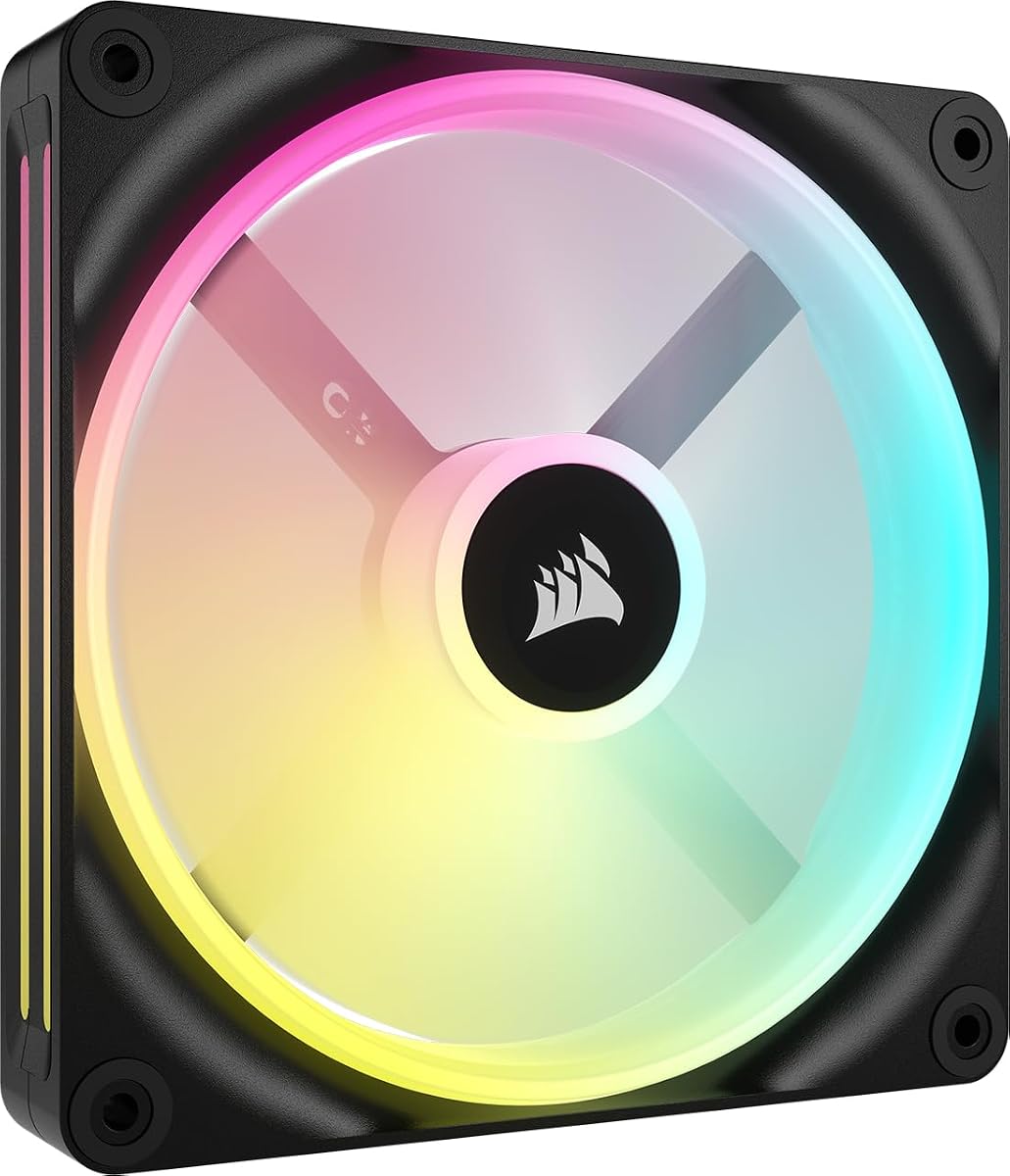


The CORSAIR RS120 ARGB triple pack stands out for delivering high performance at a budget-friendly price. With a rating of 4.6, it proves that you do not need to spend a fortune to get effective cooling.
We may earn a commission when you buy through this link, at no additional cost to you.
Its standout quality is the ability to move 72.8 CFM of air while keeping noise low. The AirGuide technology uses anti-vortex vanes to direct airflow exactly where it is needed, such as on radiators or heat sinks.
One trade-off is the lack of an included hub, meaning you must connect via the motherboard if you want full ARGB control. This is acceptable for most users who already have a compatible motherboard header.
This fan is ideal for budget builds or anyone needing to add a few extra fans without cluttering cables. It balances cost, noise, and cooling power perfectly for everyday gaming PCs.
Daisy-chain connections mean you use only one PWM and one ARGB connector for multiple fans, reducing clutter inside your case.
The AirGuide vanes channel air directly at hot components, making these fans highly effective as radiator push-pull units.
We may earn a commission when you buy through this link, at no additional cost to you.
The CORSAIR iCUE Link LX120 RGB triple pack is our Editor's Choice because it combines top-tier cooling with the easiest cable management system available. Its 4.6 rating reflects its solid build and versatile performance.
We may earn a commission when you buy through this link, at no additional cost to you.
It delivers 69.9 CFM of airflow and up to 5.22mmH2O static pressure, which is ideal for pushing air through dense radiators. The Dual Light Loops create stunning lighting effects that sync across your entire system via the included hub.
The main drawback is the higher cost compared to basic fans, but the included hub saves money elsewhere. Also, full features require using Corsair's iCUE software, which some users may find complex.
Choose this kit if you want a complete cooling solution with premium aesthetics and minimal wiring. It is perfect for high-end builds where silence and style are as important as raw performance.
The included iCUE Link System Hub means you can connect all your fans with a single cable, saving motherboard headers and time.
With high static pressure and anti-vortex vanes, these fans excel at pushing air through tight spaces in liquid cooling radiators.
We may earn a commission when you buy through this link, at no additional cost to you.
The CORSAIR iCUE Link RX140 RGB in White is a premium choice for those needing massive airflow in a 140mm form factor. With a 4.7 rating, it is known for moving 95.7 CFM of air efficiently.
We may earn a commission when you buy through this link, at no additional cost to you.
Its standout quality is the combination of high airflow and quiet operation thanks to the Magnetic Dome bearing. The 3.79mm-H2O static pressure ensures it can handle high-density radiators without struggling.
A trade-off is that it sells as a single fan, so you may need to buy multiples for full case cooling. Additionally, white versions sometimes carry a small price premium over black ones.
This fan is perfect for large case builds with 140mm mounts that demand top performance and style. It ensures your system stays cool while maintaining a clean, bright aesthetic.
Moving nearly 96 CFM, this fan provides exceptional ventilation for large cases or systems with multiple heat sources.
The white finish and vivid RGB lighting make it a standout choice for white-themed or high-end gaming PC builds.
We may earn a commission when you buy through this link, at no additional cost to you.
The Corsair RS120-R ARGB reverse fans in White offer a unique aesthetic advantage. With a 4.7 rating, they are designed to show off the RGB ring even when mounted as intake fans.
We may earn a commission when you buy through this link, at no additional cost to you.
Their standout feature is the reverse rotor which hides the frame and motor on the front, creating a seamless look. The 65.8 CFM airflow is strong for typical intake and exhaust use.
A trade-off is that the airflow is slightly lower than the standard RS120 model, but the visual benefit often outweighs this for build enthusiasts. White frames also require more dusting to stay looking new.
Buy this kit if you are building a white PC and want clean, uninterrupted RGB lighting. It is a premium choice for users who prioritize aesthetics alongside solid cooling performance.
The reverse rotor design ensures the LED ring is always visible, even when the fan is mounted for air intake.
Zero RPM mode allows fans to stop spinning when temps are low, ensuring your system is completely silent during light tasks.
We may earn a commission when you buy through this link, at no additional cost to you.
The Corsair RS120-R ARGB reverse fans in Black provide the same aesthetic benefits as the white version but for dark-themed builds. With a 4.6 rating, they deliver reliable cooling and sleek design.
We may earn a commission when you buy through this link, at no additional cost to you.
Their standout quality is the reverse rotor which hides the blades and motor on the intake side, making your lighting look cleaner. The magnetic dome bearing ensures smooth and quiet operation over time.
A trade-off is that the airflow is 65.8 CFM, which is slightly less than the standard RS120, but for most users, the visual improvement is worth it. Dust is less visible on black frames.
Choose this kit for any dark PC build where you want your RGB to stand out without visible frame distractions. It offers a perfect blend of style and function for modern gamers.
The reverse blade layout ensures the central motor and frame are hidden from view on the intake side.
Daisy-chain technology lets you link fans together, reducing the number of cables connected to your motherboard.
We may earn a commission when you buy through this link, at no additional cost to you.
The Corsair iCUE Link QX140 RGB is a premium 140mm fan designed for those who want unique lighting effects. With a 4.4 rating, it offers high airflow and exclusive visual features.
We may earn a commission when you buy through this link, at no additional cost to you.
Its standout quality is the 34 RGB LEDs and Time Warp mode which creates a strobing effect not available on other fans. The Magnetic Dome bearing keeps noise minimal even at high speeds.
A trade-off is that the iCUE Link System Hub is sold separately, increasing the total cost. Also, buying a single fan may be more expensive per unit than buying a pack.
This fan is ideal for users who want a showstopper effect in their lighting setup. It works best when paired with a full iCUE Link ecosystem for maximum customization.
This exclusive mode creates a unique strobing effect that adds visual excitement to your PC interior.
Pushing 82.5 CFM of air, it offers strong cooling performance for a 140mm form factor.
We may earn a commission when you buy through this link, at no additional cost to you.
The CORSAIR iCUE Link LX120-R RGB triple fan kit offers reverse aesthetics with premium features. With a 4.7 rating, it is one of the most complete fan kits on the market.
We may earn a commission when you buy through this link, at no additional cost to you.
Its standout quality is the combination of reverse rotor design and dual light loops for vibrant lighting. The 4.72mm H2O static pressure ensures it performs well even with thick radiators.
A trade-off is the requirement for an iCUE Link System Hub to connect the fans seamlessly, which adds to the setup complexity. The price is also higher than standard PWM packs.
This kit is perfect for those who want the cleanest look possible without sacrificing cooling power. It is a comprehensive solution for high-end builds needing both style and function.
The reversed rotor ensures that the RGB ring is visible even when the fan is mounted for air intake.
QuikTurn screws included with the kit speed up installation and ensure fans are mounted securely.
We may earn a commission when you buy through this link, at no additional cost to you.
The CORSAIR iCUE Link RX140 MAX RGB is a thick 5mm fan designed for maximum cooling efficiency. With a 4.5 rating, it pushes an impressive 102.9 CFM of air through large heatsinks.
We may earn a commission when you buy through this link, at no additional cost to you.
Its standout quality is the thicker blade which moves more air at lower RPMs, reducing noise while increasing performance. The design is ideal for pushing air through high-density radiators.
A trade-off is the 5mm thickness which may not fit standard cases or radiator mounts designed for 25mm fans. It is crucial to check case compatibility before purchasing.
This fan is best for users with thick radiators needing maximum airflow without increasing noise. It is a specialized choice for those prioritizing raw cooling performance above all else.
Moving over 100 CFM, this fan provides the highest airflow in this guide for maximum thermal relief.
Because it moves more air per rotation, it can run slower to achieve the same cooling as standard fans.
We may earn a commission when you buy through this link, at no additional cost to you.
The CORSAIR RS120 MAX is a 30mm thick fan designed for serious cooling tasks. With a 4.6 rating, it delivers 72 CFM airflow and exceptional static pressure for pushing air through obstructions.
We may earn a commission when you buy through this link, at no additional cost to you.
Its standout quality is the Liquid Crystal Polymer construction which makes the blades stronger and reduces vibration. The thick design increases surface area for better cooling efficiency.
A trade-off is that the 30mm thickness requires case clearance. Also, since it is sold as a single fan, the cost per unit may be higher than a triple pack.
Choose this if you need high static pressure for a radiator or dense filter. It is built for longevity and performance in demanding cooling scenarios.
With 4.2mm-H2O static pressure, it can push air through thick radiators or dense filters effectively.
The Liquid Crystal Polymer blade design ensures durability and reduces vibration during high-speed operation.
We may earn a commission when you buy through this link, at no additional cost to you.
The CORSAIR iCUE Link RX140 RGB is a high-performance 140mm fan that balances airflow and noise. With a 4.7 rating, it is one of the highest-rated models for silent builds.
We may earn a commission when you buy through this link, at no additional cost to you.
Its standout quality is the Magnetic Dome bearing which reduces friction and noise significantly. The 95.7 CFM airflow ensures efficient cooling without loud operation.
A trade-off is the requirement for an iCUE Link System Hub to unlock full cable management features. The RGB also uses a windowed frame which some may prefer over rings.
Buy this if you need a large fan that moves air quietly and efficiently. It is perfect for high-end cases where noise levels must remain low.
The Magnetic Dome bearing minimizes friction, allowing the fan to run smoothly and quietly even at high RPMs.
With 95.7 CFM, it provides strong cooling for large cases without needing multiple smaller fans.
We may earn a commission when you buy through this link, at no additional cost to you.
Selecting the right fans depends on your case, cooling needs, and aesthetic goals. Use these factors to narrow down your options.
Most cases support 120mm or 140mm fans. Check your case manual to confirm which sizes fit. 140mm fans often move more air at lower RPMs for less noise.
Always verify case clearance before buying large fans like the RX140 or MAX models.
Airflow measured in CFM moves general air through your case. Static pressure is needed to push air through radiators or dense filters. Choose high CFM for case fans and high pressure for radiators.
Models like the RX140 MAX excel at pressure while others like the RS120 focus on airflow.
Noise is measured in dBA. Look for fans with lower dBA ratings for quieter builds. Magnetic Dome bearings help reduce noise by minimizing friction.
Zero RPM modes allow fans to stop spinning at low loads for complete silence.
Corsair offers ARGB and RGB options. ARGB allows per-LED control for complex lighting while RGB changes the whole fan color. Ensure your motherboard supports the correct protocol.
Some models include iCUE Link hubs for seamless control across multiple devices.
Fans usually use PWM 4-pin connectors for speed control. Daisy-chain options let you daisy-chain fans to save motherboard headers. iCUE Link hubs simplify cable management further.
Check if your motherboard has enough headers or if you need an expansion hub.
Prices vary from budget triple packs to premium single fans with hubs. Decide if you need full RGB control or just basic cooling. Buying packs is often cheaper per fan than singles.
Consider long-term savings when choosing fans with better bearings and longevity.
Most fans come with standard screws. Some kits like the LX120-R include QuikTurn screws for easier installation. Verify that the fan thickness fits your case slots.
Thicker fans offer better cooling but may require special mounting.
Install fans to create a balanced airflow path. Place front and bottom fans as intake and rear and top fans as exhaust. This prevents heat buildup inside the case.
Connect all fans to your motherboard or hub using the correct headers. If using iCUE Link, plug the bridge connectors into the hub before connecting to the motherboard.
Clean fans regularly using compressed air to remove dust buildup. Dust can block airflow and increase noise. Ensure the fans are powered off before cleaning to avoid damage.
Most Corsair fans use standard 4-pin PWM connectors that work with any modern motherboard. However, full RGB features may require specific ARGB headers or the iCUE Link hub for advanced control.
PWM fans allow you to control fan speed via the motherboard while ARGB fans have addressable RGB LEDs for custom lighting. Many Corsair fans combine both features in one unit.
Most cases work well with three to five fans. Use at least one intake and one exhaust. More fans may be needed for high-performance systems with liquid cooling.
Only fans with daisy-chain connectors like the RS120 or iCUE Link series support this feature. Standard fans must be connected individually to the motherboard headers.
No, most Corsair fans can connect directly to motherboard PWM headers. Hubs like the iCUE Link system simplify wiring and enable advanced lighting control.
Reverse rotor fans hide the frame and motor when mounted as intake allowing the RGB ring to be fully visible. This provides a cleaner look for white or dark themed builds.
The CORSAIR RS120 ARGB offers great value for budget builders while the iCUE Link LX120 RGB provides a premium all-in-one solution. For 140mm needs the RX140 delivers exceptional airflow.
Focus on airflow and static pressure for cooling and noise for quiet operation. If style matters consider reverse rotor fans or RGB options that match your build theme.
Prices change frequently so check current listings before buying. Investing in high-quality fans ensures your system runs cool and quiet for years to come.