
LG UL3G 43" Class 4K UHD Conference Room & Digital Signage IPS LED Display
IPS panel technology
Built-in webOS system
Bundle includes accessories
Choosing the right Conference Room Monitor is essential for modern businesses that rely on clear visual communication. A high-quality display ensures that everyone in the room can see presentations, video calls, and shared content without strain or distortion.
We have analyzed ten leading Conference Room Monitor models based on their resolution, connectivity options, and durability. Our comparison focuses on features that matter most for professional environments, such as anti-glare coatings and wide viewing angles.
Each pick in this list highlights specific strengths to help you find the ideal match for your space. Please note that prices can fluctuate frequently, so check current listings before making your final purchase decision.


As an Amazon Associate we earn from qualifying purchases.
This side-by-side comparison highlights the key specifications and capabilities of each model to help you decide quickly.

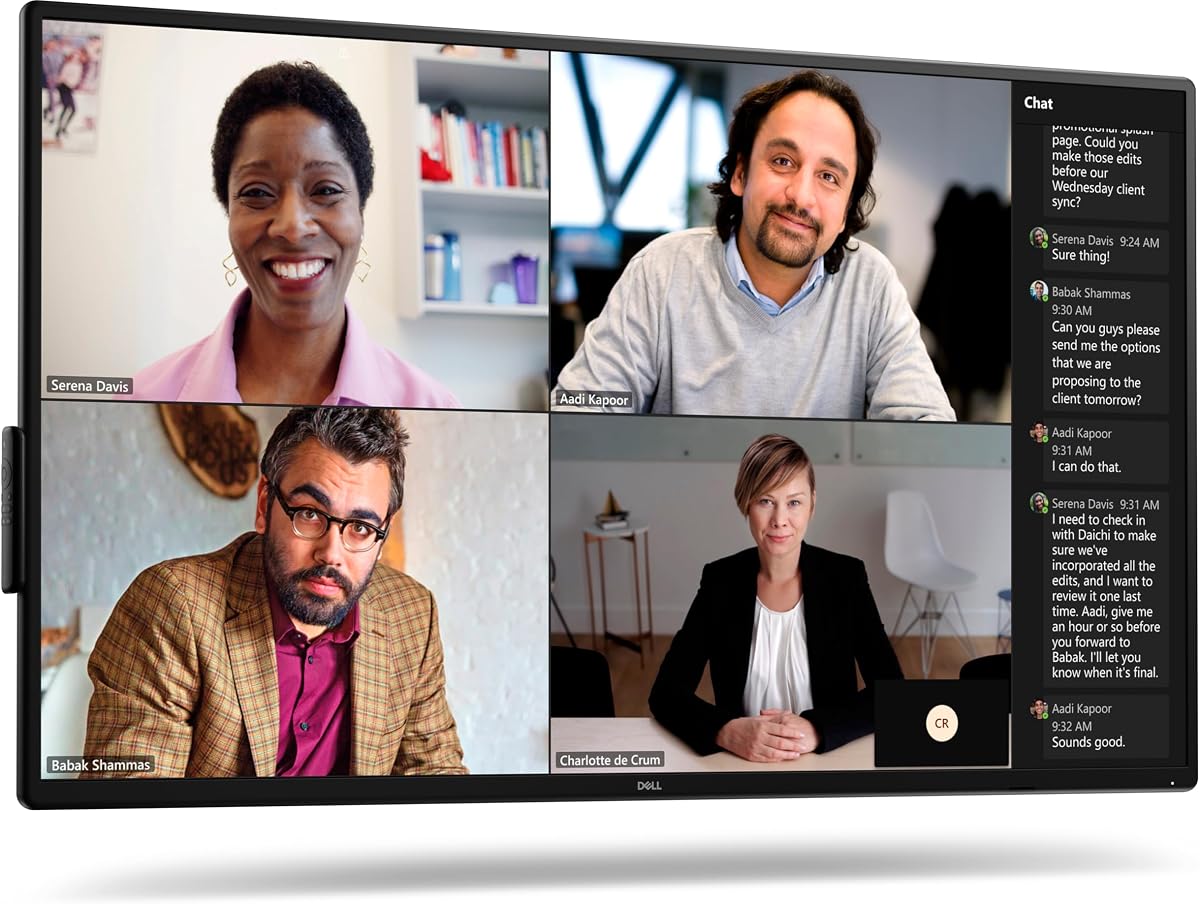


The Dell 55 4K Conference Room Monitor P5524Q stands out as a top choice for professional environments needing reliable visual clarity. It offers a large 55-inch display with 4K resolution ensuring that documents and video feeds look sharp to everyone in the room.
We may earn a commission when you buy through this link, at no additional cost to you.
Its anti-glare coating is a significant benefit for meeting spaces with bright lighting or windows. The built-in speakers and security lock slot add practical value for businesses concerned about cable theft or unauthorized device connections.
While it does not include a built-in webcam which means you will need an external camera for video calls the focus on display quality and security makes it a solid foundation. The wide viewing angle ensures participants sitting at the edges still see the content clearly.
This monitor is best suited for formal boardrooms or training spaces where presentation quality is a priority. If you value screen protection and professional aesthetics Dell this model is a strong recommendation.
The anti-glare screen ensures that reflections do not distract from critical presentations even in bright offices.
Built-in security and cable lock slots help prevent theft and keep your meeting room setup secure.
We may earn a commission when you buy through this link, at no additional cost to you.
The Samsung QB65R brings a massive 65-inch screen to your conference room which is ideal for large teams or detailed data visualization. Its 4K UHD picture quality with Dynamic Crystal Color ensures that images and videos appear vivid and accurate.
We may earn a commission when you buy through this link, at no additional cost to you.
This model is designed with business needs in mind featuring built-in Wi-Fi and Bluetooth for easy content sharing from mobile devices. The compatibility with Cisco WebEx room kits makes it a versatile choice for enterprises already using that conferencing platform.
The Intelligent UHD upscaling helps maintain high picture quality even when displaying standard definition content which is common in legacy systems. However the slim design might require careful mounting to ensure stability given the large surface area.
For organizations needing a central hub for both signage and conferencing this display offers an all-in-one solution. The embedded media player and SoC technology reduce the need for extra hardware making it a streamlined option.
Built-in Wi-Fi and Bluetooth allow seamless content sharing from tablets and phones without cables.
Designed for commercial use it includes features like upscaling and integrated media playback for continuous operation.
We may earn a commission when you buy through this link, at no additional cost to you.
The LG UL3G offers a compelling value proposition with its bundle that includes essential accessories like HDMI cables and a surge protector. The 43-inch 4K UHD resolution provides clear visuals for small to medium-sized conference rooms or huddle spaces.
We may earn a commission when you buy through this link, at no additional cost to you.
Its IPS panel ensures that colors and text remain consistent even when viewed from the sides of the room which is a common issue with cheaper panels. The built-in webOS system allows for easy navigation without needing an external computer.
Certified Crestron Connected and compatible with Cisco setups it integrates well into existing enterprise systems. The ability to act as a virtual router also simplifies network connections for guest devices during meetings.
This model is an excellent choice for teams looking for a complete package without high upfront costs. The included accessories save time on setup and the remote monitoring capabilities help IT manage devices efficiently.
The bundle includes cables and a cleaning kit making it ready to install right out of the box.
Built-in SoC eliminates the need for external media players reducing clutter and cost.
We may earn a commission when you buy through this link, at no additional cost to you.
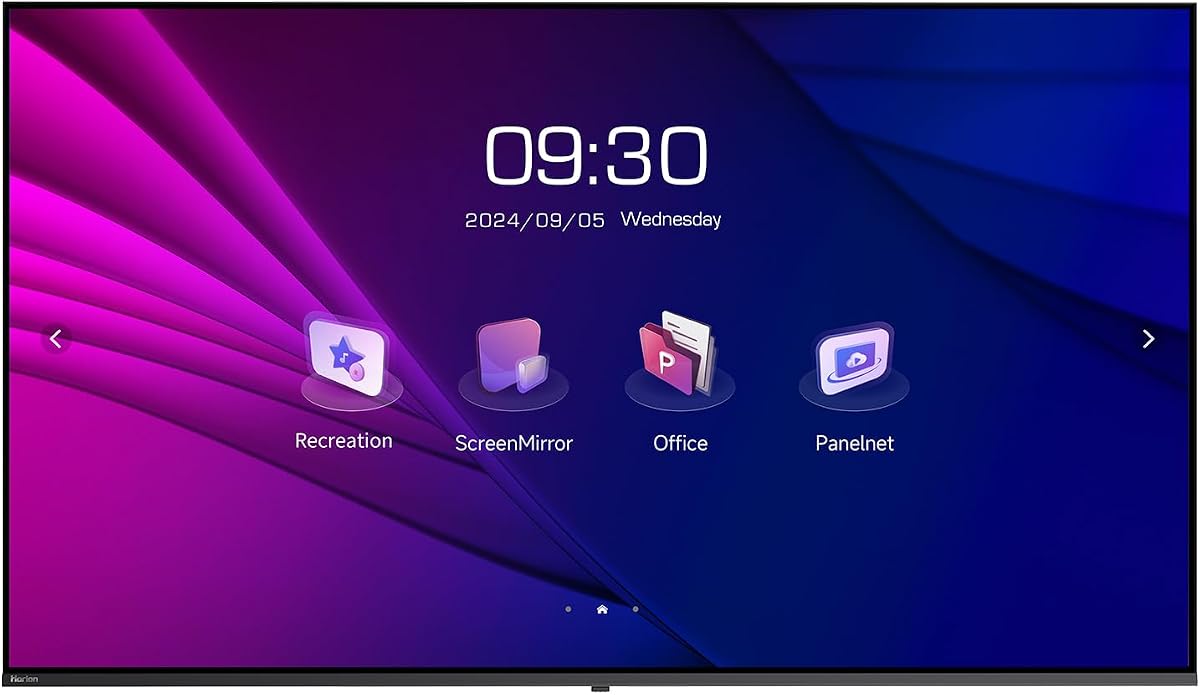
The HORION 75" 4K UHD Commercial Display is designed for versatile use in offices and retail spaces with a strong focus on wireless connectivity. Its large screen size ensures that presentations are visible to everyone in large conference halls.
We may earn a commission when you buy through this link, at no additional cost to you.
A standout feature is the Dual WiFi Pro Stability System which uses separate channels for casting and internet access to prevent lag during critical meetings. This makes it highly reliable for streaming content without interruptions.
Support for Miracast and Airplay allows users from any device to share their screen instantly without cables. The Low Blue Light Certification also helps reduce eye strain for employees who spend long hours in front of the screen.
This display is ideal for dynamic environments where content needs to change frequently or be shared by multiple users. The ability to mount vertically adds flexibility for lobby directories or tall presentation spaces.
Dual independent WiFi modules ensure a stable connection for casting and internet simultaneously.
Low blue light technology reduces harmful emissions to protect user eyes during extended use.
We may earn a commission when you buy through this link, at no additional cost to you.
The Dell P5525QC is a robust commercial monitor built for business environments that require reliable performance and modern connectivity options. It features a 55-inch screen with UHD resolution to deliver sharp visuals for presentations and data.
We may earn a commission when you buy through this link, at no additional cost to you.
One of its key advantages is the inclusion of USB-C which allows for data video and power to be transmitted through a single cable. This simplifies the setup process and reduces cable clutter on the conference table.
With a brightness level of 400cd/m2 this display performs well even in rooms with significant ambient light. The 60Hz refresh rate ensures smooth video playback which is useful for remote conferencing applications.
This model is a strong choice for businesses that prioritize connectivity and brand reliability. If you are using Dell laptops or devices the USB-C docking capability makes it particularly convenient to use.
USB-C connectivity reduces cable clutter by handling data video and power in one connection.
400cd/m2 brightness ensures content remains clear and visible even in bright conference rooms.
We may earn a commission when you buy through this link, at no additional cost to you.
The Philips 34E1C5600HE offers a unique approach by combining a wide monitor with a built-in webcam and microphone. This makes it a convenient choice for small meeting rooms or private huddle spaces where space is limited.
We may earn a commission when you buy through this link, at no additional cost to you.
The 21:9 aspect ratio provides extra horizontal screen space which is ideal for reviewing spreadsheets or side-by-side document editing during collaborative sessions. The curved VA panel enhances immersion and reduces eye strain during long working hours.
USB-C docking allows you to connect your laptop with a single cable for power and data transfer which simplifies the desk setup significantly. The 100Hz refresh rate ensures smooth scrolling and video playback for a responsive user experience.
If you need a compact solution for small teams or personal conference corners this monitor is a strong candidate. The 4-year advance replacement warranty also provides peace of mind for business investments.
The built-in webcam and microphone eliminate the need for external devices for video calls.
Wide 21:9 aspect ratio helps professionals manage multiple windows and tasks efficiently.
We may earn a commission when you buy through this link, at no additional cost to you.
The Samsung QB43R is a compact option designed for smaller conference rooms or executive offices where a large display might be excessive. Its 43-inch 4K UHD resolution ensures that every detail is crisp and clear.
We may earn a commission when you buy through this link, at no additional cost to you.
It includes the same advanced features as larger Samsung models such as SoC technology and embedded media players which allow for independent content playback without a PC. The slim elegant design makes it easy to mount and blend into any decor.
With built-in Wi-Fi and Bluetooth you can share content wirelessly from various devices which streamlines the meeting process. The 350 nit brightness ensures that the screen remains visible even with overhead lights on.
This display is perfect for small teams or individual workspaces that need professional-grade visual performance. The 3-year warranty adds confidence to the purchase for long-term business use.
The slim bezel design saves space and allows for flexible mounting options in tight areas.
Built-in wireless connectivity simplifies the process of sharing content from mobile devices.
We may earn a commission when you buy through this link, at no additional cost to you.
The Sony FW75BZ30L is a premium choice for businesses that demand the highest visual fidelity for their presentations and media. Its 75-inch 4K display with HDR support ensures that colors and contrasts are vivid and accurate.
We may earn a commission when you buy through this link, at no additional cost to you.
Designed specifically for commercial environments this monitor is built to handle rigorous daily use with robust hardware and reliability. The ability to mount in both landscape and portrait modes gives you flexibility for different types of content.
Sony's reputation for high-quality displays means that text and images appear incredibly sharp which is critical for detailed design or architectural reviews. This monitor represents the top tier in terms of image quality and professional build.
Investing in this model is justified for high-stakes meetings where visual clarity can influence outcomes. If budget allows and image quality is your top priority this display is unmatched in the selection.
Sony's commercial monitor technology delivers superior color and contrast for professional presentations.
Support for both landscape and portrait mounting allows versatile content display options.
We may earn a commission when you buy through this link, at no additional cost to you.
The Samsung QE50T is designed for environments where the display needs to run for extended periods such as reception areas or conference rooms used frequently. Its 16/7 operation capability ensures reliability for long working hours.
We may earn a commission when you buy through this link, at no additional cost to you.
The 50-inch 4K UHD resolution provides ample space for content while the non-glare panel helps maintain visibility in various lighting conditions. The built-in media player allows you to play content directly from a USB drive without a computer.
With a 3-year commercial warranty and an IP5X dust-proof rating this monitor is built to withstand the rigors of a busy office. The Crystal 4K Processor ensures that even lower quality content looks clean and clear.
This model is a practical choice for businesses needing a dependable display for continuous use. It balances performance with durability making it a reliable option for daily operational needs.
Designed for 16 hours of daily operation this monitor suits demanding business environments.
USB playback eliminates the need for a PC making it simple to display local content.
We may earn a commission when you buy through this link, at no additional cost to you.
The Logitech MeetUp is a dedicated video conferencing system designed to enhance the visual experience in small huddle rooms. While it is not a monitor itself it pairs seamlessly with any display to provide superior video quality.
We may earn a commission when you buy through this link, at no additional cost to you.
Its 4K sensor and wide 120-degree field of view ensure that all participants are captured clearly which is essential for remote meetings. The three beamforming microphones pick up voices from up to 4 meters away with high clarity.
The system supports motorized pan and tilt features that allow you to adjust the view without leaving your seat. It works as a USB conference camera which makes it easy to integrate with any laptop or PC.
If you already have a screen but lack high-quality video capabilities this system is an excellent upgrade. It provides the audio and visual clarity needed for professional remote communication.
4K resolution and wide angle capture ensure every participant is seen clearly during calls.
Beamforming microphones reduce background noise and focus on voices for better sound.
We may earn a commission when you buy through this link, at no additional cost to you.
Selecting the right monitor requires balancing size resolution and connectivity features to suit your specific meeting space needs.
The size of the monitor should match the room size and the number of participants. A 55-inch or larger screen is usually recommended for rooms with more than ten people to ensure visibility from all seats. Resolution is critical for clarity so aim for 4K UHD to ensure text and images are sharp.
Choose a size that allows everyone to read text without straining their eyes. Higher resolution ensures that detailed graphics look crisp during presentations.
Anti-glare coatings are essential for rooms with windows or bright overhead lights. They reduce reflections that can make the screen hard to see. Brightness measured in nits should be at least 300 to 400 for standard office environments.
Look for models with anti-glare finishes to prevent light from washing out the screen content. Ensure the brightness level is sufficient for your room lighting.
Modern monitors should offer a variety of ports such as HDMI USB-C and DisplayPort. USB-C is particularly useful as it can transmit data video and power through a single cable which simplifies setups. Wireless casting support is also a valuable feature for mobile devices.
Verify that the monitor has the necessary inputs for all your devices. USB-C and wireless options offer the most flexibility for modern teams.
While external speakers are often preferred high-quality built-in speakers can be convenient for smaller rooms. Look for models with at least 10W of power per speaker to ensure voice clarity during calls. Some models also include noise-canceling microphones.
Check the wattage and quality of built-in speakers to avoid the need for external audio gear in small spaces.
Monitors with System-on-Chip (SoC) technology can play content directly from USB drives or Wi-Fi sources without a connected computer. This is useful for digital signage or quick presentations. Look for compatibility with common conferencing software.
An embedded media player simplifies the setup by removing the need for a separate PC when displaying local content.
Commercial monitors are built to last longer than consumer models often supporting 16/7 operation. A 3-year or longer warranty indicates confidence in the build quality. Dust-proof ratings and security slots also add to the durability.
Opt for monitors with commercial grade ratings and solid warranty terms to ensure long-term reliability.
VESA mounting compatibility allows you to mount the monitor on walls or mobile carts. Some models support vertical orientation which is useful for tall content or lobby displays. Check the weight capacity of the mount hardware provided.
Ensure the monitor supports standard VESA mounts for flexibility in how you position the screen in your room.
When setting up your monitor ensure that it is placed at eye level for seated participants to prevent neck strain. Use the anti-glare settings if available to adjust the screen to your room lighting.
Clean the screen regularly with a soft microfiber cloth to remove fingerprints and dust. Avoid using harsh chemicals that could damage the anti-glare coating or the display surface.
If the monitor includes an embedded system update the firmware regularly to maintain security and performance. Use the provided cables and power surges to extend the lifespan of the hardware.
The ideal size depends on the room and number of people. For small huddle rooms under six people 43 inches is often sufficient. For larger rooms with ten or more people 55 inches or larger ensures visibility.
Not always. Many commercial monitors have built-in operating systems and media players that allow them to function without a computer. This is useful for simple presentations or digital signage.
While possible TVs often lack the necessary ports durability and anti-glare features required for daily business use. Commercial monitors are built to operate longer hours and offer better connectivity options.
USB-C allows you to connect a laptop with a single cable that delivers video data and power simultaneously. This reduces cable clutter and simplifies the setup process for meetings.
For small rooms built-in speakers may suffice but for larger spaces external speakers or dedicated audio systems are recommended to ensure everyone can hear clearly. High wattage speakers help with volume.
It is recommended to check for firmware updates at least once a quarter. Updates often include security patches and performance improvements that keep the system running smoothly.
We have explored ten top Conference Room Monitor options ranging from budget bundles to premium commercial displays. Each model offers unique strengths depending on your room size and connectivity needs.
When making your decision prioritize features like anti-glare protection and USB-C connectivity to ensure a smooth user experience. Reliability and warranty coverage are also key factors for business investments.
Please remember that prices may change so check current listings before purchasing. Select the display that best fits your team's workflow for maximum productivity.