
Canon PIXMA TR4720 All-in-One Wireless Printer
3.8Editor score
Built-in fax capability
Wireless mobile printing
Compact home office design
This guide compares the top cheap fax machines for home and office use, evaluating speed, memory, paper capacity, and connectivity to help you save money.
Finding a reliable fax machine without breaking the bank can be challenging in today's digital age. Many businesses still require physical document transmission for legal or compliance reasons. This guide helps you identify affordable options that deliver consistent performance without hidden costs or complicated setups.
We compared ten real products based on their transmission speed, memory capacity, paper handling, and overall user ratings. Our analysis focuses on models that balance cost efficiency with essential features like copying, scanning, and phone capabilities. You will see how each machine fits different workload demands and budget constraints.
Each pick highlights key specifications and practical benefits to help you make an informed decision. Remember that availability and pricing fluctuate regularly, so check current listings before purchasing. Our goal is to provide clear, factual insights into the best affordable fax solutions available right now.
3.8Editor score

4.1Editor score

4.0Editor score
This table provides a side-by-side overview of all ten models reviewed. Each entry includes key specifications like transmission speed, memory, and paper capacity to help you compare performance at a glance.




The Brother FAX-575 stands out as a robust option for those seeking a dedicated fax solution. With a 4.1 rating, users appreciate its consistent performance and ease of use. This model combines fax, phone, and copier functions into one device.
We may earn a commission when you buy through this link, at no additional cost to you.
Its 9600 BPS modem ensures quick transmission at about 15 seconds per page. The 512 KB memory can store up to 25 pages, which is vital for high-volume senders. Black-and-white copying at 400 x 400 dpi provides clear document reproduction.
While it lacks modern wireless features, its wired reliability is a significant plus for office environments. The 50-sheet paper capacity reduces frequent reloading. Some users may prefer more advanced connectivity options available in newer models.
This machine is ideal for small offices needing reliable document transmission without cloud dependencies. Its straightforward operation makes it accessible for all users. We recommend it for those prioritizing function over form in their fax setup.
The 9600 BPS modem speed ensures your documents are sent quickly and reliably without delays.
With 512 KB memory storing 25 pages, you can queue multiple faxes even if paper runs out.
We may earn a commission when you buy through this link, at no additional cost to you.
This renewed model offers the same core functionality as the new version at a reduced cost. It maintains the 9600 BPS speed and 512 KB memory for consistent faxing. Users who choose renewed products often find good value without sacrificing essential features.
We may earn a commission when you buy through this link, at no additional cost to you.
Transmission speeds remain fast at 15 seconds per page. The copying quality is still sharp at 400 x 400 dpi. Since it is renewed, it may show minor cosmetic wear but functions like new. This is a smart choice for tight budgets.
While the rating is slightly lower than the new version, it still delivers reliable service. The main risk involves availability since renewed stock varies. Ensure you check seller ratings before purchasing to guarantee quality control and support.
Ideal for cost-conscious buyers who need a dependable fax machine immediately. The savings can be significant compared to buying brand new. Just be prepared for potential variations in physical appearance or packaging materials.
You save money compared to new units while getting the exact same technical specifications and performance.
Choosing renewed equipment helps reduce electronic waste while extending the lifecycle of durable technology.
We may earn a commission when you buy through this link, at no additional cost to you.
The Sharp UXB20 brings inkjet technology to faxing, which can produce better color options than thermal models. It has a 3.3 rating indicating mixed user experiences. However, it still offers practical features for those needing basic transmission capabilities.
We may earn a commission when you buy through this link, at no additional cost to you.
With 9600 bps modem speed, it matches standard fax times. The 449 KB memory allows 24-page storage during out of paper events. Speed dial presets simplify calling frequent contacts. Distinctive ring detection helps manage multiple lines.
Users note that while functional, it may lack the polish of higher-rated competitors. The warranty is limited to 90 days which is shorter than average. Ink cartridges may need regular replacement depending on usage volume and type.
This model suits users who want inkjet versatility without paying premium prices. Its corded handset works well for home offices. Ensure you have access to technical support in case issues arise after the warranty expires.
Thirty speed dial presets make it easy to send faxes to frequent contacts without typing numbers.
If paper runs out during incoming transmission, the unit stores up to 24 pages for later printing.
We may earn a commission when you buy through this link, at no additional cost to you.
This HP printer focuses on home printing needs but includes app-based fax capabilities for basic users. The dual-band Wi-Fi ensures stable connections for mobile printing. It is highly rated for convenience and modern design features that fit small spaces.
We may earn a commission when you buy through this link, at no additional cost to you.
HP AI removes unwanted content for cleaner prints. The 60-sheet tray handles daily documents efficiently. A 3-month Instant Ink trial helps manage costs. The printer scans and copies well for general office tasks.
While not a traditional fax machine, the smartphone app allows faxing without dedicated hardware. This suits casual users needing occasional transmission. Performance may lag for high volume fax jobs due to standard inkjet limits.
Choose this if you want a versatile printer that can handle faxes via app. It saves space and supports modern workflows. Ensure your fax volume is low enough to justify app use over a dedicated fax line.
Dual-band Wi-Fi provides reliable connections for printing and scanning from any device on your network.
HP AI removes unwanted content to ensure web pages and emails print clearly without awkward layouts.
We may earn a commission when you buy through this link, at no additional cost to you.
The Canon PIXMA TR4720 offers a true 4-in-1 experience at an affordable price point. Its built-in fax capability is a standout for budget buyers. The printer is easy to set up and works well for home users needing basic document transmission.
We may earn a commission when you buy through this link, at no additional cost to you.
You can load up to 100 sheets of plain paper to reduce frequent refills. An auto document feeder supports scanning multi-page documents. Wireless mobile printing keeps you connected to your smartphone for quick tasks on the go.
While it lacks advanced fax features, it covers essential needs effectively. The control panel is intuitive but basic. Ink cartridges should be easy to install and replace when needed for consistent operation without downtime.
This machine is perfect for home offices needing versatility without spending much. Faxing through it is straightforward and reliable for occasional use. We recommend checking ink costs over time to maximize its budget friendly benefits.
This model combines print, copy, scan, and fax functions in one compact device for complete productivity.
The feeder allows quick scanning of multi-page documents without having to load them one by one.
We may earn a commission when you buy through this link, at no additional cost to you.
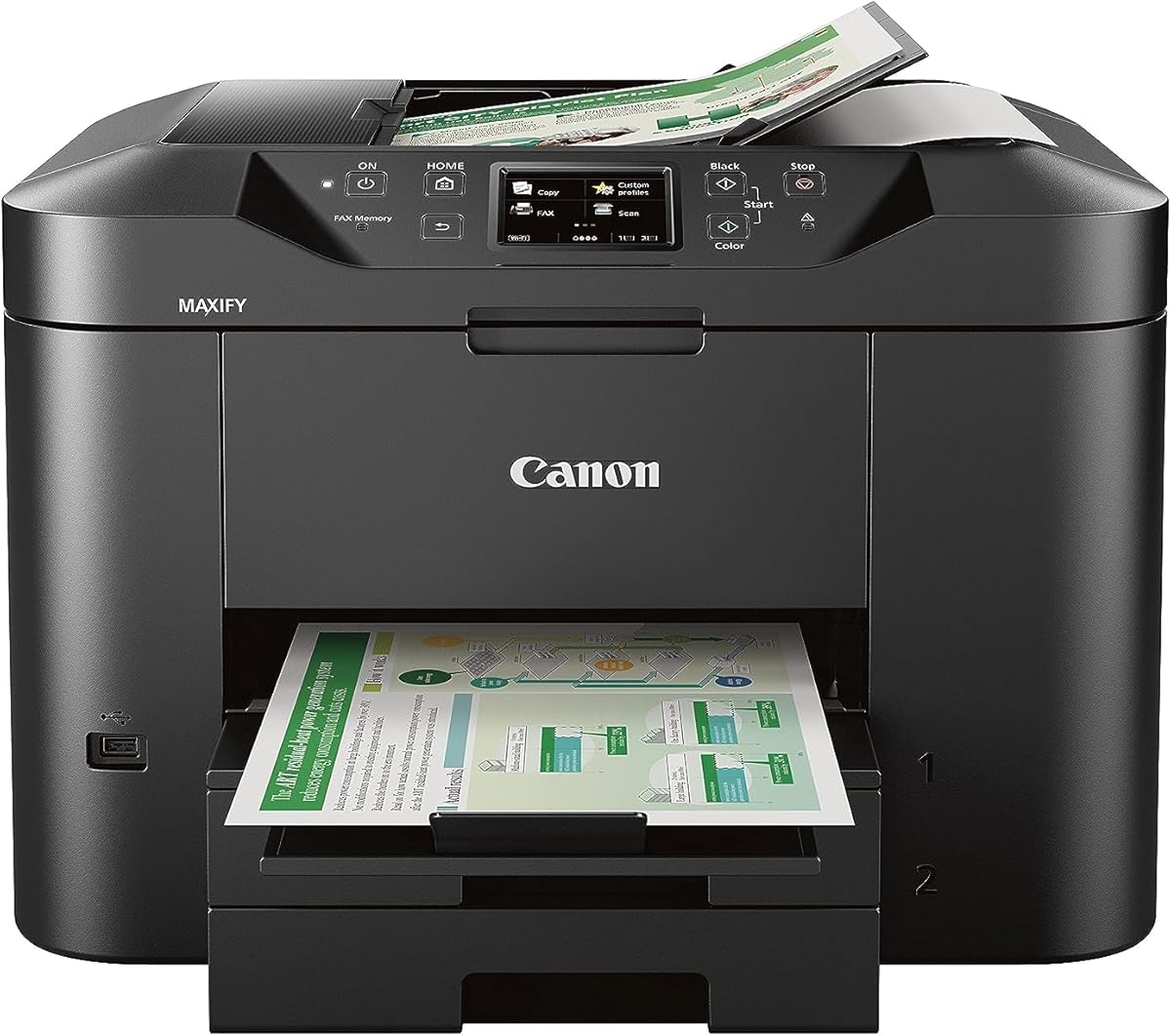
Designed for home business needs, this MAXIFY printer handles high volumes with ease. The two paper cassettes provide a combined 500 sheets so you are always ready. A 20000 page duty cycle ensures longevity under heavy daily use.
We may earn a commission when you buy through this link, at no additional cost to you.
DRHD inks produce laser-sharp text that resists highlighting and smudges. This is vital for documents that need to stay professional. Wireless printing supports flexibility across devices. The color output remains sharp and clear for business needs.
While it costs more upfront, the durability justifies the investment for frequent users. It may take up more desk space than compact models. Ensure you have enough room for optimal operation and ventilation during long print jobs.
Ideal for small businesses prioritizing document quality and reliability. The high paper capacity reduces downtime. If your fax and print volume is high, this machine delivers the consistency required for professional workflows.
With a 20000 page duty cycle, this printer is built to last through demanding daily business workloads.
DRHD inks ensure text remains sharp and resistant to smudging or highlighting even after multiple copies.
We may earn a commission when you buy through this link, at no additional cost to you.
This premium model stands out with voice control and smart reorder features. It integrates with Alexa to notify you when ink is low. This removes the worry of running out unexpectedly. The 200 sheet capacity handles significant workloads smoothly.
We may earn a commission when you buy through this link, at no additional cost to you.
Auto 2-sided printing saves paper and time for double sided documents. The 15 ipm speed ensures quick output. Wireless 4-in-1 functionality supports all essential office tasks. A micro SD slot adds extra media handling options.
Smart reorders eliminate subscription needs while ensuring you always have enough ink supplies. The printer supports Airprint and Android for seamless mobile use. Some users may find the initial setup for smart features detailed but worth it.
Best for users who want modern automation alongside reliable faxing. The voice features add convenience that rivals traditional setups. Check the warranty and support policies to fully benefit from this advanced home office center.
Alexa can discover your printer and help you place smart reorders to ensure you never run out of ink.
With 200 sheet capacity across cassette and rear feed, you can handle large jobs without reloading.
We may earn a commission when you buy through this link, at no additional cost to you.
This laser fax machine offers crisp text output suitable for professional documents. It prints at 21 ppm making it fast for standard fax jobs. The technology ensures consistent quality without smudging over time. It works well for offices needing clean documents.
We may earn a commission when you buy through this link, at no additional cost to you.
Resolution is 200 x 300 dpi providing clear scans and faxes. Toner usage is generally low compared to ink options. It does not support network connections so all functions are local. This simplicity can reduce configuration errors.
While the speed is high, the lack of network readiness limits sharing. Toner cartridges can be cost effective over time but have a higher upfront cost. Users should check if laser output matches their document quality needs.
Recommended for offices prioritizing text quality and speed over connectivity. The laser mechanism offers a longer duty cycle for frequent faxing. Ensure your workspace allows for local connection access.
Laser technology ensures text documents are sharp and professional looking without smudging or blurring.
With 21 pages per minute, you can complete bulk faxing tasks quickly without waiting for output.
We may earn a commission when you buy through this link, at no additional cost to you.
This thermal transfer model combines reliability with energy efficiency. The Energy Star rating reduces power usage during operation. It features a 512 KB memory similar to other models for storing documents. Renewed units offer a lower entry point for buyers.
We may earn a commission when you buy through this link, at no additional cost to you.
The 9.6 Kbps modem ensures standard fax times. 10 Sheet ADF allows scanning multiple pages without manual feeding. Thermal transfer often uses specific paper but provides quick output. The 50 sheet tray helps handle incoming volume smoothly.
Users may need to watch paper levels as thermal paper has different characteristics. Maintenance may be required if the print head gets dirty over time. The rating suggests it is functional but may not match higher end models in features.
Best for environments needing simple faxing without high speed requirements. Its energy efficiency lowers operational costs. Check if your current paper setup is compatible with thermal transfer needs before purchase.
Energy Star rating means the machine consumes less power during standby and active faxing modes.
A 10-sheet auto document feeder lets you scan multi-page documents without manual single-page feeding.
We may earn a commission when you buy through this link, at no additional cost to you.
This Panasonic model is designed for standard plain paper faxing with a simple interface. It supports caller ID which helps you identify incoming faxes. The answering machine interface allows you to manage voice and fax calls easily.
We may earn a commission when you buy through this link, at no additional cost to you.
Modem speed is 9.6 Kpbs which is standard for legacy systems. It does not use thermal paper which is easier to store long-term. The warranty includes an exchange program for added assurance. Users can manage calls without complex menus.
The lower rating suggests some users encountered setup or reliability issues. However, it remains a basic option for those wanting a dedicated fax device. Ensure your phone lines are compatible before installation to avoid connectivity problems.
Suitable for users who need basic fax functionality without advanced features. It fits well in traditional office setups. Review user feedback carefully to understand potential limitations before committing to this model.
Built-in caller ID compatibility helps you identify incoming faxes or calls before answering the handset.
Unlike thermal faxes, this unit uses regular plain paper which is easier to file and store long-term.
We may earn a commission when you buy through this link, at no additional cost to you.
Selecting the right fax machine involves balancing cost with necessary features. This guide breaks down the critical factors to help you make a smart choice.
Transmission speed determines how fast your faxes are sent. Models with 9600 BPS modems send pages in about 15 seconds. Faster speeds reduce wait times for long documents and improve overall efficiency.
Choose a speed that matches your daily fax volume. Faster modems are worth the extra cost if you send multiple documents daily.
Memory storage allows you to queue faxes even when paper is out. Look for at least 25 pages of storage to prevent transmission errors. Some models offer up to 50 pages for larger operations.
Ensure the memory capacity meets your needs so you don't lose incoming faxes during supply shortages.
Paper capacity affects how often you need to reload trays. Models with 100 sheet trays reduce interruptions. Check if the machine uses plain or thermal paper as this impacts storage and handling.
Larger trays and plain paper support save time and money on long term usage.
Traditional fax machines connect via phone lines but modern models offer wireless or app based faxing. Wireless options let you send faxes from phones without physical connection. Some apps replace hardware but require internet access.
Decide if you need physical line connectivity or if wireless convenience suits your workflow better.
Many fax machines also print, scan, and copy. Combining these functions saves space and cost. Check if these features work smoothly or if they are basic add-ons.
An all-in-one machine is more versatile for small offices needing multiple document tools.
Warranties vary from 90 days to a full year. A longer warranty indicates manufacturer confidence. Check if support is US-based for easier troubleshooting.
Prioritize models with strong support to avoid extended downtime if issues arise.
Energy Star certified models consume less power during use. This is vital for machines running continuously in an office. Lower power use reduces electricity bills over time.
Look for Energy Star ratings to save money while being environmentally responsible.
Cheap fax machines range from budget friendly to premium options. Decide your max spend and stick to it. Consider total cost of ownership including ink or paper costs.
Always balance upfront price with long term value to ensure you don't overspend.
Start by plugging the machine into a phone line and power outlet. Follow the setup guide to configure date and time settings properly. Test a basic fax to ensure the line is active and sending.
Regularly clean the glass surface and paper path to prevent jams. Check paper levels often to avoid interruption during transmission. Replace worn rollers when faxes become distorted or unclear.
Use high quality plain paper if your model supports it. Avoid using damp or wrinkled paper to protect the mechanism. Keep the device away from direct sunlight and extreme temperatures.
Many modern fax machines offer wireless faxing via mobile apps. Traditional models rely on phone lines. Check if the product supports network connectivity or app integration before buying. Some models allow sending faxes from smartphones directly.
Most machines take about 15 seconds per page at standard speeds. Faster modems can reduce this time slightly. Factors like document size and phone line quality also affect duration. Expect longer times for multi page documents.
Thermal fax machines use special thermal paper that darkens with heat. Plain paper models use standard office paper for better quality storage. Plain paper is easier to file long term. Thermal models are often smaller and cheaper.
Yes, if your fax machine supports network or app printing you can send from a PC. Some machines act as scanners and use software for sending. Standalone units may require a physical connection to a computer.
Traditional fax machines require an analog phone line to function. Wireless models may use internet services to bypass this. Check your connection type before choosing a model. Some services allow fax over digital lines.
At least 25 pages of memory is recommended for most users. Higher volume needs may require 50 pages or more. Memory stores faxes if paper runs out temporarily. More memory reduces transmission failures.
Renewed fax machines offer the same functions as new units at lower prices. They are inspected to ensure functionality but may have cosmetic wear. Check seller ratings and warranty terms. These can be a good budget friendly option.
Transmission failures may be due to poor phone line quality or memory limits. Check if paper is loaded correctly and the line is connected. Ensure your modem speed matches the recipient's requirements. Restarting the device often helps.
This guide reviewed ten affordable options covering different needs from basic to advanced. The Brother FAX-575 and Canon PIXMA models stood out for their balance of features and value. Wireless and all-in-one options add modern convenience for small offices.
Prioritize transmission speed and memory capacity to match your volume. Consider whether you need plain paper or thermal support based on storage needs. Ensure you have the right connectivity for your workspace setup.
Always check current listings as prices and availability change frequently. Use these facts to find a machine that meets your requirements today. With the right choice you can streamline document tasks efficiently and affordably.