
V-Moda BoomPro Microphone
4.3Editor score
Compatible with 3.5mm jack
Detachable boom design
Gold-plated connector
This guide compares the top ten cheap boom microphone options for streaming and podcasting, focusing on audio quality, build, and features to help you choose.
Finding a reliable cheap boom microphone can be challenging with so many options flooding the market today. You need clear audio without breaking the bank for your streaming or podcasting setup.
We analyzed ten top-rated models based on user reviews, technical specifications, and real-world performance to bring you this curated list. Our goal is to highlight value and functionality.
Each pick includes detailed pros and cons to help you decide which fits your specific needs best. Please note that prices and availability can change frequently on online retailers.
4.3Editor score
4.5Editor score

4.5Editor score
The following table provides a side-by-side comparison of all ten featured products to help you quickly identify the right fit for your audio needs.


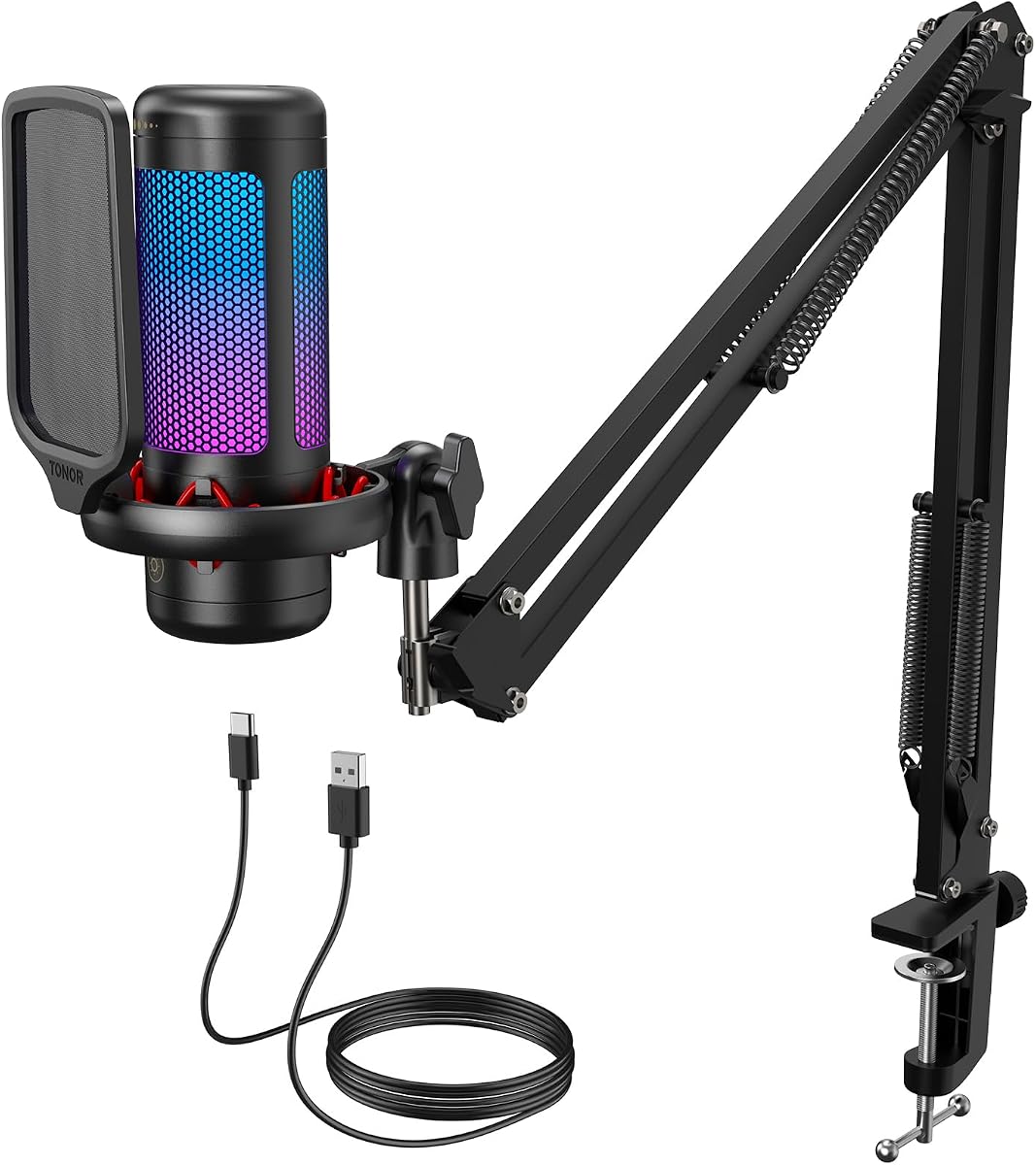
The TONOR Gaming Microphone Set stands out as a top choice for budget-conscious creators seeking a complete audio solution. It offers a high rating and includes everything needed to start streaming immediately.
We may earn a commission when you buy through this link, at no additional cost to you.
Its premium chips ensure clear sound reproduction, while the RGB lighting adds a vibrant gaming vibe. The physical controls for mute and gain are intuitive and responsive.
While the lighting lacks software customization, the visual appeal remains strong. The boom arm clamp is sturdy but users with thicker desks should verify fit before purchase.
This set is ideal for streamers and gamers wanting a plug-and-play experience without spending a fortune. It balances performance, aesthetics, and affordability effectively.
The microphone delivers high-fidelity sound ensuring smooth communication with teammates during intense gaming sessions.
Choose from multiple static or gradient lighting modes to match your desktop setup with a simple tap.
We may earn a commission when you buy through this link, at no additional cost to you.
The V-Moda BoomPro is the most affordable option on our list, making it perfect for those on a tight budget. It focuses on essential communication features without unnecessary extras.
We may earn a commission when you buy through this link, at no additional cost to you.
It uses a 3.5mm jack to connect directly to headphones, offering premium voice quality and noise reduction. The gold-plated connector ensures long-term durability and reliable signal transmission.
The detachable design allows for maximum flexibility, but it relies on having a compatible headset. Users without 3.5mm ports may need an adapter to use this mic effectively.
Buyers looking for a cheap and reliable mic for console or PC headsets will find great value here. It proves quality communication doesn't require expensive electronics.
This microphone works with most headphones featuring a 3.5mm jack, providing broad use across devices.
A clip-on controller gives easy access to mute and volume adjustments while gaming or working.
We may earn a commission when you buy through this link, at no additional cost to you.
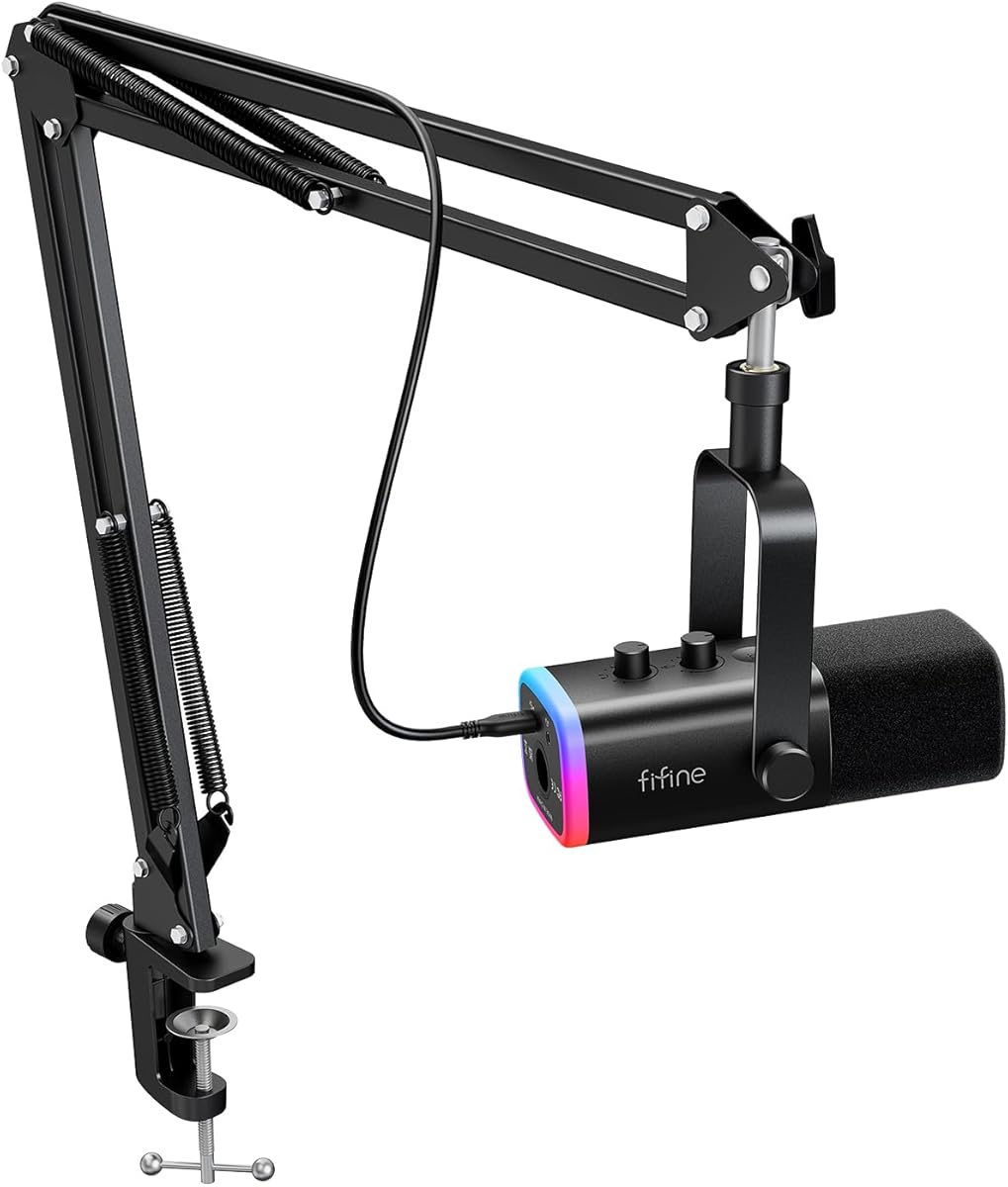
The FIFINE AmpliTank K688CT brings premium XLR versatility to a budget-friendly price point. It offers a dynamic microphone capsule that handles high sound pressure levels well.
We may earn a commission when you buy through this link, at no additional cost to you.
Users can connect via USB for plug-and-play or upgrade to XLR for professional interfaces later. The metal boom arm ensures the mic stays stable during long recording sessions.
Be aware that physical controls like mute only work in USB mode. You will need an audio interface to manage settings when using the XLR connection.
This kit is the best choice for creators planning to grow their setup over time. It saves money now while offering upgrade paths for the future.
Dual connections allow you to start simple and switch to professional gear later without buying a new mic.
The dynamic capsule and cardioid pattern naturally reject background noise for cleaner voice recordings.
We may earn a commission when you buy through this link, at no additional cost to you.
The FIFINE AmpliGame AM8T is a versatile hybrid kit that satisfies both casual gamers and aspiring podcasters. It combines a dynamic mic with dual connectivity for flexible usage.
We may earn a commission when you buy through this link, at no additional cost to you.
The RGB lighting adds a stylish touch, while the included boom arm makes setup easy. Users benefit from direct headphone volume control without needing external software.
While the XLR capability is excellent, the missing cable adds extra cost. The price is higher than basic USB mics but justified by the added features and build quality.
This product is perfect for gamers who want a robust setup ready for future upgrades. It offers the best balance of gaming aesthetics and professional functionality.
Switch effortlessly between simple USB plugging and professional XLR recording based on your current needs.
Customizable RGB modes let you tailor the look of your stream to match your personal style.
We may earn a commission when you buy through this link, at no additional cost to you.
The MAONO A04 is designed for high-quality voice capture, boasting a 192kHz/24Bit sampling rate for professional-sounding recordings. It includes essential accessories like a shock mount and pop filter.
We may earn a commission when you buy through this link, at no additional cost to you.
The USB connection ensures seamless integration with computers without drivers. Its cardioid pattern focuses on your voice while minimizing background noise effectively.
Console gamers should note it does not work with Xbox controllers. For PC podcasters and YouTubers, however, it remains a top contender for clarity and ease of use.
Choose this kit if you prioritize voice clarity and a complete out-of-the-box experience. It provides studio-quality sound at a price point accessible to beginners.
The high sampling rate captures subtle vocal nuances, resulting in crisp and natural audio output.
Get everything you need including a stand and filters in one package for immediate setup.
We may earn a commission when you buy through this link, at no additional cost to you.
The InnoGear Gaming Mic focuses heavily on clarity by using advanced noise cancellation technology. It ensures that only your voice is heard clearly by teammates during gameplay.
We may earn a commission when you buy through this link, at no additional cost to you.
Its USB-C connection and RGB lights cater to modern gaming aesthetics. The touch-sensitive mute button allows for quick silencing without looking away from your screen.
While the mic works well on PC, it lacks Xbox support. Users with noisy backgrounds will appreciate the cancellation features more than those in quiet rooms.
This microphone is ideal for gamers who need clear communication in loud environments. It delivers reliable performance and modern design at a budget price.
Cut through keyboard clatter and room noise with precision technology that isolates your voice.
The USB-C cable offers better durability and flexibility for your desktop setup.
We may earn a commission when you buy through this link, at no additional cost to you.
The FIFINE T669 is optimized for home studio recording, offering a wide frequency response that handles vocals and instruments well. Its sturdy steel boom arm supports consistent positioning.
We may earn a commission when you buy through this link, at no additional cost to you.
The double pop filter provides extra protection against harsh sounds like plosives. This makes it ideal for voiceovers where clarity and smoothness are critical.
Physical controls are absent on the mic itself, relying on software or system volume. Users needing onboard gain knobs might prefer other models in this comparison.
Select this mic for professional-quality voice recordings at home. It offers the durability and filtration needed for polished audio content.
Two layers of filters ensure minimal plosive interference for professional-sounding voice tracks.
The steel construction of the arm stand ensures the mic stays in place without drifting.
We may earn a commission when you buy through this link, at no additional cost to you.
This boom microphone is an accessory adapter rather than a standalone device, making it the cheapest way to add mic functionality to existing headphones. It uses a 3.5mm jack for broad compatibility.
We may earn a commission when you buy through this link, at no additional cost to you.
The flexible boom allows you to position the mic near your mouth without changing your headset. Inline controls give you volume and mute options on the cable itself.
Because it relies on your existing headphones, sound quality varies by headset quality. It is a great add-on for gamers who already have good audio cans but no mic.
Buy this if you want a simple and very affordable chat solution. It transforms your current gear into a functional headset instantly.
Works with any headset featuring a standard audio jack, maximizing what you already own.
Keep controls close at hand for quick volume and mute management during intense sessions.
We may earn a commission when you buy through this link, at no additional cost to you.
The TONOR Dynamic Gaming Microphone uses AI to eliminate background noise like keyboard clicks automatically. This feature makes it a strong competitor for those in noisy environments.
We may earn a commission when you buy through this link, at no additional cost to you.
It supports both USB and XLR connections for future-proofing, similar to higher-end kits. The RGB lighting adds a gamer aesthetic while the headphone jack allows zero-latency monitoring.
While the AI is powerful, it might slightly flatten natural voice tones. Users wanting absolute raw sound might prefer manual controls over automated cancellation.
This mic is perfect for streamers prioritizing clean audio without complex software. It handles technical processing on the hardware level for simplicity.
AI technology filters out distracting sounds automatically so your voice stands out clearly.
Dual ports let you keep the same microphone even if you upgrade your audio interface.
We may earn a commission when you buy through this link, at no additional cost to you.
The ZealSound Podcast Microphone is unique in its support for mobile devices like iPhones and Android phones alongside PCs. It bridges the gap for creators working on the go.
We may earn a commission when you buy through this link, at no additional cost to you.
The built-in noise reduction can be toggled with a long press, and the echo knob offers real-time vocal effects without software. The LED status light makes mute status clear.
Its metal boom arm is sturdy but the clamp might struggle with very thick desks. Mobile users will appreciate the adapters included for versatile connectivity across devices.
Choose this mic for podcasters who use smartphones for recording. It offers studio-level controls in a package that fits any modern tech setup.
Work seamlessly across phones, tablets, and computers with included USB-C and Lightning adapters.
Adjust echo and noise reduction directly on the mic for instant audio enhancements.
We may earn a commission when you buy through this link, at no additional cost to you.
Selecting the right microphone involves balancing sound quality, features, and price to match your specific recording needs.
Consider whether you need USB for easy plugging or XLR for future professional setups. USB is simpler for beginners while XLR offers higher fidelity.
Choose USB for immediate use or dual connectivity for long-term flexibility.
Dynamic microphones are better at rejecting background noise and are durable. Condenser microphones capture more detail and are sensitive to soft voices.
Pick dynamic for noisy rooms and condenser for quiet home studios.
Cardioid patterns focus on sound from the front, reducing noise from sides and rear. This is the standard for most podcasting and streaming scenarios.
Look for cardioid to ensure your voice is prioritized over background noise.
A sturdy metal boom arm with a strong clamp ensures your mic stays in position. Plastic arms might sag over time, affecting your recording angles.
Opt for steel or aluminum arms with elastic springs for best stability.
Mute buttons, gain knobs, and headphone jacks on the mic make adjustments faster. Software controls can be laggy and interrupt your flow.
Prioritize mics with physical controls for a smoother workflow during live sessions.
Hardware or AI noise cancellation helps remove keyboard and fan noise automatically. This reduces post-production work in editing software.
Select models with built-in noise reduction if you cannot control your recording environment well.
Ensure the microphone works with your devices such as PC, PS5, or Xbox. Some USB mics do not support console audio inputs directly.
Verify device compatibility lists before purchasing to avoid connection issues.
Look for bundles that include pop filters, windshields, and cables. Buying accessories separately adds to the total cost and time.
Choose a complete kit to get started immediately without extra trips to the store.
Place the microphone 6 to 12 inches from your mouth for the best balance of clarity and volume. Avoid pointing it directly at noisy areas like fans or windows.
Clean the microphone capsule gently with a dry cloth and avoid spraying liquids directly on it. Regular dusting prevents buildup that could affect sound quality over time.
Adjust the boom arm tension regularly to ensure it holds its position. Loose joints can cause the mic to droop or shift during active recording sessions.
Most USB microphones work with PS5 via the USB port but you must check specific compatibility lists. Some older models may not be recognized by the console's firmware correctly. Always test the device before relying on it for live gameplay sessions.
Dynamic microphones are generally better for streaming because they reject background noise more effectively. Condenser mics offer more detail but pick up more room sounds. Choose dynamic if you record in a noisy environment.
Many USB boom mics do not support Xbox because of controller input limitations. You may need a headset with a dedicated 3.5mm jack for Xbox One or Series consoles. Check the product specifications for Xbox compatibility.
Most cheap USB microphones are plug-and-play and do not require driver installations. They work immediately when connected to Windows or Mac systems. Check the product page for any specific software requirements.
Keeping the mic about 6 to 12 inches from your mouth is ideal. This distance prevents plosive sounds and ensures a consistent volume level. The boom arm helps you maintain this distance accurately.
Use the boom arm to position the mic close to your mouth and adjust room acoustics with soft furnishings. Some microphones have built-in echo knobs that allow real-time control over ambient reflections.
Our top picks cover a wide range of needs from budget-friendly accessories to hybrid kits with XLR support. Each product offers unique features that balance quality and affordability.
Prioritize the connection type and noise reduction features that matter most for your daily workflow. A good mic should disappear into your setup while delivering clear sound.
Prices and availability can change so check current deals before finalizing your purchase. Investing in the right model now ensures a better streaming or podcasting experience for the long term.