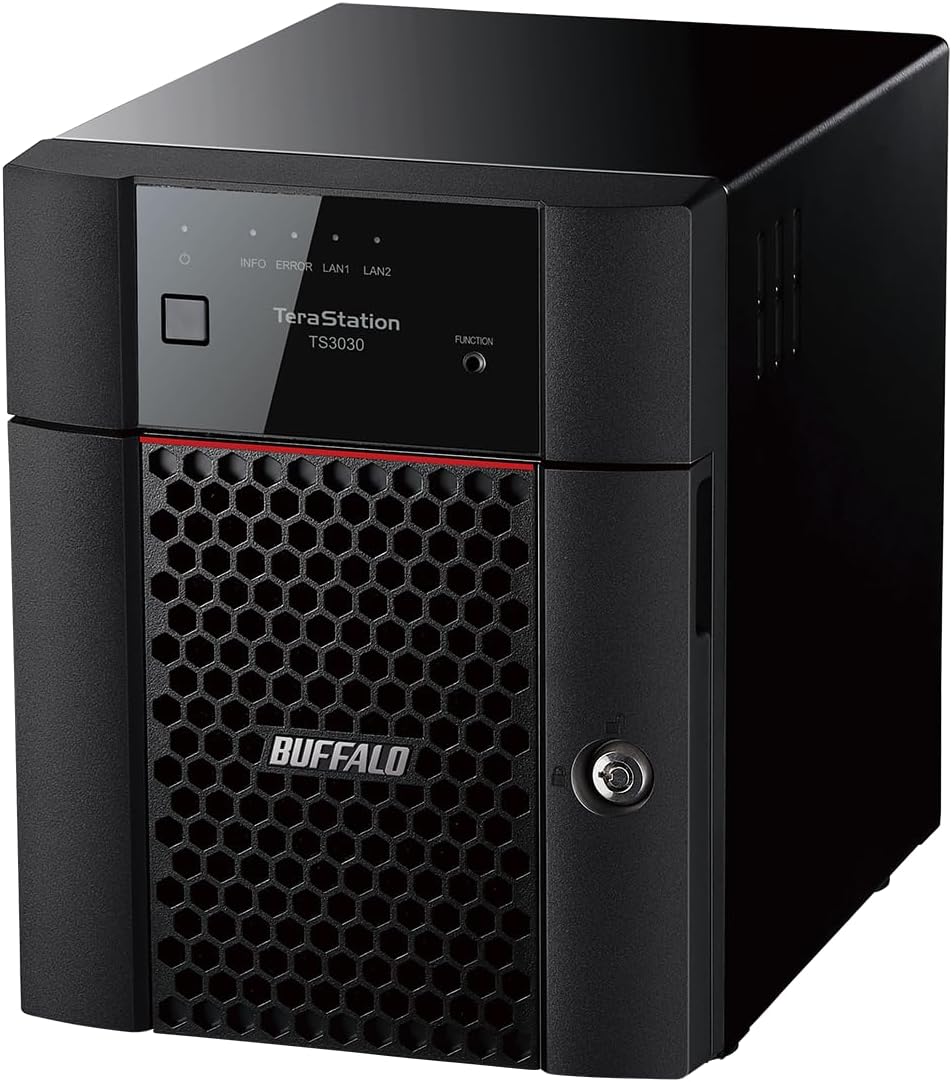
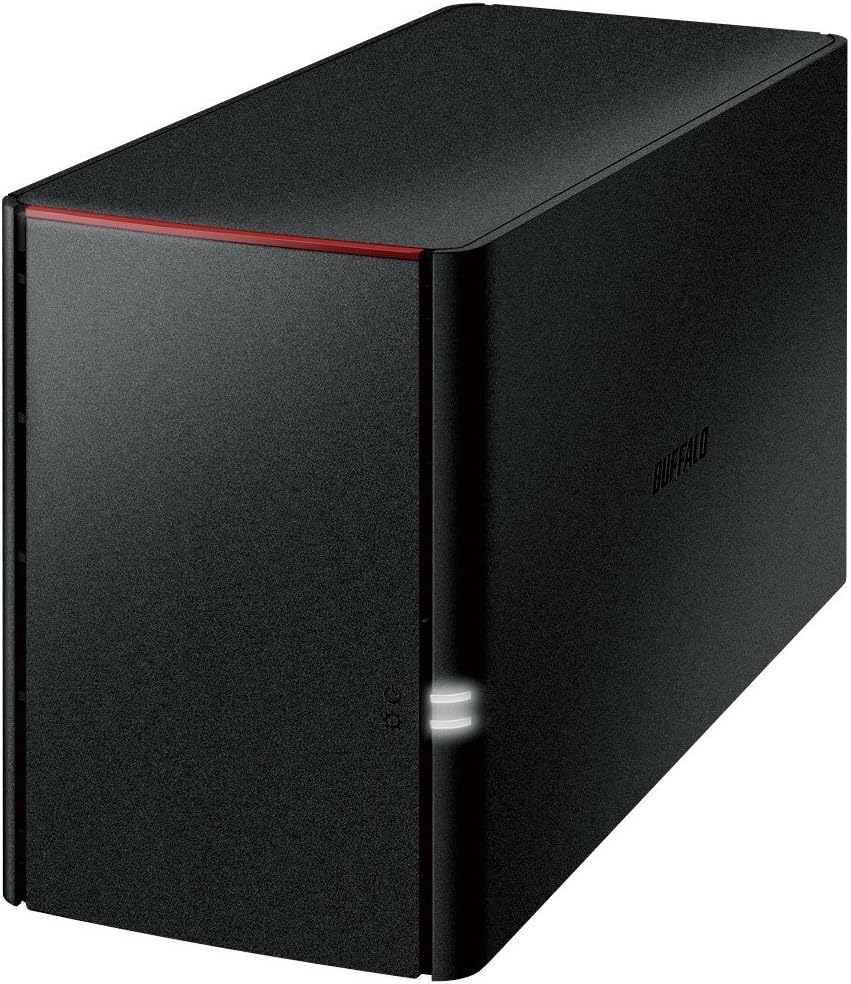
This guide compares the top ten Buffalo NAS solutions for home and business, evaluating storage capacity, RAID options, security features, and performance to
As an Amazon Associate we earn from qualifying purchases. We may earn a commission when you buy through links on this page, at no additional cost to you. Read our affiliate disclosure.As an Amazon Associate we earn from qualifying purchases.Purchases through our links may earn us a commission, at no extra cost to you. Read our affiliate disclosure.
Network attached storage devices provide centralized access to files across multiple devices without relying on external hard drives. Choosing the right NAS ensures your data remains secure, backed up, and easily accessible from anywhere in your home or office network.
We evaluated ten real Buffalo NAS models based on capacity, RAID configurations, security features, and compatibility. Our analysis focuses on verified product details to help you understand which device fits your storage requirements and budget without unnecessary marketing fluff.
Each section below highlights specific strengths and limitations of every model we reviewed. Prices and availability change frequently so always check current listings before purchasing. We aim to provide transparent information so you can make an informed decision for your storage setup.
Top 3 Picks for Best Buffalo NAS
Best Budget
BUFFALO LinkStation 210 6TB 1-Bay NAS Network Attached Storage with HDD Hard Drives Included NAS Storage that Works as Home Cloud or Network Storage Device for Home
The following comparison table details the key specifications and capabilities of each Buffalo NAS model available. Use this data to quickly identify storage capacity, drive configuration, warranty coverage, and specific network features before diving into the detailed reviews below.
BUFFALO TeraStation 5420DN 4-Bay Business Desktop NAS 32TB (4x8TB) with Hard Drives Included RAID iSCSI Network Storage File Server
32TB capacity with drives
Native 10GbE port
256-bit drive encryption
iSCSI support included
The BUFFALO TeraStation 5420DN leads our list with its professional grade capabilities and massive 32TB storage capacity. It stands out as the most powerful option for businesses needing reliable network storage with advanced security and performance features.
Pros
High capacity out of box
10GbE for fast transfers
Snapshot technology for safety
Strong enterprise features
3-year warranty coverage
Cons
Higher price point
Requires 10GbE switch
We may earn a commission when you buy through this link, at no additional cost to you.
Its native 10GbE port ensures data moves quickly across your network which is critical for video editing or large database applications. The included RAID configuration and 256-bit drive encryption protect your files from hardware failure and unauthorized access effectively.
While the price is higher than consumer models the performance gains and enterprise features like iSCSI justify the investment for serious users. You may need existing 10GbE networking infrastructure to fully utilize the speed potential.
Businesses and power users should choose this model if speed and security are top priorities. It delivers robust performance and data protection that justifies the cost for demanding storage workloads.
Enterprise Grade Performance
The 10GbE port and iSCSI support allow this unit to function like a full server for virtualization and high bandwidth tasks.
Data Protection Features
Snapshots allow instant recovery from accidental deletion or ransomware while drive encryption keeps sensitive information secure on physical disks.
BUFFALO LinkStation 210 6TB 1-Bay NAS Network Attached Storage with HDD Hard Drives Included NAS Storage that Works as Home Cloud or Network Storage Device for Home
6TB capacity included
1 Drive Bay design
Subscription free personal cloud
Closed system security
The BUFFALO LinkStation 210 offers an affordable entry point into network storage with 6TB of capacity included right out of the box. It is ideal for home users who want shared storage without complex configuration or monthly subscription costs.
Pros
Affordable entry price
Storage comes included
Easy setup process
No monthly fees
Cons
Single bay limits redundancy
Lower performance than multi-bay
We may earn a commission when you buy through this link, at no additional cost to you.
You can connect it directly to your router and start storing photos or videos immediately. The closed system design helps protect against vulnerabilities since it does not support third party apps that might introduce security risks.
Since it only has one drive bay you cannot use RAID for redundancy which means a single drive failure could lose your data. However for casual users this trade off keeps the price accessible and setup simple.
Home users needing basic centralized storage will find this unit sufficient for everyday tasks. It removes the friction of buying drives separately and setting up cloud subscriptions.
Affordable Home Cloud
You get personal cloud access without paying monthly fees which saves money over time compared to public cloud storage services.
Simple Security
The closed system approach prevents unauthorized app installations which reduces the risk of software based vulnerabilities in your home network.
BUFFALO TeraStation Essentials 2025 4-Bay Value Desktop NAS 24TB (4x6TB) with Hard Drives Included
24TB capacity included
4 Drive Bay configuration
Native 2.5GbE port
Hybrid cloud sync
The BUFFALO TeraStation Essentials 2025 brings premium storage capacity to desktop users with 24TB of space included. It balances performance and features better than most competitors offering high speed networking without requiring expensive 10GbE equipment.
Pros
Large storage capacity
2.5GbE networking speed
Cloud integration options
RAID protection included
Cons
Mid range price tier
Requires Ethernet upgrade
We may earn a commission when you buy through this link, at no additional cost to you.
Its native 2.5GbE port provides faster data transfers than standard Gigabit connections which helps when streaming large files or running backups. The RAID 5 configuration protects data even if one drive fails while still maximizing usable space.
Cloud integration with services like Dropbox or Azure allows you to build a hybrid backup strategy keeping copies offsite. This added layer of security helps protect against local disasters like fire or theft.
Users needing significant storage and faster speeds without overspending will appreciate this model. It bridges the gap between consumer and business gear effectively.
Fast Networking
The 2.5GbE port increases throughput significantly over standard Gigabit which reduces wait times when accessing large media libraries.
Hybrid Cloud Options
Syncing with public cloud services adds redundancy without requiring physical extra drives and helps protect against total data loss.
BUFFALO LinkStation SoHo 220 2-Bay Personal Cloud Office NAS 4TB (2x2TB) with Hard Drives Included
4TB total capacity
2 Drive Bay setup
Direct Copy USB
RAID 1 available
The BUFFALO LinkStation SoHo 220 is designed for small offices needing reliable shared storage without complex administration. With two drive bays and 4TB capacity it offers flexibility for data protection and efficient file access.
Pros
Compact office friendly design
Two bays for redundancy
USB direct copy support
Personal cloud included
Cons
Limited compared to larger models
No 2.5GbE port
We may earn a commission when you buy through this link, at no additional cost to you.
Its direct copy feature lets you back up files from a USB device without a computer which simplifies workflow for teams. The closed system ensures your data remains secure from external apps that might compromise integrity.
While it lacks the raw speed of premium models it delivers consistent performance for document storage and basic media sharing. The setup process is straightforward requiring only a router connection to start.
Small offices looking for simplicity and redundancy should consider this unit. It balances cost and functionality well for small teams.
Office Efficiency
Direct Copy functionality allows quick backups from cameras or drives reducing the time needed for staff to save files.
Data Redundancy
RAID 1 configuration mirrors data across both drives so if one fails the other keeps your information safe and accessible.
BUFFALO TeraStation Essentials 4-Bay Value-Focused Rackmount NAS 8TB (4x2TB) with Hard Drives Included
8TB capacity included
Rackmount chassis design
2.5GbE networking
RAID configuration ready
The BUFFALO TeraStation Essentials Rackmount saves space in server closets with a compact 4-bay design. It provides reliable storage for environments where desk space is limited and network reliability is critical.
Pros
Space saving rackmount form
Four bays for expansion
Fast 2.5GbE transfer
Enterprise features included
Cons
Requires rack installation
Limited storage compared to desktop
We may earn a commission when you buy through this link, at no additional cost to you.
Its 2.5GbE port ensures quick data movement which supports multiple users accessing files simultaneously. The included hard drives arrive pre-tested to reduce setup time and potential hardware issues.
While this unit holds less total capacity than larger desktop models it fits where floor space is scarce. It supports hybrid cloud syncing to offsite services for added data security.
System administrators needing a compact server solution will find this unit practical. It delivers essential features without the bulk of larger towers.
Space Efficiency
The rackmount design fits into standard server racks maximizing available office space for other equipment.
Network Speed
2.5GbE networking prevents bottlenecks during peak usage times ensuring smooth file access for multiple employees.
BUFFALO TeraStation WS5220DN 2-Bay Windows Server IoT 2025 Desktop NAS 4TB (2x2TB) w/HDD Included
4TB capacity total
Windows Server IoT 2025
NovaBACKUP included
RAID pre-configured
The BUFFALO TeraStation WS5220DN runs Windows Server IoT 2025 providing a familiar environment for IT professionals managing mixed OS networks. It simplifies integration with Windows clients since it uses native protocols without extra licensing costs.
Pros
Windows Server environment
No CAL licenses needed
NovaBACKUP software license
Integrated data management
Cons
Limited to 4TB storage
Requires Windows knowledge
We may earn a commission when you buy through this link, at no additional cost to you.
It includes NovaBACKUP software which helps manage backups for PCs and servers within your network. This pre-installed utility reduces setup complexity for teams already using Microsoft ecosystems.
Storage capacity is limited to 4TB but the value lies in the OS and software bundle. Users needing a dedicated Windows based server will appreciate the integrated security and management tools.
Windows shop administrators should consider this device for centralized control. It removes the need for third party management tools in many cases.
Native Windows Integration
Running Windows Server means seamless compatibility with Active Directory and Group Policy for simplified device management.
Included Software Value
NovaBACKUP software provides professional backup capabilities without additional purchase helping protect critical business data immediately.
The Buffalo LinkStation 220 represents a reliable legacy option for users prioritizing stability over cutting edge speed. It provides solid performance for standard file sharing and media streaming in home environments.
Pros
Proven stability over time
DLNA media streaming
USB 2.0 connectivity
Simple setup
Cons
Older hardware generation
No high speed Ethernet
We may earn a commission when you buy through this link, at no additional cost to you.
Its DLNA support allows it to stream media directly to compatible TVs or devices which is convenient for entertainment setups. The Gigabit LAN connection ensures adequate speed for most home file transfer tasks.
While it lacks modern features like 2.5GbE it continues to function well for basic storage needs. Its long term reliability makes it a safe choice for low maintenance setups.
Users who need dependable storage without complex features will find this model sufficient. It works well for legacy setups requiring proven compatibility.
Media Streaming
DLNA support allows easy streaming of photos and music to smart TVs without extra configuration software.
Legacy Stability
The mature firmware ensures stable operation over long periods which is valuable for users needing consistent uptime.
Buffalo TeraStation 1200D Desktop 4 TB NAS with Hard Drives Included
4TB total storage
RAID 1 default
NovaBACKUP bundled
Free personal cloud
The Buffalo TeraStation 1200D offers a balanced mix of storage and software features for home users. It includes NovaBACKUP software which simplifies the process of protecting files on multiple computers.
Pros
Good price to capacity
NovaBACKUP software license
Cloud access included
RAID protection setup
Cons
Outdated hardware specs
Limited modern features
We may earn a commission when you buy through this link, at no additional cost to you.
With RAID 1 pre-configured your data is mirrored across drives which guards against accidental hardware failure. Free personal cloud access lets you reach files from mobile devices without paying extra fees.
While the hardware is older than newer models it remains effective for basic storage needs. The bundled software adds value by reducing the need for external backup utilities.
Users seeking affordable storage with software benefits should consider this unit. It provides essential protection tools out of the box.
Software Bundle
NovaBACKUP software handles automated backups for PCs and Macs which streamlines data protection workflows.
Free Cloud Access
Personal cloud features provide remote access to stored files without requiring third party subscription services.
Buffalo NAS Smartphone Tablet PC Network HDD ls220dg Series
4TB total storage
Mirroring function included
Giga LAN wired
USB 2.0 support
The Buffalo NAS ls220dg series focuses on easy access for mobile users. It allows smartphones and tablets to connect to your home network storage for media playback or file backup.
Pros
Mobile friendly interface
Mirroring for safety
Compact form factor
Personal access
Cons
Older USB standards
Wired only connectivity
We may earn a commission when you buy through this link, at no additional cost to you.
Its mirroring function ensures that important files are stored on both drives which protects against data loss. The compact design fits easily into home offices or living rooms without taking up much space.
Users relying on older devices or wired connections will find this unit compatible. It provides essential network access without requiring complex configuration steps.
Mobile users needing direct access to home storage should check this model. It prioritizes simplicity and convenience for device connections.
Mobile Access
Dedicated mobile support makes it easy to view photos and media from phones without extra apps.
Data Safety
Built-in mirroring keeps duplicate copies of critical data so hardware issues do not result in permanent loss.
BUFFALO DriveStation Duo 2-Bay 8TB (2x4TB) TAA Desktop External Hard Drive USB 3.2
8TB total capacity
USB 3.2 Gen 1
Hot swap capability
Time Machine support
The BUFFALO DriveStation Duo is technically a DAS unit but offers RAID redundancy similar to a NAS. It connects via USB which is ideal for single computer backups where network access is not required.
Pros
USB 3.2 fast speeds
Hot swap for maintenance
Mac Time Machine ready
RAID 1 included
Cons
Not a NAS unit
Single device connectivity
We may earn a commission when you buy through this link, at no additional cost to you.
It supports USB 3.2 Gen 1 which provides faster transfer speeds than older connections. Hot swap capability allows you to replace a failed drive without shutting down the computer which minimizes downtime.
Mac users will appreciate the native Time Machine support making backup setup seamless. However this is not a network device so it cannot serve files to multiple users simultaneously.
Users needing local fast storage should consider this option. It is a practical solution for individual workstation protection.
Fast Local Access
USB 3.2 ensures quick file transfers making it suitable for large video editing projects or system backups.
Mac Integration
Time Machine support means your Mac can use it for automated backups without additional configuration.
We may earn a commission when you buy through this link, at no additional cost to you.
Buying Guide – How to Choose the Best Buffalo NAS
Selecting the right NAS requires balancing storage capacity performance needs and budget. Understanding key factors will help you choose a device that grows with your data.
Storage Capacity
Determine how much data you need to store now and in the future. Models range from 4TB to 32TB with some allowing drive upgrades later. Ensure the total usable capacity matches your requirements after accounting for RAID overhead.
Always calculate usable space after RAID configuration since mirroring or parity reduces total capacity but improves safety.
Network Speed
Check whether the device supports standard Gigabit Ethernet or faster 2.5GbE and 10GbE options. If you work with large video files or multiple users transferring data simultaneously faster networking prevents bottlenecks.
Verify your router and switches support the required speeds to get the performance benefits from higher end NAS models.
RAID Configuration
RAID modes determine how data is distributed across drives. RAID 1 mirrors data for safety while RAID 5 offers more usable space with parity protection. Choose based on whether redundancy or capacity is more critical for your use case.
Higher RAID levels protect against drive failure but reduce total usable storage space available for your files.
Security Features
Look for drive encryption SSL support and closed system designs that limit app vulnerabilities. Security ensures your personal or business data remains private even if physical drives are lost or stolen.
Prioritize models with built-in encryption to protect sensitive data at rest without extra software costs.
Cloud Integration
Some models support syncing with public cloud services like Dropbox or Azure. This creates a hybrid backup strategy that protects against local disasters like theft or fire.
Check if cloud sync features are native or require subscriptions as these affect ongoing costs and convenience.
Warranty and Support
Buffalo typically offers 2 to 3 year warranties covering both the device and included hard drives. Strong support ensures you have access to technical help if issues arise.
Look for models that include hard drive coverage in the warranty to avoid expensive replacement costs.
Software Included
Models often come with backup utilities or cloud access software. Including these tools reduces setup time and adds value by avoiding third-party software purchases.
Verify that included software supports your operating system and devices to ensure seamless integration.
Form Factor
Decide between desktop towers and rackmount units based on your space availability. Rackmount saves floor space but may cost more due to specialized hardware requirements.
Consider noise levels and physical dimensions to ensure the device fits comfortably in your home or office.
How to Use and Care for Your Buffalo NAS
Connect the NAS to your router using an Ethernet cable and power it on. Use the provided wizard to initialize the drives and create your storage volume.
Install the recommended management software on your computers to configure backups and user permissions. Enable automatic backups for critical files to protect against accidental deletion.
Place the device in a cool well ventilated area to ensure proper airflow. Regularly update firmware to maintain security and performance over the long term.
Frequently Asked Questions
Can I upgrade the hard drives in a Buffalo NAS later?
Yes most Buffalo NAS models allow drive upgrades by removing the old drives and inserting new ones. You may need to reinitialize the storage depending on the RAID configuration chosen.
What is the difference between RAID 1 and RAID 5?
RAID 1 mirrors data across drives offering maximum safety but reduces usable space by half. RAID 5 distributes parity data across drives allowing more usable capacity with tolerance for a single drive failure.
Do I need a special router for NAS devices?
No standard routers work with all Buffalo NAS models. However upgrading to a router with 2.5GbE or 10GbE support can improve network speeds for large file transfers.
Is the data encrypted on Buffalo NAS drives?
Most models include 256-bit drive encryption which secures data at rest. This prevents unauthorized access if drives are removed from the device physically.
Can I access my files remotely without extra subscriptions?
Yes most models offer free personal cloud access so you can retrieve files remotely. Some enterprise features may require additional setup or cloud service integration.
What happens if one drive fails in RAID 1?
The system continues operating normally because the other drive contains an exact copy. You can replace the failed drive without shutting down most devices.
Final Thoughts on Choosing the Best Buffalo NAS
The BUFFALO TeraStation 5420DN stands out for performance while the LinkStation 210 offers affordability. Each model serves different needs depending on whether you prioritize speed capacity or simplicity.
Consider your storage volume and how much redundancy you need before purchasing. Faster networking options and cloud integration add flexibility that may save time and money over the long term.
Prices fluctuate so check current listings before buying to ensure you get the best deal. We hope this guide helps you select a reliable storage solution that meets your data needs.
This guide compares the best coolant for portable air conditioner units to help you maintain efficiency and prevent damage with expert product reviews and