
Dell 27 Monitor S2725QS
4.4Editor score
4K UHD IPS panel
120Hz refresh rate
ComfortView Plus technology
Finding a monitor that stays visible in bright sunlight is critical for outdoor work and photography. High nits and anti-glare coatings make the difference between a usable screen and a reflective mess.
We evaluated ten top models based on brightness, color accuracy, and portability. Our list includes portable displays and desktop options designed to handle direct sun without compromising performance.
Each pick highlights key specs like resolution, refresh rate, and connectivity. Prices change frequently so check current listings before buying to ensure you get the best value for your setup.
4.4Editor score
4.8Editor score

4.5Editor score
As an Amazon Associate we earn from qualifying purchases.
Below is a side-by-side comparison of all ten monitors reviewed in this guide. Use this table to quickly compare key specifications and find the model that best fits your specific workflow.


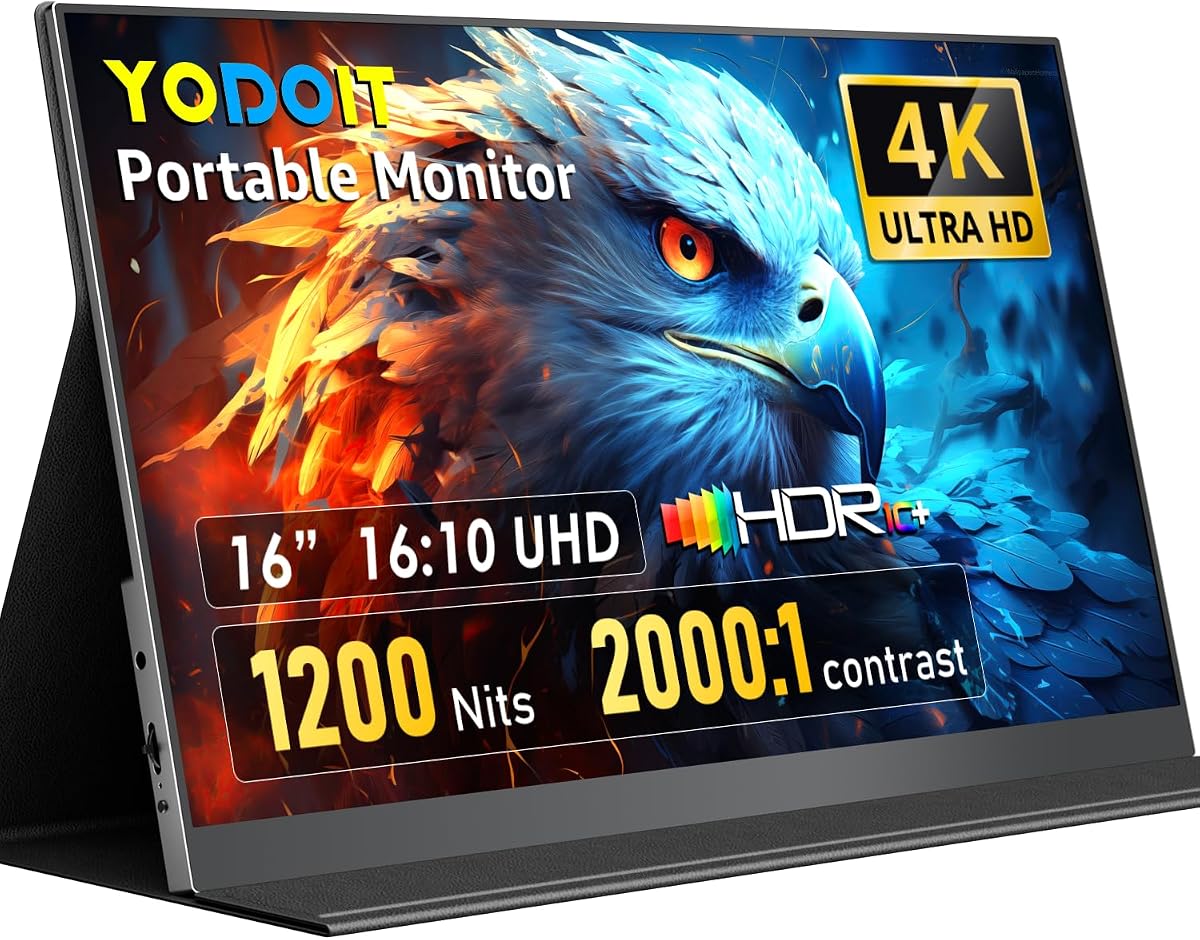
The Yodoit 4K Portable Monitor stands out as the top choice for anyone needing a screen that works in direct sunlight. With a peak brightness of 1200 nits it far exceeds typical portable displays that struggle under bright lights. This makes it ideal for photographers field inspectors and outdoor workers who cannot rely on indoor lighting.
We may earn a commission when you buy through this link, at no additional cost to you.
Its true 4K resolution of 3840 by 2400 pixels provides incredibly sharp detail on a 16 inch canvas. The 16:10 aspect ratio offers more vertical space which is perfect for photo editing timelines and tool panels. Color accuracy is another strong point with 145% sRGB coverage ensuring that what you see on screen matches your final output.
While the brightness and resolution are excellent there are some trade-offs to consider. To achieve peak brightness you often need to connect the included power adapter rather than relying solely on USB power from a laptop. Additionally the price is higher than many other portable options but the professional grade performance justifies the cost for serious users.
If you need a reliable portable monitor for outdoor work or creative tasks this model is the best investment. It combines high brightness with accurate colors and a portable form factor that fits easily in camera bags or laptop sleeves. For professionals who demand visibility and precision on the go this is the definitive choice.
The 1200 nit display ensures you can see content clearly even in direct sunlight without squinting or seeking shade.
With 145% sRGB coverage and 2000:1 contrast this monitor delivers rich and accurate colors for editing and grading.
We may earn a commission when you buy through this link, at no additional cost to you.
The Dell 24 SE2426H offers a solid balance of performance and price for general office and gaming tasks. Its IPS technology ensures consistent colors and wide viewing angles which is essential for shared workspaces. The 144Hz refresh rate makes motion smooth and ideal for fluid gaming experiences or fast video playback.
We may earn a commission when you buy through this link, at no additional cost to you.
Eye comfort is a key feature with TUV Rheinland 3-star certification that reduces harmful blue light without compromising color quality. The ultra-thin bezels maximize the viewing area and give the monitor a sleek modern aesthetic. This makes it a great choice for multi-monitor setups where screen real estate matters.
However the ergonomic options are limited to tilt adjustment which might not suit everyone. Also while the brightness is standard for indoor office work it may not be sufficient for very bright environments. But for the price the display quality and features make it a strong contender for budget conscious buyers.
Choose this monitor if you need a reliable and affordable IPS screen for work and entertainment. It delivers clear visuals and smooth motion without breaking the bank. While it lacks advanced ergonomic features it covers the basics well for most users.
The 144Hz refresh rate and 1ms MPRT deliver tear-free motion across work gaming and streaming.
TUV 3-star certification reduces harmful blue light while preserving stunning color quality.
We may earn a commission when you buy through this link, at no additional cost to you.
The Dell 27 S2725QS is a premium option for those who want a large high-resolution screen. The 4K UHD resolution provides exceptional detail making it perfect for content creation and multitasking. With a 120Hz refresh rate it offers smooth motion that benefits both work and gaming scenarios.
We may earn a commission when you buy through this link, at no additional cost to you.
ComfortView Plus technology reduces harmful blue light emissions by up to 35 percent ensuring all-day comfort. The re-engineered sound system offers better audio with greater output power and frequency response compared to previous models. This means you get a better multimedia experience without needing external speakers.
While the response time of 5ms is not as fast as gaming monitors it is still adequate for most users. The price reflects the premium features but is reasonable for a 27 inch 4K display. It is an excellent choice for home offices or creative studios where screen quality is paramount.
Invest in this monitor if you need a high-quality 4K display with modern features. It combines resolution refresh rate and eye comfort in a sleek package. For professionals who value visual fidelity and audio quality this is a top recommendation.
Immerse yourself in breathtaking 4K visuals with in-plane switching technology and vibrant colors.
Reduces harmful blue light emissions for all-day comfort without sacrificing color accuracy.
We may earn a commission when you buy through this link, at no additional cost to you.
The Dell 24 S2425HSM focuses on comfort and versatility with full ergonomic adjustments. You can adjust the height tilt pivot and swivel to find the perfect viewing position throughout the day. This level of customization helps reduce strain during long work sessions.
We may earn a commission when you buy through this link, at no additional cost to you.
Audio quality is enhanced with integrated dual 3W speakers that deliver a wider range of frequencies. The TUV 4-star certification ensures visual comfort by reducing harmful blue light while maintaining image quality. The 144Hz refresh rate provides smooth motion for both productivity and casual gaming.
One limitation is that it uses FHD resolution which is standard for 24 inch screens but not as sharp as 4K. The brightness is also typical for indoor use. However the combination of ergonomics and audio makes it a strong choice for office environments.
Choose this monitor if ergonomics and audio are your priority. It allows you to customize the viewing experience while delivering clear visuals and sound. For users who spend many hours at a desk the comfort features are highly beneficial.
Designed for comfort with height tilt pivot and swivel adjustability to suit your preference throughout the day.
Integrated dual 3W speakers deliver a wider range of frequencies for a better audio experience.
We may earn a commission when you buy through this link, at no additional cost to you.
The LG 24U411A-B provides excellent value with features typically found in more expensive models. It includes a 120Hz refresh rate and HDR10 support which enhances motion clarity and contrast. This makes it versatile for both work and gaming without a high price tag.
We may earn a commission when you buy through this link, at no additional cost to you.
The IPS panel ensures vibrant colors and consistent viewing angles from any position. With up to 99 percent sRGB coverage you get rich color for creative projects. Reader Mode helps create a comfortable viewing experience for long reading or browsing sessions.
The stand is slim and adds a floating feel which suits clutter-free desks. However it only offers tilt adjustment and is limited to Full HD resolution. Despite these minor limitations the performance per dollar is impressive for budget users.
This is the best choice if you want modern features without overspending. It balances performance comfort and design well. For students or home office users it is a practical and reliable monitor.
Delivers sharp vibrant visuals from virtually any angle with Full HD resolution and sRGB coverage.
With a fast 120Hz refresh rate experience smoother frame transitions for work and gaming.
We may earn a commission when you buy through this link, at no additional cost to you.
The Acer 27 SB273 G0bi is designed for office use with a large screen that maximizes workspace. The zero frame design provides maximum visibility from edge to edge making the display feel immersive. A 120Hz refresh rate ensures that scrolling and window movements are smooth.
We may earn a commission when you buy through this link, at no additional cost to you.
Adaptive Sync Support matches the refresh rate with your graphics card to prevent screen tearing during video playback. The fast response time of 1ms helps minimize ghosting or smearing during transitions. This is beneficial for users who watch many videos or play casual games.
While the FHD resolution on a 27 inch screen means pixels are larger than on 4K it remains sufficient for most office tasks. The brightness is standard at 250 nits which is adequate for typical indoor environments. The price is very competitive for the screen size offered.
Select this monitor if you need a large display for productivity without spending much. It offers good refresh rates and a modern look. For general office work and media consumption it is a reliable choice.
The zero-frame design provides maximum visibility of the screen from edge-to-edge for a clean look.
Get fast refresh rates thanks to Adaptive-Sync Support for a smooth tear-free experience.
We may earn a commission when you buy through this link, at no additional cost to you.
The LG 32 inch QHD monitor delivers a spacious display that is perfect for complex workflows. The QHD resolution provides a balance of sharpness and performance making it suitable for design and development. With a 100Hz refresh rate motion is smooth and fluid for various applications.
We may earn a commission when you buy through this link, at no additional cost to you.
USB-C connectivity allows video transmission and charging up to 15W with a single cable. This enhances desktop organization and efficiency by reducing cable clutter. HDR10 enhances contrast between light and dark areas while 99 percent sRGB ensures vivid and accurate colors.
While the stand offers tilt adjustment it does not have height or pivot options. The size means it requires a substantial desk. However the color performance and connectivity options make it a favorite among users who value screen real estate.
This monitor is ideal for content creators and multitaskers who need a large view. It combines resolution color accuracy and modern connectivity. For those with space the viewing experience is truly immersive.
Featuring a 32-inch QHD IPS panel it delivers vibrant true-to-life color reproduction with wide viewing angles.
Video transmission and up to 15W device charging via USB Type-C for desktop organization.
We may earn a commission when you buy through this link, at no additional cost to you.
The Dell 27 S2725DSM offers a balanced set of features for users who want QHD resolution with gaming speeds. The 144Hz refresh rate and 1ms MPRT deliver a smooth tear-free experience. This is excellent for dynamic content and competitive gaming alike.
We may earn a commission when you buy through this link, at no additional cost to you.
Comfort is a priority with full ergonomic adjustments including height tilt pivot and swivel. Integrated dual 3W speakers provide a wider range of frequencies for sound. The TUV 4-star certification ensures visual comfort by reducing harmful blue light effectively.
The ash white finish adds a premium touch to modern offices. While the price is higher than FHD models the extra resolution and features justify it. It is a versatile choice for both work and entertainment needs.
Choose this monitor if you want a mix of resolution refresh rate and ergonomics. It supports flexible viewing and delivers clear vivid detail. For a primary display it offers high satisfaction across many use cases.
QHD resolution and 144Hz refresh rate deliver a smooth tear-free viewing experience.
Adjust your monitor to suit your preference throughout the day with full ergonomic options.
We may earn a commission when you buy through this link, at no additional cost to you.
The Acer 23.8 KB242Y is a compact choice for smaller workspaces that still offers good performance. The zero frame design provides maximum visibility from edge to edge and creates a clean look. A 120Hz refresh rate ensures smooth motion which is rare for office monitors at this price.
We may earn a commission when you buy through this link, at no additional cost to you.
Response time is fast at 1ms VRB which helps maintain crisp visuals during transitions. Adaptive Sync Support prevents tearing during video playback making media consumption more enjoyable. The IPS panel offers decent color consistency for general tasks.
The stand is basic but sufficient for basic tilt adjustments. It fits well in tight setups without taking up much room. For those who need a simple and effective secondary or primary screen this is a solid pick.
This model is best for users seeking a no-fuss reliable monitor. It offers good speed and design for the cost. It is a practical solution for everyday office computing.
The zero-frame design provides maximum visibility of the screen from edge-to-edge.
Fast response time of 1ms enhances the experience without smearing or ghosting.
We may earn a commission when you buy through this link, at no additional cost to you.
The Newsoul 4K Portable offers a strong alternative for those needing brightness in a compact form. With 1200 nits it rivals other bright displays and is excellent for outdoor conditions. The matte screen effectively reduces reflection which helps eye comfort during long use.
We may earn a commission when you buy through this link, at no additional cost to you.
It supports VESA mounts so you can attach it to arms or walls for custom angles. The 4K resolution provides clear images while 145 percent sRGB offers broad color spaces. A protective case made of PU magnetic material protects the screen and serves as a stand.
While the rating is slightly lower than top contenders it still performs well for the features. The aluminum alloy shell provides better heat dissipation than plastic. For travelers or remote workers this is a durable and bright option.
Consider this monitor if you need portability without sacrificing brightness. It combines solid build quality with high performance specs. It is a good fit for users on the move who need clarity.
1200Nits ultra-high brightness displays more clear and delicate content even in strong light conditions.
Matte screen effectively reduces the reflection and protects the eyes even for using long time.
We may earn a commission when you buy through this link, at no additional cost to you.
Choosing the right monitor requires understanding key features that impact visibility and performance. This guide breaks down what to look for when buying a monitor for bright environments.
Brightness is measured in nits and determines how visible the screen is in ambient light. For outdoor or bright indoor settings look for monitors with at least 500 nits and ideally over 1000 nits to combat glare.
Always prioritize higher nits if you plan to use the monitor in direct sunlight or near windows.
IPS panels offer the best color accuracy and wide viewing angles which are crucial for consistent visuals. TN panels are faster but have poor viewing angles while VA panels offer better contrast.
For color sensitive tasks choose IPS for the most reliable performance across different angles.
An anti-glare matte finish reduces reflections that can make screens unusable in bright conditions. Glossy screens look sharp but reflect light strongly so matte is better for daylight.
Ensure the monitor has a matte coating if you work in uncontrolled lighting environments.
Higher resolution like 4K provides more detail which is essential for photo editing or multitasking. Match resolution to screen size to avoid pixelation and maintain sharpness.
Choose 4K for screens 27 inches and larger to ensure text and images remain crisp.
Refresh rate affects how smooth motion appears on the screen. Rates of 120Hz or higher reduce motion blur and make transitions smoother.
Prioritize higher refresh rates if you watch videos or play games frequently.
Adjustability like height tilt and swivel helps maintain a comfortable posture during long work sessions. Fixed stands can cause neck strain over time.
Look for stands with multiple adjustment options to reduce physical fatigue.
Modern monitors should offer USB-C HDMI and DisplayPort connections for flexibility. USB-C allows single cable connection for video and power.
Ensure the ports match your current devices to avoid needing extra adapters.
High sRGB or Adobe RGB coverage ensures that colors appear as intended. This is vital for graphic design or photography work.
Check for sRGB coverage percentages to guarantee color fidelity for your projects.
To maintain the best visibility clean the matte screen with a soft microfiber cloth regularly. Avoid using harsh chemicals that might damage the anti-glare coating on the display surface.
For portable monitors ensure you connect the power adapter when using in high brightness conditions to achieve peak nits. This prevents performance drops when the sun is at its brightest.
Position the monitor to avoid direct beams hitting your face or screen. Use physical shades or blinds to reduce glare and protect your eyes during long work sessions.
For outdoor use you generally need a monitor with at least 1000 nits to remain visible in direct sunlight. Standard indoor monitors often max out at 350 nits which is insufficient for bright conditions. Look for models specifically marketed as sunlight readable.
Yes matte screens are better because they scatter light and reduce reflections compared to glossy screens. Glossy screens provide deeper blacks but become mirror-like in bright environments making content hard to read.
Most portable monitors connect via USB-C or HDMI. If using USB-C ensure your laptop supports power delivery. You may need an external power adapter for higher brightness.
If the portable monitor has VESA mounting holes you can attach it to a wall mount or arm. Check the product specs for VESA compatibility before purchasing a mount.
Yes higher brightness settings draw more power and reduce battery life on portable devices. Using lower brightness indoors can extend runtime for unplanned use sessions.
4K is beneficial for detail intensive tasks like photo editing but not essential for basic use. It requires more graphics power so ensure your device can support it.
The Yodoit 4K Portable stands out as the top choice for its incredible brightness and color accuracy. For desktop needs the Dell 27 S2725QS offers a premium 4K experience with modern features.
Prioritize brightness and anti-glare technology when buying for outdoor use. These features are more important than extra refresh rate when working under the sun.
Always check current prices before buying since they fluctuate frequently. Find the right monitor today to ensure clear visibility wherever you work.