
MSI Z370-A PRO
4.5Editor score
Supports up to 64GB RAM
ATX form factor design
CrossFireX multi-GPU ready
Explore the top brands for Z370 motherboards in this expert guide comparing features, performance, and reliability to help you choose the right motherboard.
Choosing the right brand for Z370 motherboard is crucial for building a stable and high-performing system. The Z370 chipset supports 8th and 9th Gen Intel processors, offering great value for gamers and creators. Each brand brings unique strengths in cooling, connectivity, and durability.
We analyzed ten top models based on user ratings, technical specifications, and real-world performance. Our comparison focuses on chipset compatibility, expansion slots, audio quality, and build materials. This list covers options from MSI, ASUS, Gigabyte, and ASRock to ensure variety.
Each pick highlights key features and potential trade-offs to guide your decision-making process. Prices and availability fluctuate frequently, so always check current listings before purchasing. Our goal is to help you find the best fit for your specific build needs and budget constraints.
4.5Editor score
4.6Editor score

4.4Editor score
This table provides a side-by-side look at the key specifications and features of each selected motherboard. It helps you quickly compare connectivity options, form factors, and special technologies offered by different brands.


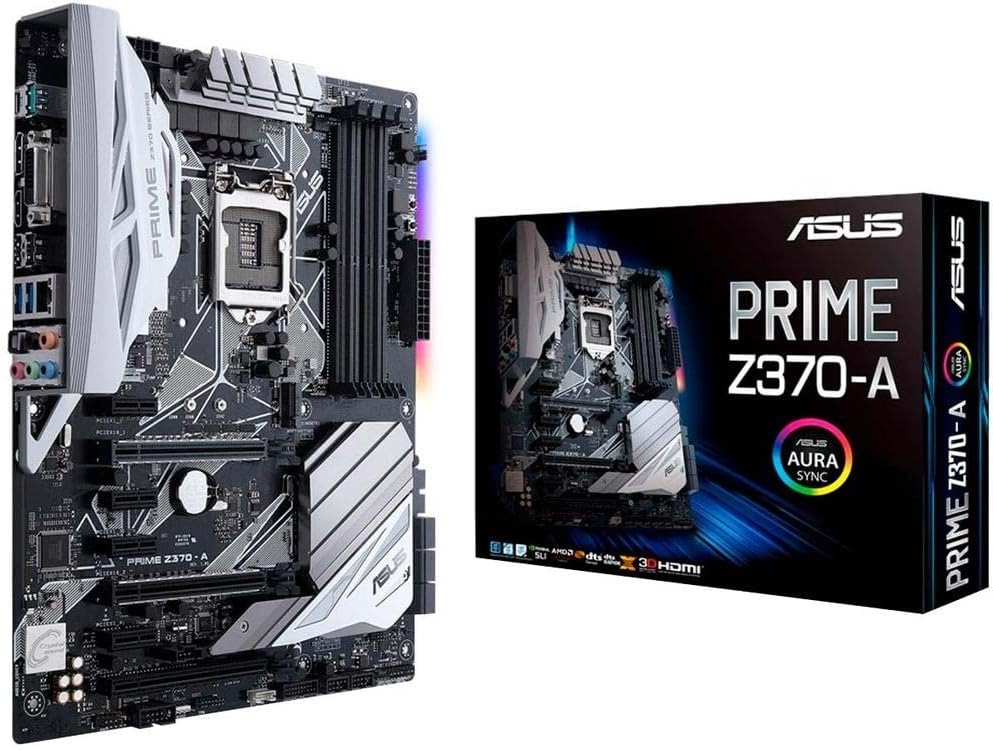
The ASUS Prime Z370-A stands out as a top contender in the Z370 chipset landscape. With a strong user rating and robust features like dual M.2 slots and Thunderbolt 3 support, it offers versatility for modern builds. Its design balances performance with aesthetic appeal effectively.
We may earn a commission when you buy through this link, at no additional cost to you.
Connectivity is a major strength here with USB 3.1 Gen2 ports and Intel Optane Memory compatibility. The 5-Way Optimization feature simplifies tuning for users who want performance without deep manual configuration. FanXpert 4 ensures thermal management remains efficient under load.
While it commands a premium price compared to budget options, the added features justify the cost for enthusiasts. The AURA Sync RGB adds visual flair but requires some time to configure perfectly. Overall it delivers a reliable platform for high-end systems.
Buyers seeking a feature-rich motherboard with excellent expandability should consider this model. It is ideal for those building a gaming rig or workstation needing fast storage and modern interfaces. We recommend checking current stock before ordering to ensure availability.
Thunderbolt 3 support allows for ultra-fast data transfer and external GPU connections.
The 5-Way Optimization automatically tunes settings based on your specific hardware configuration.
We may earn a commission when you buy through this link, at no additional cost to you.
This motherboard is designed for gamers who demand top-tier features and aesthetic customization. The inclusion of three M.2 slots provides ample space for ultra-fast storage arrays. Its ESS Sabre DAC ensures high-quality audio output for immersive gaming experiences.
We may earn a commission when you buy through this link, at no additional cost to you.
RGB FUSION allows detailed control over lighting zones making it easy to match your case setup. The Killer E2500 network controller prioritizes gaming traffic effectively reducing lag during online sessions. Thermal guards protect your M.2 drives from overheating during intense use.
The software ecosystem can be overwhelming for beginners but offers deep control for power users. Fan profiles may need tweaking to avoid noise in quiet environments. However the hardware quality remains solid for the price range offered.
Gamers and streamers who need fast storage and high fidelity audio will appreciate this board. Its premium features make it a strong choice for dedicated gaming rigs. Ensure you update the BIOS early to resolve any initial compatibility issues.
Three M.2 slots allow for massive fast storage capacity in a single board.
The ESS Sabre DAC provides superior sound quality compared to standard audio codecs.
We may earn a commission when you buy through this link, at no additional cost to you.
The MSI Z370-A PRO offers a cost-effective entry point for those needing solid performance without bells and whistles. It supports up to 64GB of DDR4 memory making it suitable for multitasking and virtual reality applications. Its VR Ready certification ensures smooth performance with headsets.
We may earn a commission when you buy through this link, at no additional cost to you.
Despite the lower price it maintains reliability with core features like CrossFireX support for multi-GPU setups. The ATX form factor fits most standard cases comfortably providing good airflow potential. MSI focuses on essential components that deliver stability rather than flashy aesthetics.
Users looking for extensive RGB customization might find this model too basic in visual presentation. However for pure functionality it performs well in daily tasks and gaming. It is an excellent choice for budget-conscious builders who prioritize performance per dollar.
If you need a reliable board that handles heavy memory loads well this is a great pick. It is particularly useful for office workstations or gaming PCs on a strict budget. Always verify case compatibility since it is an ATX board.
VR Ready certification ensures the hardware meets requirements for smooth virtual reality experiences.
Supporting 64GB of RAM allows for heavy multitasking and professional applications.
We may earn a commission when you buy through this link, at no additional cost to you.
This model is often used for mining due to its high number of PCIe slots allowing multiple GPUs. It supports both 8th and 9th Gen processors offering flexibility in CPU choice. Above 4G decoding is a key feature for utilizing large GPUs effectively.
We may earn a commission when you buy through this link, at no additional cost to you.
Protection features like Safe Slot Core help prevent damage from heavy hardware during transport or installation. FanXpert 4 provides solid cooling control which is vital for systems running 24/7. The USB 3.1 Gen2 ensures fast peripheral connectivity.
While marketed for mining it serves well for any high expandability build. The aesthetic is utilitarian which may not appeal to RGB enthusiasts. It offers a stable platform for professional workstations requiring many add-in cards.
Users needing multiple PCIe lanes for specialized cards will find this board highly practical. It bridges the gap between standard consumer boards and enterprise expansion needs. Check the specific chipset details as it supports newer processors than strict Z370 models.
Six PCIe slots allow for extensive hardware expansion beyond standard consumer needs.
Safe Slot Core fortifies the connection points to prevent damage from heavy GPUs.
We may earn a commission when you buy through this link, at no additional cost to you.
The Z390 UD is built with longevity in mind offering a durable platform for intensive workloads. Its ability to support multiple PCIe cards makes it versatile for various application scenarios. Smart Fan 5 ensures thermal performance stays efficient without excessive noise.
We may earn a commission when you buy through this link, at no additional cost to you.
CEC 2019 compliance helps in reducing power consumption when the system is idle. This is beneficial for systems that run constantly like servers or mining rigs. The Gaming LAN provides bandwidth management to prioritize network traffic for stability.
It may lack the aesthetic flair of gaming boards but its functional design is robust. Users prioritizing reliability over looks will appreciate the engineering focus. Ensure your case has enough space for the full ATX layout.
This board suits builders needing a stable base for specialized tasks. It is a solid choice for those who value long term reliability in their setup. Always update drivers upon installation to ensure full feature compatibility.
CEC 2019 ready technology helps reduce idle power consumption for better efficiency.
Gaming LAN bandwidth management helps optimize network performance for online use.
We may earn a commission when you buy through this link, at no additional cost to you.
TUF boards are renowned for their durability using military grade parts to ensure stability under stress. The five year warranty offers peace of mind for long term investment in the hardware. It supports Intel Optane Memory for faster system response times.
We may earn a commission when you buy through this link, at no additional cost to you.
Gigabit LAN ensures reliable network connectivity essential for online gaming and transfers. Dual M.2 slots provide room for fast storage without needing additional PCIe cards. The build quality is robust resisting wear and tear better than standard consumer boards.
While it lacks the flash of ROG models the performance is consistent and reliable. RGB options are limited which might be a downside for some but adds to the utilitarian look. It is an excellent choice for no nonsense builds.
Buyers wanting a durable motherboard with long term support will appreciate this option. It is well suited for users who want a solid foundation without frequent issues. Keep the BIOS updated to benefit from continuous improvements.
Military grade components ensure the board can withstand harsh operating conditions.
The five year warranty provides extended protection for your hardware investment.
We may earn a commission when you buy through this link, at no additional cost to you.
The PRIME Z370-P offers a balanced feature set suitable for general consumers. 5X Protection III provides hardware level safeguards against power surges and heat. Safe Slot Core reinforces PCIe slots to protect your graphics card from damage.
We may earn a commission when you buy through this link, at no additional cost to you.
Reversible USB 3.1 Gen 2 Type-C ports offer ultimate connection flexibility. FanXpert 4 Core with AIO Pump Header allows for precise system cooling control. The audio codec supports HD gaming audio for an immersive experience.
It is a straightforward board that gets the job done without unnecessary complexity. While it lacks some advanced tuning tools it remains reliable for daily use. Users looking for a clean layout will appreciate its design.
This is a safe pick for standard builds requiring reliable performance. It handles typical gaming and productivity tasks effectively. Ensure you check the BIOS version for optimal CPU support.
5X Protection III guards against common hardware failures like overvoltage and surges.
USB Type-C ports provide fast reversible connections for modern peripherals.
We may earn a commission when you buy through this link, at no additional cost to you.
The HD3 model serves well for those needing a no-frills Z370 board. It supports dual channel DDR4 memory for reliable performance. An M.2 connector provides basic fast storage support. without the complexity of multiple slots.
We may earn a commission when you buy through this link, at no additional cost to you.
Intel LAN ensures stable network connectivity. Realtek ALC892 audio delivers standard HD sound. For basic gaming and office use this board performs adequately. It avoids high-end pricing while maintaining core functionality.
It lacks advanced thermal features and extensive customization. However for budget builds it offers excellent value. Users looking for a simple installation will find it easy to work with.
This is ideal for entry level gaming rigs or home office systems. It provides the essentials for a functional PC setup. Check if you need more ports before finalizing the purchase.
Two-way CrossFire support allows for multi-GPU configurations on a budget.
Realtek ALC892 codec ensures standard HD audio output for games and media.
We may earn a commission when you buy through this link, at no additional cost to you.
This board brings modern connectivity options to the Z370 platform. USB 3.1 Gen2 Type-A and Type-C ports ensure fast peripheral transfers. It supports 8th gen processors well for general desktop use.
We may earn a commission when you buy through this link, at no additional cost to you.
Four DDR4 slots allow for solid RAM configurations. The EXTREME series typically offers a feature rich layout for enthusiasts. BIOS may require updates for optimal performance on newer CPUs.
It offers a good balance of features for its price. While some aspects are basic it covers most needs for standard builds. Users who value fast USB ports will find this appealing.
Choose this if you need Type-C connectivity without paying top premium prices. It is suitable for general gaming and productivity. Ensure you read recent user feedback regarding stability before buying.
USB 3.1 Gen2 offers transfer speeds up to 10GB/s for fast data access.
Four DDR4 slots give flexibility for increasing system memory easily.
We may earn a commission when you buy through this link, at no additional cost to you.
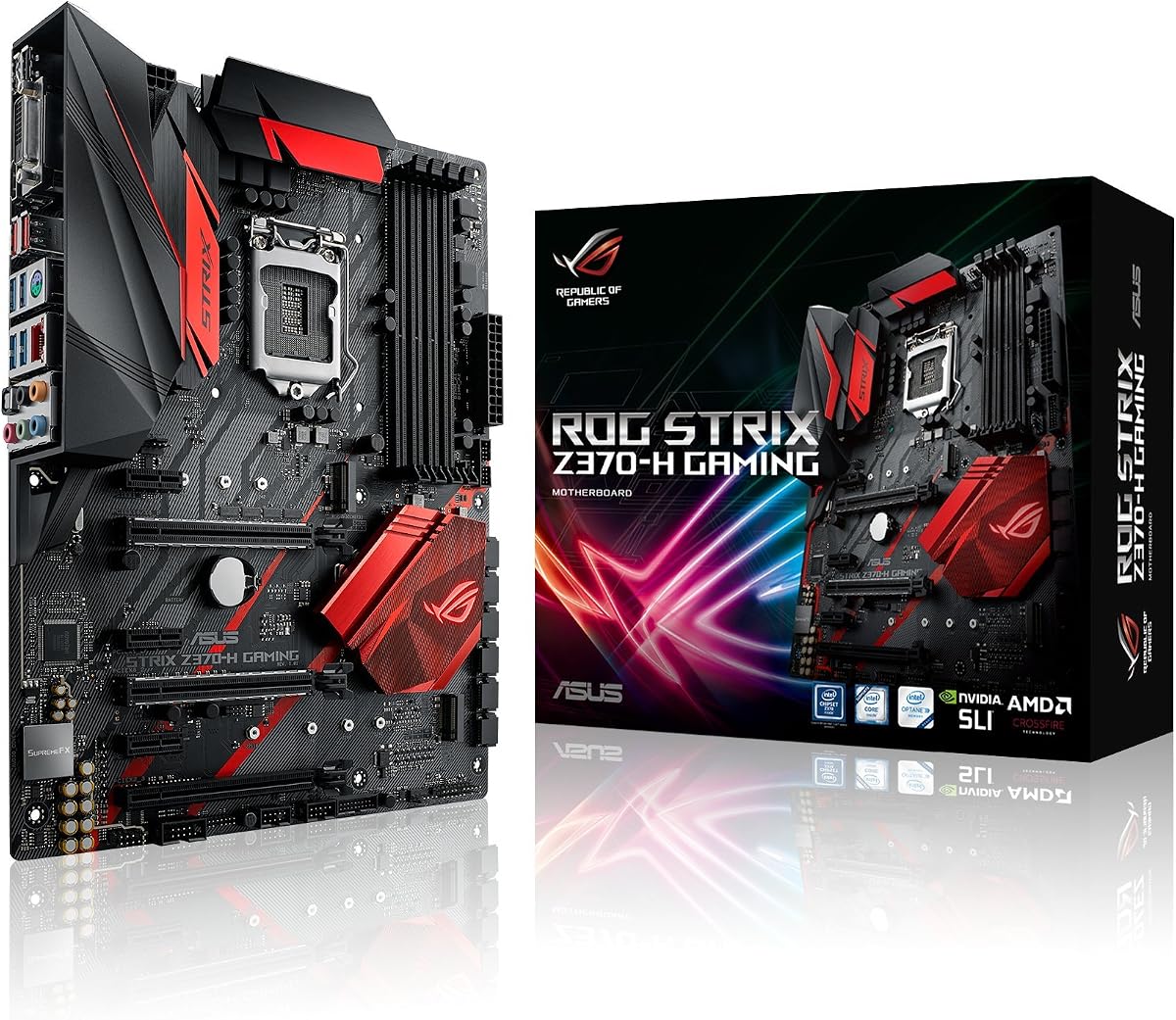
The ROG Strix Z370-H focuses on gaming appeal and performance. It supports up to 64GB of DDR4 memory for demanding tasks. Multiple USB ports ensure you can connect many peripherals without adapters.
We may earn a commission when you buy through this link, at no additional cost to you.
Visual design aligns with ROG branding for a sleek look. A three year manufacturer warranty offers basic protection. It includes HDMI and DVI for broad display compatibility with older monitors.
M.2 availability is more limited compared to higher end models. However for gaming systems it provides ample power delivery and thermal stability. It remains a popular choice for mid-range gaming PCs.
This board is perfect for gamers who want a stylish build. It handles high end graphics cards well. Check display outputs carefully if you have specific monitor requirements.
ROG branding and lighting give a premium look to your PC case.
Support for 64GB RAM ensures you can upgrade later for better performance.
We may earn a commission when you buy through this link, at no additional cost to you.
Selecting the right motherboard involves understanding your specific needs and technical constraints.
The Z370 chipset is specifically designed for 8th and 9th Gen Intel Core processors. Ensure your CPU matches this generation to avoid issues. Mismatched sockets or chipsets will prevent the system from booting properly.
Always verify the processor generation before purchasing to ensure full compatibility and performance.
Most Z370 boards support DDR4 memory up to 64GB. Check the number of DIMM slots to see if you can add more RAM later. High speeds are possible but may require specific profiles enabled in BIOS.
Choose a board with enough slots to grow your memory capacity as your needs change.
M.2 slots are essential for modern NVMe SSDs. Some boards have one slot while others offer three. Check if there are thermal guards to prevent throttling under heavy loads.
Prioritize boards with multiple M.2 slots if you need fast storage for your operating system and games.
Look for USB 3.1 Gen2 and Type-C ports for modern peripheral speeds. HDMI and DisplayPort output allow for quick boot testing without a graphics card. Network controllers should be reliable for stable internet connections.
Select a board with enough ports to match your device collection to avoid buying hubs later.
VRMs and M.2 slots need heat sinks to stay cool during intense workloads. Look for boards with fan headers and smart controllers. Overheating can cause throttling or system instability.
Check the number of fan headers and presence of VRM heatsinks before buying.
Integrated audio codecs vary widely in quality. Premium boards use dedicated DACs for better sound. Standard audio may be sufficient for gaming but audiophiles may prefer an external card.
Decide if you need high fidelity audio from the motherboard or will use external devices.
RGB lighting is common in modern boards. Syncing with other components creates a unified look. Some boards have minimal lighting for a clean aesthetic. Choose based on your case style.
Decide if you want flashy lighting or a clean look when choosing the final model.
Warranty periods vary from three to five years. Longer coverage provides better protection against defects. Some brands offer registration bonuses for extended support. Always check the terms of the warranty.
Opt for longer warranties if you plan to keep the system for several years.
When installing the motherboard place it on an anti-static mat to prevent damage from static electricity. Align it correctly with the standoffs in the case to avoid short circuits. Secure all screws evenly to ensure stability.
Update the BIOS immediately after installation to get the latest CPU and memory support. This ensures compatibility with newer processors and resolves known bugs. Follow the manufacturer instructions carefully during this process.
Keep the system clean from dust to maintain optimal cooling. Use compressed air periodically to remove debris from the fan headers and heatsinks. Monitor temperatures regularly to catch cooling issues early.
Brands like ASUS and MSI often lead in reliability and features. Gigabyte offers strong thermal solutions. ASRock provides good budget options. The best choice depends on your specific budget and feature requirements for your build.
Yes Z370 boards support 9th Gen Intel Core processors after a BIOS update. This allows you to use slightly newer hardware on older boards. Check manufacturer compatibility lists for your specific model before upgrading.
One slot is usually enough for a single SSD. Two or three slots allow for more fast storage or caching. If you use only one drive a board with one slot is sufficient for your needs.
Z390 supports more integrated graphics features and offers slight tweaks over Z370. Z370 is still capable for most tasks. The main difference is chipset capabilities which affect specific features like connectivity and overclocking limits.
Yes all Z370 boards support CPU overclocking since it is a Z series chipset. This allows you to push your processor beyond base speeds. Always ensure your cooling is adequate to handle the increased heat output.
Yes Z370 supports modern GPUs via PCIe x16 slots. They work with current graphics cards without issues. Just ensure you have enough physical space in your case for larger models.
Faster RAM speeds can improve system responsiveness. Z370 supports various speeds but stability varies. Check the QVL list to ensure your chosen RAM is supported by the motherboard.
They are worth it for budget builds using existing Intel 8th or 9th Gen CPUs. They provide decent performance for general use and gaming. Avoid them if you plan to build a new system with much newer hardware.
The ASUS Prime Z370-A Gigabyte Z370 AORUS Gaming 7 and MSI Z370-A PRO stand out as top contenders. Each offers unique strengths in connectivity build quality and price point. Your choice should reflect your specific performance needs.
Prioritize features that matter most to you like memory slots or audio quality. Do not pay for premium features you will not use. Balancing cost and capability is key to a successful build.
Prices and availability change frequently so verify listings before purchase. Always check recent user reviews for the latest issues and fixes. We hope this guide helps you find the perfect board for your next project.