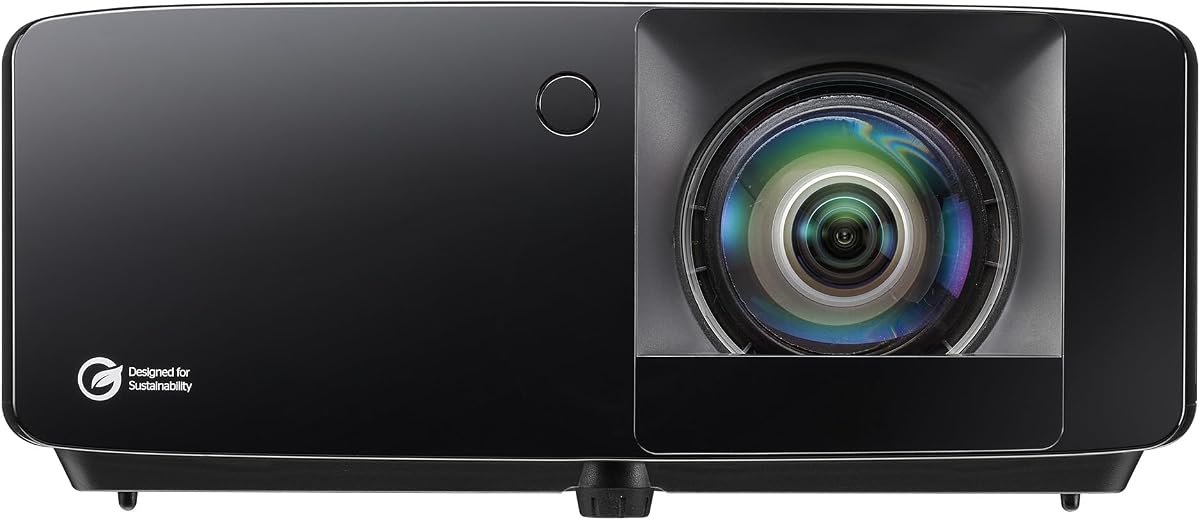
Optoma GT3900UHD True 4K UHD, 4,000 Lumens, DuraCore 30,000-Hour Laser
5.0Editor score
True 4K UHD resolution
4000 lumens brightness
Short throw design 0.496
Low input lag gaming
30000 hour laser life
This guide compares the top Benq projector for golf simulator models to help you choose the best short-throw laser projector for immersive indoor golf setups.
Creating a realistic indoor golf experience requires the right projection technology to bring virtual courses to life. A dedicated golf simulator projector ensures vibrant visuals and accurate ball tracking for every swing.
We evaluated ten top models based on brightness, resolution, throw distance, and compatibility with leading golf simulation software to find the most reliable options for home gyms.
Each pick highlights key features and potential trade-offs to help you decide. Note that product prices and availability change frequently, so verify current listings before purchasing.
5.0Editor score

3.5Editor score

5.0Editor score
The following table provides a side by side comparison of all ten featured projectors including their key specifications and ratings to help you make an informed decision.



The BenQ AH700ST stands out as the Editor's Choice for serious golfers seeking high fidelity projection. With 4000 ANSI lumens and Full HD resolution, it delivers vibrant course textures even in partially lit rooms.
We may earn a commission when you buy through this link, at no additional cost to you.
Its short throw ratio allows placement closer to the screen which reduces swing zone obstruction. The dedicated golf picture mode enhances green fidelity and sky clarity for a more authentic feel.
While color accuracy is strong at 95% Rec. 709 it lacks the deep contrast of higher end 4K options. Maintenance is minimal thanks to the laser light source rated for 20000 hours of operation.
This projector is ideal for users who prioritize brightness and throw flexibility over ultra HD pixel density. It balances performance and practicality for most residential indoor golf setups.
A throw ratio of 0.69 allows a 100 inch image from just 5 feet. This proximity keeps the projector safe from errant balls and maximizes available room depth for the hitting zone.
The 95% Rec. 709 coverage ensures realistic greens and skies. Accurate color reproduction helps golfers judge lie conditions and environmental lighting more effectively during simulation sessions.
We may earn a commission when you buy through this link, at no additional cost to you.
The BenQ TH671ST is a compelling choice for golfers who also game or watch movies regularly. It offers native Full HD resolution and 3000 lumens which are sufficient for dimmer simulated environments.
We may earn a commission when you buy through this link, at no additional cost to you.
Gaming optimized features like low input lag ensure smooth motion tracking for fast paced swing analysis. Its short throw lens projects a 100 inch image from 5 feet providing decent clearance for most setups.
However 3000 lumens may struggle in bright garages or daylight rooms compared to higher wattage models. Users should ensure adequate light control for best results during daylight simulation sessions.
Best suited for multi purpose rooms where budget is a factor. It provides reliable projection quality and flexible placement options without the steep cost of premium laser alternatives.
Designed for Xbox and PS4 Pro the TH671ST handles high refresh rates well. This smoothness translates to realistic ball flight visuals and responsive cursor movement in golf software.
The short throw design allows mounting on ceiling or desk. This flexibility helps avoid shadows cast by the player during the swing while keeping the image centered on the screen.
We may earn a commission when you buy through this link, at no additional cost to you.
The Optoma GT3900UHD delivers True 4K resolution at a competitive price point making it an attractive budget option. With 4000 lumens and an ultra short throw lens it is well equipped for indoor golf.
We may earn a commission when you buy through this link, at no additional cost to you.
Its 0.496 throw ratio means the projector can sit directly behind the golfer without casting shadows. This is critical for maintaining an unobstructed view of the ball and club during impact.
While it lacks specific golf calibration modes its gaming features ensure smooth motion processing and responsive input. The DuraCore laser promises 30000 hours reducing long term maintenance needs.
Ideal for users wanting premium brightness and throw benefits without the flagship price. It balances advanced specifications with practical design elements for high quality simulator experiences.
Throwing a 120 inch image from under 2 feet the GT3900UHD avoids the swing zone entirely. This reduces risk of damage and ensures the light source never interferes with the player's stance.
Support for 1080p at 240Hz provides silky smooth gameplay. This latency control helps golf simulation software render ball trajectories and impact physics with minimal lag or blur.
We may earn a commission when you buy through this link, at no additional cost to you.
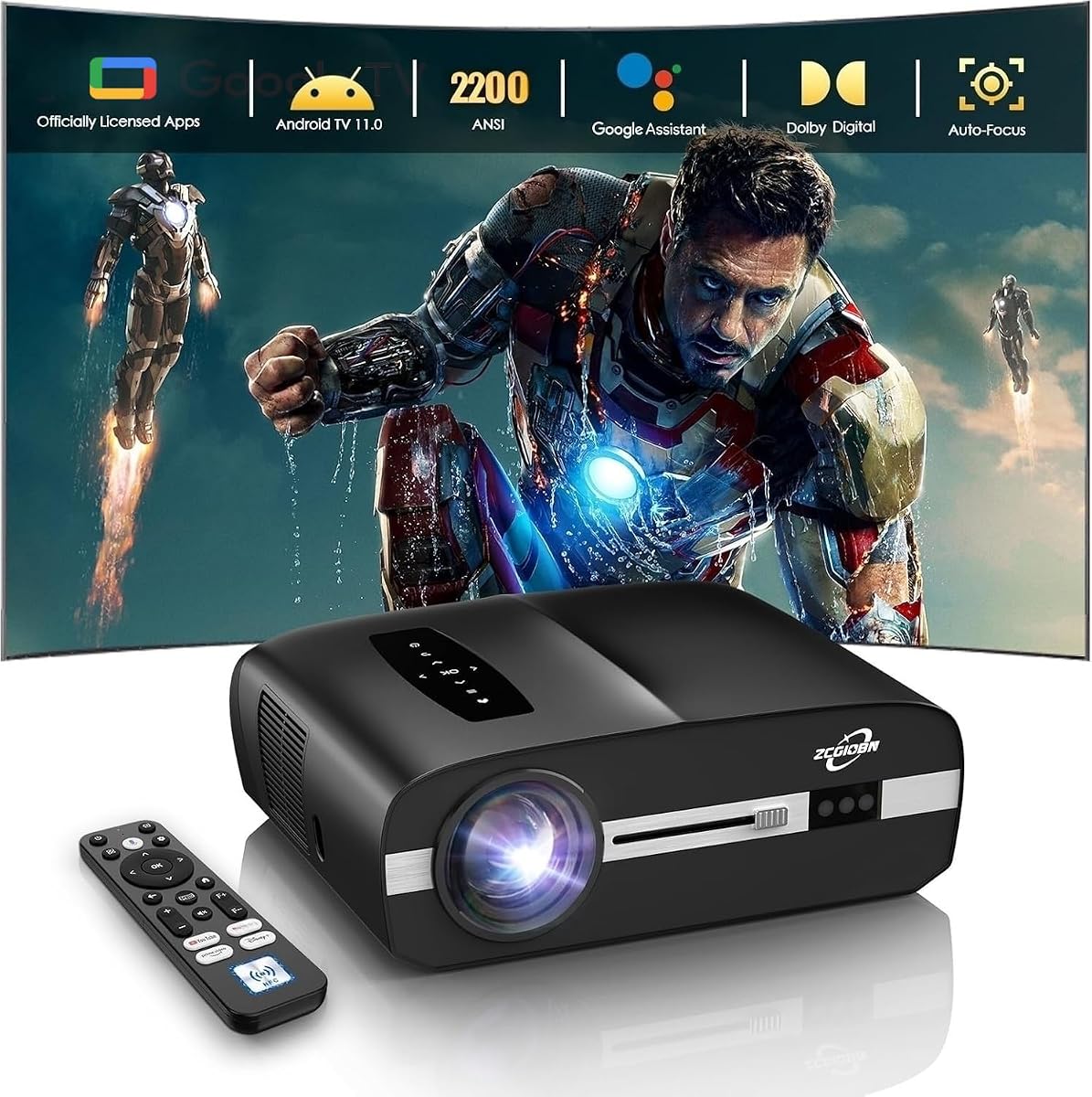
This generic 4K projector offers convenience and cost savings for those not requiring ultra short throw. With 2200 ANSI lumens and auto focus it is straightforward to install on a ceiling mount.
We may earn a commission when you buy through this link, at no additional cost to you.
Auto focus and keystone correction eliminate manual lens adjustments. This ensures a perfectly aligned image quickly even if the projector is placed off center or at an angle.
Brightness may not compete with 4000 lumen models in lit rooms but it suffices for controlled lighting environments. The integrated Google TV OS adds streaming flexibility without external devices.
Best for users who prioritize ease of setup and smart features. It provides solid 4K visuals and reliable performance for basic indoor golf simulations without complex wiring.
ToF sensors and CMOS module handle alignment automatically. This eliminates manual keystone adjustment which can save time during initial setup and when moving the projector frequently.
Google TV allows direct app streaming for media playback. This dual purpose capability makes the unit useful for movie nights or sports viewing alongside golf training sessions.
We may earn a commission when you buy through this link, at no additional cost to you.
The BenQ TH575i brings strong brightness and smart functionality to the mix. With 3800 lumens it ensures visibility even with overhead lights on which is useful for bright garages.
We may earn a commission when you buy through this link, at no additional cost to you.
Low input lag and a built in Google TV dongle make it versatile for entertainment. The auto vertical keystone feature simplifies placement on a table or shelf without manual tilt.
However it is not a short throw model which may require careful ceiling mounting to avoid obstruction. The 1080p resolution is standard but lacks the clarity of 4K competitors.
Recommended for users prioritizing brightness and smart features over resolution. It offers a balanced experience for casual golf simulation and general home entertainment needs.
3800 lumens provide clear image visibility in ambient light. This helps maintain visual fidelity when simulating outdoor conditions or playing during daylight hours in open spaces.
16.7ms lag ensures responsive interaction. This is beneficial for real time feedback software where delays between swing and visual output could disrupt the training workflow.
We may earn a commission when you buy through this link, at no additional cost to you.
The BenQ LU935ST offers commercial level brightness suitable for large or well lit indoor facilities. With 5500 ANSI lumens it can project clear images even in bright environments.
We may earn a commission when you buy through this link, at no additional cost to you.
WUXGA resolution provides a wider aspect ratio than standard 1080p allowing more detail in the image. The laser source ensures consistent performance and minimal maintenance over 20000 hours.
The high price and physical size make it less ideal for typical home garages. It is better suited for professional training centers requiring maximum visibility and robust durability.
Best for professional installations where brightness is paramount. Its robust build and high output ensure reliability and performance in demanding daily use scenarios.
5500 ANSI lumens allow daylight operation. This ensures visibility in large indoor spaces with windows or overhead lighting which standard projectors might struggle to overcome.
20000 hour laser life reduces long term costs. This longevity minimizes maintenance needs and provides consistent brightness over time without frequent bulb replacements.
We may earn a commission when you buy through this link, at no additional cost to you.
The BenQ LK936ST combines ultra high definition with powerful brightness. With native 4K resolution and 5100 ANSI lumens it delivers crisp imagery even in well lit rooms.
We may earn a commission when you buy through this link, at no additional cost to you.
Short throw design keeps the unit out of the swing path while lens shift ensures precise alignment. Dual HDMI 2.0b ports support modern consoles and PCs without bandwidth issues.
While costly the investment yields high fidelity visuals and robust build quality. The laser technology ensures long term reliability reducing the need for maintenance and replacement parts.
Ideal for premium home gyms seeking the best visual clarity and brightness. It sets a benchmark for high end indoor golf simulation experiences with professional grade specs.
Native 4K resolution provides razor sharp detail. This clarity helps identify texture on the fairway and details in the ball flight for more accurate visual analysis during play.
Dual HDMI 2.0b supports latest standards. This allows connecting multiple devices like PC and console simultaneously ensuring seamless switching between software and entertainment inputs.
We may earn a commission when you buy through this link, at no additional cost to you.
The BenQ W4100i is optimized for home theater use but fits well in golf setups needing color fidelity. With 4K HDR and 100% DCI-P3 it offers vibrant accurate greens and skies.
We may earn a commission when you buy through this link, at no additional cost to you.
LED technology provides stable long term color performance. The 1.3x optical zoom offers placement flexibility for ceiling or wall mounts to achieve the desired image size.
Standard throw length requires more room depth which may be a constraint in small garages. Brightness is adequate for darkened rooms but may require light control for daytime use.
Best for users who want cinema quality color alongside golf simulation. It blends entertainment and training needs with robust HDR support and wide gamut coverage.
100% DCI-P3 coverage ensures accurate greens. This is vital for golf simulation where realistic grass color and sky contrast enhance immersion and visual training cues.
HDR10 support enhances contrast in bright and dark areas. This improves depth perception in virtual environments making shadows and highlights appear more natural and realistic.
We may earn a commission when you buy through this link, at no additional cost to you.
The ViewSonic LS740W offers a rare dedicated golf mode that boosts greens and blues for lifelike play. With 5500 ANSI lumens it delivers exceptional visibility in commercial or bright home environments.
We may earn a commission when you buy through this link, at no additional cost to you.
Laser technology ensures long term performance without lamp replacements. The 360 degree projection allows flexible mounting options including ceiling or even portrait orientation for unique setups.
WXGA resolution is lower than Full HD which limits image clarity. For pure visual fidelity 1080p or 4K units are superior but this model excels in brightness and specialized calibration.
Best for commercial facilities needing high brightness and specific golf calibration. It is a powerful tool for training centers where visibility and specialized features outweigh resolution limits.
Specialized golf mode enhances greens and blues. This dedicated calibration ensures lifelike play and improves realism for high end golf simulation facilities seeking world-class accuracy.
Laser source reduces maintenance needs. This long lasting performance ensures consistent brightness and reliability over years of operation without frequent part replacements.
We may earn a commission when you buy through this link, at no additional cost to you.
This cover is an essential accessory for floor mounted projectors in indoor golf rooms. It shields the unit from errant balls using a shatterproof polycarbonate panel and durable HDPE construction.
We may earn a commission when you buy through this link, at no additional cost to you.
Designed for LED projectors it includes vents to prevent overheating. The turf exterior helps the unit blend into the gym floor for a clean and professional look.
Installation is simple with no assembly required. Just place the projector inside and route cables through side openings for a quick and secure setup solution.
Best for protecting valuable equipment in active training zones. It provides peace of mind for golfer training and eliminates the need for complex ceiling mounting solutions.
HDPE and polycarbonate shield from mishits. This heavy duty build ensures the projector stays safe even at high swing speeds reducing repair costs and equipment downtime.
Side vents ensure proper cooling. This prevents overheating during extended gaming sessions maintaining consistent performance and extending the projector's operational lifespan.
We may earn a commission when you buy through this link, at no additional cost to you.
Selecting the right projector for indoor golf involves balancing brightness, resolution, throw distance, and connectivity to suit your space and simulation needs.
Brightness measured in ANSI lumens determines visibility in ambient light. For golf simulators in garages or basements aim for at least 3000 lumens to maintain clarity.
Higher brightness allows daylight play without blinds. Prioritize models with 4000+ lumens if you simulate during the day or have high light environments.
Throw ratio dictates how far the projector sits from the screen. Short throw or ultra short throw projectors reduce swing obstruction and shadow interference.
A ratio under 0.7 is ideal for residential setups. Ensure the placement avoids the swing path to keep the projector safe from errant balls.
Higher resolution like 4K UHD delivers finer details in course textures. This helps with judging terrain and ball lie conditions during simulation.
Full HD 1080p is sufficient for most users. Balance resolution needs with budget constraints as 4K models often carry higher price tags.
Low input lag ensures real time feedback between swing and visual output. This responsiveness is crucial for accurate ball flight simulation and training.
Look for gaming modes or input lag under 20ms. Avoid standard cinema projectors that prioritize smoothness over responsiveness.
Laser and LED sources offer longer life than traditional lamps. They reduce maintenance and ensure consistent brightness over thousands of hours.
Laser sources typically last 20000+ hours. While costlier upfront they save money on replacements and provide more reliable performance over time.
Golf simulators often require HDMI connections to PCs or consoles. Ensure the projector has multiple HDMI ports for flexible device pairing.
HDMI 2.0b or higher supports 4K at 60Hz. Avoid older HDMI 1.4 ports if you plan to use high resolution graphics software.
Consider ceiling mounts for stability and to keep the swing zone clear. Ensure your projector supports keystone correction for easy alignment.
Short throw units simplify mounting. Proper planning prevents cable clutter and ensures the image aligns correctly on your screen.
Some projectors offer dedicated golf modes for color and contrast calibration. These presets improve visual realism of grass and sky.
Check for Rec 709 or DCI P3 coverage. Better color gamut ensures the virtual course looks accurate to real world conditions.
Place the projector on a secure mount or floor cover away from the direct swing path. Ensure it is level and aligned to the center of the screen.
Connect the PC or console via HDMI and enable gaming or sports mode in the settings. Adjust focus and keystone to remove distortion and sharpen the image.
Clean the lens gently with a soft cloth and keep vents clear of dust. Avoid exposing the projector to direct impact or moisture to prolong its lifespan.
A short throw projector is highly recommended because it allows placement closer to the screen. This minimizes shadows during the swing and keeps the projector out of harm's way from the ball.
Yes but a regular projector may cast shadows and require longer throw distances which can obstruct the hitting zone. Dedicated short throw models offer better visibility and safety.
1080p Full HD is sufficient for most users while 4K provides sharper detail for premium setups. Choose based on your budget and whether you need ultra crisp textures.
Aim for at least 4000 ANSI lumens to maintain visibility in well lit rooms. Lower brightness models may struggle with sunlight or overhead lights unless you darken the room.
Yes low input lag ensures that the visual output matches your swing in real time. This helps with accurate training and prevents frustration caused by delayed graphics.
Absolutely a protective cover or floor enclosure is essential if the projector is placed at ground level. It shields the unit from accidental hits and extends its durability.
The BenQ AH700ST and Optoma GT3900UHD lead as top picks for balancing brightness throw and value. They provide reliable performance for most indoor golf setups.
Prioritize throw ratio and input lag when selecting your model to ensure safe and responsive simulations. Choose laser models for longevity if you plan to use the unit daily.
Always check current listings before purchasing as prices and stock vary. The right projector will elevate your indoor game and provide years of immersive practice.