
Redragon S101-3 PRO
4.5Editor score
Full-size RGB backlit keyboard
High-precision gaming mouse included
Independent macro record keys available
Discover the top 10 keyboards and mice for Baldurs Gate 3. This guide compares features, ergonomics, and performance to help you choose the perfect gaming
Choosing the right peripherals for Baldurs Gate 3 is essential for an immersive experience. You need responsive keys and precise tracking to handle complex spells and combat scenarios effectively.
We compared ten top-rated keyboard and mouse combos based on build quality, lighting options, and ergonomic design. Our analysis focuses on how each set performs during long gaming sessions.
Each pick highlights unique strengths to match different play styles and budgets. Please note that prices and availability change frequently, so check current listings before purchasing.
4.5Editor score
4.4Editor score
3.9Editor score
This side-by-side comparison outlines the key specifications and features of each selected product to help you find the ideal match for your gaming needs.


The Redragon S101-3 PRO offers a complete gaming setup at an accessible price. It features a full-size RGB backlit keyboard and a high-precision mouse designed for responsive performance.
We may earn a commission when you buy through this link, at no additional cost to you.
This set includes independent macro record keys that allow you to save complex sequences. The customizable lighting options let you match your aesthetic preferences easily.
While the membrane keys lack the tactile feedback of mechanical switches, they remain durable and quiet. The included wrist rest helps reduce strain during long sessions.
Ideal for budget-conscious gamers or students, this combo delivers solid performance without breaking the bank. It is a reliable choice for entering the world of PC gaming.
You get a full feature set including RGB lighting and macro support at a very competitive price point.
Dynamic backlight modes and software control allow you to personalize your desk environment for immersion.
We may earn a commission when you buy through this link, at no additional cost to you.
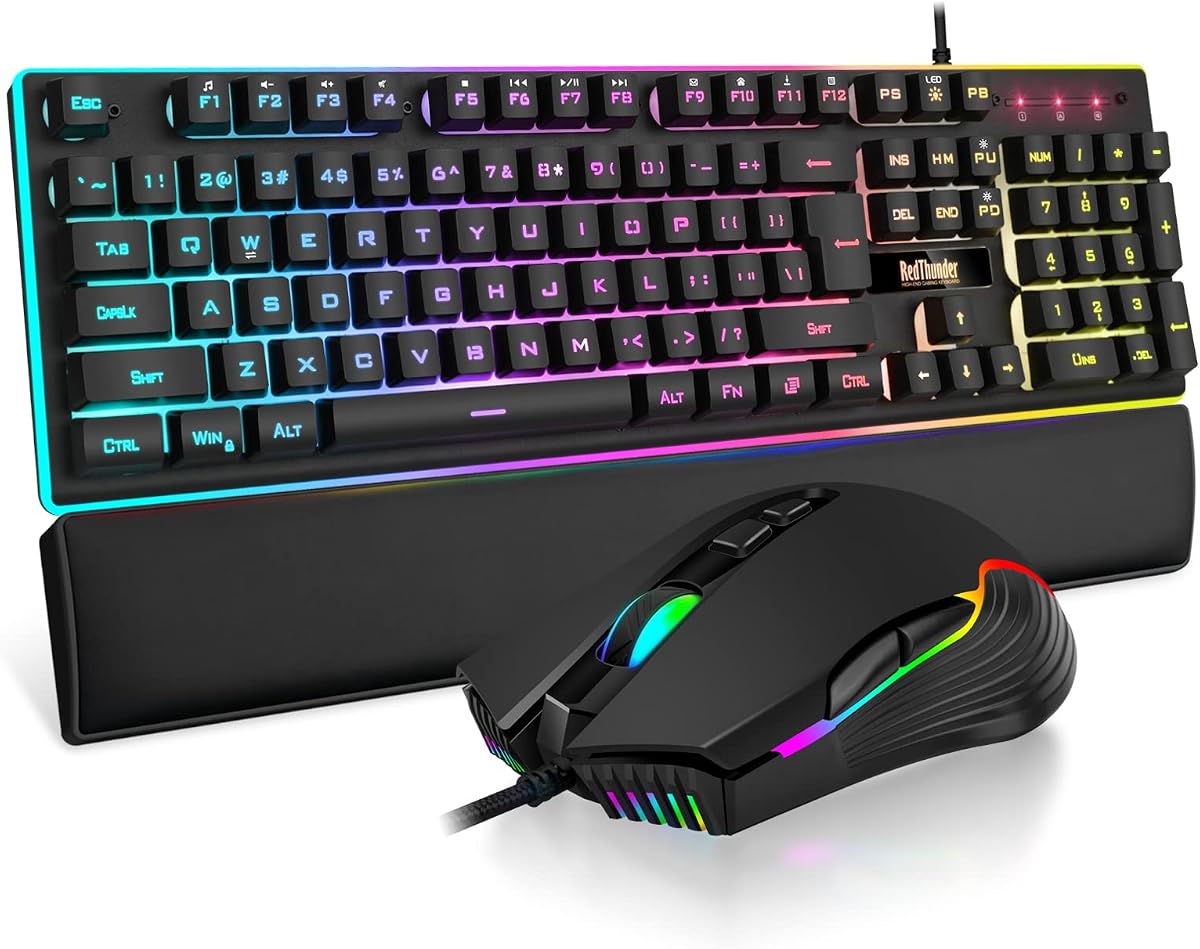
The RedThunder K10 Wired Combo stands out for its solid build quality and responsive performance. It features a mechanical feel keyboard with robust anti-ghosting capabilities.
We may earn a commission when you buy through this link, at no additional cost to you.
With 26 anti-ghosting keys, you can execute complex key combinations without signal loss. The mouse offers high DPI settings for precise tracking during intense gameplay.
The included soft leather wrist rest provides excellent comfort for extended use. The steel plate base ensures stability and durability over time.
This set is an excellent choice for gamers seeking reliable performance and comfort. It balances features and price effectively for most gaming setups.
Multiple key presses register simultaneously ensuring smooth gameplay during complex combat scenarios.
The leather wrist rest and anti-slip mouse design reduce fatigue during long gaming sessions.
We may earn a commission when you buy through this link, at no additional cost to you.
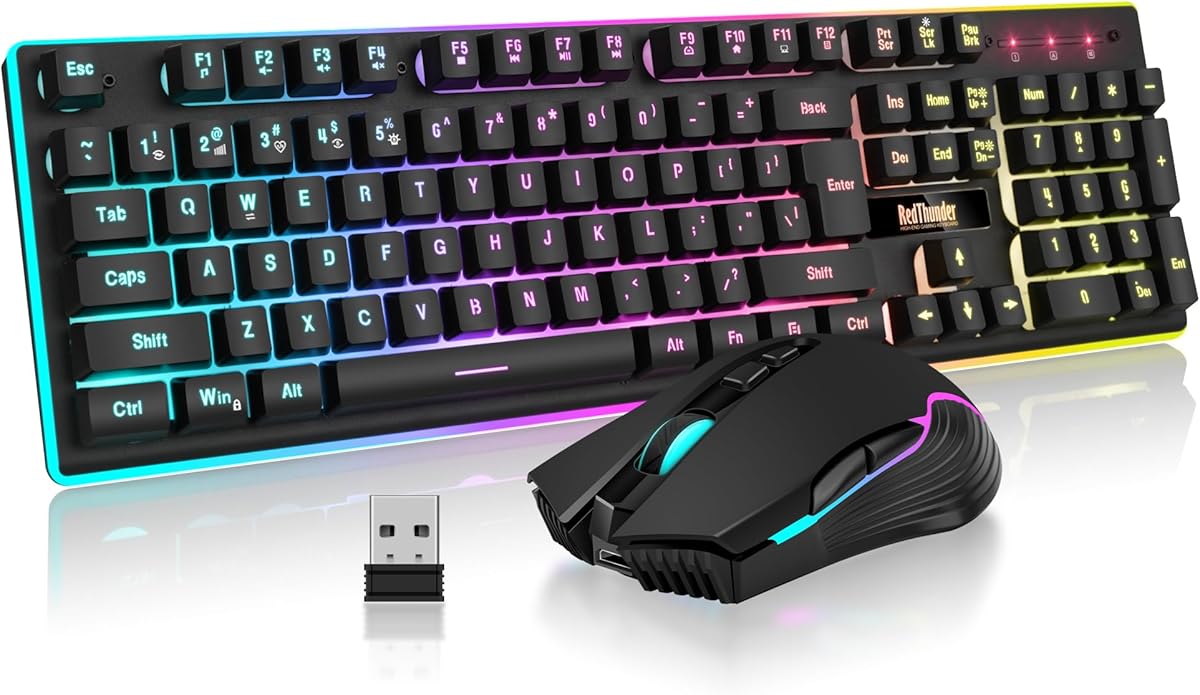
The RedThunder K10 Wireless brings freedom to your setup with reliable 2.4G connectivity. It features a rechargeable battery system that supports long periods of use.
We may earn a commission when you buy through this link, at no additional cost to you.
With a metal cover construction, this keyboard feels sturdy and premium. The mechanical feel keys provide satisfying feedback without needing cables.
The mouse supports up to 3200 DPI and includes LED lighting effects for style. Battery life allows for continuous use during extended sessions.
For those who prefer a clean desk, this wireless option is a strong candidate. It offers durability and performance worth the investment for wireless enthusiasts.
High-speed transmission ensures minimal latency for responsive gaming experiences without cables.
Frosted metal covers and long keystroke lifetimes ensure longevity for daily usage.
We may earn a commission when you buy through this link, at no additional cost to you.
The Rii Gaming RK108 provides a straightforward approach to gaming peripherals. It features 3-LED backlit keys that enhance visibility in dark environments.
We may earn a commission when you buy through this link, at no additional cost to you.
The keyboard boasts a professional mechanical feel that improves typing and gaming experience. Laser carved characters ensure durability and clear visibility.
With a 5 million click life for keys, this set is built to last. The ergonomic design helps reduce fatigue during extended use.
This option is perfect for users seeking essential gaming features without extra cost. It offers solid reliability and wide compatibility with various systems.
Cool visual effects combine practical lighting with aesthetic appeal for your setup.
High click counts and laser etched keys ensure longevity and consistent performance.
We may earn a commission when you buy through this link, at no additional cost to you.
The K1 RGB LED Keyboard offers a full-size layout with standard function keys and a numeric pad. It features floating keycaps that are easy to clean.
We may earn a commission when you buy through this link, at no additional cost to you.
With 8 light colors and multiple modes, customization is straightforward. The high-resolution mouse supports various speeds for different scenarios.
The keyboard design includes non-slip pads for stability. A waterproof USB cable ensures stable data transmission during use.
This set is ideal for users who need a standard layout for both work and play. It delivers solid performance and aesthetic appeal at a reasonable cost.
A complete 104-key layout supports both gaming and productivity tasks effectively.
Multiple lighting modes and colors allow you to match your desk setup style.
We may earn a commission when you buy through this link, at no additional cost to you.
This large print combo offers high-contrast keys for better visibility. It is perfect for users who need clear character recognition while typing.
We may earn a commission when you buy through this link, at no additional cost to you.
The keyboard supports 7 color backlight options to suit different environments. An ergonomic stand reduces hand fatigue during extended use.
Silent wired operation ensures minimal noise distraction in shared spaces. Plug and play setup allows immediate use without drivers.
While primarily designed for office work or general use, it can serve light gaming needs. The focus on comfort and clarity makes it a practical choice for many.
Large bold characters help reduce eye strain and typing errors for all users.
Silent keys allow for focused work without disturbing others around you.
We may earn a commission when you buy through this link, at no additional cost to you.
The BlueFinger RGB Combo includes a keyboard with rainbow backlight illumination for a vibrant look. It features 19 non-conflict keys for smooth gaming inputs.
We may earn a commission when you buy through this link, at no additional cost to you.
A DPI adjustable mouse allows for quick sensitivity changes during play. The included mouse pad provides a smooth surface for tracking.
The braided wire ensures durability against daily wear and tear. It is a functional setup for casual gamers or general computer use.
This set offers good value by including a mouse pad. While not pro-grade, it delivers reliable performance for its price point.
Inclusion of a mouse pad adds extra value to the overall package cost.
Non-conflict keys ensure every command registers accurately during fast action.
We may earn a commission when you buy through this link, at no additional cost to you.
This USB combo features oversized keys for better visibility and effortless typing. It includes an integrated wrist rest for ergonomic support.
We may earn a commission when you buy through this link, at no additional cost to you.
Quiet low-profile keys reduce noise distractions in office environments. The mouse supports adjustable DPI settings for varied precision needs.
Multimedia shortcut keys provide quick access to audio and email functions. The backlight helps typing in low-light conditions effectively.
Designed primarily for work, it offers comfort and functionality. It can handle light gaming tasks while maintaining a professional appearance.
Ergonomic design and wrist support help prevent fatigue during daily typing.
Multimedia hotkeys streamline media management and communication tasks quickly.
We may earn a commission when you buy through this link, at no additional cost to you.
The SABLUTE Wired Combo features 4X larger characters for easier identification. An adjustable palm rest provides support to reduce typing fatigue.
We may earn a commission when you buy through this link, at no additional cost to you.
A 7-color backlight system allows customization for different lighting environments. The ergonomic mouse complements the setup with comfortable grip.
Plug and play connectivity ensures easy setup across Windows and Mac systems. It is designed for steady daily performance in work or study.
Ideal for students and seniors, this set prioritizes comfort and clarity. While not a gaming focus, it handles general computing tasks well.
Large characters make key identification simple and accurate during typing sessions.
Adjustable rest and stand angles help maintain natural hand positioning.
We may earn a commission when you buy through this link, at no additional cost to you.
The VEILZOR Wireless Combo offers a clean wireless experience with rechargeable batteries. It includes an ergonomic wrist rest for sustained comfort.
We may earn a commission when you buy through this link, at no additional cost to you.
Silent typing and clicking minimize noise in shared spaces. The 9 RGB backlight effects add a modern aesthetic to your desk.
A USB-C charging cable ensures convenient power management. The included phone holder allows for multi-device convenience at your workstation.
This set is perfect for modern office users or casual gamers. It balances style, quiet operation, and comfort for daily productivity.
Rechargeable batteries reduce waste and eliminate the need for frequent replacements.
Silent mechanisms allow you to focus without creating unnecessary noise.
We may earn a commission when you buy through this link, at no additional cost to you.
Selecting the right peripherals requires understanding your specific needs regarding build quality, connectivity, and comfort for long sessions.
Mechanical keyboards offer tactile feedback but membrane keys provide quieter and cheaper alternatives. For Baldurs Gate 3, responsive keys are critical for casting spells quickly.
Choose based on whether you prioritize tactile feel or quiet operation in your environment.
Anti-ghosting ensures multiple key presses are registered simultaneously which is vital for complex combos. Look for at least 26 anti-ghosting keys for reliable gaming.
This feature prevents input loss during intense combat scenarios in RPGs.
A high DPI sensor allows for precise cursor control and quick turns. Aim for adjustable DPI settings between 800 and 3200 to match your play style.
Higher resolution sensors track movement more accurately on different surfaces.
Extended gaming sessions demand comfort to prevent fatigue. Wrist rests and ergonomic shapes help maintain natural hand positions during long play.
Invest in sets with built-in supports or purchase separate wrist pads if needed.
Wired connections offer stability while wireless options reduce desk clutter. For competitive play, wired is usually preferred, but wireless is convenient for casual use.
Ensure wireless models have low latency and reliable battery life for uninterrupted play.
RGB lighting and macro programming enhance the gaming experience. Software that allows key binding and lighting customization adds significant value.
Check if the manufacturer provides a dedicated app for customization to control settings easily.
Sturdy materials like steel plates and braided cables extend the life of your gear. Durability ensures your investment lasts through years of use.
Look for specs like keystroke life ratings to gauge long term reliability.
Ensure the devices work seamlessly with your operating system like Windows or macOS. Plug and play capability saves time on driver installations.
Most modern sets support Windows versions out of the box for easy setup.
Start by plugging your devices into USB ports for a wired setup or inserting the receiver for wireless models. Ensure the firmware is updated via the manufacturer software if available.
Customize your key bindings in game settings to match your comfort preferences. Adjust DPI settings on the mouse to find the right sensitivity for your hand movement.
Clean your peripherals regularly with a soft cloth and compressed air to remove dust. Store them in a dry place when not in use to maintain longevity.
Mechanical keyboards offer tactile feedback and durability which can improve reaction time. However, high quality membrane keyboards with anti-ghosting are also capable of handling complex inputs effectively.
Many sets come with dedicated software for customizing RGB lighting and macro keys. Some models are plug and play with default settings but software adds more flexibility.
Anti-ghosting ensures that multiple simultaneous key presses register correctly. This is crucial for executing complex moves without missing commands during gameplay.
Modern wireless mice have low latency that rivals wired options. They are viable for gaming but you must ensure the battery is charged for uninterrupted sessions.
A DPI between 800 and 1600 is generally comfortable for most users. You can adjust it higher for quick movements or lower for precise targeting during combat.
Use compressed air to remove debris between keys and a soft cloth for the surface. Avoid using water directly on the keyboard to prevent electrical damage.
We have reviewed ten top options ranging from budget friendly combos to premium wireless sets. The Redragon S101-3 PRO offers the best value for budget conscious gamers.
For those prioritizing performance and comfort, the RedThunder K10 Wired stands out as a strong choice. Wireless enthusiasts will appreciate the freedom of the RedThunder K10 Wireless.
Remember to check current prices and availability before purchasing to ensure you get the best deal for your setup today.