
ASUS TUF Gaming F16
4.4Editor score
Intel Core 5 210H Processor
RTX 4050 Graphics
144Hz FHD+ Display
Finding the right gaming laptop means balancing power, portability, and price. The ASUS TUF series delivers military-grade durability alongside strong performance for gaming and work. This list highlights ten distinct configurations to help you find your perfect match.
We evaluated each model based on processor speed, graphics capability, display refresh rates, and cooling efficiency. Our focus remains on real-world usability for gamers and creators who need reliable hardware without breaking the bank on expensive alternatives.
Each pick shows specific strengths like budget friendliness or high-end rendering power. Remember that availability and pricing change frequently. Always verify current specs before buying to ensure you get the exact configuration you expect for your budget.
4.4Editor score
5.0Editor score

5.0Editor score
As an Amazon Associate we earn from qualifying purchases.
This side-by-side comparison breaks down the key specifications of all ten models. Look closely at processor types, GPU generations, and screen technologies to understand how each machine performs under heavy loads and during long gaming sessions.

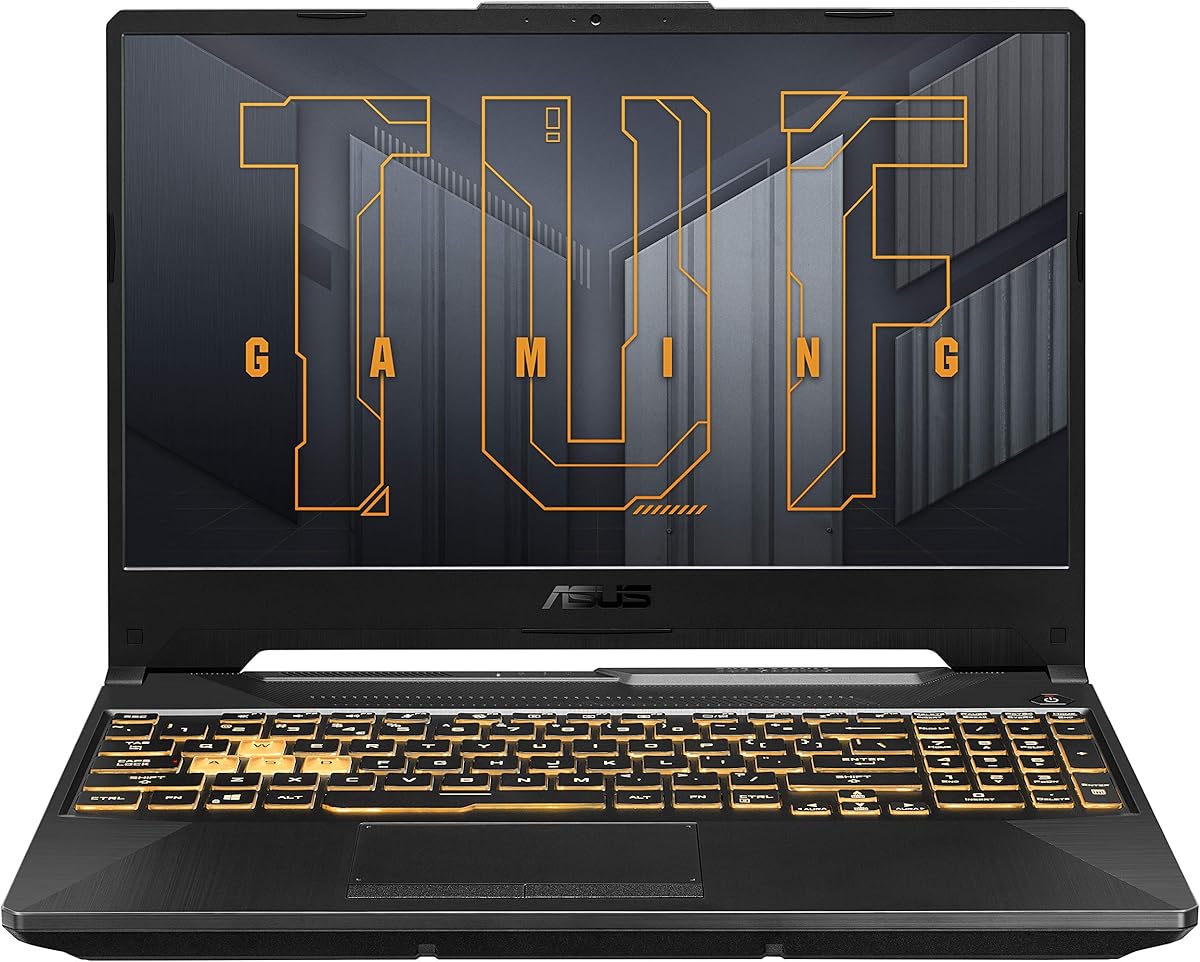


This model stands out as the top pick for budget-conscious gamers who need reliability. It features the Intel Core 5 210H paired with an RTX 4050. The balance of cost and power makes it ideal for modern titles.
We may earn a commission when you buy through this link, at no additional cost to you.
The 144Hz display ensures fluid motion during competitive play. Adaptive-Sync reduces tearing significantly. Military-grade testing confirms it can withstand rough handling. Arc Flow Fans keep temps low even under stress.
One trade-off is the 512GB storage limit. You may need an external drive eventually. The webcam is functional but not exceptional. Still, these are minor issues for the price point offered.
Buy this if you want a versatile machine for school and games. It handles multitasking well and fits most budgets comfortably. The design remains subtle enough for professional environments too.
The RTX 4050 delivers smooth frame rates in popular titles without needing extreme settings. Max TGP of 115W ensures the GPU performs at full capacity.
Meeting MIL-STD-810H standards means this laptop survives drops and temperature extremes better than standard consumer devices.
We may earn a commission when you buy through this link, at no additional cost to you.
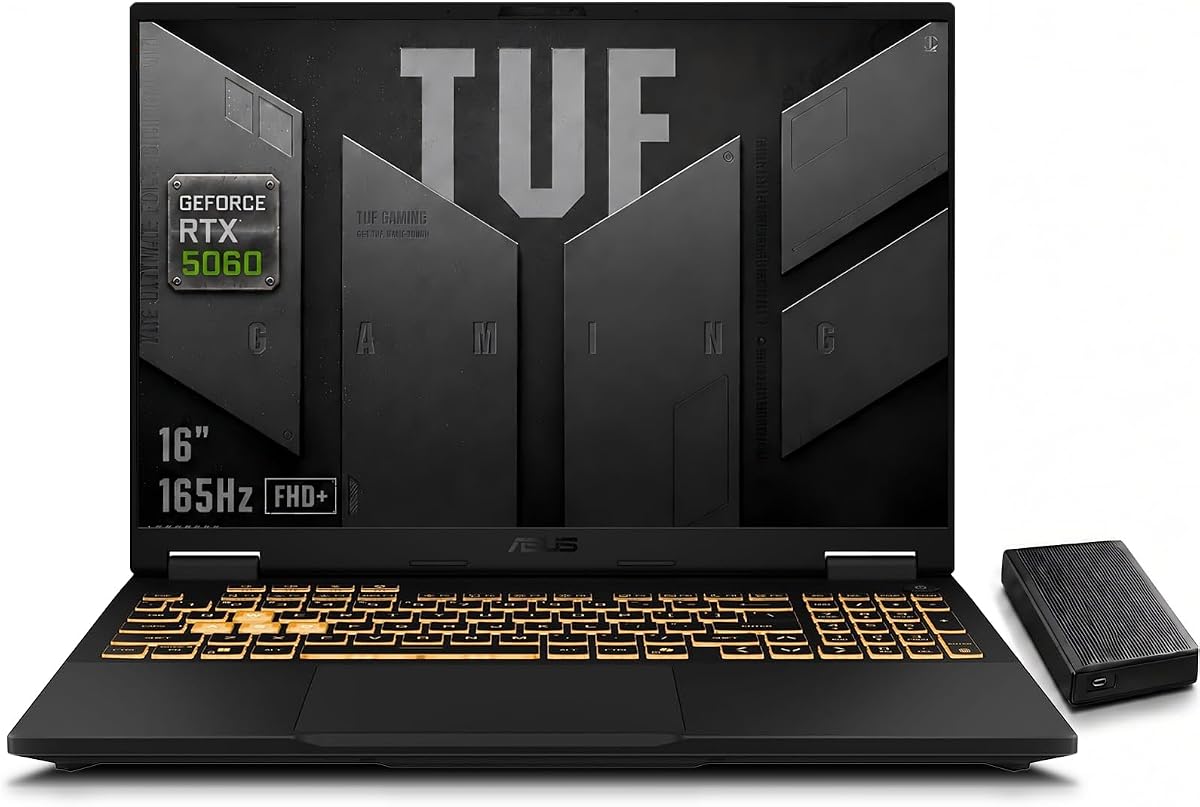
This unit brings next-generation graphics power with the RTX 5060. The Intel Core i7-14650HX processor handles demanding workflows effortlessly. It is perfect for creators needing raw power for rendering tasks.
We may earn a commission when you buy through this link, at no additional cost to you.
The 165Hz refresh rate eliminates motion blur effectively. Ray tracing works smoothly thanks to the high TGP. Intelligent cooling maintains performance during marathon sessions. US-based quality control adds confidence in reliability.
The external HDD inclusion might feel extra but adds storage. The price reflects the high-end specs provided. You trade lower cost for significant performance gains here.
Select this for serious gaming and content creation. It excels at 4K video editing and heavy multitasking. Future-proofing is strong with these cutting-edge components included.
RTX 5060 acceleration speeds up rendering times significantly compared to previous generations. Great for editors needing quick turnarounds on large projects.
Low response times and adaptive sync technology ensure crisp visuals during fast action sequences. Ideal for competitive gaming scenarios.
We may earn a commission when you buy through this link, at no additional cost to you.
The premium status here comes from the 32GB DDR5 RAM and RTX 5060. This combo supports heavy multitasking and demanding creative apps. G-SYNC adds a layer of visual smoothness.
We may earn a commission when you buy through this link, at no additional cost to you.
Thunderbolt 4 and multiple USB ports offer great connectivity. The 1TB SSD provides fast load times. Dolby Atmos audio enhances the entertainment experience significantly.
Portability is less than lighter ultrabooks due to hardware. The power adapter is substantial. However, these are expected for such high-end specs.
Choose this for maximum performance and future-proofing. It handles every task thrown at it. The Windows 11 Pro license adds enterprise-level security features too.
32GB RAM ensures seamless switching between dozens of browser tabs and heavy apps. No slowdowns during complex workflows.
G-SYNC eliminates tearing completely during high frame rate gaming. Visuals remain clear even during intense action scenes.
We may earn a commission when you buy through this link, at no additional cost to you.
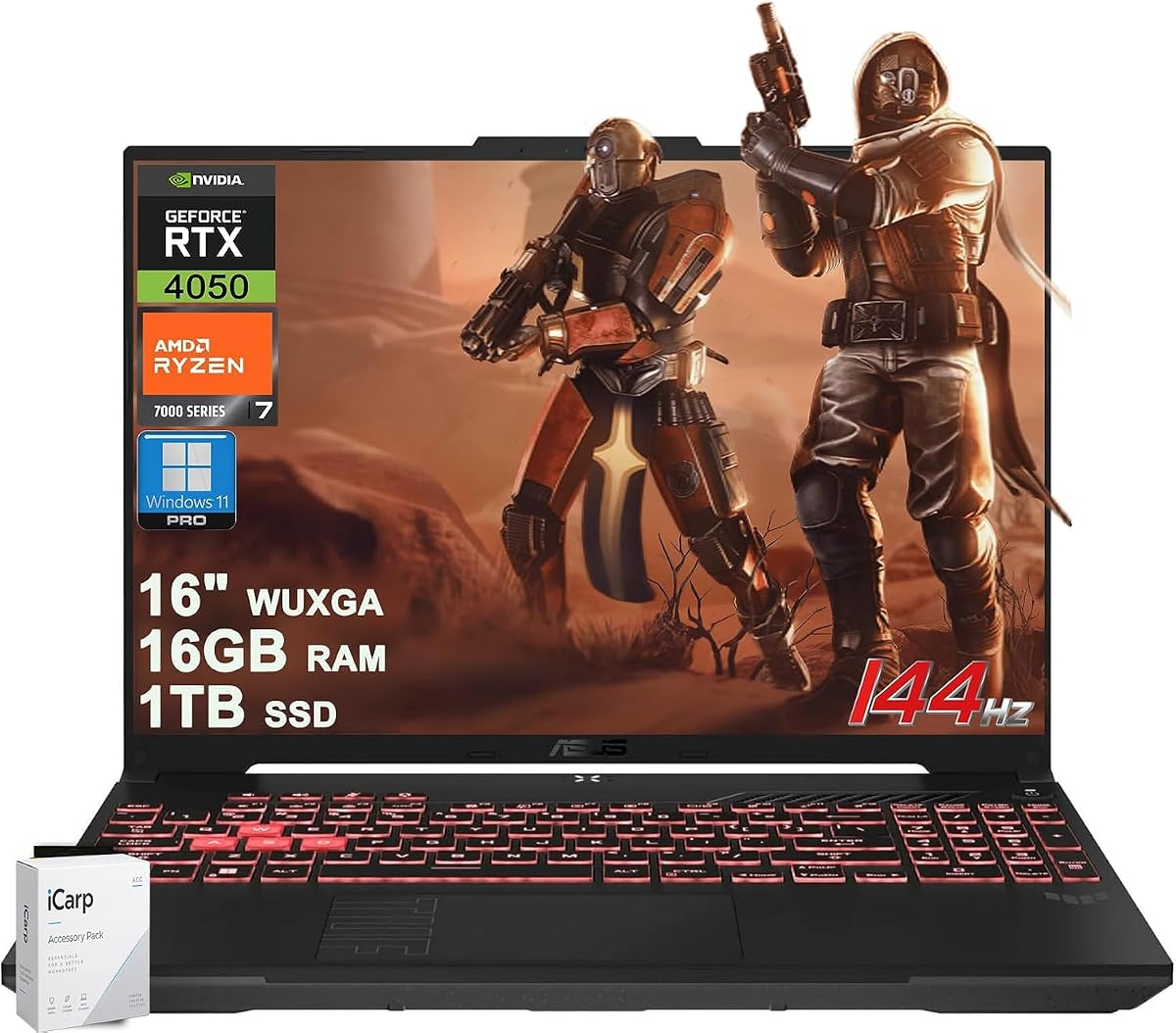
This model leverages AMD Ryzen performance effectively for multitasking. The WUXGA resolution offers more screen space than standard HD. USB4 ports allow fast data transfer with docks.
We may earn a commission when you buy through this link, at no additional cost to you.
AI noise cancellation improves voice call clarity. The RGB keyboard adds a touch of style. Windows 11 Pro offers advanced security features included.
Battery life depends on usage intensity. The chassis feels slightly heavier than some competitors. Still, performance justifies the physical bulk mostly.
Pick this for workstations needing multi-tasking power. The Ryzen chip handles background tasks well. Connectivity options are excellent for peripherals.
USB4 support ensures compatibility with high-speed external drives. Essential for professionals transferring large media files quickly.
AI noise cancellation filters background noise during calls. Helps maintain focus during remote work meetings.
We may earn a commission when you buy through this link, at no additional cost to you.
Portability defines this model without sacrificing raw memory power. The unified design allows dynamic allocation between system and graphics needs. Ideal for travelers needing performance.
We may earn a commission when you buy through this link, at no additional cost to you.
The 14-inch form factor fits easily in backpacks. Screen resolution is sharp for creative tasks. Fans are redesigned to reduce surface heat effectively.
Integrated graphics mean lower gaming performance compared to discrete GPUs. The price reflects the advanced AI silicon. You trade peak gaming for extreme portability.
Select this for mobile professionals who game casually. The 32GB RAM supports heavy workloads. Screen quality is a standout feature here.
Unified LPDDR5X allows fast data access across tasks. Reduces bottlenecks during multi-app usage.
Redesigned keyboard increases airflow to lower heat. Surface temperatures stay comfortable during extended typing.
We may earn a commission when you buy through this link, at no additional cost to you.
Entry-level gaming starts here with the RTX 3050. The Ryzen 5 7535HS ensures smooth multitasking. Ideal for beginners building their first gaming setup.
We may earn a commission when you buy through this link, at no additional cost to you.
MIL-STD-810H testing confirms robust physical durability. The 144Hz screen reduces stuttering effectively. Wi-Fi 6 ensures fast connection speeds at home.
Gaming performance is limited by the older GPU. HD resolution is functional but not high definition. Best suited for e-sports titles rather than AAA.
Buy this for budget-conscious entry into PC gaming. It offers reliability and core performance without excess cost. Great for students with basic needs.
RTX 3050 handles competitive shooters well. Maintains high frame rates for fast reactions.
Built to survive drops and temperature changes. Reliable for school or daily commuting.
We may earn a commission when you buy through this link, at no additional cost to you.
This model shines with extensive connectivity options. Thunderbolt 4 allows fast docking. HDMI 2.1 supports high refresh external monitors. Ideal for multi-monitor setups.
We may earn a commission when you buy through this link, at no additional cost to you.
The 32GB RAM supports heavy workloads. AI noise cancellation improves microphone quality. RGB keyboard adds aesthetic customization options.
Hardware is not user-upgradeable easily. Lack of optical drive is expected but worth noting. Overall specs offer excellent value for power users.
Choose this for a hub for gaming and media. Connectivity is best-in-class for peripherals. Performance matches high-end creative demands perfectly.
HDMI 2.1 supports high refresh rates on external screens. Essential for VR or large monitor setups.
AI noise cancellation filters background noise. Keeps voice calls clear during gaming or meetings.
We may earn a commission when you buy through this link, at no additional cost to you.
This edition targets professionals needing specific OS features. Windows 11 Pro adds enterprise-level security. The Ryzen processor handles complex data tasks well.
We may earn a commission when you buy through this link, at no additional cost to you.
144Hz FHD+ display offers balanced visual quality. Backlit keyboard aids low-light usage. GPU delivers solid performance for mainstream titles.
Storage may need expansion for large files. No Wi-Fi 6E limits network speed. Otherwise, it is a robust choice.
Pick for business users gaming occasionally. The Pro OS provides better management tools. Reliable for daily professional workloads.
Windows 11 Pro adds advanced security protocols. Essential for protecting corporate data.
Backlit keyboard ensures visibility in dark rooms. Helpful for working late at night.
We may earn a commission when you buy through this link, at no additional cost to you.
Built for reliability, this model handles travel stress. The large battery supports unplugged usage effectively. Performance matches top-tier gaming standards.
We may earn a commission when you buy through this link, at no additional cost to you.
32GB RAM ensures smooth multitasking. The included external HDD adds storage. 165Hz screen provides clear visuals during travel.
Weight is higher than ultrabooks. Cost is premium for the specs. However, it balances power with durability well.
Choose for reliable performance on the go. Ideal for power users who travel frequently. Battery life is a standout advantage.
Large capacity supports longer unplugged sessions. Useful for flights or long commutes.
Engineered to withstand daily travel wear. Consistent performance even after drops.
We may earn a commission when you buy through this link, at no additional cost to you.
This version offers the core specs at a lower cost. The 8GB RAM is the main limitation. Ideal for those willing to upgrade memory later.
We may earn a commission when you buy through this link, at no additional cost to you.
RTX 4050 still delivers strong gaming. The screen quality is consistent with other models. Military-grade build ensures longevity.
RAM limitation slows heavy multitasking. An upgrade is recommended immediately for best results. Value remains high for the base specs.
Pick for tight budgets needing RTX power. Upgrade RAM soon to unlock full potential. Great for entry-level gaming needs.
RAM slots allow easy upgrades. Recommended to reach 16GB for smooth gaming.
Lowest price for RTX 4050 series. Best option for budget shoppers.
We may earn a commission when you buy through this link, at no additional cost to you.
Selecting the right laptop requires understanding your specific needs. This guide breaks down the critical factors to help you make an informed decision.
The processor determines how well your system handles multitasking. Look for Intel Core i7 or AMD Ryzen 7 series for best results. These chips manage gaming and background tasks simultaneously without lag.
Prioritize HX series processors for maximum sustained performance during long sessions.
GPU choice impacts frame rates and visual fidelity. The RTX 5060 series offers significant improvements over older models. Ensure the GPU supports modern features like DLSS for efficiency.
Higher TGP ratings mean better sustained gaming performance without throttling.
Modern titles require significant memory for smooth operation. Aim for at least 16GB of DDR5 RAM to avoid bottlenecks. This ensures your system handles large assets without stalling.
32GB is ideal for heavy creators who multitask alongside gaming.
Screen speed is vital for fast-paced games. Look for 144Hz or higher refresh rates. Adaptive sync technologies like G-SYNC eliminate visual tearing completely.
A 165Hz display offers a noticeable advantage in competitive shooters.
Travelers need hardware that survives daily bumps. The TUF series meets MIL-STD-810H standards for durability. This means the chassis resists drops and temperature extremes.
Check for reinforced hinges and solid keyboard feedback.
Overheating slows performance and damages components. Intelligent cooling systems using Arc Flow Fans reduce noise while keeping temps low. Look for multiple exhaust vents for airflow.
Efficient cooling ensures peak performance during marathon sessions.
You need ports for peripherals. Check for USB4 or Thunderbolt support for fast external storage. HDMI 2.1 allows high refresh external monitor connections.
Wi-Fi 6E ensures stable online gaming without lag.
Gaming drains battery fast. Look for models with larger cells like the 90Whr options. This extends unplugged usage for light tasks.
Always keep the adapter handy for full gaming performance.
Keep your laptop on a hard, flat surface during use. Soft surfaces like beds block airflow vents. This ensures the cooling system works effectively.
Clean the keyboard and screen regularly with a microfiber cloth. Use compressed air to remove dust from ports. Avoid spraying liquid directly onto the device.
Update drivers and BIOS regularly from the manufacturer site. New patches improve compatibility and security. Restart the machine after updates to apply changes.
Yes, they meet MIL-STD-810H standards. This rigorous testing ensures they survive drops and extreme temperatures. They are reliable for daily commuting or business trips.
Most models include HDMI 2.1 and USB-C ports. These support high refresh rate external displays. Thunderbolt 4 on select models adds fast docking capabilities.
Some models feature two accessible RAM slots for easy upgrades. Check the specific product data to confirm slot availability. Upgrading helps maintain long-term performance.
Intel Core i7 HX series chips offer top speed. They handle background tasks while gaming. Look for 14th Gen or newer models for best results.
Yes, many models offer single-zone RGB customization. You can change colors via software to match your style. It adds a nice aesthetic touch to your desk.
Gaming drains battery quickly due to power demand. Expect 2 to 4 hours for casual use. Always plug in during high-performance gaming sessions.
The top picks cover every major need from budget entry to premium performance. Each model offers unique strengths depending on your priority. The F16 series dominates the high-performance categories effectively.
Prioritize screen refresh rate and GPU power for gaming. For work, focus on processor speed and memory capacity. Balance these factors against your specific budget limits.
Verify the current specifications before purchasing to ensure you get exactly what you need. Prices and stock fluctuate frequently online. Always check the latest data to confirm your choice.