
ASUS ProArt PA248QV
4.6Editor score
100% sRGB coverage
WUXGA resolution display
Ergonomic adjustable stand
Professional creators demand displays that deliver precise colors and sharp details for their daily workflows. The ASUS Proart series offers a wide range of monitors tailored for graphic designers video editors and photographers seeking reliable performance.
We evaluated ten leading models based on panel technology color gamut coverage connectivity options and ergonomic features. Each entry was selected to represent different needs from entry level budget friendly options to high end production ready screens.
Every pick highlights key strengths and ideal use cases to help you find the right screen. Keep in mind that availability and offers may change over time so verify details before finalizing your purchase decision.
4.6Editor score

4.2Editor score

As an Amazon Associate we earn from qualifying purchases.
Explore this side-by-side overview of all ten models to see how they stack up on resolution color accuracy and connection options for your specific creative needs.




The ASUS ProArt PA279CRV stands out as a top choice for creative professionals seeking a reliable 4K display. With a solid rating of 4.2 stars it delivers sharp visuals and dependable performance for daily editing tasks.
We may earn a commission when you buy through this link, at no additional cost to you.
Its 27-inch IPS panel covers 99% DCI-P3 and 99% Adobe RGB ensuring colors remain true across your projects. Factory calibration keeps Delta E under 2 so you skip complex manual tuning and start working immediately.
Connectivity is a highlight with DisplayPort over USB-C providing 96W Power Delivery to charge MacBooks while transferring data. The daisy-chain feature lets you link additional screens through one cable reducing desk clutter.
This monitor fits well for photographers and designers who need accurate color without breaking the bank. Pair it with the included Adobe Creative Cloud trial to enhance your workflow right away.
Calman Verified factory calibration ensures every hue matches industry standards for consistent results across devices.
High wattage USB-C power delivery and daisy-chain support minimize cables while keeping your workspace organized and efficient.
We may earn a commission when you buy through this link, at no additional cost to you.
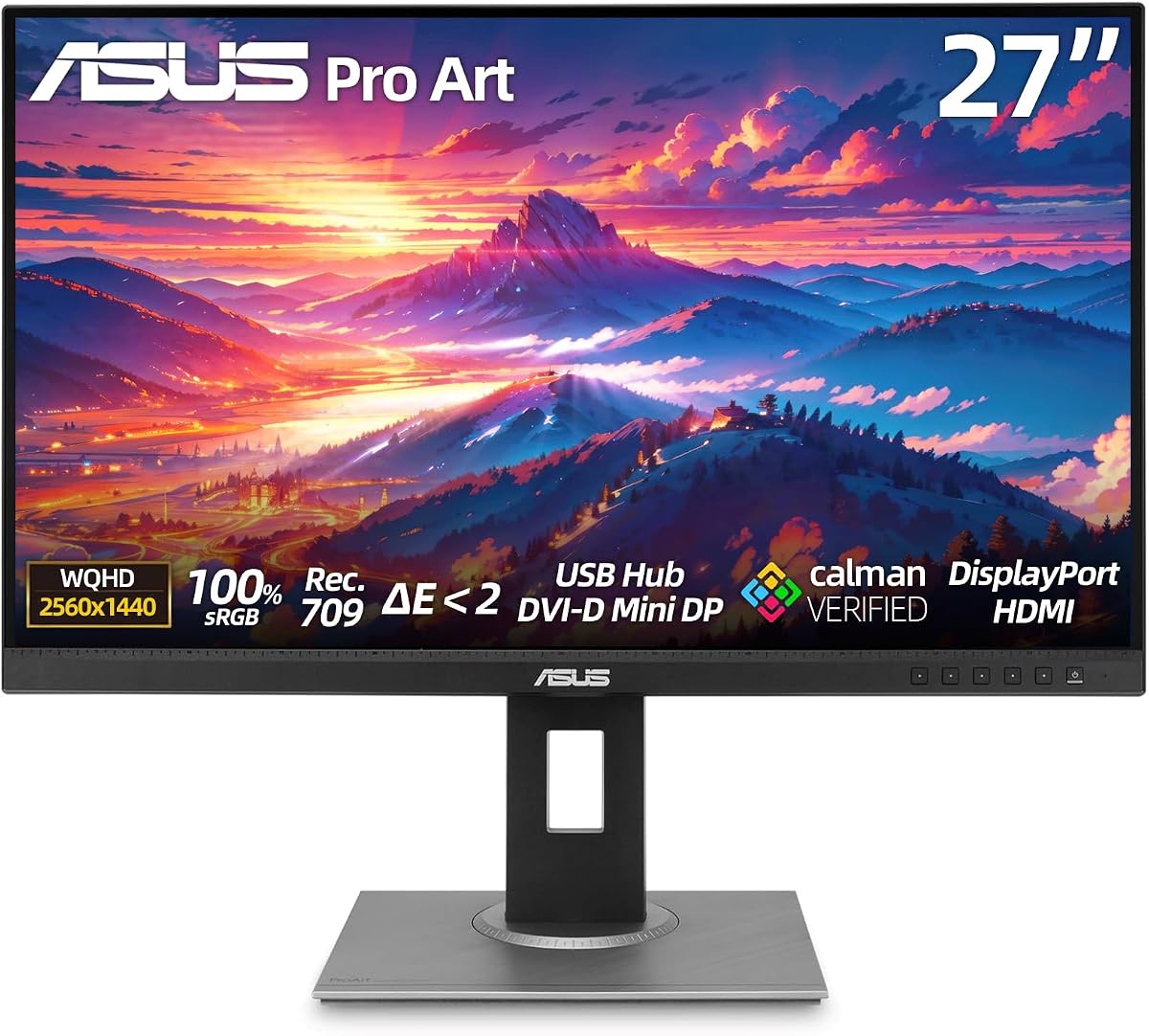
The ASUS ProArt PA248QV offers outstanding value for beginners or those focused on sRGB content. It holds an impressive 4.6 rating thanks to its sharp WUXGA display and reliable color reproduction.
We may earn a commission when you buy through this link, at no additional cost to you.
Covering 100% sRGB and Rec.709 this monitor guarantees vivid and consistent visuals ideal for web design or social media graphics. Calman Verified status adds trust to its out-of-box accuracy.
Anti-glare technology reduces reflections and eye strain during long sessions making it comfortable for all-day use. The fully adjustable stand supports tilt pivot swivel and height changes for custom viewing angles.
If you need a dependable screen without overspending this model is a smart investment. Its combination of quality and affordability makes it a favorite among entry-level designers.
The WUXGA resolution and full sRGB coverage provide ample clarity for creating crisp digital assets and layouts.
Anti-glare finish and flexible stand adjustments help maintain focus and reduce fatigue during extended creative work.
We may earn a commission when you buy through this link, at no additional cost to you.
The ASUS ProArt PA32USD pushes boundaries with its 4K OLED panel and professional-grade features designed for broadcast and high-end production. Its N/A rating reflects early market entry rather than poor quality.
We may earn a commission when you buy through this link, at no additional cost to you.
Featuring a 240 Hz refresh rate and 0.1 ms response time this screen delivers smooth motion for video editing and motion graphics. The QD-OLED technology provides infinite contrast and deep blacks unmatched by LCD panels.
Connectivity includes dual 12G-SDI ports enabling uncompressed 4K playback alongside Thunderbolt 4 and HDMI 2.1 options. Hardware calibration ensures Delta E under 1 for unmatched precision across color-critical projects.
Studio professionals and content creators who demand the best will find this monitor worth the investment. It sets a new standard for visual fidelity in the creative industry.
QD-OLED technology delivers perfect blacks and vibrant colors that bring footage and designs to life with stunning realism.
SDI inputs and hardware calibration make this monitor ideal for studios requiring industry-standard signal handling and accuracy.
We may earn a commission when you buy through this link, at no additional cost to you.
The ASUS ProArt PA278CV delivers a balanced mix of performance and convenience for general creative work. With a 4.4 rating it satisfies users needing reliable QHD visuals without premium costs.
We may earn a commission when you buy through this link, at no additional cost to you.
Its 27-inch IPS panel offers ample screen space for multitasking while USB-C with 65W Power Delivery charges laptops and transfers data via one cable. This simplifies desk setups significantly.
DisplayPort daisy-chaining allows connecting up to four displays making it great for expansive workflows. The stand supports 90-degree pivot for vertical coding or reading documents comfortably.
Ideal for freelancers or small teams this monitor provides essential color accuracy and ergonomic benefits at a reasonable cost. It handles daily tasks like photo editing and graphic design with ease.
Single USB-C connection powers and connects your laptop while delivering sharp visuals and data transfer seamlessly.
Daisy-chain support enables multi-monitor setups without cluttering your desk with extra cables and adapters.
We may earn a commission when you buy through this link, at no additional cost to you.
The ASUS 27 ProArt PA27Q earns a perfect 5.0 rating from users who prioritize comfort and color fidelity. Its WQHD display ensures sharp text and images for detailed creative tasks.
We may earn a commission when you buy through this link, at no additional cost to you.
ASUS Eye Care technology eliminates flicker and reduces blue light to minimize strain during prolonged use. This makes it a top pick for those working late nights or long hours.
Factory calibration with Delta E under 2 and 100% sRGB coverage guarantees reliable colors for photo and video work. The fully adjustable stand supports tilt swivel pivot and height changes.
Ideal for freelancers or students this monitor balances visual quality with physical comfort. Its strong user satisfaction highlights its reliability for everyday professional use.
Flicker-free and low blue light technologies protect vision during extended editing sessions without compromising color accuracy.
Calman Verified factory calibration ensures consistent hues across projects so your work looks right on any screen.
We may earn a commission when you buy through this link, at no additional cost to you.
The ASUS PA329CRV-P offers a large 32-inch display suitable for teams requiring TAA compliance for government or corporate procurement. It holds a 4.4 rating reflecting solid performance and reliability.
We may earn a commission when you buy through this link, at no additional cost to you.
Its 4K resolution provides vast screen real estate for multi-tasking while USB-C delivers 96W Power Delivery to charge Macs efficiently. HDR400 support enhances dynamic range for compatible content.
Color accuracy is ensured through factory calibration and a pre-calibration report included in the box. The ergonomic stand offers extensive adjustments for comfortable viewing angles.
This monitor is ideal for organizations needing compliant hardware with professional visual quality. It simplifies procurement while delivering the clarity needed for detailed design work.
TAA compliance makes this model a safe choice for government contracts and corporate purchasing requirements.
USB-C with 96W power delivery and video transfer lets you connect and charge devices without extra adapters.
We may earn a commission when you buy through this link, at no additional cost to you.
The ASUS ProArt PA32UCR-K targets professional video editors needing high brightness and wide color coverage. Its 3.7 rating indicates mixed experiences but strong potential for specific workflows.
We may earn a commission when you buy through this link, at no additional cost to you.
Mini-LED backlighting achieves 1,000 cd/m2 peak brightness enabling vivid HDR content viewing. It covers 99.5% Adobe RGB and 98% DCI-P3 for precise color grading across formats.
An included X-rite i1 Calibrator helps maintain accuracy over time through hardware calibration technology. This ensures consistent results even as panels age.
For colorists and post-production teams this monitor provides the tools needed for demanding tasks. The included hardware elevates its value for critical visual work.
Mini-LED backlight delivers stunning brightness and contrast for reviewing high dynamic range content accurately.
Included calibrator allows frequent hardware calibration ensuring color consistency without additional purchases.
We may earn a commission when you buy through this link, at no additional cost to you.
The ASUS ProArt PA278CGV blends professional color accuracy with a 144Hz refresh rate for versatile use. A 4.2 rating reflects satisfaction among users needing flexibility.
We may earn a commission when you buy through this link, at no additional cost to you.
Its QHD display ensures sharp visuals while USB-C provides 90W Power Delivery for fast laptop charging. FreeSync Premium and DisplayHDR 400 add support for varied content types.
This monitor suits creatives who also engage in casual gaming or require fast response times. The ergonomic stand allows easy adjustments for comfort.
Ideal for hybrid workflows it bridges the gap between editing precision and everyday usability. Its strong connectivity makes it a flexible desk centerpiece.
144Hz refresh rate ensures fluid motion whether editing video or browsing content quickly.
USB-C with 90W Power Delivery keeps devices charged while delivering video and data through a single cable.
We may earn a commission when you buy through this link, at no additional cost to you.
The ASUS ProArt PA32QCV targets Mac users with its 6K resolution and dedicated color matching. A 3.9 rating shows potential but some users report setup complexities.
We may earn a commission when you buy through this link, at no additional cost to you.
Its 6K LuxPixel display offers exceptional clarity while a MacBook Color Match preset ensures seamless integration with Apple devices. Thunderbolt 4 supports 96W Power Delivery and daisy-chaining.
Intelligent Light Sync adapts performance based on ambient and backlight sensors for consistent color. The built-in Auto KVM simplifies switching between two laptops effortlessly.
Apple-centric professionals will appreciate its tailored features and resolution. It suits high-end design work demanding maximum pixel density and color fidelity.
Dedicated color matching preserves your workflow consistency when moving between MacBook and desktop setups.
Thunderbolt 4 delivers high-speed data video and power through a single cable for tidy desk setups.
We may earn a commission when you buy through this link, at no additional cost to you.
The ASUS ProArt PA32UCG-K delivers high-end HDR performance with Mini LED technology and 1600 nits brightness. A 3.0 rating suggests it serves niche professional needs rather than general use.
We may earn a commission when you buy through this link, at no additional cost to you.
Its 120Hz refresh rate supports variable refresh rates for smooth playback while Quantum-dot ensures wide color coverage. Hardware calibration maintains world-leading Delta E under 1 performance.
Multiple HDR formats including Dolby Vision are supported for versatile content creation. Local dimming zones provide deep contrast essential for grading high dynamic range footage.
Post-production specialists requiring extreme brightness and contrast will find it valuable. It represents a specialized tool for advanced video workflows.
1600 nits peak brightness enables viewing of bright highlights with precision in HDR grading.
Quantum-dot technology expands color gamut delivering accurate and vivid shades across Rec.2020 and Adobe RGB.
We may earn a commission when you buy through this link, at no additional cost to you.
Choosing the right monitor involves balancing resolution color accuracy and connectivity to match your workflow requirements and budget constraints.
OLED panels like the PA32USD offer perfect blacks and high contrast ideal for cinematic grading while Mini LED models provide high brightness for HDR. IPS panels found in most ProArt monitors give wide viewing angles and consistent color critical for design work.
Resolution impacts detail; 4K suits high-end photo editing but 1440p provides efficiency for general tasks. Choose based on your pixel density needs and performance capabilities of your system.
Professional monitors must cover industry color standards. Look for at least 99% DCI-P3 or 100% sRGB coverage depending on your output type. Calman Verified and Delta E less than 2 ensure factory calibration matches reference values.
If you print or need Adobe RGB coverage prioritize models with wider gamuts. For web and social media sRGB coverage is often sufficient and saves cost.
USB-C with Power Delivery simplifies setups by allowing a single cable for video data and charging. Thunderbolt 4 and DisplayPort support daisy-chaining for multi-monitor arrays reducing cable clutter.
Ensure the monitor includes ports matching your devices. For Mac users Thunderbolt or HDMI with Alt Mode may be essential. Video pros might need SDI inputs available on select models.
Traditional editing monitors run at 60Hz but hybrid models offer 120Hz or higher for smoother motion and reduced latency. This matters if you work with video or interactive content.
Response time affects motion blur. OLED panels offer near instant response while IPS typically ranges from 5ms. Choose higher refresh rates if you also game or need fluid UI interactions.
Adjustable stands supporting tilt swivel pivot and height changes help maintain healthy posture. Eye care features like flicker-free and low blue light reduce strain during long sessions.
Check bezel thickness and mount compatibility if using VESA arms. Larger screens like 32 inches need sturdy bases. Consider your desk space and typical viewing distance.
ASUS offers extended warranties up to five years with registration. Reliable support is crucial for professional tools. Some models include calibration reports or bundled hardware calibrators.
Always register your monitor to activate warranty extensions. Check for Adobe Creative Cloud trials included with purchases to boost initial software workflow.
Entry-level models like the PA248QV deliver accurate color affordably. Mid-range options such as the PA279CRV add 4K and USB-C. Premium OLEDs cost significantly more but offer unmatched contrast.
Define your must-have features. If you need 6K and Thunderbolt budget accordingly. Avoid overspending on specs you won't utilize in daily tasks.
Mac users may benefit from dedicated color presets or Thunderbolt connectivity. Most ProArt monitors work with both platforms but certain features like Apple color matching enhance integration.
Verify resolution scaling and native resolution support for your operating system. macOS favors 4K or 6K native scaling for crisp text and UI elements.
Position the monitor at arm's length with the top of the screen at eye level to reduce neck strain. Adjust brightness and contrast to match ambient lighting and minimize eye fatigue.
Keep the screen clean using a microfiber cloth and screen-safe solution. Avoid harsh chemicals that could damage coatings. Regularly update firmware through the ASUS DisplayWidget Center or on-screen menu.
Use the ergonomic stand to customize viewing angles and pivot for vertical tasks. When calibrating, use provided software or external tools to maintain color accuracy over time.
Yes many models include Thunderbolt 4 or USB-C with Alt Mode for seamless Mac compatibility. Specific units like the PA32QCV offer color presets tailored for Apple displays.
Several ProArt monitors support HDR formats including HDR400 and True Black 400 on OLED models. Mini LED variants provide higher brightness for detailed HDR grading.
Models with DisplayPort 1.4 or Thunderbolt 4 allow daisy-chaining for multi-screen setups. Check the spec sheet to confirm support for your chosen configuration.
Most units come factory calibrated with Delta E under 2. For ongoing accuracy use ASUS ProArt hardware calibration or external devices like X-rite calibrators.
Standard coverage is three years with an optional two-year extension through online registration. Registration is required to activate the full five-year protection.
ASUS DisplayWidget Center lets you adjust settings and switch inputs via keyboard shortcuts. It supports multi-monitor management and color profile switching without menus.
The ASUS ProArt lineup offers dependable options for professionals seeking accurate color and reliable performance. From budget-friendly choices to premium OLED displays each model serves specific creative needs.
Prioritize color gamut coverage and connectivity that match your workflow. Consider ergonomics and eye care features if you work long hours. The included Adobe trials add extra value for creators.
Current availability and offers may shift so verify stock and deals before purchasing. Select a monitor that aligns with both your budget and technical demands today.