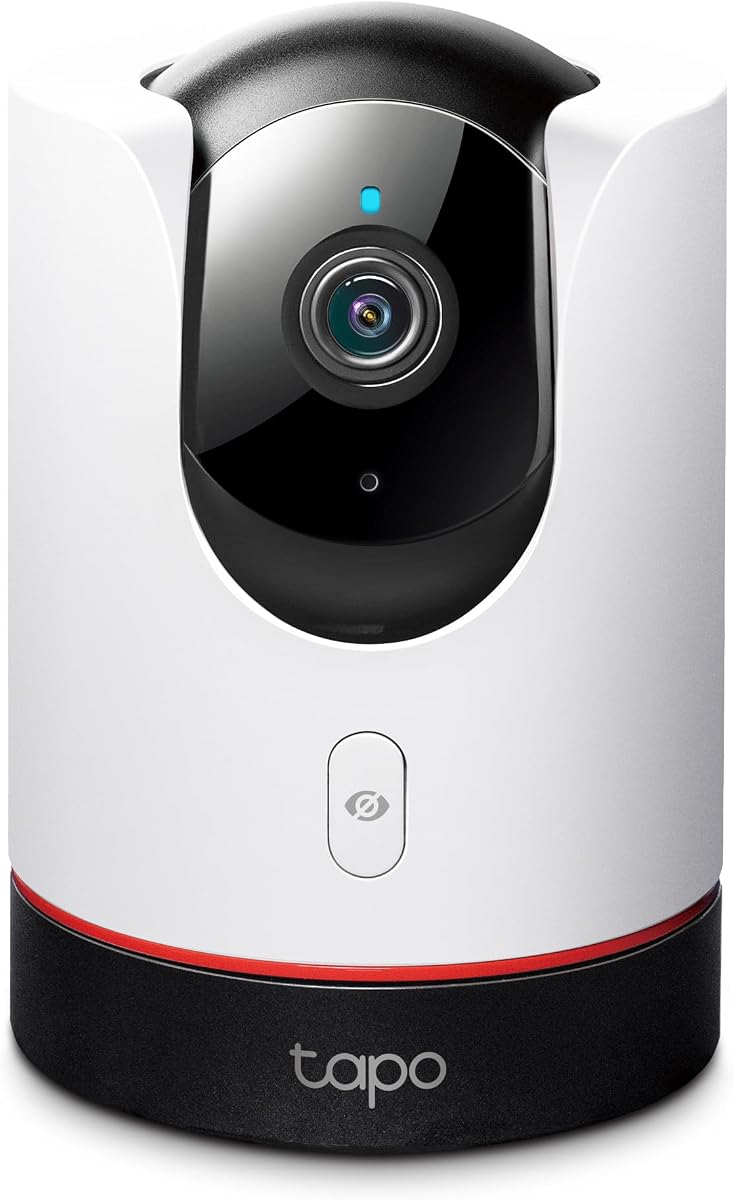
TP-Link Tapo C225
4.5Editor score
2K QHD video quality
Physical privacy mode switch
AI detection for people pets
Compare the top Apple Homekit security cameras for October 2026. This guide reviews features, privacy, video quality, and ecosystem integration to help you
Securing your home with Apple Homekit security cameras offers seamless integration and robust privacy features. These devices work directly with your Apple devices, providing end-to-end encryption and reliable alerts without requiring third-party hubs for basic functionality.
We evaluated ten top-rated models based on video quality, smart detection capabilities, storage options, and ease of setup. Our analysis focuses on how well each camera integrates into the Apple ecosystem while delivering clear footage and useful automation features for modern households.
Each pick highlights specific strengths like night vision, pan-tilt functionality, and AI detection to suit different needs. Note that product availability and pricing can change frequently, so verify current details before making a purchase decision for your smart home setup.
4.5Editor score
4.2Editor score
4.3Editor score
This side-by-side comparison breaks down key specifications for every model listed. You can see how each camera handles resolution, weather resistance, and smart features to find the perfect match for your specific security needs.



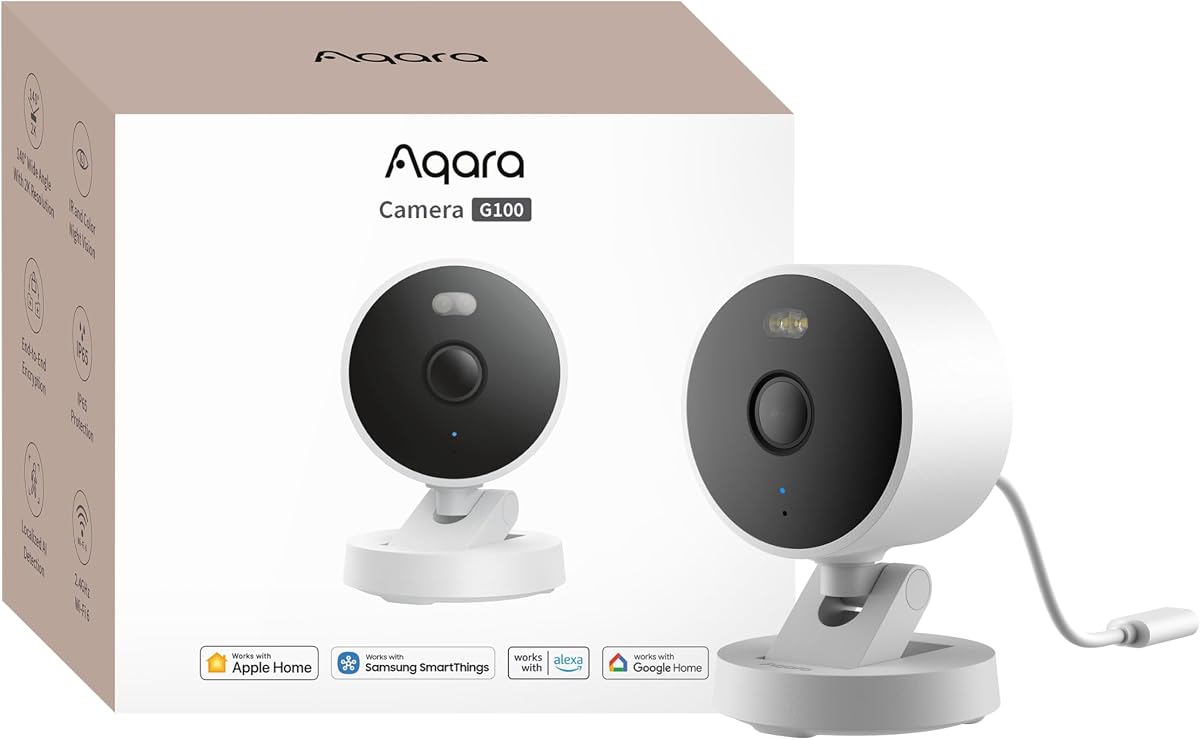
The Aqara G100 stands out as a top contender in the Apple Homekit security camera market. With its 2K resolution and IP65 weatherproof design, it delivers crisp visuals day and night while handling outdoor conditions reliably. Users appreciate its seamless integration with HomeKit Secure Video.
We may earn a commission when you buy through this link, at no additional cost to you.
Its standout features include dual night vision modes with color spotlight and IR detection. The camera supports both local and cloud AI detection for people, pets, and vehicles. It also offers flexible storage via microSD or NAS, ensuring your footage remains private.
However, users should note that night vision modes require manual enablement in the app. Additionally, power is supplied via an external adapter not included in the box. These minor constraints do not significantly impact overall performance for most users.
This camera is ideal for homeowners seeking reliable indoor and outdoor coverage with strong privacy features. It balances quality and cost effectively, making it a practical choice for expanding your Apple Home security ecosystem without overspending.
The dual mode system allows for color recording with spotlight or covert monitoring with infrared. Both modes enhance clarity in low light while offering flexibility based on your specific security needs.
You can store footage locally on microSD or NAS for full control or use encrypted cloud storage via subscription. This ensures your data stays secure and accessible without relying on proprietary servers.
We may earn a commission when you buy through this link, at no additional cost to you.
The Eve Cam is designed exclusively for Apple Homekit Secure Video, prioritizing privacy above all else. It ensures video data is processed locally within your home, eliminating cloud dependencies for analysis. This makes it a secure option for sensitive indoor monitoring.
We may earn a commission when you buy through this link, at no additional cost to you.
Users benefit from instant notifications and detailed motion detection that distinguishes between people and pets. The camera supports HomeKit automations seamlessly, allowing it to deactivate when someone is home. It is a reliable tool for peace of mind.
The main trade-off is that it is limited to indoor use and carries a higher price tag compared to competitors. While excellent for privacy, it lacks outdoor durability or advanced zoom features found in more versatile models.
This camera suits households strictly within the Apple ecosystem who value maximum data security. If you want a plug-and-play solution with no third-party clouds, the Eve Cam provides a robust, focused security experience.
Video analysis occurs locally on your device, ensuring personal data stays private. End-to-end encryption protects live and recorded footage so only you can view it.
It works directly with HomeKit to trigger automations like deactivating when someone is home. Notifications appear instantly on your iPhone or Apple Watch for quick awareness.
We may earn a commission when you buy through this link, at no additional cost to you.
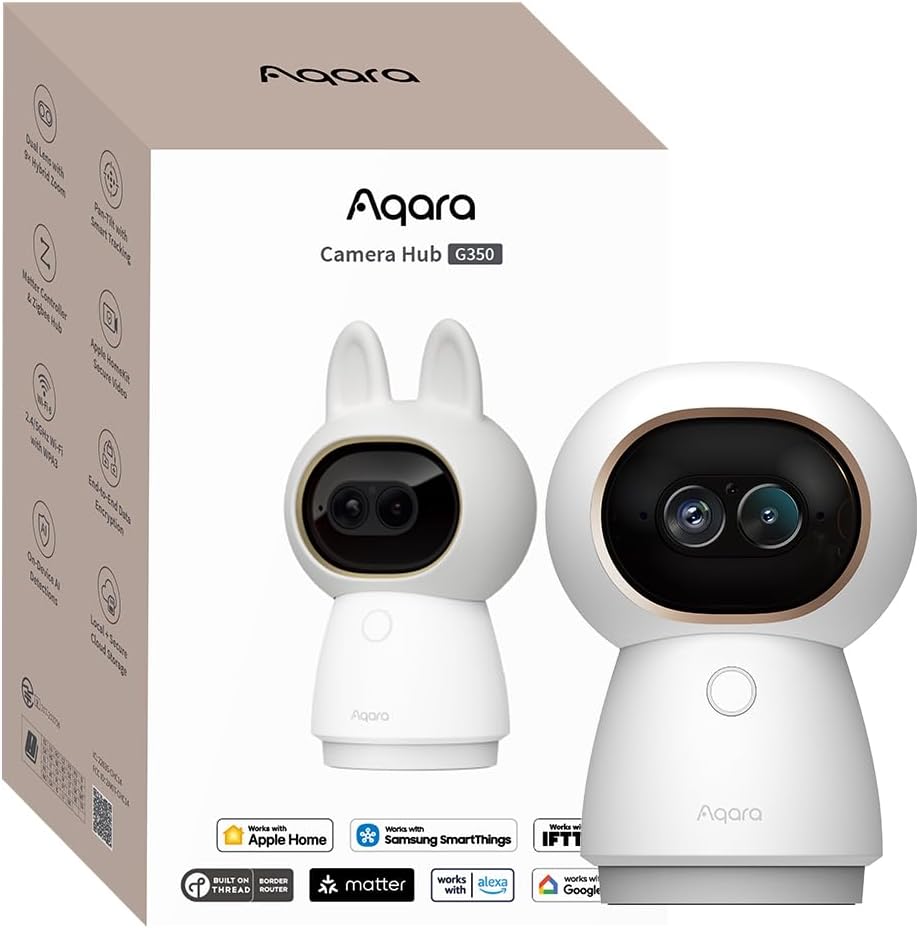
The Aqara G350 brings premium 4K resolution and a dual-lens system to indoor security. It offers hybrid zoom and local AI tracking that keeps subjects framed without cloud reliance. As a Matter bridge, it also unifies multiple smart home protocols.
We may earn a commission when you buy through this link, at no additional cost to you.
Its dual-lens setup provides sweeping views while allowing detailed zoom without blur. Local sound recognition detects baby crying or alarms instantly. These features make it ideal for nurseries or living spaces requiring high fidelity.
Users might find the hub functionality slightly complex to configure initially. Power is supplied via adapter, so cable management matters. However, the performance gains justify the setup effort for tech-savvy users.
This camera is best for those seeking top-tier resolution and smart hub capabilities. It serves as a central node for automation while delivering crystal-clear video for critical monitoring inside your home.
The combination of wide-angle and telephoto lenses ensures both broad views and detailed close-ups. Hybrid zoom maintains sharpness even when magnifying distant areas of interest.
Recognition for faces and sounds happens on-device. This reduces latency and ensures your data never leaves your network, enhancing privacy significantly.
We may earn a commission when you buy through this link, at no additional cost to you.
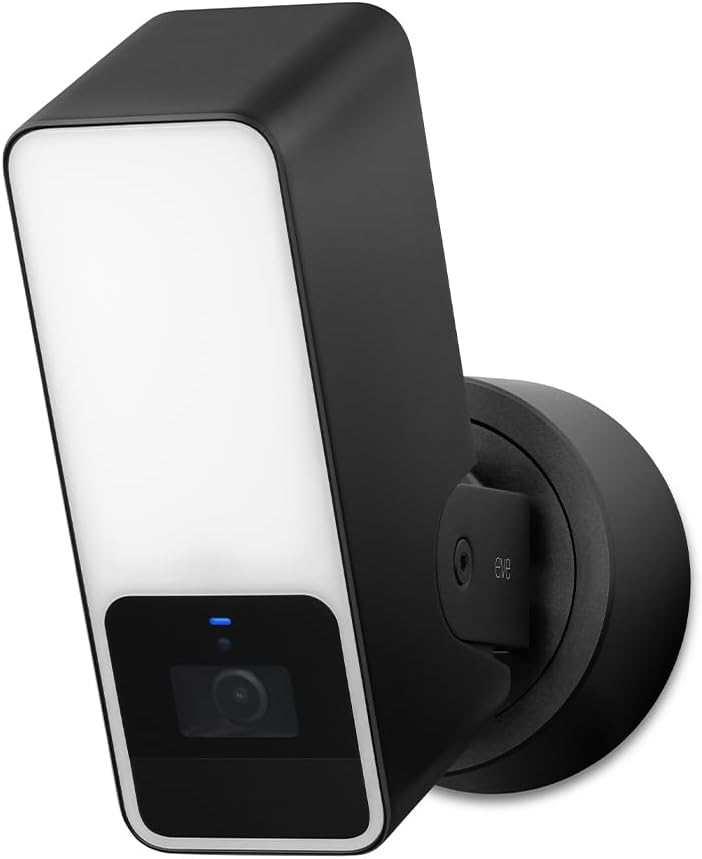
The Eve Outdoor Cam combines a floodlight with HomeKit Secure Video for robust perimeter security. It features powerful illumination and two-way communication to deter intruders. Local processing ensures privacy while still providing instant notifications.
We may earn a commission when you buy through this link, at no additional cost to you.
The floodlight and motion sensor work together to light up areas when activity is detected. Two-way audio lets you communicate directly with visitors. This integration makes it an effective deterrent for entry points.
Installation can be tricky due to the neutral wire requirement, which may need professional help. The cost is also on the higher side. However, the peace of mind and privacy features often justify the investment.
This camera is perfect for outdoor entryways needing strong lighting. If you want a secure, privacy-focused outdoor solution that integrates directly with Apple devices, it is a strong candidate.
The dimmable floodlight illuminates dark areas instantly. This not only improves video capture but also discourages potential intruders from approaching your property.
Two-way audio allows real-time interaction. You can speak to visitors or alert passersby directly from the camera without needing an external speaker.
We may earn a commission when you buy through this link, at no additional cost to you.
The TP-Link Tapo C225 offers incredible value with 2K resolution and full pan-tilt motion. It includes a physical privacy mode and starlight sensor for low-light clarity. This makes it a versatile choice for indoor monitoring at a low price point.
We may earn a commission when you buy through this link, at no additional cost to you.
Its design covers entire rooms with minimal blind spots. AI detection tracks movement and sends alerts for people or pets. The physical privacy mode gives users immediate control over recording, a key feature for many households.
It relies on a 2.4GHz Wi-Fi connection which may limit bandwidth options in crowded networks. Also, privacy switching is done via the app rather than a physical button. These are minor inconveniences given the cost.
Ideal for budget-conscious buyers needing wide indoor coverage. It delivers solid performance and privacy features that rival more expensive models, making it a smart addition to your smart home.
With 360-degree horizontal panning, the camera can look around the entire room. This ensures no corner is left unmonitored without needing multiple devices.
The lens can be physically blocked when not in use. This provides tangible assurance that your privacy is respected whenever you need a break from monitoring.
We may earn a commission when you buy through this link, at no additional cost to you.
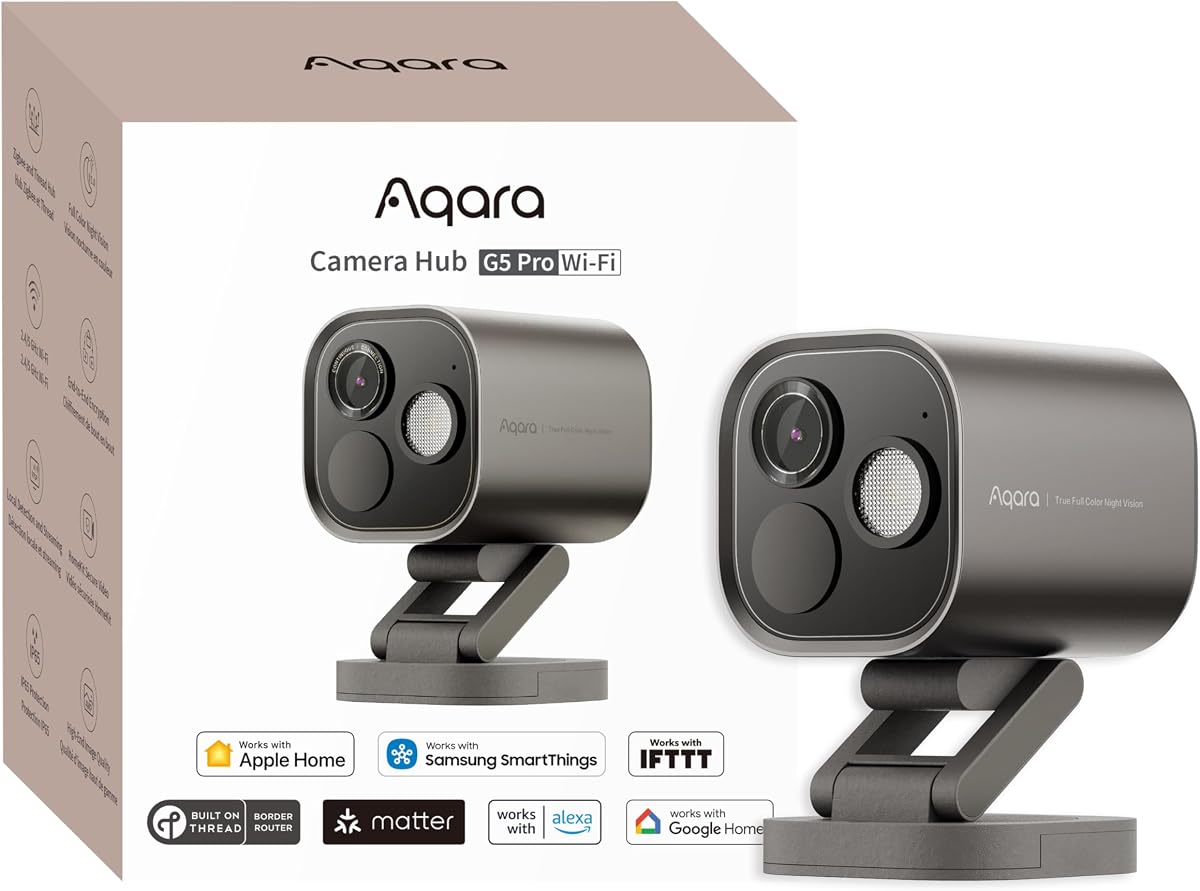
The Aqara G5 Pro WiFi combines a high-resolution camera with a powerful Zigbee and Thread hub. It offers 4MP resolution and True Color Night Vision to identify intruders even in low light. Its hub functionality allows it to manage multiple smart devices.
We may earn a commission when you buy through this link, at no additional cost to you.
AI visual and sound detection operate locally, ensuring privacy while triggering automations. The dual-band Wi-Fi ensures stable connectivity. This makes it an all-in-one solution for complex smart home setups.
It lacks infrared LEDs, relying on spotlight for night vision. This might not work well in total darkness without light. Despite this, the color clarity and hub features remain strong advantages for many users.
This camera is best for those needing both security and automation control. If you want a camera that also acts as a central hub for your smart home, it delivers exceptional performance and versatility.
Connects up to 80 Zigbee or Thread devices. This centralizes control and improves the reliability of your broader smart home network significantly.
Uses built-in spotlights to maintain color visibility at night. This helps distinguish objects better than standard grayscale infrared imaging.
We may earn a commission when you buy through this link, at no additional cost to you.
Logitech Circle View is designed for outdoor use with weatherproof housing and TrueView video technology. It captures wide angles and high contrast images, ensuring clear details in varying lighting. Privacy is maintained through an innovative design that allows manual tilting.
We may earn a commission when you buy through this link, at no additional cost to you.
Its sensor handles sunlight and shadows well. The field of view reduces blind spots effectively. Users can tilt it down for privacy or use the rear button for quick adjustments. It is a straightforward solution for outdoor monitoring.
It lacks advanced zoom or panning features, offering a fixed tilt. The setup is simple but manual. Despite these limitations, its durability and video quality make it a reliable choice for exterior spots.
This camera suits those needing a durable, wide-angle outdoor option. If you want a weather-resistant device that integrates easily with HomeKit for exterior security, it is a solid investment.
Enhances video quality in high contrast environments. You get clearer images in bright sun or deep shadows, capturing details other cameras might miss.
The design allows easy manual tilting to block views. This provides a physical way to disable monitoring when you are home and need privacy.
We may earn a commission when you buy through this link, at no additional cost to you.
The Aqara E1 offers 2K resolution with a motorized pan-tilt mechanism for 360-degree viewing. It supports person tracking and local sound detection like crying or barking. This makes it highly effective for monitoring active rooms.
We may earn a commission when you buy through this link, at no additional cost to you.
Users can control audio recording via app automations. MicroSD cards allow continuous local recording. Its compatibility with HomeKit and Alexa ensures broad integration. It is a flexible tool for indoor security.
Setup requires a USB power supply which is not included. Also, HomeKit Secure Video needs an active hub. These are manageable constraints for a device with such versatile motion capabilities.
This camera is ideal for monitoring living spaces or nurseries. With its wide viewing angle and tracking features, it ensures no activity goes unnoticed within its range.
The motorized tilt ensures the camera can face any part of the room. This eliminates blind spots and allows comprehensive monitoring without multiple cameras.
Microphones can be disabled manually or via automation. This allows users to balance privacy with the need to hear important sounds like alarms.
We may earn a commission when you buy through this link, at no additional cost to you.
The eufy E30 delivers 4K recording with robust AI tracking for pets and people. It includes a built-in spotlight for color night vision. Users can store footage locally without monthly fees, making it cost-effective for long-term use.
We may earn a commission when you buy through this link, at no additional cost to you.
Its tracking feature follows subjects automatically, keeping them centered. The spotlight acts as a deterrent and improves night clarity. This makes it a strong choice for pet owners wanting clear interaction.
HomeKit support is limited to lower resolution. It is also restricted to indoor use. Despite this, the high clarity and smart tracking features make it a favorite for indoor monitoring.
This camera is perfect for households focused on pet and family monitoring. With local storage and high resolution, it offers peace of mind without recurring costs or cloud dependencies.
The camera automatically follows pets or people detected. This ensures you capture detailed activity without manual adjustments or missing key moments.
Footage is saved on an SD card. This eliminates subscription fees and keeps your data fully under your control within your home network.
We may earn a commission when you buy through this link, at no additional cost to you.
The Aqara G5 Pro PoE provides 4MP resolution with Power over Ethernet support for simplified installation. It offers True Color Night Vision and acts as a Zigbee and Thread hub. Wired connections ensure stable performance without Wi-Fi dropouts.
We may earn a commission when you buy through this link, at no additional cost to you.
AI detection and sound recognition work locally for privacy. This setup is ideal for permanent installations where reliability is crucial. It reduces clutter by transmitting both power and video via one cable.
Installation requires a PoE switch which adds cost. However, the stability and performance justify this for professional setups. It is a robust choice for serious security planning.
This camera is best for users seeking permanent, high-reliability outdoor coverage. With its wired design and smart hub features, it ensures your home security remains active and responsive.
PoE delivers power and data over one cable. This simplifies wiring and reduces the need for extra outlets, improving aesthetics and reliability.
Uses spotlights to provide color video at night. This helps in identifying details that infrared might obscure, enhancing security effectiveness.
We may earn a commission when you buy through this link, at no additional cost to you.
Choosing the right camera involves considering resolution, storage, and smart features. This guide breaks down key factors to help you make an informed decision for your home.
Resolution determines how clear your footage is. Look for 2K or 4K options for detailed identification of faces and objects. Higher resolution ensures you capture necessary details even in challenging lighting.
Prioritize cameras with high resolution to ensure quality recordings.
HomeKit Secure Video provides end-to-end encryption and local analysis. Ensure the camera supports this to maintain privacy. It also integrates seamlessly with your iPhone and Apple devices.
Always verify HomeKit Secure Video compatibility for secure storage.
Good night vision is vital for 24-hour monitoring. Options like True Color Night Vision or high-quality IR sensors improve visibility in the dark. Check if the camera offers color or infrared modes.
Select a model with effective night vision for round-the-clock protection.
Smart AI can distinguish between people, pets, and vehicles. This reduces false alarms. Look for models with local processing to ensure quick responses without cloud delays.
Choose cameras with AI detection to minimize unnecessary notifications.
Storage options include microSD, NAS, or cloud services. Local storage keeps data private and avoids subscription fees. Ensure the camera supports your preferred method.
Determine if local or cloud storage fits your budget.
Outdoor cameras need weather resistance like IP65 ratings. Indoor cameras may focus more on aesthetics. Check the IP rating to ensure durability against rain or dust.
Match the design to your intended installation environment.
Power options vary from battery to PoE or wired. PoE offers reliability; batteries offer flexibility. Connectivity via Wi-Fi 6 ensures stable streaming.
Check power requirements to avoid installation issues.
Some cameras double as Zigbee or Thread hubs. This simplifies smart home setups. Verify compatibility with your existing devices.
Look for hub features to consolidate your smart home control.
Set up your camera by connecting it to your Home app and assigning it a location. Ensure your Home hub is active to enable Secure Video features.
Regularly update firmware to maintain security and performance. Clean lenses periodically to prevent dust from affecting image clarity.
Adjust motion zones to focus on relevant areas and reduce false alerts. Use privacy modes when you are home to respect personal space.
Most do not require subscriptions for basic use. However, HomeKit Secure Video needs an iCloud+ plan for cloud storage. Local storage options are available to avoid fees entirely.
Many support third-party apps like Alexa or Google Assistant. However, full feature sets often rely on the Apple Home app. Check compatibility before buying.
Cameras with local storage or hubs can still record. Alerts may be delayed until connection returns. PoE models ensure power stability during outages.
Indoor models are plug-and-play. Outdoor ones may require wiring or professional help. Always check power and mounting requirements first.
It uses end-to-end encryption. Videos are stored in your iCloud account. Only authorized devices can view the footage.
Yes, if you have an active Home hub and internet. You can access live feeds through the Home app from anywhere.
We reviewed ten top models covering budget to premium needs. The Aqara G100 and TP-Link Tapo C225 offer great value. The Aqara G350 stands out for premium features.
Prioritize privacy, resolution, and smart detection when selecting. Ensure compatibility with your smart home ecosystem. A well-chosen camera enhances security significantly.
Prices and availability change regularly. Check current offers to get the best deal. Investing in quality security provides long-term peace of mind.