
ASUS Prime X470-Pro
4.6Editor score
5-Way Optimization
SafeSlot PCIe Design
Aura Sync RGB
This guide compares the top Amd Ryzen Gen 2 X470 Motherboards for performance, connectivity, and value to help you choose the right board for your build.
Choosing the right motherboard is critical for any Ryzen build. It defines your system's stability, upgrade path, and overall performance potential for years to come.
We analyzed ten top models based on power delivery, connectivity options, and user feedback. This list covers diverse needs from budget builds to enthusiast rigs.
Each pick highlights key strengths and trade-offs to match your specific use case. Please note that prices and availability change frequently on online retailers.
4.6Editor score

4.6Editor score

4.3Editor score
This side-by-side comparison highlights the key specifications and features of each motherboard to help you quickly identify the best fit for your specific needs and budget constraints.


This motherboard stands out for its robust power delivery and modern connectivity options. It earned a high rating due to its reliability and feature set for gamers.
We may earn a commission when you buy through this link, at no additional cost to you.
The 12+2 teamed power stages ensure stable performance for demanding Ryzen processors. With WiFi 6E and PCIe 4.0, it future-proofs your build effectively.
While the price is higher than budget options, the included features justify the cost. The BIOS Flashback feature is particularly useful for easy updates.
Ideal for enthusiasts wanting top-tier connectivity and power. It balances performance and features well for high-end gaming and productivity tasks.
WiFi 6E and 2.5Gb LAN provide fast, stable network speeds for online gaming and large file transfers.
The teamed power stages with ProCool connectors deliver clean power to the CPU for stable overclocking and performance.
We may earn a commission when you buy through this link, at no additional cost to you.
This board offers premium features and a robust cooling solution for high-end Ryzen builds. It is well-regarded for its audio and power design.
We may earn a commission when you buy through this link, at no additional cost to you.
The Fins-Array heatsink and 10+2 phase digital PWM handle heat and power efficiently. This ensures stable performance even under heavy loads.
Audio quality is enhanced with the ESS 9018 DAC for immersive sound. However, it lacks some newer connectivity features found on B550 boards.
Choose this for its build quality and audio focus. It remains a strong choice for users prioritizing premium features over the latest standards.
The ESS 9018 DAC provides studio-grade sound quality that enhances gaming and media consumption significantly.
Advanced heatsinks and heatpipes keep the VRM cool, ensuring long-term stability for overclocked processors.
We may earn a commission when you buy through this link, at no additional cost to you.
An affordable option that delivers reliable performance for everyday Ryzen builds. It has earned high praise for its value and ease of use.
We may earn a commission when you buy through this link, at no additional cost to you.
The 5-Way Optimization simplifies system tuning by automatically adjusting fan and performance settings. SafeSlot Core protects your GPU from damage.
While it lacks high-end extras, it covers all essentials well. The audio codec is industry-leading for its price range.
Perfect for budget-conscious builders needing reliable hardware. It balances cost and quality without sacrificing core functionality for gaming.
The Fan Expert 4 and auto-tuning tools manage cooling and performance without requiring manual BIOS tweaking.
SafeSlot Core uses injection molding to anchor PCIe slots firmly for heavy graphics cards.
We may earn a commission when you buy through this link, at no additional cost to you.
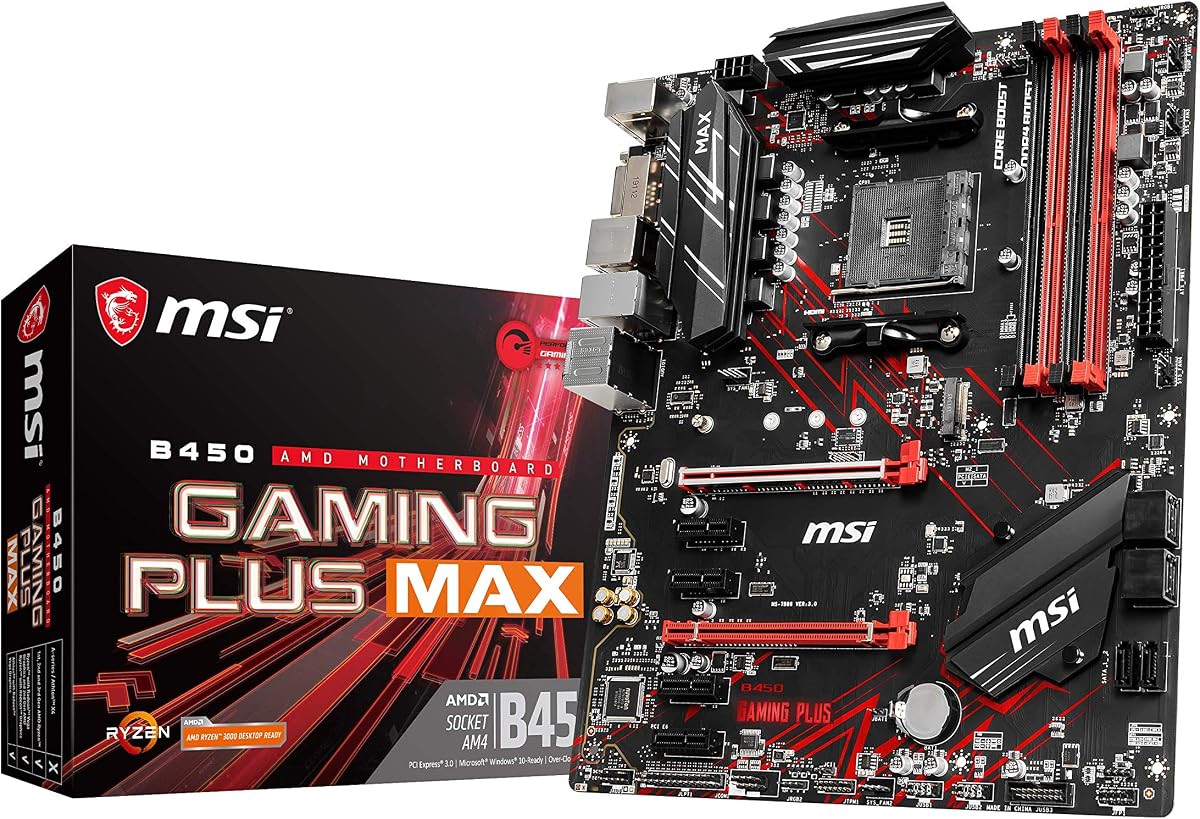
This board provides a balance of performance and value for mid-range systems. It is known for its solid power design and flexible connectivity.
We may earn a commission when you buy through this link, at no additional cost to you.
Support for dual graphics cards allows for multi-GPU setups if needed. The USB 3.1 Gen 2 Type C adds modern convenience.
It may not have the premium audio or networking of higher-end boards, but it handles everyday tasks well. It is a reliable pick for standard gaming.
Recommended for those wanting a clean build without breaking the bank. It offers good stability and flexibility for various Ryzen configurations.
The front panel USB 3.1 Gen 2 Type-C allows for fast peripheral connections directly from the case.
Supports both AMD CrossFire and NVIDIA SLI configurations for multi-GPU performance scaling.
We may earn a commission when you buy through this link, at no additional cost to you.
A compact solution for small form factor builds without sacrificing core performance. It supports modern Ryzen processors and fast storage easily.
We may earn a commission when you buy through this link, at no additional cost to you.
The Micro-ATX design fits in smaller cases while maintaining support for PCIe 4.0 storage. Two M.2 slots allow for ample SSD storage.
It is budget-friendly and does the job well for basic to mid-level builds. However, the power delivery is simpler than larger ATX boards.
Ideal for budget small PC builders needing a reliable platform. It offers essential modern features without the bulk of full-sized boards.
The Micro-ATX layout saves space while still supporting powerful Ryzen processors and fast storage drives.
Two M.2 slots provide flexible storage options for fast NVMe SSDs and larger SATA drives.
We may earn a commission when you buy through this link, at no additional cost to you.
This board offers reliable performance for standard desktop configurations with easy connectivity options. It is well-built for general use and moderate gaming.
We may earn a commission when you buy through this link, at no additional cost to you.
The 8+1 DrMOS power stages provide stable power for modern Ryzen CPUs. USB 3.2 Type-C on both front and rear adds versatility.
It lacks high-end audio or RGB features but focuses on stability and cooling. This makes it a solid choice for workstations or quiet builds.
Recommended for those seeking a straightforward, reliable board. It balances price and performance for everyday computing tasks well.
DrMOS power stages improve efficiency and stability for the CPU, ensuring smooth operation under load.
USB Type-C ports on both the front and rear panels provide easy access for modern peripherals.
We may earn a commission when you buy through this link, at no additional cost to you.
This board combines modern features with a budget-friendly price for most gamers. It provides robust power delivery and excellent update tools.
We may earn a commission when you buy through this link, at no additional cost to you.
The Q-Flash Plus feature allows BIOS updates without installing a CPU or memory which simplifies upgrades. A solid 10+3 phase design supports strong CPUs.
It may lack integrated WiFi but offers great value for those with separate adapters. The front USB-C adds a nice touch of convenience.
Great for gamers wanting high performance on a budget. It covers essential needs well and offers room for future component upgrades.
Q-Flash Plus lets you update the BIOS before installing the CPU ensuring compatibility with new processors easily.
The digital power stages deliver efficient power to the CPU ensuring stable performance under load.
We may earn a commission when you buy through this link, at no additional cost to you.
A compact board that includes modern WiFi 6 connectivity for wireless flexibility. It fits well in small cases while maintaining strong performance.
We may earn a commission when you buy through this link, at no additional cost to you.
The Micro ATX layout saves space without compromising on key features like PCIe 4.0. HDMI 2.1 supports high refresh rate monitors easily.
It is a great choice for compact gaming rigs or living room PCs. The lack of rear USB-C is a minor downside for the form factor.
Recommended for small build enthusiasts needing reliable wireless. It delivers excellent value for its size and feature set.
WiFi 6 offers faster speeds and better range for online gaming and streaming without cables.
HDMI 2.1 supports high refresh rates and resolutions for modern gaming monitors without a dedicated GPU.
We may earn a commission when you buy through this link, at no additional cost to you.
This classic board delivers solid performance for older Ryzen builds on a budget. It has been a popular choice for reliable and affordable computing.
We may earn a commission when you buy through this link, at no additional cost to you.
Turbo M.2 ensures fast storage speeds and Audio Boost provides decent sound quality for gaming. It supports CrossFire for dual GPU setups.
While it lacks newer PCIe standards, it works well with many modern Ryzen CPUs after BIOS update. The price remains attractive for budget builds.
Good for cost-conscious buyers who do not need the latest speeds. It remains a stable platform for general use and light gaming.
DDR4 Boost optimizes signal integrity for higher memory speeds and better overall system stability.
Audio Boost enhances sound quality for a more immersive gaming and media experience.
We may earn a commission when you buy through this link, at no additional cost to you.
Another option for budget builders looking for proven stability. It covers the basics well for daily tasks and entry-level gaming.
We may earn a commission when you buy through this link, at no additional cost to you.
The board supports essential storage options and GPU configurations. It may not be the fastest but it is dependable for general use.
It works well for office PCs or secondary systems. The lack of modern USB ports may limit peripheral options for some users.
A solid value pick for those who need a simple reliable board. It balances affordability with enough features for most standard tasks.
This board is known for its stable BIOS and consistent performance across a range of Ryzen processors.
It offers a cost-effective solution for users who prioritize stability over the latest features and speeds.
We may earn a commission when you buy through this link, at no additional cost to you.
Selecting the right motherboard requires understanding your needs and how different features affect your build performance and budget.
Ensure the motherboard supports your specific Ryzen generation. AM4 sockets generally work across multiple generations but BIOS updates may be needed.
Check for specific support for your CPU model before buying to avoid compatibility issues.
VRM quality determines how well the board powers high-end processors. Look for digital PWM designs and adequate heatsinks.
More phases and better cooling ensure stable performance for overclocking or heavy workloads.
Consider PCIe version and slot count. PCIe 4.0 is faster for modern GPUs and SSDs compared to older standards.
Make sure there are enough slots for your planned graphics and storage configuration.
Modern boards include M.2 slots for NVMe storage. Check how many slots are available and their speed ratings.
Multiple slots allow for flexible RAID or dual drive setups without SATA limitations.
WiFi options can be convenient if your case placement lacks Ethernet. Look for WiFi 6 or newer for best performance.
Gigabit LAN is standard but 2.5Gb options may benefit large file transfers.
Integrated audio codecs vary by model. Higher-end boards include better DACs for clearer sound output.
Check if you need extra audio features or if onboard sound suffices for your use case.
ATX boards offer more features while Micro ATX saves space. Ensure your case supports the board size you choose.
Smaller boards may have fewer expansion slots but fit compact builds easily.
Determine how much you want to spend before narrowing your options. Basic boards work well but premium ones add features.
Balance feature needs with cost to avoid overspending on unnecessary extras.
Install the motherboard on standoffs to prevent electrical shorts. Use appropriate screws to secure it properly within your case.
Update the BIOS after installing the CPU to ensure full support. Use BIOS Flashback features if available for easier updates.
Keep the system clean with regular dust removal. Ensure airflow paths are clear for stable operation and longevity.
X470 boards support AMD Ryzen 1000, 2000, and 3000 series processors. Always verify support and update BIOS if using newer 3rd Gen CPUs for stability.
Some X470 boards may support 5000 series via BIOS updates but this is not guaranteed. B550 or X570 boards are safer for 5000 series compatibility.
X470 boards generally do not support PCIe 4.0 natively. PCIe 4.0 is available on B550 and X570 boards for faster storage and GPU performance.
No, WiFi is only included on specific models that list it in the title. Check product details to confirm if a built-in WiFi adapter is included.
X470 usually offers more premium features like better VRMs and more USB ports than B450. B450 is cheaper and suits basic builds without overclocking needs.
Yes most boards listed support CPU overclocking via BIOS settings. Ensure your cooler is adequate and the board has sufficient VRM cooling for stable results.
ASUS and GIGABYTE are both known for quality and reliability. User reviews and specific model features are better indicators than brand alone.
Depends on your CPU model. Higher-end processors generate more heat and may need larger coolers. Check motherboard clearance for cooler height.
This roundup highlights ten solid options ranging from budget picks to premium boards with advanced features.
Prioritize power delivery and connectivity that match your CPU and peripheral needs for optimal performance.
Always verify current pricing and stock before purchasing since availability changes frequently across online retailers.