
Redragon BM4195 AI Wireless Optical Computer Office Mouse
3.9Editor score
Type-C fast charging
Multi-mode connectivity
Adjustable DPI levels
This guide compares the top AI smart wireless mouse models featuring voice typing, translation, and AI tools to help you choose the best productivity mouse for
Modern workspaces demand tools that streamline tasks and enhance productivity. An AI smart wireless mouse transforms how you interact with your computer by integrating voice commands, translation, and generative AI features directly into your workflow.
We evaluated ten leading models based on voice accuracy, connectivity options, battery life, and software capabilities. Our analysis covers ergonomic design, multi-device support, and the practical utility of built-in AI assistants for professionals and students alike.
Each selection highlights unique strengths such as silent clicks, rechargeable batteries, or advanced transcription tools. Prices and availability change frequently, so check current listings before purchasing to ensure you get the best value for your specific requirements.
3.9Editor score

4.1Editor score

5.0Editor score
The following table provides a side-by-side comparison of key specifications across all ten models to help you quickly identify the right features for your workflow.




The Ai Mouse with Voice Typing & ChatGPT Assistant stands out as a versatile tool for professionals seeking productivity gains. With a 4.1 rating and strong voice recognition capabilities, it delivers reliable performance for transcription and translation tasks.
We may earn a commission when you buy through this link, at no additional cost to you.
Its 600mAh battery ensures long usage sessions without frequent recharging. The local AI processing guarantees data privacy by keeping sensitive information on your device rather than in the cloud. Features like article polishing and code generation make it a comprehensive companion.
While the software setup requires an initial download, the functionality provided justifies the effort. The ergonomic shape reduces hand strain during extended work periods. Silent clicks ensure a distraction-free environment in shared workspaces.
This mouse is ideal for writers, coders, and multilingual professionals. It balances performance with privacy features effectively. Consider this model if you value extensive AI capabilities and reliable battery life in a wireless design.
Data remains on your device ensuring maximum security for sensitive work documents and voice records.
The 600mAh capacity supports long workdays and reduces interruption from frequent charging cycles.
We may earn a commission when you buy through this link, at no additional cost to you.
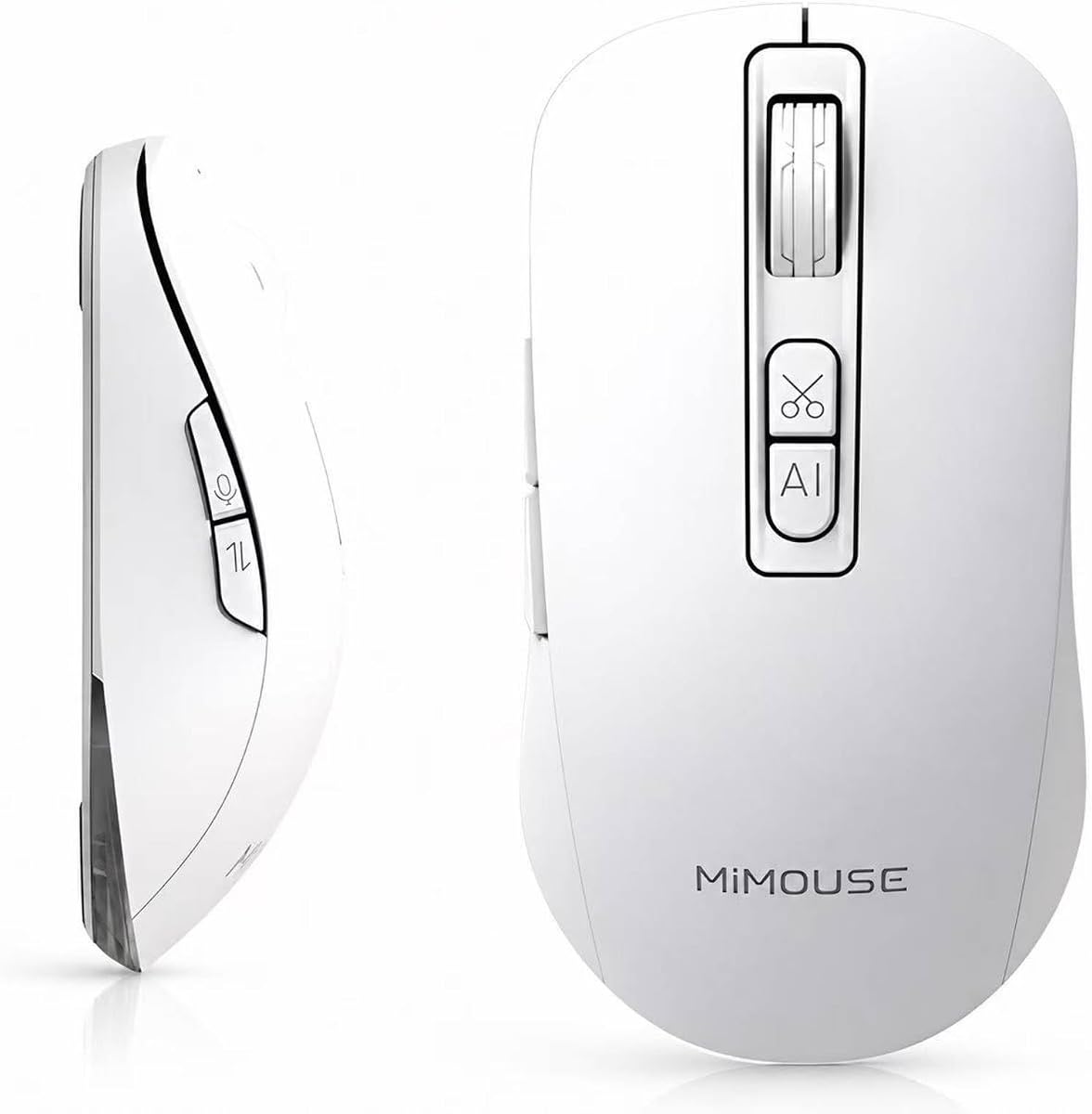
The Redragon BM4195 offers an entry point into AI mouse technology without a high price tag. It supports voice typing and translation features accessible through downloadable software. While its rating is modest, it delivers essential functionality for budget-conscious buyers.
We may earn a commission when you buy through this link, at no additional cost to you.
Connectivity options include 2.4G and Bluetooth allowing seamless switching between devices. The Type-C charging port ensures convenient power management. Adjustable DPI levels provide precision control suitable for office tasks.
Users may find the software less robust than premium models but it covers core needs. The battery life supports typical workdays effectively. Its lightweight design contributes to comfort during prolonged use.
Choose this mouse if you want basic AI tools at a low cost. It suits casual users or those testing voice typing before investing in higher-end options. Regular firmware updates could improve the experience.
Provides essential voice typing capabilities at a price point accessible to most office workers.
Switch between Bluetooth and 2.4G modes easily to accommodate multiple devices in your setup.
We may earn a commission when you buy through this link, at no additional cost to you.
The Cheerdots2 AI Mouse excels with a perfect 5.0 rating and unique detachable functionality. It transforms into a presentation clicker or air mouse offering flexibility for meetings. The magnetic design allows users to adapt the tool to different scenarios seamlessly.
We may earn a commission when you buy through this link, at no additional cost to you.
Its 20-day battery life ensures it remains ready for extended periods without charging. Audio recording and transcription features help capture meeting notes effortlessly. The ergonomic shape fits comfortably in hand for various activities.
While the price is higher than average the specialized features justify the investment for frequent presenters. The software provides robust control over device behavior. Users praise its versatility and reliable performance during live demos.
This mouse is perfect for professionals who present regularly. The detachable base and cursor control reduce dependency on separate devices. Prioritize this if presentation fluidity and battery endurance are critical for your workflow.
Detaches easily to function as an air mouse for slide control and laser pointer use.
Single charge supports up to 20 days of typical usage minimizing downtime for charging.
We may earn a commission when you buy through this link, at no additional cost to you.
This model specializes in real-time translation supporting over 200 languages with minimal latency. The LED battery display keeps you informed about power status. It is designed for multilingual professionals needing seamless communication tools during meetings.
We may earn a commission when you buy through this link, at no additional cost to you.
Offline processing ensures data privacy while maintaining functionality. Voice search capabilities enhance productivity by allowing hands-free navigation. The dual Bluetooth and 2.4G connectivity options support multiple device setups.
Users appreciate the accuracy of voice typing in various languages. The setup process involves downloading an app but provides extensive customization. It remains lightweight and portable for travel between workstations.
Ideal for international business or language study it bridges communication gaps effectively. The combination of translation and voice typing offers a comprehensive solution. Consider this for workflows requiring constant language translation.
Translate between over 200 languages instantly to facilitate global collaboration.
Real-time LED display allows you to track battery life without checking software.
We may earn a commission when you buy through this link, at no additional cost to you.
The LTC OM021 prioritizes comfort with an ergonomic design that reduces hand strain. It features quiet click technology suitable for libraries or shared offices. Voice typing and translation are supported through dedicated software.
We may earn a commission when you buy through this link, at no additional cost to you.
Connectivity includes Bluetooth 5.0 and 2.4G for stable performance. The rechargeable battery supports daily use with Type-C charging. Adjustable DPI settings allow customization based on screen resolution needs.
While the rating is average users note the comfort as a standout feature. The software provides key customization options for enhanced control. It is a solid choice for long work sessions.
Choose this mouse if ergonomics are a priority. It balances functionality with comfort well. Best for professionals who spend many hours on the computer daily.
Designed to reduce strain during extended use ensuring better long-term health.
Silent clicks minimize noise distractions in shared workspaces.
We may earn a commission when you buy through this link, at no additional cost to you.
The Logitech Signature AI Edition M750 delivers reliability with up to 24 months of battery life. It integrates with Logi Options+ for customization. While less focused on voice features it offers stable multi-device support.
We may earn a commission when you buy through this link, at no additional cost to you.
Bluetooth Low Energy and Logi Bolt ensure secure connectivity. The design is sleek and comfortable for daily tasks. It is a strong choice for users prioritizing longevity over specialized AI tools.
With a 4.5 rating it appeals to those seeking quality. The battery performance reduces maintenance efforts significantly. It is compatible with both Windows and macOS platforms.
Select this model if you value brand reliability and battery endurance. It provides a solid foundation for general productivity. Ideal for users needing a reliable daily driver without complex setup.
Runs for up to 24 months on a single charge reducing waste and replacement needs.
Seamlessly works across Windows and macOS with robust connectivity options.
We may earn a commission when you buy through this link, at no additional cost to you.
This RGB model adds aesthetic appeal with customizable lighting while maintaining strong AI features. It supports local AI processing for privacy. Voice typing and translation are supported with high accuracy.
We may earn a commission when you buy through this link, at no additional cost to you.
The 500mAh battery ensures reliable daily use. Silent clicks reduce noise during work. It is designed to balance style with productivity tools for modern users.
Setup involves downloading the GAMINJA app to enable features. Users appreciate the local processing benefits. The RGB element allows personalization of your workspace.
Choose this if you want visual customization alongside utility. It fits gaming or stylish office setups well. Prioritize this for users who value aesthetics and privacy.
RGB lighting allows you to match the mouse to your workspace aesthetic.
All processing occurs on device protecting your data from cloud storage.
We may earn a commission when you buy through this link, at no additional cost to you.
This model focuses on audio transcription and meeting notes. It integrates with a unified M-AI platform for various tools. The 30-day battery life ensures it remains functional for weeks.
We may earn a commission when you buy through this link, at no additional cost to you.
The ergonomic design supports comfortable use. It connects via Bluetooth and 2.4G. Features like OCR and summary generation make it useful for document-heavy tasks.
Users benefit from the wide compatibility across operating systems. The setup allows secure local handling of sensitive data. It is a robust tool for legal or academic professionals.
Select this for workflows involving heavy transcription. It offers a comprehensive toolset. Ideal for users needing reliable voice and audio management.
Capture and summarize meetings effortlessly with built-in audio recording tools.
Unified M-AI platform streamlines access to various AI tools in one place.
We may earn a commission when you buy through this link, at no additional cost to you.
This mouse supports iPad and laptop connectivity with triple mode switching. It offers real-time summarization to aid productivity. PPT generation allows quick content creation via voice.
We may earn a commission when you buy through this link, at no additional cost to you.
The ergonomic shape ensures secure grip. It is designed for remote workers needing versatility. Translation tools help in international contexts. It is a compact solution for mobile work.
Setup involves pairing with devices and installing software. Users report seamless transitions between desktop and tablet. It is practical for hybrid office environments.
Choose this for mobile professionals. It bridges tablet and desktop needs well. Ideal for those needing on-the-go productivity tools.
Supports laptops and tablets seamlessly for flexible work environments.
PPT generation tools help create presentations quickly using voice commands.
We may earn a commission when you buy through this link, at no additional cost to you.
This model offers a simple interface focused on voice-to-text conversion. It supports text summarization to organize content. Silent clicks and rechargeable design enhance daily usability.
We may earn a commission when you buy through this link, at no additional cost to you.
While the rating is low users note basic functionality. It covers essential needs without complexity. Translation features help in multilingual tasks. It is an entry-level option.
Setup is straightforward but software limits are present. It works best for simple workflows. Users appreciate the silent operation in quiet environments.
Select this for straightforward voice typing. It is best for casual users. Prioritize this if simplicity is more important than advanced features.
Streamlined design focuses on essential features for ease of use.
Quiet clicks ensure minimal disruption in shared workspaces.
We may earn a commission when you buy through this link, at no additional cost to you.
Selecting the right AI smart wireless mouse requires balancing voice accuracy, connectivity, and software features with your daily tasks.
Voice typing is central to productivity. Look for models claiming 98% accuracy or higher to ensure words are transcribed correctly without constant correction. Test samples or reviews to verify real-world performance.
Accuracy reduces frustration and saves time during transcription tasks.
Multi-device support allows seamless switching between laptop desktop and tablet. Bluetooth and 2.4G options provide flexibility for different setups. Ensure the mouse supports your specific devices and operating systems.
Versatile connectivity enhances workflow efficiency across multiple screens.
Long battery life minimizes interruptions. Models offering 600mAh or more support extended use. Check charging methods like Type-C for convenience and portability.
Extended battery reduces downtime and supports uninterrupted work sessions.
Advanced models offer text summarization and translation. Ensure the software runs locally for privacy if that is a priority. Check compatibility with your preferred AI tools.
Rich software features transform a mouse into a comprehensive productivity tool.
Comfort is key for long hours. Look for ergonomic shapes and silent clicks to reduce strain and noise. Lightweight designs help with portability.
Ergonomic design prevents hand fatigue during extended usage.
Local AI processing keeps data on your device. Cloud-based options may offer more features but less privacy. Review the company's data policies before purchasing.
Local processing ensures sensitive work information remains private.
Simple pairing and clear app instructions save time. Look for quick setup guides. Compatibility with your OS is essential for smooth operation.
Straightforward setup minimizes the learning curve for new users.
Compare the cost against necessary features. Basic models may suffice for simple tasks. Premium models offer specialized functions like presentation modes.
Balancing cost with features ensures you pay for what you need.
Start by installing the provided software to unlock AI features. Follow instructions to enable voice typing permissions. Pair via Bluetooth or USB receiver for connection.
Keep the charging port clean to ensure efficient power-up. Use the provided app to customize DPI settings and macros. Regularly update firmware for optimal performance.
Store the mouse in a dry place to protect electronics. Avoid dropping or excessive force to maintain mechanical integrity. Clean surfaces gently with a soft cloth.
Yes most advanced AI mice require software to enable voice typing and translation. This software manages connections and features. Basic models may work without installation but with fewer capabilities.
Many models support macOS but always check specifications before buying. Ensure driver availability for your OS version. Some features may vary between operating systems.
Some features work offline with local processing but others may need internet access. Voice recognition often works offline once processed locally. Translation may require online access for real-time results.
Top models claim 98% accuracy under ideal conditions. Noise and clarity affect performance. Using headphones or quiet spaces improves results significantly.
Local processing models keep data on your device ensuring high privacy. Cloud models may store voice data so check policies. Privacy-first options exist for security needs.
Most use USB-C or micro-USB ports for charging. Some have battery packs. Check manual for specifics. Charge fully before first use.
Many support Bluetooth and 2.4G switching. Some allow storing multiple profiles. Check connectivity details to confirm device limits.
Some models feature presentation modes and air mouse functions. Others are standard pointers. Select based on your specific presentation needs.
We reviewed ten top models offering unique strengths like voice accuracy and privacy. The Ai Mouse with Voice Typing & ChatGPT Assistant leads with robust tools. The Cheerdots2 offers unique presentation capabilities.
Prioritize features like local AI processing and battery life. Ensure compatibility with your current devices. A well-matched mouse enhances daily productivity significantly.
Prices change frequently so verify current listings before purchasing. Use the comparison table to weigh your needs. Choose the model that aligns best with your workflow.