
HP OmniBook 3 14 inch
4.4Editor score
Snapdragon X Processor
2K OLED Display
Up to 41 Hours Battery
AI laptops are transforming how we work by integrating intelligent processors directly into the hardware. These devices offer enhanced performance, longer battery life, and smart features that adapt to your needs without slowing you down.
We evaluated ten leading models based on processor efficiency, display quality, and real-world productivity capabilities. Our analysis focuses on the latest Copilot Plus PCs and traditional high-performance units designed for modern computing tasks.
Each pick highlights specific strengths like OLED screens, exceptional battery endurance, or powerful AI acceleration. Note that availability and pricing may fluctuate, so verify current details before making your final purchase decision.
4.4Editor score
4.8Editor score

5.0Editor score
As an Amazon Associate we earn from qualifying purchases.
The following table provides a side-by-side comparison of all ten reviewed models highlighting their key specifications and unique selling points to simplify your selection process.


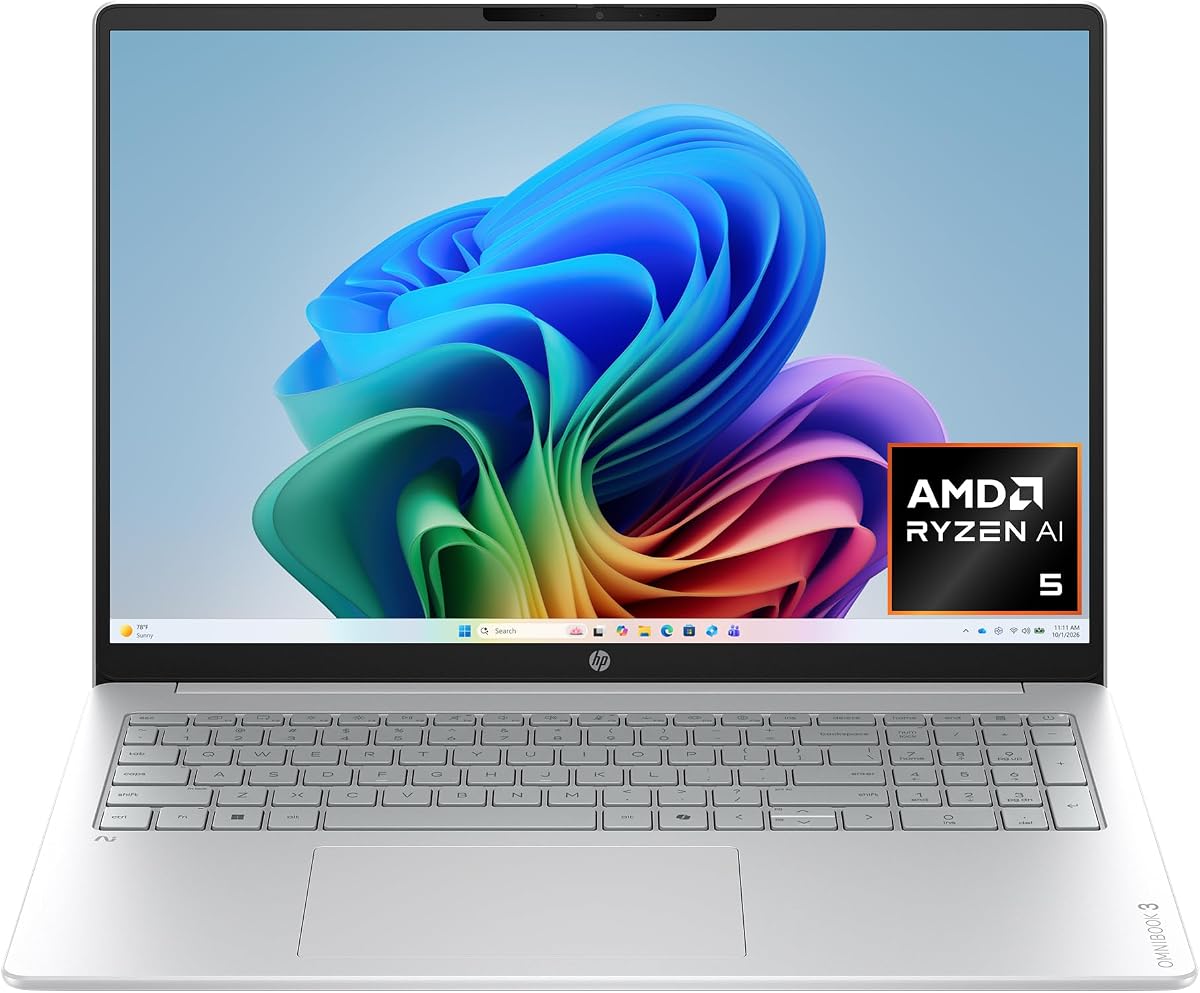
The HP OmniBook 3 16 inch stands out as a top contender in the AI laptop market with its impressive combination of performance and endurance. Rated highly by users, this device delivers smooth multitasking and intelligent features powered by AMD Ryzen AI technology.
We may earn a commission when you buy through this link, at no additional cost to you.
Its standout qualities include a vibrant 2K IPS touchscreen that offers wide viewing angles and lifelike colors ideal for creative work. The integrated AI noise reduction ensures clear communication during calls while the Copilot key provides quick access to smart assistant tools.
While the 512 GB SSD is standard, power users might need external storage for large media files. Additionally the Radeon 840M GPU is capable of daily tasks but not designed for heavy gaming workloads.
This laptop is perfect for professionals seeking a reliable daily driver with strong AI integration and long battery life. We recommend it for those who prioritize efficiency and portability without sacrificing display quality.
Advanced Personal Mode tracks your voice during calls to filter out background noise automatically ensuring focused communication.
Enjoy up to 19 hours and 30 minutes of battery life with HP Fast Charge restoring battery to 50 percent in 45 minutes.
We may earn a commission when you buy through this link, at no additional cost to you.
The Lenovo ThinkBook 16 Gen 8 is engineered for business professionals who need robust performance and security. It handles complex spreadsheets and enterprise applications effortlessly with its 16-Core Ultra processor and 32 GB of RAM.
We may earn a commission when you buy through this link, at no additional cost to you.
This machine excels in mobile workstation scenarios offering ample screen real estate for data analysis and presentations. The Fingerprint Reader and Windows 11 Professional ensure sensitive data remains protected while connecting seamlessly via WiFi 6E.
It may be slightly heavier than consumer laptops which could be a factor for frequent travelers. The price reflects its professional-grade specs so it might not suit casual home users looking for basic browsing machines.
Choose this laptop if you run heavy business applications and require advanced security features. It is an excellent investment for teams needing reliable performance across multiple enterprise tasks.
Fingerprint reader and Windows 11 Professional protect sensitive business data with advanced security features tailored for enterprise.
WiFi 6E and Bluetooth 5.3 ensure stable connections for video conferencing and file sharing during critical work hours.
We may earn a commission when you buy through this link, at no additional cost to you.
The HP OmniBook X 14 inch is a premium device designed to revolutionize how you create and work anywhere with its vibrant 3K OLED touchscreen. The display provides deeper blacks and richer contrast making visual content pop on the screen.
We may earn a commission when you buy through this link, at no additional cost to you.
Its Intel Core Ultra 7 processor ensures incredible battery life and powerful performance for everyday tasks. Smart Sense technology automatically optimizes performance and temperature allowing you to work comfortably without managing fan settings manually.
The OLED screen consumes more power than standard panels but HP compensates with an exceptional battery duration. Users should note that while graphics are capable of media consumption they are not intended for high-end gaming.
This laptop is ideal for creatives and professionals who prioritize screen quality and mobility. It offers a refined experience with premium features that justify the cost for those needing top-tier visual fidelity.
Technology that lights each pixel separately brings deeper blacks for richer contrast and more power efficiency than traditional LED screens.
Smart Sense switches modes to optimize performance based on activity adjusting warmth and noise levels for your comfort automatically.
We may earn a commission when you buy through this link, at no additional cost to you.
The HP OmniBook 5 16 inch delivers powerful AI performance for multitasking and creative workloads with its latest Intel Core Ultra 7 processor. It is designed to help you work smarter with intelligent suggestions and faster workflows directly in Windows 11.
We may earn a commission when you buy through this link, at no additional cost to you.
This model features a massive 1TB SSD ensuring you have plenty of space for files and applications without external drives. The 16-inch touchscreen provides immersive visuals perfect for presentations and streaming while the aluminum build adds a sleek professional touch.
While it offers substantial storage the RAM remains at 16 GB which is sufficient for most tasks but not for extreme virtualization workloads. The focus is on balanced productivity rather than specialized high-end gaming capabilities.
We recommend this laptop for users needing reliable daily performance with generous storage options. Its clean design and efficient AI features make it a strong choice for both business and home use.
Copilot AI support helps you work smarter with intelligent suggestions and enhanced security features built into the operating system.
Equipped with a massive 1TB SSD ensuring ultra-fast boot times and plenty of storage for files and applications.
We may earn a commission when you buy through this link, at no additional cost to you.
The HP OmniBook 5 with Snapdragon X processor offers exceptional battery life making it ideal for on-the-go productivity. It delivers essential performance and AI capabilities ensuring you stay efficient and connected all day every day without constant charging.
We may earn a commission when you buy through this link, at no additional cost to you.
This device features a rich 2K OLED display with high brightness for clear visuals. The Qualcomm Adreno GPU optimizes power consumption while delivering high performance graphics for media apps. Additionally Otter AI is included to help record audio and generate meeting summaries automatically.
Users transitioning from Intel to Snapdragon may encounter minor app compatibility adjustments though most software runs smoothly. The storage is standard at 512 GB but can be supplemented with cloud storage solutions.
This laptop is perfect for travelers and mobile workers who need all-day power. We suggest it for those who value battery endurance and AI features over heavy gaming performance.
Otter.ai assistant records audio writes notes and generates meeting summaries so you can save time and stay organized.
Qualcomm Wi-Fi 6E unlocks unprecedented wireless performance harnessing the power of 6 GHz spectrum for faster speeds.
We may earn a commission when you buy through this link, at no additional cost to you.
The HP OmniBook 3 14 inch offers incredible value with a high-quality OLED display and long battery life at a budget-friendly price. It is perfect for students and casual users needing efficient productivity without breaking the bank.
We may earn a commission when you buy through this link, at no additional cost to you.
This laptop boasts up to 41 hours of battery life powered by the efficient Snapdragon X processor. The 2K OLED screen delivers rich colors and crisp visuals ideal for streaming and light work. Otter AI integration helps you manage meetings effectively even on a budget.
Storage is limited to 256 GB which may require frequent file management for heavy users. However the performance for daily tasks remains smooth and responsive making it a practical choice for everyday computing needs.
We recommend this model for those prioritizing cost and battery life over raw power. It is an excellent entry point into the world of AI-enabled portable computing.
Stay efficient and connected all day every day with essential performance and long-lasting battery life designed for on-the-go work.
Otter.ai records audio and generates meeting summaries automatically so you can save time and stay organized during meetings.
We may earn a commission when you buy through this link, at no additional cost to you.
The Dell 16 Plus Touchscreen is a powerhouse designed for professional productivity with its Intel Core Ultra 9 processor and 32 GB of fast memory. It reaches unstoppable productivity with a modular design that is durable and easy to carry around.
We may earn a commission when you buy through this link, at no additional cost to you.
This machine features a wide 16-inch display with narrow bezels providing roomy screen space for detailed work. It supports advanced AI features and Studio Effects during video calls enhancing communication quality significantly. The inclusion of Wi-Fi 7 ensures future-proof connectivity speeds.
It runs Windows 11 Home instead of Pro which limits some enterprise management features. The price reflects its high-end components making it a significant investment for creators and heavy multitaskers.
Choose this laptop if you need raw processing power and modern connectivity standards. It is best suited for creative professionals and power users handling demanding digital workloads.
Wi-Fi 7 and Bluetooth 5.3 deliver high-speed wireless performance ensuring stable connections for large file transfers and streaming.
FHD+ webcam and comfortView display ensure crystal clear video calls and reduced eye strain during long sessions.
We may earn a commission when you buy through this link, at no additional cost to you.
The ASUS Vivobook S16 delivers smooth intelligent performance powered by the AMD Ryzen AI 9 465 processor and Copilot+ PC features. It is a 3.75-pound portable machine with a refined design that balances power and elegance effortlessly.
We may earn a commission when you buy through this link, at no additional cost to you.
Its immersive OLED clarity offers stunning visuals with deep contrast ideal for media consumption and work. The laptop includes up to 50 NPU TOPS for on-device AI tasks keeping operations seamless. Physical privacy shutter and IR camera provide secure access and peace of mind.
The ports are limited to essentials requiring dongles for legacy connections. However the performance and display quality make it a top contender for those needing a versatile and stylish daily driver.
We recommend this laptop for users wanting high-end specs in a lightweight chassis. It stands out as a premium option with excellent build quality and reliable performance.
Enjoy stunning visuals on the WUXGA OLED display delivering deep contrast vivid detail and smooth immersive viewing.
Stay protected with smart security features including quick Windows Hello sign-ins and a physical privacy shutter.
We may earn a commission when you buy through this link, at no additional cost to you.
The acer Aspire 16 AI redefines the laptop experience with its 120Hz touchscreen display and industry-leading Qualcomm AI Engine. It delivers best-in-class performance and power efficiency suitable for creative expression and daily productivity tasks.
We may earn a commission when you buy through this link, at no additional cost to you.
This device features Recall and improved Windows search allowing effortless location of past content. The vibrant 100% sRGB colors on the ultra-high-resolution display make it a playground for entertainment and artistic expression. AcerSense optimizes video presence and communication intuitively.
While the refresh rate is great for motion content the RAM speed is standard compared to high-end alternatives. It remains a strong performer for general AI workloads but might not suit extreme gaming needs.
This laptop is ideal for media consumers and casual creators wanting smooth visuals and AI tools. We suggest it for those prioritizing screen fluidity and modern connectivity standards.
Harnesses Qualcomm Hexagon NPU delivering transformative experiences for creativity video conferencing and security seamlessly.
AcerSense intelligent solutions streamline settings and optimize video presence for enhanced communication and productivity.
We may earn a commission when you buy through this link, at no additional cost to you.
The HP Omnibook 16 is a workstation designed for elite performance with its 32 GB RAM and 50 TOPS NPU Copilot+ features. It leverages Zen 5 architecture to deliver exceptional speed for heavy multitasking and media file handling.
We may earn a commission when you buy through this link, at no additional cost to you.
This device features a 2K IPS touch display with FreeSync ensuring fluid visuals for high-end creative work. Windows 11 Pro offers advanced security and Studio Effects while DTS:X Ultra audio enhances collaboration. The backlit keyboard with numeric keypad supports efficient data entry.
It may not be the lightest option for daily carrying due to its robust build and larger chassis. However the performance for rendering and professional workflows justifies the extra weight for power users.
Choose this laptop if you need reliable workstation power on the go. It is best suited for professionals handling large project files and media libraries regularly.
Leverages latest 4nm Zen 5 architecture for exceptional speed heavy multitasking and seamless AI workloads.
Includes USB Type-C HDMI 2.1 and USB Type-A ports ensuring pro-level connectivity for all your peripherals.
We may earn a commission when you buy through this link, at no additional cost to you.
Selecting the right AI laptop requires considering processor capabilities and battery life alongside display quality to match your specific workflow needs.
Modern AI laptops feature Neural Processing Units (NPUs) designed to handle generative tasks and background AI efficiently. Look for devices with at least 45 TOPS performance to ensure smooth Copilot+ features and intelligent task management.
Prioritize high NPU performance for future-proofing and seamless AI tool integration.
AI processors often balance performance with power consumption but battery life varies by architecture. Qualcomm Snapdragon and AMD Ryzen AI chips generally offer longer endurance compared to traditional high-frequency processors.
Choose models with verified real-world battery ratings above 15 hours for all-day usage without chargers.
High-resolution displays with touch capabilities are standard in premium AI laptops for better interaction. OLED panels provide superior contrast and color accuracy making them ideal for creative professionals requiring precise visual feedback.
Opt for 16-inch 2K or 3K screens to maximize workspace and viewing comfort during long sessions.
RAM determines how many applications you can run simultaneously while storage impacts how much data you keep locally. Aim for 32 GB RAM if you handle heavy virtualization or 3D work to prevent bottlenecks.
Ensure you have at least 512 GB SSD storage for smooth system operations and quick application loading.
Next-generation Wi-Fi like 6E or 7 ensures fast data transfer speeds for cloud syncing and video calls. Also check for sufficient ports like Thunderbolt or USB-C to connect peripherals without dongles.
Select laptops with modern wireless standards to support reliable connections in crowded environments.
Windows 11 is the primary OS for AI features like Copilot+ and Studio Effects. Ensure the device supports specific Windows 11 versions required for exclusive AI functionality and security patches.
Verify OS compatibility for AI features and ensure timely security update support.
AI laptops often include biometric login options like fingerprint readers or IR cameras for secure access. Enterprise-focused models provide additional layers of protection and management capabilities for sensitive data.
Look for integrated security features like Windows Hello support and hardware encryption for peace of mind.
Optimize your AI features by enabling Copilot in Windows settings and allowing the device to access relevant system data. This ensures smooth integration with daily tasks and improves responsiveness over time.
Keep your battery healthy by avoiding extreme temperatures and using the provided charger. Modern batteries benefit from occasional partial discharges and avoiding constant full charging cycles.
Update your firmware regularly to access new AI capabilities and performance fixes. Use the manufacturer support app to manage drivers and check for the latest system enhancements automatically.
A Copilot+ PC is a Windows computer designed with specialized hardware like a dedicated Neural Processing Unit (NPU). It runs advanced AI features locally for faster response times and improved privacy without relying on cloud servers.
Most AI laptops run standard Windows 11 which supports legacy applications. However some AI-specific features may require compatible apps that utilize the NPU for acceleration and enhanced performance.
An NPU handles AI workloads efficiently allowing the main CPU to focus on general tasks. This parallel processing reduces lag during intelligent tasks like background blur in video calls or real-time transcription.
Many AI laptops use integrated graphics which are capable for casual games but not heavy AAA titles. For serious gaming look for models with dedicated discrete GPU options or high-end processor variants.
Efficient AI models like Snapdragon can offer up to 30 hours of usage on a single charge. Traditional Intel models typically range between 15 to 20 hours depending on display brightness and usage intensity.
Most AI laptops have soldered RAM to support fast LPDDR memory speeds meaning upgrades are not possible. You should choose the memory configuration you need at purchase to ensure future compatibility.
The HP OmniBook 3 and ASUS Vivobook S16 lead our list offering balanced features and exceptional displays for diverse user needs. Each model brings unique strengths whether it is battery life or enterprise security features.
Prioritize your specific workflow requirements such as memory capacity or display quality when making a decision. Matching these needs with the right processor ensures a smooth computing experience over time.
Always verify current availability and pricing details before purchase as these figures change frequently. Check official retailer sites to confirm the latest offers and warranty terms for your chosen model.