
Toshiba HDWL120XZSTA
4.6Editor score
Low power profile
Shock resistant
Compact design
Finding the right storage solution is crucial for modern computing needs. The 5400 Rpm HDD Hard Drive offers a balance of capacity and efficiency for many users seeking reliable data storage without excessive power consumption.
We evaluated ten top-rated models based on performance metrics, build quality, and user feedback. This list covers various form factors and capacities to ensure you find the perfect match for your specific hardware requirements.
Each pick highlights key features and real-world applications. Note that availability and pricing fluctuate regularly, so verify current details before making your final purchase decision to ensure you get the best value.
4.6Editor score

4.7Editor score

4.5Editor score
As an Amazon Associate we earn from qualifying purchases.
The following table provides a side-by-side comparison of all ten selected models highlighting their core specifications and key selling points.




The Seagate BarraCuda 2TB stands out as a top choice for general computing needs. With a 4.7 rating it delivers consistent performance for everyday tasks and media storage.
We may earn a commission when you buy through this link, at no additional cost to you.
Its 128MB cache and 5400 RPM speed offer a good balance of efficiency and capacity. This drive is ideal for upgrading laptops or small form factor desktops where space is limited.
While it lacks advanced features for enterprise use it excels in reliability for home users. The compact 2.5 inch form factor makes it versatile for various installation scenarios.
Buyers seeking a dependable internal drive with significant storage should consider this model. It provides excellent value and reliability for standard PC applications.
This drive handles daily computing tasks efficiently with its balanced specifications.
The 2.5 inch size ensures it fits in most modern laptop and desktop cases.
We may earn a commission when you buy through this link, at no additional cost to you.
This 6TB drive offers immense storage for media libraries and large file collections. Its 256MB cache helps manage data flow efficiently for desktop environments.
We may earn a commission when you buy through this link, at no additional cost to you.
Designed for 3.5 inch bays it suits standard desktop towers perfectly. The 5400 RPM speed ensures power efficiency while maintaining solid throughput for bulk storage.
Users needing extensive space for backups or archives will appreciate the capacity. The two year warranty adds confidence for long term reliability claims.
Consider this if you prioritize capacity over speed. It is a robust solution for static data storage in home offices or entertainment centers.
Six terabytes provide ample room for extensive photo and video libraries.
5400 RPM reduces power consumption compared to faster 7200 RPM models.
We may earn a commission when you buy through this link, at no additional cost to you.
Combining high capacity with a slim 2.5 inch profile this drive is unique. It offers 5TB of storage in a format typically reserved for smaller capacities.
We may earn a commission when you buy through this link, at no additional cost to you.
Ideal for mobile workstations or external enclosures it provides flexibility. The 5400 RPM speed keeps power draw low which is beneficial for battery powered systems.
While not the fastest option it delivers solid reliability for daily use. The proven BarraCuda lineage ensures users trust the drive for important data.
Select this if you need substantial storage in a portable package. It bridges the gap between desktop capacity and laptop form factors.
Get massive storage in a drive that fits easily into laptop bays.
Backed by two decades of innovation in hard drive technology.
We may earn a commission when you buy through this link, at no additional cost to you.
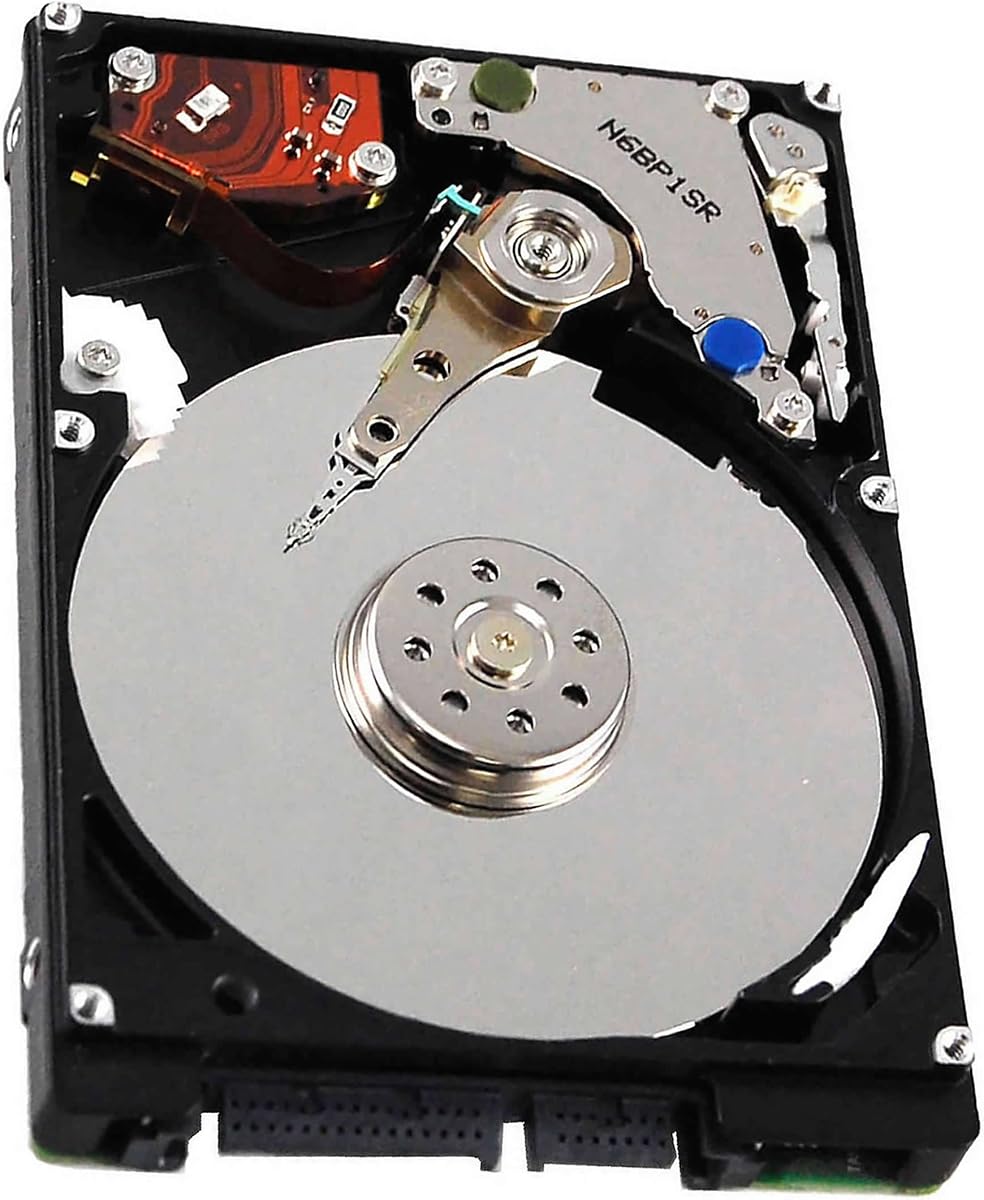
Designed specifically for laptops this Toshiba drive maximizes battery efficiency. Its low power profile helps extend usage time when not plugged in.
We may earn a commission when you buy through this link, at no additional cost to you.
Built in shock sensors protect data during movement which is critical for mobile use. The 128MB cache ensures smooth performance for daily applications.
While sold as a bare drive it offers excellent value for upgrades. The 5400 RPM speed strikes a balance between performance and power consumption.
Buy this for laptop replacements or upgrades where energy savings matter. It is a solid choice for maintaining device longevity and performance.
Low power consumption directly translates to longer battery life on the go.
Integrated shock sensors protect your data during travel and transport.
We may earn a commission when you buy through this link, at no additional cost to you.
This mobile internal drive is perfect for on-the-go computing needs. It provides substantial capacity in a small form factor for laptops and portable devices.
We may earn a commission when you buy through this link, at no additional cost to you.
Specialized caching technology optimizes data flow for faster loading times. This feature helps multitasking applications run more smoothly on standard hardware.
The two year warranty offers peace of mind for mobile users. Reliability is key when moving your computer between locations frequently.
Choose this to upgrade your laptop storage capacity affordably. It brings professional capacity to mobile workflows without bulk or complexity.
Optimized caching improves how data is stored and retrieved for speed.
Comprehensive warranty protection ensures support if issues arise.
We may earn a commission when you buy through this link, at no additional cost to you.
A factory renewed drive this option offers reliability at a lower cost. Zero power on hours indicate it is essentially brand new in performance.
We may earn a commission when you buy through this link, at no additional cost to you.
The 256MB cache is generous for this class aiding data throughput. It fits standard 3.5 inch desktop bays for easy upgrades.
Renewed products provide an eco-friendly choice without sacrificing quality. This model maintains WD Blue standards for stability and consistency.
Buyers looking for savings should consider this certified option. It is a smart pick for cost-conscious desktop builders needing storage.
Renewed drives reduce electronic waste while maintaining high performance standards.
Factory recertification ensures the drive meets original performance specs.
We may earn a commission when you buy through this link, at no additional cost to you.
This drive features robust design for industrial and rugged environments. Its high shock tolerance makes it suitable for demanding mobile applications.
We may earn a commission when you buy through this link, at no additional cost to you.
The 5400 RPM speed offers reliable performance for legacy systems. While capacity is lower it remains a solid choice for specialized use.
G-Force protection adds an extra layer of data safety during movement. This is critical for portable devices that see frequent travel.
Consider this for legacy replacements where durability is paramount. It is a reliable component for specific industrial or niche computing needs.
Engineered to withstand shocks and vibrations in harsh environments.
Ideal for notebooks that move frequently between locations.
We may earn a commission when you buy through this link, at no additional cost to you.
Purpose built for NAS environments this drive ensures consistent performance. CMR technology ensures reliability for RAID setups and multi-user access.
We may earn a commission when you buy through this link, at no additional cost to you.
IronWolf Health Management allows proactive monitoring of drive status. This helps prevent data loss by identifying issues before they escalate.
Included Rescue Data Recovery Services add significant value for businesses. The three year warranty further supports long-term enterprise reliability needs.
Invest in this for any critical network storage deployment. It delivers peace of mind with dedicated features for server-grade storage.
Designed to handle constant access and heavy workload from multiple users.
Built-in sensors track drive health to ensure early warning of issues.
We may earn a commission when you buy through this link, at no additional cost to you.
This model offers generous storage with a large cache for speed. It supports fast data migration via free software for seamless upgrades.
We may earn a commission when you buy through this link, at no additional cost to you.
The 256MB cache handles buffering efficiently for desktop applications. Frustration Free Packaging ensures easy setup without unnecessary waste.
Ideal for users building media centers or backup systems. Its reliability record makes it a top choice for home computing needs.
Select this for large capacity storage in a standard desktop. It balances performance and cost effectively for general computing tasks.
Free tools make cloning old drives simple and hassle free.
Large cache helps manage data requests for consistent speeds.
We may earn a commission when you buy through this link, at no additional cost to you.
Optimized for RAID NAS systems this drive ensures continuous operation. NASware technology tunes performance for networked storage environments.
We may earn a commission when you buy through this link, at no additional cost to you.
Available in capacities up to 12TB it supports scalable storage growth. The 128MB cache provides balanced data flow for shared access.
World class support and warranty add confidence for business use. It is engineered specifically for 24-7 availability and data integrity.
Choose this for critical network attached storage systems. It offers reliability and performance specifically tuned for NAS environments.
Built to perform consistently in multi-drive storage environments.
High capacity options allow your storage needs to expand easily.
We may earn a commission when you buy through this link, at no additional cost to you.
Selecting the right hard drive requires understanding how specific specifications impact real world performance and reliability for your use case.
Consider how much data you need to store now and in the future. Larger capacities like 4TB or 6TB are ideal for media libraries while smaller drives suffice for system backups.
Choose a capacity that matches your data growth projections to avoid unnecessary upgrades soon after purchase.
Cache memory temporarily stores frequently accessed data to speed up read and write operations. Drives with 256MB cache generally outperform those with 128MB or less under heavy loads.
A larger cache improves performance when transferring multiple files or running applications that require quick data access.
2.5 inch drives fit laptops and small form factor desktops while 3.5 inch drives are for standard desktop towers. Ensure your device supports the physical size of the drive you select.
Check your motherboard or laptop specifications for compatible drive dimensions before purchasing.
Desktop drives differ from NAS or mobile drives in their design for vibration resistance and power consumption. Match the drive type to your operating environment for best longevity.
Select NAS rated drives for 24-7 operation and standard desktop drives for intermittent use.
Most modern drives use SATA 6Gb/s interfaces which offer fast data transfer rates compatible with current hardware. Older SATA 3Gb/s drives may limit throughput.
Ensure your SATA ports support 6Gb/s to maximize the drive potential performance.
5400 RPM drives consume less power than 7200 RPM models which benefits battery life in laptops and energy bills in desktops. This efficiency is crucial for green computing goals.
Prioritize low power profiles if you use a laptop frequently away from a power source.
Look for drives backed by strong warranties and proven track records for data safety. Features like vibration resistance and shock sensors add value for mobile or multi drive setups.
Higher warranty tiers often indicate the manufacturer confidence in the drives durability and reliability.
Prices vary significantly based on capacity and specialized features. Balance your storage needs against what you can afford without overspending on unused space.
Evaluate cost per TB to find the best value across different brands and models.
Always handle your drive with care during installation to prevent static discharge or physical shock. Use anti-static wrist straps and secure the drive firmly in its bay to reduce vibration.
Keep your system well ventilated to prevent overheating which can damage drive components over time. Regularly clean dust from fans and case vents to maintain optimal internal temperatures.
Schedule regular backups of your critical data to external storage or cloud services. While HDDs are reliable they are not immune to failure so redundancy is key to data safety.
A 5400 RPM drive is generally slower than a 7200 RPM drive but it offers better power efficiency. For most everyday tasks like browsing and document editing the speed difference is barely noticeable. If you require high speed data access consider using an SSD for your system drive.
Yes you can use these drives for gaming but load times may be longer compared to SSDs. They are ideal for storing games you do not play frequently. For fast paced gaming on primary titles an SSD is recommended for better performance.
A 256MB cache helps manage data requests more efficiently by storing frequently accessed files closer to the drive head. This reduces the time needed to retrieve data and smooths out performance during large file transfers. It effectively acts as a buffer between the drive and your system.
Yes 2.5 inch drives can be used in desktops but you may need an adapter bracket. Many desktop cases support both sizes however using a bracket ensures the drive sits securely without vibration issues. Always check your case specifications before installation.
Yes running a drive at 5400 RPM consumes less energy than running it at 7200 RPM. This reduction in power usage can extend battery life in laptops and reduce electricity costs over time for always on systems. It is a trade off for slightly slower performance.
CMR stands for Conventional Magnetic Recording and ensures data is stored in consistent tracks rather than shingled zones. This makes the drive more reliable for RAID setups and frequent rewriting of data. It is a preferred technology for NAS environments.
The Seagate BarraCuda 2TB and Toshiba HDWL120XZSTA offer excellent value for standard and portable use respectively. For heavy storage needs the Seagate IronWolf 4TB stands out as a premium solution for network storage.
Prioritize features like cache size and form factor to match your specific device and usage patterns. Balancing capacity with power efficiency is key to long term satisfaction with your storage purchase.
Always check current availability and pricing before finalizing your order as deals change frequently. Verify compatibility with your current system to ensure a smooth upgrade process.