
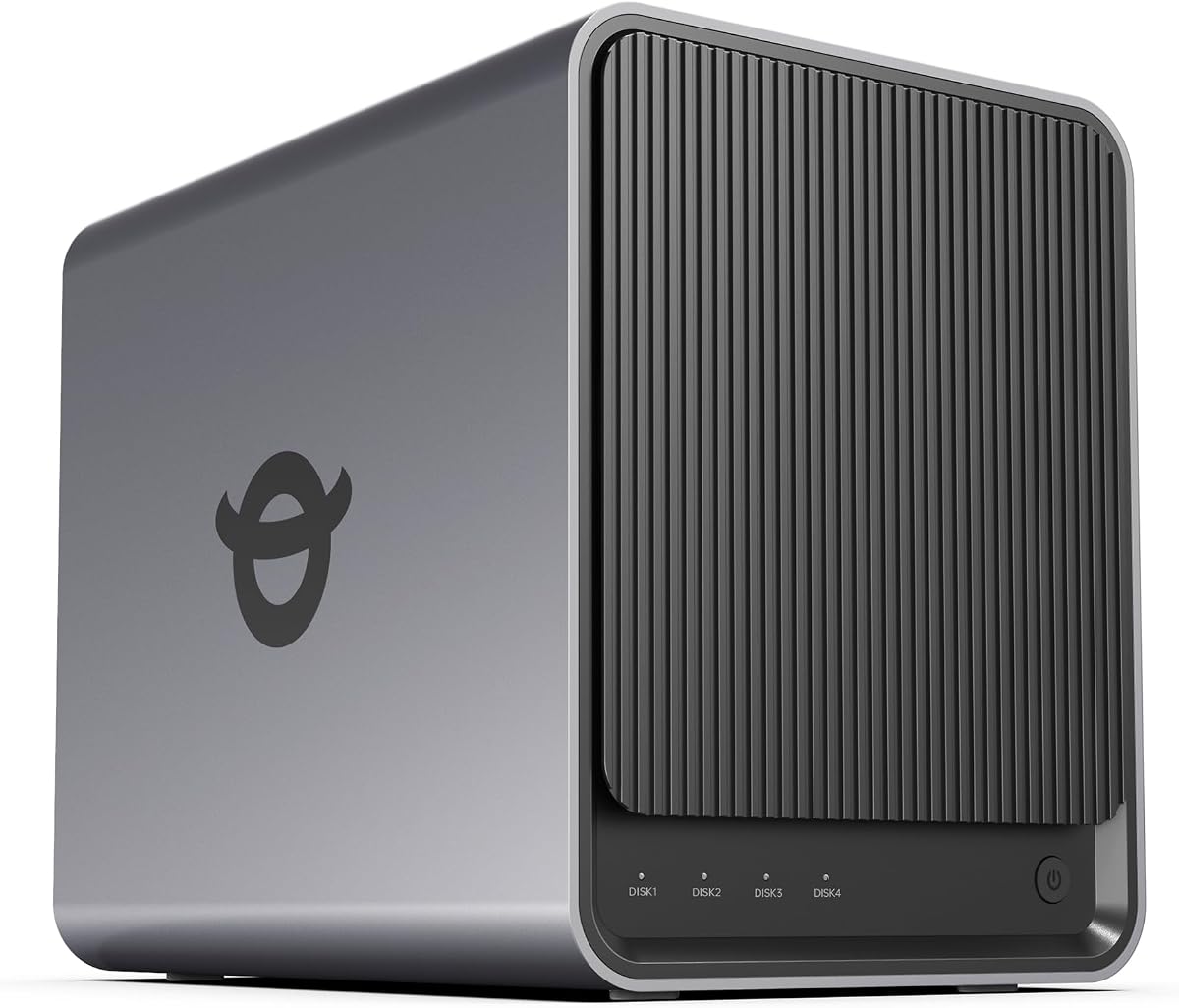
Asustor Drivestor 4 Gen 2 AS1204T
4.0Editor score
Realtek Quad-Core Processor
2.5GbE Network Port
Btrfs Snapshot Support
This guide compares the top 4 Bay NAS options for home and office use, evaluating performance, storage capacity, software features, and reliability to help you
Finding the right 4 Bay NAS can transform how you store and share data at home or in the office. These devices offer centralized storage, backup capabilities, and media streaming without relying on costly cloud subscriptions.
We have evaluated ten leading 4 Bay NAS models based on performance, software ecosystem, connectivity options, and user feedback. Our analysis covers everything from entry-level home users to power users needing virtualization and high-speed transfers.
Each pick highlights specific strengths and ideal use cases to help you match a device to your needs. Please note that prices and availability change frequently so check current listings before purchasing your new network storage solution.
4.0Editor score

4.6Editor score

4.4Editor score
The following comparison table outlines key specifications and features for each of the ten selected 4 Bay NAS devices to help you quickly identify the model that fits your performance and budget requirements.



The UGREEN DXP4800 Plus stands out as a top contender in the 4 Bay NAS market with its powerful hardware and intuitive software interface. It offers a balanced mix of speed and ease of use that appeals to families and small teams alike.
We may earn a commission when you buy through this link, at no additional cost to you.
Its dual 10GbE network ports deliver exceptional transfer speeds enabling smooth 4K editing and quick backups. The UOS Pro system simplifies management with guided setups and a clean dashboard for files photos and app installation.
While it does not include drives and comes at a premium price the performance and feature set justify the investment for power users. The AI photo album and robust security features add significant value for those managing large media collections.
This model is ideal for users who need reliable high-speed storage without the complexity of enterprise systems. It strikes a strong balance between performance usability and future-proofing making it our top pick for most buyers.
The dual 10GbE ports allow for aggregate bandwidth up to 2.5GB/s which is ideal for video editors and large file transfers.
UGOS Pro provides a clean interface with helpful tips making it easier for beginners to manage storage and apps compared to competitors.
We may earn a commission when you buy through this link, at no additional cost to you.
The UGREEN DXP4800 Pro is engineered for demanding workflows offering a performance level that rivals workstations. It features the latest Intel Core i3 processor and DDR5 RAM to handle virtual machines and Docker containers efficiently.
We may earn a commission when you buy through this link, at no additional cost to you.
With dual M.2 PCIe 4.0 SSD slots this NAS eliminates bottlenecks for cache and storage pools. It supports up to 96GB of RAM making it capable of running multiple virtual environments simultaneously for developers and IT professionals.
The price reflects its high-end capabilities and may not be necessary for casual home storage needs. However for those who require enterprise-grade performance and security features like granular permissions and data vaults it is unmatched.
Choose this model if you need a private workstation that also serves as centralized storage. It is built for users who demand speed flexibility and robust security without compromising on future expandability.
Certified by TÜV SÜD and TRUSTe the DXP4800 Pro ensures your data is protected with advanced encryption and granular user permissions.
Support for DDR5 RAM and PCIe 4.0 SSDs ensures the device remains relevant and fast as software demands increase over time.
We may earn a commission when you buy through this link, at no additional cost to you.
The Asustor Drivestor 4 Gen 2 offers an accessible entry point into 4 Bay NAS ownership without sacrificing essential features like Btrfs snapshots and 2.5GbE networking. It is perfect for users on a budget who still want data protection.
We may earn a commission when you buy through this link, at no additional cost to you.
Despite its low cost it supports efficient multitasking and automated backups. The Realtek processor handles 4K media streaming smoothly making it a great choice for home entertainment systems and light file sharing.
The included RAM is limited but the system is stable for basic tasks. Users should be aware that advanced virtualization may require upgrades or external resources but for standard storage needs it performs well.
This is the ideal choice for beginners or those upgrading from cloud subscriptions who want a cost-effective private cloud. It provides solid hardware reliability and data safety features at a price that is hard to beat.
Btrfs snapshots allow you to restore data instantly if ransomware or accidental deletion occurs adding enterprise-grade safety to a budget device.
The Realtek processor ensures low power consumption which is beneficial for 24/7 operation reducing electricity costs over the lifespan of the unit.
We may earn a commission when you buy through this link, at no additional cost to you.
The UGREEN DXP4800 GT is designed with content creators in mind featuring an embedded SD card slot for direct photo transfers. Its AMD Ryzen processor and 8GB RAM ensure smooth handling of heavy workflows and virtual machines.
We may earn a commission when you buy through this link, at no additional cost to you.
Creators can manage files and media directly from the NAS using HDMI for display and USB ports for peripherals. The Surveillance Center allows you to use the same device for home security reducing the need for extra hardware.
While Plex requires manual Docker setup the flexibility of the app ecosystem is a strong asset. The hardware is robust enough to handle editing tasks directly from the NAS providing a streamlined production workflow.
If you are a photographer or videographer looking for a versatile storage and processing unit this model is a top contender. It combines creative workflow tools with reliable storage management in a single device.
The built-in SD card slot lets you import footage instantly without needing a separate card reader saving time on transfers.
Built-in Surveillance Center supports ONVIF cameras and local recording allowing you to protect your studio or home on one device.
We may earn a commission when you buy through this link, at no additional cost to you.
The Synology DS425+ is built for team productivity offering centralized document storage and granular access controls. It supports concurrent access from multiple users making it suitable for small offices that need reliable file sharing.
We may earn a commission when you buy through this link, at no additional cost to you.
Its multi-layered data protection combines RAID redundancy with automated backups and snapshot technology. This ensures that critical business data is protected against loss from any cause including human error or hardware failure.
The integrated surveillance system supports up to 30 IP cameras allowing for unified security monitoring alongside file storage. This dual purpose makes it a strategic choice for businesses looking to consolidate infrastructure.
While it comes at a higher price point the reliability and feature set justify the investment for business use. If your priority is data integrity and secure collaboration this model delivers enterprise capabilities for small teams.
Granular access controls and audit logs help businesses track document access and ensure compliance with internal policies.
Support for 30 IP cameras and motion detection provides a complete security solution without needing separate NVR hardware.
We may earn a commission when you buy through this link, at no additional cost to you.
The Synology DS925+ offers a balanced feature set suitable for home media streaming and backups. With dual 2.5GbE ports it ensures fast data transfers and redundant connections to keep your network running smoothly.
We may earn a commission when you buy through this link, at no additional cost to you.
Its software ecosystem is mature and user-friendly providing excellent tools for photo management and automated backups. The Btrfs file system adds an extra layer of data protection against corruption and ransomware attacks.
Users should note that this model does not have a built-in HDMI port so direct TV playback requires network streaming. However the media center apps and remote access features are robust enough for most home users.
This NAS is a solid choice for those who value stability and ease of use over raw hardware specs. If you want a reliable private cloud that just works without constant tweaking this is a strong option.
Btrfs snapshots and Active Protection help secure your data against accidental deletion and ransomware automatically.
Dual 2.5GbE ports allow for link aggregation and redundancy ensuring your network remains stable even if one cable fails.
We may earn a commission when you buy through this link, at no additional cost to you.
The UGREEN DH4300 Plus is designed specifically for beginners who want a simple private cloud without technical complexity. It features NFC setup for quick initial configuration and intuitive apps that guide users through the process.
We may earn a commission when you buy through this link, at no additional cost to you.
AI-powered photo albums automatically organize and deduplicate images making it easy to manage large family photo libraries. It supports Docker for app extensions but excludes virtual machines to keep the system lightweight and simple.
This model offers significant savings compared to recurring cloud subscription fees over time. The hardware is sufficient for media streaming and file backups but not intended for heavy virtualization tasks.
If you are new to NAS technology and want an easy entry point this is the perfect choice. It provides essential storage and backup features without the learning curve of more complex systems.
AI tools recognize faces and objects to organize your photo library automatically saving you hours of manual sorting.
Simply tap your phone to the NAS to start the setup process removing the need for complex network configurations.
We may earn a commission when you buy through this link, at no additional cost to you.
The Yxk Zero1 Pro features a unique 4K HDMI output allowing you to connect it directly to a TV for local playback. Its aluminum enclosure ensures silent operation making it suitable for living room use without noise complaints.
We may earn a commission when you buy through this link, at no additional cost to you.
Powered by an Intel N100 processor it handles 4K transcoding and Docker apps smoothly. The design supports third-party OS installation giving experienced users the freedom to choose their preferred operating system.
While it is a newer brand compared to established players the hardware specs are competitive for the price. It offers a balance of performance and flexibility that appeals to media enthusiasts and DIY builders.
Choose this model if you want a home theater storage solution that doubles as a network backup. The HDMI feature and silent design make it stand out in the budget-friendly segment.
The 4K HDMI port lets you play files directly on your TV without needing a separate streaming device or PC.
Support for third-party OSes like TrueNAS or Unraid gives you full control over the system environment and features.
We may earn a commission when you buy through this link, at no additional cost to you.
The Synology DS423 focuses on secure file sharing and privacy with features like Photo Vault to keep sensitive images protected. It provides robust backup tools including versioned backups and ransomware-resistant snapshots for peace of mind.
We may earn a commission when you buy through this link, at no additional cost to you.
Its file server capabilities make it easy to replace expensive cloud subscriptions with local storage that you control. Granular permissions allow you to manage access for family members or business collaborators efficiently.
While it uses an older chipset it remains reliable for standard backup and media tasks. The 2-year warranty adds trust to this model ensuring that you have support if any hardware issues arise.
This device is ideal for families and small businesses that prioritize data security and privacy. If your main goal is to safeguard memories and documents with easy access this model fits the bill.
Photo Vault adds an extra layer of password protection to your image library ensuring only authorized users can access sensitive files.
Immutable snapshots prevent data from being altered or deleted by ransomware ensuring you can always restore your system.
We may earn a commission when you buy through this link, at no additional cost to you.
The TERRAMASTER F4-425 delivers solid media performance at a budget-friendly price point. It supports hardware-level 4K transcoding and features ultra-quiet operation making it suitable for bedroom or living room placement.
We may earn a commission when you buy through this link, at no additional cost to you.
The tool-free Push-Lock design allows you to install hard drives in just seconds without any special tools. TNAS Mobile app gives you full control over your NAS from your phone for easy backups and syncs.
While its operating system is less feature-rich than competitors it covers the essentials well. Cloud sync integration and basic sharing tools are included to make data access easy across platforms.
This model is a great value for users who need a simple and quiet storage solution for media files. It offers the core benefits of a NAS without the extra cost of advanced business features.
Operating at just 21dB the F4-425 is whisper-quiet and will not disturb your daily activities or sleep.
Push-Lock HDD trays let you add or replace drives in seconds without tools which simplifies upgrades and maintenance.
We may earn a commission when you buy through this link, at no additional cost to you.
Selecting the right 4 Bay NAS requires understanding your specific needs regarding storage capacity performance speed and software features.
The CPU determines how well your NAS can handle multitasking transcoding and virtual machines. Look for models with Intel or AMD processors if you plan to run Docker containers or edit video directly from the NAS.
Choose a processor that matches your workload to avoid bottlenecks during file transfers or media streaming.
RAM is crucial for smooth performance especially when running multiple services or handling large file indexes. Models with expandable RAM give you flexibility to upgrade as your needs grow over time.
Ensure the NAS supports at least 8GB of RAM for modern media and backup applications to run efficiently.
Network speed affects how fast you can transfer files and stream media across your home. Look for 2.5GbE or 10GbE ports if you have high-speed internet or multiple users accessing data simultaneously.
Dual network ports also provide redundancy and link aggregation which can double your transfer speed if your router supports it.
A user-friendly operating system makes managing your NAS much easier. Look for features like mobile apps photo management tools and easy setup guides to simplify daily use.
Check if the software supports apps you need such as media servers or surveillance tools to ensure compatibility with your workflow.
Data protection features like RAID support and snapshots ensure your files remain safe even if a drive fails. Look for models that support Btrfs or similar file systems for enhanced reliability.
Backup automation and cloud sync options add an extra layer of security against accidental deletion or ransomware attacks.
A 4 Bay NAS offers four slots for hard drives providing plenty of room for storage growth. Check if the device also supports M.2 SSDs for caching or additional high-speed storage.
Ensure the model can support the maximum drive size you plan to use such as 20TB or 30TB drives per bay.
If you plan to stream 4K movies choose a NAS with hardware transcoding support. This allows the device to convert video formats on the fly for smoother playback on different devices.
HDMI output is another useful feature if you want to connect the NAS directly to a TV for local media playback.
Consider your budget and how much you need to spend on hard drives separately. Some models offer better value by including more ports or RAM even if the initial hardware cost is higher.
Weigh the one-time cost against ongoing cloud storage fees to determine the best long-term investment for your needs.
Begin by installing your hard drives into the drive bays and connecting the NAS to your router via Ethernet. Follow the manufacturer's app or web interface to initialize the storage pool and create user accounts.
Configure automatic backups for your computers and phones to ensure your data is protected. Set up cloud sync for offsite backup and install apps like Plex or Emby if you want to stream media to your devices.
Keep the firmware updated regularly to ensure security patches are applied. Monitor drive health through the built-in tools and replace any failing drives promptly to maintain redundancy and avoid data loss.
Yes most 4 Bay NAS units are sold diskless which means they do not come with hard drives included. You must purchase compatible SATA hard drives and install them yourself to store data.
RAID 1 mirrors data across drives so you can survive a single drive failure with slower read speeds. RAID 5 distributes data and parity across drives offering better capacity and read performance but needs at least three drives.
Yes most models support remote access via mobile apps or web browsers. You can set up secure connections to access your files from anywhere with an internet connection.
Depending on the drive size a 4 Bay NAS can hold up to 120TB or more. You can mix drive sizes but RAID capacity is often limited by the smallest drive in the array.
Modern 4 Bay NAS units are energy efficient often using less power than a laptop. They are designed to run 24/7 with minimal electricity costs making them economical for home use.
Many NAS models support Docker which allows you to install custom apps like Plex Emby or Home Assistant. This flexibility makes the NAS a versatile hub beyond just file storage.
Using cloud sync adds a secure offsite backup layer. Choose reputable services with encryption to protect your data against local disasters or ransomware attacks.
With RAID protection your data remains accessible even if one drive fails. You can replace the failed drive and rebuild the array automatically to restore full redundancy.
We have reviewed ten excellent 4 Bay NAS options ranging from budget-friendly models to high-performance units for professionals. Whether you need basic backup or advanced virtualization there is a device here to suit your needs.
Prioritize performance and software features if you plan to run apps or edit media. For simple storage needs budget models like the Asustor Drivestor or TERRAMASTER offer great value and reliability.
Prices and availability change frequently so be sure to check current listings before making your purchase. Investing in the right NAS today will ensure your data is safe and accessible for years to come.