
Silverstone Technology FX350
80 Plus Gold efficiency
Flex ATX 1U design
24/7 operation rated
This guide compares the top 350W power supply units for reliability and efficiency. We review models from Antec, Thermaltake, and Silverstone to help you
Finding the right power supply is crucial for system stability. A 350W unit often suits office PCs or media centers. We evaluate efficiency certifications and safety features to ensure you get dependable power without overspending on unnecessary capacity.
Our team analyzed ten distinct power supplies based on user feedback and technical specifications. We looked at connector types, fan noise levels, and protection mechanisms. This list covers various form factors including standard ATX and compact Flex options for diverse build needs.
Each selection highlights specific strengths like silent operation or modular cables. Note that retail prices fluctuate frequently due to market demand. Always verify the current listing details before finalizing your purchase to ensure you receive the latest version of the product.
5.0Editor score

4.0Editor score
The following table provides a side-by-side comparison of all ten power supplies featured in this guide. We highlight key specifications such as wattage output, efficiency ratings, and unique connector options to help you quickly identify which unit fits your specific system requirements.


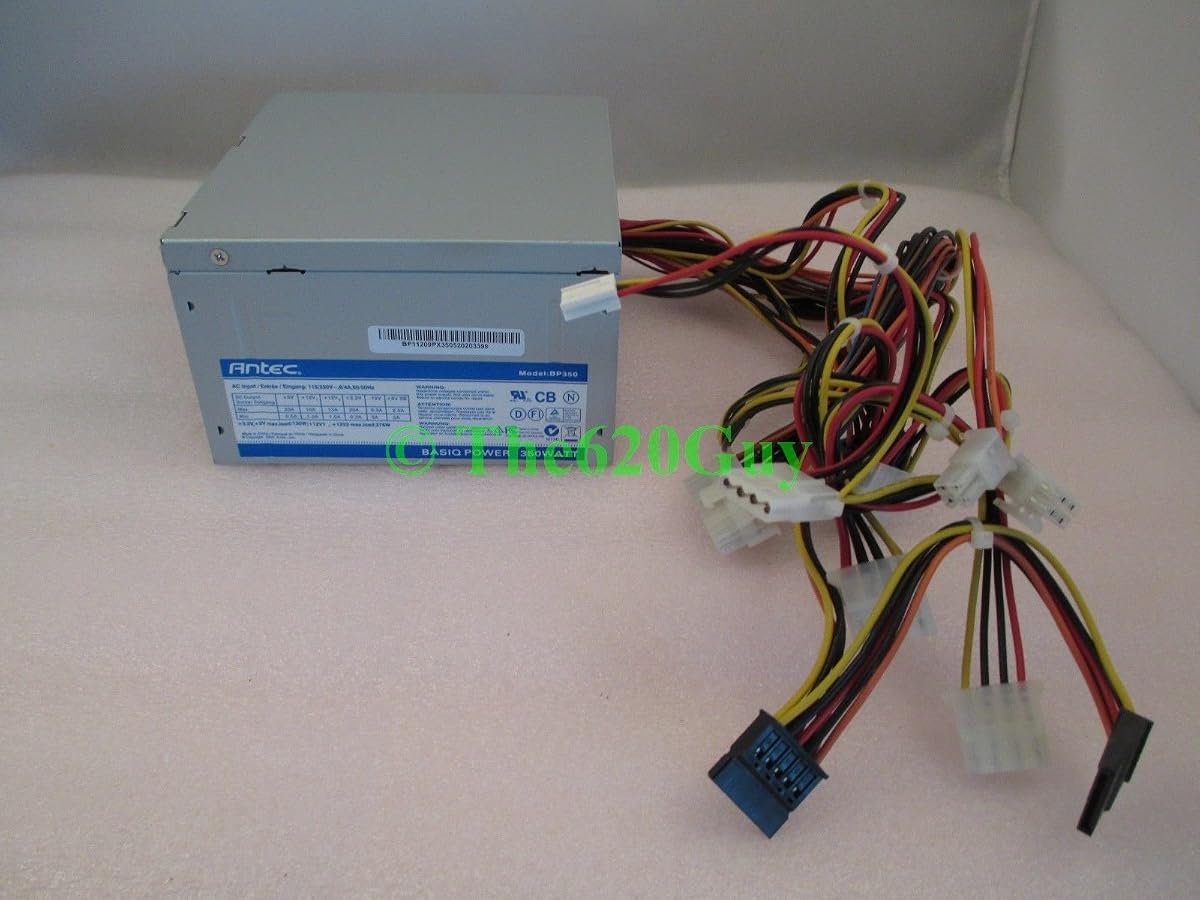
This Antec unit stands out as a reliable choice for entry level builds. It holds a perfect user rating which speaks volumes about its consistency. The build quality feels solid and it delivers power without unexpected shutdowns during normal use.
We may earn a commission when you buy through this link, at no additional cost to you.
The power supply uses Active PFC to maintain efficiency and reduce strain on your electrical outlet. It includes essential protections against over voltage and short circuits which safeguard your hardware. The 24 pin connector fits standard motherboards perfectly.
While it lacks advanced features like modular cables it gets the core job done efficiently. The fan noise is minimal even under load making it suitable for quiet office environments. There is a slight lack of modern connector variety.
We recommend this for anyone needing a no fuss power source for basic computing tasks. It balances price and performance well for budget conscious builders. Ensure your case has enough clearance for the standard dimensions before installing.
The voltage tolerance stays within safe limits ensuring your components receive stable electricity.
You get trusted brand quality without paying for unnecessary premium features or branding.
We may earn a commission when you buy through this link, at no additional cost to you.
This Silverstone unit is designed for specialized compact systems requiring high efficiency. It carries an 80 Plus Gold certification which means it wastes less energy as heat. The form factor is specific to 1U chassis which limits its general use.
We may earn a commission when you buy through this link, at no additional cost to you.
The power supply is rated for continuous operation at 40 degrees Celsius making it ideal for servers. It features a strong single 12V rail that supports modern graphics cards if they fit the case. Active PFC ensures clean power draw from the wall.
While the cost is higher than standard units the efficiency gains justify the expense over time. It lacks the flexibility of modular cables but the fixed cables are managed for this size. You must ensure your case supports Flex ATX 1U standards.
Buy this if you are building a small form factor server or NAS device. The Gold efficiency helps reduce electricity bills significantly over years of use. Check your chassis dimensions carefully before purchasing to avoid compatibility issues.
Gold certification ensures minimal energy loss which is vital for always on systems.
The 1U height allows integration into rackmount enclosures or tiny desktop boxes.
We may earn a commission when you buy through this link, at no additional cost to you.
The Venus model offers a generous wattage at a very low price point. It uses a 120mm fan that adjusts speed based on temperature to reduce noise. While not rated for high efficiency it provides enough power for basic systems.
We may earn a commission when you buy through this link, at no additional cost to you.
It includes a full set of protections including short circuit and over voltage safeguards. The CPU connector can be split to fit older motherboards requiring a 4 pin input. This flexibility makes it useful for legacy system repairs.
The fixed cables can be slightly difficult to route in tight cases compared to modular units. The tolerance on the voltage rails is standard but might vary slightly under heavy load. It is a solid choice for non demanding office PCs.
Consider this for budget builds where cost is the primary concern over premium features. It handles daily tasks well without overheating under normal conditions. Always allow space around the unit for airflow to maintain fan health.
The auto control fan spins up only when needed to keep noise low.
Split connectors allow you to adapt to older motherboard power requirements easily.
We may earn a commission when you buy through this link, at no additional cost to you.
Thermaltake provides a robust unit that exceeds the 350W requirement significantly. The 500W capacity allows room for future component upgrades without needing a new power supply. It features a 120mm fan designed for ultra quiet performance.
We may earn a commission when you buy through this link, at no additional cost to you.
The 80 Plus White certification indicates it meets basic efficiency standards. Active PFC helps correct the power factor to reduce load on your electrical system. It includes industry grade protections against power spikes and overloads.
The fan runs quietly but the fixed cables may limit clean builds in smaller cases. The warranty is generous compared to other budget options which adds peace of mind. It is a safe bet for general home computing needs.
Pick this if you want extra headroom for a graphics card upgrade later. The brand is well known for reliability in the budget segment. Check your cable routing needs before committing as it is not modular.
Higher wattage ensures you can add hardware without stressing the power supply.
A five year warranty covers defects and gives confidence in long term use.
We may earn a commission when you buy through this link, at no additional cost to you.
This unit is designed for Mini ITX builds where space is at a premium. The fully modular design allows you to use only the cables you need which improves airflow. It uses a 40mm fan with double ball bearings for longevity.
We may earn a commission when you buy through this link, at no additional cost to you.
It supports a wide voltage range from 90 to 264 volts making it versatile globally. The active PFC ensures efficient power usage during operation. However user feedback suggests some variance in quality control.
The 40mm fan can be slightly louder than larger 120mm units under load. You must ensure the cables are connected correctly as noted in the instructions for startup. It is a niche product for small PC enthusiasts.
Choose this for tiny builds where modular convenience is required in a small box. Verify the specific connector layout matches your motherboard before ordering. It offers good value for those needing flexibility in a small package.
Connect only necessary cables to reduce clutter inside tight mini PC cases.
Wide input range works with different electrical standards without manual switching.
We may earn a commission when you buy through this link, at no additional cost to you.
This AGV Series model delivers 500W with Bronze efficiency for reliable daily use. The all black cables look cleaner inside the case compared to standard colored wires. It carries a five year warranty which matches many premium brands.
We may earn a commission when you buy through this link, at no additional cost to you.
The 120mm fan is designed to be ultra quiet during operation. It includes heavy protection against over voltage and short circuits. While not modular the layout is standard and easy to work with.
The efficiency is decent but not as high as Gold rated units. It might run slightly warmer under full load due to the efficiency level. For typical home use the heat difference is negligible though.
Buy this if you prefer clean aesthetics with black cables on a budget. The Bronze rating offers a good balance between cost and energy saving. It is suitable for mid range office PCs or home media centers.
All black cables blend better with modern cases than multicolored wire bundles.
A five year warranty provides significant protection for your investment over time.
We may earn a commission when you buy through this link, at no additional cost to you.
This HG2 series unit is a standard replacement for basic desktop computers. It is ROHS compliant which means it avoids hazardous materials in production. The form factor is standard ATX fitting most mainstream cases easily.
We may earn a commission when you buy through this link, at no additional cost to you.
It is designed for low energy systems that do not draw much power. The connectors are straightforward and match common motherboard requirements. It does not feature advanced efficiency ratings but works for general tasks.
The available documentation is minimal so check the pinout carefully before connecting. It is a functional solution for repairing older machines where high efficiency is not critical. Ensure the voltage switch matches your local grid settings.
Consider this for replacing a failed unit in an older office PC. It provides the necessary power without unnecessary complexity or cost. Verify the physical dimensions match your case to ensure proper fit.
ROHS compliance ensures reduced environmental impact during manufacturing and disposal.
Standard design makes swapping out old units in generic cases very easy.
We may earn a commission when you buy through this link, at no additional cost to you.
This supply focuses on low energy consumption for efficient basic desktop systems. It includes a manual voltage switch allowing you to adjust for different regions. The connectors are clearly marked to speed up installation significantly.
We may earn a commission when you buy through this link, at no additional cost to you.
The fan speed is controlled automatically by a thermal sensor inside the unit. This helps keep noise down during light tasks and increases airflow when needed. It is ideal for systems that sit idle often.
The cable management is fixed which might be restrictive in small cases. It lacks modern certifications but works well for standard home computers. The voltage switch is a useful feature for travel or older builds.
Select this for low power desktop needs where efficiency is key. The clear markings help avoid connection errors during setup. Ensure you set the voltage switch correctly before powering on to avoid damage.
Manual switching allows compatibility with 115V or 230V electrical outlets globally.
Automatic fan speed adjustment reduces noise while maintaining safe temperatures.
We may earn a commission when you buy through this link, at no additional cost to you.
This Antec unit uses an 80mm fan to maintain a smaller footprint inside the case. It adheres to the V2.01 standard which is widely compatible with many motherboards. The fan is rated for quiet operation to reduce noise pollution.
We may earn a commission when you buy through this link, at no additional cost to you.
It delivers stable power for basic systems without excessive energy loss. The brand reputation suggests reliable quality control and safety mechanisms. It fits well in cases with limited clearance around the power area.
The smaller fan may run at higher speeds to move enough air which can increase noise slightly. It is best for users who prioritize space over maximum airflow efficiency. The connectors are standard for ATX systems.
Use this for compact builds where the full size unit might not fit. It provides the necessary power for office tasks efficiently. Check your case manual to confirm the fan size compatibility.
A smaller footprint allows installation in cases with tight dimensions easily.
ATX12V V2.01 ensures compatibility with most legacy and modern boards.
We may earn a commission when you buy through this link, at no additional cost to you.
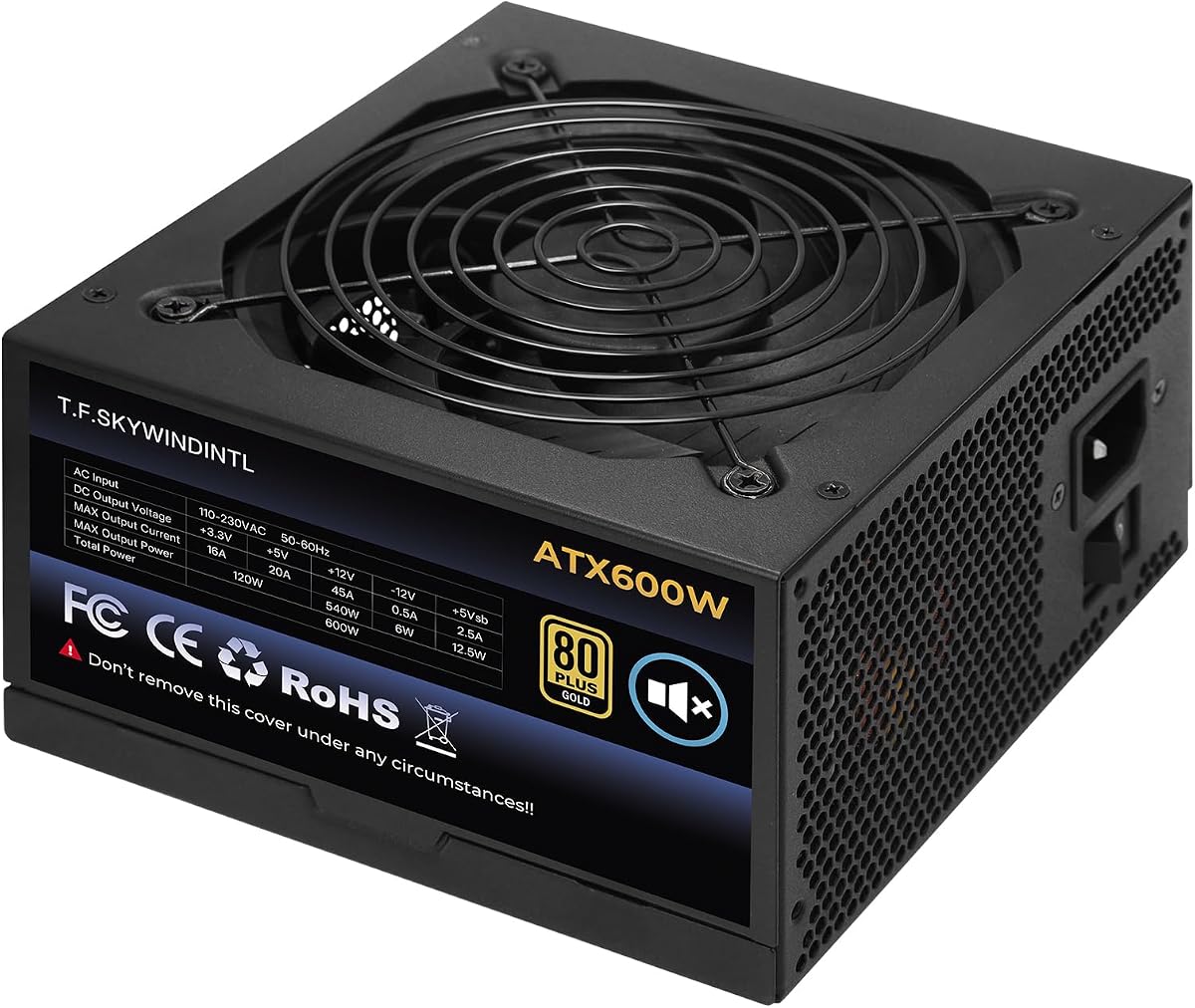
This unit offers 600W which is plenty for gaming systems or heavy workloads. It carries an 80 Plus Gold certification ensuring high energy efficiency during operation. The 125mm fan uses fluid dynamic bearings for long life and low noise.
We may earn a commission when you buy through this link, at no additional cost to you.
It includes full voltage active PFC which works with 100 to 240V systems. The protection suite covers over voltage under voltage and short circuits. It supports many modern graphics cards up to 250W TDP.
The fixed cables can be rigid so routing them carefully takes time. The efficiency helps reduce electricity costs compared to lower tier units. It is a strong candidate for mid to high end desktop builds.
Choose this if you need room for powerful components now or in the future. The Gold rating ensures you save on power bills over time. Ensure your case supports the standard ATX dimensions.
High wattage supports modern GPUs without limiting gaming performance options.
Gold efficiency converts more power to work and less to heat waste.
We may earn a commission when you buy through this link, at no additional cost to you.
Selecting the right power supply involves evaluating several technical factors to ensure compatibility and reliability.
Ensure the power supply meets the total wattage needs of your components. Calculate the draw of your CPU and GPU plus peripherals to find the right size.
Always add a buffer of 20 percent to your calculated load for stability.
Look for 80 Plus certification to ensure the unit converts AC to DC power efficiently. Higher ratings like Gold or Platinum reduce energy waste and heat.
Efficiency directly impacts electricity costs and the temperature inside your case.
Check that the unit has the correct motherboard and CPU power connectors. Many boards need a 24 pin and a 4 or 8 pin CPU connector.
Missing connectors can prevent your system from starting or cause instability.
Modular cables allow you to use only what you need which improves airflow. Fixed cables are common in budget units but may look messy.
Modular designs help with cleaner builds especially in smaller computer cases.
Quiet fans are essential for office or home environments. Look for units with thermal control that spins the fan only when needed.
Noise levels are measured in decibels and lower is usually better.
Safety mechanisms like OVP and SCP protect hardware from voltage spikes or shorts. A power supply without protection is a risk to expensive components.
Always prioritize units with comprehensive protection against electrical faults.
Verify the dimensions match your case. Most are standard ATX but some compact builds need Flex or Mini ITX units.
Incorrect sizing can prevent the unit from fitting or block other components.
A longer warranty indicates manufacturer confidence in the product quality. Look for at least two years of coverage for peace of mind.
Good warranty terms help you avoid costs if the unit fails early.
Always disconnect power from the wall before touching internal components to avoid electric shock. Use an anti static wrist strap to prevent static discharge from damaging sensitive parts.
Place the power supply where it has good airflow. Keep vents clear of dust and do not block the intake or exhaust fans with cables.
Periodically check the fan for dust buildup. A clean fan runs cooler and quieter which extends the life of the unit.
A 350W unit is generally not sufficient for modern gaming graphics cards. It works well for office PCs or systems with integrated graphics. Always check the specific requirements of your GPU.
It indicates the power supply meets specific energy efficiency standards. The unit must operate at least 80 percent efficient at typical loads. Higher tiers like Gold or Platinum indicate better efficiency.
Most modern power supplies auto sense voltage. Older units may require a manual switch. Ensure you set it to match your local electrical outlet to avoid damage.
You can use a non modular unit in any standard case. Modular units allow you to detach unused cables which is a convenience feature. Fixed cables are permanent.
Noise usually comes from dust buildup or worn bearings. Ensure the unit is in a well ventilated area. Replacing the fan may be needed if it is mechanically damaged.
Quality units can last over ten years with proper care. Heat and dust shorten lifespan so keep the area clean. Signs of failure include unexpected shutdowns.
We reviewed ten reliable options ranging from basic budget units to efficient Gold rated models. The Antec Basiq stands out for value while Silverstone offers premium efficiency for compact builds.
Focus on efficiency and safety features rather than just wattage. A well protected unit keeps your system stable and protects your investment from power surges.
Prices change often so always verify the current listing on Amazon before buying. We update our data regularly to ensure you get the most accurate recommendations.