As an Amazon Associate we earn from qualifying purchases. We may earn a commission when you buy through links on this page, at no additional cost to you. Read our affiliate disclosure.As an Amazon Associate we earn from qualifying purchases.Purchases through our links may earn us a commission, at no extra cost to you. Read our affiliate disclosure.
Finding a high-quality webcam does not have to break the bank. Modern 2K webcams deliver sharp visuals and clear audio without requiring expensive hardware. This list highlights reliable models under fifty dollars that suit remote work and streaming needs.
We evaluated ten real products based on resolution, autofocus, microphone quality, and build design. Each model offers unique strengths like privacy covers or light correction. Our analysis focuses on value and performance for everyday video calling scenarios.
Every pick shows specific details on resolution, sensor type, and compatibility with major apps. Note that prices change frequently so check current listings before buying. These models represent the best balance of features and affordability available today.
Top 10 Best 2K Hd Webcam under 50 in 2026 Compared
This side-by-side comparison helps you see key differences across all ten models. We highlight resolution, focus type, audio quality, and privacy features to simplify your decision process for the right webcam.
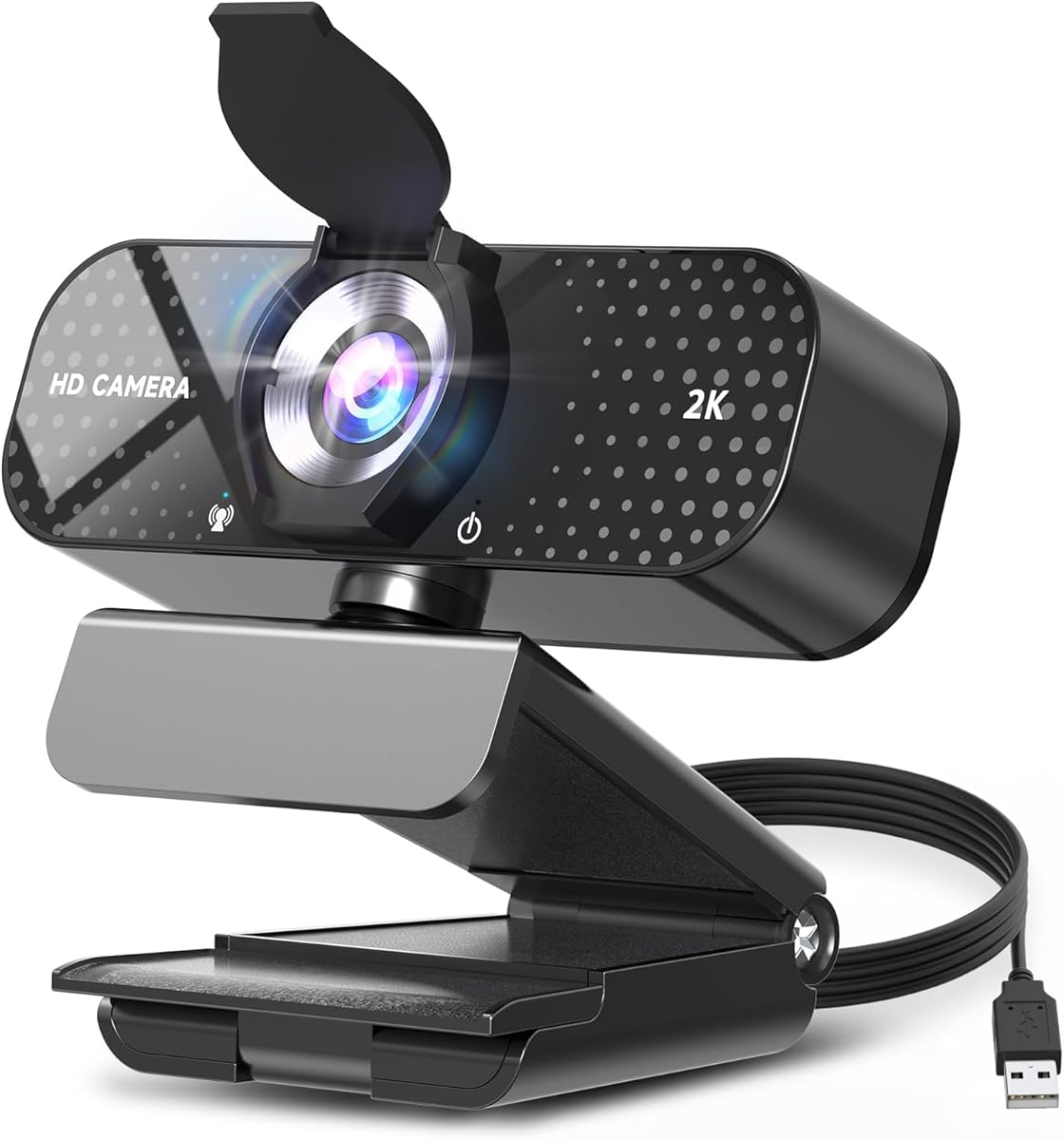
UGREEN 2K Webcam for PC Ultra HD 1080P Computer Webcam with Microphone
2K 30FPS with 4MP CMOS
Dual noise-minimizing microphones
Auto-adjust light and 95 degree FOV
Privacy cover and 360 degree rotation
This UGREEN webcam earns its top spot with a 4MP CMOS sensor that captures vivid 2K video at 30 frames per second. It holds a 4.5-star rating for reliable performance during calls. The auto light correction ensures you look good even in dim conditions.
Pros
High quality 4MP CMOS sensor for clear image
Dual microphones capture sound clearly
Auto light correction improves dim room performance
Privacy cover adds physical security
Wide compatibility with many video apps
Cons
Fixed focus does not adjust manually
USB 2.0 port bandwidth requirements for 2K
We may earn a commission when you buy through this link, at no additional cost to you.
Its standout feature is the dual high-quality integrated microphones that minimize background noise effectively. The 95 degree field of view lets you share more context during meetings. The privacy cover blocks the lens securely when not in use.
The fixed focus technology avoids hunting which keeps images sharp between 50cm and beyond. You might miss manual focus control for close-ups. Ensure your USB port supports 2K for the full resolution experience.
Choose this if you need a balanced webcam for work or streaming without overspending. It delivers consistent quality and ease of use across Windows and Mac systems. This model is ideal for daily video conferencing needs.
Clear Audio and Visual Clarity
The dual mics and 4MP sensor ensure your voice and face stay clear during long sessions.
Privacy and Flexibility
Rotate 360 degrees to find the perfect angle and cover the lens when privacy is needed.
TRAUSI 2K Full HD Webcam with Auto Light Correction
2K Full HD with wide-angle lens
Noise-canceling built-in microphone
Automatic light correction technology
Eco-friendly design and privacy shield
TRAUSI brings vibrant colors and crisp visuals to your calls with its 2K Full HD sensor. Rated 4.2 stars it performs well for online teaching and streaming. The wide-angle lens ensures you capture your surroundings without extra gear.
We may earn a commission when you buy through this link, at no additional cost to you.
Noise-canceling technology filters background distractions like keyboard clicks or chatter. Automatic light correction dynamically adjusts brightness so you never look washed out. The privacy shield slides easily for immediate access control during calls.
The eco-friendly design uses sustainable materials which adds value beyond just specs. Some users report minor setup variance across different systems. Ensure your USB interface is compatible for best plug-and-play performance.
This model suits eco-conscious buyers who want reliable audio and video quality. It is a solid choice for professionals and students needing consistent performance under budget limits.
Environmental and Visual Balance
Eco-friendly build meets sharp 2K visuals for responsible tech spending.
Light and Sound Handling
Auto light and noise tools keep your presence professional in any room.
EMEET C100 2K Webcam for PC with Rotating Privacy Cover
2K 30FPS with fixed focus
Sturdy metal clip for secure mounting
EMEETLINK software for brightness control
Integrated privacy lens shutter design
The EMEET C100 delivers stable and distraction-free video with 2K 30FPS output. Its 4.3 rating reflects reliable fixed focus that avoids blur shifts during presentations. The metal clip keeps the camera secure on monitors or laptops.
Pros
Fixed focus avoids hunting during meetings
Metal clip provides secure non-slip mounting
Software allows exposure and brightness adjustment
Privacy shutter protects lens from dust and scratches
Tripod thread allows for versatile setup options
Cons
Software needed for advanced color tweaks
Fixed focus limits close-up flexibility
We may earn a commission when you buy through this link, at no additional cost to you.
You can adjust exposure and saturation via EMEETLINK software to fix dark or uneven lighting. The integrated privacy shutter shields the lens when not in use. Anti-flicker support keeps video stable under indoor lights.
The built-in mic is clearer than standard laptop audio for basic calls. Software control adds flexibility for users who want to tweak colors manually. The tripod thread allows desktop setups without a laptop.
Choose this for a dependable office setup where stability and ease of use matter. It is ideal for hybrid workers needing consistent video quality with simple controls.
Physical and Software Controls
Combine a sturdy clip with software tweaks for a customized streaming setup.
Secure and Clean Design
Integrated privacy shutter keeps your space safe and organized.
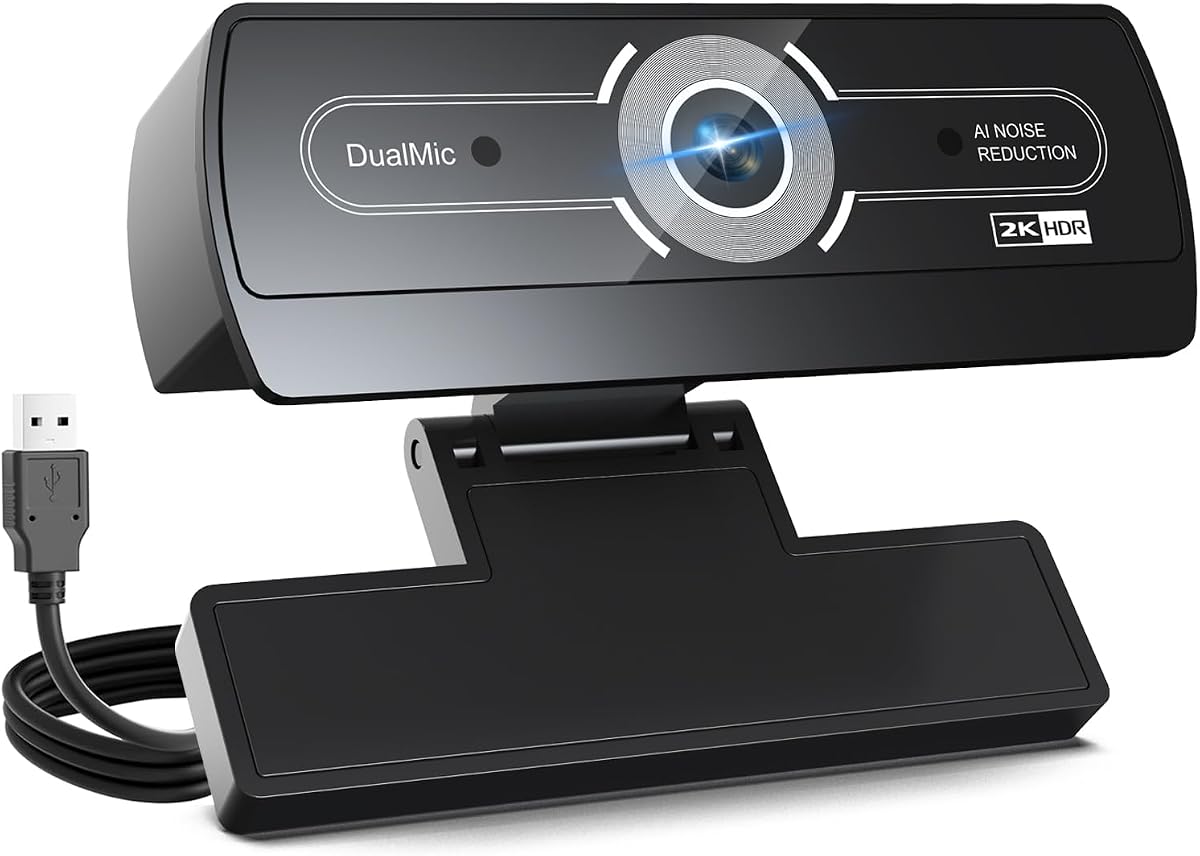
2K Webcam for PC Laptop,PDAF Auto Focus,Dual Noise-Canceling Mics
PDAF autofocus technology for sharp focus
Dual-mic array with noise-canceling chip
USB-A to USB-C adapter included
Integrated privacy cover and long cable
This model brings flagship-grade PDAF autofocus to the budget range. It maintains a 4.4 rating for sharp video even when you move during calls. The dedicated noise-canceling chip ensures your voice stands out in busy environments.
We may earn a commission when you buy through this link, at no additional cost to you.
You get a 6.6ft cable plus a USB-C adapter for versatile mounting. Hardware-level audio processing filters keyboard clicks and fan noise better than software. The integrated privacy cover adds peace of mind during non-use periods.
The dual-mic array captures clear voice from up to 16.4 feet away. It is pricier but justifies cost with advanced focusing and audio tech. Check adapter compatibility if you only have USB-A ports.
Opt for this if you need professional-grade focus and audio under fifty dollars. It suits streamers and remote pros who move around during meetings or demos.
Advanced Focusing Technology
PDAF ensures your face stays sharp even when gesturing or leaning forward.
Hardware Audio Quality
Noise-canceling chip filters ambient noise better than standard software.
Hprosper offers a sharp 2K 1440p image for an unbeatable price. With a 4.2 rating it suits students and casual streamers needing clarity. Automatic light correction ensures you look polished even in low light.
Pros
Delivers 2K 1440p clarity at low cost
Automatic light correction handles dim offices
360 degree rotation for flexible positioning
Physical privacy cover slides easily
Plug-and-play setup without drivers
Cons
Build quality feels light and flexible
Limited advanced software options
We may earn a commission when you buy through this link, at no additional cost to you.
The 360-degree rotation allows perfect angle adjustment for any screen or tripod. Noise-canceling mic filters background noise so your voice is heard distinctly. A physical privacy cover adds security against unauthorized access.
True plug-and-play functionality starts in seconds with no drivers. The flexible clip mounts securely on monitors without tools. Some users note the lightweight build may bend on heavy use.
This is the top value for anyone prioritizing resolution and cost. It meets daily conferencing needs without technical setup or high spending.
Resolution Meets Affordability
Get true 2K visuals without exceeding your budget limits.
Easy Setup and Security
Plug in and rotate to find your perfect angle instantly.
XOCLON delivers pure 2K QHD resolution with a 4MP imaging lens for precise detail. It holds a 3.9 rating but offers strong performance for business meetings. PDAF autofocus ensures stable focus in virtual classrooms.
Pros
True 2K QHD without false interpolation
PDAF autofocus locks on face quickly
AI noise-canceling delivers clear audio
92 degree wide angle fits most desks
Compact design minimizes display obstruction
Cons
Lower 3.9 rating indicates minor quality variance
Limited software support for manual tweaks
We may earn a commission when you buy through this link, at no additional cost to you.
AI noise-canceling microphones focus on your voice during remote collaboration. Auto light correction adapts to bright or low-light conditions. The minimalist design does not block high-definition displays.
You get a 1.5-meter cable for extended reach without extra adapters. The 92-degree field of view frames you properly without too much background. Some users report occasional focus drift in dim rooms.
This model is good for professionals needing sharp visuals and audio at a mid-range price. It is best for static setups where consistent focus matters most.
Real 2K Imaging
No interpolation ensures every detail is captured with cinematic precision.
Focused Audio and Visual
AI audio and autofocus keep you clear and centered in meetings.
This webcam brings 2K resolution and smooth 30fps video for enhanced clarity. Rated 4.2 it adapts to various setups thanks to flexible tilt and rotation. The 85 degree lens captures detail without excessive background clutter.
Pros
Full 360 degree rotation for any angle
Extendable base supports multiple setups
Noise-reduction mic ensures natural voice
Movable privacy cover for quick access
USB 2.0 plug-and-play without drivers
Cons
Base mechanism may be bulky for small monitors
85 degree view is narrower than 95
We may earn a commission when you buy through this link, at no additional cost to you.
Noise-reduction mic ensures your voice comes through natural and clear. The movable privacy cover lets you control access even when active. The extendable base opens to 180 degrees for tripod or clamp options.
It supports major systems including Mac and Android TV for broad use. Plug-and-play setup requires no drivers for quick start. Some users find the base bulky for slim monitors.
Choose this if you need flexible mounting and good privacy tools. It is ideal for gamers and streamers needing dynamic camera angles.
Flexible Mounting Options
Clip or tripod setup lets you adapt to any desk layout.
Audio and Privacy
Noise reduction and movable cover keep calls clear and private.
This webcam offers 1.78x more pixels than 1080P for lifelike imagery. It holds a 4.8 rating for sharp details in conferences and streams. Dual noise reduction merges hardware filters with software for clear visuals.
Pros
High pixel density eliminates blurs and jagged edges
Dual noise reduction keeps footage pristine
Detachable privacy cover for security
Small external design fits most screens
Plug and play with no drivers required
Cons
USB-C version may need adapter for older PCs
Small size limits grip during mounting
We may earn a commission when you buy through this link, at no additional cost to you.
The detachable privacy cover blocks the lens against unauthorized surveillance. A small design minimizes obstruction on desktop or laptop screens. Plug-and-play works seamlessly with Mac and PCs without drivers.
Hardware and software filters scrub ambient light interference for crisp images. Some users report minor input switch issues on first use. Ensure you select the USB webcam input device in settings.
This is great for users needing sharp visuals and quick setup. It suits small offices and home setups where space and clarity are key.
Pixel Density and Clarity
High pixel count ensures every facial texture and fine print is captured.
Noise and Privacy Protection
Dual filters and detachable cover keep footage clean and safe.
This webcam offers crisp vivid images through manual focus control. With a 4.6 rating it suits users who prefer precise image adjustments. The gooseneck stand provides effortless angle positioning for any view.
Pros
Manual focus gives precise control over sharpness
Flexible gooseneck stand allows easy positioning
Document camera mode flips images for teaching
Noise-canceling mic filters ambient noise
Desktop clamp keeps setup organized
Cons
Manual focus requires setup before calls
Gooseneck may lose tension over time
We may earn a commission when you buy through this link, at no additional cost to you.
You can flip images for document scanning or teaching materials. The noise-canceling mic filters ambient noise for clear voice. A physical sliding privacy cover protects the lens from unauthorized access.
USB 2.0/3.0 interfaces ensure fast data transfer without drivers. The 110cm cable gives reach for desktop placement. Manual focus may require adjustment if moving objects during calls.
Choose this if you teach or work with documents during calls. It is ideal for users who need manual control and document display features.
Manual Precision
Manual focus lets you set sharpness exactly how you need.
Document Display Support
Image flipping makes teaching materials easy to share.
2K Webcam for pc with Microphone Privacy Cover Slider
1.78x more pixels than 1080P
Dual noise reduction and filters
Detachable privacy cover included
Plug and play no driver needed
This model delivers 1.78x more pixels than 1080P for sharp imagery. Rated 4.3 it serves video conferencing and gaming with high-res clarity. Dual noise reduction merges hardware and software to keep footage pristine.
Pros
High pixel density for detailed visuals
Dual noise reduction keeps footage clean
Plug and play ease of setup
Broad device compatibility across systems
Worry-free after-sales service included
Cons
No autofocus for moving subjects
Privacy slider may feel stiff initially
We may earn a commission when you buy through this link, at no additional cost to you.
The detachable privacy cover blocks the lens when not in use. Plug-and-play setup works on Mac and PCs without drivers. Broad compatibility adapts to offices and living rooms easily.
After-sales support offers free replacement if issues arise. Some users report the slider feels tight at first. Ensure the privacy cover is open before starting a call.
Select this if you want balanced pixel density and service. It fits general users needing reliable video and support under budget.
Pixel Count and Clarity
More pixels ensure every facial texture and contour is captured.
Service and Support
Worry-free after-sales service adds security to your purchase.
We may earn a commission when you buy through this link, at no additional cost to you.
Buying Guide – How to Choose the Best 2K Hd Webcam under 50
Choosing the right 2K webcam under fifty dollars requires balancing resolution, audio, and build features. This guide breaks down key factors to help you match a model to your specific use case.
Resolution and Frame Rate
Most models deliver 2560×1440 or 1920×1080 at 30fps. Ensure your USB port and monitor support 2K for sharp images. Some offer 60fps for gaming but this costs more under fifty dollars.
Look for true 2K rather than interpolated HD to avoid blurry edges.
Focus Type
Fixed focus models avoid hunting and keep faces sharp. PDAF autofocus locks on instantly for moving users but adds cost. Manual focus allows fine control for document sharing.
Choose fixed or PDAF for most meetings to avoid blurry shifts.
Audio Quality
Dual mics and noise-canceling chips filter background noise like fans or keyboard clicks. Integrated mics remove the need for a headset during calls.
Prioritize hardware noise reduction for clear audio in shared spaces.
Privacy Features
Physical privacy covers slide over the lens for instant security. A sliding or detachable cover adds trust during non-use periods. Check if the cover blocks the lens completely.
A solid privacy cover protects against unauthorized access.
Light Correction
Auto light correction balances brightness in dim rooms. Look for models that adapt to bright windows or low light. This ensures you do not look washed out.
Select auto brightness tools for consistent video quality.
Field of View
Wide-angle lenses like 90 or 95 degrees show more background. Narrower 85 degree FOV suits solo calls without extra clutter. Consider your room size and seating distance.
Match FOV to your workspace to avoid excess empty space.
Mounting and Rotation
360-degree rotation allows flexible positioning. Clips should grip monitors or laptops securely without slipping. Tripod threads add versatility for standing setups.
Ensure the clip and base suit your desk and monitor.
Compatibility
Check Windows and Mac support along with Android and Linux. Drivers should be optional for plug-and-play setup. USB-C adapters help with newer laptops.
Verify OS and app support before purchasing to avoid issues.
How to Use and Care for Your 2K Hd Webcam under 50
Position the camera at eye level to avoid unflattering angles. Secure it to a monitor or tripod using the provided clip for stability. Adjust brightness and exposure via software if supported.
Keep the lens clean by wiping with a soft cloth occasionally. Use the privacy cover when not in use to prevent dust buildup and protect against unauthorized access. Store the camera in a dry place when not in use.
Install drivers only if software customization is needed. Ensure your USB port provides enough bandwidth for 2K video. Test audio levels before a call to confirm noise canceling is working.
Frequently Asked Questions
Do these webcams work with Mac and Windows?
Most models listed support both Windows and macOS out of the box. Plug-and-play functionality avoids extra driver installation. Check system requirements for older OS versions before buying.
Will my computer support 2K resolution?
Ensure your USB port and graphics card support high resolution video. Some budget PCs may limit 2K to 1080p. Testing with a video app helps confirm performance.
Are privacy covers included?
All ten models include some form of privacy protection. Some use sliding covers while others have detachable lids. This adds physical security when the camera is idle.
How is audio quality without a headset?
Built-in microphones with noise canceling capture clear voice. Dual mics reduce background noise like fans or typing. A headset adds extra clarity for noisy environments.
Can I use these for streaming?
Yes many models support apps like OBS and Twitch. Look for 30fps 2K or 60fps 1080p for smooth streams. Adjust brightness via software for consistent lighting.
Is manual focus available?
Most models use fixed or PDAF autofocus. One offers manual focus for precise document capture. Fixed focus avoids blur shifts during meetings.
Final Thoughts on Choosing the Best 2K Hd Webcam under 50
Our top picks include UGREEN for overall value, Hprosper for budget needs, and the PDAF webcam for advanced focus. Each model offers distinct strengths in audio, clarity, and privacy.
Prioritize resolution, focus type, and noise-canceling audio based on your routine. If you move during calls, autofocus helps. If you are budget focused, fixed focus models offer great clarity.
Check current prices and availability before purchasing to ensure you get the best deal. Many models fluctuate so wait for deals if timing is flexible.