
Dell SE2426HG
4.7Editor score
240Hz refresh rate
0.5ms response time
FreeSync Premium
This guide compares the best 240Hz monitors for competitive Valorant focusing on refresh rate response time and panel technology to help you choose the right
Finding a monitor with a high refresh rate is essential for competitive gaming where every millisecond matters. The right display can give you a significant advantage in fast-paced shooters.
We analyzed ten top models featuring 240Hz refresh rates to determine which ones deliver the smoothest gameplay and clearest visuals for serious players seeking an edge.
Each pick highlights key strengths like response time and adaptive sync. Remember that availability and costs fluctuate frequently so check current listings before you commit to a purchase.
4.7Editor score
4.5Editor score

4.6Editor score
The following table provides a side-by-side look at the core specifications and features of each model to help you quickly identify the right fit for your setup.


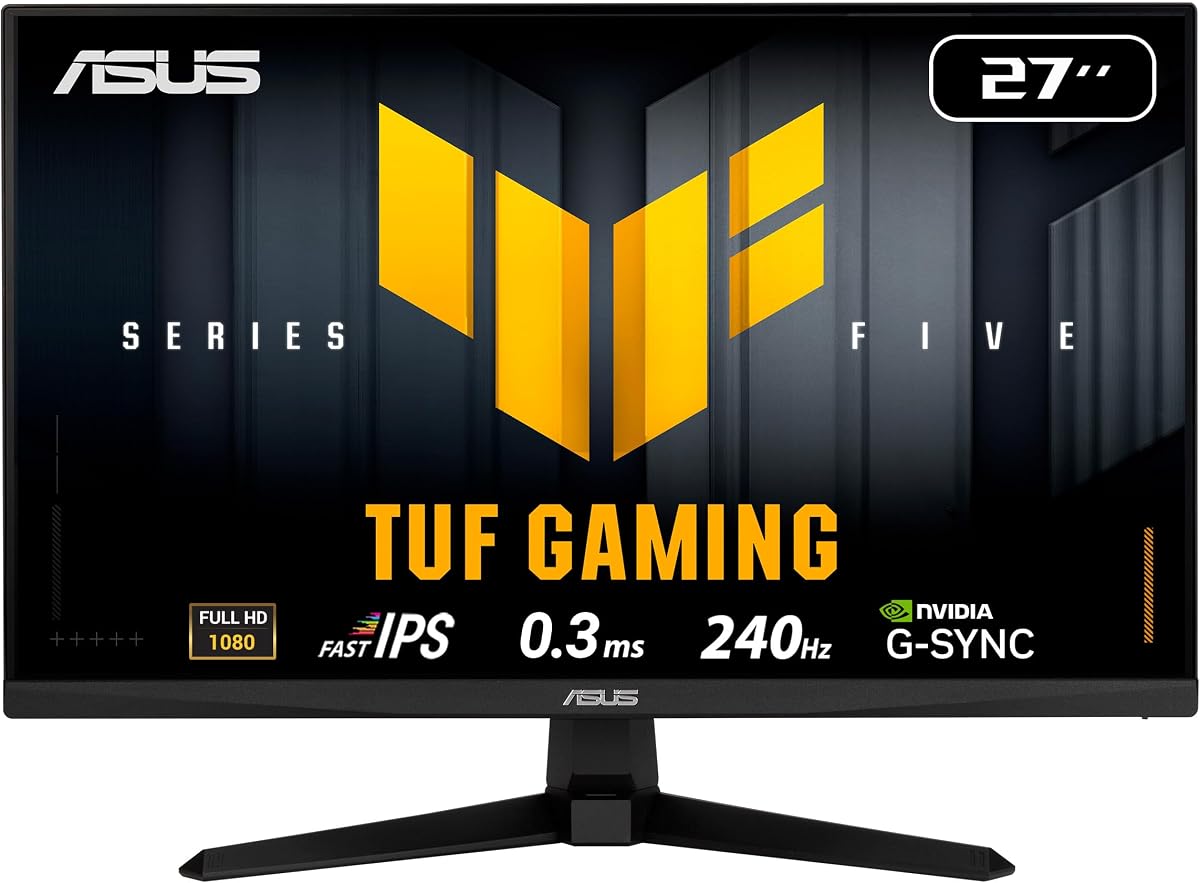
This model stands out as a top choice for competitive Valorant players seeking high performance. It holds a strong user rating and delivers excellent motion clarity.
We may earn a commission when you buy through this link, at no additional cost to you.
The Fast IPS panel ensures vibrant colors while the 240Hz rate keeps motion smooth. ELMB SYNC reduces blur without compromising adaptive sync benefits during gameplay.
While it lacks some ergonomic adjustments like height tilt the response time is exceptional. This trade-off is acceptable for users prioritizing speed over desk flexibility.
Anyone focused on maximizing reaction times will find this monitor a solid investment. It balances speed and visual fidelity well for intense competitive sessions.
The 0.3ms response ensures minimal ghosting during rapid movements in fast-paced matches.
This feature eliminates motion blur while maintaining variable refresh rate support for smooth visuals.
We may earn a commission when you buy through this link, at no additional cost to you.
This monitor offers incredible value for players needing high refresh rates without breaking the bank. It carries a high user rating and includes essential gaming features.
We may earn a commission when you buy through this link, at no additional cost to you.
The IPS panel provides wide viewing angles and solid color accuracy. FreeSync Premium helps eliminate tearing ensuring a smooth experience across various hardware setups.
It lacks advanced ergonomics but the tilt function covers basic needs. The low input lag is perfect for competitive gaming despite the simple build.
Ideal for those starting their competitive journey or updating older gear this model delivers key performance traits at a lower cost point.
The 240Hz rate and fast response provide crisp visuals with reduced input lag for precise aiming.
Certified eye comfort features lower blue light while preserving color quality for long sessions.
We may earn a commission when you buy through this link, at no additional cost to you.
This premium option features a sharper QHD resolution and an overclocked refresh rate for elite performance. It holds a strong rating and includes NVIDIA G-SYNC compatibility.
We may earn a commission when you buy through this link, at no additional cost to you.
The 240Hz rate via DisplayPort offers ultra-responsive gameplay. The panel delivers vibrant visuals and high brightness making it versatile for gaming and creative tasks.
It requires a powerful GPU to drive the higher resolution at high frame rates. The added cost is justified by the extra detail and smoother motion.
Enthusiasts who demand the highest visual fidelity will appreciate the combination of resolution and speed offered by this model.
The 2560×1440 resolution provides stunning detail and vibrant color across the 27-inch IPS panel.
Taking competitive gaming to the next level with a 240Hz refresh rate via DisplayPort.
We may earn a commission when you buy through this link, at no additional cost to you.
This model pushes speed with an overclocked refresh rate up to 300Hz for ultra-smooth gameplay. It includes game-specific presets and a solid color gamut.
We may earn a commission when you buy through this link, at no additional cost to you.
The Fast IPS panel delivers 120% sRGB coverage for vivid imagery. Multiple ports support different connection needs while VESA mounting adds flexibility.
It lacks built-in speakers and has a simpler menu system. These omissions are typical at this price point and do not hinder core performance.
Gamers seeking extreme speed without high cost will find this versatile option capable of handling intense FPS titles effectively.
Up to 240hz and 300hz refresh rate ensures minimal blur and maximum clarity during play.
Fast IPS with sRGB 120% coverage delivers vivid imagery and strong accuracy for visuals.
We may earn a commission when you buy through this link, at no additional cost to you.
This model features a curved screen to enhance immersion during intense matches. It supports a high refresh rate and includes specialized game modes for targeting.
We may earn a commission when you buy through this link, at no additional cost to you.
The high contrast ratio and wide color gamut provide vivid visuals. The slim base allows under-keyboard storage to save valuable desk space.
Curved panels can be polarizing for multi-monitor setups but work well for single screens. The ergonomic base is limited to tilt only.
Players preferring an immersive view without spending much will appreciate the balance of speed and design features here.
The ultra-slim base allows under-keyboard storage to maximize desk space for your setup.
One joystick allows you to instantly dial in crosshairs and refresh rates without lag.
We may earn a commission when you buy through this link, at no additional cost to you.
This monitor emphasizes speed with a 0.3ms response time for sharp visuals. It includes AI-enhanced features and a comprehensive warranty for long-term reliability.
We may earn a commission when you buy through this link, at no additional cost to you.
The DisplayWidget Center enables easy OS access with a mouse. A wide color gamut ensures accurate reproduction for both gaming and content creation.
It lacks USB connectivity and built-in audio which may limit convenience. However the core gaming performance remains top-tier for competitive play.
Users valuing warranty coverage and precise control will find this model a reliable addition to their competitive setup.
ASUS Extreme Low Motion Blur Sync enables ELMB together with variable refresh rate for sharp visuals.
DisplayWidget Center enables easy OSD access and monitor settings adjustments with a mouse.
We may earn a commission when you buy through this link, at no additional cost to you.
This model boasts a high user rating and features AI Vision to reveal details in dark areas. It uses a VA panel for deeper blacks and high contrast.
We may earn a commission when you buy through this link, at no additional cost to you.
The 240Hz rate ensures smoother frames and rapid response times. It supports FreeSync Premium to minimize tearing during varied frame rate scenarios.
VA panels may show more ghosting compared to IPS but offer better contrast. Viewers off-angle might notice slight color shifts but gamers often overlook this.
Players prioritizing image depth and contrast in dark maps will appreciate the unique advantages this VA panel brings.
Provides 0.5ms GtG response time and optimizes screen colors and brightness effectively.
The new AI Vision technology reveals details in dark areas and enhances brightness saturation.
We may earn a commission when you buy through this link, at no additional cost to you.
This model supports up to 260Hz overclocking for ultra-smooth motion and razor-sharp visuals. It offers flexible tilt adjustment and supports VESA mounts easily.
We may earn a commission when you buy through this link, at no additional cost to you.
Adaptive-Sync technology keeps gameplay fluid without stutter or tearing. Flicker-free tech helps reduce eye strain during long competitive sessions.
The stand is limited to tilt so height adjustments require a third-party arm. Still the frameless design fits well into modern multi-monitor setups.
Those needing reliable motion performance and some ergonomic flexibility at a mid-range cost will find this a strong option.
Dominate fast-paced games with ultra-smooth motion thanks to a 240Hz refresh rate and overclocking.
Customize your setup with tilt functionality and VESA mount support for ergonomic flexibility.
We may earn a commission when you buy through this link, at no additional cost to you.
This budget model offers a curved design and high contrast for immersive gaming experiences. It includes shadow booster settings to help locate targets in dark areas.
We may earn a commission when you buy through this link, at no additional cost to you.
The panel delivers strong color gamut coverage and multiple ports for connectivity. Game modes and crosshair overlays assist with precise aiming in matches.
It lacks audio and height adjustments which are common trade-offs at this price. The tilt range is modest but sufficient for basic setups.
Players seeking a curved screen without premium costs will find this an accessible entry point for high refresh rate gaming.
Up to 240Hz Refresh Rate and 1500R Curved Panel deliver fluid motion and immersive play.
124%sRGB and 3000:1 Contrast Ratio restore vivid true-to-life colors for daily work.
We may earn a commission when you buy through this link, at no additional cost to you.
This compact model fits smaller desks while maintaining high-speed performance. It includes an adjustable stand allowing you to customize viewing positions easily.
We may earn a commission when you buy through this link, at no additional cost to you.
The Fast IPS panel ensures a rapid response time and vibrant color accuracy. DisplayWidget Center lets you tweak settings via a mouse for convenience.
It lacks USB hub features but covers essential needs with HDMI and DisplayPort. The 3-year warranty provides peace of mind for long-term use.
Players with limited desk space wanting a responsive display with solid ergonomics will find this a great fit.
ASUS Fast IPS technology enables a 0.3ms response time for sharp gaming visuals.
Height adjustable stand allows you to customize viewing position for maximum comfort.
We may earn a commission when you buy through this link, at no additional cost to you.
This model combines a 25-inch panel with 240Hz refresh for balanced performance. It features ELMB SYNC to reduce ghosting while maintaining sync.
We may earn a commission when you buy through this link, at no additional cost to you.
The wide color gamut ensures vibrant visuals and the DisplayWidget simplifies OS control. A 3-year warranty adds confidence for long-term usage.
It lacks USB ports and full height adjust which might limit some setups. But the core performance meets competitive standards for fast-paced shooters.
Those wanting a reliable mid-sized display with proven speed will find this a strong candidate for their desk.
ASUS Extreme Low Motion Blur Sync enables ELMB together with variable refresh rate.
99% sRGB color gamut coverage ensures accurate and vivid color reproduction during gaming.
We may earn a commission when you buy through this link, at no additional cost to you.
Selecting the right monitor requires evaluating several technical aspects that directly impact your gameplay experience and reaction speed.
A 240Hz refresh rate allows the screen to update images 240 times per second which reduces motion blur significantly. This fluidity helps you track moving enemies more easily in fast-paced shooters like Valorant.
Always ensure your PC can push high frame rates to match the monitor capabilities.
Response time measures how quickly a pixel changes color and lower values like 0.5ms reduce ghosting. Faster transitions mean sharper visuals during quick turns and sprays.
Prioritize models with low GtG or MPRT specs for competitive edge.
IPS panels offer wide viewing angles and better colors while VA panels provide deeper blacks. Fast IPS variants combine speed with color fidelity making them ideal for gamers.
Choose IPS for accuracy or VA for contrast depending on your preference.
Adaptive Sync technologies like FreeSync or G-Sync match the monitor refresh rate with your GPU output. This eliminates screen tearing and stuttering for a seamless visual experience.
Ensure compatibility with your graphics card before buying to avoid issues.
1080p is the most common for high refresh rates as it demands less GPU power. 1440p offers more detail but requires a stronger system to maintain high frame rates.
Balance your GPU power with resolution needs for smooth gameplay.
An adjustable stand lets you tilt or height the screen to reduce neck strain. Proper positioning is vital during long gaming sessions to maintain focus.
Look for models offering height or tilt adjustments for comfort.
HDMI and DisplayPort connections vary in bandwidth and DisplayPort usually supports higher refresh rates. Ensure the cable included matches the performance specs you need.
Check port versions to guarantee full 240Hz support.
Warranty terms and build quality affect long-term reliability. Reputable brands often offer longer coverage and better support for defects.
Consider the warranty length and reputation before finalizing your choice.
Connect your GPU using a DisplayPort cable to ensure full bandwidth for 240Hz. Enable G-Sync or FreeSync in your graphics driver settings to prevent tearing.
Calibrate brightness and contrast using the OSD menu to suit your room lighting. Adjust the refresh rate in Windows display settings to confirm 240Hz is active.
Clean the screen with a soft microfiber cloth to avoid scratches. Avoid harsh chemicals and direct sun exposure to maintain panel integrity over time.
Yes Valorant fully supports high refresh rates including 240Hz. You must set the refresh rate in Windows and enable it in game settings for smooth visuals.
To utilize 240Hz fully your PC should output 240fps in Valorant. A modern GPU is recommended but lower hardware may still benefit from reduced input lag.
IPS panels are generally preferred for their color accuracy and viewing angles. Fast IPS variants offer quicker response times suitable for competitive titles.
G-Sync offers better performance but costs more. FreeSync is widely compatible and effective for AMD users while G-Sync works best with NVIDIA cards.
Some monitors support 240Hz over HDMI 2.0 or higher. Check your monitor specs and use DisplayPort if HDMI bandwidth is limited.
Use the OSD to adjust brightness and contrast. Set response time to fastest and enable adaptive sync in the graphics driver.
The models reviewed offer a range of options from budget-friendly to premium choices. Each delivers the necessary speed and clarity to elevate your competitive gameplay.
Prioritize response time and refresh rate compatibility with your hardware. Ergonomics and panel type should also influence your decision for long sessions.
Prices fluctuate often so verify current pricing and availability before purchasing. Investing in the right display can significantly improve your performance.