
Thermaltake 200mm Pure 20
4.5Editor score
High performance airflow
Anti vibration mounting
Long life bearing
Choosing the right cooling solution is critical for maintaining optimal performance in your computer system. A high quality 200mm case fan provides exceptional airflow while keeping noise levels low for a quiet workspace.
We evaluated ten top ranked models based on airflow performance, bearing technology, noise output, and mounting compatibility. Each product was analyzed against industry standards to ensure you receive reliable data for your purchase decision.
Every selection below highlights key specifications and real world benefits to help you find the perfect match for your chassis. Please note that availability and pricing may fluctuate over time so verify current details before ordering.
4.5Editor score
4.8Editor score

4.6Editor score
As an Amazon Associate we earn from qualifying purchases.
The following table provides a side by side overview of all ten selected models highlighting their core specifications and unique features for easy comparison.


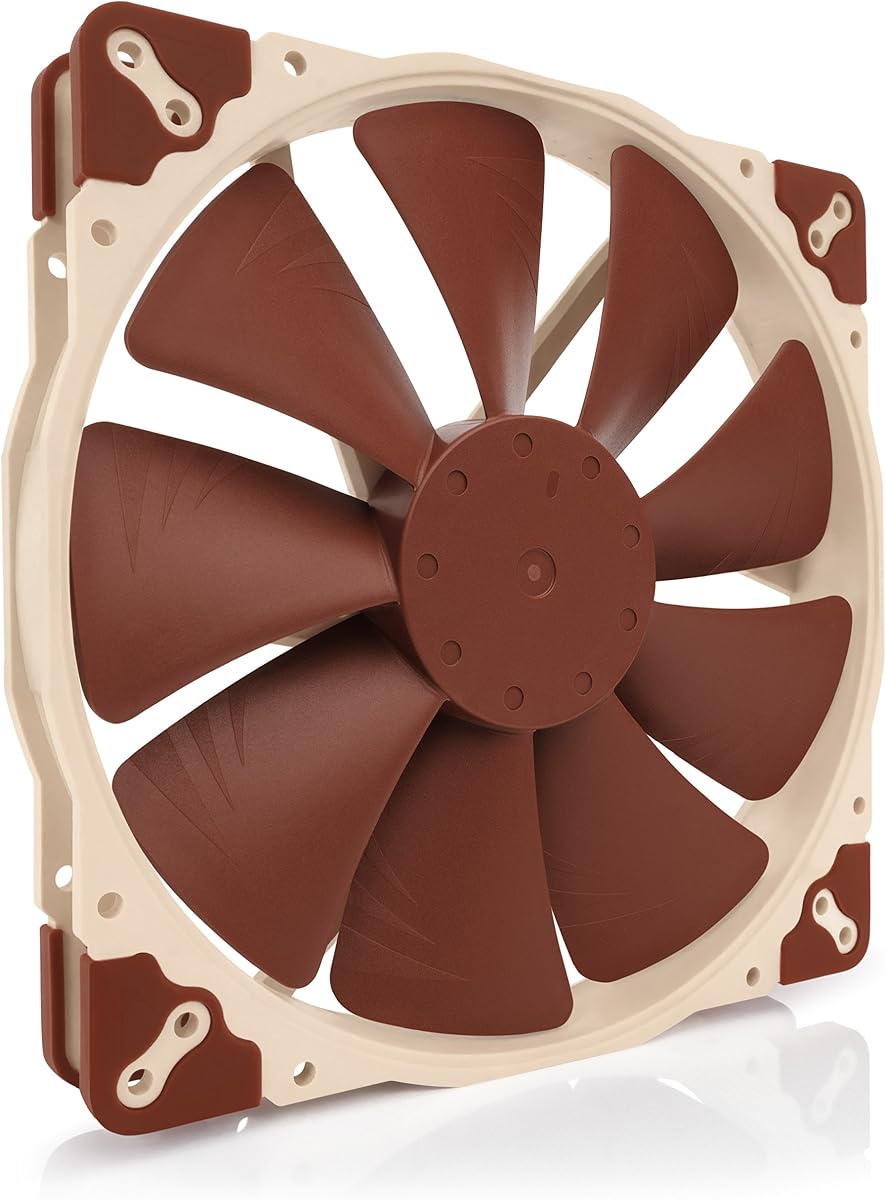
The Noctua NF-A20 PWM stands out as a top tier solution for cooling large chassis spaces. With an impressive rating of 4.8 stars this fan delivers premium performance that balances airflow and silence effectively.
We may earn a commission when you buy through this link, at no additional cost to you.
Its award winning design features Flow Acceleration Channels which optimize air movement while reducing turbulence. The Advanced Acoustic Optimisation frame ensures minimal noise output even at maximum speed making it ideal for quiet builds.
While the cost is higher than budget options the reliability and acoustic performance justify the investment. The included Low-Noise Adaptor allows users to further reduce speed if absolute silence is required for specific scenarios.
This fan is best suited for enthusiasts who prioritize quiet cooling without sacrificing thermal performance. It fits cases with specific mounting hole patterns ensuring broad compatibility across various chassis designs.
The frame design minimizes vibrations and noise allowing for a serene computing environment even under heavy load conditions.
Multiple mounting hole sets provide compatibility with different case manufacturers ensuring a secure fit without modification.
We may earn a commission when you buy through this link, at no additional cost to you.
The Thermaltake Pure 20 Series offers excellent value for builders seeking high performance without a premium cost. It achieves a strong 4.5 star rating by delivering focused airflow and reliable cooling for standard setups.
We may earn a commission when you buy through this link, at no additional cost to you.
Designed with a thick 200x30mm profile this fan creates a torrent of air that penetrates dense radiators or filters. The enhanced blade design focuses airflow to reduce noise while maintaining efficiency for overall system temperatures.
Users should note the sleeve bearing technology which is durable but may not match the lifespan of fluid dynamic bearings. However for the price this is a minor trade-off given the strong cooling capabilities and mounting flexibility.
This model is perfect for budget conscious users who need effective cooling and a clean look. It integrates well with Thermaltake chassis but works universally due to standard mounting configurations.
Blade geometry focuses air movement to improve pressure and reduce turbulence ensuring efficient cooling across large surfaces.
Rubberized mounts absorb motor vibrations to prevent unwanted noise transmission through the case structure.
We may earn a commission when you buy through this link, at no additional cost to you.
The chromax.Black.swap edition brings a sleek aesthetic to the reliable NF-A20 platform with customizability. It holds a 4.6 star rating by combining premium cooling tech with a distinct visual style for modern rigs.
We may earn a commission when you buy through this link, at no additional cost to you.
Flow Acceleration Channels and Advanced Acoustic Optimisation frame ensure superior quiet cooling performance similar to the standard PWM version. The large diameter allows high airflow at extremely low noise levels for comfortable operation.
The inclusion of swappable anti-vibration pads allows users to match their build color scheme adding a personal touch. While the price is elevated the durability and aesthetic options justify it for those investing in long term builds.
Ideal for enthusiasts who demand both silence and style this fan integrates seamlessly into high end systems. The 4-pin PWM header support provides automatic speed control ensuring efficiency during varying loads.
Interchangeable anti-vibration pads allow users to match the fan color to their specific system theme or build.
Advanced acoustic optimization reduces noise to 18.1 dB(A) making it one of the quietest options available.
We may earn a commission when you buy through this link, at no additional cost to you.
The Thermaltake CT200 PWM is designed to complement the existing CT fan lineup for a unified look. It delivers high airflow with a hydraulic bearing that ensures silent and reliable operation for consistent cooling.
We may earn a commission when you buy through this link, at no additional cost to you.
With 131.6 CFM of airflow this fan pushes air effectively through radiators or filters. The optimized 9 blade design provides a balance between pressure and flow making it versatile for various intake or exhaust roles.
Daisy chain connectors simplify cable management by allowing multiple fans to connect to a single header. This feature reduces clutter and improves air flow paths within the case for a cleaner build appearance.
This model is a strong choice for users seeking high performance without compromising aesthetics. The hydraulic bearing extends lifespan while keeping noise levels low during normal usage conditions.
Optimized blades push air effectively through restrictive filters ensuring components stay cool under load.
Daisy chain connectors allow multiple fans to link to one header reducing cable clutter in the case.
We may earn a commission when you buy through this link, at no additional cost to you.
The SickleFlow 200 offers a perfect blend of cooling performance and visual appeal with aRGB lighting. It stands out with a frosted blade design that enhances light dispersion for a vibrant and customizable luminous effect.
We may earn a commission when you buy through this link, at no additional cost to you.
Engineered with a hybrid frame this fan optimizes airflow and stability while minimizing noise. The dynamic PWM control adjusts speed between 0 and 800 RPM to balance noise and airflow based on system needs.
The two tier sealing mechanism prevents dust and oil leakage extending the lifespan of the bearing. This ensures long term stability and quiet operation which is essential for maintaining system health over time.
Ideal for gamers and enthusiasts who want style alongside performance this fan delivers reliable cooling. The anti-resonance mounting minimizes noise ensuring the build remains quiet even during intense usage periods.
Frosted blades diffuse light evenly creating a soft and uniform glow that enhances the visual appeal.
The frame design optimizes airflow and reduces resonance ensuring a stable and efficient cooling experience.
We may earn a commission when you buy through this link, at no additional cost to you.
The NF-A20 FLX provides a reliable solution for systems needing 3-pin connectivity without sacrificing quality. It achieves a 4.7 star rating by offering premium quiet performance with dual speed settings via a Low-Noise Adaptor.
We may earn a commission when you buy through this link, at no additional cost to you.
Users can choose between 800 RPM for maximum airflow or 550 RPM for near-silent operation. This flexibility makes it ideal for cases that do not support PWM headers but still require high efficiency cooling.
The award winning A-series design ensures superior airflow through optimized channels and acoustic frames. This reduces noise while maintaining high cooling performance which is crucial for thermal management in tight spaces.
Best for users with older motherboards or specific power supply constraints this fan delivers reliability. The included adapter and cable ensure easy integration into existing setups without additional adapters.
The Low-Noise Adaptor allows easy switching between performance and silence based on your current needs.
Three sets of mounting holes ensure this fan fits various case designs without requiring custom modifications.
We may earn a commission when you buy through this link, at no additional cost to you.
This unique model supports 5V 4-pin PWM allowing it to run on devices with USB host ports. It holds a 4.7 star rating by providing premium cooling for portable or specific non-standard setups.
We may earn a commission when you buy through this link, at no additional cost to you.
The USB power adaptor cable allows the fan to operate on power banks or USB power supplies. This feature is essential for builds that lack standard fan headers or require flexible power sources for cooling.
Despite being powered by USB it maintains high airflow and low noise through Flow Acceleration Channels. The polarity protection ensures safe operation preventing damage if the connector is inserted incorrectly during installation.
Ideal for specialized or portable builds this fan offers versatility and reliable performance. The OmniJoin adaptor set ensures it can connect to proprietary headers expanding its compatibility across different cases.
Includes a USB adaptor allowing operation from power banks or host ports for flexible cooling solutions.
OmniJoin adaptor set ensures connection to specialized headers making it suitable for non-standard cases.
We may earn a commission when you buy through this link, at no additional cost to you.
The MF200R RGB delivers solid performance with a unique hybrid blade design. It balances static pressure and airflow using a Jet Engine and helicopter Blade configuration for efficient cooling in various setups.
We may earn a commission when you buy through this link, at no additional cost to you.
Smart fan sensor technology protects the motor by automatically stopping it if jammed by objects. This safety feature extends lifespan and prevents damage ensuring the build remains reliable over long periods of use.
RGB certification allows compatibility with major motherboard lighting systems for synchronized effects. While it requires a controller the lighting provides a customizable look that enhances the overall aesthetic of the system.
Best for budget conscious RGB users this fan combines safety and style effectively. The silent cooling technology ensures quiet operation making it a practical choice for daily computing needs.
Unique blades optimize static pressure without sacrificing airflow for better cooling through dense components.
Protects the motor from damage by stopping automatically if debris blocks the fan blades during operation.
We may earn a commission when you buy through this link, at no additional cost to you.
This fan offers an affordable entry point for those needing ARGB lighting and hydraulic bearing reliability. It delivers 95 CFM of airflow ensuring efficient heat dissipation for CPU and GPU components during usage.
We may earn a commission when you buy through this link, at no additional cost to you.
With 34 LEDs it creates a bright uniform glow that enhances the visual appeal of any setup. The hydraulic bearing reduces lubricant leakage and friction ensuring a long lifespan and ultra quiet operation at 9dBA.
Motherboard sync support allows control of lighting effects directly from software on major brands. This integration ensures a seamless experience for users who want to customize their system lighting easily.
Best for budget RGB enthusiasts this fan balances light and cooling effectively. The standard 4PIN interface ensures broad compatibility with modern PC cases and motherboards for easy installation.
Oil sealed cover and large storage space reduce friction for ultra quiet operation without distraction.
Cost effective solution for ARGB lighting with sync support for a professional system look.
We may earn a commission when you buy through this link, at no additional cost to you.
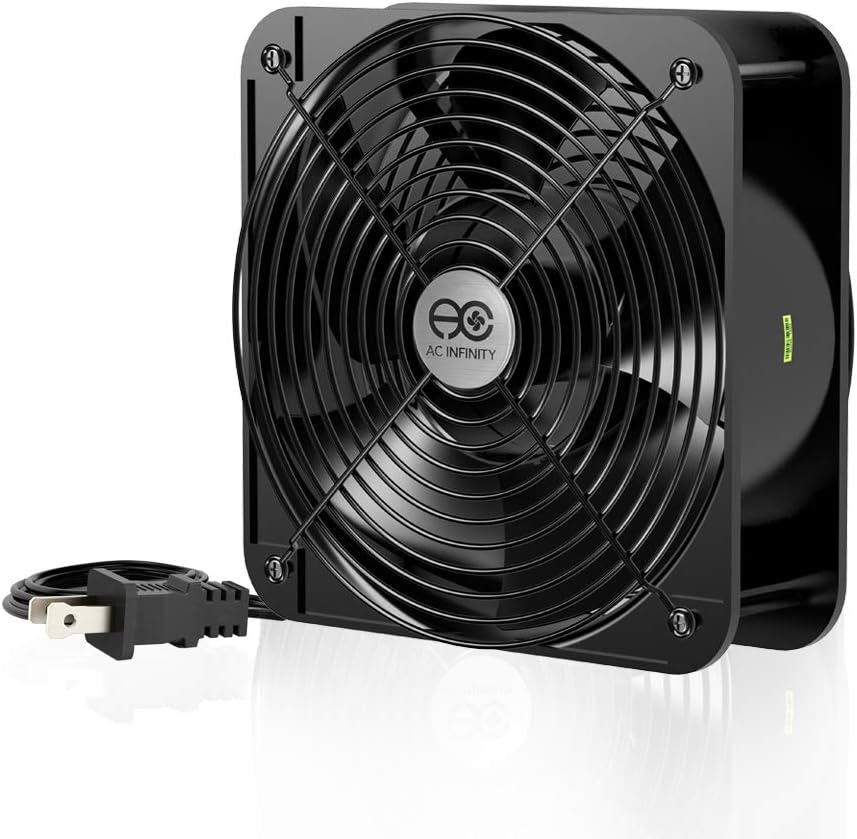
The AC Infinity AXIAL 2060 is a heavy-duty option for projects requiring extreme airflow. With 425 CFM of airflow it is designed to cool large areas or equipment that needs aggressive ventilation.
We may earn a commission when you buy through this link, at no additional cost to you.
It operates on 120V AC power allowing it to plug directly into standard wall outlets without a PSU. Dual-ball bearings provide a lifespan of 67,000 hours making it highly durable for continuous operation tasks.
While it may be too loud for desktop PC environments it excels in server racks or workbenches. The included fan guards ensure safety during operation protecting hands from moving parts when installed.
Best for industrial projects this fan offers unmatched airflow and durability. Its heavy-duty aluminum construction ensures it withstands tough environments while delivering consistent cooling performance.
425 CFM output makes it ideal for projects requiring maximum ventilation and cooling capacity.
Built with aluminum and dual-ball bearings for durability in continuous operation environments.
We may earn a commission when you buy through this link, at no additional cost to you.
Selecting the right fan depends on understanding key factors that impact cooling efficiency and noise levels.
Airflow measured in CFM determines how much air the fan moves while static pressure measures how well it pushes air through resistance. High airflow fans are ideal for open spaces while high static pressure is better for radiators or filters.
Choose based on your intake path needs to ensure efficient heat dissipation throughout the system.
Noise is measured in decibels (dB) and lower values indicate quieter operation. Look for fans with advanced acoustic optimization or fluid dynamic bearings to minimize vibration and operational sound.
For quiet builds aim for fans below 20 dB(A) to maintain a peaceful environment.
Bearing types affect lifespan and noise. Sleeve bearings are affordable but shorter lived while hydraulic and fluid dynamic bearings offer better silence and durability over years of use.
Invest in higher quality bearings for long-term reliability and consistent performance.
200mm fans often have multiple mounting hole patterns to fit various cases. Ensure the chosen fan supports your chassis mounting holes to avoid needing adapters or custom brackets.
Check the manufacturer specs to confirm fitment before purchasing a new unit.
PWM control allows automatic speed adjustment via the motherboard while FLX or standard connectors provide manual control. Choose based on your motherboard headers and desired automation level.
PWM is preferred for smart cooling solutions that adapt to system load automatically.
RGB and ARGB options allow customization of your build appearance. Ensure your motherboard supports the required lighting sync protocol like 5V or 12V for seamless control.
Select lighting that matches your theme without compromising cooling performance.
Frame material and blade design impact efficiency and durability. Look for sturdy frames that resist warping and blades optimized for flow efficiency.
High quality build ensures consistent performance and longer lifespan.
Install fans so intake air enters the case and exhaust air exits to maintain positive pressure. Ensure screws are tightened evenly to avoid vibration.
Regularly clean dust filters and fan blades using compressed air to prevent airflow blockage. Dust accumulation can reduce efficiency and increase noise levels.
Monitor fan speeds via BIOS or software to ensure they adjust based on system load. Replace units that show signs of bearing wear or excessive noise.
Generally yes 200mm fans can move more air at lower RPM which results in lower noise levels. The larger diameter allows efficient airflow without high speed rotation.
PWM models allow automatic speed control via 4-pin headers while FLX models use 3-pin connectors with manual speed settings. Choose based on your motherboard capabilities.
No you should match the case support to ensure proper fit. Using a larger fan than supported may require custom modification.
Use compressed air to blow out dust from blades and motor. Hold the fan steady while cleaning to avoid spinning the blades too fast.
Most do but mounting hole patterns vary. Check your case manual for supported patterns to ensure compatibility.
Hydraulic bearings typically last over 50000 hours with proper maintenance. They offer a balance of noise and durability.
We have reviewed ten top options including budget and premium choices for effective cooling. The Noctua models lead in quiet performance while Thermaltake and Cooler Master offer great value.
Prioritize airflow and noise levels based on your specific build needs and case limitations. Selecting the right bearing type and connectivity ensures long term satisfaction.
Verify current prices and availability before purchasing as market conditions may change. Use this guide to make an informed decision for your next system build.