
Caydo S1 Art Projector for Tracing
5.0Editor score
Pure optical tracing with LED power
Up to 80 inch projection size
Portable design with built-in handle
Discover the best art tracing projectors for artists and creators. This guide compares top models for drawing, tracing, and creative projection.
Art tracing projectors have transformed how creators work by bringing digital designs into physical space. Whether you are sketching on canvas or decorating cookies, these tools help you transfer images with speed and accuracy.
We analyzed ten top-rated models based on brightness, connectivity, ease of use, and optical quality. Our comparisons highlight features that matter most for professional artists and hobbyists alike.
Each pick below shows what makes a projector stand out in performance and value. Prices and availability change frequently, so check current listings before making your final decision.
5.0Editor score

4.5Editor score

4.0Editor score
This side-by-side comparison covers all ten products to help you find the right fit for your creative needs and workspace constraints.



This projector stands out for its dual-band WiFi and real-time tracing capabilities. It earns a solid rating thanks to its seamless connectivity and intuitive web control that skips app downloads.
We may earn a commission when you buy through this link, at no additional cost to you.
You can mirror intricate lines from your phone or tablet with high-speed precision. The adjustable stand lets you project on horizontal canvases or vertical walls, and it functions offline when needed.
The only trade-off is the reliance on WiFi for its best real-time features though offline mode still works well. For most users, the speed and flexibility make it worth the minor setup nuance.
If you want a projector that accelerates skill development without complex software, this is an excellent choice for students and professionals alike.
Scan the QR code to manage projection settings directly from your phone browser. This saves time and avoids the need to install extra applications on your device.
From architectural plans to cookie decorating, this tool adapts to many creative needs. It supports both online and offline workflows so you can work anywhere.
We may earn a commission when you buy through this link, at no additional cost to you.
The Caydo P3 is built for artists who need precision and brightness. With 400 ANSI lumens and native 1080P resolution, it delivers vivid images even without a dark room.
We may earn a commission when you buy through this link, at no additional cost to you.
Its exclusive drawing assistant offers tools like grids and artistic modes to tailor your workflow. Auto focus and keystone correction ensure sharp images, and Bluetooth 5.4 supports external audio pairing.
While the price is higher, the brightness and software suite justify it for serious work. Beginners might find the options overwhelming but the clarity benefits are clear.
If you prioritize image quality and flexibility, this projector offers a powerful all-in-one solution for professional creative tasks.
At 400 ANSI lumens, this unit casts clear images during the day. The high contrast ensures that your reference photos and line art show with zero distortion.
Choose from modes like Gridify and Sketchify to match your artistic style. Tools like zoom and rotation help you adapt reference images effortlessly.
We may earn a commission when you buy through this link, at no additional cost to you.
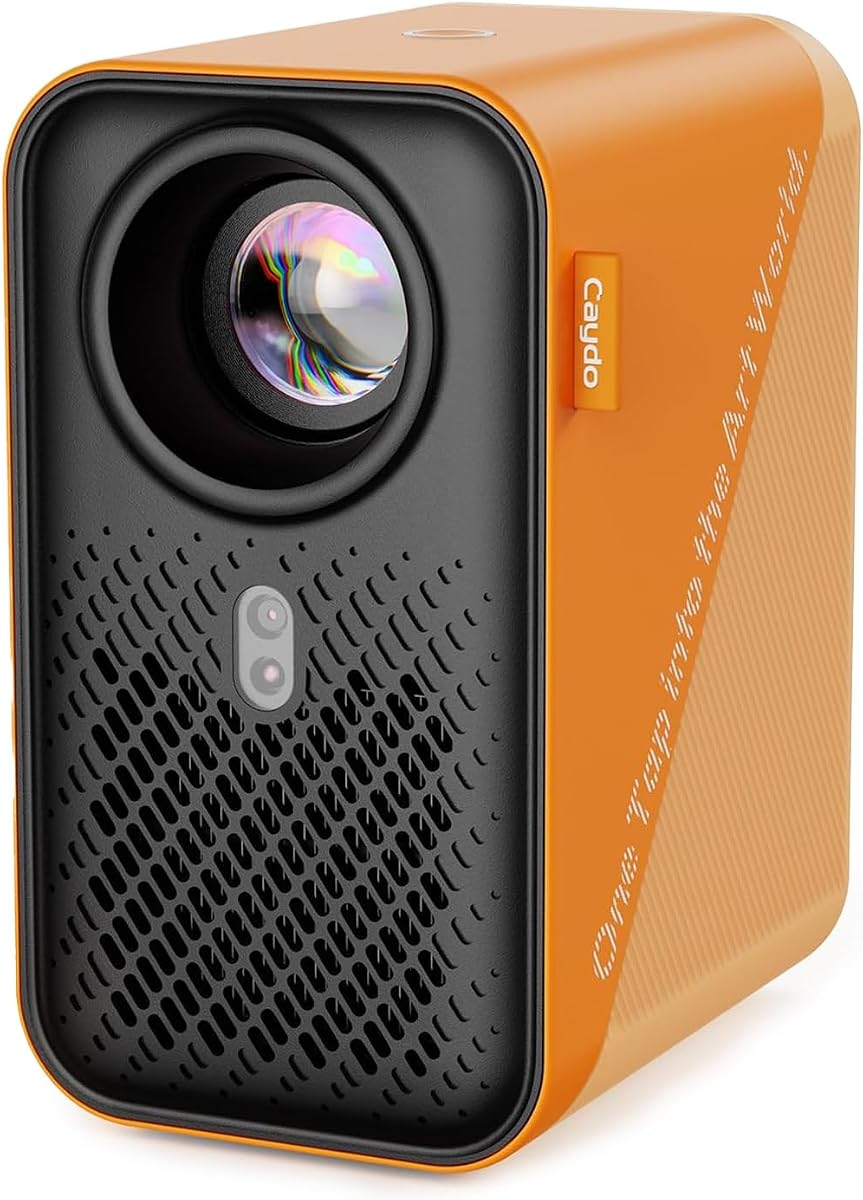
The Caydo S1 is a dedicated optical projector for physical artwork. It has a perfect rating thanks to its simplicity and reliability. Just place your printed image under the copy area and start tracing.
We may earn a commission when you buy through this link, at no additional cost to you.
It projects up to 80 inches and uses an LED that lasts 20000 hours. The unit is portable with a built-in handle, making it easy to move between studio or classroom.
While it lacks wireless features, that keeps it simple and affordable. You do need a darkened room for optimal clarity, but that is standard for optical projectors.
This is the ideal pick for anyone who wants a no-fuss tool that gets the job done without subscriptions or complex settings.
There is no wireless module or HDMI input. Just plug in and use the sliding focus knob to sharpen the outline instantly.
The built-in LED can last years of tracing. This means no replacement bulbs or firmware updates, letting you focus entirely on your artwork.
We may earn a commission when you buy through this link, at no additional cost to you.
The Caydo P1 brings a built-in exclusive drawing app to your workspace. It supports zoom, rotation, and artistic modes to make your process smoother. The projector is compact and versatile for various surfaces.
We may earn a commission when you buy through this link, at no additional cost to you.
Image transfer is easy with QR codes or USB drive options. You can enjoy screen mirroring for entertainment though copyrighted content cannot be mirrored via HDMI or wireless.
Some users note a lower rating due to occasional setup nuances. Still, its optical core is sealed against dust which helps maintain performance over time.
If you want a balance of drawing tools and home entertainment in a small package, this unit is a solid choice.
The software helps make your artistic process more intuitive. Select from artistic modes like Comicize and Monochromize to adapt to your workflow.
Use a USB drive or QR code to get started quickly. You can also enjoy movie entertainment through multiple screen mirroring options.
We may earn a commission when you buy through this link, at no additional cost to you.
This projector emphasizes 5G Dual-Band WiFi and app-free control. It delivers high-speed consistency to reduce latency during tracing. The stand adapts to canvases, walls, and DIY crafts with ease.
We may earn a commission when you buy through this link, at no additional cost to you.
You can scan a QR code to manage settings directly from your browser. It works offline so your workflow stays seamless even if you are in a remote area without Wi-Fi.
Despite its features the rating is moderate. Some users may find setup or connectivity less smooth than premium models but the core idea is sound.
It is a good pick for students or decorators who want a budget-friendly tool that supports both online and offline creativity.
The upgraded chip provides a consistent connection. This reduces latency so you can trace intricate lines with real-time accuracy.
Turn mobile photos into tangible art on any surface. It serves well for architectural tracing to professional cookie decorating tasks.
We may earn a commission when you buy through this link, at no additional cost to you.
The HI-REEKE model supports projection sizes up to 150 inches. It comes with a sturdy 32.3-inch stand that rotates for overhead or angled placement. This is handy for large murals or fabric work.
We may earn a commission when you buy through this link, at no additional cost to you.
You can connect via 2.4G WiFi, USB, or HDMI. The manual focus and keystone correction help you align line art precisely for controlled tracing.
Its native 720P resolution is lower than 1080P models but it suits large-scale drafts. The remote adds convenience for adjusting settings without getting close.
If you need a projector for big designs and a stand that adapts to your workspace, this unit offers good value.
Scale photos and patterns for paper, canvas, or fabric. One setup can support projects from small details to large compositions.
The sturdy metal stand rotates for overhead or angled placement. It can attach to the stand or use the base on a stable surface.
We may earn a commission when you buy through this link, at no additional cost to you.
The Caydo P2 delivers 250 ANSI lumens with accurate color and contrast. Its standout feature is offline drawing tools that work even when internet is poor. You can scale and compose references with 0-200% zoom.
We may earn a commission when you buy through this link, at no additional cost to you.
Transfer images via QR code or USB drive. Auto focus and keystone correction lock clarity quickly so you can project onto walls or ceilings without extra stands.
Bluetooth 5.4 lets you pair external speakers though it only supports audio. This is useful for immersive sound during long sessions but not video playback.
If you work in basements or areas with weak internet, the offline drawing app capability makes this a practical choice.
Unlike mirroring the drawing tools remain fully functional offline. You can work in basements or spaces with poor internet connectivity.
Project onto walls, ceilings, tabletops, or tilted canvases. The rotating base gives you seamless adaptability across different angles and working surfaces.
We may earn a commission when you buy through this link, at no additional cost to you.
This unit comes with a four-section telescopic stand that reaches 40 inches. It supports 1280x720p HD resolution and offers four connection options including HDMI and wireless mirroring. The bright projection works even without closing curtains.
We may earn a commission when you buy through this link, at no additional cost to you.
Image processing tools support keystone correction and line art extraction. You can project from smartphone size up to nearly Twin Size Bed size on a wall.
The stand clamp needs a tabletop edge less than 2.4 inches thick. Still, its flexibility for murals and sewing patterns is a strong benefit.
If you want a tall stand for desktop use and flexible connectivity, this projector is a practical solution.
Tools include keystone correction, image rotation, and line art extraction. These make it great as an artist projector or sewing pattern projector.
Adjust the stand and zoom to fit onto paper, canvas, or banners. Wall projection can reach nearly Twin Size Bed size.
We may earn a commission when you buy through this link, at no additional cost to you.
The KODAK Luma 150 offers up to 2.5 hours of battery life. It includes precision mounting tools like an overhead tripod and articulating arm clamp. This setup ensures your image is perfectly aligned for overhead tracing.
We may earn a commission when you buy through this link, at no additional cost to you.
You can stream wirelessly with Miracast and AirPlay. It also supports HDMI, USB, and microSD inputs for diverse media sources. The 60 ANSI-lumen DLP engine is vivid though less bright than bigger units.
With a perfect rating it is ideal for portable sessions. If you want to work indoors or out without a power cord, this kit is excellent.
Choose this if portability and overhead flexibility are your top priorities for art tracing.
With up to 2.5 hours of battery life, you can craft without a constant power source. Enjoy longer sessions of drawing or presenting.
Position your image with precision using the included adjustable overhead tripod. It is ideal for art tracing and overhead projector uses.
We may earn a commission when you buy through this link, at no additional cost to you.
This projector works with iPhone and iPad via wireless projection or Airplay. It has a clear and bright projecting image helpful for beginners. The focus lens allows distances from 11 to 80 inches.
We may earn a commission when you buy through this link, at no additional cost to you.
You can use USB and HDMI inputs if needed. The stand is foldable and lightweight for storage. The unit supports 480P resolution and is designed for kids and crafters.
It is limited to Apple for wireless projection but still useful for classroom or family use. The price is affordable for basic tracing tasks.
If you want a simple, portable tool for children or beginners, this model is a friendly entry point.
This projector supports phone with wireless projection or Airdrop. Make sure your phone has the function to use this feature.
This Art Tracing Projector is an ideal gift for children and friends. It brings wonderful reunion time with family.
We may earn a commission when you buy through this link, at no additional cost to you.
Choose an art tracing projector by evaluating brightness, connectivity, and use cases. Here are key factors to consider.
Brightness measured in ANSI lumens affects how well images show in lit rooms. Higher resolutions like 1080P deliver crisp lines for detailed work.
Look for at least 250 ANSI lumens and 720P resolution for solid performance.
Models offer WiFi, HDMI, USB, or optical options. WiFi and app control are useful for mirroring, while optical is simplest for physical prints.
Ensure the connection matches your workflow needs.
Auto focus and keystone correction help maintain sharp images on uneven surfaces. Manual knobs are simple but auto features save time.
Auto tools make setup faster and more precise.
Some units support small desktop sizes while others scale to 150 inches. Consider your workspace and whether you work on paper or murals.
Pick a range that fits your typical canvas or wall.
Portable models have handles and built-in batteries for mobile use. Others come with stands for fixed positions. Think about where you will set up.
Choose a design that matches your studio needs.
Drawing assistants with grids, zoom, and artistic modes improve accuracy. Some allow offline use which helps in areas with poor internet.
Prioritize apps that align with your creative style.
Prices vary by brightness and features. Budget models cost less but may lack high lumens or wireless options. Assess what matters most for your tasks.
Balance cost against the features you will actually use.
LED lifespans can reach 20000 hours for long term use. Some units are sealed against dust to protect internal optics.
Check warranty and lifespan before finalizing a buy.
First, place the projector on a stable surface or mount it on a stand. Adjust the height and angle to align the projected image with your canvas or wall.
Connect your source device via WiFi, USB, or HDMI. If using an app or web control, scan the QR code and select your reference image to project.
Focus the image using the manual knob or auto focus. For best results in bright rooms use curtains and clean the lens regularly with a soft cloth.
Most models work better in dim rooms but higher brightness units like those with 400 ANSI lumens can show images during daytime. Closing curtains improves clarity and contrast.
Some models support app-free web control via browser so you do not need to install software. Others include apps for advanced drawing tools. Check specs before buying.
Optical projectors use lenses to enlarge physical images placed under a copy area. Digital ones use WiFi, HDMI, or USB to project from digital files and apps.
Many art tracing projectors have LEDs rated for 10000 to 20000 hours. This equates to years of use before needing any replacement.
Yes, most models support iOS and Android devices via WiFi or USB. Some only support Airplay so check compatibility before pairing.
Basic optical units are plug and play. Digital models may need initial setup for connections but their interfaces are designed to be intuitive.
Our top picks cover a range of needs from portable optical tools to feature-rich digital units. Each offers unique benefits for artists, students, and decorators.
Prioritize brightness, connectivity, and ease of setup based on your workspace. A model with auto focus and offline tools can save hours of effort.
Remember that prices and availability can change. Always check current listings and reviews before making your final decision.