
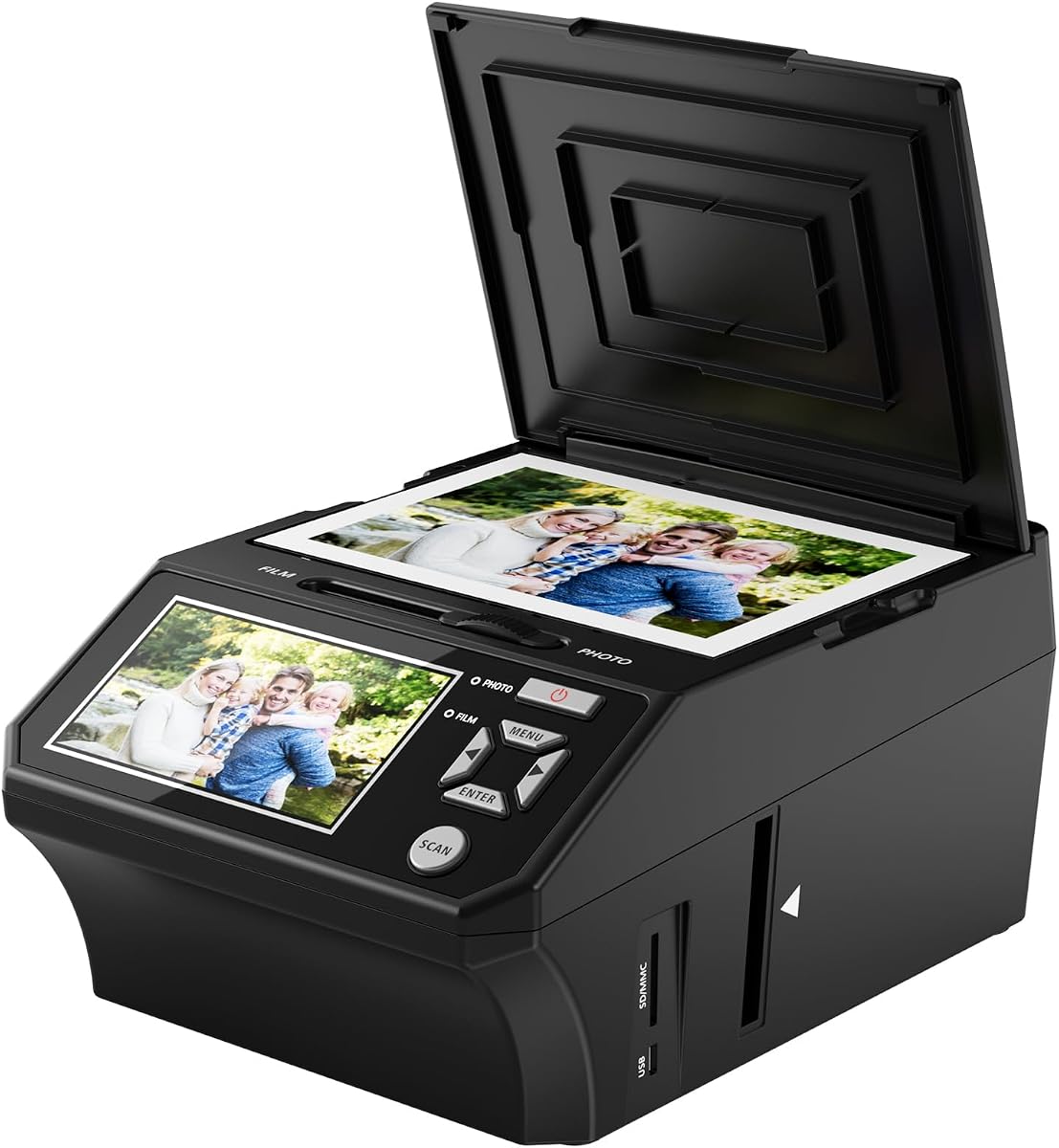
22MP Film & Slide Scanner with 5 LCD
4.3Editor score
Affordable price point
Includes HDMI output cable
One-touch scanning operation
This guide compares the top 35mm Slide Scanner models available in October 2026 to help you digitize your old film and slides with ease and clarity.
Digitizing old photos preserves memories that would otherwise fade away. A good 35mm Slide Scanner lets you convert film into digital files quickly without needing complex software or expensive labs.
We evaluated ten top models based on resolution, ease of use, screen quality, and support for multiple film formats. Each pick offers distinct advantages for different user needs and budgets.
Every review highlights key features, pros, cons, and ideal users for each scanner. Prices and availability change frequently, so check current listings before making your final purchase decision.
4.3Editor score

4.3Editor score

5.0Editor score
Here is a side-by-side look at all ten models. This table helps you compare key specifications like screen size, resolution, and connectivity options at a glance.






The KODAK Slide N Scan leads our list with a balance of resolution and usability. It rates well among users for its ability to handle multiple film formats without needing a computer connection.
We may earn a commission when you buy through this link, at no additional cost to you.
Its 5-inch LCD allows instant previewing, which speeds up workflow significantly. The included HDMI cable means you can view scans on a TV immediately after saving to SD card.
While it does not include an SD card, the slot supports up to 32GB. Users may need to clean film manually before scanning to avoid dust marks on digital output.
This scanner is ideal for families with mixed collections of 135, 110, and 126mm film. Its simplicity makes it a strong choice for anyone wanting to digitize memories quickly.
The large display lets you check images before saving to ensure quality without extra steps.
Adapters for various film types mean you can archive different eras of photos with one device.
We may earn a commission when you buy through this link, at no additional cost to you.
Magnasonic offers a compelling alternative with 24MP resolution and Super 8 film support. This makes it unique among standard 35mm scanners that often exclude older film formats.
We may earn a commission when you buy through this link, at no additional cost to you.
The device operates fully standalone, allowing edits like brightness and color correction directly on the unit. It supports SD cards up to 128GB, providing ample storage space for large projects.
One minor drawback is that the HDMI cable is not included, requiring a separate purchase for TV viewing. Otherwise, the interface remains straightforward and user-friendly.
Choose this if you have Super 8 film to convert or need high-resolution files. It remains a solid choice for archiving mixed media collections efficiently.
Handles Super 8 film in addition to standard negatives, broadening archival possibilities.
Accepts SD cards up to 128GB, reducing need for frequent card swaps.
We may earn a commission when you buy through this link, at no additional cost to you.
The KODAK Slide N Scan Max focuses on workflow efficiency with its quick-moving tray. It minimizes the need to reposition film during scanning, saving time on long sessions.
We may earn a commission when you buy through this link, at no additional cost to you.
It allows resizing and color adjustments via advanced capture software with single-touch convenience. You can save directly to SD card without connecting to a computer at all.
The resolution is 13MP with 22MP interpolation, which is sufficient for most prints but may fall short for large format needs. Also, HDMI connectivity is not mentioned in specs.
This model suits users prioritizing speed and portability. It works well for digitizing slides and negatives quickly without technical complexity or cables.
The smooth tray reduces manual effort during continuous scanning sessions.
Save directly to SD card for instant access without computer dependency.
We may earn a commission when you buy through this link, at no additional cost to you.
This scanner stands out by including an 8GB SD card right in the box. The three-year warranty adds significant peace of mind for long-term use.
We may earn a commission when you buy through this link, at no additional cost to you.
Its interface is designed to be intuitive for seniors, avoiding complex menus and apps. It also scans printed photos alongside slides, making it truly all-in-one.
The 8GB card fills up quickly with 20MP images, so consider upgrading later. However, the warranty and ready-to-use setup justify the price for many buyers.
If you want a gift for parents to digitize family archives, this is an excellent choice. It removes barriers like software installation and missing accessories.
Simple buttons and offline operation make it ideal for non-tech users.
Three-year coverage ensures support if issues arise after purchase.
We may earn a commission when you buy through this link, at no additional cost to you.
At the lowest price point, this scanner still delivers 22MP resolution and a 5-inch screen. It proves you do not need to spend a fortune for decent digitization results.
We may earn a commission when you buy through this link, at no additional cost to you.
It comes with a full accessory kit including HDMI and USB cables. The 128MB internal memory offers a small buffer if SD cards are unavailable temporarily.
You will need to buy an SD card separately as it is not included in the box. The 12-month warranty is standard but adequate for a budget product.
This is perfect for first-time buyers on a tight budget. It balances cost and features better than other cheap alternatives in the market.
Includes HDMI and USB cables so you are ready to view and transfer immediately.
Built-in memory allows temporary storage without external SD card.
We may earn a commission when you buy through this link, at no additional cost to you.
HP brings a premium feel with a 7-inch touch display. This larger screen makes navigation and previewing easier than on smaller models.
We may earn a commission when you buy through this link, at no additional cost to you.
The touch interface allows direct cropping and editing without a PC. Its quick-feed tray helps process mixed collections swiftly for better batch workflows.
While powerful, the price is higher than average. Touch controls may also require a short adjustment period for users used to physical buttons.
Ideal for users wanting a digital photo frame feel with advanced editing. It elevates the digitization process with better usability and output quality.
7-inch screen offers better visibility and intuitive navigation.
Crop and adjust scans directly on device without extra software.
We may earn a commission when you buy through this link, at no additional cost to you.
This HP model modernizes power connectivity with USB-C support. It offers similar sensor specs to other premium units but focuses on a compact footprint.
We may earn a commission when you buy through this link, at no additional cost to you.
The 5-inch touch screen enables easy editing directly on the device. You can save to SD cards for immediate digital access without a PC.
Powering via USB-C means it can run from a portable power bank. However, the AC adapter is separate and HDMI is not highlighted in specifications.
Choose this if you want a compact scanner with modern ports. It fits well for travel or limited desk spaces without sacrificing quality.
Modern USB-C input allows flexible power sources including portable banks.
Space-saving design suits small workspaces or travel setups.
We may earn a commission when you buy through this link, at no additional cost to you.
The KODAK SCANZA supports 8mm and Super 8 films alongside standard formats. This makes it a rare choice for collectors of vintage film stock.
We may earn a commission when you buy through this link, at no additional cost to you.
Its 3.5-inch TFT LCD is adjustable and bright, offering good visibility. It includes an HDMI cable so you can view images on a TV easily.
The screen is smaller than rivals, which might limit detail viewing for some. You also need to purchase an SD card separately to save your scans.
If you have vintage 8mm films to archive, this model is unique. It balances legacy support with standard features effectively.
Handles 8mm and Super 8, formats often excluded by other scanners.
Comes with HDMI cable so you can view on large screens.
We may earn a commission when you buy through this link, at no additional cost to you.
This budget unit focuses on simplicity with a tiny 2.4-inch display. It works well for casual users who just need basic digitization of 35mm film.
We may earn a commission when you buy through this link, at no additional cost to you.
Batch scanning helps process 135 film strips quickly. It is fully portable and needs no software or drivers to operate.
The small screen may require squinting for adjustments and the rating is lower than top picks. However, the price makes it accessible for beginners.
Buy this if you want the cheapest option for occasional scans. It serves basic needs without extra costs or complexity.
Lowest price point makes it ideal for occasional personal projects.
Requires no software installation, just connect and scan.
We may earn a commission when you buy through this link, at no additional cost to you.
The ClearScan T7 boasts a 5.0 rating and includes a 16GB SD card. Its touch interface reduces button confusion for first-time users significantly.
We may earn a commission when you buy through this link, at no additional cost to you.
With 24MP output and Super 8 support, it covers many legacy needs. The touch screen makes previewing and adjusting images intuitive and fast.
It comes from a newer brand which might limit support history. The price is competitive considering the included card and features offered.
Choose this for ease of use and modern design. It is a top candidate for families aiming to digitize quickly with minimal learning curve.
Comes with 16GB card to start saving images immediately.
Large touchscreen simplifies navigation for all age groups.
We may earn a commission when you buy through this link, at no additional cost to you.
Selecting the right scanner depends on your film types, budget, and desired output quality. Consider these factors to match a model to your needs.
Resolution determines how sharp your scanned images will be. Models range from 13MP to 24MP; higher values help if you plan to print large sizes.
Look for at least 20MP if you want to print photos larger than 5×7 inches without loss of detail.
Larger screens make previewing and adjusting images much easier. Touchscreens offer intuitive navigation while physical buttons suit those who prefer tactile control.
Prioritize a 5-inch or larger screen if you want clear visibility without external monitors.
Ensure the scanner supports all film types you own. Most handle 35mm negatives and slides but some include 110, 126, and Super 8 support.
Check adapter availability before buying if you have vintage formats beyond standard 35mm.
Standalone units let you scan without a computer which simplifies the workflow for most users. PC models offer more editing control but require setup.
If you want to avoid installing drivers, choose a standalone device with built-in editing tools.
Connectivity matters for transferring scans. HDMI allows viewing on TVs while USB-C or USB-A enables PC data transfer or power.
Ensure the scanner has the ports you need such as HDMI for large screen display.
SD card support varies from 32GB to 128GB. Larger capacity reduces the need to swap cards during bulk projects.
Look for models supporting 64GB or more if you plan to scan hundreds of slides at once.
Some models include HDMI cables, SD cards, or cleaning brushes. This adds value and reduces extra costs after purchase.
Check the bundle contents carefully to avoid buying missing essentials later.
A longer warranty period offers peace of mind against hardware issues. Brands offering 1 to 3 years are generally more reliable.
Consider support availability if you encounter setup problems during scanning.
Begin by inserting the correct film holder for your format. Slide the film into the tray and ensure it sits flat to avoid blurry images.
Turn on the device and use the preview screen to check alignment. Adjust brightness or color settings using the on-device controls before scanning.
After scanning, save images to an SD card or transfer via USB to your computer. Clean the lens regularly with a soft brush to maintain image quality.
Most modern models work fully standalone without needing a PC. You can scan, edit, and save directly to an SD card. However some allow optional PC connection for file management.
Most models handle 35mm slides and negatives. Some also support 110, 126, Super 8, and 8mm formats. Always check compatibility before purchasing if you have older film types.
Most scanners do not include an SD card so you must buy one separately. However some recent models like the ClearScan T7 include a small card to start immediately.
Yes many models include an HDMI port allowing you to view scans on a TV. This is useful for sharing memories with family without using a computer screen.
Stand alone scanners include built-in editing tools for brightness and color. You do not need extra software unless you want advanced editing on a computer.
Scanning typically takes a few seconds per image. Higher resolution modes may take slightly longer. Most users report scanning a full roll in minutes.
The KODAK Slide N Scan leads as our top pick for balancing resolution and usability. It is a reliable choice for most families with mixed film collections.
If budget matters most consider the 22MP Film & Slide Scanner for affordable quality. For premium features choose the ClearScan T7 with its touch interface and included card.
Prices and availability change often so review current listings before buying. These models offer excellent ways to preserve old photos for future generations.