
ASUS VM670 27 All-in-One Desktop Computer
5.0Editor score
32GB DDR5 RAM for Multitasking
1TB SSD Storage Capacity
Advanced Connectivity Options
This guide compares the top ten All in One Desktop PC with Touchscreen models available in October 2026 based on performance, display quality, and value.
Finding the right All in One Desktop PC with Touchscreen can transform your workspace into a sleek and efficient hub for productivity. These devices combine powerful computing components with vibrant touch displays, eliminating the need for separate towers and monitors. Whether you are a student, professional, or home user, choosing the right model ensures smooth multitasking and intuitive interaction.
We evaluated ten leading models based on processor performance, display quality, memory capacity, and overall user experience. Our analysis focuses on real-world usability, including how well each device handles everyday tasks, creative work, and video conferencing. We also considered build quality, connectivity options, and the value offered by each package.
Each pick in this list highlights specific strengths that cater to different needs and preferences. From budget-friendly options to high-performance machines, you will find a model that fits your workflow. Please note that prices and availability can change frequently, so verify current details before making your final purchase decision.
5.0Editor score

4.7Editor score

This comparison table provides a side-by-side overview of the key specifications for all ten models featured in this guide. It helps you quickly identify which device offers the right balance of power, screen size, and features for your specific requirements.




This HP All-in-One desktop stands out as the top choice for users seeking a balance of power and usability. With a high rating from users, it delivers reliable performance for both professional and home environments. The inclusion of AI capabilities sets it apart from standard desktop models available today.
We may earn a commission when you buy through this link, at no additional cost to you.
The AMD Ryzen AI 7 350 processor provides exceptional speed for multitasking and creative applications. Paired with 16GB of DDR5 RAM and a massive 1TB SSD, the system handles heavy workloads without lag. The 27-inch touchscreen offers an immersive viewing experience with wide angles and anti-glare technology.
While the price point is premium, the included accessory bundle adds significant value to the overall package. Items like the touchscreen pen and USB drive prepare you for immediate use. The only minor drawback is the initial learning curve associated with new AI features.
For professionals and power users who need a robust machine, this model is highly recommended. It excels in video editing, browsing, and general productivity tasks. We suggest this device for anyone looking to upgrade their workspace with modern technology.
The dedicated Copilot key and AI companion enhance daily efficiency with intelligent assistance tools.
The 27-inch FHD touchscreen with anti-glare ensures comfortable viewing during long sessions.
We may earn a commission when you buy through this link, at no additional cost to you.
The ASUS VM670 is a powerhouse designed for users who demand the highest performance. With a perfect rating, this model impresses with its memory and processing capabilities. It is ideal for creative professionals and heavy multitaskers.
We may earn a commission when you buy through this link, at no additional cost to you.
Equipped with 32GB of DDR5 RAM, this machine ensures smooth operation across multiple applications and browser tabs. The 1TB SSD provides ample storage for large files and fast boot times. The display offers excellent color coverage and wide viewing angles.
The build quality and security features are robust, making it suitable for business environments. Microsoft Pluton and BIOS protection add layers of safety. The only consideration is the cost, which reflects its high-end specifications.
We recommend this model for those who need top-tier performance and security. It handles demanding workloads with ease and provides a stable environment for critical work. This is a premium choice for serious users.
32GB DDR5 RAM ensures seamless multitasking and fast application loading.
Advanced security features protect your data during video calls and browsing.
We may earn a commission when you buy through this link, at no additional cost to you.
This MSI model offers an excellent entry point into the world of touchscreen all-in-one computers. It provides solid performance for business tasks at a competitive price. The inclusion of wireless accessories makes it ready to use out of the box.
We may earn a commission when you buy through this link, at no additional cost to you.
Powered by a 14th Gen Intel Core 7 processor, it handles daily workloads efficiently. The touchscreen display allows for intuitive interaction with content. It also supports dual external monitors for expanded workspace setups.
While it may not have the massive memory of higher-end models, it is sufficient for most office tasks. The ability to connect multiple screens adds flexibility. The value proposition is strong for small businesses.
We suggest this for users looking for a cost-effective solution that does not compromise on core performance. It is perfect for reception areas, small offices, or home users on a budget. It represents great value for the price.
Comes with wireless keyboard and mouse for a clean and efficient workspace.
Dual external monitor support allows for expanded productivity configurations.
We may earn a commission when you buy through this link, at no additional cost to you.
This Dell model is a favorite among users who want reliable performance in a compact size. It holds a perfect rating reflecting its quality and build. The privacy features and eye protection make it ideal for long work hours.
We may earn a commission when you buy through this link, at no additional cost to you.
The 10-core processor ensures smooth operation for demanding tasks. Windows 11 Pro is included, which is beneficial for business users. The webcam includes a privacy shutter for added security when not in use.
The only trade-offs are the storage capacity and screen size compared to larger models. However, the compact design saves desk space. The comfort features like ComfortView Plus reduce eye strain significantly.
We recommend this for users who prioritize privacy and eye health. It is a strong choice for home offices where space is at a premium. The performance is robust for standard office and multimedia tasks.
The webcam includes a physical shutter for privacy when not in use.
ComfortView Plus reduces harmful blue light emissions for better eye health.
We may earn a commission when you buy through this link, at no additional cost to you.
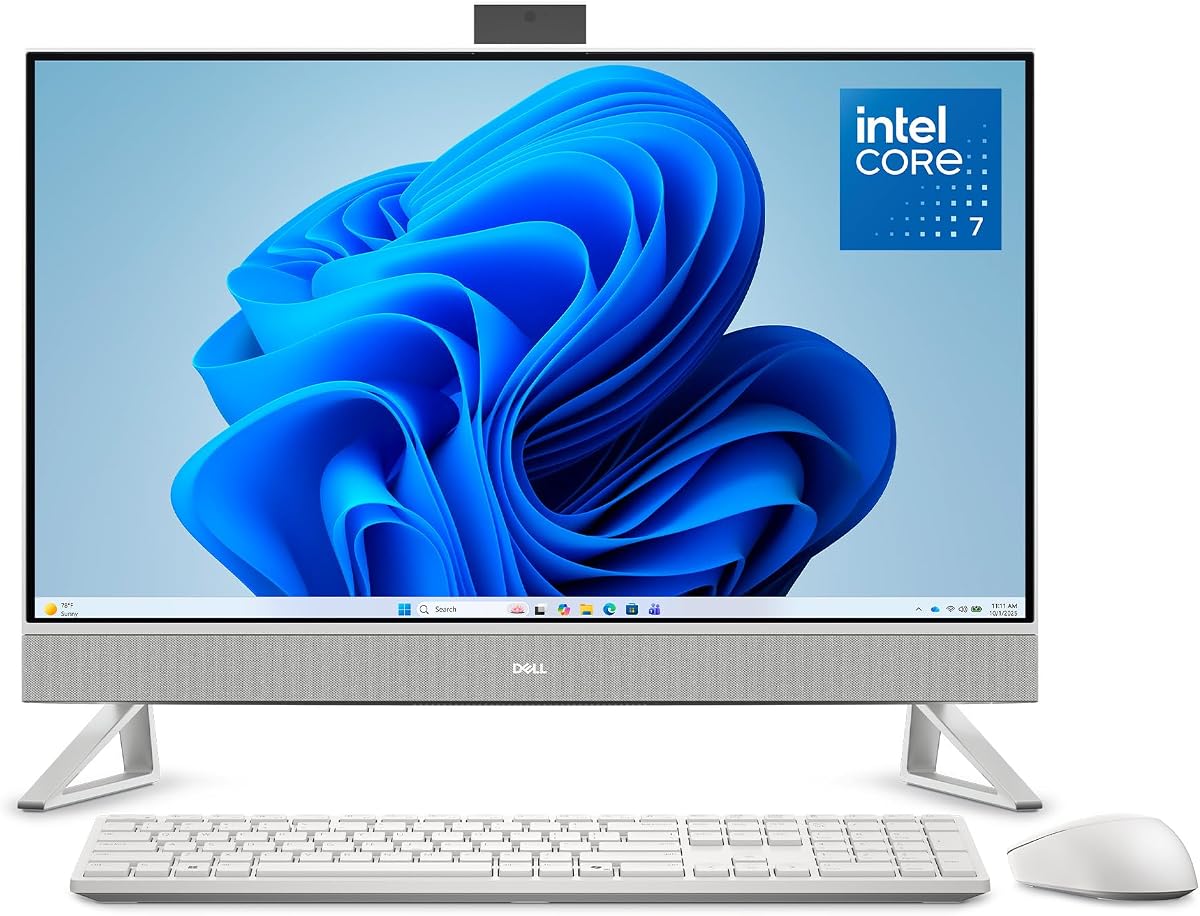
This Dell model leverages the latest Intel Ultra 7 processor to deliver top-tier performance. It is rated highly for its ability to handle intensive tasks. The inclusion of Wi-Fi 7 ensures future-proof connectivity speeds.
We may earn a commission when you buy through this link, at no additional cost to you.
With 32GB of RAM and a 1TB SSD, this machine is built for speed. It supports pen input which is great for note-taking or creative work. The modern design fits well in professional environments.
The only downside is the screen size compared to 27 inch competitors. However, the portability and efficiency of the Ultra 7 chip are significant advantages. It is designed for business professionals who need reliability.
We recommend this for users wanting the newest technology in a compact form. The pen support adds versatility for presentations and design work. It is a strong contender for professional use cases.
Wi-Fi 7 ensures the fastest possible internet speeds for your workspace.
Touchscreen pen support allows for precise control and creative work.
We may earn a commission when you buy through this link, at no additional cost to you.
This HP model is a strong choice for everyday computing needs. It offers a spacious 27-inch screen which is great for multitasking. The 1TB SSD ensures plenty of space for documents and media files.
We may earn a commission when you buy through this link, at no additional cost to you.
The AMD Ryzen 5 processor provides reliable speed for browsing and office work. The anti-glare panel helps reduce eye strain during long sessions. It comes with Windows 11 Pro for enhanced features.
While it is not the most powerful machine available, it is reliable for general use. The build quality is decent for the price point. It is a good option for home offices.
We suggest this for users who need a reliable and spacious screen. It handles video calls and web browsing with ease. It is a balanced choice for general home and school use.
The 1TB SSD provides ample space for all your files and programs.
Anti-glare technology ensures comfortable viewing in various lighting conditions.
We may earn a commission when you buy through this link, at no additional cost to you.
This Dell 27-inch model offers a large display which is great for media consumption. It comes with 32GB of RAM which ensures smooth performance. The design is clean and minimizes desk clutter effectively.
We may earn a commission when you buy through this link, at no additional cost to you.
The audio system with Dolby Atmos provides immersive sound without external speakers. The 5MP camera ensures you look your best in meetings. However, it runs Windows 11 Home instead of Pro.
The price is on the higher side for this specification set. But the large screen and high memory make it a powerful choice. It is ideal for users who value visual space.
We recommend this for home entertainment or media consumption. It offers a high-quality viewing experience. It is a solid choice for users wanting a bigger screen.
Dolby Atmos spatial sound provides a rich audio experience.
The 27-inch display offers more workspace for multitasking.
We may earn a commission when you buy through this link, at no additional cost to you.
This HP model is designed for home and school environments. It offers a clean look and solid basic performance. The 16GB memory helps with multitasking on a budget.
We may earn a commission when you buy through this link, at no additional cost to you.
The N100 processor handles web browsing and streaming well. It is a great machine for students or light home use. The touch screen adds a modern convenience to the package.
It is not built for heavy gaming or video editing but excels at daily tasks. The white finish fits well in modern decor. It provides good value for the price.
We suggest this for families needing a reliable home computer. It is easy to use and supports educational needs well. It is a practical choice for general home use.
Great for online learning and basic school assignments.
White finish blends well with modern home decor.
We may earn a commission when you buy through this link, at no additional cost to you.
This ASUS model offers a unique Copilot key for quick AI access. It is highly rated for its performance and build quality. The 32GB DDR5 memory ensures it handles heavy loads easily.
We may earn a commission when you buy through this link, at no additional cost to you.
The display has a 75Hz refresh rate which is smooth for media. Wi-Fi 6 and BT 5.4 provide excellent connectivity. It is a powerful tool for modern work.
The price reflects its premium features. However, the Copilot key is a future-proof addition for productivity. It is ideal for tech-savvy users.
We recommend this for those wanting AI tools and high performance. It is a strong option for business and creative work. It stands out with its unique hardware features.
The dedicated Copilot key provides instant access to AI tools.
75Hz refresh rate delivers smoother visuals than standard screens.
We may earn a commission when you buy through this link, at no additional cost to you.
This Dell model is a great starting point for all-in-one users. It offers a solid performance for everyday tasks. The narrow border design maximizes screen real estate.
We may earn a commission when you buy through this link, at no additional cost to you.
The ComfortView Plus feature helps protect your eyes during long work sessions. Onsite service provides peace of mind for business users. The audio system is clear and loud enough for calls.
It may not handle heavy gaming but is perfect for office work. The price is accessible for many home users. It is reliable and sturdy.
We suggest this for users needing a reliable home computer. It offers good value and essential features. It is a strong choice for daily computing.
ComfortView Plus reduces blue light emissions for comfort.
Onsite service ensures support when you need it at home.
We may earn a commission when you buy through this link, at no additional cost to you.
Selecting the right all-in-one desktop requires understanding your specific needs and budget constraints. Here are the key factors to consider.
The processor determines how fast the machine can handle tasks. Look for Intel Core i5 or higher or AMD Ryzen 5 for modern needs.
Prioritize processors with multiple cores for better multitasking capability.
At least 16GB of RAM is recommended for smooth performance today. SSD storage is essential for fast boot times and application loading.
Choose 1TB SSD if you work with large files or media libraries.
Consider screen size based on your desk space and usage. 27-inch offers more workspace while 24-inch is compact.
Look for IPS panels with wide viewing angles and color accuracy.
Touchscreens are great for interactive work and presentations. Ensure the touch response is accurate and supports multi-touch gestures.
Pen support is valuable for note-taking and creative tasks.
Check for USB ports Wi-Fi 6 and Bluetooth support. External monitor support can extend your workspace significantly.
USB-C ports offer versatile charging and data transfer options.
Windows 11 Pro offers business features while Home is sufficient for general use. AI capabilities and security tools add value.
Ensure the OS version matches your specific workflow needs.
A clean design helps reduce desk clutter. Adjustable stands allow you to find the best viewing angle.
Look for features like tilt adjustment and cable management.
Warranty and service options are crucial for long-term use. Onsite service is highly convenient for businesses.
Check the duration and coverage of the hardware warranty.
Clean the touchscreen regularly with a soft microfiber cloth to prevent smudges and scratches. Avoid using harsh chemicals or abrasive materials on the display surface.
Ensure the device has adequate airflow by placing it in a well-ventilated area. Dust buildup can affect performance and hardware longevity.
Adjust the tilt and position of the stand to maintain good posture during long sessions. This helps reduce strain on your neck and back.
Many modern models include HDMI-in or DisplayPort support allowing you to connect an external monitor. This extends your workspace and provides more flexibility for multitasking.
Most touchscreens on these devices are highly accurate and support multi-touch gestures. For precision tasks like graphic design, using a pen or mouse may be preferable.
Most all-in-one desktops have soldered RAM that cannot be upgraded. It is best to choose a model with enough memory for your future needs at purchase.
With proper care and maintenance an all-in-one desktop can last five to seven years. Regular software updates and physical care extend the longevity significantly.
Almost all models include built-in speakers for audio playback. Higher-end models often feature Dolby Atmos for better sound quality during media consumption.
Many models include wireless keyboards and mice as part of the bundle. This allows you to start using the device immediately without buying extra accessories.
The best choice depends on your specific needs whether for business home or creative work. The top picks offer strong value and performance across different price points.
Prioritize RAM storage and display quality based on how you plan to use the device. These factors directly impact your daily experience and productivity.
Remember that prices and availability change so check current details before buying. This guide helps you find a model that fits your needs and budget.