
Canon Canoscan Lide 300
4.2Editor score
Auto Scan Mode detection
Compact USB connectivity
Efficient document digitization
Choosing the right flatbed scanner can transform how you handle documents and images in your daily workflow. With so many options available, finding a model that balances performance and ease of use is essential for productivity.
Our team analyzed ten leading 1117 flatbed scanners based on resolution, speed, software features, and user reliability. We focused on real-world performance metrics to ensure each recommendation meets diverse professional and home office needs.
Each pick below highlights key strengths, limitations, and ideal use cases to guide your decision. Please note that pricing and availability fluctuate frequently, so always verify current details before making your final purchase.
4.2Editor score
3.8Editor score

3.8Editor score
As an Amazon Associate we earn from qualifying purchases.
This side-by-side comparison highlights the distinct capabilities of each scanner model to help you identify the best fit for your specific document handling requirements.




The Epson Perfection V39 II offers a solid starting point for those needing high-resolution photo scanning without complex features. It delivers crisp detail for home archiving and is highly portable due to its USB power source.
We may earn a commission when you buy through this link, at no additional cost to you.
Its standout quality is the 4800 dpi resolution which allows for significant enlargement of photos without losing clarity. The removable lid supports scanning thicker items like photo albums or books with ease.
While it lacks advanced automation found in higher-end models, the one-touch buttons simplify basic operations effectively. The main trade-off is a slower scanning speed compared to dedicated office document scanners.
This model is ideal for home users prioritizing image quality over raw speed. If you need to digitize family photos occasionally, the V39 II balances cost and performance well.
Use the Easy Photo Fix technology to restore color to faded photos with just one click, preserving vibrant memories effortlessly.
The high-rise removable lid allows you to scan thick books and bound documents without damaging the spine or the scanner.
We may earn a commission when you buy through this link, at no additional cost to you.
The Canon Canoscan Lide 300 is a straightforward device designed for quick document digitization. It focuses on simplicity and speed, making it an excellent choice for small offices with basic needs.
We may earn a commission when you buy through this link, at no additional cost to you.
Its Auto Scan Mode is a key strength as it automatically detects what you are scanning and adjusts settings accordingly. This reduces manual setup time and streamlines the workflow for repetitive tasks.
The unit is compact and lightweight, which aids in portability and space saving. However, it is primarily optimized for text documents rather than high-detail photography.
Buy this if you need a reliable, affordable tool for converting paper files into digital formats quickly. It is perfect for home offices where budget and simplicity are top priorities.
The scanner automatically detects the object you place on the glass, simplifying the process for users who scan frequently.
Connectivity is handled through a standard USB connection, requiring no external power adapter for most modern setups.
We may earn a commission when you buy through this link, at no additional cost to you.
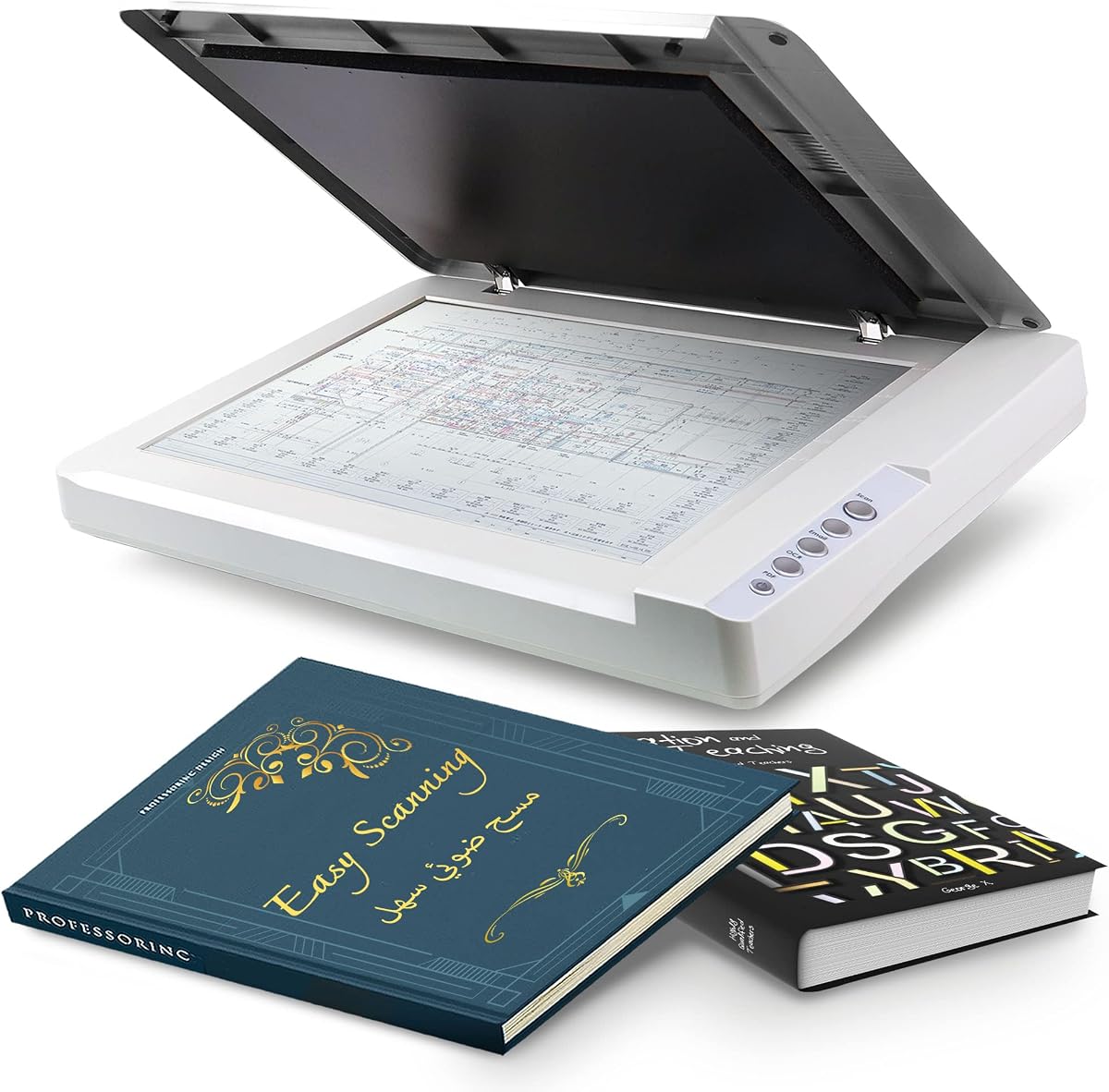
The VIISAN 3120 A3 stands out for its ability to handle large format documents efficiently. It is designed for schools, libraries, and professionals who need to digitize oversized materials quickly.
We may earn a commission when you buy through this link, at no additional cost to you.
Its frameless boundary design allows for scanning large items like maps or posters without cutting off edges. The auto-scan function further boosts productivity by initiating scans as soon as the lid closes.
While it offers fast speeds and high resolution, the CIS sensor is optimized for flat paper and does not handle 3D objects well. This limitation is acceptable given its specialized use case.
This scanner is recommended for educational and office environments requiring high throughput for large documents. If you need to manage archives of blueprints or books, this model is a strong contender.
Handles large documents up to 11.7×16.7 inches with speed, making it ideal for CAD drawings and architectural plans.
Features an LED light source that saves energy and requires no warm-up time, ensuring immediate readiness for scanning tasks.
We may earn a commission when you buy through this link, at no additional cost to you.
The VIISAN VF3240 A3 is engineered for speed and precision, targeting users who handle high volumes of technical drawings. Its 4-second scan time for A3 color documents is a significant advantage in busy office settings.
We may earn a commission when you buy through this link, at no additional cost to you.
It delivers up to 2400 DPI resolution which ensures every detail of engineering drawings is captured clearly. The frameless design continues to support edge-to-edge scanning for large sheets of paper.
Users should note that achieving full resolution on Windows may require specific software, whereas macOS supports native drivers better. This slight complexity is outweighed by the performance benefits for technical professionals.
Purchase this model if your workflow relies heavily on scanning blueprints and architectural plans efficiently. It is built to handle the rigorous demands of design firms and engineering departments.
Achieve maximum scanning speed of 4 seconds for A3 color documents, reducing wait times in high-volume environments.
The high resolution output ensures that fine lines and details in technical drawings are preserved accurately in digital format.
We may earn a commission when you buy through this link, at no additional cost to you.
The Epson Perfection V19 II is another excellent choice for photo enthusiasts who prioritize detail and portability. It offers the same high resolution as the V39 II but in a more compact form factor.
We may earn a commission when you buy through this link, at no additional cost to you.
Its built-in kickstand allows for vertical storage, saving valuable desk space when the scanner is not in use. This feature makes it particularly suitable for home offices with limited room.
While the scan speed is fast for documents, it is primarily designed for still images and small items. The lack of a removable lid limits its use with thick books compared to larger models.
This unit is perfect for personal use where space and image quality matter most. It balances performance and convenience effectively for those who mainly scan photos and small documents.
The built-in kickstand allows you to store the scanner vertically, saving significant desk space in small home offices.
Generate searchable PDFs and editable Microsoft Office documents directly from scanned text using built-in OCR technology.
We may earn a commission when you buy through this link, at no additional cost to you.
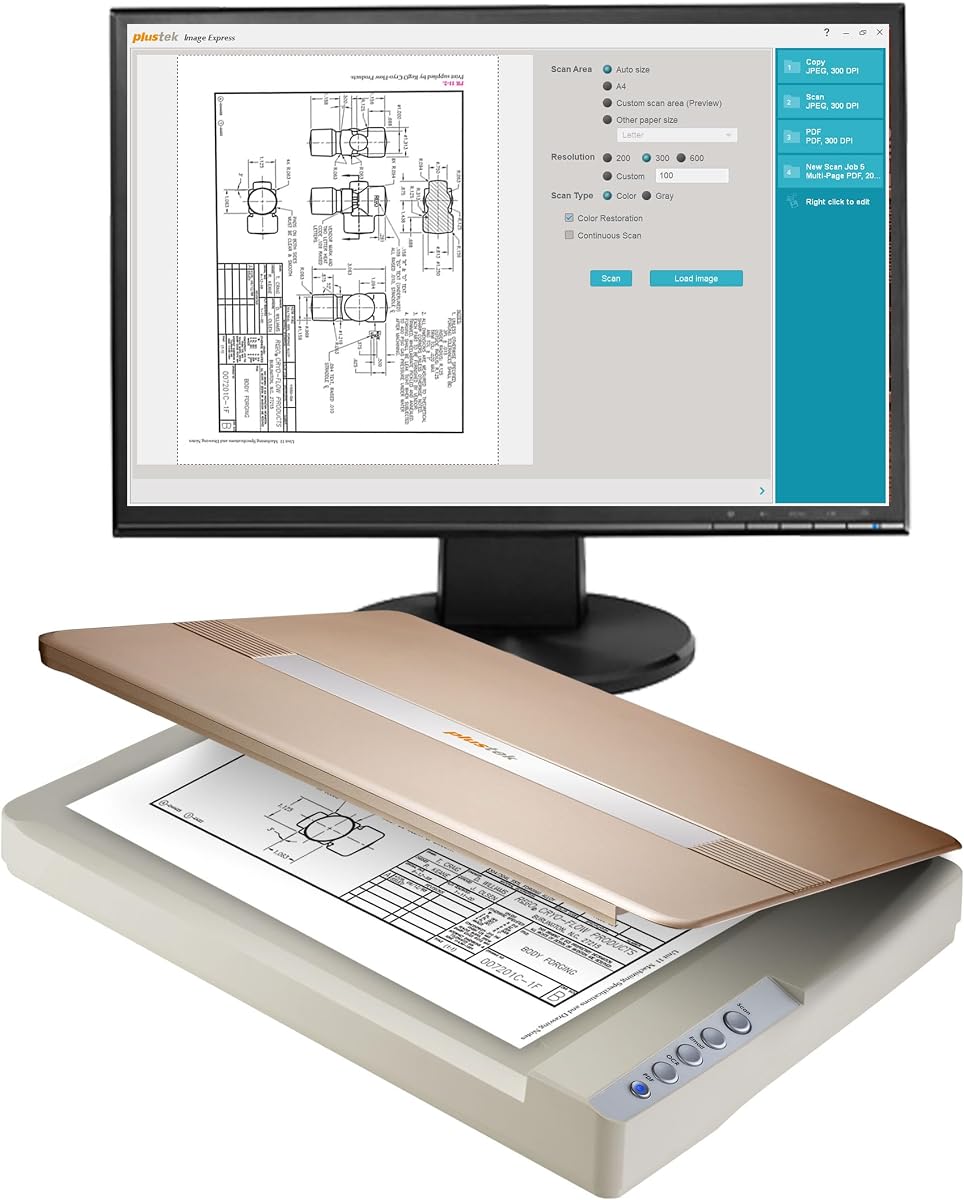
The Plustek OpticPro A320E is a professional grade device designed for handling large and complex document needs. It provides a robust solution for businesses needing to archive oversized materials like maps and blueprints.
We may earn a commission when you buy through this link, at no additional cost to you.
Its Doc Action feature simplifies file management by allowing quick access to various destinations like email or cloud storage. This integration speeds up the workflow significantly for administrative staff.
The scanner supports multiple operating systems including Linux which is rare in consumer devices. This versatility makes it a strong option for diverse IT environments.
Invest in this model if you need enterprise level reliability and large format scanning capabilities. It is built to handle the demands of libraries and professional archival services efficiently.
Use Doc Action to easily scan and save to different file formats or destinations without leaving the scanning interface.
Compatible with Windows, Mac, and Linux systems ensuring it can integrate seamlessly into any existing office network.
We may earn a commission when you buy through this link, at no additional cost to you.
The Plustek OpticSlim 1680 is a high-speed device that excels at converting large documents quickly. It is designed for environments where time is critical and large batch processing is required.
We may earn a commission when you buy through this link, at no additional cost to you.
Its ability to scan a tabloid document in just 3 seconds is a standout feature that saves substantial time over repetitive tasks. The one-key operation further streamlines the process for daily use.
While the speed is impressive, the software interface may require a learning curve for new users. However, the dual view settings allow for quick adjustments to image quality which helps in refining scans.
Choose this scanner if you need professional grade speed for high volume document conversion. It is best suited for business offices where efficiency and output quality are equally important.
Scan tabloid size documents in just 3 seconds ensuring high throughput for fast-paced business environments.
Pre-configured buttons allow you to set destinations and file types for quick and efficient one-touch scanning.
We may earn a commission when you buy through this link, at no additional cost to you.
The Plustek OS1180 is a dependable scanner designed for consistent daily use in schools and small offices. It handles standard A3 documents efficiently without compromising on image quality.
We may earn a commission when you buy through this link, at no additional cost to you.
Its LED light source saves energy and eliminates warm-up times which helps in maintaining a steady workflow. The pre-set function buttons provide a simple way to access frequently used scanning options.
While it does not match the speed of the fastest models, its reliability makes it a safe choice for general office tasks. The high color depth ensures that graphics and charts are reproduced accurately.
This model is recommended for environments needing a steady and reliable scanning solution. If you need a workhorse that handles daily office documents without issues, this is a strong candidate.
LED light source reduces energy consumption and removes warm-up time allowing for immediate scanning when needed.
Scanning mode supports 48-bit color ensuring rich and accurate color reproduction for documents and graphics.
We may earn a commission when you buy through this link, at no additional cost to you.
The Epson DS-1630 is unique because it combines a flatbed with a powerful auto document feeder. This hybrid design is perfect for businesses that handle both loose sheets and bound documents.
We may earn a commission when you buy through this link, at no additional cost to you.
Its 50-page feeder allows for fast continuous scanning which significantly boosts productivity when processing stacks of papers. The duplex capability further reduces time by scanning both sides of a page simultaneously.
While the flatbed is useful for IDs and passports, the scanner is optimized for bulk document work. The three-year warranty provides additional peace of mind for business investments.
Buy this model if you need a versatile machine for high-volume document processing. It bridges the gap between a traditional flatbed and a dedicated sheet-fed scanner effectively.
Features a 50-page auto document feeder for efficient continuous scanning of large stacks of documents.
Duplex scanning allows you to capture both sides of a page automatically saving time and effort in double-sided work.
We may earn a commission when you buy through this link, at no additional cost to you.
The Plustek OpticSlim 2700 is a high-speed scanner optimized for quick document digitization. It is designed to handle standard pages with remarkable speed and ease of use.
We may earn a commission when you buy through this link, at no additional cost to you.
Its built-in PDF button simplifies the process of creating searchable documents which is vital for office organization. The image processing tools automatically adjust skew and crop saving manual editing time.
While it is excellent for standard documents, it is not designed for large format items like A3 papers. This limitation makes it better suited for personal or small office desks.
This scanner is recommended for users who prioritize speed and simplicity for everyday documents. If you need a fast tool to convert daily paperwork into digital files this model is efficient.
Scans quickly up to 3 seconds in color mode ensuring minimal wait times for standard document conversion.
Software tools automatically rotate and crop images to provide a clean final output with minimal manual adjustment needed.
We may earn a commission when you buy through this link, at no additional cost to you.
Selecting the right scanner involves evaluating resolution, speed, size capabilities, and software features to match your specific workflow needs effectively.
Optical resolution determines the level of detail a scanner can capture measured in dots per inch (DPI). Higher DPI is essential for scanning photos or fine technical drawings while standard documents may require less.
Choose at least 1200 DPI for document clarity and 2400 DPI or higher if you plan to enlarge images significantly.
Scan speed impacts your efficiency when processing large volumes of paper or images. Faster models reduce downtime in busy offices where time is critical for productivity.
Look for scanners with quick page-per-minute ratings or seconds per page metrics depending on whether you prioritize sheets or large single pages.
Ensure the scanner supports the maximum size of documents you need to digitize. Some models handle standard letter size while others accommodate A3 or tabloid formats.
Select a large format scanner if you deal with blueprints or posters to avoid cropping issues during the scanning process.
Good software simplifies file management and OCR capabilities which are vital for converting text images into editable documents. Check for auto scan modes and cloud integration options.
Prioritize models with intuitive software that supports PDF creation and searchable text to streamline your digital archiving workflow.
Connectivity determines how easily the scanner integrates with your computer or network. USB is standard for portability while network support allows multiple users to access the device.
Choose USB for simple setups or Ethernet if you need shared access across an office environment for better collaboration.
A robust warranty indicates the manufacturer's confidence in the device's reliability which is important for long-term use. High-volume environments need sturdy builds to withstand frequent scanning.
Look for at least a one-year warranty and consider extended support options if you plan on using the scanner intensively every day.
Physical size and weight are crucial if you have limited desk space or need to move the scanner between locations. Lightweight and compact designs are ideal for home offices.
Opt for a model with a small footprint or vertical stand feature to maximize workspace efficiency while keeping the scanner accessible.
Place documents flat on the glass bed ensuring they are aligned with the corner markers to avoid skewing during the scan process. Lift the lid gently to avoid damaging the hinge mechanisms.
Use the provided software to select the correct document type such as photo or text to optimize the settings automatically. Save files in appropriate formats like PDF or JPEG depending on your usage.
Clean the scanner glass with a soft lint-free cloth to remove dust that can cause spots or lines in your images. Keep the device in a cool dry place to maintain performance over time.
Optical resolution is the physical limit of the scanner's sensor while interpolated resolution is a software enhancement. Optical resolution is more important for actual image quality and detail capture.
Most models with removable lids allow you to scan thick books without damaging them. Check for a high-rise lid feature to accommodate large volumes comfortably.
Older systems may require legacy drivers which manufacturers sometimes stop supporting. Verify compatibility with your OS version before purchasing to avoid installation issues.
This usually indicates dust or debris on the scanner glass or the sensor. Cleaning the glass with a microfiber cloth and checking for obstructions often resolves the issue.
Use OCR software which recognizes text in images and converts them into editable text. Many scanners include this feature in their bundled software.
Smaller portable scanners often rely on USB power but larger models may require an external power adapter. Check the power requirements to ensure your computer can support the device.
We hope this guide has helped you narrow down the best scanner for your specific needs based on speed resolution and features. Each model offers unique benefits suited for different environments from home offices to professional studios.
Prioritize speed and size capacity if you handle large documents or high volumes daily. For home users focusing on photos quality and ease of use should be your main criteria.
Always check current prices and availability before finalizing your purchase as these details change frequently. Selecting the right scanner ensures your digital workflow remains smooth and efficient for years to come.