
CENMATE Aluminum 8 Bay Hard Drive Enclosure with Cooling Fan
4.3Editor score
Supports 2.5 and 3.5 inch drives
Tool-free hot swappable design
USB 3.0 connectivity
Finding the right storage solution for your growing data needs is crucial in today digital digital landscape. Eight bay hardware RAID enclosures offer a robust way to expand capacity while maintaining data security through redundancy and speed. These devices are essential for professionals who require high throughput and reliable access to large media libraries or critical business files.
We have carefully evaluated ten leading models to determine which ones stand out in terms of build quality, connectivity options, and overall performance. Our comparison focuses on real-world usability, including cooling efficiency, ease of installation, and compatibility with various operating systems. This list covers both desktop units and compact solutions suitable for different workspace environments.
Each pick in this guide highlights specific strengths that cater to different user requirements ranging from budget-conscious buyers to enterprise-level professionals. You will find detailed breakdowns of features, pros, and cons to help you make an informed decision. Please note that product availability and pricing can change frequently so always verify current details before purchasing.
4.3Editor score

5.0Editor score

3.7Editor score
As an Amazon Associate we earn from qualifying purchases.
The following table provides a side-by-side overview of the top ten models evaluated in this guide. It highlights key specifications such as interface speed, drive capacity support, and unique features to help you quickly compare options.



The CENMATE Aluminum 8 Bay Hard Drive RAID Enclosure stands out as a versatile option for users needing substantial storage without breaking the bank. With a rating of 3.8 stars it offers a solid foundation for those looking to build a personal or enterprise storage system. Its ability to support both 2.5 and 3.5 inch drives makes it adaptable to various storage needs.
We may earn a commission when you buy through this link, at no additional cost to you.
This enclosure features a robust aluminum alloy build that helps dissipate heat efficiently during operation. The inclusion of two cooling fans ensures that your drives remain at safe temperatures even under heavy workloads. Connectivity is handled via USB 3.0 and eSATA ports providing reliable data transfer speeds for your files.
While the device offers eight RAID modes including RAID 0 1 5 and 10 users should be aware that switching modes requires specific steps involving power cycles and reset buttons. Additionally the fan noise level around 40 to 50 decibels might be a concern in quiet environments. These trade-offs are acceptable given the price and feature set.
This product is ideal for individuals or small businesses looking to centralize storage across multiple hard drives. If you need a cost-effective way to implement RAID redundancy without investing in a full NAS system this enclosure provides the necessary flexibility. Always back up your data before configuring any RAID settings to prevent accidental loss.
The support for multiple RAID modes allows users to balance performance and redundancy based on their specific workflow requirements.
Constructed from aluminum alloy the enclosure offers durability and effective heat management for long-term reliability.
We may earn a commission when you buy through this link, at no additional cost to you.
The SanDisk Professional G-RAID Shuttle 8-Bay Thunderbolt 3 RAID Array is designed for professionals who demand top-tier performance and reliability. With a perfect 5.0 star rating it has proven its value in demanding workflows such as video editing and large-scale data management. The inclusion of removable Ultrastar hard drives adds an extra layer of flexibility and security for your data.
We may earn a commission when you buy through this link, at no additional cost to you.
Featuring Thunderbolt 3 connectivity this array delivers read speeds up to 1900MB/s and write speeds up to 2000MB/s. This level of performance ensures smooth playback of multi-stream 4K and 8K video without buffering or lag. The USB-C port also supports Power Delivery allowing you to power compatible laptops with fewer cables.
While the price reflects its premium features the investment is justified for users who rely on consistent high-speed access to large files. The daisy-chaining capability allows you to expand your storage further by connecting up to five additional devices. However the requirement for a Thunderbolt 3 port may limit compatibility with older systems.
This RAID array is best suited for creative professionals or enterprise users who need robust storage solutions for mission-critical footage. The ability to switch RAID modes offers versatility for different project needs. If you work with massive media files regularly this system provides the speed and capacity required to keep your workflow efficient.
The high-speed interface ensures that large files are transferred quickly reducing downtime during critical project phases.
Removable Ultrastar drives offer enhanced reliability and ease of maintenance for professional environments.
We may earn a commission when you buy through this link, at no additional cost to you.
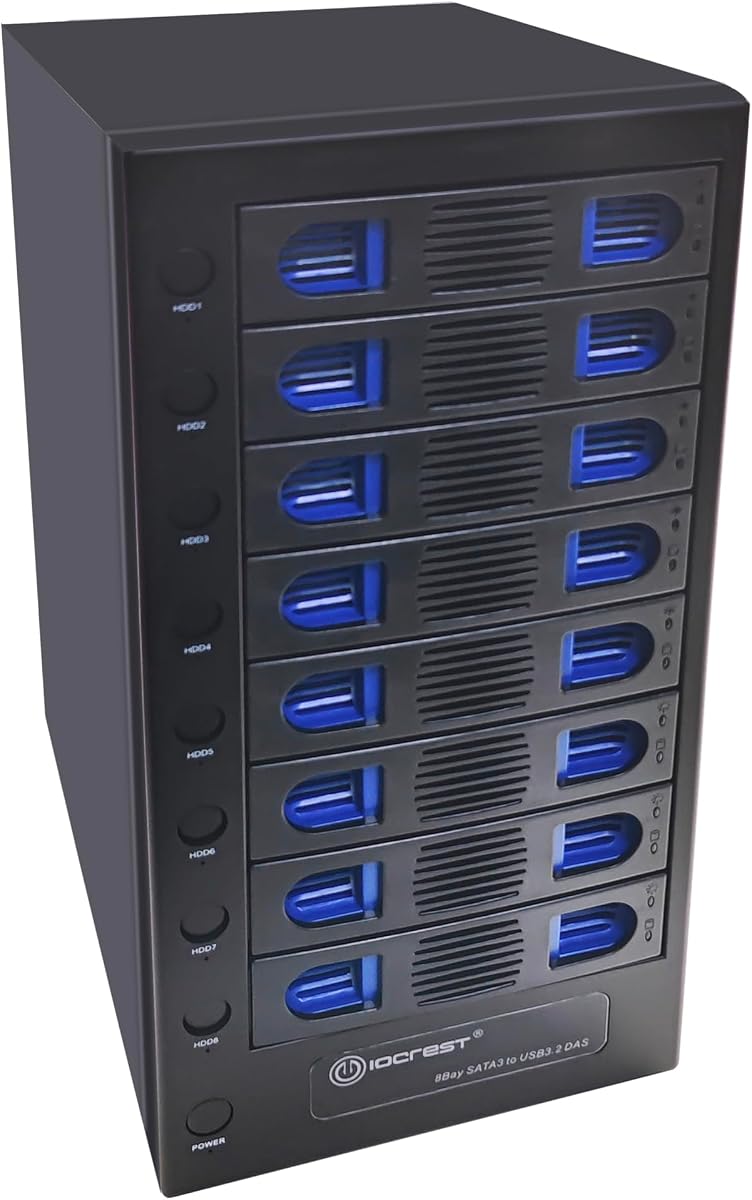
The CENMATE Aluminum 8 Bay Hard Drive Enclosure serves as an excellent Direct Attached Storage solution for users who prefer simplicity over complex RAID configurations. With a 4.3 star rating it is well-regarded for its ease of use and reliable performance. The hot swappable feature allows you to replace drives without powering down the system which is beneficial for continuous operation.
We may earn a commission when you buy through this link, at no additional cost to you.
This enclosure supports both 2.5 and 3.5 inch drives offering flexibility in how you manage your storage capacity. The aluminum alloy build combined with dual cooling fans helps maintain optimal operating temperatures. USB 3.0 connectivity ensures that file transfers are handled efficiently without unnecessary delays.
Unlike the RAID version this model focuses on providing a straightforward way to access multiple drives individually. The lack of RAID modes means you will need to manage redundancy at the software level or rely on regular backups. The noise level from the fans is manageable but may still be noticeable in quiet rooms.
This product is perfect for users who need to expand their storage quickly without dealing with RAID setup complexities. It is ideal for media archiving or general file storage where individual drive access is preferred. If you value ease of use and flexibility this enclosure meets those needs effectively.
The ability to swap drives without shutting down ensures uninterrupted workflow during maintenance or upgrades.
Compatibility with both 2.5 and 3.5 inch drives allows you to mix and match storage options as needed.
We may earn a commission when you buy through this link, at no additional cost to you.
The OWC ThunderBay 8 Eight-Bay Thunderbolt 3 Enclosure is a robust storage solution designed for users who need high-speed access to large amounts of data. With a 3.9 star rating it is recognized for its reliability and performance in professional settings. The enclosure supports both 2.5 and 3.5 inch drives giving you flexibility in drive selection.
We may earn a commission when you buy through this link, at no additional cost to you.
Featuring dual Thunderbolt 3 ports this device allows for daisy-chaining up to six units together. This means you can expand your total storage capacity to over 1100 terabytes which is ideal for extensive media libraries or archival needs. The plug and play nature means no drivers are required for immediate use on Mac or Windows systems.
While the enclosure does not include hardware RAID features the speed and flexibility of Thunderbolt 3 make up for it in many workflows. The included Thunderbolt cable ensures you can get started right away without additional purchases. The price is higher than SATA options but the performance gains justify the cost for speed-focused users.
This enclosure is highly recommended for creative professionals working with video or large datasets on Mac systems. The daisy-chaining capability offers future-proofing as your storage needs grow. If you need a reliable and fast way to connect multiple drives this model delivers consistent performance.
The high bandwidth of Thunderbolt 3 enables rapid data transfer rates essential for professional workflows.
Daisy-chaining allows for massive storage expansion without needing to add more USB ports to your computer.
We may earn a commission when you buy through this link, at no additional cost to you.
The CENMATE Aluminum 8 Bay 10Gbps Hard Drive Enclosure upgrades the connectivity options for users who need faster data transfer rates. With a 4.1 star rating it offers a balance of performance and affordability. The USB 3.2 Gen 2 interface supports speeds up to 10Gbps which is significantly faster than standard USB 3.0.
We may earn a commission when you buy through this link, at no additional cost to you.
This model supports hot swappable drives allowing you to replace or add drives without shutting down the system. The aluminum alloy chassis combined with cooling fans ensures that your drives remain cool during extended use. Compatibility is broad with support for Windows Mac and Linux systems making it versatile for different environments.
While the faster speed is a benefit it requires your computer to have a compatible USB 3.2 port to fully utilize the bandwidth. The fan noise remains a minor consideration for those in quiet studios. Overall the design focuses on providing reliable and quick access to multiple drives without complex setup.
This enclosure is suitable for users who want faster transfer speeds without investing in Thunderbolt technology. It is ideal for media editing or backup tasks where efficiency matters. If you have the necessary ports on your computer this unit provides a solid upgrade over older USB options.
USB 3.2 Gen 2 support provides faster data rates for quicker access to large files and faster backups.
The ability to swap drives while the system is running minimizes downtime during maintenance or upgrades.
We may earn a commission when you buy through this link, at no additional cost to you.
The 8 Bay Tool Less Tray Hot Swapable Enclosure stands out for its smart cooling features and independent drive control. With a 4.3 star rating it is appreciated for its thoughtful design that addresses heat management and convenience. The USB-C 3.2 interface ensures high-speed data transfer for your storage needs.
We may earn a commission when you buy through this link, at no additional cost to you.
Equipped with a built-in thermal sensor this enclosure adjusts fan speed automatically based on temperature. This helps reduce noise when not under heavy load while maintaining safety during intensive tasks. Independent control switches for each drive allow you to power off specific drives without affecting the others.
The enclosure supports drives up to 22TB each offering significant total capacity. The steel housing provides durability but adds to the weight. The lack of RAID means you will rely on software for redundancy but the hardware features make drive management straightforward and efficient.
This unit is ideal for users who want fine-grained control over their storage drives and cooling. It is well-suited for home servers or small office setups where drive health is monitored regularly. If you value smart features and high capacity per drive this enclosure offers a practical solution.
The automatic fan control adjusts speed based on temperature reducing noise and extending fan life.
Each drive has its own power switch allowing for easy isolation or maintenance of individual drives.
We may earn a commission when you buy through this link, at no additional cost to you.
The OWC ThunderBay Flex 8 Storage Dock is a versatile unit that combines storage with expansion capabilities. With a 3.7 star rating it appeals to professionals who need a central hub for drives and peripherals. The support for U.2 NVMe SSDs in the top bays offers exceptional speed for active projects.
We may earn a commission when you buy through this link, at no additional cost to you.
This enclosure includes a PCIe x16 slot allowing you to add hardware RAID cards or networking options directly. Front USB-C ports and card readers make it easy to connect cameras and mobile devices without reaching behind the computer. SoftRAID software provides advanced management tools for monitoring drive health and configuring arrays.
While the feature set is rich the complexity may require more setup time than simpler enclosures. The price reflects the expanded functionality but may not be necessary for casual users. The combination of storage and expansion makes it a powerful tool for creative workstations.
This device is best suited for professionals who need both high-speed storage and expansion slots in one unit. The flexibility to choose drive types and add accessories makes it a future-proof option. If you need a comprehensive solution for your workstation this dock delivers robust performance.
Top bays support U.2 NVMe SSDs providing ultra-fast speeds for active project files and rendering tasks.
The PCIe slot allows for adding specialized cards to expand the functionality of your workstation.
We may earn a commission when you buy through this link, at no additional cost to you.
The QNAP TL-D810TC4-US Desktop DAS is designed to integrate seamlessly with QNAP NAS systems. With a 4.0 star rating it offers a reliable way to expand storage without adding a full NAS unit. The USB 3.2 Gen 2 port ensures fast data transfer speeds for backup and media access tasks.
We may earn a commission when you buy through this link, at no additional cost to you.
This enclosure supports JBOD configurations allowing you to expand existing storage pools easily. The QNAP JBOD Manager utility provides tools to monitor drive health and manage configurations from your existing system. The desktop tower design helps save space while providing a sturdy structure for your drives.
While it can work as a standalone device its full potential is realized when paired with a QNAP NAS. The lack of standalone RAID management means you rely on software for redundancy. For QNAP owners this is a straightforward way to add significant capacity to their setup.
This product is ideal for existing QNAP users looking to scale their storage efficiently. It is also suitable for anyone who needs a fast direct-attached storage option. If you value integration and ease of use this enclosure meets those needs well.
Designed for QNAP users the enclosure simplifies storage expansion and management within the ecosystem.
USB 3.2 Gen 2 connectivity ensures quick access to files for backup and media streaming tasks.
We may earn a commission when you buy through this link, at no additional cost to you.
The 8 Bay Mini ITX Micro ATX NAS Case offers a DIY-friendly solution for building a custom home server or storage system. With a 4.0 star rating it is appreciated for its flexibility and thoughtful cooling design. The case supports hot swap drive bays which simplifies maintenance and upgrades.
We may earn a commission when you buy through this link, at no additional cost to you.
Designed with dual independent air channels this case keeps heat from drives and the motherboard separate. This helps maintain lower temperatures and reduces noise compared to standard cases. The steel chassis ensures durability and includes indicator lights for easy monitoring of drive status.
Building a system with this case requires separate components such as motherboard and power supply which adds complexity. However the compatibility with Mini ITX and Micro ATX boards offers great flexibility. The included accessories reduce the need for extra purchases making the build process smoother.
This case is ideal for hobbyists and small business owners who want a tailored storage solution. It supports both 2.5 and 3.5 inch drives allowing for mixed drive configurations. If you are comfortable with building a PC this case provides a solid foundation for your NAS.
Separate air ducts for drives and motherboard help maintain optimal temperatures and reduce noise levels.
Support for Mini ITX and Micro ATX boards allows you to build a system tailored to your specific needs.
We may earn a commission when you buy through this link, at no additional cost to you.
The ICY DOCK MB998SK-B 8 Bay Backplane Cage is specialized for users working primarily with 2.5 inch SATA or SAS drives. With a 5.0 star rating it is highly rated for its build quality and reliability. The locking trays provide an added layer of security for your drives in shared or public environments.
We may earn a commission when you buy through this link, at no additional cost to you.
Constructed from full metal this cage ensures durability and helps manage heat effectively. It fits into an external 5.25 inch bay making it suitable for tower systems with available slots. The support for both SATA and SAS drives adds flexibility for different storage requirements.
This product is not an external enclosure but requires internal installation which may limit its use for casual users. The locking mechanism is a strong feature for protecting valuable data from physical tampering. For those who need a secure internal bay solution this model is a top choice.
This cage is best suited for servers or workstations that need reliable internal drive access. If you are building a storage system with 2.5 inch drives the secure and durable design makes it a reliable component. It is ideal for environments where physical security of drives is a priority.
Locking mechanisms protect your drives from unauthorized removal in shared or public environments.
Full metal construction provides strength and heat dissipation for long-term reliability in demanding setups.
We may earn a commission when you buy through this link, at no additional cost to you.
Selecting the right 8 bay hardware RAID enclosure requires considering several key factors to ensure compatibility and performance for your specific needs.
The interface type determines how fast data can be transferred between your computer and the enclosure. USB 3.0 offers up to 5Gbps which is sufficient for many tasks but USB 3.2 Gen 2 or Thunderbolt 3 provides much higher speeds for professional workloads. Consider what ports your computer has and how quickly you need to access your files.
Look for enclosures that match your computer's capabilities to avoid bottlenecks. If you plan on editing high-resolution video or moving large datasets regularly opt for Thunderbolt or USB-C options.
Ensure the enclosure supports the size and capacity of drives you plan to use. Most modern enclosures support both 2.5 and 3.5 inch drives up to high capacities like 22TB per drive. Verify compatibility with specific drive brands to avoid issues during installation.
Check the total capacity limit to ensure it meets your storage needs. If you need vast storage space confirm that the enclosure supports mixing drive sizes if required.
Determine whether you need hardware RAID features or if a direct-attached storage (DAS) setup is sufficient. Hardware RAID offers redundancy and performance but requires proper configuration. DAS allows simpler access to individual drives which may be easier to manage.
Review the available RAID modes to see which align with your goals. Some enclosures allow switching modes easily while others require specific steps.
Efficient cooling is essential to maintain drive health and performance. Look for models with fans and thermal sensors that adjust speed based on temperature. Noise levels can vary significantly so consider where the enclosure will be placed.
If the enclosure will be in a quiet office or home studio check the decibel ratings. Silent cooling features or manual fan controls can help manage noise.
Tool-free drive installation saves time and effort when adding or replacing drives. Check if the enclosure uses trays or direct insertion and if tools are required for setup. Hot swappable features allow drive changes without powering down the system.
A user-friendly design reduces the hassle of maintenance. Look for clear indicators and straightforward mounting mechanisms.
A sturdy chassis helps protect your drives from damage and improves heat dissipation. Metal enclosures are generally more durable than plastic ones. Consider the weight and physical design to ensure it fits your workspace.
Prioritize models with robust materials and protective features. Good build quality extends the lifespan of your storage system.
Verify that the enclosure is compatible with your operating system to avoid driver issues. Most modern units support Windows Mac and Linux out of the box. Some may offer specialized software for management or monitoring.
Check for any additional software requirements. Plug and play support ensures you can start using the device immediately without complex setup.
Balance the cost of the enclosure with the features it offers. Higher prices often reflect better build quality and faster interfaces. Determine which features are essential for your workflow and where you can save.
Invest in a model that meets your long-term needs rather than just the lowest upfront cost. Value includes performance reliability and warranty support.
Before installing drives ensure they are healthy by testing them individually. This step prevents issues where a single faulty drive affects the entire enclosure. Follow the manufacturer instructions for proper placement and connection.
Regularly monitor drive health using available software tools. Check for any warnings about temperature or error codes. Keep the enclosure in a well-ventilated area to prevent overheating and extend drive life.
Perform regular backups of your data regardless of RAID configuration. RAID protects against drive failure but does not replace the need for external backups. Keep firmware up to date to ensure security and performance optimizations.
RAID enclosures combine multiple drives into a single logical volume for redundancy or performance while DAS enclosures allow individual access to each drive. RAID requires specific configurations that may format drives whereas DAS is simpler and does not alter drive structures. Choose RAID if you need data protection and DAS if you prefer flexibility.
Most 8 bay enclosures support both 2.5 and 3.5 inch drives simultaneously allowing you to mix drive sizes. However verify the specific model supports this feature before purchasing. Some enclosures may require adapters for 2.5 inch drives in 3.5 inch bays.
Most modern enclosures are plug and play and do not require additional drivers on Windows Mac or Linux. Some advanced features or RAID management may require specific software provided by the manufacturer. Always check the product specifications for any software requirements.
Switching RAID modes often involves powering off the device using a reset button or toggle switch as described in the manual. This process may format the drives so always back up your data first. Consult the user guide for specific steps to avoid data loss.
In RAID configurations like RAID 5 or 10 the system can continue functioning even if one drive fails by using data from other drives. You can replace the failed drive and rebuild the array to restore redundancy. Always monitor drive health to detect failures early.
Some enclosures support daisy-chaining allowing you to connect multiple units for expanded capacity. This feature is common in Thunderbolt models and requires compatible ports on your computer. Check the product specifications to confirm daisy-chaining capabilities before purchasing.
We have reviewed ten top options ranging from budget-friendly DAS units to premium Thunderbolt RAID arrays. Each product offers unique strengths suited to different workflows and needs. The SanDisk Professional G-RAID Shuttle stands out for professional speed while the CENMATE options provide great value.
When choosing prioritize factors like interface speed and drive capacity compatibility with your existing setup. Consider whether you need hardware RAID features or simpler direct access to individual drives. The right choice depends on your specific use case and budget constraints.
Remember that product details and availability can change over time so always verify the latest specifications before purchasing. Check current stock and ensure your system meets any necessary requirements. With the right enclosure you can significantly enhance your storage capabilities and workflow efficiency.