
AOC 27 Gaming Monitor QHD 240Hz Overclocked IPS
4.6Editor score
240Hz refresh rate
0.3ms response time
Adaptive-Sync support
This guide compares the top 1440p gaming monitors at 240Hz for speed and color, helping gamers choose the perfect display for competitive play.
Finding the right display for high-speed gaming requires balancing resolution and refresh rate. These 1440p monitors at 240Hz deliver sharp visuals and smooth motion, perfect for competitive shooters and immersive single-player titles alike.
We evaluated ten top-rated models based on panel technology, response times, and adaptive sync support. Each pick offers a unique blend of performance and features, ensuring you find the right monitor for your specific setup and budget needs.
Every recommendation includes detailed pros, cons, and technical specs to guide your decision. Remember that availability and offers change frequently, so verify current details before purchasing to ensure you get the best value for your investment today.
4.6Editor score

4.3Editor score

4.5Editor score
The following table provides a side-by-side comparison of all ten selected monitors, highlighting key specifications and features to help you quickly identify which model best fits your gaming requirements.


The AOC Q27G41ZE stands out as a top choice for budget-conscious gamers seeking high performance. With a 240Hz refresh rate and 0.3ms response time, it delivers smooth motion essential for competitive play without breaking the bank.
We may earn a commission when you buy through this link, at no additional cost to you.
Its IPS panel ensures wide viewing angles and vibrant colors, making it versatile for both gaming and creative tasks. Adaptive-Sync support eliminates screen tearing across AMD and NVIDIA GPUs, ensuring a fluid experience regardless of your hardware.
While the stand offers limited tilt adjustment and brightness is moderate, these trade-offs are acceptable given the price. The frameless design adds a modern aesthetic that fits well in most gaming setups.
This monitor is ideal for entry-level competitive gamers who prioritize speed and value. If you need a reliable 1440p display for fast-paced titles without overspending, this is a strong recommendation.
The 240Hz refresh rate paired with rapid response times ensures fast action remains clear and blur-free during intense gaming sessions.
Multiple DisplayPort and HDMI ports allow seamless connection to various consoles and PCs, making it adaptable for different setups.
We may earn a commission when you buy through this link, at no additional cost to you.
The Acer Nitro XV272U offers a balanced mix of performance and features at a competitive price point. Its full ergonomic stand and solid panel make it a practical choice for extended gaming sessions and daily use.
We may earn a commission when you buy through this link, at no additional cost to you.
The 240Hz refresh rate via DisplayPort ensures fluid motion in fast games, while the built-in speakers reduce desk clutter. AMD FreeSync Premium helps synchronize frame rates, minimizing stutter for a smoother visual experience.
However, the HDMI port caps at 144Hz, which may limit console gamers needing full speed. Color accuracy is decent but not best-in-class, so it may not suit professional creative work.
This model suits gamers needing flexibility and good ergonomics without premium costs. It is a solid daily driver for those who want reliability and adjustability in a 1440p high-refresh display.
The stand supports height, tilt, swivel, and pivot adjustments, allowing users to position the screen comfortably for long sessions.
Inclusion of multiple video ports and built-in audio simplifies setup, reducing the need for external adapters or speakers.
We may earn a commission when you buy through this link, at no additional cost to you.
LGs UltraGear series is known for reliable performance, and the 27GR83Q-B continues that legacy with strong specs for 1440p gaming. It balances high refresh rates with good color reproduction for a well-rounded experience.
We may earn a commission when you buy through this link, at no additional cost to you.
HDMI 2.1 and DisplayPort both support 240Hz, offering flexibility for PC and console users. G-SYNC Compatible validation ensures smooth gameplay on NVIDIA cards, while HDR400 adds a touch of dynamic contrast.
Though HDR performance is entry-level and the stand lacks swivel, the panel quality compensates. The IPS technology provides consistent colors across the screen, suitable for both gaming and media consumption.
This monitor appeals to users seeking versatile inputs and reliable sync technology. It is a dependable choice for gamers who value smooth visuals and broad compatibility without paying premium prices.
Both HDMI 2.1 and DisplayPort support the full 240Hz rate, allowing easy switching between PC and next-gen consoles.
The panel covers 95% of the DCI-P3 color space, delivering rich and accurate visuals that enhance game immersion.
We may earn a commission when you buy through this link, at no additional cost to you.
The Acer Predator X27U W1 brings OLED technology to the 240Hz market, offering unparalleled contrast and color. Its QD-OLED panel delivers true blacks and vivid hues that make games look incredibly lifelike.
We may earn a commission when you buy through this link, at no additional cost to you.
With a 0.03ms response time, motion blur is virtually eliminated, providing the clearest visuals for competitive gaming. The 26.5-inch size is optimized for focus, giving you an edge in tactical scenarios.
While premium pricing and burn-in concerns exist, modern OLED care features mitigate risks. The visual upgrade is significant for those who want the best picture quality available in a gaming monitor.
This display is perfect for enthusiasts who prioritize image fidelity above all else. If you want cinematic visuals combined with high-speed performance, this model sets a new standard.
Self-emitting OLED pixels allow perfect blacks and infinite contrast, creating deeper shadows and more vibrant highlights.
The 26.5-inch panel sits in your natural field of view, reducing eye movement and improving reaction speed during games.
We may earn a commission when you buy through this link, at no additional cost to you.
KTC offers compelling specs at aggressive prices, and the H27E6S is no exception. It supports overclocking to 275Hz, providing an extra edge for competitive players who want every millisecond advantage.
We may earn a commission when you buy through this link, at no additional cost to you.
The Fast IPS panel delivers good color and response times, while the stand allows extensive adjustments for comfort. Brightness is impressive, ensuring visibility even in well-lit rooms during daytime play.
Some users may find brand support variable compared to major players, but the warranty offers peace of mind. The white finish provides a unique aesthetic that suits modern desks better than standard black models.
This monitor is great for gamers seeking high refresh rates on a budget. It is a practical choice for those who prioritize speed and flexibility in their gaming station setup.
Overclocking capability pushes the display to 275Hz, offering smoother motion than standard 240Hz panels for fast-paced games.
Height, tilt, swivel, and pivot adjustments ensure the screen can be tailored to any user's posture and desk height.
We may earn a commission when you buy through this link, at no additional cost to you.
The ASUS ROG XG27ACMG represents a high-performance option tailored for serious gamers. Its overclocked 270Hz refresh rate and advanced motion control features provide a fluid experience ideal for competitive shooters.
We may earn a commission when you buy through this link, at no additional cost to you.
USB-C with DP Alt Mode simplifies connections for laptops and tablets, reducing cable clutter. ASUS Extreme Low Motion Blur Sync combines variable refresh and motion blur reduction, ensuring clarity even at high speeds.
The OSD menu can be complex, and the price is on the higher side, but the features justify the cost for enthusiasts. AI tools and customizable settings enhance the overall user experience significantly.
This model is perfect for power users who want cutting-edge tech and versatile connectivity. It stands out as a top choice for those building a professional-grade gaming or streaming workstation.
ELMB SYNC allows simultaneous use of adaptive sync and motion blur reduction, improving clarity without tearing during action.
USB-C support enables easy laptop connection and single-cable setup, ideal for hybrid gaming and productivity workflows.
We may earn a commission when you buy through this link, at no additional cost to you.
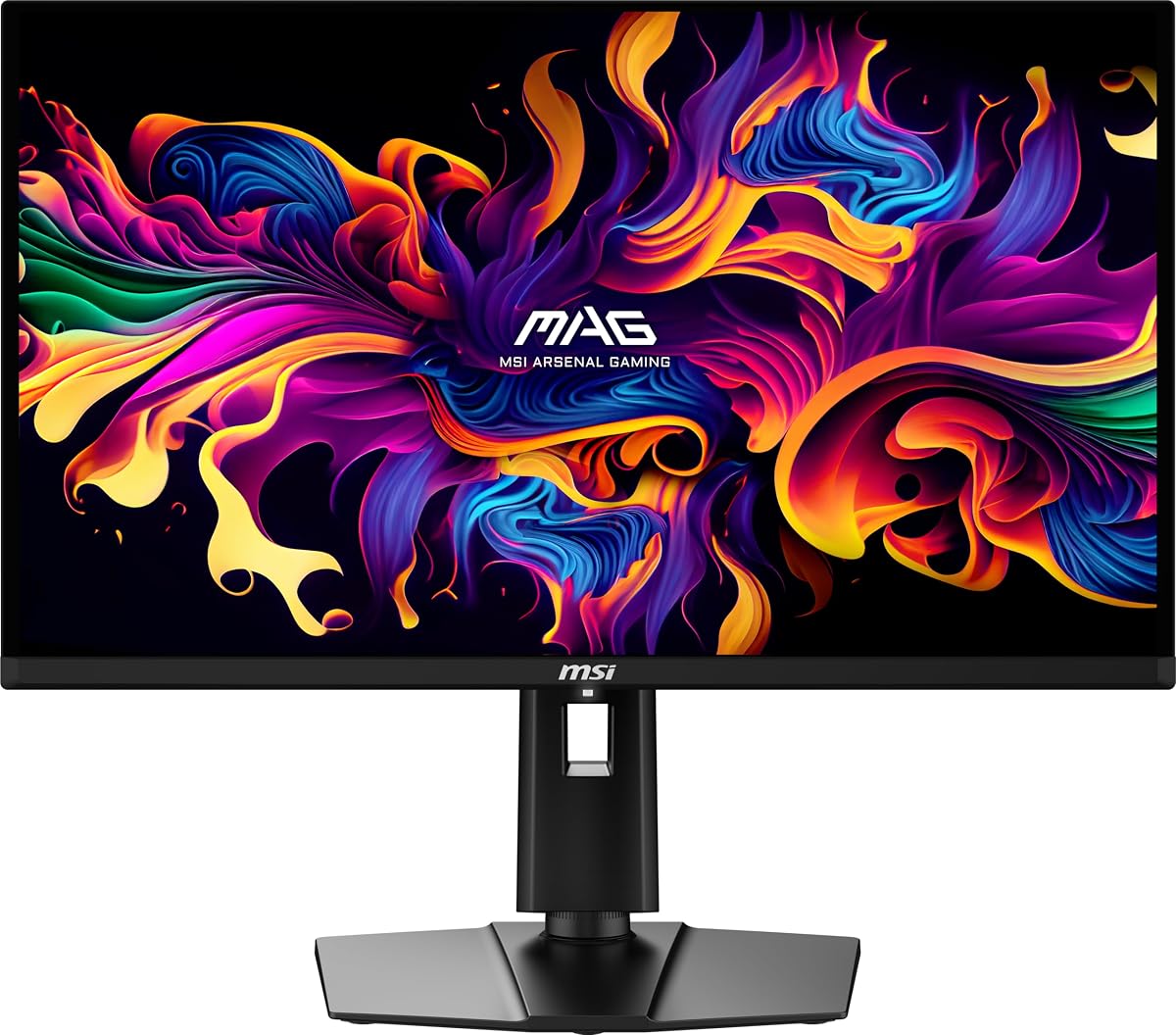
The MSI MAG 274QP combines Quantum Dot technology with OLED for exceptional color volume and speed. It is designed to deliver a premium gaming experience with deep blacks and fast response times.
We may earn a commission when you buy through this link, at no additional cost to you.
MSI GI software helps prevent burn-in through OLED Care 2.0, addressing durability concerns. Console modes optimize settings for different games, ensuring the best experience whether playing on PC or next-gen consoles.
While the price is high and cooling relies on passive design, the visual fidelity remains unmatched. This monitor appeals to those seeking top-tier performance and advanced features for serious gaming.
It is an excellent choice for content creators and gamers who need accurate colors and smooth motion. If budget allows, this model provides a future-proof investment for immersive gaming.
Built-in features help reduce burn-in risk, extending the panel's lifespan while maintaining consistent image quality.
Game modes tailor settings for different platforms, ensuring optimal performance across a variety of supported systems.
We may earn a commission when you buy through this link, at no additional cost to you.
The Alienware AW2723DF offers premium build quality and robust performance for high-end setups. Its overclockable 280Hz refresh rate and NVIDIA G-SYNC compatibility ensure smooth gameplay and reduced visual artifacts.
We may earn a commission when you buy through this link, at no additional cost to you.
The Nano Color technology delivers wide viewing angles and rich colors, while the adjustable stand provides excellent ergonomics. The design includes signature lighting and ventilation for enhanced aesthetics and thermal management.
While the aesthetic may not suit every desk, the build quality is exceptional. It is a reliable choice for users who value durability and design alongside top-tier gaming performance.
This model fits best in professional or enthusiast setups where quality matters. It is a solid investment for gamers who want a monitor that performs well and looks distinctive.
The monitor features 360-degree ventilation, helping maintain optimal operating temperatures during extended gaming sessions.
Iconic design and customizable lighting make it a standout piece in any battle station, enhancing the overall gaming vibe.
We may earn a commission when you buy through this link, at no additional cost to you.
The Acer Nitro KG271U provides strong value for gamers seeking high refresh rates without breaking the bank. With 240Hz and accurate colors, it serves as a reliable daily driver for competitive and casual play.
We may earn a commission when you buy through this link, at no additional cost to you.
AMD FreeSync Premium ensures smooth visuals, while the zero-frame design maximizes screen real estate. Color accuracy is notable, making it suitable for design work as well as gaming.
While brightness and ergonomic adjustments are standard, they suffice for most setups. The lack of extra features keeps costs down, making it a practical choice for budget-focused buyers.
This monitor is great for those prioritizing speed and simplicity. It is a dependable option for users who need a solid 1440p display without unnecessary extras or high costs.
Zero-frame bezels remove distractions, allowing for seamless multi-monitor setups or focused single-game viewing.
Supports sRGB 99%, making it versatile for content creation and gaming without requiring extensive calibration.
We may earn a commission when you buy through this link, at no additional cost to you.
The MSI MAG 271QPX brings advanced QD-OLED technology to enthusiasts seeking top-tier performance. Its contrast and response times make it ideal for both competitive gaming and cinematic experiences.
We may earn a commission when you buy through this link, at no additional cost to you.
A fanless design ensures silent operation, while graphene heatsinks manage thermal performance efficiently. True Black HDR enhances dark scenes, providing depth and clarity that standard panels cannot match.
Despite the higher cost and basic stand, the visual advantages are compelling. This monitor is for those who want the latest tech and are willing to invest in superior image quality.
It is a perfect fit for premium setups and professional gamers. If you demand the best in color and speed, this model delivers a standout experience.
Passive cooling with graphene technology eliminates fan noise, ensuring a quiet environment during play.
True Black HDR 400 improves visibility in dark scenes, offering better contrast and realism in game worlds.
We may earn a commission when you buy through this link, at no additional cost to you.
Selecting the right monitor requires evaluating several technical factors to ensure compatibility with your hardware and gaming style.
A 240Hz refresh rate is essential for competitive gaming as it ensures smooth motion and reduces blur. When choosing, verify that your GPU can support this rate at 1440p to avoid bottlenecks.
Look for monitors that confirm 240Hz via DisplayPort, as HDMI may limit speeds. High refresh rates significantly improve reaction times and visual clarity in fast-paced games.
Response time determines how quickly pixels change color, affecting motion blur and ghosting. Lower values like 0.03ms to 1ms are preferred for eliminating artifacts during fast movement.
Prioritize panels with quick response times to ensure clarity. Faster response ensures moving objects remain sharp and defined during intense action.
IPS panels offer wide viewing angles and color accuracy, making them versatile. OLED and QD-OLED panels provide deeper blacks and higher contrast, suited for high-quality visual experiences.
Choose based on priorities: IPS for versatility or OLED for contrast. Each panel type offers distinct advantages depending on your content and usage needs.
Adaptive sync like G-SYNC or FreeSync prevents screen tearing by synchronizing the monitor with the GPU. This results in smoother gameplay and reduced input lag.
Ensure the monitor supports the sync type compatible with your graphics card. Adaptive sync is essential for stutter-free and tear-free gaming experiences.
Connectivity impacts how you link your devices, with DisplayPort and HDMI offering different bandwidths. USB-C can simplify setups by supporting video and power in one cable.
Check port versions to ensure they support 240Hz. Adequate connectivity ensures flexibility for multi-device setups and future upgrades.
An ergonomic stand with height, tilt, and swivel adjustments helps maintain posture during long sessions. Proper positioning reduces strain and improves comfort.
Look for VESA mounting compatibility if you plan to use an arm. Good ergonomics contribute to comfort and health during extended use.
Wide color gamuts like DCI-P3 ensure vibrant visuals that match creative standards. Accurate colors enhance immersion and are vital for designers and media creators.
Check for high DCI-P3 coverage percentages for true fidelity. Good color quality enriches both gaming and creative workflows.
Long warranties and care features like OLED protection ensure longevity. Reputable brands often provide better support, ensuring peace of mind.
Prioritize products with solid warranty terms and built-in features. Durability and support are crucial for protecting your investment.
Ensure proper cable connections using DisplayPort to achieve maximum refresh rates. Verify settings in your graphics control panel to enable 240Hz correctly.
Calibrate brightness and contrast to reduce eye strain during night sessions. Using built-in presets can help balance visual comfort with performance.
Regularly clean the screen with a microfiber cloth to avoid scratches. Avoid harsh chemicals and keep the monitor in a ventilated area to maintain performance.
A 240Hz refresh rate offers smoother motion and less blur, improving reaction times in competitive games. It ensures visuals stay sharp during fast action, providing a competitive edge to gamers.
While possible, high frame rates require powerful GPUs to avoid bottlenecks. Lower-end systems can still use these monitors but may not utilize the full 240Hz capability.
OLED offers better contrast and response times, but IPS provides more versatility and lower cost. The best choice depends on your budget and preference for image quality.
Some consoles support 120Hz at 1440p, so full 240Hz may not be available. Ensure HDMI 2.1 ports support your console's resolution to maximize performance.
Enable features like screen dimming or shifting to reduce static image risks. Avoid displaying static elements at high brightness for long periods to protect panel health.
DisplayPort 1.4 is the most reliable choice for achieving 240Hz at 1440p. HDMI 2.1 can also support high rates but depends on monitor and console compatibility.
Yes, 27 inches balances detail and performance, making it popular for 1440p gaming. This size offers a good view without requiring excessive head movement during play.
Adaptive sync technologies eliminate screen tearing and reduce stutter by matching refresh rates to GPU output. They ensure smoother visuals and a more responsive gaming experience overall.
From budget-friendly IPS panels to premium OLED displays, these ten monitors offer diverse choices for gamers. Each delivers high refresh rates and sharp visuals suitable for competitive play.
Prioritize speed, color accuracy, and connectivity to match your specific setup needs. Whether you seek affordability or top-tier performance, there is an option designed for you.
Prices and availability fluctuate frequently, so always check current listings before buying. This guide helps identify monitors that excel in performance and value for 2026 gaming setups.