
Teltonika RUTM50
4.8Editor score
Industrial-grade durability
RMS remote management
Dual SIM failover
This expert guide compares the top 5G routers with external antenna ports for 2026, evaluating speed, durability, and connectivity features to help you choose
Finding a reliable 5G router with external antenna ports is essential for users seeking robust internet connectivity in remote or signal-challenged areas. These devices allow you to enhance reception by connecting high-gain antennas, ensuring stable speeds where standard routers might struggle to maintain a strong link.
We have evaluated ten leading models based on their modem capabilities, Wi-Fi standards, and the flexibility of their antenna interfaces. Our comparison covers everything from industrial-grade units to travel-friendly devices, focusing on how well they integrate external antennas to maximize 5G performance.
Each pick in this list highlights specific strengths such as multi-WAN support, VPN features, or rugged designs. While the models vary in price and target use cases, all offer the critical ability to attach external antennas for improved signal quality and broader network coverage.
4.8Editor score

4.2Editor score

4.6Editor score
The following table provides a side-by-side comparison of the ten selected routers, highlighting their key specifications and unique features to assist you in selecting the most suitable model for your specific networking requirements.




The GL.iNet GL-X3000 Spitz AX is a top choice for users needing a versatile 5G router with external antenna ports. With a rating of 4.2, it stands out for its six detachable antennas and support for OpenWrt firmware, making it highly customizable.
We may earn a commission when you buy through this link, at no additional cost to you.
It features 5G speeds up to 574Mbps on 2.4GHz and 2402Mbps on 5GHz Wi-Fi. The device includes dual-SIM slots for selecting the strongest connection or setting up automatic failover. It also comes with OpenVPN and WireGuard pre-installed.
While powerful, the device may be complex for those unfamiliar with OpenWrt configurations. Additionally, external antennas require cabling which might not be ideal for quick setups. However, these trade-offs are acceptable for advanced users.
This router is perfect for remote work, RV trips, or rural areas where signal strength varies. If you need a robust gateway that allows you to upgrade antennas for better reception, this is a recommended pick.
The six detachable antennas allow you to optimize signal strength by positioning them strategically or connecting external high-gain units.
With OpenWrt support and a no-code interface, you can customize your network settings without deep technical knowledge.
We may earn a commission when you buy through this link, at no additional cost to you.
The RM520N AX3000 is powered by a Qualcomm SDX62 modem offering 5G speeds up to 3.4 Gbps. It comes with nine detachable high gain antennas to significantly improve signal quality in various locations.
We may earn a commission when you buy through this link, at no additional cost to you.
It supports up to 128 WiFi users simultaneously, making it suitable for dense environments. The router includes built-in PPTP, L2TP, GRE, WireGuard, and Zerotier VPN capabilities for secure data transmission.
Despite its features, the device has a lower rating which suggests potential issues with setup or reliability. Users may find the configuration interface complex without prior experience in networking.
This model is a strong candidate for tech-savvy users needing high-speed rural connectivity. If you require extensive antenna flexibility and VPN options, it offers compelling value despite the setup challenges.
With nine detachable antennas, you can fine-tune your wireless and cellular signal reception for optimal performance.
Multiple built-in VPN protocols ensure your data remains secure when connecting to public or remote networks.
We may earn a commission when you buy through this link, at no additional cost to you.
The Teltonika RUTM50 delivers ultra-fast 5G connectivity with low latency ideal for industrial applications. It holds a high 4.8 rating due to its rugged design and advanced features like RMS remote management.
We may earn a commission when you buy through this link, at no additional cost to you.
This device ensures uninterrupted connectivity through dual SIM failover and load balancing. It includes multiple LAN/WAN Gigabit Ethernet ports and supports OpenVPN, IPsec, and WireGuard for secure data transmission.
While expensive, the durability and reliability justify the cost for mission-critical setups. The lack of Wi-Fi 6 is a minor downside given the device is primarily intended for industrial cellular backhaul.
It is the top choice for businesses needing reliable network control in extreme environments. If you value uptime and remote manageability over consumer features, this industrial router is highly recommended.
Dual SIM failover and load balancing ensure your operations remain online even if one network connection drops.
The RMS platform allows you to monitor and configure devices remotely for efficient network control.
We may earn a commission when you buy through this link, at no additional cost to you.
The Cudy P5 features a Qualcomm X62 modem delivering up to 3.4 Gbps. It stands out for its triple failover capability ensuring internet stays live through WAN, Cellular1, or Cellular2 connections.
We may earn a commission when you buy through this link, at no additional cost to you.
It offers AX3000 Wi-Fi 6 speeds and four detachable cellular antennas to upgrade to high-gain externals. The device supports multiple VPN protocols including WireGuard, OpenVPN, and Zerotier.
While it has robust business features, the setup process can be complex. The mesh satellite must be purchased separately which adds to the total cost for whole-home coverage.
This router is ideal for retail offices or remote sites where uptime is critical. Its balance of carrier redundancy and wireless performance makes it a strong contender in the market.
If any link drops, traffic auto-routes to the next in seconds to keep operations uninterrupted.
The device supports both desktop and wall-mount installation for flexible placement in offices.
We may earn a commission when you buy through this link, at no additional cost to you.
The MikroTik Chateau LTE6 is a carrier-certified home access point designed for speeds up to 300 Mbps. It features a powerful quad-core ARM CPU and a tasteful design suitable for most homes.
We may earn a commission when you buy through this link, at no additional cost to you.
It includes five Gigabit Ethernet ports providing flexible wired networking options. The device improves responsiveness in crowded environments and efficiency in weaker signal situations.
While the LTE speeds are lower compared to 5G models, it offers reliability for areas with stable LTE coverage. The lack of explicit external antenna ports may limit signal boosting options.
This device is a solid choice for homeowners needing multiple wired connections. If you prioritize stability over raw speed, it provides a robust home network solution.
Five Gigabit ports allow you to connect multiple devices directly for stable high-speed access.
Carrier aggregation can double internet speeds in rural areas without cable expansions.
We may earn a commission when you buy through this link, at no additional cost to you.
The NetBox 5 ax is a Wi-Fi 6 upgrade of the popular NetBox 5. It serves as an AP, CPE, or point-to-point device with a durable outdoor enclosure and PoE input support.
We may earn a commission when you buy through this link, at no additional cost to you.
It features a modern dual-core ARM CPU delivering Wi-Fi 6 5GHz wireless performance. The device is designed to handle various networking tasks efficiently.
This version is conectorized which means you may need to purchase additional connectors for specific setups. However, its rugged build and versatility make it a favorite for outdoor deployments.
It is an affordable option for outdoor wireless needs. If you need a reliable, weather-resistant unit for point-to-point links or outdoor access, this is a top budget pick.
The durable outdoor enclosure ensures reliable performance in harsh environmental conditions.
It can function as an AP, CPE, or point-to-point device for flexible networking setups.
We may earn a commission when you buy through this link, at no additional cost to you.
The LHG XL 5 ax offers extreme long-range wireless connectivity up to 30 km. It features an integrated 27 dBi antenna optimized for point-to-point stability and interference resistance.
We may earn a commission when you buy through this link, at no additional cost to you.
With Wi-Fi 6 performance it delivers up to 1200 Mbps throughput. The device includes a weather-resistant enclosure ideal for harsh outdoor environments.
This unit is specialized for long-distance links and may not suit general indoor home use. However, for rural deployments needing long-range connections, it is unmatched.
It is perfect for connecting remote buildings or properties. If you need a rugged outdoor device with massive range, this LHG XL is the top choice.
Designed for rural deployments, it maintains stable links over distances up to 30 kilometers.
The IP54 enclosure ensures reliability in harsh weather conditions without extra housing.
We may earn a commission when you buy through this link, at no additional cost to you.
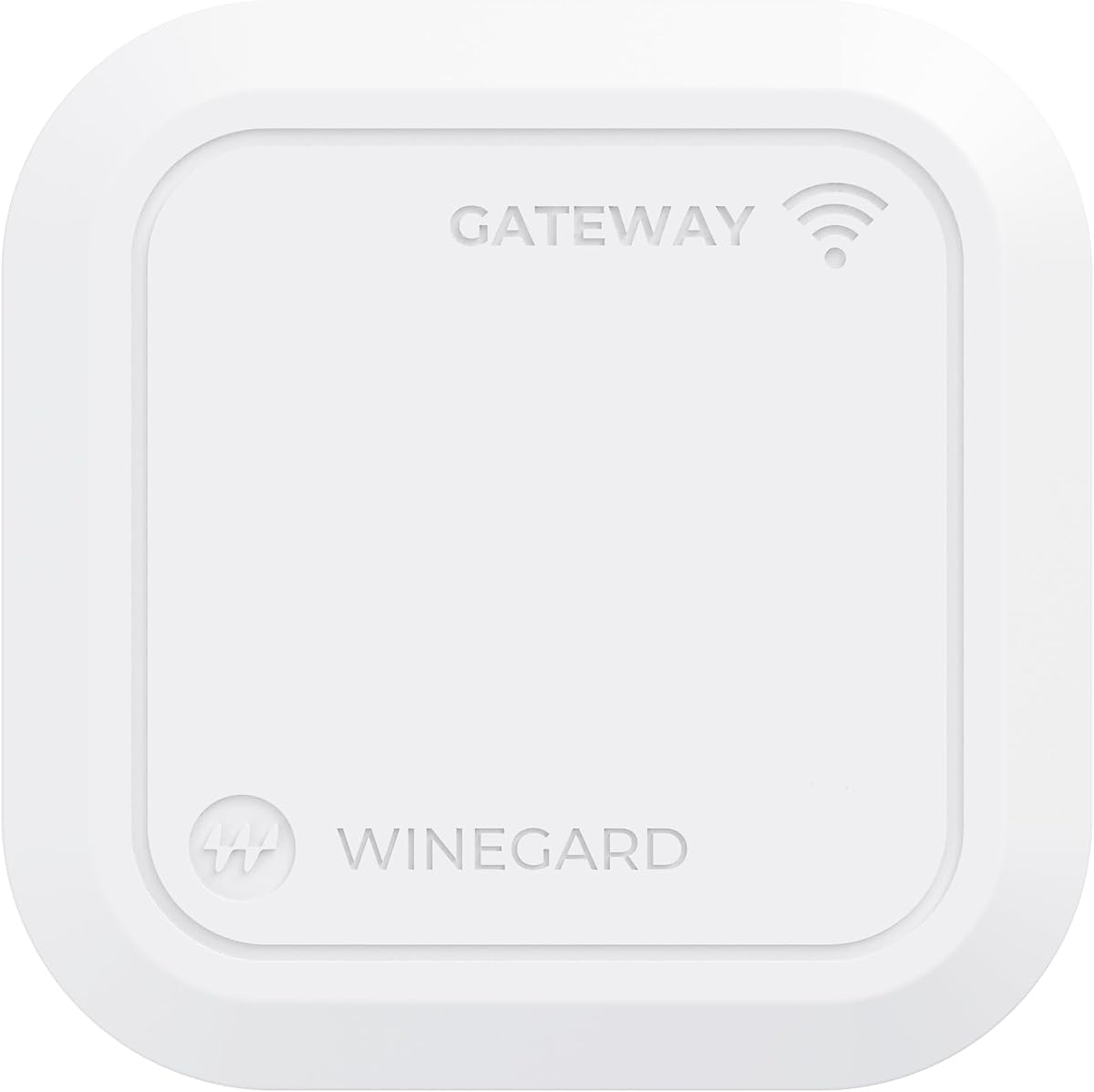
The Winegard Gateway 5G is an RV ceiling router compatible with the Air 360+ 5G system. It is built on decades of Winegard expertise to deliver dependable performance.
We may earn a commission when you buy through this link, at no additional cost to you.
It supports multiple carriers including T-Mobile and AT&T and integrates directly with dome antennas. The device allows adding Starlink or other satellite networks for hybrid connections.
This router is designed for RV specific setups. If you already use Winegard dome systems, it simplifies integration. However, the rating suggests some users face connectivity issues.
It is best for RV owners seeking a seamless cellular solution. If you prioritize RV-specific features over raw speed, this gateway offers convenient connectivity.
Built for RV ceiling installation, it works seamlessly with Air 360+ dome systems.
Adds flexibility by supporting Ethernet WAN for Starlink or other hybrid setups.
We may earn a commission when you buy through this link, at no additional cost to you.
The GL-E5800 offers tri-band Wi-Fi 7 and 5G speeds up to 4.67 Gbps. It includes built-in eSIM plus two physical SIM slots for flexible carrier access while traveling.
We may earn a commission when you buy through this link, at no additional cost to you.
It features a 13.5-hour battery and a 2.8 inch touchscreen for quick controls. With 2.5G Ethernet and 10Gbps USB-C, it handles professional setups efficiently.
While powerful, its price and size may be overkill for casual travelers. However, for business travelers needing high-speed connectivity and VPN support, it excels.
This is the ultimate travel router for pros. If you need battery power and top-tier speeds on the go, this device is worth the investment.
The built-in battery provides up to 13.5 hours of untethered connectivity on a single charge.
Supports multiple WAN connections including Ethernet, Wi-Fi repeater, and USB tethering simultaneously.
We may earn a commission when you buy through this link, at no additional cost to you.
The Waveform QuadMini is an omni 4×4 MIMO antenna designed to upgrade 5G data rates. It offers up to 5.2 dBi gain with an ultra-thin profile suitable for window or wall mounting.
We may earn a commission when you buy through this link, at no additional cost to you.
It comes as a complete kit with window entry cables and weatherproofing boots. The design means no aiming is required; just place it on the side of your house with the best signal.
Note that this is an antenna accessory rather than a standalone router. It requires a compatible router with 4 antenna ports to function fully.
This kit is ideal for improving signal strength without complex setups. If you need reliable connectivity enhancement for your existing router, this antenna is a strong add-on.
The complete kit includes all necessary cables and mounting options for a seamless setup.
Enjoy fast stable connections without aiming thanks to its omnidirectional design.
We may earn a commission when you buy through this link, at no additional cost to you.
Selecting the right router involves considering several factors that impact performance and usability in your specific environment.
External antenna ports allow you to connect high-gain antennas to boost signal strength. Look for routers with SMA connectors or detachable antennas to ensure compatibility with your preferred antenna type.
Ensure the router supports the frequency bands you need and allows you to upgrade antennas for better performance.
The modem determines your maximum 5G speeds. Choose a router with a Qualcomm SDX62 or similar modem that supports 5G SA and NSA standards for reliable high-speed internet.
Check the device supports your carrier's bands to avoid connectivity issues and ensure you get the advertised speeds.
Wi-Fi 6 is standard now, but newer Wi-Fi 7 models offer even higher throughput. Select based on the number of devices you need to connect simultaneously and your streaming or gaming needs.
Higher Wi-Fi standards ensure better performance for multiple users without lag or slowdowns.
Dual SIM support allows you to switch between carriers or set up failover. This is crucial for maintaining uptime if one network drops in remote or rural areas.
Check if the router supports physical nano-SIM or eSIM for flexibility when traveling or changing providers.
Built-in VPN support like WireGuard or OpenVPN adds a layer of security especially for public Wi-Fi or remote work. Some routers offer pre-installed VPN services to simplify setup.
Prioritize routers with strong firewall protection and customizable security settings to protect your data.
For harsh environments, look for industrial-grade routers with wide temperature ranges and rugged enclosures. Features like RMS remote management help maintain uptime without physical access.
Durability is key if the router will be installed outdoors or in places with extreme weather conditions.
Firmware like OpenWrt offers high customization but may be complex. For most users, a user-friendly admin panel or mobile app is preferable.
Choose a device that matches your technical comfort level to avoid frustration during setup and management.
Multiple Gigabit Ethernet ports allow wired connections for devices that need stable high-speed access. Some models also support Power over Ethernet (PoE) for simplified installation.
Ensure the router has enough LAN ports for your wired devices to avoid the need for extra switches.
Position your router in a central location with access to external antenna mounting points. Ensure the antenna cables are properly connected and the antenna is facing the direction of the cellular tower for best reception.
Regularly update the router's firmware to ensure security patches and performance improvements. Check for carrier configuration updates if you plan to switch providers to maintain connectivity.
Monitor signal strength using the admin panel or mobile app. If speeds drop, try adjusting the antenna position or upgrading to a high-gain outdoor antenna for better performance.
External antenna ports allow you to connect high-gain antennas to boost signal strength in weak coverage areas. This results in faster speeds, lower latency, and more reliable connectivity compared to using internal antennas.
Yes, you will need appropriate cables such as SMA to RP-SMA depending on the router and antenna connectors. Ensure cables are weatherproof for outdoor use to prevent signal loss due to exposure.
Not necessarily. Check the router's connector type and supported frequency bands before purchasing an antenna. Some routers require specific connectors like SMA for cellular and Wi-Fi antennas.
Yes, some models include both internal antennas and external ports. This provides flexibility if you prefer using built-in antennas but want to upgrade later for better signal.
Dual-SIM support allows you to switch between carriers or set up failover. This ensures uninterrupted connectivity if one network becomes unavailable, ideal for remote work or travel.
Check the product specifications for 5G SA and NSA compatibility. Most modern routers support both, but some may be limited to one. Ensure the router matches your carrier's network standard.
Setup varies by model. Basic installation involves attaching cables and positioning the antenna. Advanced users may configure firmware or security settings, but most routers have user-friendly interfaces.
Look for IP54 or higher weather resistance and a wide operating temperature range. Industrial routers with remote management features are ideal for maintaining uptime in harsh environments.
We have reviewed ten top 5G routers with external antenna ports ranging from industrial units to travel-friendly devices. The GL.iNet GL-X3000, Teltonika RUTM50, and MikroTik NetBox 5 ax stand out for their versatility and performance.
Prioritize the router based on your specific needs. If you require extreme durability, the Teltonika RUTM50 is ideal. For outdoor wireless links, the MikroTik LHG XL 5 ax offers unmatched range.
Prices and availability can change frequently. Check current listings to ensure you get the best deal for the model that suits your connectivity needs.