
Anker 100W Max USB C Charger, 3-Port GaN Phone Charger with Smart Display
4.7Editor score
Real-Time Smart Display
GaN Technology
3-Port Versatility
This guide compares the top 100W USB C chargers for 2026, evaluating power delivery, port counts, safety features, and portability for laptops and phones.
Finding the right 100W USB C charger is essential for powering modern laptops and devices efficiently. A good charger offers fast charging speeds, compact designs, and reliable safety features to protect your expensive electronics from damage.
We evaluated ten top-rated models based on power output, port versatility, build quality, and real-world performance. Each product was assessed for compatibility with MacBooks, Windows laptops, and mobile devices to ensure broad usability.
Every pick includes detailed specs, pros, and cons to help you choose confidently. Note that product prices and availability change frequently, so verify current details before purchasing to ensure you get the best value today.
4.7Editor score

4.6Editor score

4.4Editor score
This side-by-side comparison highlights key specifications across all ten models to help you quickly identify the best fit for your specific charging needs and budget constraints.




This Anker model earns top marks for delivering consistent 100W power in a travel-friendly form. Its high rating reflects user satisfaction with charging speeds for MacBook Pro and other laptops. The included cable adds immediate value out of the box.
We may earn a commission when you buy through this link, at no additional cost to you.
PowerIQ 3.0 technology ensures your device gets the exact power it needs without waste. ActiveShield monitors temperature constantly, reducing risk during long charging sessions. The foldable plug fits easily into bags without snagging other items.
While it only has one port, this suits users who prioritize simplicity over multi-device charging. The single port avoids complex power splitting issues when charging a laptop alone. If you need more ports, consider other models.
Buy this if you want a reliable primary charger for a single laptop and phone. It balances speed, safety, and size better than many competitors. The warranty and customer service provide extra peace of mind.
The 100W USB C port charges a MacBook Pro 16 to 100% in about 80 minutes, keeping you productive all day.
ActiveShield provides 24/7 temperature monitoring while the foldable plug and compact size make it ideal for travel.
We may earn a commission when you buy through this link, at no additional cost to you.
This premium Anker charger stands out with a smart display showing real-time charging status and temperature. It holds the highest rating in our list due to its advanced features and robust build quality. The GaN tech keeps it small despite the power.
We may earn a commission when you buy through this link, at no additional cost to you.
With three ports, you can charge a laptop, tablet, and phone simultaneously. The display lets you verify performance instantly, which is rare in this category. Low-current mode safely handles small devices like earbuds without shutting off.
The display adds convenience but increases the price compared to simpler chargers. It also uses a small amount of power to run, which some minimalists might prefer to avoid. However, the transparency is worth it for many.
Choose this if you need maximum flexibility and visual feedback on your charging setup. It is perfect for power users with multiple gadgets. The investment pays off in reduced cable clutter and better device management.
The high-definition smart display shows real-time details on charging status, temperature, and port performance for instant visibility.
Three ports allow simultaneous charging while adapting to low-power devices automatically for safe operation of earbuds and wearables.
We may earn a commission when you buy through this link, at no additional cost to you.
This budget-friendly option delivers solid 100W charging at a fraction of the cost of major brands. It supports USB-C PD 3.0 and recognizes devices automatically for optimal power delivery. Safety protections are comprehensive for the price.
We may earn a commission when you buy through this link, at no additional cost to you.
It handles most USB-C laptops and phones effectively, including Lenovo, Dell, and MacBook models. The included 5.9ft cable with E-mark chip ensures safe data and power transfer. Certification standards add trust to its construction.
While it lacks the refined finish of premium models, it gets the job done reliably. Users should inspect it upon arrival for any shipping damage. The longer cable is a plus for desk setups without extra cost.
Pick this if budget is your main concern and you need a secondary charger. It works well for home or office use where size is less critical. The value proposition is hard to beat for basic needs.
Fivefold protections including over-current, over-voltage, and over-heat ensure safe charging for your connected devices.
Works with MacBook Air and Pro, as well as Lenovo, Dell, and Asus laptops, recognizing devices automatically for fast charging.
We may earn a commission when you buy through this link, at no additional cost to you.
This Anker Nano charger is one of the smallest 100W options available, making it perfect for tight bags. It charges a 14-inch MacBook Pro to 50% in 27 minutes. The matte prongs stay stable in outlets without slipping.
We may earn a commission when you buy through this link, at no additional cost to you.
ActiveShield 2.0 monitors temperature three million times a day to adjust power output safely. This level of oversight helps prevent overheating even under heavy loads. The 6ft cable gives you more reach than standard shorter ones.
It lacks multiple ports which limits simultaneous charging of other devices. For some users, the single port is a non-issue if they charge devices one by one. The size advantage often outweighs this trade-off.
Buy this if portability is your top priority and you mainly charge a laptop. It is ideal for students or travelers who need power anywhere. The warranty coverage is excellent for peace of mind.
This charger is tiny like AirPods Pro and locks in place with durable matte prongs for stability without extra weight.
ActiveShield 2.0 monitors temperature three million times daily to adjust power output and safeguard your connected devices.
We may earn a commission when you buy through this link, at no additional cost to you.
The UGREEN Nexode offers four ports to charge multiple devices at once, a rare find at this price. It delivers up to 100W on a single USB-C port for fast laptop charging. GaN technology keeps the unit cooler and smaller.
We may earn a commission when you buy through this link, at no additional cost to you.
Dynamic Temperature Sensors and an intelligent PWM chip adjust outputs to protect connected hardware. It works well with MacBooks, iPhones, and Samsung phones, though some laptops may limit speed. The foldable plug enhances portability.
Users have noted that certain Dell and Lenovo devices may not reach full speed due to protocol limits. This is common across brands and not a defect of the charger itself. Most users find the flexibility worth it.
Choose this if you want a one-stop charging station for home or travel. The four ports reduce the need for multiple bricks. It balances cost, power, and versatility effectively for most needs.
3 USB-C and 1 USB-A port provide 100W to phones, tablets, laptops, and other devices, all at the same time.
A GaN chip combined with foldable plug design makes this 100W charger small enough to fit in the palm without sacrificing quality.
We may earn a commission when you buy through this link, at no additional cost to you.
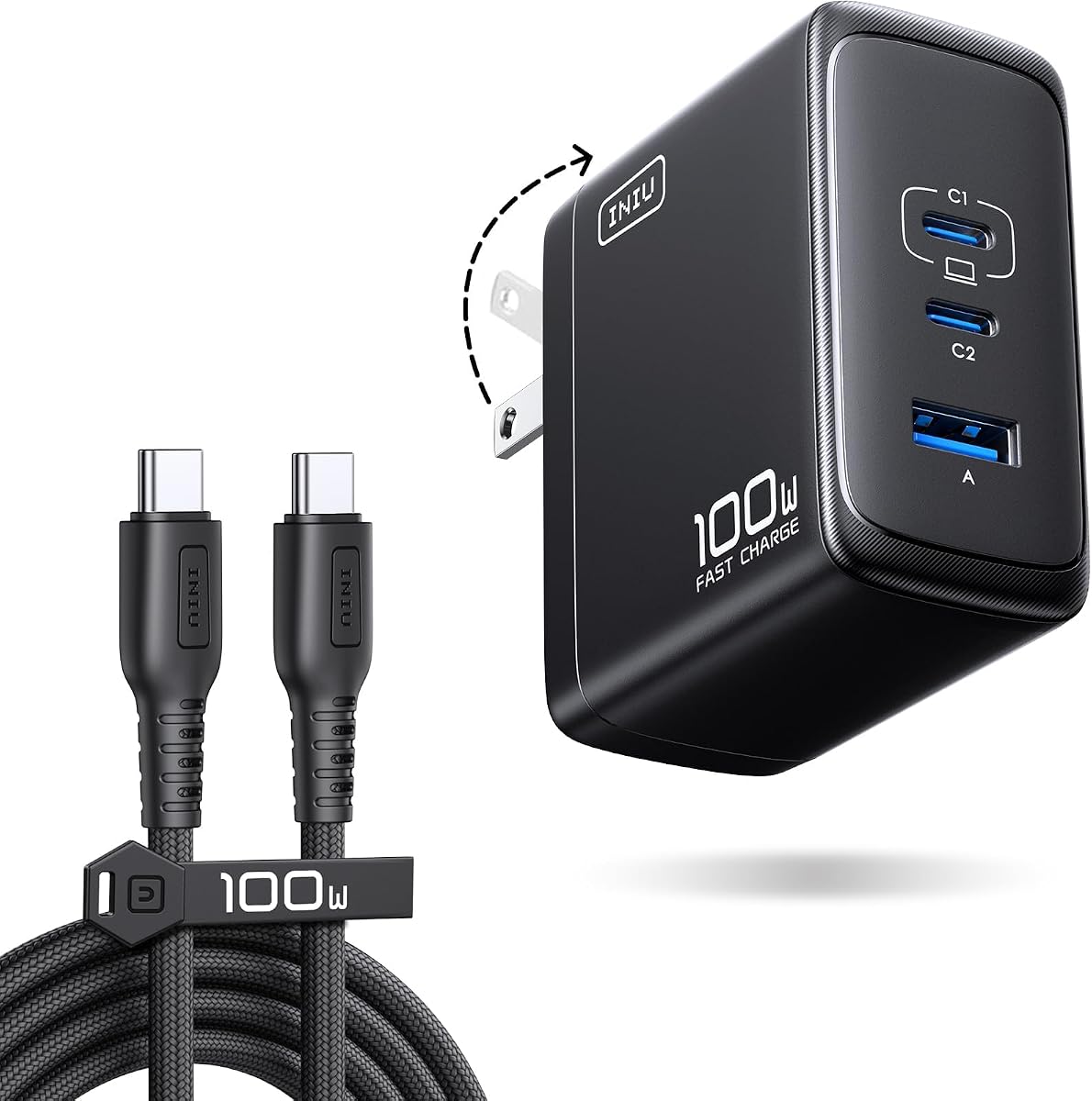
INIU offers solid performance with a generous 3-year warranty that outpaces many competitors. The charger is 30% smaller than original models and comes with a durable braided cable. It fits snugly without blocking adjacent outlets.
We may earn a commission when you buy through this link, at no additional cost to you.
GaN technology ensures cooler operation and faster charging for laptops and phones. Smart allocation allows fast charging of three devices simultaneously without significant drops. The cable is 3x more durable than standard plastic cords.
The design does not allow cable removal which limits replacement options if worn. This is a minor inconvenience for a long-lasting product. The value of the warranty adds significant confidence in reliability.
Buy this if you want a balance of price, features, and warranty protection. It is suitable for daily home use or travel with minimal hassle. The included cable quality is a nice touch.
Backed by advanced GaN tech and strict ETL standards, it offers 3 free years replacement for any quality issues.
Unlike competitors that slow down when loaded, this delivers real power with 100W max on single port or 70W+30W for dual.
We may earn a commission when you buy through this link, at no additional cost to you.
This wegear model uses GaN III CoolTech to run significantly cooler than traditional chargers. At full output it stays around 113°F which is safe to touch. Safety certifications provide reliable standards for electrical protection.
We may earn a commission when you buy through this link, at no additional cost to you.
With three ports it can handle laptop and phone charging simultaneously. Intelligent power distribution ensures each device gets the best possible charge. The foldable plug makes it convenient for travel packing.
It does not include a cable so you must supply your own compatible one. This might be a drawback for those wanting an all-in-one kit. However it allows you to choose your preferred cable length.
Choose this if thermal safety is a high priority for your usage. It is reliable for home workstations where cool operation matters. The certifications add a layer of trust for safety.
Next-gen GaN III and advanced thermal safeguards make this run 40% cooler than traditional silicon-based chargers.
ETL/CSA/UL-certified with high-grade protection including 100x/sec voltage/current monitoring and flame-retardant casing.
We may earn a commission when you buy through this link, at no additional cost to you.
This charger is notable for including two 10ft cables which is generous for multi-device setups. GaN III chip technology ensures high efficiency and smaller size. It supports 5A speed for rapid charging of laptops and phones.
We may earn a commission when you buy through this link, at no additional cost to you.
You can charge a laptop and two smartphones at the same time with intelligent distribution. The two cables mean you can reach distant outlets easily without adapters. Efficiency up to 95% reduces energy waste.
Quality control might be less consistent than established brands but user ratings remain positive. Ensure you check product specs for warranty details as they can vary. The bundle value is high for the price.
Buy this if you need long cables and multiple ports for one price. It is perfect for offices where outlets are far from desks. The inclusion of two cables saves additional purchasing costs.
Includes 2pcs 10FT USB C to C charging cable providing maximum charging speed and transfer speed with convenience.
Up to 95% charging efficiency and 68% smaller size replaces traditional bulky and inefficient power adapters.
We may earn a commission when you buy through this link, at no additional cost to you.
This charger won CES 2022 for its innovative design and performance. GaN II technology increases operating frequency to make it smaller without power loss. It fits easily in bags while supporting three devices at once.
We may earn a commission when you buy through this link, at no additional cost to you.
The cable has a 5,000+ bend lifespan for long-term durability. E-Marker chip ensures safe charging speeds for compatible devices. It reduces desk clutter by replacing multiple bricks with one compact unit.
Although it carries a premium price, the technology and recognition support the cost. Some users report slightly lower ratings likely due to individual expectations. Overall it remains a top-tier option.
Select this if you value award-winning design and reliable Anker performance. It suits those who prioritize innovation and compact size. The durability of the cable adds long-term value.
Powered by GaN II technology with a 100% increase in operating frequency, innovative stacked design, and upgraded circuit structure.
Powers MacBook, iPhone, and AirPods all at once from a charger that is 34% smaller than an original 96W MacBook power brick.
We may earn a commission when you buy through this link, at no additional cost to you.
This Anker 317 Charger provides reliable 100W performance with high user satisfaction. Its PowerIQ 3.0 technology ensures broad compatibility with mobile devices. The foldable plug and compact size make it easy to carry anywhere.
We may earn a commission when you buy through this link, at no additional cost to you.
ActiveShield safety technology monitors temperature to protect you and devices from heat. It charges MacBook Pro laptops quickly and includes an 18-month warranty for peace of mind. The 5ft cable is sufficient for most desk setups.
As a single-port charger it is not ideal for multi-device users. However for a main laptop charger it performs consistently. The brand support adds value beyond just the hardware.
Buy this if you want a safe and reliable standard charger for daily use. It is especially good for Anker fans who trust the brand. The warranty offers a good buffer for any issues.
The 100W USB C port pumps out enough power to charge a wide range of devices in record time like MacBook Pro 16.
Exclusive ActiveShield provides 24/7 temperature monitoring while the foldable plug makes it easy to take wherever you go.
We may earn a commission when you buy through this link, at no additional cost to you.
Choosing the right charger involves balancing power, port count, and safety to match your specific device needs and lifestyle.
Ensure the charger delivers at least 100W total so it can support high-power laptops like the MacBook Pro 16. Lower wattage may charge devices more slowly or fail to power them while in use. Always check the total output versus per-port output to avoid confusion when using multiple cables.
Look for a total output of 100W to guarantee fast charging for laptops without slowdowns.
Decide if you need a single port for a laptop or multiple ports to charge phones and tablets together. More ports offer flexibility but can reduce total power per device when all are in use. Review the power distribution table to understand how watts split among USB-C and USB-A ports.
Choose three or four ports if you regularly charge several devices simultaneously to reduce cable clutter.
Safety is critical for expensive electronics, so look for features like ActiveShield or temperature monitoring that protect against overheating. Over-voltage and short-circuit protection help prevent damage from power surges or faulty outlets. Certified standards such as ETL or UL offer additional assurance of quality construction.
Prioritize chargers with multiple safety protections and temperature monitoring to extend device lifespan.
If you travel often, a compact charger with a foldable plug saves space in your bag and protects it from damage. GaN technology allows for smaller sizes without sacrificing power. Consider the physical dimensions and weight if you carry it daily.
Select a compact design with foldable prongs for frequent travelers who value luggage space.
Check if the charger comes with a compatible 100W USB-C to USB-C cable because buying one separately adds cost. High-quality braided cables last longer and support faster charging speeds. Ensure the cable length fits your desk or bedside setup.
Opt for models that include a high-speed cable to avoid additional purchases and setup hassles.
Established brands usually provide better warranties and customer support for defective units. Look for warranties of at least 18 months to cover unexpected failures. Reviews often reflect long-term durability and customer service quality.
Choose reputable brands with strong warranty policies for peace of mind and support.
Verify that the charger supports the Power Delivery standard used by your laptop or phone. Some devices require specific protocols for fast charging to function correctly. Compatibility lists usually cover most modern laptops and phones but exceptions exist.
Confirm USB-C PD compatibility with your devices to ensure full-speed charging works.
Set a budget that balances features with cost, as premium models cost more but offer better materials. Consider how often you will use the charger to justify the price. Sometimes mid-range models provide the best value for casual users.
Balance features with your budget to find the best value for your usage frequency.
Connect the charger to a wall outlet using the included AC cable and plug your device into the USB-C port. Ensure the outlet is dry and free from damage to prevent electrical hazards during charging.
Avoid bending the cable sharply or wrapping it tightly around the charger to prevent wire wear and tear over time. Store the charger loosely in a pouch or bag when not in use to protect ports from dust.
Monitor the charger temperature during heavy charging and disconnect if it feels too hot to touch. Allow it to cool down before plugging it back in to maintain safety standards and internal components.
No, modern chargers use smart protocols to deliver only the power your device needs. A 100W charger will limit output for phones to prevent damage. Always use quality cables that support the correct safety standards for safe charging.
GaN technology allows for smaller, cooler, and more efficient chargers than traditional silicon. It reduces heat generation and size while maintaining high power output. This makes GaN chargers ideal for portable and high-performance needs.
Yes, most 100W USB C chargers support multiple devices through Power Delivery standards. Just ensure the total power split matches your needs. Many models offer separate ports for simultaneous laptop and phone charging.
Some heat is normal when delivering high power like 100W to devices. If the charger feels too hot to touch, disconnect it to allow cooling. Modern units include thermal protection to shut off if temperatures get unsafe.
Yes, you need a 5A rated USB-C to USB-C cable that supports 100W Power Delivery. Standard cables may limit speed to 60W or lower. Ensure the cable is E-Marker certified for full-speed charging.
USB-A ports on modern chargers are safe for phones as they include protocols like Quick Charge. They adjust power to match what the phone can accept safely. Always plug in to let the devices negotiate power levels first.
This guide reviewed ten top models ranging from budget-friendly to premium with smart displays and multi-port options. Each product was assessed for power delivery, safety features, and build quality to help you decide.
Prioritize safety and port count based on how many devices you charge daily. If you travel often, look for compact GaN designs. For home use, multi-port models might offer better convenience.
Remember to check current prices and availability since deals can change frequently. Verify warranty terms and included accessories before purchasing to ensure you get the best value for your needs.