
ASUS Z170 PRO Gaming
4.1Editor score
Affordable Z170 Chipset
M.2 and USB 3.1
Durable Gamer's Guardian
This guide compares the top 1151 Z170 Skylake gaming motherboards to help you find the best platform for your next high performance build.
Choosing the right motherboard is critical for building a stable gaming PC. The 1151 Z170 Skylake platform offers robust overclocking and modern connectivity for mid range systems.
We analyzed ten top rated models based on build quality, feature sets, and user feedback. Our team focused on durability, audio, and networking to ensure value.
Each pick highlights unique strengths like VRM design and port selection. Note that stock and pricing fluctuate frequently, so verify current availability before purchasing.
4.1Editor score

4.2Editor score

4.2Editor score
The following table provides a side by side comparison of all ten selected motherboards to help you evaluate their core specifications at a glance.


This Asus ROG Maximus VIII Hero ranks as our top pick for enthusiasts seeking a premium experience. It holds a 4.2 star rating and stands out for its Extreme Engine DIGI+ power design.
We may earn a commission when you buy through this link, at no additional cost to you.
The SupremeFX 2015 audio ensures immersive sound for gaming and media. Its USB 3.1 Type A and C onboard ports offer future proof data transfer speeds for peripherals.
While the price is higher than budget options, the durability and features justify the cost. The lighting control system adds a nice visual touch to your build aesthetics.
Enthusiasts looking for reliable performance and strong audio should buy this board. It remains a solid choice for high end Skylake gaming builds.
The SupremeFX audio subsystem delivers clear and immersive sound quality for games and music.
Onboard USB 3.1 Type C ensures compatibility with modern devices and faster data transfer.
We may earn a commission when you buy through this link, at no additional cost to you.
This Gigabyte model is an excellent budget option that delivers genuine performance without the retail box costs. It has a perfect 5.0 rating from users who appreciate its reliability.
We may earn a commission when you buy through this link, at no additional cost to you.
It supports both 6th and 7th Gen Intel Core processors making it versatile. The board includes four DDR4 sockets and multiple PCIe slots for graphics and storage expansion.
Buyers should note this comes in industrial packaging so handling requires care. You will also need to update the BIOS for 7th Gen CPUs which adds a step.
Budget builders seeking maximum compatibility should consider this board. It offers high value for those willing to handle the installation themselves.
The industrial packaging reduces costs while keeping the board genuine and functional.
Support for both 6th and 7th Gen CPUs ensures longevity for your investment.
We may earn a commission when you buy through this link, at no additional cost to you.
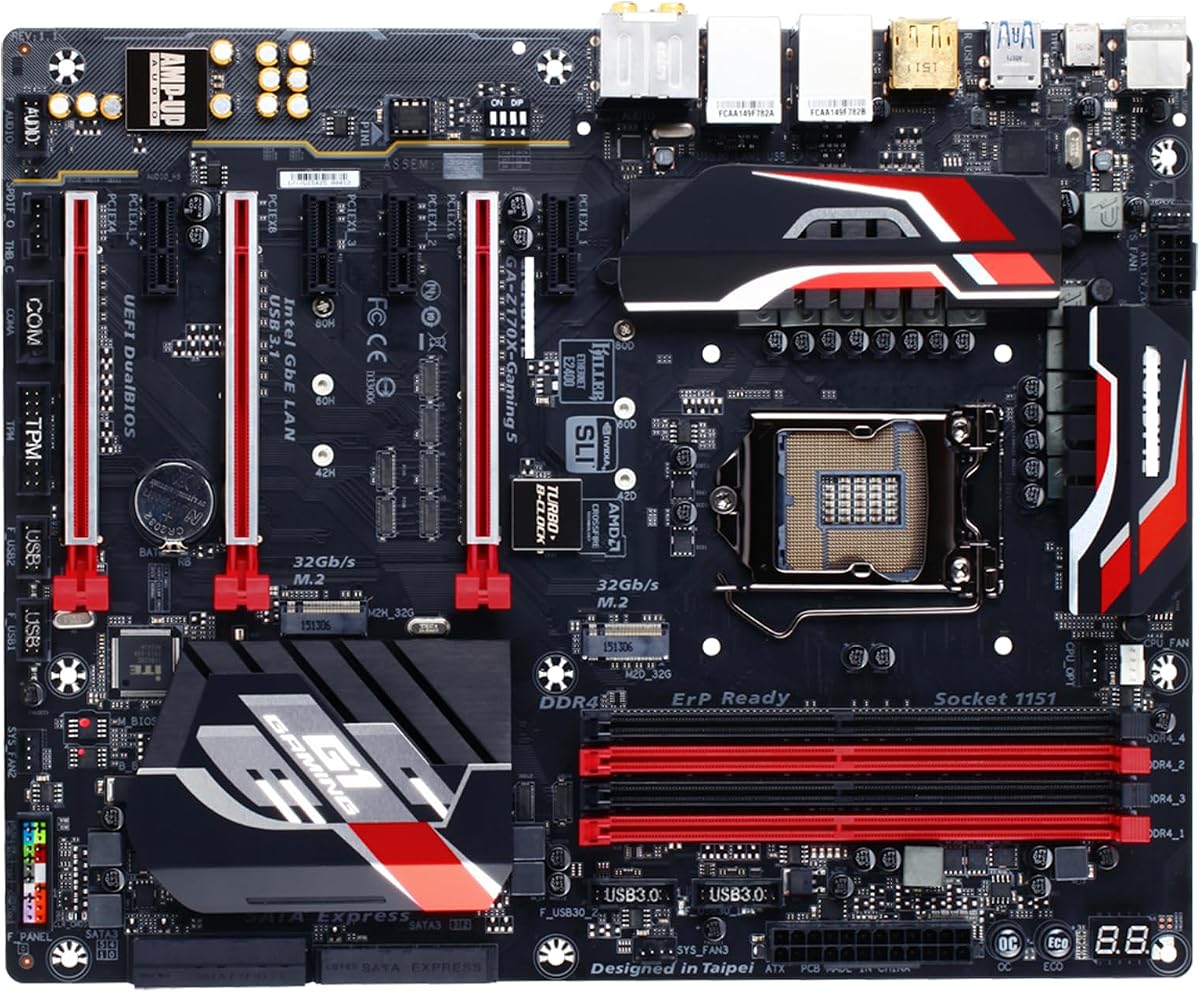
This Gigabyte board is designed for high end builds needing extensive connectivity. It holds a 4.2 star rating and is known for supporting 2-Way SLI setups.
We may earn a commission when you buy through this link, at no additional cost to you.
It offers seven USB 3.0 ports and four USB 2.0 ports on the back. This abundance of ports makes it ideal for users with many peripherals and drives.
The cost is higher than average but the feature set is comprehensive. It supports multi GPU setups which is vital for advanced gaming and rendering tasks.
Users needing maximum USB ports should buy this model. It is a powerful platform for serious enthusiasts.
With eleven total USB ports you can connect all your devices without hubs.
2-Way SLI support allows for dual GPU setups for enhanced graphics performance.
We may earn a commission when you buy through this link, at no additional cost to you.
This ASUS board is a reliable mid range choice with a 4.1 star rating. It balances performance and features well for standard gaming setups.
We may earn a commission when you buy through this link, at no additional cost to you.
It includes HDMI and DVI-D video outputs for integrated graphics use. The Gamer's Guardian technology ensures durable components and smart DIY features.
The audio is handled by SupremeFX for clear sound during gameplay. However the VRM design is basic compared to premium models.
Budget conscious gamers needing video outputs should buy this. It offers a great balance of cost and reliability.
HDMI and DVI-D outputs allow for flexible display connections without a dedicated GPU.
Gamer's Guardian ensures high quality parts are used for long term reliability.
We may earn a commission when you buy through this link, at no additional cost to you.
The ASRock Z170 EXTREME4 stands out for its expansion capabilities. It has a 4.2 star rating and supports up to 64GB of RAM.
We may earn a commission when you buy through this link, at no additional cost to you.
With three PCIe 3.0 x16 slots you can add multiple expansion cards easily. The Realtek ALC1150 codec provides premium Blu-ray audio support.
It offers six SATA3 ports for ample storage connectivity. However it lacks modern USB 3.1 Type C ports found on newer boards.
Users needing many expansion slots should buy this model. It is great for workstations or heavy storage setups.
Three PCIe x16 slots allow for multiple graphics cards or capture cards.
Support for 64GB RAM allows for heavy multitasking and future proofing.
We may earn a commission when you buy through this link, at no additional cost to you.
This MSI board is designed with gamers in mind using DDR4 Boost tech. It holds a 3.9 star rating which indicates mixed user experiences.
We may earn a commission when you buy through this link, at no additional cost to you.
The Steel Armor slots protect your graphics cards from sagging and damage. Audio Boost 3 ensures a better sound experience during games.
It supports 3 Way CrossFire for AMD multi GPU setups. However the lack of USB 3.1 limits modern peripheral speeds.
Gamers with AMD setups should consider this board. It offers specific features tailored to gaming performance.
DDR4 Boost optimizes memory frequencies for better system stability.
Steel Armor slots protect heavy GPUs and improve signal quality.
We may earn a commission when you buy through this link, at no additional cost to you.
The Asus Z170-A is a standard model with a strong 4.3 star rating. It focuses on ease of use and system protection.
We may earn a commission when you buy through this link, at no additional cost to you.
Dual Intelligent Processors 5 provide 5-Way Optimization for easy tuning. The 5X Protection II ensures long term durability against electrical issues.
It supports USB 3.1 Boost for faster data speeds. However it lacks a dedicated Type C port for modern devices.
Users wanting reliable performance should buy this model. It is simple to set up and use.
5-Way Optimization automatically tunes settings for better performance.
5X Protection II safeguards the system from voltage and power issues.
We may earn a commission when you buy through this link, at no additional cost to you.
This Gigabyte board provides a robust build for 6th Gen Intel. It has a 3.7 star rating reflecting mixed feedback on value.
We may earn a commission when you buy through this link, at no additional cost to you.
It supports 3-Way AMD Crossfire for multi GPU gaming setups. The six SATA 6Gb/s connectors provide plenty of space for drives.
The board features four PCIe x1 slots for expansion cards. However some users find the feature set standard for the price.
Gamers needing Crossfire support should buy this model. It is a reliable option for multi GPU setups.
Supports 3-Way Crossfire for scaling performance with AMD GPUs.
Six SATA ports ensure you can connect multiple hard drives easily.
We may earn a commission when you buy through this link, at no additional cost to you.
This listing fits the ASUS Z170 and features an upgraded power design. It lacks an official rating but emphasizes optimized connectivity.
We may earn a commission when you buy through this link, at no additional cost to you.
It uses high grade storage standards for better data integrity. The advanced cooling ensures the system stays stable during long sessions.
The power delivery is enhanced to maximize potential of Intel processors. However there is limited documentation available for this variant.
Users needing a specific fit should consider this option. It claims to offer better stability.
Enhanced power delivery helps CPU stability during heavy workloads.
Advanced cooling helps maintain optimal temperatures under load.
We may earn a commission when you buy through this link, at no additional cost to you.
This model offers a compact mATX form factor with premium features. It is a Certified Refurbished product with a 4.0 rating.
We may earn a commission when you buy through this link, at no additional cost to you.
It includes USB 3.1 Type C and SupremeFX 2015 audio. The refurbishing process includes testing to ensure it works like new.
You get lighting control and a 90 day warranty. However it is refurbished so packaging may be generic.
Users wanting small form factor should buy this model. It brings premium ROG features to a smaller board.
The mATX size fits smaller cases while retaining key premium features.
Certified Refurbished status means the board is tested and functional.
We may earn a commission when you buy through this link, at no additional cost to you.
Choosing the best Z170 motherboard requires balancing features compatibility and budget for your specific build needs.
The LGA 1151 socket supports 6th and 7th Gen Intel Core processors but some boards require BIOS updates. Verify support for 7th Gen Kaby Lake before purchase.
Ensure your CPU generation matches the board to avoid compatibility issues.
Look for DDR4 slots to support modern RAM speeds and higher capacity systems. Most boards support up to 64GB which is enough for most tasks.
Check the supported MHz range for overclocking your memory effectively.
PCIe x16 slots are critical for your graphics card. Ensure you have enough slots for single or multi GPU setups like SLI.
Check bandwidth sharing rules when multiple slots are used simultaneously.
M.2 ports allow for ultra fast SSDs while SATA ports support standard drives. Look for at least one M.2 for your OS drive.
Verify if M.2 shares bandwidth with other SATA ports.
Rear USB ports include Type A and C for modern devices. More ports provide more flexibility for peripherals.
Check for USB 3.1 support for faster transfer speeds.
Onboard audio codecs vary in quality so look for SupremeFX or high quality ALC chips. Good audio enhances your gaming experience.
Check for dedicated audio traces on the board to reduce noise.
Power delivery is key for stable overclocking. Look for robust VRMs with heat sinks for better thermal management.
Strong VRMs ensure the CPU runs smoothly under heavy load.
High quality capacitors and steel armor for slots improve durability. Look for 5X Protection or similar durability features on the box.
Better build quality ensures a longer lifespan for your system.
Install the motherboard on the correct standoffs in your case to avoid short circuits. Align the I/O shield carefully before placing the board.
Apply thermal paste correctly on the CPU cooler and connect all power cables securely. Check all connections before powering on.
Keep the board dust free and ensure good airflow for long life. Update the BIOS regularly for better stability and security.
Z170 boards support 6th Gen Skylake and 7th Gen Kaby Lake processors. You may need to update the BIOS for 7th Gen support.
Yes with a BIOS update but verify with the manufacturer first. Compatibility can vary between different board models.
Yes Z170 requires DDR4 memory. You cannot use DDR3 modules on this socket.
M.2 storage offers much faster speeds than standard SATA drives. This improves boot times and game load speeds significantly.
Yes most support 2-Way SLI or Crossfire. Check for PCIe bandwidth to ensure performance does not drop.
Yes they handle modern mid range CPUs well. However they lack some newer features found on Z390 or Z490 boards.
The Asus ROG Maximus VIII Hero leads our list for premium features and reliability. It stands out for audio and power delivery.
Budget builders will find great value in the Gigabyte GA-Z170X-Gaming 5. It offers strong compatibility and low cost.
Always check current prices and BIOS requirements before buying. These boards remain solid for many high performance builds.