
Acer Nitro 27in QHD 2560×1440 IPS 180Hz Gaming Monitor KG271U N3bmiipx
4.5Editor score
180Hz Refresh Rate
AMD FreeSync Technology
0.5ms GTG Response
Finding the right display can transform your gaming experience completely. A 27 Inch WQHD 1440p Gaming Monitor offers the perfect balance between sharp visuals and smooth performance for modern titles.
We evaluated ten top models based on refresh rates, color accuracy, and build quality. Each option brings unique strengths to competitive play, immersive single-player adventures, and creative workloads alike.
Every pick highlights key specs and real-world performance traits. Note that availability and pricing fluctuate frequently, so verify current details before finalizing your purchase decision today.
4.5Editor score

4.6Editor score

4.6Editor score
As an Amazon Associate we earn from qualifying purchases.
This side-by-side comparison outlines the key specifications and standout features of each monitor to help you find the exact fit for your setup.


The Acer Nitro KG271U delivers high-quality visuals with a QHD resolution and 180Hz refresh rate at a very competitive cost. Its IPS panel ensures wide viewing angles and accurate colors for both gaming and productivity tasks.
We may earn a commission when you buy through this link, at no additional cost to you.
This monitor stands out with AMD FreeSync technology to reduce tearing and a rapid 0.5ms response time that minimizes ghosting. The zero-frame design maximizes screen real estate, making it ideal for multi-monitor setups where seamless visuals matter.
While it lacks advanced HDR features, the DCI-P3 coverage and solid build quality make up for it. The ergonomic stand is limited compared to premium models but provides essential tilt adjustments for comfortable viewing during long sessions.
Budget-conscious gamers looking for a reliable 1440p experience should seriously consider this model. It balances performance and affordability better than many rivals, offering a smooth and sharp display without breaking the bank.
The 180Hz refresh rate ensures fluid motion in fast-paced titles, reducing motion blur and input lag significantly for a more responsive feel.
With support for DCI-P3 95%, the monitor produces vibrant and true-to-life colors suitable for photo editing and content creation work.
We may earn a commission when you buy through this link, at no additional cost to you.
The ASUS TUF VG27AQ3A is designed for serious gamers who need reliable synchronization and sharp visuals. It features a Fast IPS panel with a 1ms response time to ensure quick pixel transitions and vibrant colors.
We may earn a commission when you buy through this link, at no additional cost to you.
Its standout feature is ELMB Sync, which combines Motion Blur Reduction with variable refresh rates. This eliminates both ghosting and tearing simultaneously, providing crisp images during high-speed combat and chaotic scenes.
While the price is higher than budget options, the inclusion of G-Sync compatibility and superior color performance justifies the cost. The built-in speakers add convenience, though they are best used for casual sounds rather than immersive audio.
Competitive players and streamers will appreciate the balanced performance and professional-grade features. This monitor is a top choice for those who prioritize responsiveness and visual fidelity in their gaming setup.
Adaptive Sync and G-Sync compatibility ensure a seamless experience across different graphics cards, preventing screen tearing without sacrificing frame rates.
The 130% sRGB gamut delivers rich, saturated colors that make games look more immersive and life-like than standard monitors.
We may earn a commission when you buy through this link, at no additional cost to you.
The Acer Nitro XV271U brings a flexible Ergonomic stand to the mix alongside its high-performance display. With height adjustment and pivot options, it adapts to various workspaces and viewing preferences comfortably.
We may earn a commission when you buy through this link, at no additional cost to you.
It features a solid 180Hz refresh rate over DisplayPort and AMD FreeSync Premium for smoother gameplay. The IPS panel offers consistent color accuracy and wide viewing angles, making it a versatile choice for mixed usage scenarios.
While HDMI supports 144Hz, getting the full 180Hz requires a DisplayPort connection. This minor limitation is offset by the robust stand design and the inclusion of essential video inputs for multiple devices.
Those who value adjustability and comfort will find this model appealing. It balances gaming features with practical ergonomics, making it suitable for long work or play sessions without straining the user.
The stand supports tilt, height, swivel, and pivot adjustments, allowing users to find the perfect angle for their specific desk setup.
Supporting a wide color gamut ensures that images and games look vibrant and detailed across the entire screen.
We may earn a commission when you buy through this link, at no additional cost to you.
The Samsung Odyssey G5 offers a deeply curved screen that wraps around your peripheral vision for heightened immersion. Its 1440p resolution and 180Hz refresh rate deliver crisp images and fast-paced motion handling.
We may earn a commission when you buy through this link, at no additional cost to you.
With a 1ms response time and HDR10 support, the monitor handles dark scenes well. The Black Equalizer tool lets you brighten shadow areas to spot enemies without blowing out bright details in the scene.
While the curve adds a unique feel, it may not appeal to flat-screen purists. However, for first-person shooters and immersive games, the design creates a more enveloping experience than traditional flat panels.
Gamers seeking a cinematic feel at a reasonable price point should look at this option. It combines Samsung's display prowess with practical gaming tools to enhance visual depth and competitive performance.
The Black Equalizer feature allows you to adjust brightness in dark zones to find hidden opponents while maintaining overall image contrast.
The curvature of the screen creates a natural wrap-around effect that reduces distortion at the edges and focuses attention on the center.
We may earn a commission when you buy through this link, at no additional cost to you.
This SANSUI monitor pushes speeds with up to 200Hz refresh rates for ultra-smooth motion. The IPS panel ensures that colors remain consistent even when viewing from different angles.
We may earn a commission when you buy through this link, at no additional cost to you.
Features like Anti-flicker and Low blue light reduce eye strain during marathon gaming sessions. The metal stand adds durability to the build, ensuring the display remains stable during intense gameplay moments.
While the ergonomics are basic with tilt only, the performance and value are compelling. The included DP cable ensures you can reach the higher refresh rates immediately without buying extra accessories.
For those prioritizing refresh speed on a budget, this model delivers excellent performance. It provides the tools needed for competitive gaming while keeping the cost accessible for new builds.
Built-in eye care technologies minimize flickering and blue light to help protect your vision during extended hours of screen time.
The 120% sRGB coverage ensures that the display renders a wide range of colors accurately and vividly.
We may earn a commission when you buy through this link, at no additional cost to you.
The SANSUI 27" 1440P offers deep color reproduction with 95% DCI-P3 coverage for more realistic visuals. It also provides full ergonomic adjustments including height, tilt, and rotation options for any setup.
We may earn a commission when you buy through this link, at no additional cost to you.
With 200Hz refresh rates and motion blur reduction, it ensures clear images during rapid movements. The Fast IPS panel responds quickly to input, making it a strong contender for competitive gaming titles.
While it may not have the same brand fame as larger manufacturers, its specs compete well with premium units. The inclusion of multiple DisplayPorts allows for flexible connectivity and multi-device usage.
Gamers who want full ergonomic control and vibrant colors at a mid-range price will appreciate this choice. It balances performance features with practical usability to suit diverse user needs.
The stand supports pivot, swivel, and height adjustments, allowing you to position the screen perfectly for comfort.
With 95% DCI-P3 support, the monitor delivers rich and lifelike colors that enhance both games and creative work.
We may earn a commission when you buy through this link, at no additional cost to you.
The KOORUI 27 Inch model offers HDR400 support at an accessible price point. Its minimal design fits well into modern setups, while the 200Hz refresh rate ensures smooth gameplay for competitive titles.
We may earn a commission when you buy through this link, at no additional cost to you.
HDR support enhances contrast in supported content, making dark scenes look more detailed. The DCI-P3 coverage further enriches the color palette, bringing images to life with vivid tones.
Although the brightness is not comparable to premium HDR units, it is a solid entry-level option. The stand allows basic tilt adjustments, and the warranty provides peace of mind for new buyers.
Those seeking HDR capabilities without paying premium prices should consider this monitor. It delivers a modern aesthetic and solid performance for gaming and entertainment purposes.
HDR400 support improves the contrast ratio between bright and dark areas, adding depth to supported content.
The thin bezels and minimalist stand design create a clean and focused viewing experience without distractions.
We may earn a commission when you buy through this link, at no additional cost to you.
The Acer Nitro EDA270U brings an affordable curved display to the 1440p market. Its 1500R curve adds a sense of immersion that flat screens cannot match, especially in single-player games.
We may earn a commission when you buy through this link, at no additional cost to you.
It supports AMD FreeSync Premium and offers a 180Hz refresh rate for smooth visuals. The included built-in speakers add convenience for casual listening, though they are not meant for critical audio tasks.
While the stand is basic with tilt only, the zero-frame design keeps the look clean and modern. The setup is straightforward, and VESA mounting ensures you can easily swap to a better arm if needed.
This is a great pick for those who want a curved screen without spending too much. It balances visual immersion with everyday practicality for budget-friendly gaming setups.
The 1500R curve wraps around your vision to create a more engaging and focused gaming experience.
Being HDR Ready ensures that compatible content displays enhanced contrast and color for a richer look.
We may earn a commission when you buy through this link, at no additional cost to you.
The ASUS TUF VG27AQL1A offers a high 170Hz refresh rate with overclocking for top-tier performance. It combines G-Sync compatibility with ELMB Sync to eliminate tearing and motion blur effectively.
We may earn a commission when you buy through this link, at no additional cost to you.
Its IPS panel covers 130% sRGB for excellent color accuracy, making it suitable for both gaming and creative work. HDR400 certification adds depth to supported content, enhancing the overall visual experience.
While the price is higher, the build quality and feature set justify the investment. The stand and ergonomics are robust, ensuring stability during intense gaming sessions without wobbling.
This monitor is ideal for enthusiasts who demand high frame rates and visual precision. It delivers a premium experience that stands out in competitive gaming and immersive story-driven titles.
The 170Hz refresh rate ensures ultra-smooth gameplay, giving you a distinct edge in fast-paced shooters and action games.
ELMB Sync technology works alongside G-Sync to clear up motion blur while preventing screen tearing for clean visuals.
We may earn a commission when you buy through this link, at no additional cost to you.
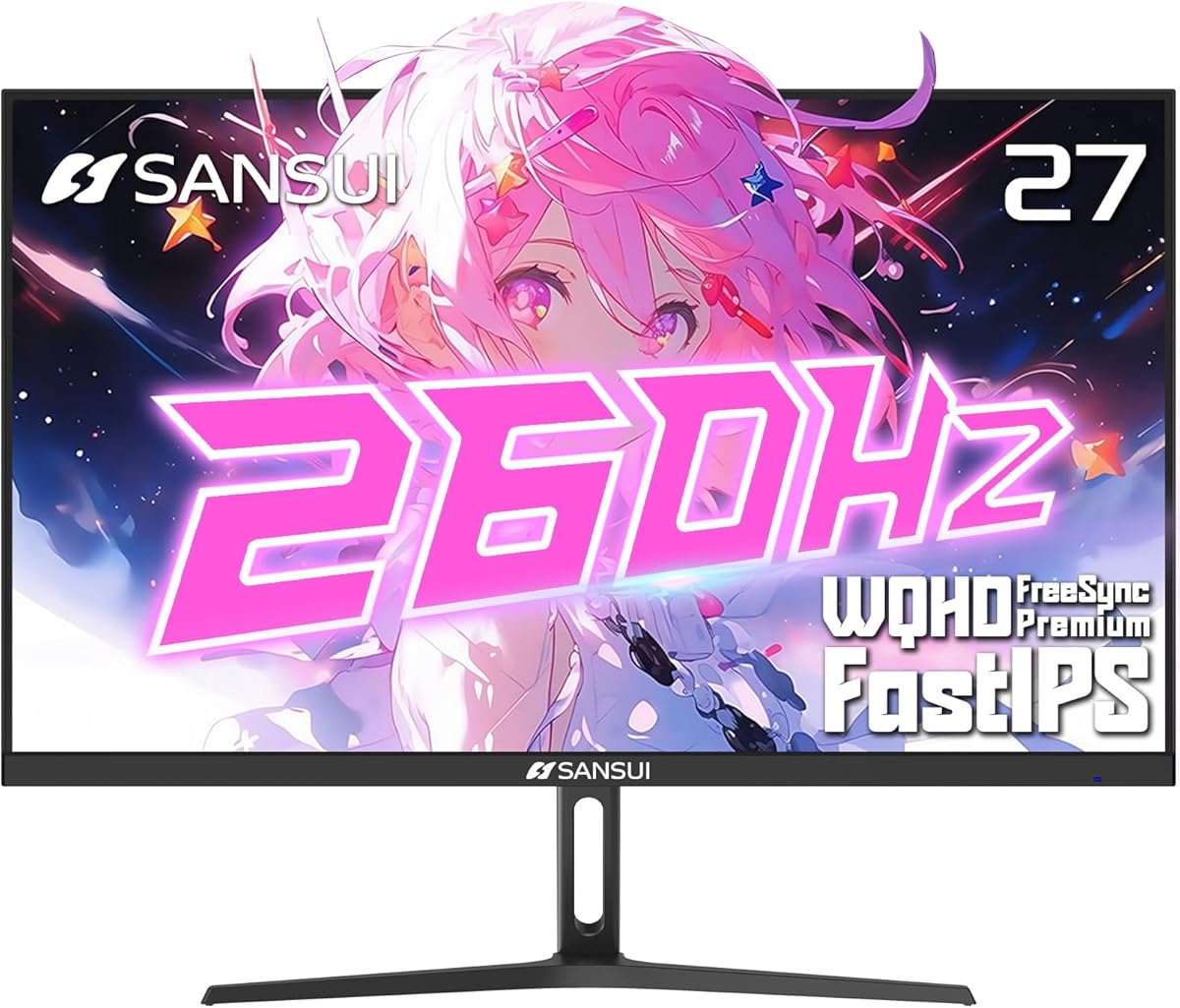
The SANSUI 27" 260Hz pushes speed limits with a 260Hz refresh rate for competitive gaming. Its 98% DCI-P3 coverage and HDR10 support ensure that visuals remain vibrant and clear even at high speeds.
We may earn a commission when you buy through this link, at no additional cost to you.
FreeSync Premium reduces tearing and stuttering, while the built-in crosshair tool can help with aiming in FPS games. The DisplayPort 1.4 connections ensure you can unlock the full refresh rate on supported hardware.
While it demands a powerful GPU to reach top rates, the potential performance is unmatched in this segment. The tilt-only stand is basic, but the sheer speed makes it a compelling choice for esports.
For pure speed enthusiasts and FPS players, this monitor delivers excellent potential. It balances refresh rates with color quality to provide a smooth and visually appealing experience.
A 260Hz refresh rate provides the smoothest possible motion for competitive gaming where milliseconds matter.
The 98% DCI-P3 coverage ensures that colors are rich and consistent, adding depth to games.
We may earn a commission when you buy through this link, at no additional cost to you.
Choosing the right 27 Inch WQHD 1440p Gaming Monitor involves balancing performance features with budget constraints and personal preferences.
Refresh rate determines how many frames the monitor can display per second. For competitive gaming, look for rates of 144Hz or higher, ideally 180Hz or 200Hz, to ensure smooth motion. Response time measures how fast pixels change color; 1ms is standard for fast gaming to reduce ghosting.
Prioritize a high refresh rate and low response time if you play fast-paced shooters.
IPS panels offer the best color accuracy and viewing angles, making them versatile for both gaming and work. VA panels offer better contrast but can suffer from slower response times. TN panels are fast but lack color depth and viewing angles.
An IPS panel is generally the best choice for a balanced gaming experience.
Adaptive Sync technologies like AMD FreeSync and NVIDIA G-Sync prevent screen tearing and stuttering. G-Sync is more expensive but highly reliable, while FreeSync is common and affordable. Ensure the monitor supports your graphics card brand.
Look for G-Sync Compatible or FreeSync Premium labels for the best compatibility and smoothness.
Color gamut coverage like sRGB and DCI-P3 determines color richness. 95% DCI-P3 is ideal for vivid visuals. HDR support adds contrast and brightness depth. HDR400 is a basic entry-level standard but still improves visual depth.
Check for wide gamut coverage if you want lifelike colors in games and movies.
An ergonomic stand allows you to adjust height, tilt, swivel, and pivot. This reduces neck strain during long sessions. Some models only offer tilt, which can be limiting if your desk height isn't ideal.
Prioritize height adjustment and tilt features to maintain comfort during extended use.
Ensure the monitor has enough ports for your devices. DisplayPort 1.4 is preferred for high refresh rates over 144Hz. HDMI 2.0 is common but may limit refresh rates. Check for audio jacks if you use onboard speakers.
Look for DisplayPort 1.4 and HDMI 2.0 ports to support all features fully.
Build quality affects durability and feel. Metal stands are sturdier than plastic ones. Warranty terms vary, with some offering three years and others offering longer support. Technical support access is also a factor to consider.
A solid warranty and good support ensure long-term reliability for your purchase.
Start by connecting the monitor using a DisplayPort cable to ensure you get the maximum refresh rate and color fidelity. If your graphics card requires it, update the drivers to support variable refresh rate technologies properly.
Adjust the stand height and tilt to reduce neck strain. Use the monitor's built-in tools to customize brightness and contrast for your environment. Enabling blue light filters can help reduce eye fatigue during night sessions.
Keep the screen clean with a microfiber cloth to avoid scratches. Avoid exposing the panel to direct sunlight or extreme temperatures to maintain color accuracy and lifespan. Use power management settings to turn off the monitor when not in use.
A 27 Inch WQHD monitor offers a sharp 1440p resolution that provides more screen real estate than Full HD. This allows for better visibility in games and more workspace for productivity.
Yes, 180Hz provides smoother motion and reduces blur in fast-paced games. While not as drastic as going from 60Hz to 144Hz, the difference is noticeable to competitive players.
To fully utilize refresh rates like 180Hz or 200Hz, a capable graphics card is needed. However, the monitors still function well at lower frame rates for casual gaming or productivity tasks.
FreeSync Premium is an enhanced version of AMD FreeSync that ensures a minimum refresh rate and HDR support. It reduces tearing and stuttering more effectively than standard FreeSync.
Yes, models with high color gamut coverage like DCI-P3 are excellent for photo editing and design. Check the color accuracy specs to ensure the monitor meets your professional needs.
HDR adds depth and contrast to supported games, making visuals more vivid. While not essential, HDR400 support is a nice bonus that improves the viewing experience in compatible titles.
We highlighted ten excellent monitors that balance speed, color, and value for different needs. The Acer Nitro KG271U leads in budget value while the ASUS TUF models excel in performance.
Prioritize refresh rate and adaptive sync if you play competitive shooters. For creative work or immersive games, color gamut and HDR support should take precedence over raw speed.
Prices and availability change frequently so check the latest listings before making your purchase. Verify that your PC can support the refresh rates and connections you choose.