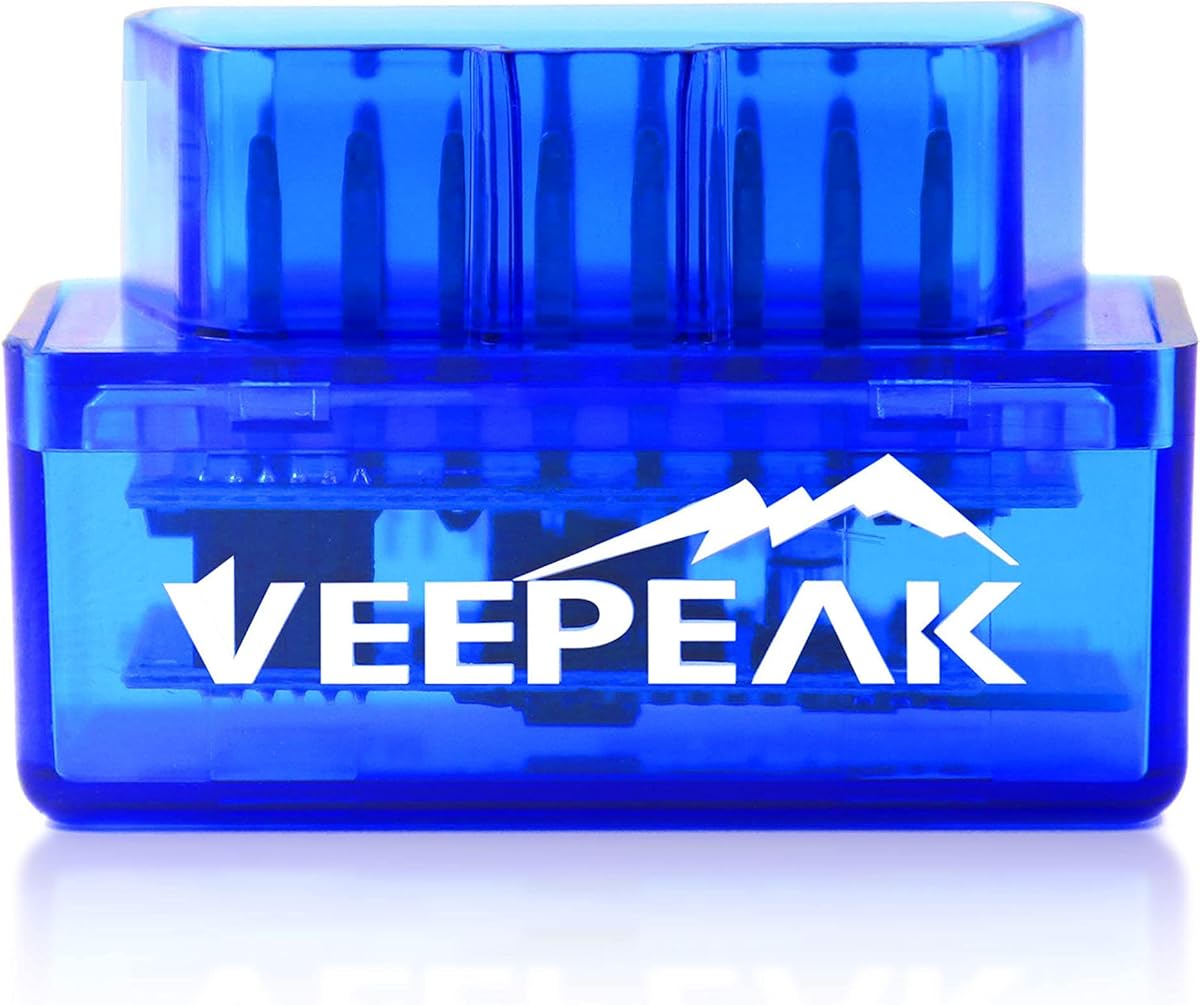
Veepeak Mini Bluetooth OBD2 Scanner Code Reader for Android
4.4Editor score
Compatible with Android phones only
Classic Bluetooth connection support
Reads and clears engine codes
Compact and portable design
Compare the top Android Obdii Scanner Tool options for 2026 including features compatibility and value to find the right diagnostic device for your vehicle
Finding the right diagnostic device for your car can be overwhelming with so many options available on the market today. An Android OBDII scanner tool allows you to connect your smartphone to your vehicle for real-time health monitoring and trouble code reading without visiting a mechanic.
We have evaluated the leading models based on connectivity, software compatibility, and diagnostic depth to help you make an informed decision. Our selection includes budget-friendly adapters, professional-grade scanners, and versatile tools that work with various third-party applications for enhanced functionality across different car makes.
Each pick highlights key strengths and potential limitations so you can match a device to your specific diagnostic needs and budget. Keep in mind that prices and availability can change over time so please verify the current details before making your final purchase decision online.
4.4Editor score

4.5Editor score

4.4Editor score
This side-by-side comparison highlights the core specifications and capabilities of each top-rated Android OBDII scanner to help you quickly identify which device offers the features you need for your specific vehicle diagnostics and smartphone connectivity requirements.


The Veepeak OBDCheck BLE stands out as a versatile entry into smartphone-based diagnostics with a strong rating from users. It leverages Bluetooth LE to connect your phone to the car allowing real-time data streaming without physical cables cluttering your workspace.
We may earn a commission when you buy through this link, at no additional cost to you.
Its primary strength lies in broad app compatibility letting you choose software that fits your needs like Torque or Car Scanner. This flexibility helps you monitor live sensor data and clear trouble codes efficiently making it a solid choice for general diagnostics and basic troubleshooting.
The trade-off is that it does not support advanced systems like ABS or SRS on its own so you may need to invest in specific apps or higher-end hardware for those features. However for most users looking to understand their check engine light this device offers ample functionality.
If you value flexibility and want to avoid expensive proprietary subscriptions this scanner is an excellent starting point. It delivers reliable performance for the price and integrates seamlessly with your Android device for a convenient diagnostic experience at home or on the road.
By supporting multiple third-party applications you can customize your diagnostic experience to fit specific vehicle types or monitoring preferences without being locked into one ecosystem.
The use of Bluetooth Low Energy ensures that the adapter consumes minimal power while maintaining a stable connection to your phone for uninterrupted data streaming during sessions.
We may earn a commission when you buy through this link, at no additional cost to you.
The OBDLink MX+ is a favorite among enthusiasts and professionals due to its robust build and high-speed data transfer capabilities. It is engineered to handle complex diagnostic tasks and provides access to manufacturer-specific data that generic scanners often miss.
We may earn a commission when you buy through this link, at no additional cost to you.
Its standout feature is the enhanced OEM support for brands like Ford and GM which allows users to dive deeper into vehicle systems. This makes it ideal for diagnosing issues that go beyond standard engine codes and require precise module communication.
While the cost is higher than basic adapters the investment pays off in reliability and feature depth. You get a tool that is built to last and works seamlessly with powerful software like FORScan and Torque for detailed vehicle analysis.
For those who want professional-level insights without buying a dedicated handheld scanner this Bluetooth adapter delivers exceptional value. It bridges the gap between consumer tools and shop-grade equipment offering precision and speed for serious diagnostics.
The MX+ offers faster data sampling rates than many competitors allowing you to capture live data trends with greater precision during real-world driving conditions.
Whether you use an iPhone Android phone or Windows PC this device ensures you can access your vehicle data across all your preferred platforms without compromise.
We may earn a commission when you buy through this link, at no additional cost to you.
The Veepeak OBDCheck BLE+ builds on the success of its predecessor by adding support for both Bluetooth LE and classic protocols. This dual compatibility makes it a robust option for Android users who need flexibility across different apps and vehicle years.
We may earn a commission when you buy through this link, at no additional cost to you.
Users appreciate its ability to access live sensor data and I/M readiness status which helps in monitoring vehicle health in real time. It strikes a balance between affordability and functionality making it accessible for daily drivers without sacrificing essential diagnostic features.
Like other Veepeak models it relies on third-party apps for full functionality and does not support specialized resets or deep module coding on its own. However for standard engine diagnostics and monitoring it provides stable performance and clear data readouts.
If you need a reliable scanner that works well with a variety of Android apps this model is a top contender. It offers the versatility to connect with different software solutions while remaining budget-friendly and easy to use.
By supporting both LE and classic Bluetooth this adapter ensures you can connect with older apps or newer ones that require specific protocol standards.
The device streams live sensor data smoothly enabling you to track parameters like RPM and temperature without lag or interruption during use.
We may earn a commission when you buy through this link, at no additional cost to you.
BlueDriver is renowned for its ability to provide technician-verified repair reports that explain what trouble codes mean and how to fix them. This feature alone makes it a standout for owners who want to understand their vehicle issues deeply without mechanical jargon.
We may earn a commission when you buy through this link, at no additional cost to you.
It supports reading and clearing codes from ABS and SRS systems which are often inaccessible with basic scanners. This expanded coverage ensures you can diagnose safety-related problems alongside engine issues giving you a more complete picture of vehicle health.
The lack of subscription fees is a significant plus as you get full access to all features after a one-time purchase. The app is intuitive and easy to navigate making it suitable for users with varying levels of technical expertise.
For those who value clear explanations and reliability BlueDriver is a top choice in the Android OBDII market. It combines hardware quality with smart software to deliver professional-grade diagnostics that are easy to understand and act upon.
These reports are generated based on expert input and help you confirm whether a repair will actually resolve the issue before you invest time and money.
Unlike basic code readers this tool reaches into safety systems like airbags and antilock brakes so you can verify their status accurately.
We may earn a commission when you buy through this link, at no additional cost to you.
The ANCEL AD310 is a standalone unit that does not require a smartphone making it an ideal option for those who prefer simplicity and reliability over advanced features. It reads and clears engine codes quickly and displays results on its own clear screen.
We may earn a commission when you buy through this link, at no additional cost to you.
Because it runs on power from the car it eliminates the need for batteries or chargers ensuring it is always ready when you need it. The physical buttons are easy to press and the interface is straightforward even for first-time users.
While it does not connect to Android apps for live data streaming it excels at basic diagnostic tasks. This makes it a great backup tool or primary scanner for drivers who only need to clear codes and check readiness without extra complexity.
If you want a no-fuss tool that delivers consistent results without monthly fees or app dependencies this scanner is a smart buy. It is small enough to keep in your glovebox and ready to help whenever a check engine light appears.
This device functions independently of your phone which reduces the risk of connection issues and battery drain on your smartphone during diagnostics.
It works with all standard OBDII protocols ensuring compatibility with a wide range of vehicles made after 1996 without needing firmware updates.
We may earn a commission when you buy through this link, at no additional cost to you.
The FOXWELL NT301 is a handheld tool that focuses heavily on visualizing live data through graphs which helps users spot trends in sensor readings. It is designed to give you quick insights into engine performance without needing to connect to a separate phone or tablet.
We may earn a commission when you buy through this link, at no additional cost to you.
A standout feature is the smog check helper which lets you verify if your vehicle is ready for testing with a simple LED indicator. This saves you from failing an inspection due to a monitor not being ready and helps you save time before appointments.
While it does not connect to Android phones it offers a self-contained solution that many users find convenient. The display is bright and easy to read even in direct sunlight and the interface is intuitive enough for DIYers to use without training.
For those who want a dedicated device that can graph live data and verify smog readiness this scanner is a solid investment. It combines professional features with a user-friendly design to make diagnostics straightforward and effective for everyday car owners.
The graphing capability lets you track sensor values over time which makes it easier to diagnose intermittent issues that might not trigger a code immediately.
The dedicated I/M readiness mode helps you confirm your car is ready for emissions testing so you can avoid unexpected failures at the inspection station.
We may earn a commission when you buy through this link, at no additional cost to you.
The BlueDriver Next-Gen model is optimized for newer vehicles including 2024 Nissan and Mazda models which ensures better support for modern automotive electronics. It brings the same reliable repair report feature as the original while improving compatibility with recent car designs.
We may earn a commission when you buy through this link, at no additional cost to you.
It continues to read ABS and SRS codes which are critical for safety diagnostics and offers unlimited reports without any extra costs. The Bluetooth connection is stable and pairs easily with Android devices for a seamless experience during troubleshooting sessions.
Some users have reported connectivity hiccups or slower performance compared to the classic version so results may vary by vehicle. However the expanded model coverage and strong brand support make it a compelling choice for owners of newer cars who need accurate diagnostics.
If you drive a recent model and want a scanner that understands modern systems this version is worth considering. It combines the trust and features of the original BlueDriver with updates that address the needs of today's vehicle technology.
This scanner has been tuned to communicate effectively with newer electronic control units reducing the risk of connection issues with late-model vehicles.
It provides access to airbag and antilock brake systems which are often overlooked by basic tools ensuring comprehensive diagnostic coverage for safety features.
We may earn a commission when you buy through this link, at no additional cost to you.
The XTOOL A30D stands out with bidirectional control which lets you send commands to the vehicle to test components like fuel pumps and valves. This active testing capability turns your phone into a powerful diagnostic device that can verify repairs without manual disassembly.
We may earn a commission when you buy through this link, at no additional cost to you.
It includes 19 reset functions such as oil and EPB resets that are typically found only in expensive shop tools. This breadth of features makes it a comprehensive solution for DIYers who want to handle maintenance tasks without visiting a professional garage.
The wireless connection is stable enough to move around the car while diagnostics run and the app interface provides clear visual feedback. While it has a steeper learning curve the payoff is a tool that covers nearly all aspects of vehicle health and maintenance.
For enthusiasts or mechanics looking for a feature-rich scanner this model offers professional capabilities at a consumer price. It bridges the gap between simple code readers and full shop scanners providing deep functionality and active control for serious diagnostics.
Bidirectional control allows you to activate parts from the app to test their function directly which speeds up troubleshooting and verifies repairs instantly.
The included reset functions help you clear service reminders and calibrate systems after maintenance tasks ensuring your vehicle knows the work was completed.
We may earn a commission when you buy through this link, at no additional cost to you.
The Veepeak Mini is designed for maximum portability and affordability making it perfect for travelers or casual users who need occasional diagnostics. Its tiny form factor fits easily into a keychain or glove compartment ensuring you always have a scanner available.
We may earn a commission when you buy through this link, at no additional cost to you.
It connects via classic Bluetooth to Android devices and works well with popular apps like Torque for basic engine monitoring and code clearing. This simplicity is its strength as it focuses on essential functions without unnecessary complexity or higher costs.
Users should note that it does not support iOS and lacks advanced diagnostic capabilities for ABS or SRS systems. For general engine checks and code management however it performs reliably and offers excellent value for the price.
If you want a compact and cost-effective tool for basic car care this mini scanner is an ideal choice. It delivers essential functions in a package that is easy to carry and simple to use with your Android phone.
This device is among the smallest adapters available making it easy to store anywhere in your car or bag for quick access whenever needed.
Using classic Bluetooth ensures compatibility with a wide range of Android apps without requiring specific hardware features that might be missing on some devices.
We may earn a commission when you buy through this link, at no additional cost to you.
The V011 OBD2 Scanner leverages the latest Bluetooth 5.4 technology to deliver fast and reliable connections that reduce pairing delays. This modern approach ensures your Android phone can stream data efficiently which is key for real-time diagnostics and monitoring tasks.
We may earn a commission when you buy through this link, at no additional cost to you.
It comes with a dedicated app that visualizes data clearly through charts and graphs making it easier for beginners to understand what the numbers mean. The app also suggests possible fixes and includes tutorials to help you resolve issues without professional help.
Coverage spans over 96 percent of makes and models which ensures most vehicles from 1996 onward can connect without issues. While it is a newer product with fewer reviews the technology and support indicate a promising option for users who want up-to-date features.
If you want a scanner that uses the latest connectivity standards and provides visual guidance this tool is a strong candidate. It balances modern hardware with user-friendly software to make car diagnostics accessible and straightforward for everyday drivers.
Bluetooth 5.4 offers better range and stability than older versions ensuring a consistent connection that won't drop during critical diagnostic sessions.
The app presents sensor data in easy-to-read charts which helps users quickly identify abnormal readings and understand vehicle health at a glance.
We may earn a commission when you buy through this link, at no additional cost to you.
Choosing the right OBDII scanner involves considering connectivity app compatibility and the depth of diagnostics you need for your vehicle and budget constraints.
Most Android scanners use Bluetooth LE or classic Bluetooth to connect to your phone. Bluetooth LE is more power efficient and stable for modern devices while classic Bluetooth ensures compatibility with older apps. Always check if the device supports the protocol your app needs.
Ensure your phone supports the required Bluetooth standard for a seamless connection experience.
Many adapters rely on third-party apps like Torque or Car Scanner to function. Verify that the scanner works with apps you plan to use especially if you need specific features like live data or reset functions. Some tools come with their own dedicated app for a unified experience.
Choose an adapter that supports your preferred software to maximize functionality and ease of use.
Basic scanners read engine codes while advanced ones access ABS SRS and transmission systems. Determine if you need safety system diagnostics or just engine monitoring. If you require deep insights look for tools that offer expanded OEM support and module access.
Prioritize features that match the complexity of your vehicle's systems and your diagnostic needs.
Some brands offer free features after purchase while others charge for updates or advanced data. Always check if there are recurring costs before buying to avoid unexpected expenses. Tools like BlueDriver offer one-time purchases with no hidden fees.
Select a tool with transparent pricing to ensure long-term affordability for your diagnostic routine.
Most scanners support 1996 and newer cars but some have better support for specific brands. Check the product details to confirm compatibility with your make and model especially if you have a luxury or European vehicle. Updates may expand coverage over time.
Confirm compatibility with your specific vehicle to avoid connection issues or limited functionality.
If you need to move around the car during diagnostics a wireless Bluetooth adapter is more convenient than a cable-based one. Look for compact designs that fit easily in your glovebox. Some tools are standalone while others use your phone for display and processing.
Consider how you will use the tool to choose a form factor that suits your workflow and space.
Live data streaming allows you to monitor sensor values in real time which is useful for troubleshooting intermittent issues. Look for tools that support graphing or clear displays of this data. Some apps offer advanced visualization to help you interpret sensor trends.
Choose a scanner that supports real-time data if you need to analyze performance beyond simple error codes.
Advanced tools offer reset functions for oil lights or parking brakes which can save you a trip to the shop. Ensure the scanner supports the specific resets you might need for your maintenance routine. This feature is common in higher-end diagnostic scanners.
If you perform regular maintenance verify that the tool includes resets relevant to your vehicle.
To use your OBDII scanner plug the adapter into the diagnostic port usually located under the dashboard near the steering wheel. Make sure your vehicle is in accessory mode or running to power the device before opening the app on your phone.
Pair the scanner through the app settings rather than the phone Bluetooth menu to avoid connection errors. Once connected select the relevant vehicle profile and follow the prompts to read or clear codes as needed for your diagnostic tasks.
Store the device in a dry place when not in use to protect it from moisture and physical damage. Avoid leaving it plugged in for long periods without the engine running to prevent draining your vehicle battery.
Most scanners support 1996 and newer vehicles in the US but coverage varies by brand. Luxury and European cars may need specialized adapters for advanced features. Always check compatibility charts before purchasing.
Yes many scanners support diesel vehicles equipped with OBDII ports. However features like emissions monitoring may differ from gasoline models. Check product details for specific diesel support to ensure full functionality.
Most modern scanners require no subscription and include all features after one-time purchase. Some apps may offer premium data tiers for extra cost but basic codes are usually free. Verify pricing policies before buying.
Connect the scanner to the vehicle and open the app. Select the option to clear codes after addressing the issue. The light should turn off once the underlying problem is fixed and monitors are reset.
Bluetooth LE adapters use minimal power and are safe to leave plugged in for short periods. For long-term storage it is best to unplug the device to avoid any risk of battery drain over weeks or months.
Advanced scanners support ABS and SRS diagnostics but basic models may not. If you need safety system codes look for tools that explicitly mention this feature in their specs or app capabilities.
ELM327 is a protocol used by many OBDII adapters while OBDII refers to the standard port. Most Android scanners follow this standard but quality varies by brand. Choose reputable tools for reliable connections.
Most scanners are designed for DIY users with clear app interfaces and instructions. Basic tasks like reading codes are easy but advanced diagnostics may require some mechanical knowledge. Start with simple tools to build confidence.
The Veepeak OBDCheck BLE and BlueDriver lead the list for their balance of features compatibility and ease of use. These top picks offer reliable performance for most drivers needing general diagnostics without expensive subscriptions.
For those seeking advanced control the XTOOL A30D provides professional features like bidirectional testing and resets that go beyond standard engine codes. Your choice should depend on whether you need basic monitoring or deep vehicle insights.
Always verify current prices and vehicle compatibility before purchasing since details can change over time. Selecting the right scanner today helps you stay on top of your car health and avoid costly surprises in the future.