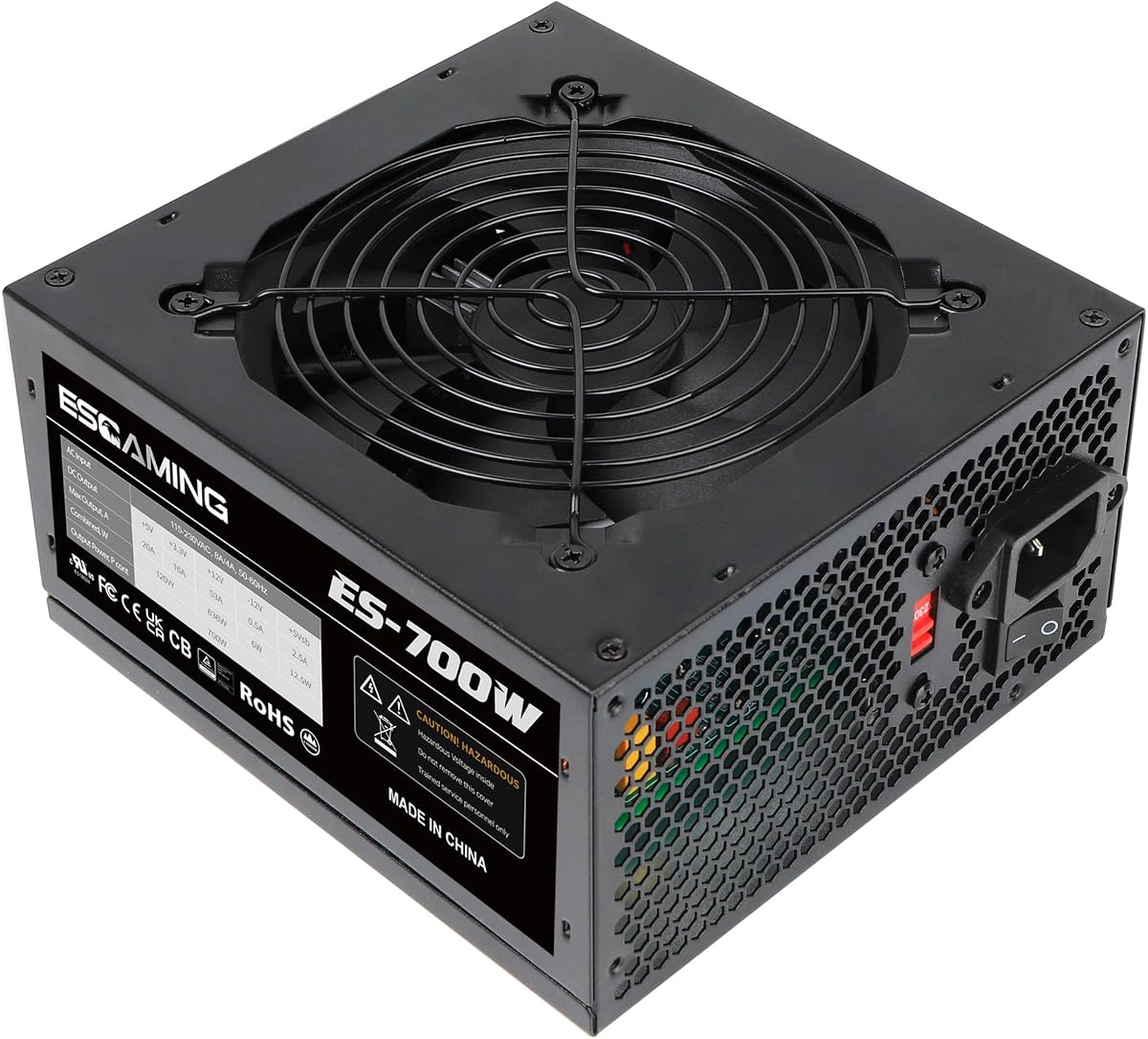
700W ATX Power Supply Non Modular
4.2Editor score
Non-Modular Design
Global Voltage Switch
Auto-Thermally Fan
This guide compares the top 700W ATX power supplies for efficiency, reliability, and value to help you choose the best PSU for your build.
Finding the right power supply is crucial for any computer build. A 700W ATX unit offers enough headroom for mid-range gaming rigs without overspending on excess wattage.
We evaluated ten leading models based on efficiency ratings, protection features, build quality, and customer feedback. Our goal is to highlight reliable options across different price points.
Each pick below showcases key strengths and ideal use cases. Note that stock and pricing fluctuate frequently, so verify current details before finalizing your purchase decision.
4.2Editor score

4.6Editor score

4.6Editor score
This side-by-side comparison highlights key specifications for each unit, including efficiency, modularity, connector types, and warranty terms to simplify your selection process.


The MSI MAG A750GL PCIE5 stands out as a top choice for modern builds. With an 80 Plus Gold certification and ATX 3.1 compliance, it ensures efficient power delivery for current and future components.
We may earn a commission when you buy through this link, at no additional cost to you.
Its fully modular design allows users to connect only necessary cables, reducing clutter and improving airflow inside the case. The native 12V-2×6 connector supports next-gen GPUs without needing adapters.
While the price is higher than budget units, the long-term reliability and efficiency savings justify the investment. Users appreciate the quiet operation and stable voltage regulation under load.
This PSU is ideal for gamers and creators seeking a balance of performance and future-proofing. It remains a strong recommendation for anyone building a high-quality system today.
The native 12V-2×6 connector eliminates the need for bulky adapter cables, ensuring a cleaner build and safer connection for high-wattage graphics cards.
With up to 90 percent efficiency, this unit minimizes wasted energy, leading to lower electricity bills and reduced heat output during extended usage.
We may earn a commission when you buy through this link, at no additional cost to you.
The Zalman GigaMax 700W offers a solid entry-level option for those on a budget. It provides consistent power delivery with active PFC and comprehensive safety protections for peace of mind.
We may earn a commission when you buy through this link, at no additional cost to you.
All black cables and a sleeved motherboard connector help keep the interior looking tidy despite being non-modular. The silent 120mm fan ensures smooth operation without disturbing users during work or play.
While it lacks the modularity of higher-end models, it delivers reliable performance for mid-range systems. The 5-year warranty adds confidence to this cost-effective choice for casual users.
Ideal for first-time builders or office PCs, this unit balances affordability with necessary safety features. It remains a dependable option when budget constraints are a primary concern.
Built-in protections against overcurrent and overvoltage ensure system stability, guarding sensitive components from potential electrical surges or failures.
The sleeved bearing fan maintains low noise levels even under load, contributing to a peaceful computing environment in quiet rooms or offices.
We may earn a commission when you buy through this link, at no additional cost to you.
The Smart W3 Series meets the newer ATX v3.1 specification, making it a viable choice for builds using modern components. Its DC to DC design ensures stable power for the +12V rail which powers most critical parts.
We may earn a commission when you buy through this link, at no additional cost to you.
Low-profile flat black cables improve airflow and cable routing, though the non-modular design still requires careful management. The 120mm FDB fan provides effective cooling with minimal noise interference during operation.
While it may lack some premium features, its compliance with updated standards offers forward compatibility at a reasonable price point. Users benefit from industrial-grade protection built directly into the unit.
This PSU suits builders looking for a straightforward, reliable power source without breaking the bank. It is particularly appealing for those planning upgrades to newer GPU or CPU platforms.
Meeting the latest specification ensures better compatibility with high-performance hardware, allowing for smoother transitions to new technologies in future builds.
The fluid dynamic bearing fan offers longer lifespan and reduced noise, maintaining optimal temperatures without becoming a source of distraction or annoyance.
We may earn a commission when you buy through this link, at no additional cost to you.
This unit represents an incredibly affordable option for basic computing needs. It includes essential connectors and heavy-duty protections to ensure safe operation for entry-level gaming or productivity PCs.
We may earn a commission when you buy through this link, at no additional cost to you.
The global voltage switch allows use in different regions without needing an external adapter. Auto-thermally controlled fan logic helps reduce noise during light tasks while maintaining adequate cooling under heavier loads.
While not suitable for high-end gaming rigs, it serves well for office setups or secondary systems where cost is the main driver. Connectors can be split to fit various device requirements effectively.
Recommend this for those needing a simple, functional PSU without extra frills. It delivers necessary power at a price point that rarely gets beaten in this category.
The manual voltage switch allows worldwide use, making it versatile for travelers or international buyers who need a reliable power source across different electrical standards.
Splittable CPU and GPU connectors provide adaptability for different motherboard and graphics card requirements, extending the usability of the unit across various builds.
We may earn a commission when you buy through this link, at no additional cost to you.
CORSAIR continues its reputation for quality with the RM750e. This unit offers fully modular cabling and compliance with ATX 3.1 standards, ensuring it meets the demands of modern gaming and workstation PCs.
We may earn a commission when you buy through this link, at no additional cost to you.
High-temperature rated capacitors provide steady electrical performance even during demanding sessions. The specialized fan curve keeps noise levels low, making it suitable for quiet office environments or media centers.
Users value the quick wake-from-sleep times enabled by modern standby compatibility. While priced higher than competitors, the build quality and reliability justify the expense for those seeking longevity.
Ideal for enthusiasts who want a reliable, future-ready power supply. It stands out as a top contender for anyone building a system intended to last several years without issues.
Using 105C-rated capacitors ensures durability and consistent performance, reducing the risk of failure during long-term daily usage across various environmental conditions.
Compatibility with modern standby protocols allows for instant wake times from sleep, improving user experience and convenience for daily workflows and quick access.
We may earn a commission when you buy through this link, at no additional cost to you.
The ASRock PRO 750G brings high efficiency and modern standards to a competitive price point. Its 80 Plus Gold certification ensures low waste and reduced operating costs compared to lower-tier units.
We may earn a commission when you buy through this link, at no additional cost to you.
Preparation for next-gen components with native support for PCIe 5.1 and the 12V-2×6 connector means fewer adapters and cleaner cable routing for new GPUs. The 120mm fan maintains low noise during typical operation.
While the warranty is shorter than some competitors, the build quality and feature set remain strong for mid-range systems. Users appreciate the balance between cost and cutting-edge power delivery specifications.
This PSU is recommended for builders looking to future-proof their rigs without overspending on excessive wattage or brand premiums. It offers solid performance and efficiency for everyday gaming tasks.
Achieving up to 90 percent energy efficiency significantly reduces power waste, leading to cooler system temps and lower monthly electricity costs over time.
Native connectors for modern GPUs reduce the need for external adapters, resulting in a tidier interior build and improved airflow within the computer case.
We may earn a commission when you buy through this link, at no additional cost to you.
The Thermaltake Toughpower GX1 remains a trusted option for those needing reliable multi-GPU support without needing the latest ATX 3.1 specs. Its single +12V rail design delivers stable power for high-end graphics cards.
We may earn a commission when you buy through this link, at no additional cost to you.
With Gold efficiency and C6/C7 ready states, it offers excellent energy savings even if slightly older technology. The ultra-quiet 120mm dynamic fan ensures silent operation during light or moderate usage scenarios.
While not modular, the included cables are sufficient for most setups. Users appreciate the comprehensive protection suite that guards against electrical faults, ensuring hardware safety over the long term.
Recommended for users upgrading older systems or maintaining workstations with specific multi-GPU requirements. It delivers proven performance and stability for those prioritizing reliability over the latest features.
A single +12V rail provides consistent high-amperage delivery, crucial for stable operation during intense gaming sessions or when multiple components demand simultaneous power.
Dynamic bearing technology enhances cooling efficiency while minimizing noise output, creating a quieter computing experience suitable for shared or office spaces.
We may earn a commission when you buy through this link, at no additional cost to you.
As the name suggests, be quiet! focuses on silence with the Pure Power 13 M. Its semi-passive cooling keeps the fan off at low loads, making it nearly silent for general office or light browsing tasks.
We may earn a commission when you buy through this link, at no additional cost to you.
With 80 Plus Gold certification and an LLC topology, it achieves outstanding efficiency and voltage regulation. The native 12V-2×6 connector supports next-gen GPUs seamlessly, ensuring readiness for future upgrades.
The fully modular design improves cable management and airflow inside the chassis. Users seeking a whisper-quiet system for streaming or recording will find this unit particularly beneficial for reducing background noise.
Ideal for premium builds where silence and reliability are paramount. While costly, its performance in noise reduction and efficiency makes it a top choice for discerning PC builders.
Fans stop spinning completely under light loads, eliminating noise entirely during idle periods and creating a truly silent environment for focused work.
Advanced LLC topology ensures stable voltage delivery across all components, protecting sensitive electronics from fluctuations that could impact performance or longevity.
We may earn a commission when you buy through this link, at no additional cost to you.
The Rosewill VMG emphasizes component quality with 100 percent Japanese electrolytic capacitors. This choice enhances durability and reliability, ensuring stable operation even under stressful conditions or in varying temperatures.
We may earn a commission when you buy through this link, at no additional cost to you.
Fully modular and compatible with ATX 3.0 and 3.1 standards, it supports modern GPUs via the dedicated 12V-2×6 cable. The compact chassis design helps it fit into smaller form factor cases without sacrificing power capacity.
A six-protection safety shield provides comprehensive coverage against electrical issues. The optimized thermal control with steel vents ensures the fan runs efficiently when needed, maintaining safe internal temperatures.
Recommended for builders prioritizing component quality in a modular unit. Its combination of features makes it a strong contender for those needing reliability and modern connectivity at a competitive price.
Japanese electrolytic capacitors offer higher reliability and longer life spans, contributing to overall unit stability and reducing the risk of premature component failure.
The smaller chassis footprint allows for greater flexibility in case selection, making it suitable for compact builds where space is at a premium.
We may earn a commission when you buy through this link, at no additional cost to you.
The Toughpower GT brings ATX 3.1 standards to a modern build with Smart Zero Fan technology. It automatically adjusts fan speed based on load, minimizing noise during idle states or light usage periods.
We may earn a commission when you buy through this link, at no additional cost to you.
Full modular design includes low-profile flat black cables, simplifying cable management and improving airflow. The native 300W PCIe 5.1 connector ensures seamless support for high-performance graphics cards without adapters.
Users appreciate the reliable power delivery and 80 Plus Gold efficiency for reduced heat output. The high amperage single rail ensures stability for demanding applications, making it suitable for gaming rigs.
Ideal for those seeking a balance of modern features and reasonable cost. It offers a robust solution for current and future systems with strong protection and efficient operation throughout daily use.
Fan speed adjusts automatically based on thermal needs, keeping the system quiet during low loads while ensuring adequate cooling when performance is required.
Native PCIe 5.1 support removes the need for adapters, ensuring cleaner builds and more reliable connections for the latest generation of powerful GPUs.
We may earn a commission when you buy through this link, at no additional cost to you.
Selecting a power supply involves balancing wattage, efficiency, and features to match your specific system requirements. This guide explains key factors to consider for a reliable purchase.
Determine the total power consumption of your components using an online calculator. A 700W unit provides enough headroom for most mid-range builds including modern GPUs and CPUs.
Always leave extra capacity to handle spikes in power usage and ensure long-term stability for all components in your system.
Look for 80 Plus Bronze, Silver, Gold, or Platinum certifications. Higher ratings mean better energy conversion, less heat, and lower electricity costs over time.
Gold rated units are typically the sweet spot for balancing cost and efficiency benefits for most standard user scenarios.
Fully modular units allow you to connect only the cables you need, improving airflow and case aesthetics. Non-modular units have fixed cables which can clutter the build.
Modular designs are preferred for custom builds where cable management and airflow optimization are priorities.
Ensure the PSU includes safety protections like OCP, OVP, OTP, and SCP. These features safeguard your hardware against electrical faults and unstable grid conditions.
Always prioritize models with comprehensive safety features to protect your valuable investment in PC components.
Check for necessary connectors including CPU, GPU, SATA, and PCIe types. Newer builds may require specific connectors like 12V-2×6 for latest graphics cards.
Verify that the PSU supports the required cables and connector types for your specific motherboard and graphics card combination.
Standard ATX power supplies fit most mid-tower cases but always measure your case to ensure compatibility. Smaller form factor cases may require SFX units instead.
Confirm the physical dimensions of the unit match your case specifications before purchasing to avoid fit issues.
A longer warranty indicates manufacturer confidence in product quality. Look for at least three years, with five or ten years being preferable for premium units.
Check customer support reputation and warranty terms to ensure you can get help if issues arise later.
Fans with fluid dynamic bearings or semi-passive modes run quieter and last longer. Check decibel ratings and fan sizes when comparing noise levels between units.
Choose a unit with good airflow and noise characteristics if you need a quiet system for recording or office environments.
Install the PSU in the designated area of your case ensuring the fan faces the correct direction for airflow. Secure it firmly with screws to prevent vibration noise and damage.
Connect the 24pin motherboard cable first followed by CPU and GPU power cables. Ensure all connections are tight and seated properly before powering on the system.
Regularly clean dust from the PSU intake vents using compressed air. Keep the case well ventilated to ensure the unit stays cool and operates efficiently over time.
Yes, 700W is generally sufficient for most mid-range gaming setups including powerful GPUs. It provides enough headroom for stable performance without needing higher capacity units.
It indicates the power supply meets 80 percent efficiency standards under various loads. This ensures less energy is wasted as heat and results in lower electricity bills.
Modular units allow only necessary cables to be connected which improves airflow and aesthetics. They are generally preferred for custom builds but cost slightly more than non-modular models.
If you are using the latest high-end graphics cards it is beneficial. It ensures compatibility with new power standards and connectors designed for modern hardware.
High-quality PSUs can last five to ten years with proper care and ventilation. Warranty length is a good indicator of expected lifespan and build quality.
Standard ATX PSUs fit most mid-tower cases but check dimensions carefully. Smaller cases might require specific low-profile models to ensure proper fit and clearance.
We reviewed ten top units ranging from budget-friendly options to premium gold-rated models. The MSI MAG A750GL and be quiet! Pure Power 13 M stood out for their modern features.
Prioritize efficiency, safety protections, and modularity based on your specific needs and budget. Ensure the unit supports your current components while leaving room for future upgrades.
Prices and availability fluctuate so check current deals before finalizing your purchase. A reliable PSU is essential for protecting your system investment over the long term.