
Amazon Basics Full Motion Articulating TV Wall Mount
4.6Editor score
Single stud installation design
180 degree swivel capability
Includes bubble level template
Finding the right adjustable TV wall mount can transform your viewing experience significantly. These versatile brackets allow you to tilt, swivel, and extend your screen for optimal comfort and glare reduction in any room layout.
We have carefully evaluated ten leading models based on build quality, motion flexibility, and installation ease. Our analysis covers everything from budget-friendly options to heavy-duty solutions designed for large screens up to ninety inches.
Each selection highlights specific strengths like corner mounting capability or low-profile designs. Please note that product availability and pricing fluctuate frequently, so verify current details before making your final purchase decision today.
4.6Editor score

4.8Editor score

4.8Editor score
As an Amazon Associate we earn from qualifying purchases.
The following comparison table provides a side-by-side overview of key specifications for all ten selected mounts. This overview helps you quickly identify which model matches your specific screen size and wall type requirements.


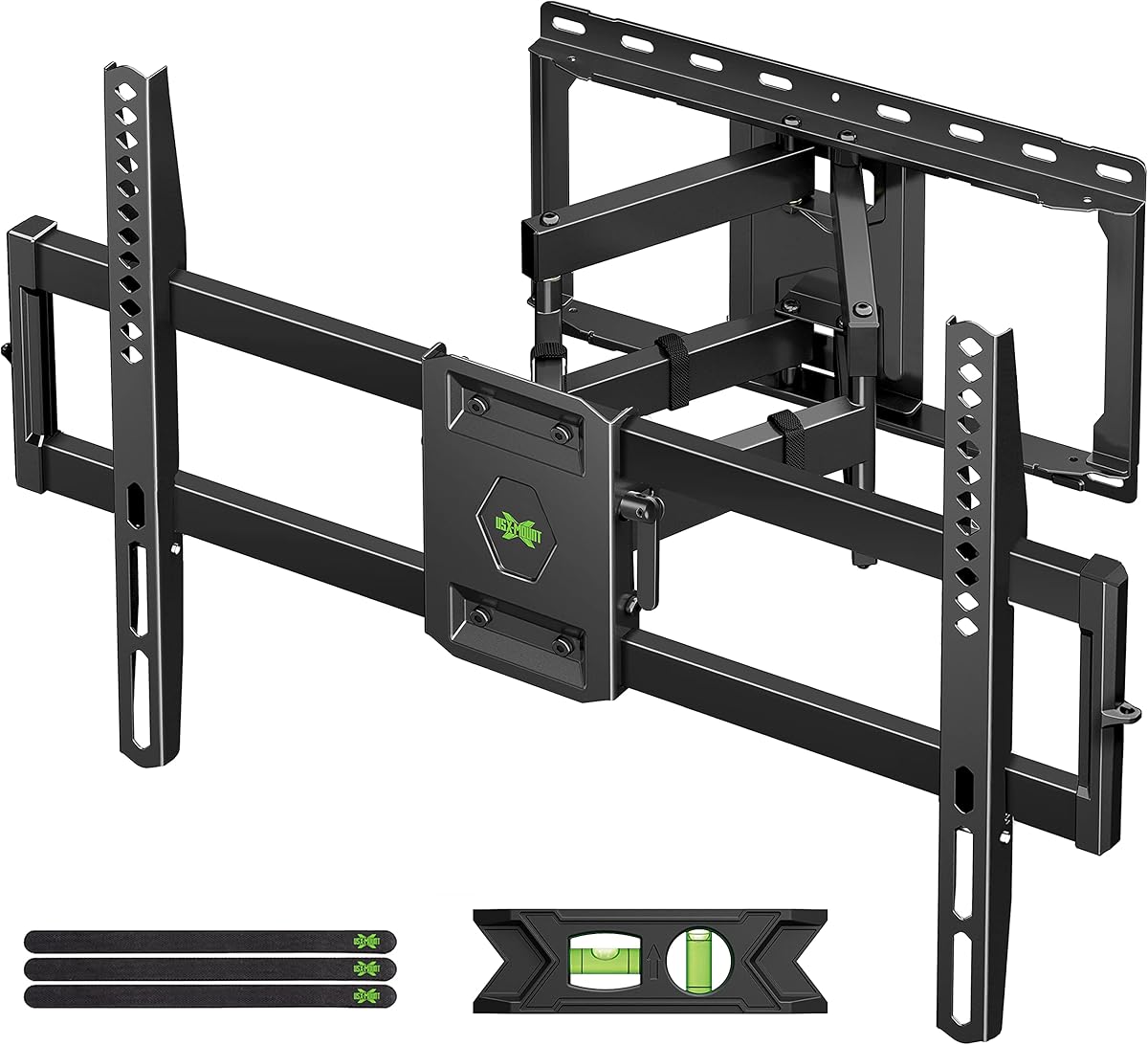


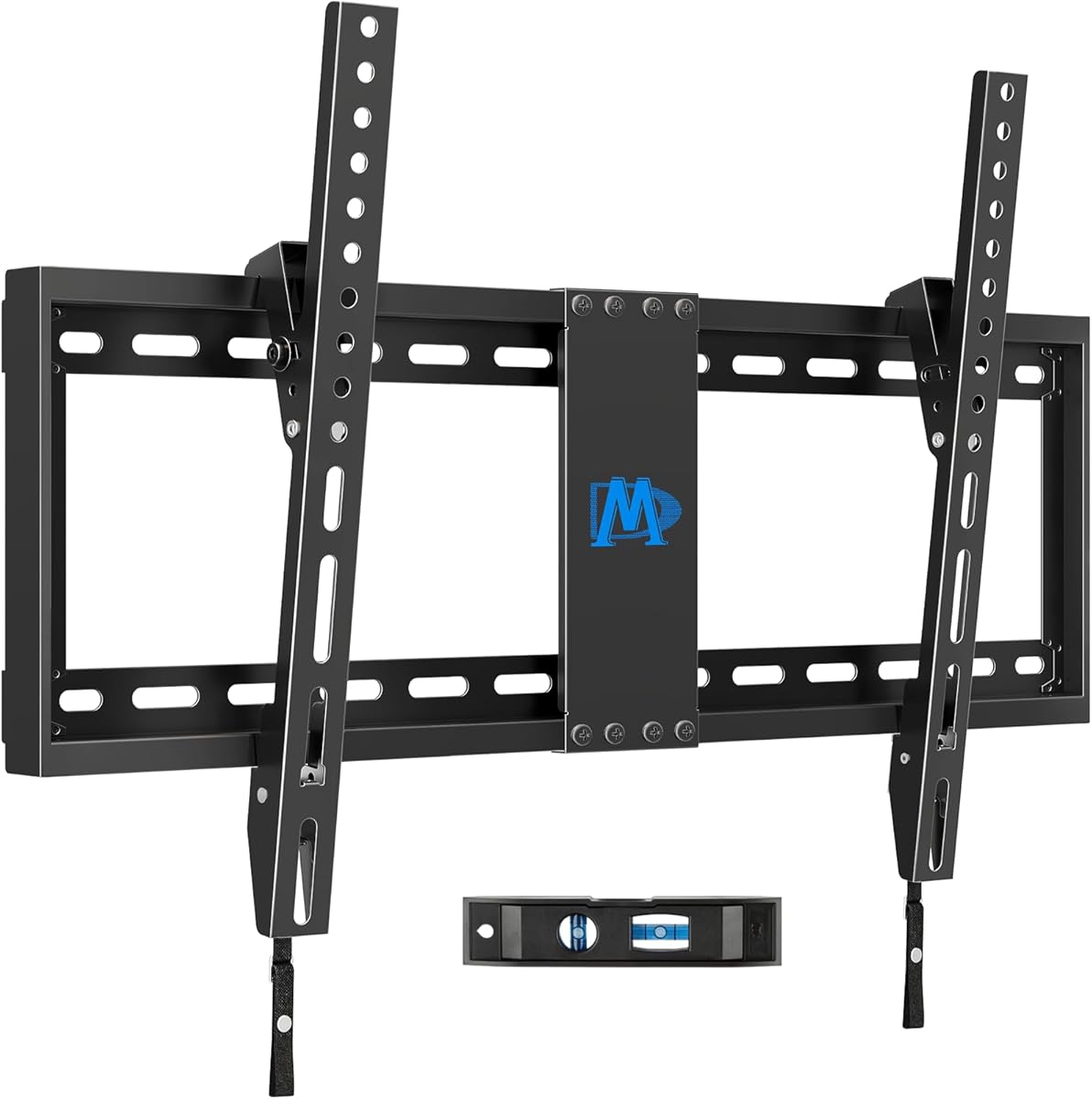
This mount stands out as a top contender for mid-range households seeking flexibility without excessive cost. It holds a strong 4.8 rating from numerous verified buyers who praise its stability and ease of setup. The tool-free tilt feature is particularly impressive for daily adjustments.
We may earn a commission when you buy through this link, at no additional cost to you.
The pre-assembled bracket arms significantly reduce installation time compared to competitors requiring complex assembly. You get three distinct height configurations allowing you to position the screen exactly at eye level to reduce neck strain. The automotive-grade steel ensures long-term reliability with passing rigorous motion cycle tests.
While it supports up to 74 inches, larger screens might need a different model. The extension bracket for wider studs is an extra purchase not included in the box. These limitations are minor given the overall value and robust build quality offered here.
Buy this if you want a reliable full-motion mount that simplifies the setup process. It is ideal for living rooms where viewing angles change frequently. The combination of durability and user-friendly features makes it a smart long-term investment.
The tool-free tilt mechanism allows you to adjust the screen angle without needing any tools or screws for every change.
With three distinct height settings, you can mount the TV higher or lower to accommodate furniture or personal preference.
We may earn a commission when you buy through this link, at no additional cost to you.
Amazon Basics delivers a solid entry-level option for those needing basic motion capabilities at a low price point. With a 4.6 rating, it satisfies users looking for simple tilt and swivel functions without breaking the budget. It is perfect for smaller rooms or guest bedrooms.
We may earn a commission when you buy through this link, at no additional cost to you.
The single stud design makes it easier to install where stud spacing is limited or unknown. You get a generous 180 degree swivel which allows you to turn the screen almost completely around. The included template helps ensure accurate drilling and alignment on your wall.
It only supports TVs up to 80 lbs and 55 inches which limits its use for larger displays. The materials feel lighter than heavy-duty steel models but remain sufficient for standard flat panels. For casual viewing this trade-off is perfectly acceptable.
Choose this if you need a straightforward mount for a standard bedroom TV. It avoids the cost of premium features you might not use. The simplicity and reliability make it a safe choice for budget-conscious shoppers.
The single stud design allows installation even when wall studs are not spaced ideally or are difficult to access.
A full 180 degree swivel enables you to point the screen in almost any direction within the room.
We may earn a commission when you buy through this link, at no additional cost to you.
This premium mount is engineered for large screen owners who demand maximum reach and safety. Holding a 4.8 rating it is trusted by users with substantial televisions up to 90 inches. The UL listing provides extra peace of mind regarding structural integrity and safety standards.
We may earn a commission when you buy through this link, at no additional cost to you.
You can extend the screen up to 22 inches away from the wall which is far more than most competitors. A 130 degree swivel allows you to face the screen from almost any corner of the room. The heavy-duty steel frame supports up to 125 lbs without sagging.
The higher cost reflects the robust construction and specialized engineering for large displays. Installation requires precise stud mounting so it might not suit drywall-only setups without anchors. These constraints are necessary to ensure safety for such large screens.
Invest in this if you have a large entertainment setup needing serious reach. It transforms a fixed wall mount into a flexible viewing solution. The quality and safety features justify the premium for home theater enthusiasts.
Extend your television up to 22 inches from the wall for optimal viewing angles and access to ports behind the screen.
UL listed status confirms the mount meets rigorous safety standards for supporting heavy and large display panels.
We may earn a commission when you buy through this link, at no additional cost to you.
This model is designed for users needing to support very heavy large-screen televisions securely. With a 4.8 rating it is praised for its ability to hold loads up to 154 lbs. This capacity exceeds most competitors making it a top choice for big heavy panels.
We may earn a commission when you buy through this link, at no additional cost to you.
Six articulating arms provide the structural strength needed to hold up such weight without bending or twisting. You get full motion with tilt and swivel plus post-installation leveling to ensure the screen is perfectly straight. The VESA compatibility covers almost all major brands.
The sheer strength means the unit is heavier and might need two people to mount safely. It requires wood studs or concrete and cannot be installed on drywall alone which limits some DIY options. These requirements are critical for maintaining safety with heavy loads.
Select this if your TV is heavy or unusually large for its size. The robust construction offers confidence that your investment is well protected. It is a heavy-duty solution for those prioritizing stability above all else.
The design supports up to 154 lbs ensuring even the heaviest TVs remain securely in place without risk of sagging.
Post-installation leveling adjustments allow you to correct any tilt issues after the mount is already on the wall.
We may earn a commission when you buy through this link, at no additional cost to you.
This mount excels at saving space while still offering full motion capabilities for mid-sized rooms. It holds a 4.7 rating from users who appreciate how neatly it tucks against the wall when not extended. The dual arms provide smooth movement without wobbling.
We may earn a commission when you buy through this link, at no additional cost to you.
It pulls out to 15.16 inches and retracts back to just 2.74 inches making it ideal for tight spaces. The design fits most major brands like Samsung and LG with broad VESA support. Installation follows three easy steps with labeled hardware bags.
Concrete anchors are not provided meaning you may need to request them separately for masonry walls. The wood stud spacing is limited to 12 to 16 inches so wider walls might not work. These details are manageable for most standard homes.
Buy this if you want a clean look that does not stick out far from the wall. It balances space efficiency with viewing flexibility perfectly. The build quality ensures it stays secure for years of daily use.
Retracting to less than 3 inches keeps the TV close to the wall for a sleek modern appearance.
Labeled hardware and clear instructions make the process straightforward even for first-time installers.
We may earn a commission when you buy through this link, at no additional cost to you.
This specialized bracket is built to utilize corner spaces that other mounts cannot reach. It carries a 4.8 rating as owners value its ability to free up wall space in living areas. The long arm design offers impressive reach from the corner.
We may earn a commission when you buy through this link, at no additional cost to you.
You can extend the TV up to 32 inches from the wall for better viewing angles. A 90 degree swivel allows you to direct the screen toward any seat in the room. The tool-free tilt simplifies adjustment after mounting.
The long arm requires strong studs to prevent potential sagging over time. Corner spacing must be precise to ensure the bracket fits correctly without obstruction. These setup requirements are standard for this type of specialized mount.
Choose this if you need to mount a TV in a corner without losing motion. It transforms awkward corners into prime viewing spots. The length and flexibility make it a unique solution for specific room layouts.
Designed specifically for corner installation to maximize floor space and offer flexible viewing from any angle.
The long arm extends over 30 inches allowing the TV to be positioned closer to the seating area.
We may earn a commission when you buy through this link, at no additional cost to you.
This robust model offers a great balance of capacity and motion for large displays. With a 4.7 rating users praise its sturdy feel and reliable performance. It handles significant weight without flexing making it trustworthy for expensive screens.
We may earn a commission when you buy through this link, at no additional cost to you.
The dual arms support up to 132 lbs and provide smooth tilt and swivel functions. You get a 4-degree leveling adjustment after installation to perfect the look. The steel construction is heavy-duty ensuring long-lasting stability.
Concrete anchors must be requested separately if you are mounting on masonry which can delay setup. The installation process demands attention to stud spacing and hardware tightening to ensure safety. These steps are vital for maintaining the structural integrity.
Opt for this if you need a reliable mount for a large and heavy television. The build quality provides assurance against movement or failure. It is a solid choice for demanding home entertainment needs.
Supports up to 132 lbs ensuring even heavy televisions remain stable and secure during use.
Post-install leveling lets you adjust the angle slightly to ensure the screen is perfectly horizontal.
We may earn a commission when you buy through this link, at no additional cost to you.
This mount is ideal for installations where only one stud is accessible for mounting. It holds a 4.6 rating from users who value its simplicity and compact design. The single stud feature makes it versatile for many wall types.
We may earn a commission when you buy through this link, at no additional cost to you.
The articulating arms are 33 percent thicker than standard mounts providing extra strength for the weight capacity. You get a full 90 degree swivel to direct the screen as needed. It retracts close to the wall for a clean low-profile appearance.
It only supports TVs up to 80 lbs which limits its use for heavy displays. It must not be mounted on drywall alone requiring studs or concrete anchors. These constraints are typical for single-stud designs to maintain safety.
Select this if you have limited stud access and need a dependable motion mount. The thicker arms offer good durability for standard sized TVs. It is a practical solution for tricky wall setups.
Designed to work with just one stud making it perfect for walls where spacing is irregular or limited.
Thicker articulating arms provide extra rigidity and stability compared to standard thin arm models.
We may earn a commission when you buy through this link, at no additional cost to you.
This unit prioritizes safety with an UL listing that confirms rigorous testing standards. It holds a 4.7 rating from users seeking peace of mind for their electronics. The perfect center design ensures balanced support for the screen.
We may earn a commission when you buy through this link, at no additional cost to you.
The UL listing offers verified safety which is rare at this price point. You get a full range of motion with tilt and swivel plus a bubble level for installation. The compact size works well for smaller living spaces.
It supports up to 77 lbs which is lower than heavy-duty options but sufficient for most LED TVs. Installation requires solid studs and cannot be done on drywall alone for safety. These rules ensure the mount performs reliably.
Buy this if safety certification is a priority for your household. The balanced design reduces stress on the screen and wall. It is a trustworthy choice for standard home setups.
UL listing confirms the mount meets strict safety standards providing extra security for your television.
The perfect center design ensures even weight distribution across the screen for better long term stability.
We may earn a commission when you buy through this link, at no additional cost to you.
This bracket offers a sleek minimal look for those who do not need full swivel motion. It holds a 4.7 rating from users who value its low profile and strong weight capacity. It keeps the screen close to the wall for a streamlined appearance.
We may earn a commission when you buy through this link, at no additional cost to you.
The low profile design sits only 1.5 inches from the wall making it barely noticeable. It supports up to 132 lbs and TVs up to 90 inches so it handles large screens well. The tilt function helps reduce glare effectively.
It lacks swivel capability which limits flexibility if you sit off to the side. Installation requires stud mounting to ensure it stays secure under heavy loads. These limitations are acceptable if you want a clean look.
Choose this if you prefer a minimal look and sit directly in front of the TV. It is robust enough for large displays without protruding into the room. The simplicity makes it a durable and reliable option.
Sits only 1.5 inches from the wall to maintain a clean and modern aesthetic in your room.
Handles up to 132 lbs ensuring even large 90 inch TVs remain securely mounted.
We may earn a commission when you buy through this link, at no additional cost to you.
Selecting the right mount involves evaluating several key factors to ensure safety and performance. Use this guide to understand what matters most for your specific setup and needs.
Check your TV's size and weight against the mount's specifications to ensure it fits within the rated limits. Exceeding these limits can cause structural failure or damage to the wall.
Always verify the exact weight of your TV including any soundbars or accessories before purchasing.
VESA patterns define the hole spacing on the back of your TV. Ensure the mount supports the exact VESA pattern of your display for a secure fit.
Common sizes range from 200x100mm to 600x400mm depending on screen dimensions.
Determine if your wall is drywall over studs, concrete, or brick. Most mounts require solid studs or masonry for safety.
Measure stud spacing carefully as some brackets only fit 16 inch spacing while others support wider ranges.
Decide if you need tilt only, full swivel, or extension capabilities. Full motion mounts offer the most flexibility for changing viewing positions.
Check the degree of swivel and tilt to ensure it meets your seating arrangements and room layout.
Measure how far you need the TV to extend from the wall. Longer arms allow better reach but may require stronger mounting points.
Low profile mounts retract closer to the wall for a minimal look but offer less reach.
Review if the mount includes all necessary hardware or if you need to buy anchors separately. Some mounts come with templates to simplify drilling.
Ensure you have the right tools like a drill and level to install the mount securely and accurately.
Look for UL listings or other safety certifications that verify the product has passed rigorous testing. These ensure the mount meets industry standards for load bearing.
Check customer reviews for long-term reliability feedback to avoid models that may sag or loosen over time.
To maintain optimal performance, periodically check the tightness of all bolts and screws to prevent loosening from vibration or movement.
Avoid forcing the mount beyond its rated swivel or tilt limits to prevent stress on the hinges and mechanical joints.
Clean the arms and plate with a soft dry cloth to remove dust and debris that could accumulate over time.
Full motion mounts allow you to tilt, swivel, and extend the TV for flexible viewing angles. Fixed mounts keep the TV flush against the wall with no movement options. Full motion offers more versatility but may protrude more.
It is generally unsafe to install TV mounts on drywall alone without studs or concrete anchors. The weight of the TV can pull the anchors out of the drywall causing damage. Always find solid studs or use heavy-duty concrete anchors.
Measure the distance between the mounting holes on the back of your TV in millimeters. Compare this number to the VESA compatibility list on the mount product page. Ensure the range includes your TV's specific pattern.
You typically need a stud finder, drill, level, screwdriver, and socket wrench. Some kits include mounting templates to help with accurate placement. Always double check your wall type before selecting tools.
Standard mounts usually support between 50 to 100 pounds depending on the design. Heavy-duty models can hold up to 150 pounds or more for larger screens. Always check the rated capacity before mounting your TV.
Yes, there are specialized corner mounts designed with long arms to reach into corners. These require proper stud placement on both walls meeting at the corner. Regular mounts may not fit well in tight angles.
Most mounts do not include concrete anchors in the package. You may need to request them separately or purchase them from a hardware store. Check the product details to confirm what is included.
We reviewed ten top models ranging from budget options to heavy-duty premium solutions for every need. The Perlegear Full Motion stands out for its balance of features while the ECHOGEAR MaxMotion offers exceptional reach.
Prioritize your specific requirements such as screen size, wall type, and desired motion range. Investing in a quality mount protects your display and ensures safety over the long term.
Prices and availability change frequently so verify current details before making your purchase decision. Your perfect viewing setup is within reach with the right mount for your space.