
Liene PixCut S1 Color Sticker Printer
4.2Editor score
Dye-sublimation color prints
Precise AI auto cutting
High resolution output
This guide compares the top AI sticker printer maker devices for kids and creators, evaluating voice recognition, print quality, and creative features.
Discover the best AI sticker printer maker devices that transform voice ideas into instant printable stickers. These innovative tools blend technology and creativity to help children and adults bring their imagination to life without needing drawing skills.
We evaluated ten leading models based on print technology, ease of use, safety features, and creative capabilities. Our comparison covers portable thermal printers, all-in-one cutting machines, and voice-activated kits designed for various age groups and project needs.
Each pick highlights unique strengths like inkless printing, touchscreen controls, and AI art styles. Prices and availability change frequently, so check current listings before purchasing. This guide helps you choose the right maker for your creative projects today.
4.2Editor score

4.8Editor score

5.0Editor score
Explore this side-by-side comparison of the top ten AI sticker printer maker models available this year. We examine key specifications like printing method, connectivity, included accessories, and target audience to help you find the perfect match for your needs.
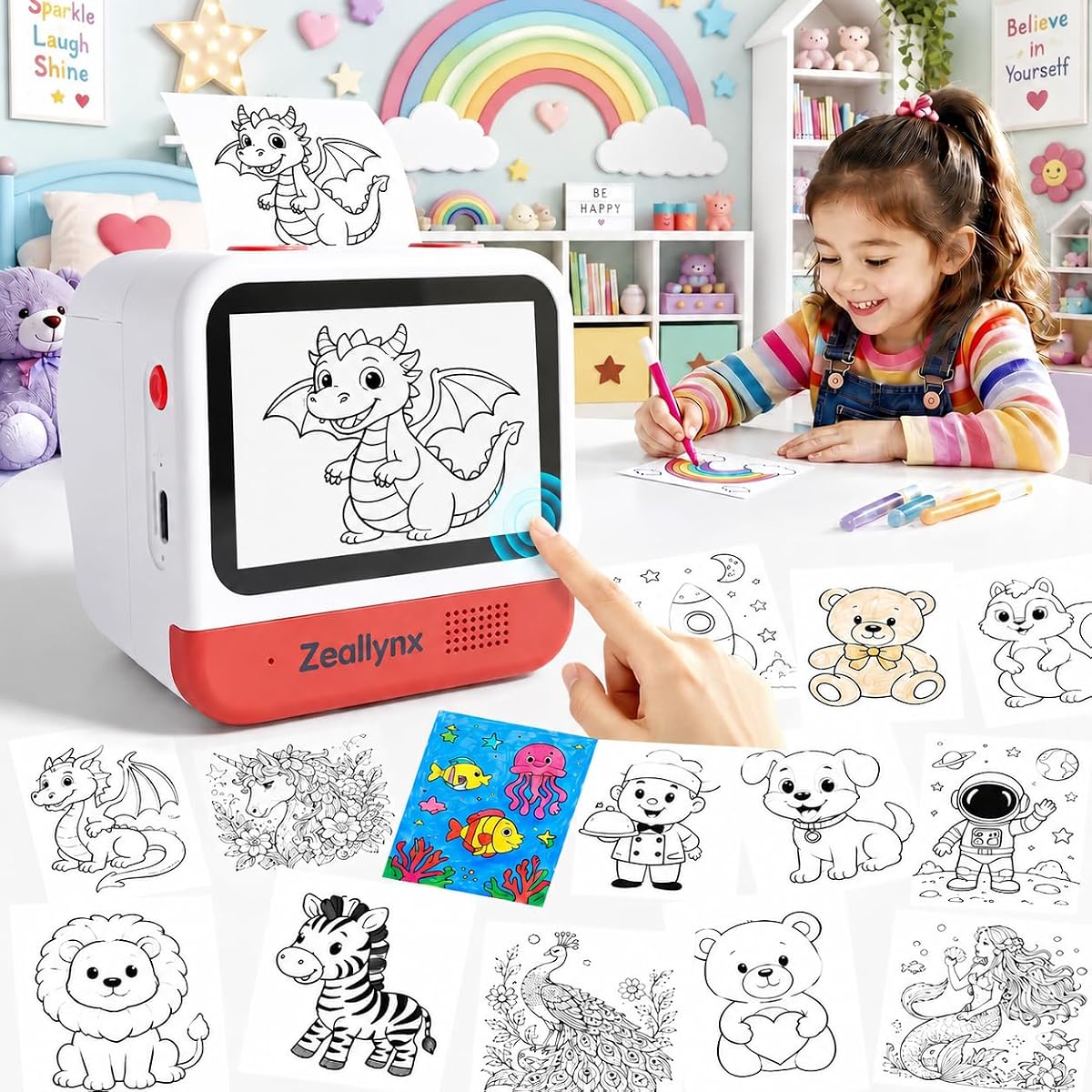

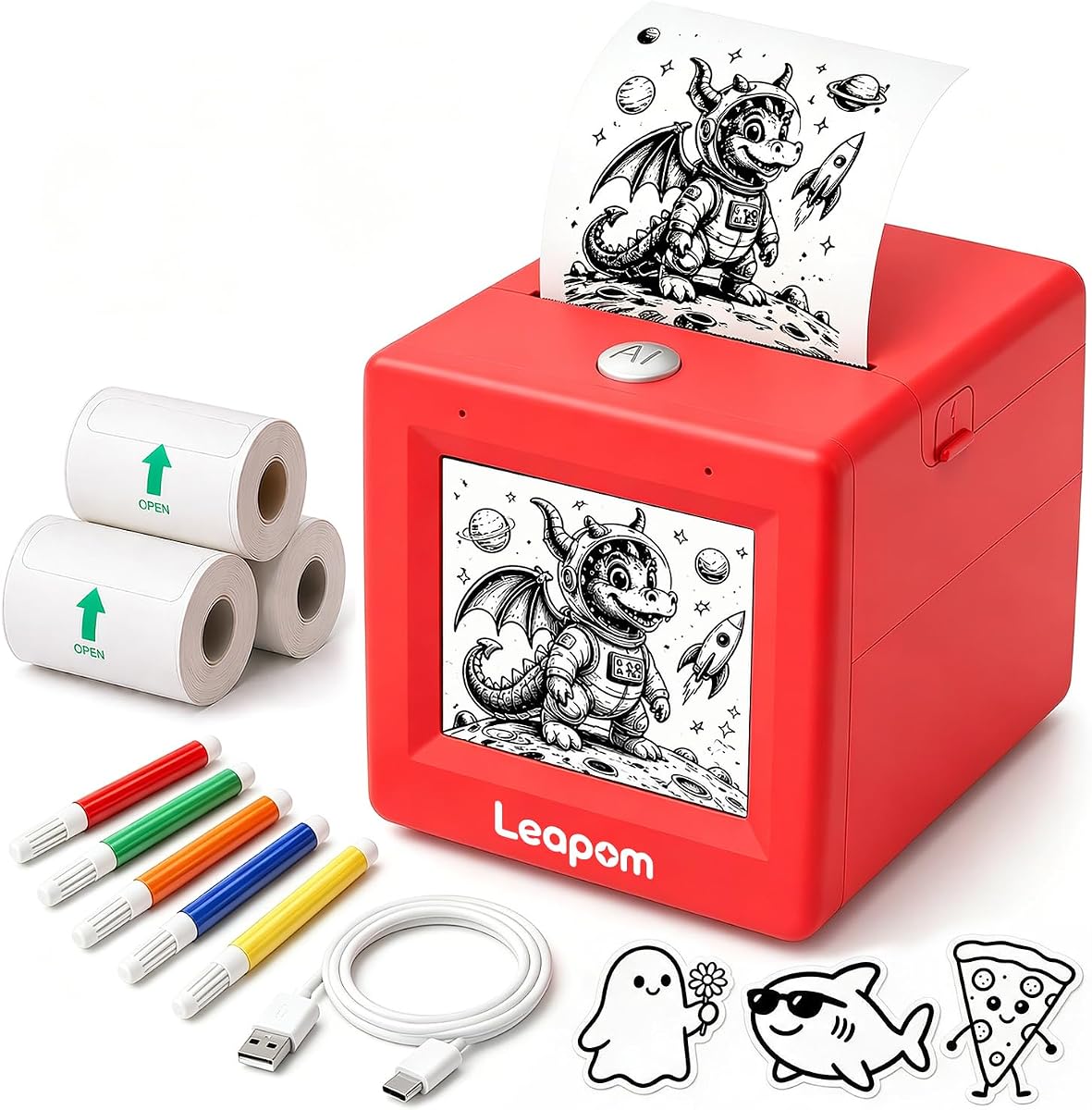


This AI Sticker Maker for Kids stands out as the top choice for families seeking a safe and creative device. It holds an excellent rating due to its seamless voice-to-image generation and child-friendly touchscreen interface.
We may earn a commission when you buy through this link, at no additional cost to you.
The device uses thermal printing technology to produce crisp black-and-white stickers without any ink cartridges. Parents appreciate the privacy-first approach, as it does not store data and includes strict content filtering for age-appropriate prompts.
While it only prints in black and white, the included watercolor pens allow kids to color their creations, adding a hands-on artistic element. The main trade-off is the need to purchase thermal paper refills periodically.
Families looking for a reliable and educational gift should consider this model. It encourages imagination and communication skills while keeping the process simple and mess-free for children ages four and up.
The device is designed with kids safety in mind, featuring strict content filtering and no data storage to ensure a secure creative environment.
Printed stickers serve as coloring pages, allowing children to use included watercolor pens to personalize their designs before sticking them anywhere.
We may earn a commission when you buy through this link, at no additional cost to you.
The Liene PixCut S1 is a premium all-in-one solution for serious crafters who want professional quality stickers at home. Its high-resolution thermal dye-sublimation printing delivers vivid colors and durable results.
We may earn a commission when you buy through this link, at no additional cost to you.
AI image extraction and precision cutting ensure that every sticker edge is clean and accurate. The device allows users to print and cut in one step, saving time and effort on complex DIY projects.
While the cost is higher than basic thermal printers, the waterproof and scratch-resistant output justifies the investment for businesses or frequent creators. However, it relies on a smartphone app which may not suit everyone.
If you need full-color stickers and precise cutting, this is the ideal choice. It transforms photos into custom stickers quickly, making it perfect for gifts, labels, and personal branding projects.
Thermal dye-sublimation technology creates vibrant, true-to-life colors with 16.7 million options for stunning visual results.
Printed stickers are automatically laminated during printing, ensuring they remain vibrant and intact over time without fading.
We may earn a commission when you buy through this link, at no additional cost to you.
This Mini Thermal Sticker Maker offers incredible value for those seeking an accessible entry into AI sticker creation. It combines a compact design with powerful voice-to-image capabilities at an unbeatable price point.
We may earn a commission when you buy through this link, at no additional cost to you.
Users can preview designs on a vibrant color LED screen before printing, reducing waste and frustration. The device supports seven unique art styles, giving kids and creators variety in their generated output.
While it prints in black and white and has a small footprint, the included paper rolls and rechargeable battery make it ready for immediate use. The trade-off is limited print size and color options.
For students or kids wanting a portable creative tool, this model is perfect. It fits easily in backpacks and encourages storytelling through instant sticker generation without needing constant charging.
A color LED display shows designs in real-time, allowing users to regenerate prompts until satisfied before printing any paper.
Choose from seven styles like Anime, Cartoon, or Sketch to match your project theme with a simple button press.
We may earn a commission when you buy through this link, at no additional cost to you.
This printer stands out for its intuitive touchscreen interface that simplifies navigation for children of all ages. It combines voice control with visual feedback to create a seamless interactive experience without app complexity.
We may earn a commission when you buy through this link, at no additional cost to you.
With ten creative modes including Comic Strip and Story Collection, kids can explore diverse projects beyond simple stickers. The ability to save images to a TF card ensures favorite designs are never lost.
While it is limited to black-and-white thermal printing, the convenience of direct Wi-Fi connection and included paper rolls makes it a strong contender. The main limitation is the lack of color output for vibrant designs.
Ideal for classrooms or family rooms where ease of use is paramount, this model encourages self-expression through technology. It helps kids develop communication skills by turning spoken ideas into tangible art.
Connect directly via 2.4GHz WiFi without any app downloads, account registrations, or Bluetooth pairing for instant setup.
Built-in TF card support lets you save AI-generated images and artwork directly on the printer for future reprinting.
We may earn a commission when you buy through this link, at no additional cost to you.
The Stickerbox printer is designed to give children a break from screens while still engaging them with modern AI technology. It focuses on hands-on play and storytelling without displaying digital interfaces during use.
We may earn a commission when you buy through this link, at no additional cost to you.
Once a sticker is printed via voice command, kids can color it with included pencils, promoting offline creativity. The device is COPPA compliant and only listens when the button is pressed, ensuring safety.
While the lack of screens is a major benefit for parents, it limits advanced creative options found in app-connected models. However, this simplicity is exactly what makes it suitable for younger children.
For parents worried about screen time, this is an excellent alternative. It turns spoken ideas into physical art quickly, fostering imagination and communication skills in a safe, controlled environment.
The device focuses on offline coloring and play after printing, reducing dependency on digital screens for entertainment.
Built with a kids-first philosophy, it only listens when a button is pressed and never stores personal information or data.
We may earn a commission when you buy through this link, at no additional cost to you.
This Mini Inkless Thermal Printer is tailored for journaling and creative hobbies, offering a portable solution for personal expression. It transforms spoken ideas into unique sticker designs instantly for personal use.
We may earn a commission when you buy through this link, at no additional cost to you.
The device produces clear black-and-white images that kids can color and customize with included markers. It supports the Fun Print app, which allows for additional templates and layouts beyond voice generation.
While the voice technology is basic compared to premium models, the focus on portability and journal-friendly size makes it practical for daily use. The main downside is the variability in included paper quality.
If you want a compact tool for scrapbooking or daily notes, this model fits well. It combines technology and creativity to help children develop confidence through hands-on sticker-making activities.
The toy combines technology and creativity to help children develop communication skills and artistic abilities through play.
Download the official Fun Print app for free to access templates and layouts without requiring credit card subscriptions.
We may earn a commission when you buy through this link, at no additional cost to you.
This Smart Portable Printing Device stands out for its HD screen and inclusion of multiple paper rolls, making it ready for extended creative sessions. It is designed for both kids and parents to enjoy together.
We may earn a commission when you buy through this link, at no additional cost to you.
The printer supports both regular thermal paper and adhesive sticker paper, offering versatility for notes or labeling. Simple controls make it easy to set up and use anywhere, from home to travel.
While it does not offer color output, the clarity of the HD screen and ease of use justify its rating. The main limitation is the basic interface which might lack advanced customization features.
Families needing a reliable tool for travel or quick projects will find this ideal. It encourages imagination and creative confidence while remaining affordable and easy for children to operate independently.
Included rolls cover both regular paper for notes and adhesive paper for custom DIY stickers to suit any project.
Simple controls and easy adult setup make creative printing more convenient and enjoyable for kids and families.
We may earn a commission when you buy through this link, at no additional cost to you.
The T02 Mini Thermal Printer is excellent for students who need to print study notes, flashcards, or diagrams on the go. Its AI app functions include photo cutout and filtering for diverse creative needs.
We may earn a commission when you buy through this link, at no additional cost to you.
Students can use the scan function to print graphics clearly, making it a useful tool for anatomy or math diagrams. The portable design fits easily in a pocket or bag, ensuring printing is always accessible.
While the print size is small, this works well for labels or quick reminders. The main trade-off is reliance on a smartphone app for most advanced functions, which limits standalone use.
For students needing a versatile study aid that doubles as a fun creative tool, this is a top pick. It supports learning by making diagrams and notes easy to print and organize.
Ideal for nursing school or general education, it helps students print study graphics clearly using the built-in scan function.
The app offers AI photo cutout, sticker creation, and blending, expanding creative options beyond simple printing.
We may earn a commission when you buy through this link, at no additional cost to you.
The UtechSmart AI Voice Sticker Maker combines voice generation with a robust app for customizable projects. It features six distinct art styles that allow kids to match their creative vision accurately.
We may earn a commission when you buy through this link, at no additional cost to you.
Every printed sticker becomes a hands-on coloring activity, encouraging personalization for journals or school projects. The app supports both Wi-Fi and Bluetooth for flexible connection options during setup.
While it requires an app for initial setup and full functionality, the safety features and portable design make it user-friendly. The main limitation is the lack of color printing on the device itself.
For creative teens or kids who enjoy coloring, this model is perfect. It encourages imagination and independent creation while ensuring safety through built-in content filtering for all prompts.
Kids can color and personalize creations for journals, scrapbooks, cards, and school projects, adding a personal touch.
Use 2.4GHz Wi-Fi for direct printing or Bluetooth for app printing of custom stickers and coloring pages.
We may earn a commission when you buy through this link, at no additional cost to you.
This model stands out for its dedicated voice companion that inspires creativity, acting as an educational toy as well as a printer. It features a 3.5-inch touchscreen for direct control without app requirements.
We may earn a commission when you buy through this link, at no additional cost to you.
Built-in AI chat suggests ideas and answers questions, making the experience interactive and engaging for younger children. Content filtering ensures results remain appropriate for the target age group.
The privacy-focused design means no personal photos or phone access are required. However, reliance on Wi-Fi for setup and basic voice technology limits its flexibility compared to app-based models.
For a standalone gift that encourages independent play and creativity, this is an excellent choice. It helps children develop imagination and confidence through safe, hands-on sticker creation.
The built-in voice companion suggests creative ideas, turning the printer into an educational tool for storytelling.
No parent phone or personal photo access is required, providing a more private and controlled experience for kids.
We may earn a commission when you buy through this link, at no additional cost to you.
Choosing the right AI sticker printer maker depends on your specific needs, budget, and intended use. Here are key factors to consider when evaluating these devices for home or school.
Most devices use thermal printing which requires no ink, but some premium models offer dye-sublimation for full color. Check the resolution and durability of printed stickers to ensure they last.
Prioritize models with higher DPI for sharper details and water-resistant finishes for outdoor use.
Evaluate how well the device interprets spoken prompts and offers art style variations. Some models include chat features or app integration for more complex designs.
Look for voice filtering that keeps prompts age-appropriate and creative for young users.
Decide if you prefer Wi-Fi, Bluetooth, or direct connection without apps. Some models require app downloads for control while others operate standalone.
Choose a setup process that matches your technical comfort level to ensure ease of use.
Consider the size and weight of the device if you plan to use it outside or while traveling. Compact designs fit in backpacks but may have smaller print areas.
A lightweight and portable design ensures you can take creativity on the go.
Thermal printers eliminate ink costs but require regular paper refills. Check if the device uses adhesive stickers or plain paper to suit your projects.
Ensure ongoing consumable costs are within your budget before purchase.
For children's devices, verify COPPA compliance and content filtering options. Ensure the device does not store voice data or require unnecessary access to personal information.
Safety is paramount so always choose certified kid-safe models.
Review what comes in the box such as starter paper rolls, coloring pens, or charging cables. More accessories provide better value and immediate usability.
Look for kits that include enough supplies for a few weeks of use.
Select a model that matches the age group of the intended user. Younger kids need simpler interfaces while older users may prefer app features.
Ensure the device complexity aligns with the child's skill level.
Start by charging the device fully using the provided USB cable. For Wi-Fi models, connect to a secure network via the device settings or companion app to enable voice commands.
Describe your idea clearly into the microphone and select the desired art style. Review the preview on the screen if available before confirming the print to save paper.
Store the printer in a cool dry place to protect the thermal head. Clean the print area with a soft cloth and avoid placing heavy objects on the device to prevent damage.
No, most AI sticker printers use thermal technology which only needs heat-sensitive paper. This means there are no messy or expensive ink cartridges to replace during use.
Yes, many models are COPPA compliant and include strict content filtering to ensure all prompts are appropriate. They typically do not store personal voice data for added privacy.
Printing usually takes just a few seconds to a minute depending on the size of the image. Setup time varies from instant Wi-Fi to needing an app download first.
Some advanced models allow photo printing through companion apps, but basic thermal printers focus on generated stickers or drawings. Check the specific capabilities of the model you choose.
Most kits include starter rolls of thermal sticker paper, but you will need to purchase refills once they run out. Compatible thermal paper rolls are widely available online.
Only premium all-in-one models with cutting blades can cut stickers automatically. Most portable thermal printers produce printed strips that require scissors to trim to shape.
Top rated brands include Memoking, Stickerbox, and Liene due to their safety features and user-friendly designs. They offer specific modes tailored for children's creativity.
Not necessarily. Several models operate directly through built-in touchscreens or voice buttons without needing a phone. Others require an app for setup or advanced features.
We have explored ten top-tier options ranging from budget-friendly thermal boxes to premium cutting machines. Each model offers unique strengths depending on whether you prioritize color, portability, or ease of use.
Prioritize safety and privacy features if you are buying for children. For serious crafters, look for higher resolution and cutting capabilities to ensure professional results.
Remember that prices and stock change frequently so verify current details before purchasing. Select the device that best fits your creative needs and budget for the best experience.