
MAIWO 4 Bay Hard Drive Enclosure
3.5Editor score
Temperature controlled cooling fans
Daisy chain expansion support
HDMI port for video output
Finding reliable external storage is crucial for professionals and enthusiasts alike. A quality 4 Bay Hard Drive Enclosure with Cooling Fans keeps your drives safe while maximizing performance and longevity during heavy use.
We evaluated ten top models based on transfer speeds, cooling systems, build quality, and compatibility. Our analysis highlights which units offer the best balance of features for personal and enterprise storage needs today.
Each selection showcases specific strengths like USB-C support or hybrid designs. Prices and availability change often so verify current details before purchasing to ensure you get the best value for your specific requirements.
3.5Editor score

4.3Editor score
4.1Editor score
As an Amazon Associate we earn from qualifying purchases.
This table provides a side by side overview of the leading 4 Bay Hard Drive Enclosure with Cooling Fans models available today focusing on their key specifications and capabilities.


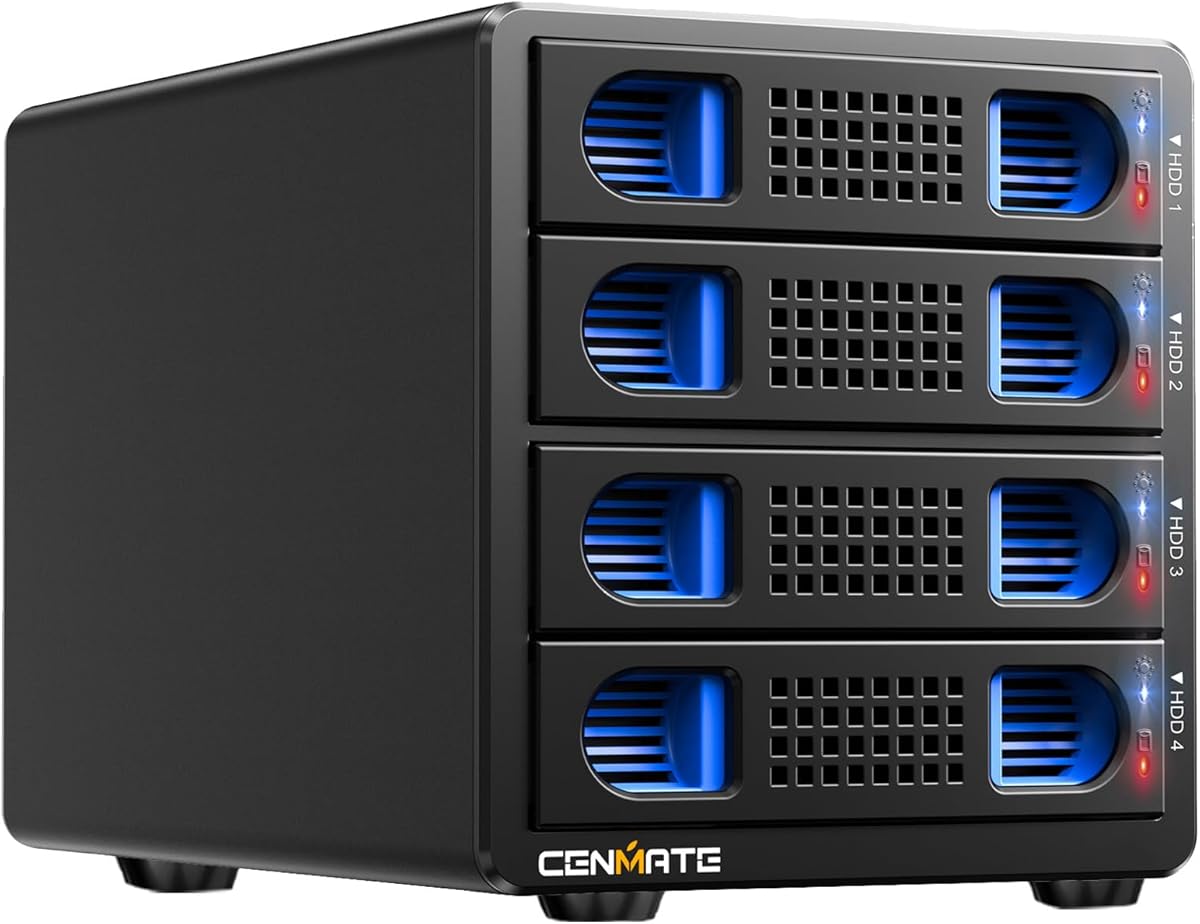
The CENMATE Aluminum 4 Bay Hard Drive Enclosure offers a reliable external storage solution for individuals and businesses needing substantial capacity. It holds up to 80TB across four bays while utilizing an aluminum alloy body and integrated fan to manage heat effectively.
We may earn a commission when you buy through this link, at no additional cost to you.
This enclosure supports both 2.5 and 3.5 inch SATA drives and connects via USB 3.0 for speeds up to 5Gbps. The included power adapter ensures stable transmission and it works seamlessly with Windows Mac and Linux systems without requiring additional drivers.
While the fan helps keep drives cool it operates at around 40 to 50 decibels which might be noticeable in quiet environments. Users sensitive to noise should consider placement carefully when setting up this device in office or home spaces.
Ideal for anyone needing dependable DAS storage this unit balances performance and cooling well. Its tool free design and hot swappable bays make managing drives easy while the comprehensive warranty gives added peace of mind for long term use.
The aluminum alloy build combined with the fan actively prevents overheating to protect data integrity during sustained transfers.
Plug and play functionality ensures it works with major operating systems and interfaces without complicated setup steps.
We may earn a commission when you buy through this link, at no additional cost to you.
This upgraded version of the CENMATE enclosure delivers significantly faster data transfer speeds thanks to its USB 3.2 Gen 2 interface. It supports up to 80TB of storage across four bays and maintains the same reliable aluminum construction and fan cooling as the base model.
We may earn a commission when you buy through this link, at no additional cost to you.
Users can move files twice as fast as the previous model with read write speeds reaching over 1000MB/s under optimal conditions. The hot swappable feature allows changing drives without powering down which is essential for workflows requiring constant uptime and flexibility.
As with the standard model the fan operates at 40 to 50 decibels which could be distracting in quiet environments. Additionally real world speeds vary based on the host system and drive quality so expectations should be managed accordingly.
This enclosure is perfect for users needing higher bandwidth for large media files or backups. Its balance of speed capacity and reliability makes it a strong choice for professionals working with data intensive tasks regularly.
The 10Gbps interface drastically reduces wait times for large file transfers compared to older USB standards.
Hot swapping capabilities ensure you can manage drives on the fly without interrupting ongoing system tasks.
We may earn a commission when you buy through this link, at no additional cost to you.
The MAIWO enclosure stands out with its intelligent cooling system where fans only activate when drive temperatures exceed 48 degrees Celsius. This feature makes it an energy efficient choice while still protecting hardware during intensive operations with substantial storage capacity.
We may earn a commission when you buy through this link, at no additional cost to you.
It supports daisy chaining for extensive expansion and even includes an HDMI port for direct video output to TVs making it versatile for multimedia use. The aluminum build ensures effective heat dissipation and it comes with an independent power switch for easy control.
While the feature set is impressive user ratings are lower than some rivals possibly due to initial setup nuances or interface limitations. Prospective buyers should weigh these factors against the unique benefits like HDMI connectivity and energy saving fans.
For users seeking cost effective storage with smart cooling this model delivers significant value. The combination of large capacity and multimedia options makes it a unique tool for both work and entertainment scenarios.
Fans run only when needed to reduce noise and power consumption while still keeping drives safe.
Additional HDMI and daisy chaining ports extend functionality beyond basic storage to direct display access.
We may earn a commission when you buy through this link, at no additional cost to you.
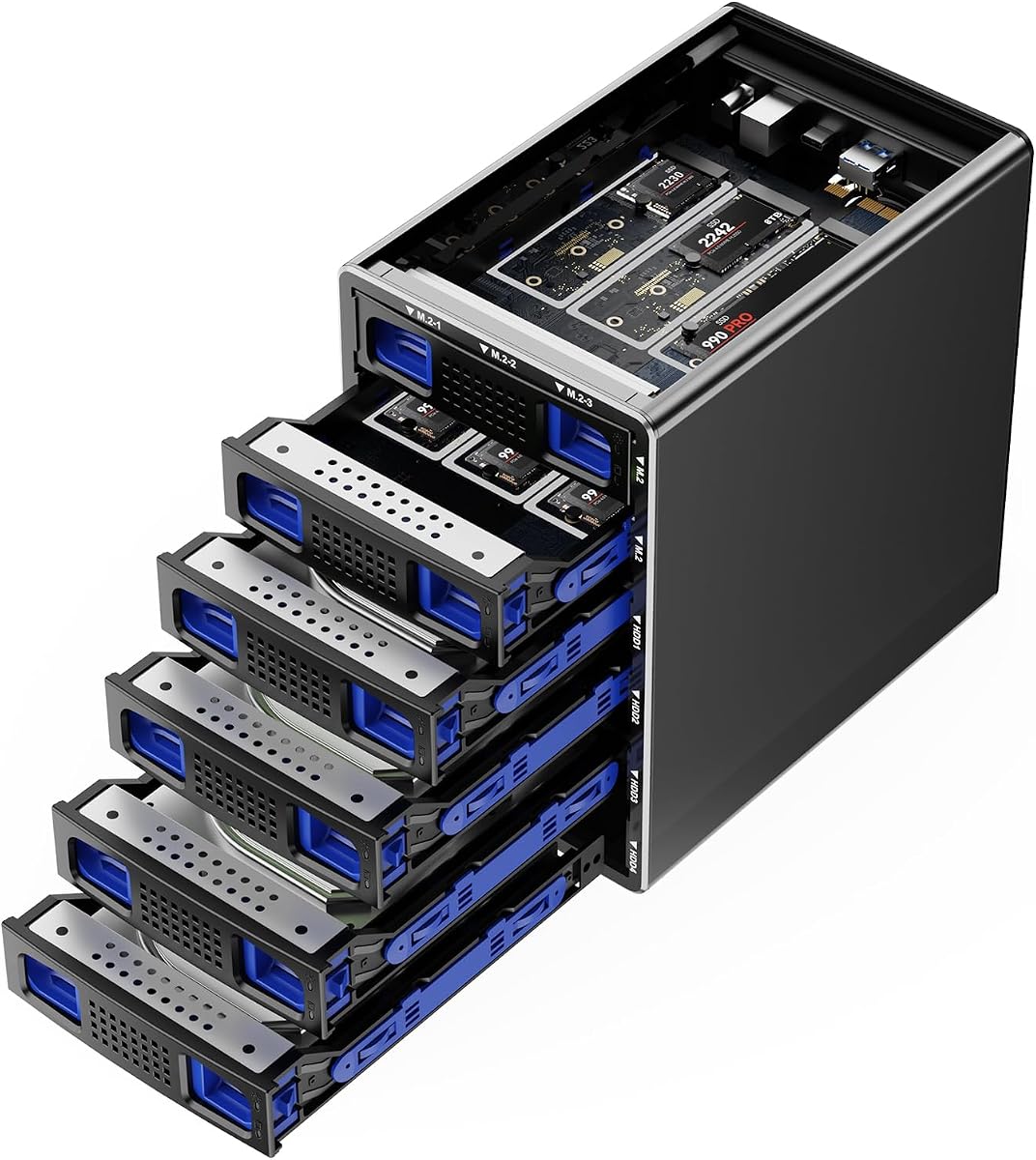
The CENMATE Hybrid enclosure uniquely combines traditional SATA drives with high speed NVMe SSDs in a single unit. This design allows users to leverage massive capacity for bulk storage alongside rapid performance for active projects within one compact aluminum chassis.
We may earn a commission when you buy through this link, at no additional cost to you.
With support for up to 136TB total capacity it is ideal for users needing both volume and speed. The USB 3.2 Gen 2 connection ensures fast data rates and the tool free design makes swapping drives simple without needing extra equipment.
While it offers unmatched versatility the hybrid design means a higher cost and the need to source specific drive types separately. Silent fans manage heat well but users sensitive to any noise should still consider the continuous cooling operation.
For professionals requiring maximum storage flexibility this hybrid enclosure is a standout solution. It bridges the gap between bulk storage and high performance needs making it perfect for creative workflows demanding both space and speed.
Combining HDDs and NVMe drives in one unit optimizes both cost efficiency and performance speed.
Supporting over 100TB of storage allows for extensive archiving without needing multiple separate enclosures.
We may earn a commission when you buy through this link, at no additional cost to you.
WAVLINKs 4-Bay enclosure brings a multimedia focus to external storage with its HDMI output supporting 4K video. Alongside 10Gbps USB-C speeds it keeps drives cool with intelligent fans that activate at 48 degrees Celsius to prevent overheating.
We may earn a commission when you buy through this link, at no additional cost to you.
Each bay has an independent power switch for convenient drive management without shutting down the system. The aluminum shell provides robust heat dissipation and it supports high capacity drives ensuring you can expand your storage significantly over time.
Installation of smaller 2.5 inch drives requires separate mounting brackets which are not included in the package. Additionally the HDMI feature requires a host port capable of video output so checking compatibility is necessary before purchasing.
This unit is excellent for users wanting to connect storage directly to a display for media playback. The combination of high speed connectivity and display capabilities makes it a powerful tool for home theaters and creative work.
The HDMI port allows direct viewing of media stored on drives without needing a separate computer.
Independent switches per bay offer precise control over power usage and drive access for efficiency.
We may earn a commission when you buy through this link, at no additional cost to you.
The SABRENT docking station focuses on portability by supporting only 2.5 inch SATA drives in its four bays. It includes a whisper quiet fan for cooling and a magnetic cover for tool free access making it easy to swap drives quickly.
We may earn a commission when you buy through this link, at no additional cost to you.
Despite the smaller form factor it delivers solid USB 3.0 speeds and supports up to 64TB total capacity. It works with Windows macOS and Linux without extra drivers and is built to run continuously without overheating issues.
Users requiring 3.5 inch drive support will find this unit limiting as it only fits smaller form factors. For those with laptops or portable needs though the compact size and quick access features are highly convenient.
This model is best for users prioritizing silent operation and ease of use over raw capacity. Its magnetic cover and quiet fan make it a user friendly option for general backup or development tasks.
The built in fan is designed to be whisper quiet for minimal noise interference in quiet environments.
The magnetic cover allows for fast tool free drive swaps without needing screws or additional tools.
We may earn a commission when you buy through this link, at no additional cost to you.
CENMATEs Hard Drive Reader provides flexibility with both USB 3.0 and eSATA interfaces for connectivity. It supports up to 80TB of storage across four bays and uses an aluminum chassis with a fan to keep drives cool during use.
We may earn a commission when you buy through this link, at no additional cost to you.
The included 12V power adapter ensures stable transmission for all connected drives. However the eSATA port requires a computer port that supports RAID functionality for full access to multiple bays which may limit its usability on some systems.
Users should note that hot swapping is not supported via eSATA which requires careful management of drive connections. For those needing a legacy or redundant connection option this dual interface setup offers unique value.
This enclosure suits users needing versatile connectivity for older or specific systems. Its robust build and power stability make it a reliable choice for environments where standard USB might not be the only preferred method.
Having both USB and eSATA ports offers flexibility for various computer setups and legacy equipment.
The dedicated power adapter provides consistent voltage to ensure safe operation for all four drives.
We may earn a commission when you buy through this link, at no additional cost to you.
WAVLINKs high capacity version expands total storage to 128TB by supporting up to 32TB drives in each bay. It shares the same premium features as the standard model including USB 3.2 Gen 2 speeds and HDMI video output for direct media viewing.
We may earn a commission when you buy through this link, at no additional cost to you.
Each bay has independent power switches allowing you to control individual drives without shutting down the entire system. The fans activate automatically at 48 degrees Celsius to ensure drives stay cool during intense transfer sessions or prolonged use.
Installation of smaller 2.5 inch drives requires separate mounting brackets not included in the package. While the price is higher the massive capacity and feature set justify the cost for users needing extensive archival storage.
This enclosure is perfect for media professionals or businesses requiring significant storage in a single unit. Its blend of speed capacity and display capabilities makes it a comprehensive solution for large scale data management.
With support for 32TB drives per bay this unit offers some of the highest total capacity available today.
The HDMI port allows direct connection to displays for easy playback of stored media content.
We may earn a commission when you buy through this link, at no additional cost to you.
This CENMATE enclosure distinguishes itself with support for eight different RAID modes allowing flexible data redundancy and performance options. It connects via USB 3.0 and eSATA and uses an aluminum build with a fan to maintain safe operating temperatures.
We may earn a commission when you buy through this link, at no additional cost to you.
Switching RAID modes requires a specific physical procedure using the reset button which ensures data safety but demands careful handling. The unit supports up to 80TB across four bays making it suitable for both backup and performance needs.
Users should be aware that changing RAID modes can risk data loss so backing up data before switching is essential. The fan noise level is standard but may still be noticeable in quiet office environments.
Ideal for users needing hardware RAID flexibility without a full NAS this enclosure offers versatile storage options. Its combination of connectivity modes and RAID support makes it a powerful tool for advanced data management.
Support for multiple RAID modes allows customization of performance and data redundancy without complex software.
The physical toggle method for RAID changes ensures intentional configuration but requires careful data backup.
We may earn a commission when you buy through this link, at no additional cost to you.
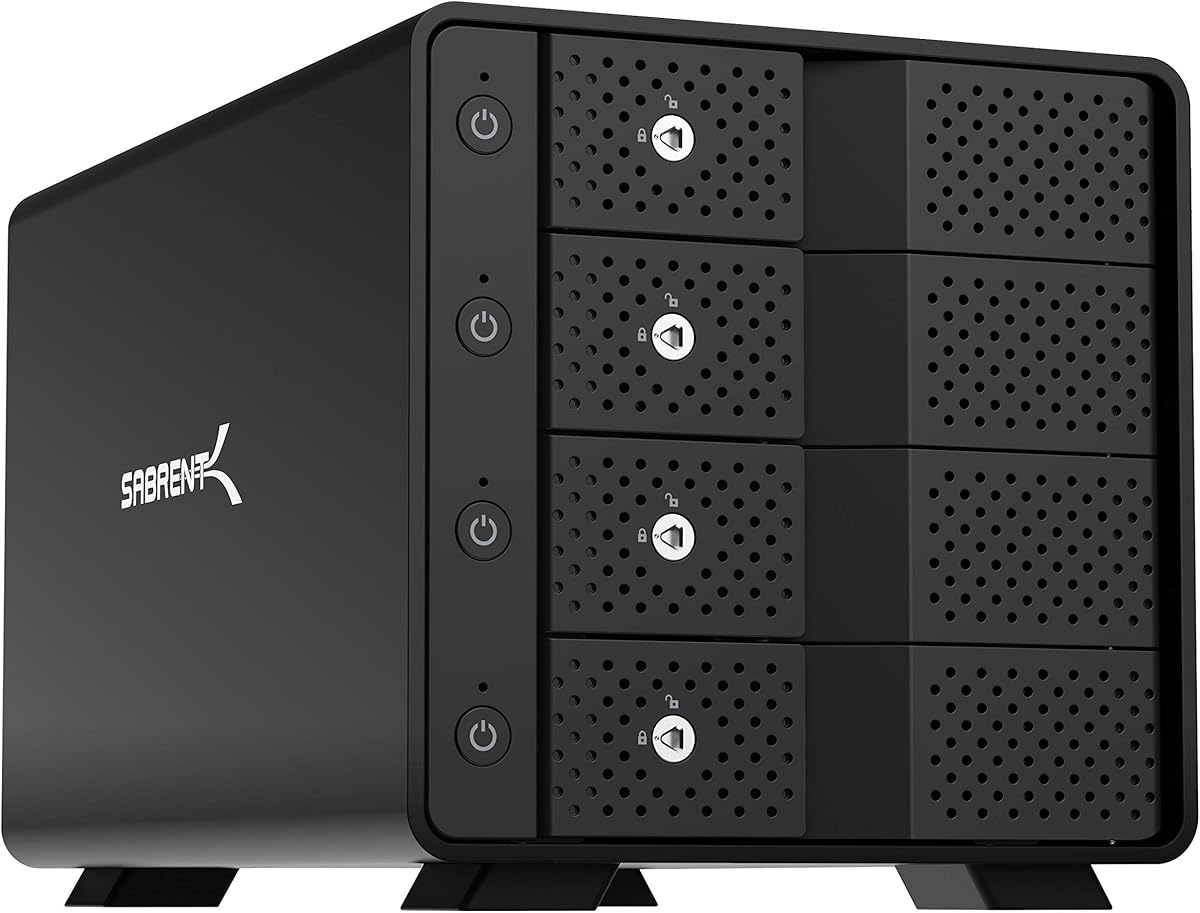
SABRENTs 4-Bay USB-C enclosure uses a dedicated ASMedia controller for each bay ensuring every drive gets its own stable connection. It supports up to 80TB total capacity and features active cooling with a large 92mm fan for 24/7 reliability.
We may earn a commission when you buy through this link, at no additional cost to you.
Tool-free drive insertion and a locking key provide security and convenience. The design focuses on independence so each drive mounts individually rather than relying on hardware RAID which simplifies data recovery and management.
To get the best performance a USB-C to USB-C connection is recommended which might not be available on all older systems. The higher price reflects the premium build quality and dedicated controller design which offers better stability.
This unit is best for users needing reliable independent access to multiple drives. Its security features and dedicated controllers make it a top choice for environments where data integrity is a primary concern.
Each drive has a dedicated controller ensuring stable performance and avoiding bottlenecks between bays.
A locking key and Kensington slot provide physical protection for valuable data and drives.
We may earn a commission when you buy through this link, at no additional cost to you.
Selecting the right 4 Bay Hard Drive Enclosure with Cooling Fans involves weighing several critical features to ensure performance and longevity.
The USB interface determines how fast data moves between drives and your computer. USB 3.0 offers up to 5Gbps while USB 3.2 Gen 2 reaches 10Gbps which is essential for large file transfers and professional workflows.
Effective cooling is vital to prevent overheating and drive failure during extended use. Look for units with active fans and aluminum chassis as these dissipate heat better than plastic models.
Ensure the enclosure supports your desired drive sizes and capacities. Models vary from supporting 64TB to over 100TB so match this to your storage needs and future expansion plans.
Hot swap capability allows you to change drives without powering down the enclosure. This is valuable for workflows requiring continuous uptime or frequent drive maintenance.
Check that the enclosure works with your specific OS. Most modern units support Windows Mac and Linux but verifying driver requirements ensures plug and play functionality.
Aluminum enclosures offer better heat dissipation and durability than plastic ones. A sturdy build also protects drives from accidental bumps or drops during transport.
Some models include HDMI ports or eSATA connections for added versatility. Assess if these extra features are necessary for your workflow before deciding on the model.
A stable power adapter is crucial for all four bays to function correctly. Look for units with included adapters that match the voltage requirements of high capacity drives.
Place the enclosure on a hard flat surface to ensure proper airflow. Avoid blocking the intake or exhaust vents to prevent overheating which can damage your drives over time.
Most 4 Bay Hard Drive Enclosure with Cooling Fans units are plug and play and work with Windows Mac and Linux without additional drivers. Some advanced features may require software but basic storage access is built into modern operating systems.
Many models support both 2.5 and 3.5 inch drives in the same unit. Check the product specifications to ensure the mounting brackets accommodate your specific mix of drive sizes.
Some models offer software RAID support or hardware RAID modes while others operate in DAS mode. If you need data redundancy verify the specific RAID capabilities of the chosen enclosure.
Most fans operate between 40 and 50 decibels which is noticeable but generally acceptable for office environments. Some units feature silent cooling technologies for quieter operation.
If the enclosure supports hot swapping you can swap drives without turning off the computer. Always check the product details to confirm this feature before purchasing.
Maximum capacity depends on the drive size supported. Many modern models support up to 80TB or more by using large capacity drives like 20TB or 32TB in each bay.
These ten models offer a wide range of options for external storage needs. Whether you prioritize speed capacity or cooling performance there is a suitable enclosure for every user.