
Canon PIXMA TR4720
3.9Editor score
Compact wireless design
Built-in fax capability
Auto document feeder
This guide compares the top ten all in one printer with fax models for 2026, evaluating performance, features, and reliability to help you choose the right
Finding the right all in one printer with fax can streamline your workflow by combining multiple office tasks into a single compact device. These machines handle printing, scanning, copying, and faxing, making them essential for home offices and small businesses that need versatility without clutter.
We evaluated ten leading models based on print quality, speed, connectivity options, and fax capabilities. Our analysis focuses on real-world performance metrics and user feedback to ensure you get a reliable machine that meets your specific document handling needs effectively.
Each pick highlights unique strengths such as ink efficiency, wireless connectivity, or robust security features. Note that prices and availability change frequently, so always check the latest details before making your final decision to ensure you get the best value available today.
3.9Editor score

4.0Editor score

3.9Editor score
This table provides a side-by-side comparison of the top ten models, highlighting key specifications like print speed, paper capacity, and connectivity to help you quickly identify the best fit for your needs.






The HP OfficeJet Pro 9125 stands out as a top choice for business environments requiring robust fax and printing capabilities. With a rating of 3.9 stars, users appreciate its balance of speed and reliability for professional document handling tasks.
We may earn a commission when you buy through this link, at no additional cost to you.
Its standout feature is the 22 pages per minute black print speed which ensures efficient workflow during busy periods. The dual-band Wi-Fi automatically resolves connection issues while the large touchscreen simplifies navigation for all office staff members.
While the cartridge chip lock may limit third-party ink options, the included Instant Ink trial helps mitigate ongoing costs. This trade-off is acceptable for businesses prioritizing consistent quality and security over long-term ink savings.
This printer is ideal for small offices needing high-speed color output and secure faxing. Its combination of speed, connectivity, and advanced security features makes it a solid investment for professional document management.
HP Wolf Pro Security bolsters network protection against cyber threats ensuring sensitive fax data remains secure during transmission and storage.
HP AI removes unwanted content from web pages and emails reducing wasted pages and ensuring precise formatting for professional documents.
We may earn a commission when you buy through this link, at no additional cost to you.
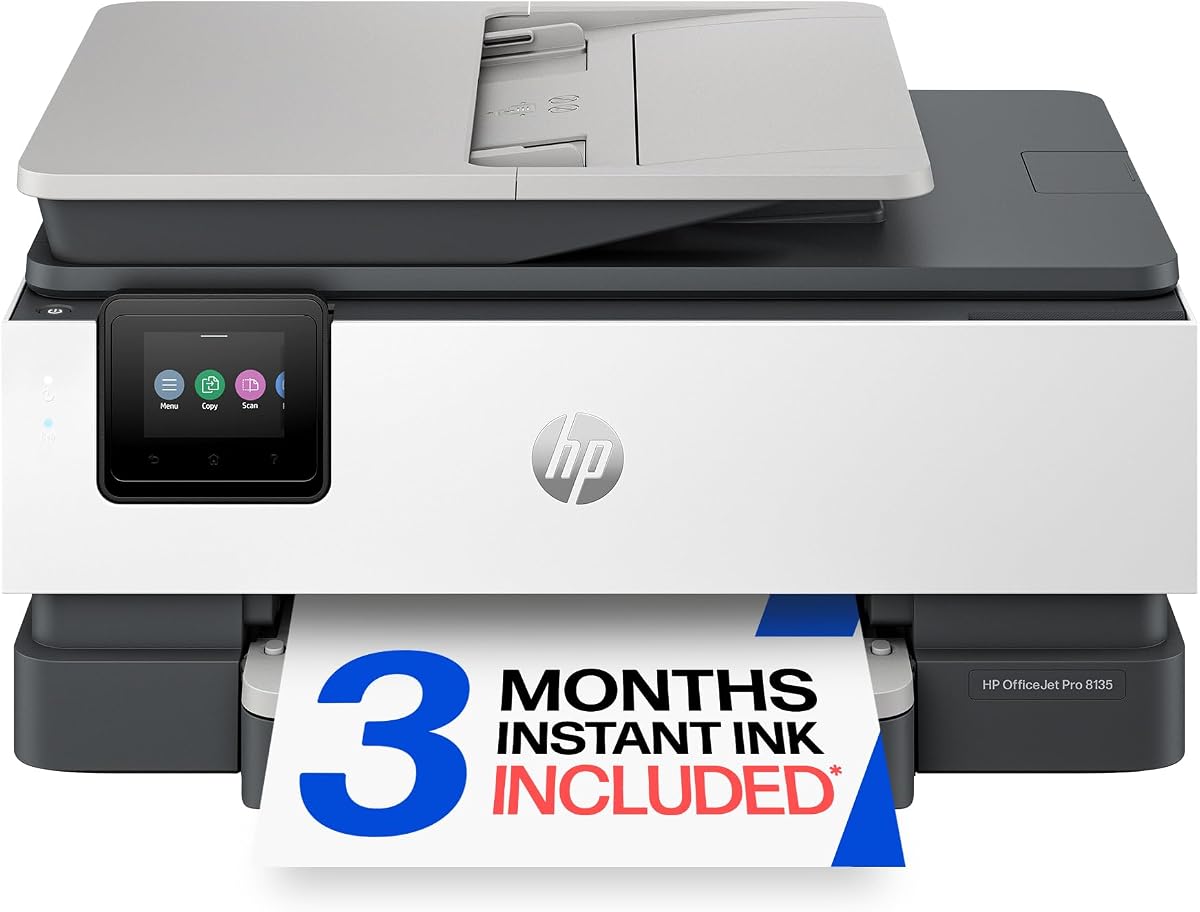
The HP OfficeJet Pro 8135 offers excellent value for home office users needing professional-quality color documents with fax support. Its 3.9-star rating reflects consistent performance for typical daily printing and scanning tasks at home.
We may earn a commission when you buy through this link, at no additional cost to you.
Users appreciate the 20 pages per minute black print speed which handles reports and business documents efficiently. The HP App allows seamless printing from smartphones while the touchscreen interface mimics a phone-like user experience for easy navigation.
Although color printing is slower at 10 pages per minute, this is sufficient for most home office needs. The smaller paper tray requires occasional refills but does not significantly impact workflow for moderate volume users.
This model is perfect for freelancers or remote workers needing reliable faxing without expensive costs. Its balance of features, connectivity, and price makes it a top budget-friendly choice for home office setups.
The Instant Ink trial delivers ink directly to your door before you run out saving up to 50 percent on total ink costs over time.
HP AI optimizes print layouts by removing unnecessary content ensuring emails and web pages print clearly without awkward formatting issues.
We may earn a commission when you buy through this link, at no additional cost to you.
The Epson EcoTank ET-4800 redefines high-volume printing with its innovative cartridge-free system. With a 3.8-star rating, it appeals to users prioritizing long-term ink savings and environmental sustainability over initial purchase price.
We may earn a commission when you buy through this link, at no additional cost to you.
Its Micro Piezo Heat-Free Technology produces sharp text and vibrant color photos on any paper type without wasting energy. The high-capacity ink tanks eliminate frequent cartridge replacements reducing both cost and landfill waste significantly over time.
While the initial investment is higher, the savings on ink over years justify the cost for heavy users. Print speed may be slower than laser competitors but the reliability and low operating costs make it a strong premium choice.
This printer is best for users needing frequent color printing and faxing without constant ink purchases. Its cartridge-free design and zero waste approach make it an excellent sustainable choice for environmentally conscious households.
By using EcoTank printers you help reduce cartridge waste ending up in landfills contributing to a more sustainable printing environment globally.
EcoFit ink bottles make filling the tanks easy and worry-free ensuring a mess-free experience for even first-time users refilling ink.
We may earn a commission when you buy through this link, at no additional cost to you.
The HP OfficeJet Pro 8125 delivers professional-quality color documents ideal for small home offices. With a 3.9-star rating, it is praised for its ease of use and consistent performance in daily printing and scanning tasks.
We may earn a commission when you buy through this link, at no additional cost to you.
Its 20 pages per minute speed ensures quick turnaround for reports and presentations. The HP App allows effortless printing from mobile devices while the touchscreen interface provides intuitive navigation for all common tasks.
Although it lacks built-in fax functionality, users can rely on cloud-based alternatives if needed. The 225-sheet tray is sufficient for moderate volumes but may require refills during heavy use periods.
This model suits home professionals needing reliable wireless printing without bulky dimensions. Its compact design and advanced features make it a strong contender for those prioritizing desk space and connectivity.
Subscribe to Instant Ink for delivery before you run out and save up to 50 percent on total ink costs with this trial offer.
HP Wolf Essential Security helps keep your network protected from cyber threats ensuring sensitive documents remain safe during transmission.
We may earn a commission when you buy through this link, at no additional cost to you.
The HP Smart Tank 7603 offers unmatched ink efficiency with up to three years of ink included in the box. With a 3.9-star rating, it is perfect for users wanting to eliminate cartridge costs and frequent maintenance tasks.
We may earn a commission when you buy through this link, at no additional cost to you.
Its mess-free refill system simplifies replenishment by letting bottles drain directly into tanks without spills. The magic touch control panel and borderless printing capabilities add convenience for both document and photo needs.
The upfront cost is higher than traditional printers but the included ink quickly offsets this investment. While the physical footprint is larger, the savings on ink make it a smart long-term purchase for high-volume users.
Ideal for busy home offices, this model handles high-volume printing and faxing with minimal interruption. Its reliable design and included supplies make it a top choice for reducing ongoing operating expenses.
Replenish ink with HP's easy-access system that eliminates spilling and squeezing for a clean and straightforward refill experience every time.
Experience sharper text and richer colors that HP Smart Tank technology delivers for professional-quality prints on virtually any paper type.
We may earn a commission when you buy through this link, at no additional cost to you.
The HP OfficeJet Pro 9135 is a powerful business solution with a 4.0-star rating for exceptional reliability. It offers fast print speeds and dual input trays to handle heavy workflow demands without constant refills or interruptions.
We may earn a commission when you buy through this link, at no additional cost to you.
Its single-pass duplex scanning significantly reduces time needed for multi-page fax or copy tasks. The 4.3-inch touchscreen provides ample screen real estate for navigating complex settings and reviewing document details easily.
While the higher price and larger size may deter home users, small offices benefit from the increased capacity and speed. The included security features ensure that sensitive business data remains protected across all functions.
This printer is ideal for offices requiring high-volume output and robust faxing. Its combination of speed, dual paper handling, and security makes it a premium choice for professional document management needs.
The single-pass 2-sided scanning feature allows quick duplication of double-sided documents reducing time spent on multi-page fax transmissions.
HP Wolf Pro Security bolsters network defenses against cyber threats ensuring that all fax data remains secure during transmission and storage.
We may earn a commission when you buy through this link, at no additional cost to you.
The Canon PIXMA TR4720 delivers essential fax and printing functions at an entry-level price point. With a 3.9-star rating, it is a solid choice for households needing basic document management without high expenses or space usage.
We may earn a commission when you buy through this link, at no additional cost to you.
Its compact design fits easily on desks or shelves while still offering an auto document feeder for convenient faxing. Wireless connectivity allows printing from mobile devices ensuring seamless integration with modern home networks.
While print speeds are slower than business models, this unit handles occasional needs effectively. The low paper capacity requires frequent refills but does not impact performance for low-volume users or personal tasks.
This printer is best for students or light home users needing fax capability on a budget. Its compact form and affordability make it an accessible option for those with minimal printing requirements.
Connect to Alexa to receive low ink notifications and even smart reorder placements ensuring you never run out of essential supplies.
ENERGY STAR certified operation reduces power consumption during standby and off modes for lower energy bills and reduced environmental impact.
We may earn a commission when you buy through this link, at no additional cost to you.
The Canon PIXMA TR8620a combines professional features with user-friendly voice control for home offices. Rated at 4.0 stars, it offers reliable faxing and printing alongside flexible paper handling options for versatile daily tasks.
We may earn a commission when you buy through this link, at no additional cost to you.
Its 200-sheet capacity reduces refilling frequency while the rear feed allows quick access to specialized paper types. Voice commands enable convenient printing and scanning without touching physical buttons when hands are busy.
The Micro SD slot provides a backup option for printing photos without computer connectivity. While fax speeds may lag behind dedicated machines, the overall performance meets typical small office requirements effectively.
Ideal for home professionals needing flexible input methods, this model balances capacity with ease of use. Its voice integration and dual sources make it a practical choice for varied document needs.
Use voice commands to discover your printer and start printing tasks hands-free for added convenience during busy workflow moments.
The Micro SD slot allows direct printing from memory cards providing an alternative route for sharing photos without needing a computer.
We may earn a commission when you buy through this link, at no additional cost to you.
The HP OfficeJet Pro 8139 stands out with an extended one-year Instant Ink trial. With a 4.0-star rating, it delivers consistent performance for home offices needing reliable faxing and printing without constant supply management.
We may earn a commission when you buy through this link, at no additional cost to you.
Its wireless connectivity ensures seamless device pairing for printing or faxing directly from mobile phones. The large touchscreen simplifies navigation for common tasks while the included security features protect sensitive documents from cyber threats.
While color speeds are lower than high-end models, this unit handles standard document needs well. The one-year ink trial significantly reduces early costs, making it an attractive option for those wanting extended savings.
This model suits home businesses prioritizing convenience and cost efficiency over speed. Its reliable fax capability and extended trial offer make it a strong contender for reducing operational overhead.
Subscribe to Instant Ink for delivery before you run out and save up to 50 percent on total ink costs with this year long trial.
HP Wolf Essential Security bolsters security and helps keep your network protected from cyber threats ensuring safe transmission of all documents.
We may earn a commission when you buy through this link, at no additional cost to you.
The Brother MFC-L2820DW offers fast monochrome laser printing with a 4.3-star rating for reliability. It is ideal for offices needing high-speed faxing and document handling without color capabilities or large desk space requirements.
We may earn a commission when you buy through this link, at no additional cost to you.
Its 36 pages per minute speed ensures rapid processing of bulk documents and faxes. The compact design saves valuable desk space while dual-band wireless connectivity supports multiple devices for seamless collaboration.
Cloud app integration allows printing directly from services like Dropbox or Google Drive. While toner costs may vary, the high yield ensures fewer replacements compared to standard ink models for similar volume output.
Best for text-heavy workflows, this model balances speed with affordability. Its strong fax performance and compact design make it a practical choice for small businesses focusing on document efficiency.
Produces black and white documents quickly with up to 36 pages per minute for fast and efficient workflow during peak periods.
Effortless navigation with the ability to print from popular cloud apps like Google Drive and Dropbox enhances mobile and remote access options.
We may earn a commission when you buy through this link, at no additional cost to you.
Selecting the right multifunction printer requires understanding your specific needs regarding speed, cost, and connectivity options.
Print speed determines how quickly documents are produced. Look for speeds between 20 to 30 pages per minute for efficient daily output.
Faster speeds reduce wait times during peak work hours ensuring productivity remains high.
Modern printers should offer dual-band Wi-Fi for stable connections across various devices. Mobile printing support allows flexibility for remote tasks.
Reliable wireless connectivity ensures seamless integration with laptops and smartphones in modern offices.
Check input tray sizes to ensure they match your volume. Larger trays reduce the frequency of manual refills during busy periods.
Higher capacity trays improve workflow efficiency by minimizing interruptions during long print jobs.
Ensure the device supports both sending and receiving faxes with clear resolution. Auto document feeders are essential for multi-page fax tasks.
Reliable fax functionality remains critical for businesses still relying on traditional document transmission methods.
Inkjet printers offer color quality while laser models provide speed for black and white. Consider total cost of ownership based on usage volume.
Choosing the right media type impacts long-term costs and maintenance requirements significantly.
Business printers need robust security to protect sensitive fax data. Look for features like network protection and secure access protocols.
Security ensures that confidential documents remain protected during transmission and storage.
A large touchscreen simplifies navigation for complex settings and scanning tasks. User-friendly interfaces reduce training time for new staff members.
Intuitive displays improve user experience by making common tasks easier to complete.
Consider cartridge systems or ink tanks based on ease of refilling. Cartridge-free models often reduce waste and operational costs.
Low maintenance designs keep the printer running smoothly with minimal intervention.
Place the printer on a stable, flat surface to ensure accurate alignment for faxing and scanning tasks. Keep it away from direct sunlight to prevent ink or toner degradation over time.
Regularly clean the glass scanner surface with a soft cloth to prevent smudges on copies and faxes. Update firmware periodically to ensure security patches and performance improvements are applied.
If not using the fax feature daily, test it occasionally to prevent nozzle drying or mechanical issues. Always load paper correctly to avoid jams that can damage internal components.
Yes, many modern multifunction printers include built-in fax capabilities. While digital alternatives are growing, fax remains vital for legal and business documents.
Most models support standard V.34 fax speeds which are sufficient for business needs. Faster processing is handled internally to avoid transmission delays.
Some manufacturers use chip locks to prevent non-genuine ink. Check model specifications to avoid potential blockages or warranty voids.
Verify your phone line connection or internet settings if using internet fax. Clearing the error log and restarting often resolves temporary glitches.
Fax offers point-to-point encryption but internet faxing provides better digital security. Modern business solutions often use secure online fax services instead.
Most models allow simple cartridge swaps taking less than five minutes. Tank-based systems require a bit more setup but offer longer intervals.
Yes, all featured models support mobile printing via apps or Wi-Fi Direct. Ensure your device and printer are on the same network for best results.
Open access panels and remove paper gently without tearing. Clear any debris and reset the machine to avoid recurring issues during fax or print tasks.
We reviewed ten top models ranging from budget-friendly options to high-performance office solutions. Each offers distinct advantages depending on whether you prioritize speed, cost, or color quality.
Prioritize connectivity and security if your business handles sensitive documents regularly. For home offices, ink efficiency and compact size may be more important than raw speed.
Always check current prices and availability as deals change frequently. Your final choice should balance immediate needs with long-term maintenance and operational costs.