
HUO JI E-Yooso Creamy Mechanical Keyboard Wired
4.6Editor score
Five layers of sound absorbing foam
Hot-swappable PCB for customization
99 key compact layout design
Explore the top ten Asmr Keyboard options for 2026 featuring premium sound dampening, gasket mounts, and tactile feedback for creators and gamers seeking
Discovering the perfect Asmr Keyboard can transform your daily typing experience into a soothing ritual. These specialized mechanical keyboards emphasize quiet operation, smooth keystrokes, and satisfying auditory feedback that delights both the user and anyone nearby.
We compared ten leading models based on sound dampening technologies, switch types, build quality, and connectivity options. Our analysis focuses on how each board delivers the creamy, thocky tones that define the Asmr keyboard movement while maintaining performance for work and gaming.
Each pick highlights specific strengths like gasket mounting, hot-swappable switches, or custom keycaps. Please note that availability and pricing may fluctuate so check current listings before making your final decision for your unique workspace setup.
4.6Editor score

4.8Editor score

4.6Editor score
This side-by-side comparison highlights the core differences between our selected models focusing on layout, connectivity, switch types, and unique features like screens or knobs to help you choose quickly.
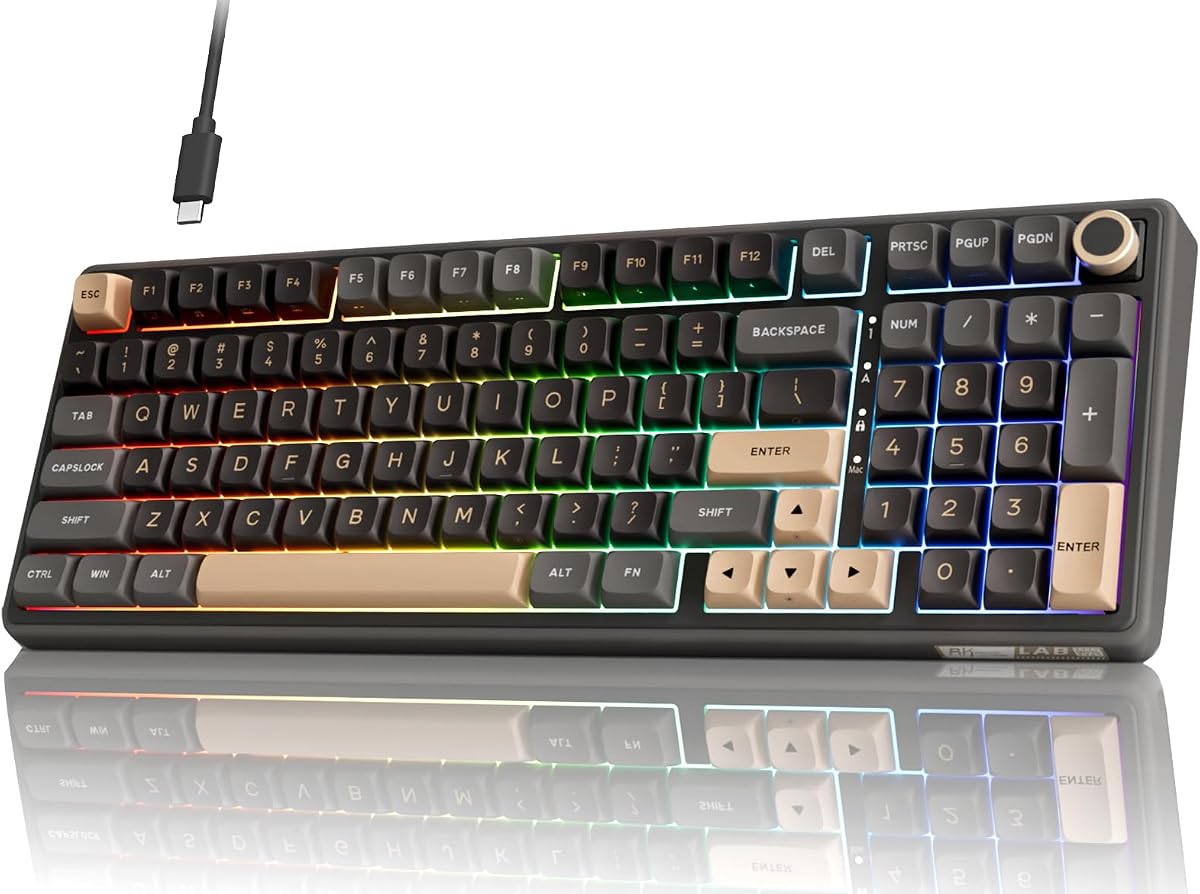


The RK ROYAL KLUDGE R98 Pro stands out as a top contender for those seeking an Asmr Keyboard experience. With a 4.6 rating users praise its creamy sound and smooth typing feel immediately upon unboxing. The gasket mount design ensures every keystroke feels cushioned and satisfying.
We may earn a commission when you buy through this link, at no additional cost to you.
This keyboard features five layers of sound-absorbing foam that significantly reduce unwanted hollow noises. The pre-lubed linear cream switches provide a unique aesthetic and a consistent smooth actuation. Additionally the MDA profile PBT keycaps offer a comfortable grip that enhances long typing sessions.
While the keyboard is powerful it lacks wireless connectivity which might be a downside for some users. The RGB modes are dynamic but require downloading the online driver to fully utilize customization options. These minor trade-offs are acceptable given the premium build quality.
Buyers who value sound quality and tactile feedback will find this board exceptional. It is ideal for gamers and typists who want a full layout without sacrificing the serene auditory experience. We recommend this for anyone ready to invest in a high quality wired setup.
The five layers of foam inside the case ensure that internal resonance is minimized for a pure thocky sound.
MDA profile keycaps wrap around fingers better providing a natural feel that reduces strain during extended use.
We may earn a commission when you buy through this link, at no additional cost to you.
The AULA 99 Key Purple Keyboard offers an accessible entry point into the world of compact keyboards. With a 4.2 rating it provides a seamless wireless experience for users who prefer a retro look. The membrane design ensures quiet operation which suits shared office environments well.
We may earn a commission when you buy through this link, at no additional cost to you.
It supports Bluetooth 5.0 and 2.4GHz wireless allowing you to switch between devices easily. The rotary knob provides quick access to volume and lighting controls. A foldable kickstand lets you adjust the typing angle for better ergonomics during long work sessions.
However the membrane switches lack the tactile feedback found in mechanical keyboards. It is not hot-swappable meaning you cannot upgrade switches later if you desire a different feel. These limitations are balanced by its low price point and versatile connectivity.
This keyboard is perfect for casual users or students who need a reliable wireless device. It delivers solid performance for typing and general gaming without breaking the bank. Consider this if you prioritize design and connectivity over customizability.
Membrane switches produce minimal noise making it suitable for quiet libraries or offices where loud typing is disruptive.
Triple mode support ensures you can stay connected to your phone tablet and PC simultaneously without clutter.
We may earn a commission when you buy through this link, at no additional cost to you.
The Redragon K768 PRO is engineered for endurance and comfort. Boasting a 4.8 rating users love the silky bounce of its custom linear switches. The gasket mount design ensures a high quality feel that is both durable and stable during intense gaming sessions.
We may earn a commission when you buy through this link, at no additional cost to you.
An 8000mAh battery provides exceptional runtime compared to standard keyboards. You can switch between USB-C Bluetooth and 2.4GHz without re-pairing constantly. The single control knob simplifies media playback and brightness adjustments making daily use intuitive.
The larger size might not fit small desks but the functionality compensates for it. RGB effects are vibrant but using them heavily will reduce battery life. These trade-offs are minor given the reliable performance and premium typing experience offered.
Ideal for users who demand long battery life and consistent wireless performance. Whether you are a writer or a gamer this board adapts to your needs seamlessly. We highly recommend it for those who hate charging devices daily.
The high capacity battery means you can work for weeks without plugging in ensuring uninterrupted productivity and focus.
Custom linear switches are pre-lubed to deliver a smooth and quiet keystroke that feels expensive and refined.
We may earn a commission when you buy through this link, at no additional cost to you.
The HUO JI E-Yooso Creamy Mechanical Keyboard delivers impressive features for its price. With a 4.6 rating it satisfies users looking for a creamy sound profile without spending a fortune. The gasket structure ensures durability and stable performance over time.
We may earn a commission when you buy through this link, at no additional cost to you.
Five layers of thicker sound-absorbing foams reduce noise significantly providing clear feedback. The hot-swap PCB allows you to replace switches without soldering making it future-proof. N-key rollover ensures accurate responses during fast-paced gaming scenarios.
Being a wired keyboard it lacks the mobility of wireless options. Build quality can vary slightly between batches but overall it holds up well for daily use. These factors are acceptable given the exceptional value and customization potential.
This is an ideal starter keyboard for enthusiasts on a budget. It offers the core mechanical experience with sound dampening that rivals more expensive models. We suggest this for students or home office workers seeking quality on a budget.
Hot-swap capability lets you experiment with different switches later to tailor the sound to your personal preference.
Multiple foam layers target cavity noise ensuring a clean sound that is pleasant and not disruptive to others.
We may earn a commission when you buy through this link, at no additional cost to you.
The KNOWSQT Wireless Keyboard and Mouse Combo offers a unique retro experience for home offices. With a 4.4 rating users appreciate the Milk Tea aesthetic that brightens up any desk. The floating button design provides a soft and quiet feeling perfect for shared spaces.
We may earn a commission when you buy through this link, at no additional cost to you.
It connects via a 2.4GHz receiver offering a stable connection up to 35 feet. Detachable keycaps make cleaning simple and the power saving mode extends battery life significantly. This setup is plug and play requiring no driver installation for basic use.
The non-standard round keycaps may take time to adjust to for some typists. It lacks advanced features like macro programming which limits utility for hardcore gamers. However for general productivity it remains a reliable and pleasant option.
This combo is best suited for users who prioritize aesthetics and quiet operation. It fits well in cozy home offices where style meets function. We recommend it for casual users who value a tidy desk and silent typing.
Detachable floating keycaps allow you to easily clean debris and dust keeping your workspace hygienic and fresh.
The floating switch mechanism dampens sound ensuring minimal noise is generated during regular typing activities.
We may earn a commission when you buy through this link, at no additional cost to you.
The YSCP Typewriter Style Mechanical Gaming Keyboard brings vintage charm to modern setups. With a 4.4 rating it merges classic aesthetics with functional blue switches. The round keycaps and stepped layout offer a unique ergonomic angle that many users find comfortable.
We may earn a commission when you buy through this link, at no additional cost to you.
Blue switches provide clear click sounds and tactile feedback perfect for typing enthusiasts. RGB lighting and adjustable sidelights add a vibrant touch to your desk. Advanced anti-ghosting ensures all 104 keys work simultaneously without issues.
However blue switches are inherently loud which might not fit a quiet Asmr profile. It lacks a gasket mount so the feel is firmer than premium boards. These aspects are acceptable for those prioritizing visual style over silence.
This keyboard is perfect for retro gaming setups or creative workspaces. It delivers a nostalgic experience that stands out from standard modern boards. We suggest it for users who want a classic look with modern functionality.
Blue switches provide a distinct click that confirms each keystroke enhancing the physical satisfaction of typing.
Round keycaps and vintage styling transform your desk into a retro workspace that inspires creativity daily.
We may earn a commission when you buy through this link, at no additional cost to you.
The Redragon K719 PRO Wireless 95-Key Gasket Gaming Keyboard offers cutting edge features for enthusiasts. With a 4.6 rating users enjoy the creamy cushioned feel of its gasket mount. The built-in TFT display adds a modern touch allowing custom GIFs or status info.
We may earn a commission when you buy through this link, at no additional cost to you.
Tri-mode connectivity ensures you can switch devices without re-pairing. The single knob handles media and brightness making navigation effortless. The muted green-white finish provides an elegant look that stands out from typical black gaming keyboards.
The higher price might deter casual buyers but the features justify the cost for power users. Software customization is deep but may require time to master. These trade-offs are minor for those wanting a truly unique experience.
Ideal for tech lovers who want a mix of style and performance. The screen adds personalization that transforms your desk into a creative hub. We recommend this for users who value premium build and advanced capabilities.
The TFT screen allows you to show memes or battery levels adding a layer of personalization to your workspace.
Gasket construction with dampening foam ensures a soft and quiet typing experience suitable for shared environments.
We may earn a commission when you buy through this link, at no additional cost to you.
The Keymatic WK98 Foundation Mechanical Keyboard blends style and function beautifully. With a 4.7 rating it features a crystal jelly design that enhances any gaming setup. The interactive custom screen syncs with music adding a dynamic visual element to your desk.
We may earn a commission when you buy through this link, at no additional cost to you.
MOA contour keycaps fit your fingers naturally reducing strain during long sessions. The RGB lighting offers 20 modes and 9 colors to match your vibe. A high-quality PCB ensures stable performance and broad switch compatibility for customization.
The pink colorway might not appeal to everyone but the quality is undeniable. Screen features require driver installation which adds a setup step. These are minor inconveniences given the high build quality and unique design elements.
This keyboard is perfect for users who want a desk setup that looks as good as it feels. The visualizer screen creates an immersive atmosphere for work and play. We suggest it for creative users who value aesthetics.
The interactive screen syncs with music turning your keyboard into a dynamic visualizer that reacts to your playlist.
MOA contour keycaps match your fingers shape reducing fatigue and discomfort during extended use sessions.
We may earn a commission when you buy through this link, at no additional cost to you.
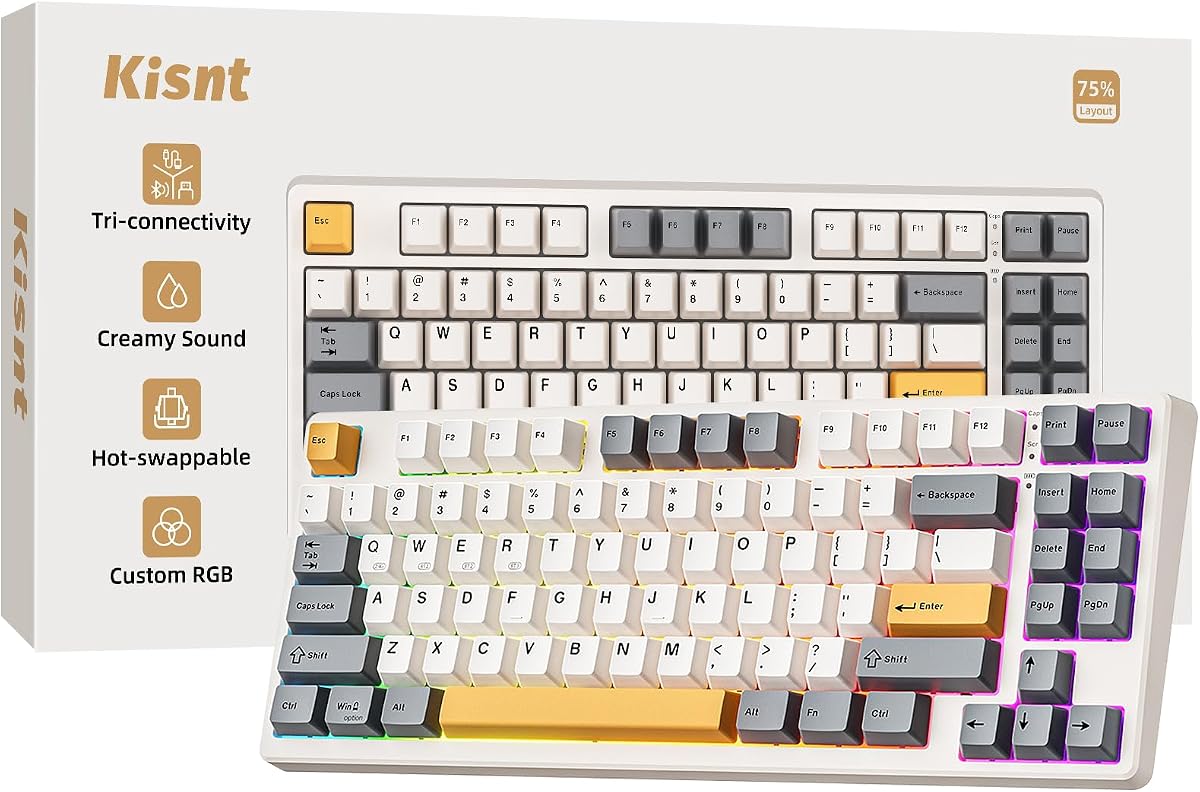
The Kisnt KN85 Wireless Mechanical Keyboard is designed for minimalist setups. With a 4.6 rating it delivers a smooth marbly thock due to its gasket mount. The 75% layout keeps essentials while freeing up desk space for mouse movement.
We may earn a commission when you buy through this link, at no additional cost to you.
Hot-swappable Bsun switches provide a buttery response out of the box. Tri-mode connectivity allows seamless switching between Windows and Mac devices. A 4000mAh battery ensures stable performance even during long workdays.
Lack of a number pad might limit some professional workflows significantly. RGB effects are warm but animated modes drain the battery faster. These trade-offs are acceptable for those prioritizing space efficiency and sound quality.
Ideal for programmers or students with limited desk space. It offers a cozy typing experience without sacrificing functionality. We recommend this for users who want a portable and reliable wireless keyboard.
The compact layout frees up 25% of desk space allowing for better mouse movement and a cleaner setup.
Gasket mounting dampens vibrations ensuring every keystroke sounds soft and enjoyable for a relaxing experience.
We may earn a commission when you buy through this link, at no additional cost to you.
The AULA F99 Wireless Mechanical Keyboard combines convenience with robust power. With a 4.5 rating it features an 8000mAh battery that offers longer battery life than many competitors. The hot-swappable PCB allows for easy switch replacements without soldering.
We may earn a commission when you buy through this link, at no additional cost to you.
Gasket structure with PCB single key slotting optimizes resilience and stability. Five layers of silencer fill eliminate cavity noise for a solid feel. It supports up to five devices allowing easy switching between work and gaming setups.
The software for RGB and macros is functional but could be more intuitive. RGB brightness is decent but may not satisfy those seeking intense lighting. These minor issues are outweighed by the build quality and capacity.
This board is perfect for users who need reliability and long battery life. It delivers a premium typing feel at a reasonable price point. We recommend it for anyone seeking a balanced wireless mechanical experience.
The large battery capacity ensures you can go weeks between charges supporting heavy use without interruptions.
Gasket mounting combined with silencer fillers reduces noise and vibration for a solid and quiet typing feel.
We may earn a commission when you buy through this link, at no additional cost to you.
Choosing an Asmr Keyboard requires balancing sound quality build features and connectivity to find the perfect fit for your needs.
Switch type defines the feel and sound of your keyboard. For ASMR linear switches are preferred as they offer a smooth quiet press without tactile bumps.
Prioritize pre-lubed switches to ensure a creamy sound right out of the box without needing additional modification.
Sound dampening materials like foam and gaskets are essential for achieving that deep thocky tone. Look for keyboards with multiple layers of foam inside the case.
A gasket mount design suspends the PCB to reduce vibration and hollow sounds creating a more professional typing experience.
Layout size affects your desk space and usability. Full size layouts include a number pad while compact sizes like 75% save room for mouse movement.
Choose a layout that matches your typing habits and available desk real estate to ensure ergonomic comfort during long sessions.
Connectivity options determine how you use your keyboard across devices. Wireless modes like Bluetooth and 2.4GHz offer freedom while wired ensures zero lag.
Select a mode that fits your workflow ensuring stable connections whether you are gaming or working on multiple screens.
A hot-swappable PCB allows you to change switches without soldering. This feature adds longevity and flexibility to your investment over time.
Look for support for both 3 and 5 pin switches to maximize compatibility with future upgrades and custom modifications.
Keycap material influences durability and texture. PBT keycaps are preferred for their resistance to shine and better grip compared to ABS.
Opt for double-shot or dye-sublimation PBT caps to ensure the legends do not fade over time and the texture remains consistent.
For wireless keyboards battery life is crucial for uninterrupted use. Larger capacities like 8000mAh ensure longer runtimes between charges.
Check if the keyboard supports pass-through charging so you can use it while it is plugged in without downtime.
Aesthetics play a role in desk setup enjoyment. Consider colors lighting and special features like screens or knobs that match your style.
A keyboard that looks good on your desk increases motivation to use it regularly and enhances the overall workspace vibe.
To maintain the creamy sound of your keyboard keep the case clean by removing dust from keycaps regularly. Use compressed air to clear debris from switches without damaging the internal dampening materials.
Adjust your typing force to avoid excessive pressure which can wear out switches or alter the acoustic profile over time. Letting the keyboard cool down after long sessions helps preserve internal components and battery life.
Update drivers and firmware periodically to ensure all features like RGB and media controls work as intended. This keeps your keyboard compatible with new operating systems and improves overall performance stability.
A good ASMR keyboard prioritizes sound dampening through foam and gaskets. Linear switches provide a smooth quiet press while thick keycaps add depth to the sound. The goal is a soft thocky noise that is pleasant to hear and not harsh.
Mechanical keyboards can be louder but high quality ASMR models dampen sound significantly. Using linear switches and gasket mounts reduces noise compared to standard mechanical boards. Many models come pre-lubed for a quiet experience out of the box.
Gasket mounts are highly recommended for ASMR keyboards as they reduce vibration and hollow resonance. They allow the case to flex slightly creating a softer and more consistent sound profile. While not strictly mandatory they vastly improve the typing experience.
Yes most of these keyboards are designed for both work and gaming. They support N-key rollover for accurate inputs and offer fast response times. Wireless options include low latency modes to ensure smooth gameplay without interruption.
Remove keycaps with a puller and wipe the case with a soft cloth. Use compressed air to blow dust out of the switch area. Avoid using water directly on the PCB and dry all components thoroughly before reassembling the keyboard.
Linear switches like Cream or Silent Red are best for ASMR due to their smooth quiet actuation. Pre-lubed versions further reduce noise and friction. Avoid tactile or clicky switches if you want a purely soothing auditory experience.
Modern wireless keyboards use 2.4GHz or Bluetooth for stable connections. They rarely suffer from lag with proper signal strength. Always check for multi-mode support if you need to switch between devices frequently for work.
High quality mechanical keyboards can last for years with proper care. PBT keycaps and durable switches ensure longevity against wear. Regular cleaning and avoiding excessive force will help maintain the sound quality and functionality over time.
Choosing the right Asmr Keyboard depends on your specific needs for sound feel and connectivity. Our top picks highlight models that excel in these areas to help you find the perfect fit.
Focus on sound dampening features and switch types to ensure the keyboard matches your desired auditory experience. Whether you prefer wireless freedom or wired reliability there is a model for every setup.
Remember to check current prices and availability before making your purchase. The market evolves quickly so verifying details ensures you get the best value for your investment.