
Dell Latitude 5420
3.8Editor score
Affordable price point
Compact 14 inch design
Windows 11 Pro included
Finding a reliable laptop without breaking the bank is a common challenge for students and professionals alike. Amazon Renewed Laptops offer a sustainable and cost effective solution by providing pre owned devices that have been professionally inspected and certified to work like new.
To compile this list, we analyzed customer feedback, technical specifications, and refurbishment standards across numerous listings. We focused on models that balance processing power, memory capacity, and build quality to ensure you get a machine that can handle daily tasks efficiently.
Each pick in this guide highlights specific strengths such as battery life, screen quality, or upgrade potential. Please note that prices and availability on Amazon change frequently so check the current listings before making your final purchase decision today.
3.8Editor score

3.7Editor score

3.9Editor score
As an Amazon Associate we earn from qualifying purchases.
The following table provides a side by side comparison of all ten selected models. It highlights key specifications such as processor generation, memory size, and storage capacity to help you quickly identify the device that fits your specific workflow needs.


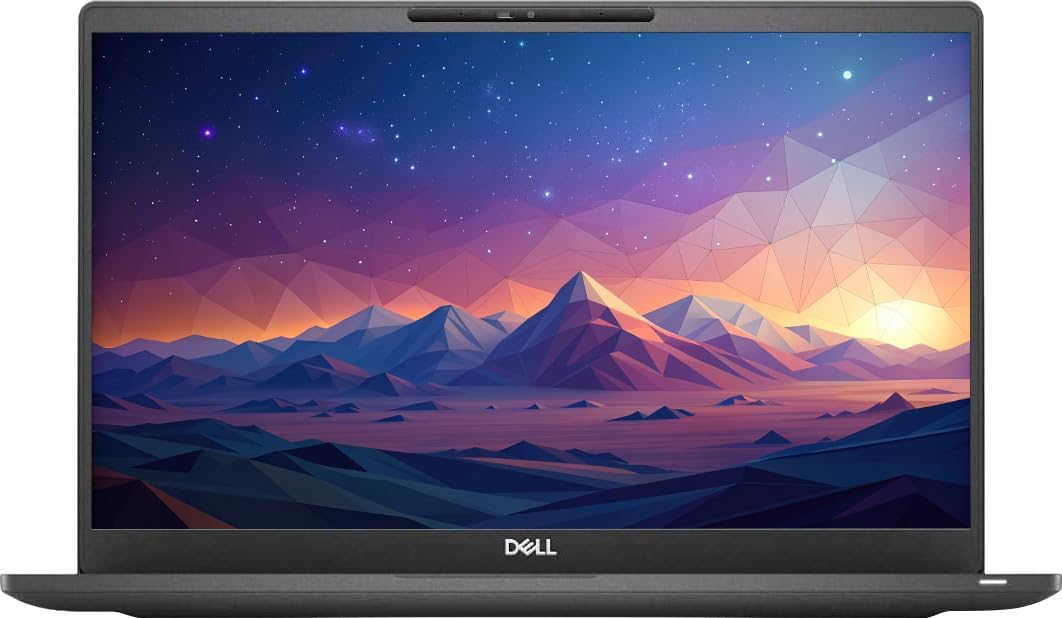


The Dell Latitude 5420 stands out as a top contender in the renewed market. It balances modern processing power with a practical design that suits business environments. With a 3.8 rating from users it has proven reliable for everyday productivity tasks.
We may earn a commission when you buy through this link, at no additional cost to you.
Its Intel Core i5-1145G7 processor handles multiple applications without lag. The 16GB of RAM ensures smooth switching between browsers, documents, and video calls. The 256GB SSD provides fast boot times which is crucial for users who need their device ready immediately.
While the display is functional it lacks the brightness of premium models. Battery performance can also vary depending on the specific unit condition. These trade-offs are acceptable given the price point and the core functionality it delivers.
This laptop is ideal for students or professionals needing a solid workhorse. It supports Windows 11 Pro out of the box making it ready for enterprise environments. We recommend this model for those prioritizing performance over portability.
The 11th generation i5 processor ensures that the laptop remains relevant for years to come.
Ports like HDMI and USB make it easy to connect to projectors and external drives.
We may earn a commission when you buy through this link, at no additional cost to you.
The Dell Latitude 7420 brings a premium feel to the renewed category. Its carbon fiber construction makes it durable yet lightweight which is perfect for travelers. The i7 processor offers a performance boost for heavier workloads.
We may earn a commission when you buy through this link, at no additional cost to you.
With 512GB of storage you get twice the space for files and applications compared to base models. The anti glare display helps reduce eye strain during long working hours. Windows 11 Pro is installed fresh ensuring no bloatware slows you down.
The main downside is the higher cost compared to standard business laptops. Additionally some internal components might be harder to upgrade later. However the initial build quality justifies the investment for many professionals.
We recommend this for users who value portability and durability. It is excellent for those who travel frequently and need a laptop that can withstand daily wear and tear. The carbon fiber shell adds a professional aesthetic too.
Carbon fiber construction ensures the device resists dents and scratches better than plastic alternatives.
The larger SSD capacity means you can store more local data without relying on cloud services.
We may earn a commission when you buy through this link, at no additional cost to you.
The Lenovo ThinkPad L14 features the latest Ryzen 5 PRO processor which offers impressive multi core performance. This model is often preferred by those who prioritize typing comfort and system reliability. The rating reflects strong satisfaction among business users.
We may earn a commission when you buy through this link, at no additional cost to you.
ThinkPads are famous for their keyboards and this one does not disappoint. The trackpoint allows for precise cursor control without taking hands off the keyboard. Connectivity options like HDMI 2.1 and USB-C provide flexibility for modern setups.
It is slightly more expensive than many Dell counterparts. The weight is also a factor if you plan to carry it daily. But the performance gains and build quality make it a compelling choice for power users.
This laptop is best for developers or analysts needing raw speed. The six core architecture handles compilation and data processing well. If you want a machine that feels like a modern workstation this is the pick.
The classic ThinkPad keyboard offers deep key travel and a responsive tactile feedback.
With HDMI 2.1 and USB-C you can connect to 4K monitors and fast charging docks.
We may earn a commission when you buy through this link, at no additional cost to you.
This variant of the Dell Latitude 7420 comes with an i5 processor and substantial storage. Users appreciate the 512GB drive which reduces the need for external hard drives. The 4.0 rating suggests a consistent level of quality.
We may earn a commission when you buy through this link, at no additional cost to you.
The setup is clean with no bloatware which saves time on installation. Bluetooth and WiFi are reliable for staying connected. The display is sharp enough for text and spreadsheets but might struggle in bright rooms.
While the battery is decent it might need frequent charging during travel. The screen brightness is another minor limitation for outdoor use. However these issues do not detract from its core utility as a business machine.
Ideal for office staff who need a reliable daily driver. The storage capacity makes it great for storing project files locally. It strikes a good balance between cost and capability.
Windows 11 Pro is installed without unnecessary apps allowing you to focus on work.
512GB of space lets you keep more documents and media without slowing down the system.
We may earn a commission when you buy through this link, at no additional cost to you.
The Dell Latitude 7400 is a solid choice for those who need versatile connectivity. Its inclusion of Thunderbolt ports allows for fast data transfer and docking capabilities. The 16GB RAM ensures it stays responsive during heavy usage.
We may earn a commission when you buy through this link, at no additional cost to you.
While the processor is older it still handles standard office tasks effectively. The NVMe SSD ensures quick startup times and smooth application loading. The build quality is robust and suitable for frequent handling.
The older CPU might limit performance for very demanding software. Battery efficiency is also less than newer models. However for stationary use it offers great value and reliability.
This model is perfect for users who connect to multiple peripherals. The Thunderbolt support is a standout feature for power users. It is a practical pick for a desk based setup.
Thunderbolt and USB-C ports make it easy to connect modern external displays and drives.
M.2 NVMe technology provides faster read and write speeds than traditional hard drives.
We may earn a commission when you buy through this link, at no additional cost to you.
This model stands out for its high user rating despite being a budget option. It offers a functional experience with 16GB of RAM which helps with multitasking. The HD display is adequate for basic tasks but lacks detail.
We may earn a commission when you buy through this link, at no additional cost to you.
The 8th Gen processor is capable of standard web browsing and document editing. The SSD ensures the system feels responsive even if the CPU is older. It is a practical machine for schools or small businesses.
The lower resolution screen might not be suitable for design work. Performance will lag on very heavy applications. But for general use it is a reliable and affordable choice.
We recommend this for students or home users on a tight budget. It handles everyday tasks well without requiring a large financial commitment. The high rating indicates strong customer satisfaction.
A 4.2 rating shows that users find this model reliable for daily needs.
16GB of memory ensures smooth operation even when many browser tabs are open.
We may earn a commission when you buy through this link, at no additional cost to you.
This entry level model offers the lowest price among the picks. It features a modern processor which is rare at this price point. While it has less RAM it is sufficient for simple tasks like email and web browsing.
We may earn a commission when you buy through this link, at no additional cost to you.
The 11th Gen i5 processor ensures the system stays responsive. Windows 11 Pro is included which adds value over Home versions. The compact design makes it easy to fit in a backpack.
Eight gigabytes of RAM might limit heavy multitasking. Battery life is average and may need charging during the day. But for light users it is an unbeatable value.
This laptop is perfect for students or home office use. It handles basic productivity apps well. If you need a cheap reliable machine this is the top choice.
The 11th Gen i5 ensures the device supports current software requirements.
The low price makes it accessible for those with strict budget constraints.
We may earn a commission when you buy through this link, at no additional cost to you.
The Dell Latitude 5490 is known for its reliability and high ratings. It combines a 512GB SSD with 16GB of RAM for a smooth experience. The VGA port is a bonus for connecting to older projectors.
We may earn a commission when you buy through this link, at no additional cost to you.
While the CPU is older it still delivers consistent performance for office tasks. The display is sharp and clear for documents. The build feels sturdy and can withstand bumps.
It is heavier than newer models which might affect portability. Performance might lag on modern heavy apps. However for standard use it is very dependable.
Ideal for users who need a traditional setup with VGA support. It is great for office environments with legacy equipment. The high rating confirms its durability.
The included VGA port allows connection to older projectors and monitors easily.
The chassis is designed to resist wear and tear from daily office use.
We may earn a commission when you buy through this link, at no additional cost to you.
This model focuses on providing a Full HD display at a lower price. It uses an 8GB RAM config which is fine for single tasking. The SSD ensures quick boot times which improves overall usability.
We may earn a commission when you buy through this link, at no additional cost to you.
The 4.0 rating suggests it meets expectations for basic users. It is lighter than many business laptops making it easy to carry. Windows 11 Pro adds value with advanced features.
Eight gigabytes of RAM limits multitasking capability. The older CPU might struggle with multiple heavy apps. But for general web and document use it works well.
This laptop suits users who prioritize screen clarity. It is a good choice for home students needing a cheap machine. The display quality is a strong selling point.
1920×1080 resolution provides sharp text and clear images for daily use.
The lightweight chassis makes it easy to transport between rooms or buildings.
We may earn a commission when you buy through this link, at no additional cost to you.
This configuration tops the list for raw power. It combines an i7 processor with 32GB of RAM which is rare for a renewed device. It is designed for users who run virtual machines or large datasets.
We may earn a commission when you buy through this link, at no additional cost to you.
The NVMe storage ensures that data access is fast. Thunderbolt support allows for high speed docking. It is a powerhouse that handles demanding tasks with ease.
The price is higher due to the upgraded components. It may also generate more heat under load. But for professionals this performance is necessary.
We recommend this for engineers or data analysts. It is built for heavy workflows. If you need a fast laptop this is the best option available.
32GB of memory allows for running multiple heavy applications simultaneously without slowdown.
M.2 NVMe drives provide faster read and write speeds for large files.
We may earn a commission when you buy through this link, at no additional cost to you.
Selecting the right renewed laptop involves more than just comparing prices. You need to consider the hardware specs and warranty terms to ensure the device meets your needs.
The processor is the brain of your laptop. Newer generations like 11th Gen Intel or Ryzen 5000 offer better efficiency and performance. Older processors might struggle with modern software updates.
Always check the generation number on the Intel or AMD label. Aim for the latest available model within your budget.
Random Access Memory allows you to multitask. Eight gigabytes is the minimum for smooth operation. Sixteen gigabytes is better for power users who run multiple apps.
Look for models with 16GB of RAM to future proof your purchase. It helps prevent slowdowns during daily use.
Solid State Drives are much faster than traditional hard drives. An SSD ensures your laptop boots up quickly. NVMe SSDs are even faster than standard SATA ones.
Prioritize laptops with SSDs. Avoid any models that rely on spinning hard drives for performance.
Renewed laptops come with a warranty to protect against defects. Most offer at least 90 days of coverage. A longer warranty gives you peace of mind regarding repairs.
Always read the warranty details before buying. Ensure it covers parts and labor for any hardware issues.
The screen is what you look at all day. Full HD resolution is standard for clear text. Higher brightness and color accuracy matter for designers.
Check the screen resolution and panel type. IPS panels offer better viewing angles than TN panels.
Ports determine what you can connect to the laptop. USB-A and USB-C are standard. HDMI is needed for external monitors.
Make sure the laptop has the ports you need. Check for Thunderbolt if you have high speed peripherals.
Batteries degrade over time. Renewed laptops often have health reports. Look for high health ratings to ensure long usage.
Check the battery health percentage if listed. Replaceable batteries add extra value for longevity.
Windows 11 is the current standard for security and features. Ensure the license is genuine and active. Linux or Chrome OS options may suit specific users.
Verify the OS version on the listing. Genuine licenses prevent future activation issues.
Start by inspecting the laptop upon arrival. Check the screen for dead pixels and the keyboard for stuck keys. Ensure all ports work by plugging in a device.
Keep your laptop clean by wiping it with a microfiber cloth. Dust ports regularly to prevent connection issues. Avoid using harsh chemicals on the screen.
Update your drivers and Windows immediately. This ensures security patches are applied and performance is optimized. It also helps identify any hardware issues early.
Yes, most renewed laptops are inspected by qualified vendors. They undergo testing to ensure they work like new. Customer reviews help verify reliability.
The terms are often used interchangeably. Renewed usually means Amazon certified while refurbished means vendor certified. Both should come with warranties.
Not always. Some arrive in generic boxes. The contents and accessories should still be original or equivalent. The device itself should look new.
Yes, Amazon offers a return window for most renewed items. Check the specific return policy on the product page. Usually it is 30 days from delivery.
No, renewed laptops usually have shorter warranties. Most come with 90 days coverage. New laptops often have a full year warranty.
Yes, they should have a valid license. The product description often states this. Ensure the license is activated upon setup.
You can use system tools to generate a battery report. Look for design capacity versus current capacity. This tells you how worn the battery is.
Focus on RAM and storage first. At least 8GB RAM and an SSD are essential. A modern processor ensures long term usability.
We have highlighted ten reliable models that cover various needs. The Dell Latitude 7420 offers premium build. The ThinkPad L14 provides excellent typing.
Prioritize specs like RAM and SSD over brand names. Ensure the warranty is acceptable for your peace of mind. Check the condition grade before buying.
Prices change so verify current listings before purchase. Always read the latest customer reviews. This helps ensure your renewed choice is a good one.