
Thermalright TL-P9
4.7Editor score
Silent 4PIN PWM control
S-FDB bearings for durability
Low vibration silicone feet
This guide compares the top 92mm case fans for performance and noise helping you choose the best cooling solution for your compact build needs.
Finding the right 92mm case fans is crucial for maintaining optimal thermal performance in compact PC builds. These small fans must balance airflow and noise while fitting into tight spaces like ITX cases or CPU coolers.
We evaluated ten leading models based on build quality, acoustic performance, and cooling efficiency. Each product was reviewed against specific criteria to ensure they meet the demanding needs of modern system builders.
Each pick highlights key strengths and ideal use cases for different scenarios. Please note that pricing and availability fluctuate frequently so check current listings before making your final purchase decision.
4.7Editor score

4.8Editor score

4.8Editor score
This side-by-side comparison highlights key specifications across all ten selected models to help you quickly identify which fan meets your specific cooling and noise requirements.


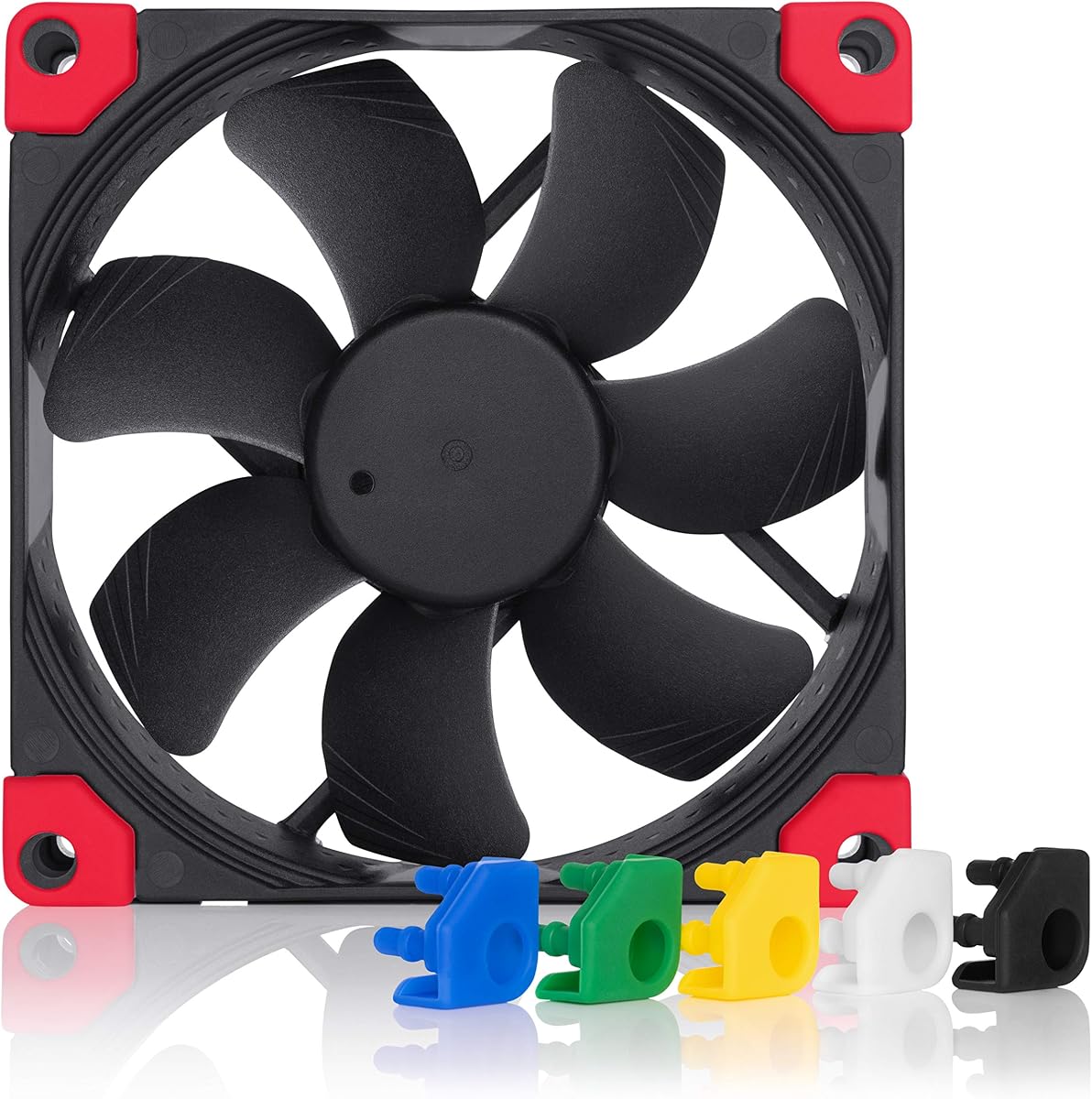


The Noctua NF-A9 PWM stands out as the top choice for builders prioritizing silence without sacrificing cooling power. Its 4.8 rating reflects consistent performance across various compact PC scenarios.
We may earn a commission when you buy through this link, at no additional cost to you.
Flow Acceleration Channels and the Advanced Acoustic Optimisation frame ensure efficient airflow while minimizing turbulence noise. The included Low-Noise Adaptor offers further speed control flexibility for near-silent operation.
While it carries a premium price tag, the longevity and included accessories like anti-vibration mounts justify the investment for those demanding reliable long-term performance in small form factor builds.
Ideal for users with HTPC or ITX cases who want a set-and-forget solution. Its robust construction ensures it remains a staple for quiet computing environments for years to come.
The AAO frame system reduces vibration noise ensuring a peaceful user experience even at higher speeds.
Automatic speed regulation via 4-pin PWM headers allows dynamic thermal management based on system loads.
We may earn a commission when you buy through this link, at no additional cost to you.
This model offers exceptional value for budget-conscious builders needing reliable PWM control. Its high static pressure makes it suitable for radiators and dense heatsinks where airflow resistance is high.
We may earn a commission when you buy through this link, at no additional cost to you.
The inclusion of a cable splitter simplifies installation in cases with limited header availability. The 0dB mode allows the fan to stop completely at low temperatures for silent idle states.
Build quality is solid but uses more plastic compared to premium options. Noise levels increase slightly at maximum RPM but remain acceptable for most standard desktop environments.
Perfect for those seeking performance per dollar without compromising on essential features like PWM control and pressure optimization. It delivers robust cooling for the price point.
Blade design ensures efficient air push through restrictive filters or radiator fins effectively.
Cable splitter included means you can daisy chain multiple fans easily without extra adapters.
We may earn a commission when you buy through this link, at no additional cost to you.
Designed for low-profile CPU coolers and tight spaces, this fan delivers high performance despite its thin profile. The chromax.black.swap edition allows for aesthetic customization with included colored pads.
We may earn a commission when you buy through this link, at no additional cost to you.
Flow Acceleration Channels ensure effective cooling even with reduced thickness. Its premium build quality matches the reputation of the brand with consistent quiet operation and reliable bearing performance.
Price is a barrier for casual users but justified for those needing premium specs and aesthetic flexibility. It fits perfectly in HTPC or ITX builds where clearance is minimal.
Recommended for builders needing a high-performance slim fan that maintains quality and looks good. It is a top choice for compact systems requiring efficient thermal management.
14mm thickness fits where standard 25mm fans cannot making it ideal for compact coolers.
Swappable pads let you match your build colors adding a unique personal touch to the case.
We may earn a commission when you buy through this link, at no additional cost to you.
Similar to the chromax version but without aesthetic extras, this model focuses on core performance for low profile cooling. It excels in cases where height clearance is strictly limited.
We may earn a commission when you buy through this link, at no additional cost to you.
The A-Series blade geometry ensures optimal airflow while minimizing noise turbulence. The bearing technology ensures long-lasting smooth operation suitable for continuous usage cycles.
While expensive, it is one of the few reliable options for slim high performance fans. Users appreciate the balance of noise and cooling efficiency in restricted physical spaces.
Buy this if you need a premium slim fan without extra customization features. It remains a strong contender for efficient thermal management in tight build enclosures.
SSO2 bearing technology minimizes friction ensuring years of smooth silent operation.
A-Series blades designed to maintain airflow efficiency despite the reduced thickness profile.
We may earn a commission when you buy through this link, at no additional cost to you.
This Thermalright model offers outstanding affordability while delivering decent acoustic performance. It is a solid choice for budget builders needing a reliable replacement fan without compromising too much on quality.
We may earn a commission when you buy through this link, at no additional cost to you.
Vibration damping pads help reduce noise transmission effectively. The bearing technology ensures smooth operation which helps keep the noise floor lower than other budget fans.
While build materials are not premium, it performs well under normal conditions. The price allows users to buy multiple units for a case without breaking their budget.
Choose this if you need functional quiet cooling on a tight budget. It provides excellent value for money in competitive thermal management scenarios.
Four silicone feet reduce vibration friction keeping noise low during rotation.
Seven blade design and 2200 RPM provide strong airflow for effective heat dissipation.
We may earn a commission when you buy through this link, at no additional cost to you.
Ideal for users wanting a simple reliable fan without complex wiring. Its fixed speed of 1900 RPM provides balanced performance that is quiet enough for most home environments.
We may earn a commission when you buy through this link, at no additional cost to you.
Optimized static pressure ensures air pushes effectively through dense components. The bearing technology reduces friction which helps maintain quiet operation over long periods.
Since it lacks PWM, users may need external controllers for speed adjustments. However, its simplicity is a benefit for those who prefer plug-and-play solutions.
Buy this for straightforward cooling needs in cases with adequate header support. It delivers consistent quiet performance without needing advanced motherboard features.
Fixed speed ensures stable cooling without requiring complex PWM configuration.
Optimized blades ensure air moves effectively through radiators or heatsinks with resistance.
We may earn a commission when you buy through this link, at no additional cost to you.
This model brings premium performance to black builds without compromising on thermal quality. The chromax.black.swap edition ensures your case aesthetics remain consistent with dark components.
We may earn a commission when you buy through this link, at no additional cost to you.
Flow Acceleration Channels maintain efficiency similar to the standard brown version. The included pads allow customization to match your build theme easily.
It is a top choice for those who value both looks and function equally. The all-black frame hides cables and mounts better in dark cases.
Recommended for enthusiasts wanting a cohesive dark theme with reliable thermal performance. It remains a strong choice for quiet and efficient cooling.
Uniform black design ensures a seamless look in dark cases and builds.
Matches standard performance standards ensuring high airflow despite the color change.
We may earn a commission when you buy through this link, at no additional cost to you.
This slim fan offers high speed capabilities ideal for tight CPU coolers. The 15mm thickness ensures clearance where 25mm models would fail.
We may earn a commission when you buy through this link, at no additional cost to you.
Vibration damping pads reduce noise transmission during high RPM operation. The 4-pin PWM allows users to manage speed effectively based on system load.
While it lacks extra accessories, it delivers solid cooling for the price. The high RPM capability ensures even small systems stay cool during intensive tasks.
Buy this for slim cooling needs requiring strong airflow. It is a cost-effective option for compact desktop PC enclosures.
15mm profile supports high RPM speeds fitting into tight spaces easily.
Silicone feet reduce vibration ensuring low noise even at high speeds.
We may earn a commission when you buy through this link, at no additional cost to you.
This fan is ideal for PSU or older setups using 3-pin connectors. It ensures consistent low noise operation without relying on motherboard headers.
We may earn a commission when you buy through this link, at no additional cost to you.
The included Low-Noise Adaptors allow three distinct speed settings for flexible control. The SSO2 bearing ensures smooth long-term performance even at lower speeds.
It is a specialized tool for users needing quiet PSU or case cooling without PWM. Its reliability makes it a trusted choice for silent enthusiasts.
Choose this if you need a reliable quiet fan without PWM headers. It remains an excellent choice for silent builds powered by standard PSUs.
3-pin connector ensures compatibility with older systems and power supply adapters.
Adaptors allow three different speeds for tailored noise and cooling performance.
We may earn a commission when you buy through this link, at no additional cost to you.
This model is designed for extreme cooling scenarios requiring high air pressure. It excels in radiators where pushing air through dense fins is necessary.
We may earn a commission when you buy through this link, at no additional cost to you.
The fluid dynamic bearing provides smooth performance across the wide speed range. At maximum RPM, it offers impressive CFM for demanding thermal conditions.
While it can be loud at high speeds, the 0dB mode ensures silence at low loads. It is a strong option for overclocking or high-density builds.
Buy this for cases requiring maximum airflow through restrictive filters or fins. It is a high-performance choice for users who prioritize cooling over silence.
High static pressure ensures air moves effectively through dense radiators and filters.
Extensive RPM range allows flexible tuning for noise or cooling demands.
We may earn a commission when you buy through this link, at no additional cost to you.
Selecting the right fan involves balancing noise, airflow, and physical constraints. This section details the key factors to consider before making a purchase.
Ensure the fan matches your case or cooler space. 92mm fans vary in thickness from 14mm to 25mm affecting clearance for components like heatsinks.
Always measure available space before purchasing to avoid fitting issues in your specific build.
Noise is measured in decibels and should align with your tolerance. Look for fans rated under 25 dB(A) for quiet environments or those with Low-Noise Adaptors.
Prioritize models with rubber mounts to reduce vibration transmission which can increase perceived noise.
PWM fans allow automatic speed control via motherboard headers. DC fans usually offer fixed speeds or voltage control requiring specific headers.
Choose PWM if your motherboard supports it for dynamic thermal management.
CFM measures volume flow ideal for open cases. Static pressure (mmH2O) is crucial for pushing air through radiators or filters.
Select high static pressure fans for restricted environments and high airflow for open cases.
SSO2 and Fluid Dynamic bearings offer long lifespans and smooth operation. Sleeve bearings may wear faster but cost less.
Check MTTF ratings to ensure long-term reliability.
Some models offer swappable pads or all-black designs to match your build theme.
Decide if aesthetics are a priority when selecting between standard and chromax variants.
Look for anti-vibration mounts and extension cables in the package. These simplify installation and improve performance.
Accessories like splitters reduce cable clutter in tight cases.
Budget fans may compromise on noise or build quality. Premium models offer longevity and quieter operation.
Determine if the cost savings justify potential noise trade-offs.
Install fans using provided screws and rubber mounts to minimize vibration. Ensure correct airflow direction for optimal cooling efficiency.
Regularly clean dust buildup from blades to maintain performance. Use compressed air every six months for best results.
Check connector security periodically. Ensure all pins align correctly to prevent power issues.
They can be louder due to smaller blades requiring higher RPM for same airflow. However, quality models are very quiet and suitable for most cases.
PWM is recommended for motherboard control but DC fans work on fixed speeds. Choose based on available motherboard headers and control needs.
Most rated for over 100,000 hours of continuous use. Bearing type and operating speed influence actual lifespan.
Typically below 1500 RPM ensures low noise. Use Low-Noise Adaptors to achieve this without losing performance.
Yes, especially with low profile coolers. Ensure clearance matches cooler design for compatibility.
Yes, they reduce vibration and noise effectively. Always use provided mounts for best acoustic results.
High static pressure fans are best for restricted cases. They push air through filters and heatsinks effectively.
Listen for smooth operation or check BIOS speed readings. Ensure no physical obstruction hinders blade rotation.
The Noctua NF-A9 PWM remains the top choice for reliable quiet performance in compact builds. It balances efficiency and noise for most scenarios.
Budget buyers should consider the Thermalright TL-P9 for its affordable price and reliable acoustic performance.
Always verify current availability and pricing before purchase as inventory changes frequently.