
TP-Link AC1900 Smart WiFi Router
4.5Editor score
Dual band WiFi speeds
OneMesh compatible support
Parental control features
This guide compares the top ten AC1900 wireless routers for home networking, covering speed, security, range, and device support to help you choose the right
Finding the right networking equipment is essential for a smooth online experience in modern homes. AC1900 wireless routers offer a balance of speed and coverage that suits most families with multiple connected devices streaming media and working remotely.
We compared ten highly rated models based on their technical specifications, user feedback, and feature sets. This list includes options from leading brands known for reliability and performance in the competitive router market.
Each pick highlights key strengths and potential limitations to guide your decision. Note that product availability and pricing can change frequently so check current listings before purchasing your new wireless router.
4.5Editor score

4.5Editor score

4.3Editor score
The following table provides a side-by-side comparison of the top ten AC1900 wireless routers available today to help you evaluate their key specifications at a glance.


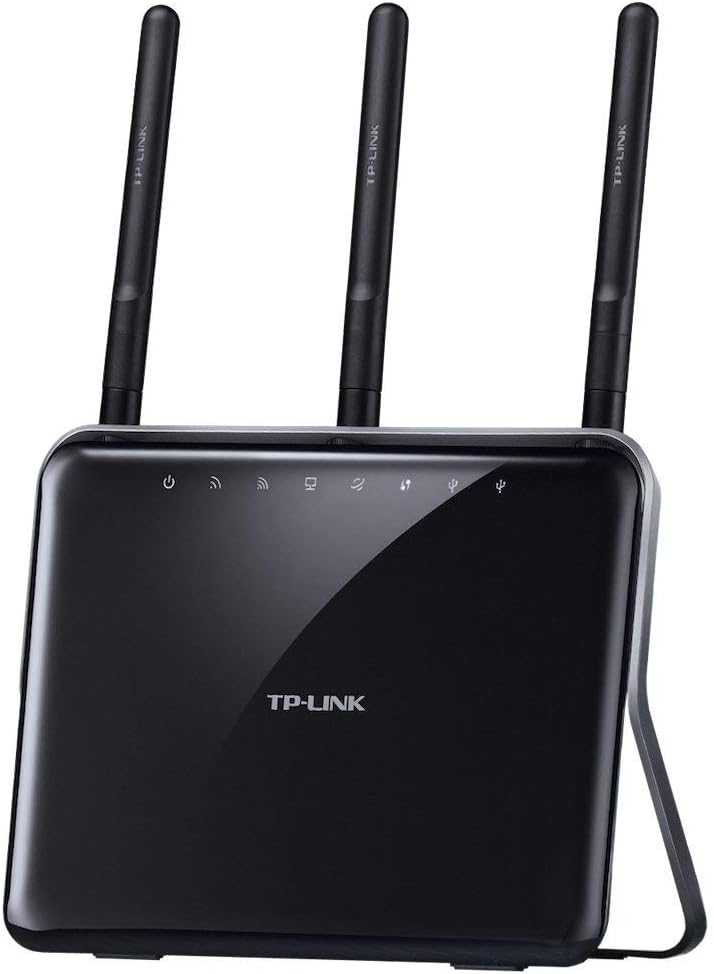


The TP-Link Archer A8 stands out as a reliable budget-friendly option for households seeking solid AC1900 performance without breaking the bank. With a rating of 4.5 stars from users it delivers consistent speeds across dual bands for smooth streaming and browsing experiences.
We may earn a commission when you buy through this link, at no additional cost to you.
This router supports MU-MIMO technology which allows multiple devices to communicate simultaneously with improved efficiency reducing lag during peak usage times. The OneMesh compatibility ensures you can expand your network coverage seamlessly with extenders without changing your entire setup.
While it lacks a USB port for storage sharing the included Gigabit ports are sufficient for connecting wired devices like consoles and PCs. The Tether app makes management simple offering parental controls to limit screen time and filter content effectively.
This model is ideal for families who need dependable Wi-Fi coverage up to 1200 square feet without complex features. It balances cost and performance well making it a top choice for budget-conscious buyers upgrading from older routers.
OneMesh compatibility allows you to add extenders later to cover dead zones without needing a new router system.
The Tether app provides intuitive controls for setup parental restrictions and firmware updates directly from your mobile device.
We may earn a commission when you buy through this link, at no additional cost to you.
The ASUS RT-AC68U earns its spot as Editor's Choice by offering top-tier features like AiProtection Pro and a powerful dual-core CPU. With a 4.5 star rating users praise its ability to handle heavy traffic and protect connected devices from online threats reliably.
We may earn a commission when you buy through this link, at no additional cost to you.
Its Broadcom TurboQAM technology boosts data rates for faster performance while the 1 GHz processor ensures smooth multitasking even with many devices connected. Five gigabit LAN ports provide ample wired connections for desktops and media centers without sacrificing wireless bandwidth.
Although the price is higher than basic models the included security features save money on separate antivirus services. The AsusWRT interface is robust yet accessible allowing advanced users to tweak settings while keeping setup effortless for beginners.
This router is best suited for tech-savvy households or those prioritizing security and performance. It delivers excellent coverage and stability making it a long-term investment for demanding networks needing consistent high-speed internet.
AiProtection Pro powered by Trend Micro blocks malicious sites and detects infected devices automatically to keep your data safe.
The dual-core CPU dedicates separate lanes for Wi-Fi and USB data ensuring no slowdowns during heavy usage.
We may earn a commission when you buy through this link, at no additional cost to you.
The NETGEAR Nighthawk R7000 is a premium choice offering extensive features like Armor security and USB storage sharing for personal cloud access. Rated 4.3 stars it remains popular for its ability to cover large homes up to 1800 square feet with strong signals.
We may earn a commission when you buy through this link, at no additional cost to you.
Equipped with a dual-core processor and Beamforming technology it maintains stable connections for thirty devices streaming or gaming simultaneously. The USB 3.0 port allows you to connect external drives for media storage accessible from any device on your network.
While the parental controls and Armor security offer powerful tools some features require a subscription which may add to the overall cost. However the included 30-day trial lets you evaluate these services before committing to a monthly fee.
Ideal for large households with many smart devices this router balances advanced security with practical connectivity options. Its wide coverage and robust build quality make it a strong candidate for those needing reliable performance over a large area.
Connect a USB drive to share files and photos across all devices on your network from anywhere using a personal cloud.
Netgear Armor powered by BitDefender protects all connected devices from malware and viruses with a 30-day free trial.
We may earn a commission when you buy through this link, at no additional cost to you.
The NETGEAR Nighthawk R6900P offers a streamlined version of the R7000 with similar performance but a more affordable price point. With a 4.3 star rating it provides robust coverage for up to 1800 square feet and handles thirty connected devices effortlessly.
We may earn a commission when you buy through this link, at no additional cost to you.
It includes a single USB 3.0 port for sharing drives and printers while retaining the powerful Armor security suite to protect your network. Beamforming plus technology directs signals to connected devices improving range and stability throughout your home.
While it lacks the second USB port of the R7000 it covers most basic storage needs. The Smart Parental Controls let you manage screen time and filter content though some features require a small monthly subscription.
This router is perfect for households needing solid performance and security without the extra cost of premium models. It balances value and features well making it a reliable choice for families with multiple streaming and gaming devices.
Manage screen time and filter content effectively to promote healthy internet habits for your family.
Prioritize bandwidth for important tasks like gaming or video calls to ensure smooth performance.
We may earn a commission when you buy through this link, at no additional cost to you.
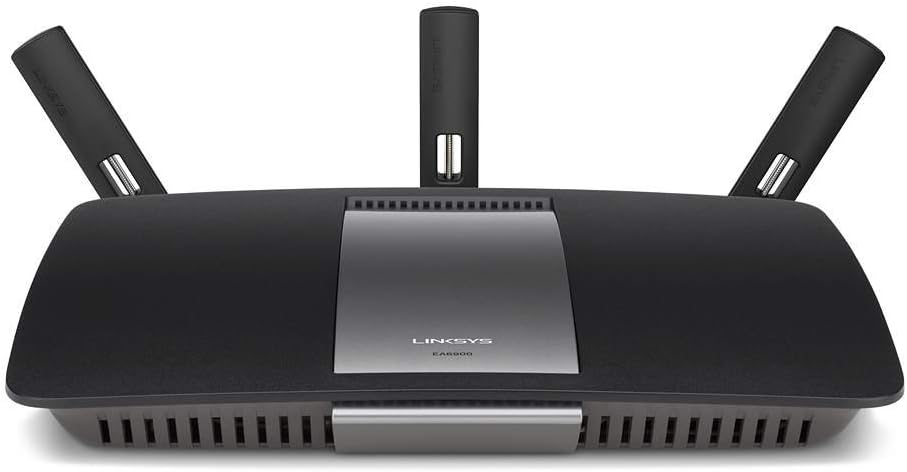
The Linksys EA6900 is a versatile option known for its dual USB ports and Smart WiFi app support for easy remote management. Rated 4.3 stars it delivers consistent AC1900 speeds for streaming and browsing across dual bands simultaneously.
We may earn a commission when you buy through this link, at no additional cost to you.
Its Beamforming technology ensures strong signal strength by tracking your devices as you move around the house. The DLNA certification makes it easy to stream media from your computer to smart TVs or consoles connected on the network.
While the dual-core CPU is slower than newer models it still handles typical home loads well. The two USB ports allow you to connect both storage and printers at once which is rare at this price point.
This router suits users who value connectivity options and ease of use. It is a solid choice for those needing flexible wired and wireless connections without sacrificing performance or security.
The Smart WiFi app lets you set up and control your network from anywhere using your smartphone.
Dual USB ports allow you to connect external storage and printers simultaneously for maximum versatility.
We may earn a commission when you buy through this link, at no additional cost to you.
The TP-Link Archer C80 is a renewed model offering excellent value with a 4.5 star rating. It supports MU-MIMO for efficient multi-device streaming and OneMesh compatibility for easy network expansion across larger homes.
We may earn a commission when you buy through this link, at no additional cost to you.
With a 1.2 GHz CPU and Beamforming technology it provides strong coverage for medium-sized houses up to three bedrooms. The Tether app simplifies setup and management making it accessible for users with little technical experience.
While the antennas are fixed and not adjustable the design maximizes signal distribution through high-performance fixed arrays. It offers all essential features like parental controls and guest networks without unnecessary complexity or high costs.
This router is ideal for those looking to upgrade to AC1900 speeds on a budget. It balances performance and ease of use well making it a practical choice for modern family networks.
Expand your network easily with OneMesh compatible extenders without needing to set up a new SSID.
MU-MIMO technology allows multiple devices to receive data simultaneously reducing lag during busy times.
We may earn a commission when you buy through this link, at no additional cost to you.
The TP-Link Archer C1900 is designed with gaming and streaming in mind using high power amplifiers to extend signal strength. Rated 4.4 stars it delivers consistent 1900 Mbps speeds for lag-free gameplay and 4K streaming.
We may earn a commission when you buy through this link, at no additional cost to you.
Its dual-core processor handles multiple wired and wireless connections simultaneously ensuring stability during peak usage. Three dual-band antennas boost coverage to reach devices in distant rooms without dropping connections frequently.
While it lacks a USB port the focus remains on wired performance with four Gigabit Ethernet ports for consoles and PCs. This design minimizes latency and maximizes bandwidth for users who prioritize speed over storage sharing.
Ideal for gamers and media enthusiasts this router provides reliable performance at a competitive price. It is a solid choice for households where low latency and consistent connectivity are top priorities.
High power amplifiers in the antennas boost signal strength to reach devices across large homes.
Optimized settings ensure low latency for online gaming and smooth 4K streaming without interruptions.
We may earn a commission when you buy through this link, at no additional cost to you.
The ASUS RT-AC68P is a balanced model offering solid performance with five gigabit ports and dual USB support. Rated 4.2 stars it provides reliable dual-band speeds and features like AiRadar beamforming for better signal stability.
We may earn a commission when you buy through this link, at no additional cost to you.
Its Broadcom TurboQAM technology increases data rates while the dual-core processor ensures responsive performance for Wi-Fi and USB devices. The ASUSWRT interface makes setup quick and robust networking control accessible for all users.
While it is an older model it still competes well with newer routers thanks to its versatile connectivity options. AiCloud allows you to access and share files from compatible routers creating a private cloud server easily.
This router suits users who need multiple wired connections and cloud features. It is a dependable choice for households seeking a mix of performance and utility without needing the latest cutting-edge tech.
Five gigabit ports and dual USB support allow you to connect many devices without needing extra hubs.
AiCloud service lets you access sync and share data across devices on your network anytime.
We may earn a commission when you buy through this link, at no additional cost to you.
The ASUS RT-AC67P is known for its ease of setup and user-friendly interface making it accessible for all skill levels. Rated 4.2 stars it offers reliable coverage up to 3000 square feet with AiRadar beamforming and MU-MIMO support.
We may earn a commission when you buy through this link, at no additional cost to you.
Its six layers of network security provide peace of mind while the ASUS Router App allows remote management and diagnostics. The dual-band design delivers speeds up to 1900 Mbps ensuring smooth streaming and browsing.
Although it may lack some advanced hardware of newer models it covers essential features well for most households. VPN support adds an extra layer of security for users needing private access while browsing online.
Ideal for first-time router buyers or those seeking simplicity this model balances power and usability. It is a solid choice for families prioritizing easy management and wide coverage.
Three-step setup via web browser gets you online in under 30 seconds with intuitive guidance.
The ASUS Router App lets you manage traffic and update firmware without needing a computer.
We may earn a commission when you buy through this link, at no additional cost to you.
The ASUS RT-AC1900P is a powerful model offering AiMesh compatibility and lifetime security features for seamless whole-home networking. Rated 4.4 stars it supports speeds up to 1900 Mbps with high-performance antennas and AiRadar for wide coverage.
We may earn a commission when you buy through this link, at no additional cost to you.
Its five gigabit Ethernet ports and USB 3.1 port provide flexible connectivity for devices needing fast wired access. AiProtection powered by Trend Micro blocks threats automatically protecting all connected smart devices without extra fees.
While it is pricier than basic routers the lifetime security saves long-term costs and offers peace of mind. This model is ideal for users planning to build a mesh network over time without replacing hardware.
Ideal for tech-savvy households or those needing extensive wired connectivity this router delivers on performance and security. It is a strong investment for anyone seeking a future-proof networking solution.
AiMesh compatibility allows you to connect multiple routers to create a flexible network covering your entire home.
AiProtection offers lifetime security to block threats for all devices without needing a subscription.
We may earn a commission when you buy through this link, at no additional cost to you.
Selecting the right router depends on your home size device count and specific needs like security or gaming. Here are key factors to consider before purchasing.
The physical size of your home determines the range you need. AC1900 routers typically cover between 1200 to 3000 square feet. Look for Beamforming technology or external antennas to boost signal strength in larger spaces.
Choose a model with coverage matching your home layout to avoid dead zones and ensure consistent connectivity.
Modern households often have dozens of smart devices phones and laptops connected simultaneously. MU-MIMO technology allows the router to communicate with multiple devices at once rather than one by one reducing lag.
Opt for routers with MU-MIMO support if you have many users streaming or gaming at the same time.
Some models offer USB ports for sharing printers or storage devices while others focus solely on wireless speed. Consider if you need Gigabit LAN ports for wired connections to consoles or desktop PCs.
Check the number of Ethernet and USB ports to ensure they meet your specific wired device requirements.
Built-in security features like AiProtection or Armor help protect your network from malware and intrusions. Some routers include lifetime security while others require a subscription for advanced protection.
Prioritize models with robust built-in security to safeguard sensitive data without extra monthly costs.
Parental control features allow you to set time limits block content and monitor usage. Some routers offer these for free while others charge for advanced scheduling and detailed reporting.
Select a router with easy-to-use parental controls if you need to manage your children's internet access effectively.
A user-friendly app makes setup and ongoing management much easier. Look for routers with intuitive mobile apps that allow remote access and firmware updates.
Choose a router with a responsive app if you prefer managing your network from your smartphone.
Some routers support mesh systems like OneMesh or AiMesh which allow you to add extenders easily. This is crucial if you plan to expand coverage later without buying a completely new system.
Consider expandability options if your home might grow or if you anticipate needing wider coverage in the future.
Prices vary widely depending on features. Budget models may lack advanced ports or security while premium models offer more robust protection and higher performance.
Balance your budget with your specific needs to find the best value for your situation.
Place your router in a central elevated location to maximize signal coverage throughout your home. Avoid placing it near thick walls metal objects or appliances that cause interference.
Update your router firmware regularly to patch security vulnerabilities and improve performance. Most routers offer automatic updates or mobile app notifications to keep you informed.
Periodically restart your router to clear cache and maintain stable connections. This simple step helps resolve connectivity issues and ensures optimal performance for all devices.
AC1900 refers to the maximum combined wireless speed of 1900 Mbps across both bands. Typically it means up to 600 Mbps on 2.4GHz and 1300 Mbps on 5GHz bands for dual-band routers.
Most AC1900 routers use Wi-Fi 5 or 802.11ac technology rather than Wi-Fi 6. Newer Wi-Fi 6 models often have different speed ratings and higher cost.
Place the router centrally away from walls and obstructions. Ensure firmware is updated and consider adding a compatible range extender if the coverage area is too large.
Basic parental controls like site blocking are often free while advanced features like detailed reporting may require a subscription. Check each model's features before buying.
MU-MIMO lets a router send data to multiple devices simultaneously improving speed and reducing lag when many devices are connected. It is essential for busy households.
Yes AC1900 routers work with most internet service providers as long as you have a separate modem. They connect to your modem via Ethernet cable to distribute internet.
Many AC1900 models include USB ports for connecting storage or printers. However some budget or gaming-focused models omit USB for faster performance or lower cost.
The ten AC1900 routers reviewed here offer reliable performance for most households with strong speeds and security features. The TP-Link Archer A8 is ideal for budget shoppers while the ASUS RT-AC68U stands out for advanced users.
When choosing prioritize factors like coverage area device capacity and security needs to match your home environment. Consider whether you need USB ports or mesh expandability before making your final decision.
Remember that prices and availability change so check current listings and reviews before purchasing to ensure you get the best deal for your specific networking needs.