
Logitech B100
4.6Editor score
Zero setup plug and play
Ambidextrous comfortable shape
Recycled plastic construction
This guide compares the top durable computer mouse models for 2026, focusing on build quality, battery life, ergonomics, and long term reliability for daily
Finding a durable computer mouse is essential for anyone who spends hours daily navigating spreadsheets or drafting documents. A reliable device ensures precision and comfort without frequent replacements or frustrating disconnections during critical tasks.
We evaluated ten leading models based on build materials, battery longevity, ergonomic design, and user feedback. Our analysis highlights options ranging from budget wired units to premium wireless mice designed for heavy professional use.
Each pick demonstrates specific strengths in durability and performance suited to different needs. Please note that prices fluctuate regularly so verify current costs before purchasing to ensure you get the best value for your investment today.
4.6Editor score

4.5Editor score

4.5Editor score
The following table provides a side by side overview of the ten top ranked durable computer mouse models evaluated in this guide. Each entry includes key specifications to help you compare features at a glance.





The Logitech M705 Marathon stands out as the top choice for users seeking a durable computer mouse that delivers on longevity and performance. With a rating of 4.5 stars it has earned trust through its robust construction and ability to handle heavy daily use without degradation.
We may earn a commission when you buy through this link, at no additional cost to you.
Its most defining feature is the incredible three year battery life which reduces waste and hassle significantly. The hyper fast metal scroll wheel allows rapid navigation through long documents while the laser grade tracking ensures precision even on challenging surfaces like polished wood tables.
While it is priced higher than budget options the investment pays off in reduced replacements and superior comfort. The sculpted right handed shape guides your hand naturally but may not suit left handed users who require an ambidextrous alternative for equal ergonomics.
Anyone requiring a reliable workhorse for professional environments should prioritize this model. It balances endurance precision and comfort better than most competitors making it the definitive pick for those who value long term reliability in their daily tools.
The advanced power management system allows you to work for years on a single battery reducing environmental impact and maintenance interruptions.
Laser grade tracking technology ensures smooth cursor control even on glossy or textured surfaces where standard optical sensors often struggle.
We may earn a commission when you buy through this link, at no additional cost to you.
The Logitech B100 offers exceptional value for those needing a basic yet durable computer mouse without unnecessary bells or whistles. Its 4.6 star rating reflects widespread satisfaction with its simplicity and reliability in office and home settings alike.
We may earn a commission when you buy through this link, at no additional cost to you.
As a wired model it eliminates battery concerns entirely ensuring consistent performance without signal interference. The ambidextrous shape accommodates both left and right handed users while the certified post consumer recycled plastic construction aligns with sustainability goals.
The main trade off is the lack of advanced features like adjustable DPI or wireless freedom. However for standard tasks such as browsing or document editing the fixed 800 DPI and flexible USB cable provide more than enough functionality.
This mouse is ideal for students bulk deployments or budget conscious buyers who prioritize durability over high end specs. It proves that you do not need to spend heavily to get a quality device that withstands daily wear and tear.
A significant portion of the plastic components is made from recycled materials reducing environmental impact without compromising structural integrity.
Plug and play flexibility ensures instant functionality with both Windows and Mac systems without requiring any additional drivers or software.
We may earn a commission when you buy through this link, at no additional cost to you.
The Logitech Signature M650 L represents the pinnacle of modern durable computer mouse design combining premium materials with innovative quiet technology. Its 4.5 star rating highlights its success in delivering a refined experience for professionals in shared workspaces.
We may earn a commission when you buy through this link, at no additional cost to you.
SilentTouch technology reduces click noise by ninety percent ensuring focus is maintained during calls or collaborative work. The SmartWheel allows effortless switching between precision line by line scrolling and hyper fast movement making it versatile for various task types.
While the price is higher it is justified by the build quality and extended two year battery life. Users may need to install Logi Options+ software to unlock full customization which adds a minor setup step for advanced features.
This model is perfect for executives or office workers who value silence and ergonomics. The large size ensures comfort for bigger hands while the multi platform compatibility allows seamless switching between desktop and mobile devices throughout the day.
Engineered to minimize noise the SilentTouch mechanism delivers the same tactile feedback without the disruptive sound that can disturb colleagues nearby.
The SmartWheel technology enables instant mode switching so you can scroll quickly through pages or precisely through documents with a simple flick.
We may earn a commission when you buy through this link, at no additional cost to you.
The Logitech M185 is designed for users who prioritize portability without sacrificing durability. With a 4.4 star rating it is recognized as a reliable companion for travelers and those with limited desk space.
We may earn a commission when you buy through this link, at no additional cost to you.
Its compact form factor fits easily in laptop bags while the tiny nano receiver stays hidden in the computer when not in use. The ambidextrous shape ensures comfort for both hands making it a versatile choice for shared devices.
While it lacks advanced scroll wheels or DPI switching it delivers consistent performance for everyday tasks. The one year battery life means less frequent changes and the strong wireless signal maintains connectivity up to thirty three feet.
This mouse is best for students or frequent travelers who need a lightweight solution. It offers robust build quality in a small package proving that compact devices can still be tough and efficient for daily professional use.
The small footprint and internal receiver storage make it easy to pack and transport without risking loss or damage during transit.
A strong 2.4 GHz connection ensures stable performance even at distances up to thirty three feet from your computer.
We may earn a commission when you buy through this link, at no additional cost to you.
The Logitech M510 is celebrated for its ergonomic comfort and versatile scrolling capabilities. A 4.6 star rating indicates strong approval from users who spend long hours working at their computers.
We may earn a commission when you buy through this link, at no additional cost to you.
Soft rubber grips and a contoured shape provide support that reduces hand strain during extended sessions. The side to side scrolling feature is particularly useful for spreadsheets allowing seamless horizontal navigation without awkward wrist twisting.
While some advanced programmable features require software the basic functionality is robust out of the box. The two year battery life and Unifying receiver ensure it remains a dependable tool for office environments or home offices.
This mouse suits users who need more control than basic models offer. It strikes a balance between size and features making it ideal for those who want ergonomic support without sacrificing wireless convenience or battery efficiency.
Side to side scrolling makes navigating wide spreadsheets or maps significantly easier by reducing the need for repeated clicking or dragging.
Soft rubber grips and broad palm support are engineered to minimize fatigue during prolonged daily use throughout the workday.
We may earn a commission when you buy through this link, at no additional cost to you.
The TECKNET USB Wired Mouse offers impressive technical specs for its price point earning a 4.5 star rating for performance and reliability. It is engineered for users who need precision without wireless interference.
We may earn a commission when you buy through this link, at no additional cost to you.
Tru-Wave technology ensures accurate tracking even on smooth surfaces like glass which is rare for budget devices. The tested durability of over six million keystrokes guarantees a long lifespan even under heavy daily clicking conditions.
Four adjustable DPI levels allow customization for different tasks while side buttons improve browsing efficiency. While it lacks extensive software features the hardware itself provides robust functionality that satisfies most general computing needs.
This mouse is an excellent choice for those seeking a wired solution with gaming grade responsiveness. It combines durability and adjustability making it a strong contender for work or light gaming where consistency is key.
Tru-Wave sensors ensure precise cursor movement on difficult surfaces like glass providing confidence during critical design or editing tasks.
Tested for over six million keystrokes the internal switches are built to last far longer than standard office mice.
We may earn a commission when you buy through this link, at no additional cost to you.
The Logitech Signature M550 L is designed specifically for environments where noise is a concern. Its 4.5 star rating reflects high satisfaction among office workers and remote professionals needing focus.
We may earn a commission when you buy through this link, at no additional cost to you.
SilentTouch technology reduces click noise by ninety percent allowing discreet operation without sacrificing tactile feedback. The SmartWheel offers flexible scrolling options so users can switch between precision and speed effortlessly.
Dual connectivity via Bluetooth or a USB receiver provides flexibility across different devices. While the large size ensures comfort for bigger hands it might be cumbersome for smaller users or tight laptop bag storage.
This mouse is ideal for shared workspaces or quiet homes where sound matters. Its long battery life and robust build quality make it a dependable choice for those who prioritize a noise free workflow.
Advanced silent click mechanisms ensure that your work environment remains distraction free even during long sessions of repetitive clicking.
Choose between Bluetooth or a USB receiver to connect seamlessly to a wide range of laptops and desktops without cables.
We may earn a commission when you buy through this link, at no additional cost to you.
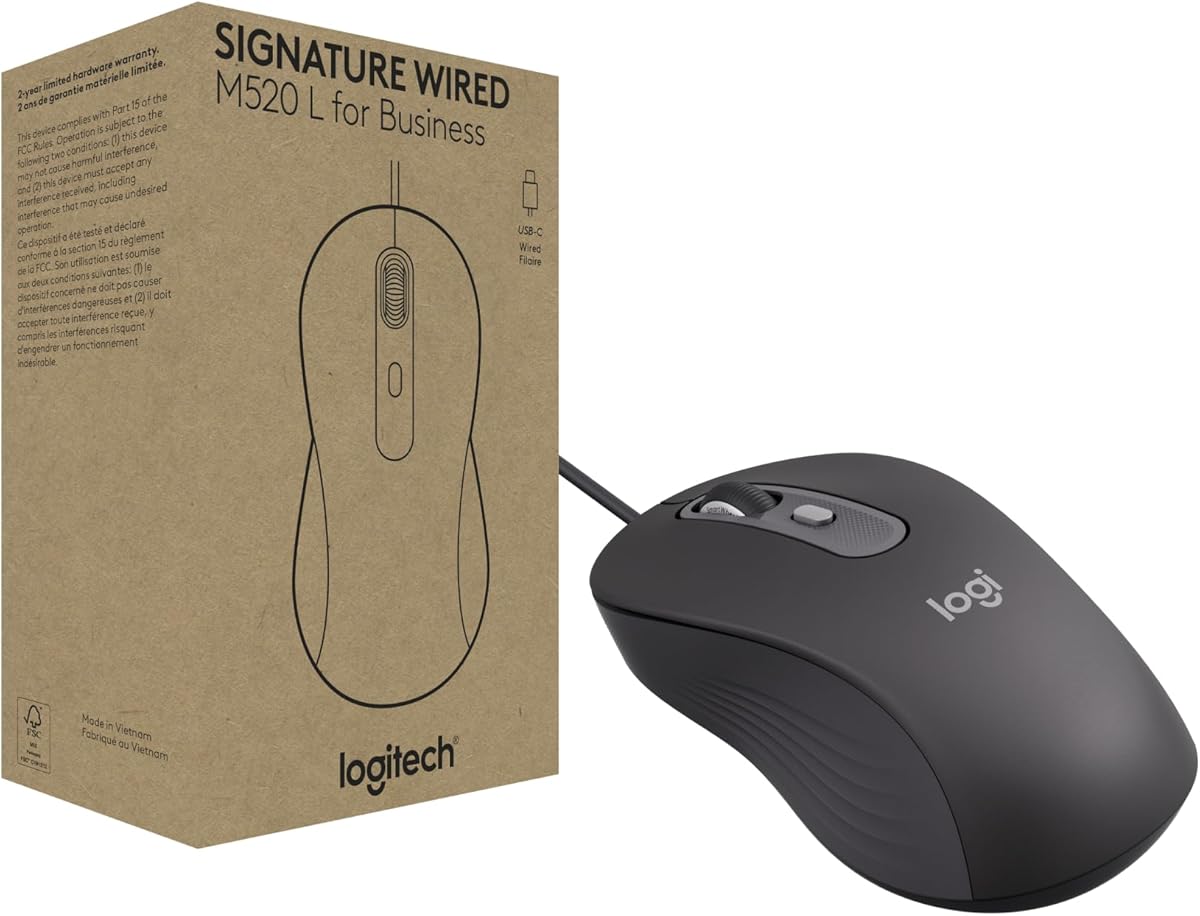
The Logitech Signature M520 L is tailored for corporate environments requiring secure and durable wired solutions. A 4.3 star rating indicates solid performance among IT departments and enterprise users.
We may earn a commission when you buy through this link, at no additional cost to you.
Its USB-C connection offers modern connectivity while the SilentTouch technology ensures minimal noise in open offices. The ambidextrous design and multi OS compatibility simplify deployment across diverse company hardware.
Power efficiency is improved significantly reducing energy consumption without compromising functionality. While it lacks wireless convenience the wired design ensures zero latency and maximum security for sensitive industry use cases.
This mouse is best for organizations prioritizing standardization and reliability. It delivers robust performance for business users who value quiet operation and modern ports over wireless flexibility.
Designed for easy deployment the multi OS layout and USB-C connectivity simplify setup across various corporate systems and devices.
High recycled plastic content reduces environmental impact while maintaining the structural integrity required for heavy daily business use.
We may earn a commission when you buy through this link, at no additional cost to you.
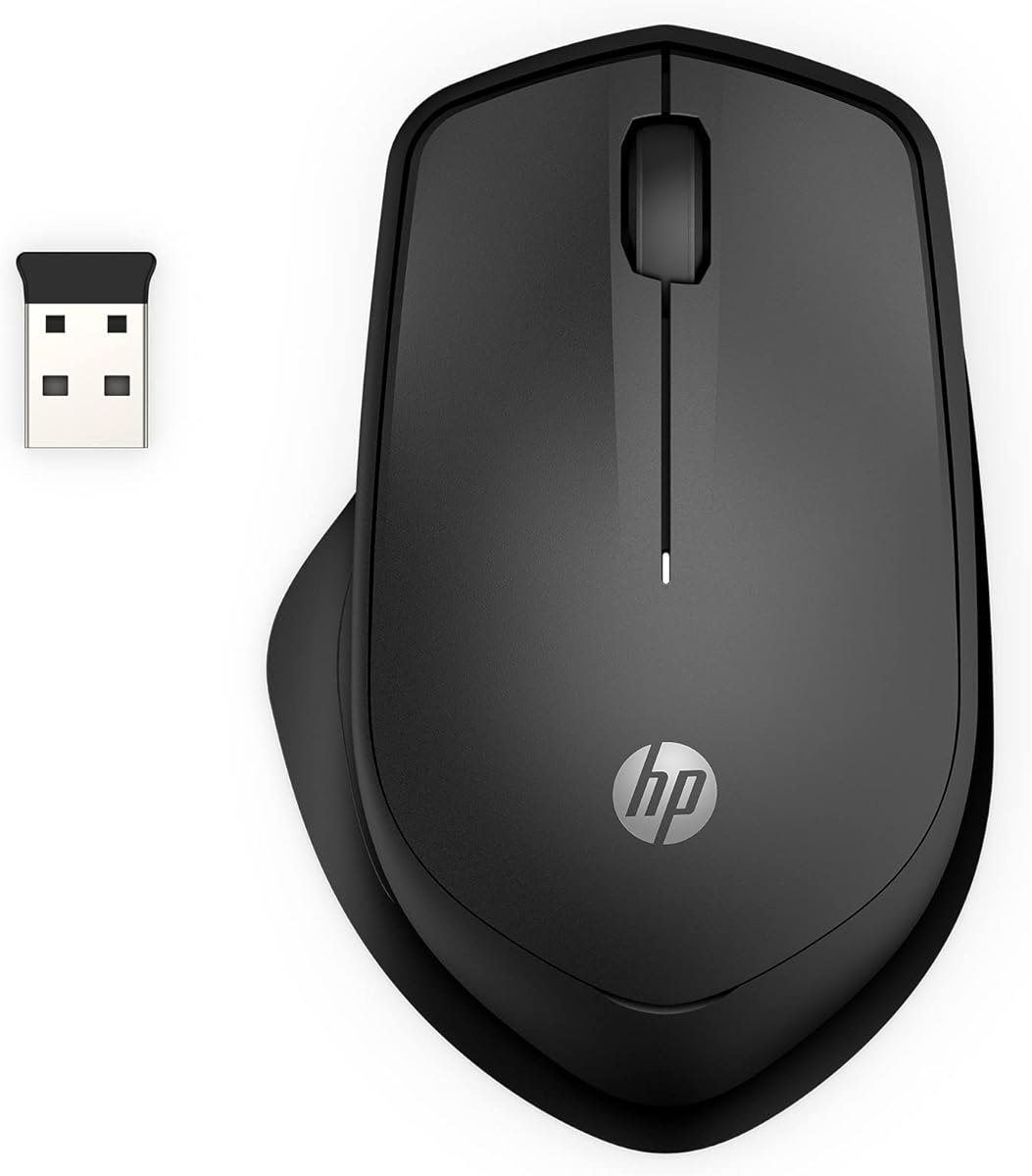
The HP 280 Silent Wireless Mouse delivers solid performance for right handed users seeking quiet operation. Its 4.5 star rating reflects consistent satisfaction with its comfort and reliability in daily tasks.
We may earn a commission when you buy through this link, at no additional cost to you.
Silent click buttons reduce noise significantly making it suitable for quiet offices. The ergonomic design supports natural hand positioning reducing strain during long work sessions while the 1600 DPI sensor provides reliable tracking.
With up to eighteen months of battery life it minimizes interruptions caused by frequent replacements. The multi surface technology ensures smooth movement even without a mouse pad which enhances portability and convenience.
This mouse is ideal for standard office use where quiet and comfort are priorities. It offers a balanced feature set at a reasonable price making it accessible for users who need dependable performance.
Engineered to reduce click noise the silent buttons ensure you can work quietly without disturbing colleagues or breaking concentration.
Multi surface technology allows smooth movement on various textures ensuring consistent performance whether at your desk or on a coffee table.
We may earn a commission when you buy through this link, at no additional cost to you.
The Acer Wireless Mouse offers impressive adjustability for users who need precise cursor control. Its 4.3 star rating suggests good performance particularly for those needing higher DPI settings for detailed work.
We may earn a commission when you buy through this link, at no additional cost to you.
Five adjustable DPI levels ranging from 800 to 4000 allow quick switching between precision and speed. The visual indicator light displays current settings and battery status simplifying troubleshooting and usage.
Rated for ten million clicks the switches are built to endure heavy use while the click to wake feature conserves battery life effectively. Although build materials are standard the performance and features deliver strong value.
This mouse is best for users who need versatility on a budget. It supports efficient workflows with customizable sensitivity and durable components making it a practical choice for varied computing tasks.
Five distinct DPI levels let you instantly adapt cursor speed for any task from detailed editing to rapid navigation.
The click to wake feature extends battery life by entering standby quickly while still allowing instant activation when needed.
We may earn a commission when you buy through this link, at no additional cost to you.
Selecting a durable computer mouse involves evaluating several factors that impact longevity and daily usability. This guide outlines key considerations to help you choose a model that fits your workflow and environment.
A durable mouse should be constructed with high quality plastics or reinforced components that resist cracking and wear. Look for certifications regarding recycled materials or industrial testing like millions of keystroke cycles.
Prioritize models with robust switches and reinforced scroll wheels to ensure they last for years without developing loose parts or unresponsive buttons.
Wireless mice vary significantly in battery efficiency with some lasting only months while others offer multi year performance. Longer battery life reduces waste and ensures uninterrupted work without frequent interruptions for changes.
Consider wired options if you never want to change batteries but wireless models with long endurance are often more convenient for mobile use.
The shape of the mouse must support your hand posture to prevent strain and repetitive stress injuries over time. Full size or contoured shapes with soft rubber grips provide better stability and comfort for long sessions.
Choose a size that matches your hand dimensions whether compact for travel or full size for desk comfort to maintain productivity without fatigue.
Wireless mice offer freedom of movement but rely on batteries and potential signal interference while wired models guarantee consistent performance without power concerns. USB-C or standard USB cables ensure compatibility with modern and legacy systems.
Decide based on your workspace needs; wireless is better for clean desks but wired may be preferable for reliability and security in sensitive environments.
Optical or laser sensors determine how accurately the cursor moves across surfaces. High quality sensors should track smoothly on various textures including wood glass or glossy finishes without stuttering.
Look for DPI settings that allow customization so you can adjust cursor speed for different tasks such as graphic design or general browsing.
Manufacturers often test mice for specific click counts or drop resistance which indicates expected lifespan. A solid warranty policy signals the brand's confidence in the product's durability and reliability.
Models offering three year warranties or extensive testing data are generally safer investments for those requiring long term performance.
Some durable mice include software to remap buttons or adjust sensitivity enhancing workflow efficiency. However basic models may not offer this flexibility so consider if programmability is essential for your tasks.
Ensure the mouse supports your operating system whether Windows Mac or Linux to avoid compatibility issues with configuration tools.
Higher priced models often include advanced features and materials but budget options can still provide excellent durability for standard tasks. Weigh the cost against the expected lifespan to determine the true value.
Investing in a slightly more expensive but long lasting model can save money over time compared to replacing cheaper alternatives frequently.
Place the mouse on a smooth consistent surface or a mouse pad to ensure optimal sensor tracking. Avoid using it on uneven or reflective surfaces that might cause erratic cursor movement.
Clean the exterior regularly with a dry microfiber cloth to remove dust and oils that can degrade buttons or rubber grips over time. For deeper cleaning use a soft brush to remove debris from the scroll wheel.
Store the mouse in a cool dry place away from direct sunlight to prevent material warping or discoloration. If using a wireless model remove batteries during long periods of inactivity to avoid leakage.
The Logitech M705 Marathon is widely considered one of the most durable options due to its metal scroll wheel and three year battery life. It is built to withstand heavy daily use without losing performance or comfort.
Wired mice generally eliminate battery issues and signal interference making them reliable for consistent use. However modern wireless mice with high quality components can match durability while offering greater freedom of movement.
A high quality durable mouse can last anywhere from three to five years depending on usage intensity and care. Models tested for millions of clicks often exceed these timelines if kept clean and properly stored.
Look for metal scroll wheels reinforced switches and high quality plastic housings. Certifications for recycled materials or extensive durability testing often signal a commitment to long term product performance.
While battery life does not affect physical durability longer lasting batteries reduce the frequency of replacements and maintenance. Models with multi year battery life minimize waste and ensure consistent performance over time.
Most durable modern mice support both Mac and Windows via standard USB or Bluetooth connections. Some advanced software features may require specific drivers but basic functionality works universally across platforms.
Clean rubber grips with a slightly damp cloth and mild soap to remove dirt without degrading the material. Avoid harsh chemicals that can cause the rubber to become sticky or crack over time.
Our top pick the Logitech M705 Marathon excels in battery longevity and build quality making it ideal for heavy professional use. For budget conscious buyers the Logitech B100 offers reliable performance without advanced features.
Prioritize ergonomics and build materials to ensure your mouse supports your workflow without causing strain. Wireless users should look for models with multi year battery life while wired users can focus on connectivity and simplicity.
Prices and availability can change rapidly so always check current listings before finalizing your purchase. Investing in a durable computer mouse today ensures consistent productivity and comfort for years to come.